
The best RTX 50-series graphics cards balance the performance you need against memory capacity, card size, cooling, and power demands. I’d choose the ASUS Prime RTX 5080 as the best overall option in this lineup for buyers seeking high-end gaming without the TUF model’s more rugged focus. The MSI RTX 5070 Ti Ventus 3X stands out as a strong middle ground with 16GB of memory, while the ASUS Dual RTX 5060 Ti 16GB is a more accessible fit for gamers who want extra VRAM in a smaller card. The main tradeoff is whether to pay for a faster GPU tier or prioritize memory, case compatibility, and cooling. Read on for the full breakdown and guidance on choosing the right card for your system.

Get the latest gadgets delivered free with Prime
- Fast, free delivery on millions of items
- Prime Video, Amazon Music and more included
- Member-only deals all year
Complete the kit



Key Takeaways
- The RTX 5080 cards lead this lineup for high-end gaming: ASUS Prime is the balanced pick, while ASUS TUF adds a more robust design focus and PNY offers an OC triple-fan alternative.
- The RTX 5070 Ti models share a useful 16GB memory capacity: MSI Ventus 3X and PNY OC are the lineup’s middle-tier choices for buyers who want more headroom than the RTX 5060 options.
- RTX 5060 Ti memory configuration matters: the 16GB ASUS Dual, PNY dual-fan, and Gigabyte Eagle ICE options differ from the 8GB Gigabyte WINDFORCE and MSI Shadow 2X models.
- Compact and cooling needs point in different directions: dual-fan RTX 5060 Ti cards may suit tighter builds, while triple-fan RTX 5070 Ti and RTX 5080 models are better suited to cases with more room.
- The NVIDIA RTX PRO 4000 Blackwell is a specialist option: buyers should compare its professional-workstation purpose with the gaming focus of the GeForce cards rather than treating the product names as interchangeable.
| PNY NVIDIA GeForce RTX 5080 OC Triple-Fan Graphics Card |  | Best for High-End Gaming and Creative Work | GPU: NVIDIA GeForce RTX 5080 | Memory: 16GB GDDR7 | Boost clock: 2730 MHz | VIEW LATEST PRICE | See Our Full Breakdown |
| MSI Gaming RTX 5070 Ti 16G Ventus 3X OC Black Graphics Card |  | Best for a Straightforward RTX 5070 Ti Build | GPU: NVIDIA GeForce RTX 5070 Ti | Memory: 16GB GDDR7 | Memory interface: 256-bit | VIEW LATEST PRICE | See Our Full Breakdown |
| PNY GeForce RTX 5070 Ti OC Triple Fan Graphics Card, 16GB GDDR7 |  | Best for a Higher-Clocked RTX 5070 Ti | GPU: NVIDIA GeForce RTX 5070 Ti | Memory: 16GB GDDR7 | Memory bus: 256-bit | VIEW LATEST PRICE | See Our Full Breakdown |
| GIGABYTE GeForce RTX 5060 Ti Eagle OC ICE 16G Graphics Card |  | Best for a Compact RTX 5060 Ti with 16GB | GPU: NVIDIA GeForce RTX 5060 Ti | Memory: 16GB GDDR7 | Memory interface: 128-bit | VIEW LATEST PRICE | See Our Full Breakdown |
| PNY NVIDIA GeForce RTX 5060 Ti 16GB OC Dual-Fan Graphics Card |  | Best Compact RTX 50-Series Pick | GPU: NVIDIA GeForce RTX 5060 Ti | Memory: 16GB GDDR7 | Memory bus: 128-bit | VIEW LATEST PRICE | See Our Full Breakdown |
| GIGABYTE GeForce RTX 5060 Ti WINDFORCE OC 8G Graphics Card |  | Best Compact RTX 5060 Ti | GPU: NVIDIA GeForce RTX 5060 Ti | Memory: 8GB GDDR7 | Memory interface: 128-bit | VIEW LATEST PRICE | See Our Full Breakdown |
| ASUS Prime GeForce RTX 5060 8GB GDDR7 OC Edition Gaming Graphics Card | 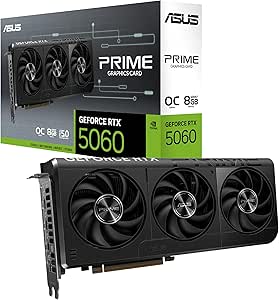 | Best RTX 50-Series Pick for Small Builds | GPU: NVIDIA GeForce RTX 5060 | Memory: 8GB GDDR7 | Clock speed: 2565 MHz default; 2595 MHz OC | VIEW LATEST PRICE | See Our Full Breakdown |
| ASUS Prime GeForce RTX 5080 16GB GDDR7 Gaming Graphics Card |  | Best Compact RTX 5080 | GPU: NVIDIA GeForce RTX 5080 | Memory: 16GB GDDR7 | Boost clock: 2617 MHz default; 2640 MHz OC | VIEW LATEST PRICE | See Our Full Breakdown |
| ASUS TUF Gaming GeForce RTX 5080 OC Edition 16GB GDDR7 Graphics Card | 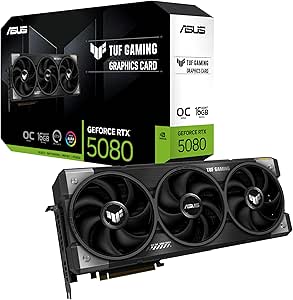 | Best Built for Sustained Cooling | GPU: NVIDIA GeForce RTX 5080 | Memory: 16GB GDDR7 | Boost clock: 2700 MHz default; 2730 MHz OC | VIEW LATEST PRICE | See Our Full Breakdown |
| MSI Gaming RTX 5060 Ti 8G Shadow 2X OC Graphics Card |  | Best Dual-Fan RTX 5060 Ti | GPU: NVIDIA GeForce RTX 5060 Ti | Architecture: NVIDIA Blackwell | Memory: 8GB GDDR7 | VIEW LATEST PRICE | See Our Full Breakdown |
| NVIDIA RTX PRO 4000 Blackwell Graphics Card |  | Best for Professional Workstations | Memory: 24GB GDDR7 ECC | Interface: PCIe 5.0 x16 | Outputs: 4x DisplayPort 2.1b | VIEW LATEST PRICE | See Our Full Breakdown |
| ASUS Dual GeForce RTX 5060 Ti 16GB GDDR7 OC Edition Gaming Graphics Card |  | Best Compact 16GB Gaming Pick | GPU: NVIDIA GeForce RTX 5060 Ti | Memory: 16GB GDDR7 | Boost clock: 2632 MHz (OC Mode) | VIEW LATEST PRICE | See Our Full Breakdown |
| RTX 50-series graphics card | Memory | GPU | Interface | Cooling |
|---|---|---|---|---|
| PNY NVIDIA GeForce RTX 5080 OC | 16GB GDDR7 | NVIDIA GeForce RTX 5080 | PCIe 5.0 x16 | Three 100mm fans with vapor chamber |
| MSI Gaming RTX 5070 Ti 16G Ven | 16GB GDDR7 | NVIDIA GeForce RTX 5070 Ti | — | Three TORX Fan 5.0 fans |
| PNY GeForce RTX 5070 Ti OC Tri | 16GB GDDR7 | NVIDIA GeForce RTX 5070 Ti | PCIe 5.0 x16 | Three fans |
| GIGABYTE GeForce RTX 5060 Ti E | 16GB GDDR7 | NVIDIA GeForce RTX 5060 Ti | — | WINDFORCE dual-fan system |
| PNY NVIDIA GeForce RTX 5060 Ti | 16GB GDDR7 | NVIDIA GeForce RTX 5060 Ti | PCIe 5.0 x8 | — |
| GIGABYTE GeForce RTX 5060 Ti W | 8GB GDDR7 | NVIDIA GeForce RTX 5060 Ti | PCIe 5.0 x8 | WINDFORCE, two fans |
| ASUS Prime GeForce RTX 5060 8G | 8GB GDDR7 | NVIDIA GeForce RTX 5060 | PCIe 5.0 x16 | — |
| ASUS Prime GeForce RTX 5080 16 | 16GB GDDR7 | NVIDIA GeForce RTX 5080 | PCI-Express x16 | — |
| ASUS TUF Gaming GeForce RTX 50 | 16GB GDDR7 | NVIDIA GeForce RTX 5080 | PCIe 5.0 x16 | Three Axial-tech fans; phase-change GPU thermal pad |
| MSI Gaming RTX 5060 Ti 8G Shad | 8GB GDDR7 | NVIDIA GeForce RTX 5060 Ti | — | Dual TORX Fan 5.0 fans |
| NVIDIA RTX PRO 4000 Blackwell | 24GB GDDR7 ECC | — | PCIe 5.0 x16 | — |
| ASUS Dual GeForce RTX 5060 Ti | 16GB GDDR7 | NVIDIA GeForce RTX 5060 Ti | PCIe 5.0 x16 | 2x Axial-tech fans, dual ball bearings |
More Details on Our Top Picks
PNY NVIDIA GeForce RTX 5080 OC Triple-Fan Graphics Card
I’d put this PNY RTX 5080 near the top for buyers who want a higher-performance Blackwell card without stepping up to a larger flagship model. Its 16GB of GDDR7 and factory overclock are suited to demanding games and GPU-heavy creative work, while the vapor chamber and three 100mm fans are designed to manage heat under sustained loads. Compared with the PNY GeForce RTX 5070 Ti OC Triple Fan, this is the stronger-tier choice, but it also takes up more room and calls for careful case-clearance checks. The fan-stop mode is useful when the card is cool, and VelocityX gives builders control over tuning. The tradeoff is physical: at 12.94 inches and 2.99 slots, it is a poor fit for compact systems.
Pros:- RTX 5080-class GPU with 16GB of GDDR7 for demanding games and creative workloads
- Triple 100mm fans and vapor-chamber cooling are designed for sustained heat management
- Fan-stop mode can reduce noise when temperatures are low
- VelocityX software provides clock, fan-curve, and monitoring controls
Cons:- 12.94-inch length and 2.99-slot thickness require a spacious case
- Larger and less suitable for compact builds than the PNY RTX 5070 Ti OC Triple Fan
Best for: PC builders targeting demanding gaming or creative workloads who have a spacious case and want an RTX 5080 with adjustable fan and clock settings.
Not ideal for: Small-form-factor builders or anyone with less than 12.94 inches of GPU clearance; the card’s length and nearly three-slot thickness can rule out a compact case.
- GPU:NVIDIA GeForce RTX 5080
- Memory:16GB GDDR7
- Boost clock:2730 MHz
- Base clock:2295 MHz
- Interface:PCIe 5.0 x16
- Cooling:Three 100mm fans with vapor chamber
- Dimensions:12.94 × 5.42 inches
- Slot size:2.99 slots
Our verdict“Choose this PNY RTX 5080 if you want a high-tier gaming and creative card and have the case space to accommodate its substantial cooler.”
MSI Gaming RTX 5070 Ti 16G Ventus 3X OC Black Graphics Card
I’d choose the MSI Ventus 3X OC for a build that needs the RTX 5070 Ti’s 16GB of GDDR7 but doesn’t need an elaborate appearance or extra software features. Its TORX Fan 5.0 design links fan blades to support steady, high-pressure airflow, while the copper baseplate and square Core Pipes move heat away from the GPU and memory. That makes it a practical alternative to the PNY GeForce RTX 5070 Ti OC Triple Fan, which lists a higher 2572 MHz boost clock; MSI specifies 2482 MHz for this card. The Ventus keeps its pitch focused on cooling and fit within an enthusiast desktop, rather than tuning extras. The product data gives an unusually large 16 × 11-inch item dimension, so I’d verify the actual card clearance with MSI’s case-fit information before buying.
Pros:- RTX 5070 Ti with 16GB of GDDR7 and a 256-bit memory interface
- TORX Fan 5.0 design is built to maintain high-pressure airflow
- Nickel-plated copper baseplate and square Core Pipes transfer heat from the GPU and memory
- Three DisplayPort 2.1a outputs plus HDMI 2.1b support a range of display setups
Cons:- Its listed 2482 MHz boost clock is lower than the PNY RTX 5070 Ti OC’s 2572 MHz specification
- Supplied 16 × 11-inch item dimensions are too ambiguous for confident case-fit planning
- The description does not specify extras such as fan-stop operation or tuning software
Best for: Desktop builders who want an RTX 5070 Ti with 16GB of memory, a three-fan cooling setup, and a restrained design rather than additional tuning software.
Not ideal for: Buyers seeking the higher listed boost clock of the PNY RTX 5070 Ti OC, or builders who cannot confirm the card’s fit from the supplied dimension information.
- GPU:NVIDIA GeForce RTX 5070 Ti
- Memory:16GB GDDR7
- Memory interface:256-bit
- Boost clock:2482 MHz
- Cooling:Three TORX Fan 5.0 fans
- Video outputs:Three DisplayPort 2.1a, one HDMI 2.1b
- Architecture:NVIDIA Blackwell
- Listed item dimensions:16 × 11 inches
Our verdict“Pick the MSI Ventus 3X OC if its airflow-focused design and 16GB RTX 5070 Ti configuration suit your build, but confirm dimensions before ordering.”
PNY GeForce RTX 5070 Ti OC Triple Fan Graphics Card, 16GB GDDR7
The case for this PNY is its 2572 MHz boost clock, paired with 16GB of GDDR7 and a triple-fan cooler. Those specifications make it an appealing step for buyers who want an RTX 5070 Ti suited to gaming and creative work, including workloads that can use NVIDIA Studio tools. Compared with the MSI Gaming RTX 5070 Ti Ventus 3X OC, PNY lists a higher boost clock, while both offer 16GB and three-fan cooling. Clock figures alone don’t establish real-world performance, so I’d choose between them based on confirmed fit, connectivity, and the features that matter to your build. This card’s 2.98-slot thickness is the main constraint: it needs room around the GPU, and it is a less comfortable option for compact cases. Its listed maximum resolution is 3840 × 2160.
Pros:- 16GB of GDDR7 on a 256-bit memory bus
- 2572 MHz listed boost clock is higher than the MSI Ventus 3X OC specification
- Triple-fan cooler and support for DLSS 4 and ray tracing
- NVIDIA Studio drivers and creative tools add appeal for creator PCs
Cons:- 2.98-slot thickness can limit case and adjacent-slot clearance
- Requires a desktop graphics card slot and is not suited to integrated or laptop graphics setups
- Maximum resolution is listed as 3840 × 2160
Best for: Gamers and creators choosing an RTX 5070 Ti who value a higher listed factory boost clock, 16GB of memory, and NVIDIA Studio support.
Not ideal for: Small-case builders or anyone whose motherboard and adjacent expansion cards leave little room for a nearly three-slot GPU.
- GPU:NVIDIA GeForce RTX 5070 Ti
- Memory:16GB GDDR7
- Memory bus:256-bit
- Boost clock:2572 MHz
- Interface:PCIe 5.0 x16
- Cooling:Three fans
- Slot thickness:2.98 slots
- Maximum resolution:3840 × 2160
Our verdict“Choose this PNY if you want an RTX 5070 Ti with a higher listed boost clock and Studio support, and your case can fit its nearly three-slot cooler.”
GIGABYTE GeForce RTX 5060 Ti Eagle OC ICE 16G Graphics Card
This GIGABYTE Eagle OC ICE makes sense for buyers who want 16GB of GDDR7 in a shorter RTX 5060 Ti card. At 8.46 inches long, it is easier to accommodate than either PNY triple-fan RTX 5070 Ti, though it gives up that higher GPU tier. The 16GB frame buffer can help with memory-heavy games and AI workloads, but the 128-bit memory interface is narrower than the 256-bit bus on those 5070 Ti options. Its dual-fan WINDFORCE cooler keeps the card compact, with less heatsink area than the triple-fan designs. I’d favor it for a space-conscious desktop where the memory capacity matters more than stepping up to a faster GPU class. Buyers should also check motherboard compatibility rather than assume PCIe 5.0 is required.
Pros:- 16GB of GDDR7 in a relatively short 8.46-inch card
- Dual-fan WINDFORCE cooling suits a more compact design
- DLSS 4 and Blackwell RT and Tensor cores support current gaming and AI features
- Three-year manufacturer warranty is specified
Cons:- 128-bit memory interface is narrower than the 256-bit bus on the RTX 5070 Ti options
- Dual-fan cooler has less cooling area than the triple-fan cards in this roundup
- RTX 5060 Ti is a lower GPU tier than the RTX 5070 Ti and RTX 5080 picks
Best for: Builders with limited GPU length who want an RTX 5060 Ti and 16GB of memory for gaming, creative applications, or local AI workloads.
Not ideal for: Buyers prioritizing a higher GPU tier or wider memory bus; the RTX 5070 Ti cards in this roundup offer a different performance class and a 256-bit interface.
- GPU:NVIDIA GeForce RTX 5060 Ti
- Memory:16GB GDDR7
- Memory interface:128-bit
- GPU clock:2617 MHz
- Bus interface:PCIe 5.0
- Cooling:WINDFORCE dual-fan system
- Dimensions:8.46 × 4.8 inches
- Maximum resolution:7680 × 4320
Our verdict“Choose the Eagle OC ICE if you need a shorter 16GB RTX 5060 Ti, but favor a 5070 Ti if you want a higher GPU tier and wider memory bus.”
PNY NVIDIA GeForce RTX 5060 Ti 16GB OC Dual-Fan Graphics Card
I’d shortlist this PNY for a smaller build that needs a two-slot RTX 5060 Ti rather than a long, thick triple-fan card. It combines 16GB of GDDR7 with a 2692 MHz boost clock, a single 8-pin power connector, and SFF-ready dimensions, which can simplify a compact upgrade. Compared with the GIGABYTE RTX 5060 Ti Eagle OC ICE, it is longer at 9.65 inches, but its listed two-slot form factor and tuning software make it a distinct option for tight builds. The tradeoff is the PCIe x8 interface and 128-bit memory bus; older PCIe systems and demanding high-resolution workloads may be less well served than by a wider-bus card such as either RTX 5070 Ti. Check power supply capacity too: PNY recommends 600W.
Pros:- Two-slot, SFF-ready design is easier to fit than the nearly three-slot RTX 5070 Ti cards
- 16GB of GDDR7 supports memory-heavy games and local AI workloads
- Single 8-pin power connector and 600W recommended PSU specification
- VelocityX software provides clock, fan, and monitoring controls
Cons:- PCIe 5.0 x8 interface may constrain bandwidth on older PCIe systems
- 128-bit memory bus is narrower than the 256-bit interfaces on both RTX 5070 Ti options
- PNY recommends a 600W power supply, which may call for an upgrade in older compact PCs
Best for: Small-form-factor PC builders upgrading to an RTX 5060 Ti who want 16GB of memory, a two-slot card, and an 8-pin power connection.
Not ideal for: Buyers seeking a wider memory bus or a higher GPU tier, and owners of older PCIe systems concerned about the card’s x8 interface.
- GPU:NVIDIA GeForce RTX 5060 Ti
- Memory:16GB GDDR7
- Memory bus:128-bit
- Boost clock:2692 MHz
- Interface:PCIe 5.0 x8
- Cooling and form factor:Dual-fan, 2-slot, SFF-ready
- Power:Single 8-pin connector; 600W recommended PSU
- Dimensions:9.65 × 4.72 inches
Our verdict“Choose this PNY for a compact two-slot build where 16GB and an 8-pin connector matter more than the wider memory bus of an RTX 5070 Ti.”
GIGABYTE GeForce RTX 5060 Ti WINDFORCE OC 8G Graphics Card
I’d pick the GIGABYTE RTX 5060 Ti WINDFORCE OC 8G for a build that needs RTX 5060 Ti capability without a large card. Its listed length of 8.19 inches is shorter than the MSI RTX 5060 Ti Shadow 2X OC at 8.9 inches, which can make case fit easier. The two-fan WINDFORCE cooler and 2587 MHz clock give it a straightforward, compact setup for gaming and creative workloads, with Blackwell features including DLSS 4.
The tradeoff is its 8GB of GDDR7: that capacity can constrain demanding textures and high-resolution workloads sooner than the 16GB RTX 5060 Ti alternatives elsewhere in this roundup. Its PCIe interface is listed as x8, rather than the x16 connection on the ASUS Prime RTX 5060. I’d favor this model when compact dimensions matter more than memory headroom, but skip it if longer-term high-texture gaming is the priority.
Pros:- Short 8.19-inch listed length suits builds with limited GPU clearance.
- RTX 5060 Ti GPU with Blackwell architecture and DLSS 4 support.
- GDDR7 memory and a listed 2587 MHz GPU clock.
- Two-fan WINDFORCE cooling in a compact design.
Cons:- 8GB of VRAM offers less capacity than the 16GB RTX 5060 Ti options in this roundup.
- The listed PCIe interface is x8, not x16.
- Two fans provide less cooling hardware than triple-fan cards.
Best for: Small-case builders seeking a short RTX 5060 Ti for mainstream gaming and GPU-accelerated creative work.
Not ideal for: Players who target high-resolution gaming with demanding textures, or buyers who want 16GB of VRAM for more headroom.
- GPU:NVIDIA GeForce RTX 5060 Ti
- Memory:8GB GDDR7
- Memory interface:128-bit
- GPU clock:2587 MHz
- Memory clock:28000 MHz
- Interface:PCIe 5.0 x8
- Cooling:WINDFORCE, two fans
- Dimensions:8.19 × 4.72 inches
Our verdict“Choose this card for a short RTX 5060 Ti build, but favor a 16GB model if memory capacity matters more than compact fit.”
ASUS Prime GeForce RTX 5060 8GB GDDR7 OC Edition Gaming Graphics Card
The ASUS Prime RTX 5060 is the more sensible fit for a small-form-factor gaming PC when a larger RTX 5060 Ti would be excessive. Its 2.5-slot format, triple Axial-tech fans, and dual BIOS give builders a useful balance: compact installation, a choice of quiet or performance profiles, and cooling spread across three fans. Compared with the GIGABYTE RTX 5060 Ti WINDFORCE OC 8G, this card has a listed PCIe 5.0 x16 interface, but it uses the lower-tier RTX 5060 GPU.
That distinction matters more than its OC clock: the Prime is aimed at buyers who value fit and a straightforward gaming setup over the extra GPU tier of a 5060 Ti. 8GB of GDDR7 also limits its appeal for high-resolution textures and memory-heavy workloads. The 10.6-inch length still needs a case measurement, and a triple-fan cooler doesn’t remove the need for good airflow. I’d choose it for compact builds, not as a substitute for a higher-tier card.
Pros:- 2.5-slot design is suited to compact builds.
- Three Axial-tech fans and dual-ball bearings.
- Dual BIOS offers Quiet and Performance profiles.
- Three DisplayPort 2.1b outputs and one HDMI 2.1b output.
Cons:- 8GB of VRAM can restrict demanding textures and high-resolution workloads.
- The 10.6-inch card still requires checking case clearance.
- RTX 5060 GPU sits below the RTX 5060 Ti models in this roundup.
Best for: Small-form-factor PC builders who want an RTX 5060 with triple-fan cooling, flexible BIOS profiles, and current display outputs.
Not ideal for: Gamers targeting demanding high-resolution settings or buyers seeking RTX 5060 Ti-class GPU performance.
- GPU:NVIDIA GeForce RTX 5060
- Memory:8GB GDDR7
- Clock speed:2565 MHz default; 2595 MHz OC
- AI performance:630 AI TOPS
- Interface:PCIe 5.0 x16
- Video outputs:3× DisplayPort 2.1b; 1× HDMI 2.1b
- Form factor:2.5-slot
- Dimensions:10.6 × 4.7 inches
Our verdict“Pick the ASUS Prime for a compact RTX 5060 build where fit and cooling flexibility matter more than RTX 5060 Ti performance.”
ASUS Prime GeForce RTX 5080 16GB GDDR7 Gaming Graphics Card
I’d shortlist the ASUS Prime RTX 5080 when the goal is high-end RTX 5080 performance in a card that stays 2.5 slots wide. Its vapor chamber, three Axial-tech fans, and phase-change thermal pad are designed to manage heat without the 3.6-slot cooler used by the ASUS TUF Gaming RTX 5080 OC. That slimmer profile can help in builds where expansion-slot space is tight, while the dual BIOS and 0dB mode give builders useful control over noise and cooling behavior.
The Prime is not small in every dimension: its 12-inch length still calls for a careful case-clearance check, and it needs an 850W power supply with a 16-pin connector. Its 16GB of GDDR7 is ample for many gaming setups, but buyers with memory-heavy professional workloads may prefer a card with more capacity. Compared with the TUF, this is the fit-conscious RTX 5080, not the choice for a particularly rugged, oversized cooler.
Pros:- 2.5-slot cooler is slimmer than the 3.6-slot ASUS TUF RTX 5080.
- Vapor chamber and phase-change thermal pad support heat management.
- Dual BIOS and 0dB technology provide operating flexibility.
- 16GB GDDR7 and three DisplayPort plus two HDMI outputs.
Cons:- 12-inch length can rule it out of shorter cases.
- Requires an 850W minimum power supply and a 16-pin connector.
- 16GB of VRAM may not suit memory-intensive professional workloads.
Best for: High-end gamers building in a case with limited slot width who still have room for a 12-inch GPU and an 850W power supply.
Not ideal for: Buyers with short cases, lower-wattage power supplies, or professional workloads that call for more than 16GB of graphics memory.
- GPU:NVIDIA GeForce RTX 5080
- Memory:16GB GDDR7
- Boost clock:2617 MHz default; 2640 MHz OC
- Interface:PCI-Express x16
- Video outputs:3× DisplayPort 2.1a; 2× HDMI 2.1b
- Slot width:2.5 slots
- Dimensions:12 × 5 inches
- Power supply requirement:850W minimum with 16-pin 12V-2×6 connector
Our verdict“Choose the Prime RTX 5080 when you want high-end GPU capability in a slimmer 2.5-slot design and have room for its length and power needs.”
ASUS TUF Gaming GeForce RTX 5080 OC Edition 16GB GDDR7 Graphics Card
The ASUS TUF Gaming RTX 5080 OC is the cooling-focused choice among these RTX 5080s. Its 3.6-slot design, three Axial-tech fans, and phase-change GPU thermal pad prioritize heat handling, while the PCB coating and reinforced components add a layer of physical protection. The listed 2730 MHz OC boost is higher than the ASUS Prime RTX 5080’s 2640 MHz OC mode, but the more consequential difference for a buyer is the TUF’s much larger cooler and chassis.
That size brings a real fit cost: at 13.7 inches long and 3.6 slots wide, this card needs a roomy case and careful slot-spacing checks. It also calls for an 850W or higher power supply with a 16-pin connector. Compared with the slimmer Prime, the TUF suits builders who can spare the space and value a substantial cooling assembly; it is a poor match for compact systems. Both cards have 16GB of GDDR7, so the TUF does not offer extra memory capacity.
Pros:- Three Axial-tech fans and a large fin array are designed for high-load cooling.
- Phase-change thermal pad supports GPU heat transfer.
- Protective PCB coating and reinforced components add durability features.
- Higher listed OC boost clock than the ASUS Prime RTX 5080.
Cons:- 13.7-inch length and 3.6-slot width require substantial case clearance.
- Requires an 850W minimum power supply with a 16-pin connector.
- Shares the Prime RTX 5080’s 16GB memory capacity despite its larger build.
Best for: Enthusiast gamers with large cases who prioritize a substantial cooling assembly, protective construction, and a higher listed OC boost.
Not ideal for: Small-case builders, users with limited expansion-slot space, or anyone whose power supply lacks the required 16-pin connection.
- GPU:NVIDIA GeForce RTX 5080
- Memory:16GB GDDR7
- Boost clock:2700 MHz default; 2730 MHz OC
- Interface:PCIe 5.0 x16
- Video outputs:3× DisplayPort 2.1a; 2× HDMI 2.1b
- Cooling:Three Axial-tech fans; phase-change GPU thermal pad
- Dimensions:13.7 × 5.7 inches
- Slot size:3.6 slots
- Power supply requirement:850W minimum with 16-pin 12V-2×6 connector
Our verdict“Choose the TUF RTX 5080 if your case and power supply can handle its size and you value its cooling and durability features over a slimmer card.”
MSI Gaming RTX 5060 Ti 8G Shadow 2X OC Graphics Card
The MSI RTX 5060 Ti Shadow 2X OC is aimed at builders who want a 5060 Ti in a dual-fan layout rather than a larger triple-fan card. Its 8.9-inch listed length is longer than the GIGABYTE RTX 5060 Ti WINDFORCE OC 8G, but its nickel-plated copper baseplate gives the cooler a defined heat-transfer feature beyond its two TORX 5.0 fans. Blackwell architecture and DLSS 4 support make it a current-generation option for gaming and supported creative applications.
The main compromise is familiar for this tier: 8GB of GDDR7 can limit room for high-resolution textures and demanding future titles. The supplied clock information is also inconsistent, listing both 2565 MHz memory clock and an implausible 28 GHz GPU clock; I would not use those figures to compare expected performance. Against the shorter GIGABYTE card, MSI’s baseplate is a distinguishing cooling detail, but its two-fan design remains less suited to buyers seeking a larger cooler.
Pros:- RTX 5060 Ti with NVIDIA Blackwell architecture and DLSS 4 support.
- Dual TORX 5.0 fans suit compact builds.
- Nickel-plated copper baseplate is designed to aid heat transfer.
- Three DisplayPort 2.1a outputs and one HDMI 2.1b output.
Cons:- 8GB of GDDR7 can constrain high-resolution textures and memory-heavy workloads.
- The listed 8.9-inch length is longer than the GIGABYTE WINDFORCE OC 8G.
- Source clock information is inconsistent, including an implausible 28 GHz GPU clock listing.
Best for: Builders seeking an RTX 5060 Ti with a dual-fan cooler and copper baseplate for a relatively compact gaming PC.
Not ideal for: Gamers who need more than 8GB of VRAM, or buyers who want clear, dependable clock specifications before comparing models.
- GPU:NVIDIA GeForce RTX 5060 Ti
- Architecture:NVIDIA Blackwell
- Memory:8GB GDDR7
- Listed memory clock:2565 MHz
- Cooling:Dual TORX Fan 5.0 fans
- Baseplate:Nickel-plated copper
- Video outputs:3× DisplayPort 2.1a; 1× HDMI 2.1b
- Dimensions:8.9 × 5 inches
- Warranty:3-year manufacturer warranty
Our verdict“Choose MSI’s Shadow 2X OC for a dual-fan RTX 5060 Ti with a copper baseplate, but skip it if you need more VRAM or clear clock data.”
NVIDIA RTX PRO 4000 Blackwell Graphics Card
The NVIDIA RTX PRO 4000 Blackwell is the specialist in this roundup: its 24GB of GDDR7 ECC memory is aimed at large AI workloads and complex 3D scenes where capacity and data integrity matter more than gaming-focused tuning. Four DisplayPort 2.1b outputs also suit workstation users building high-resolution multi-monitor setups. Compared with the ASUS Dual GeForce RTX 5060 Ti 16GB, it offers more memory and a single-slot footprint that can help with multi-GPU layouts, but the ASUS is the more natural choice for gaming and has consumer-focused cooling features. The PRO 4000’s single-slot cooler may limit sustained performance under heavy workloads, so buyers should weigh its space-saving design against thermal headroom. I’d choose it for professional workflows, not as a gaming-first RTX 50-series card.
Pros:- 24GB of GDDR7 ECC memory supports large datasets and helps protect data integrity.
- Single-slot form factor leaves room for additional cards and airflow.
- Four DisplayPort 2.1b outputs support multi-monitor workstation setups.
- PCIe 5.0 x16 interface provides a high-bandwidth connection.
Cons:- Single-slot cooling may constrain sustained performance under heavy loads.
- Professional workstation focus makes it less suited to gaming than consumer RTX 50-series cards.
Best for: Workstation builders running memory-intensive AI, rendering, or multi-display workflows who need ECC memory and a single-slot card.
Not ideal for: Gaming-first buyers or users with sustained, thermally demanding workloads who would benefit more from a consumer card with a larger cooling solution.
- Memory:24GB GDDR7 ECC
- Interface:PCIe 5.0 x16
- Outputs:4x DisplayPort 2.1b
- Form factor:Single slot, full height
- GPU clock speed:1230 MHz
- Memory clock speed:1750 MHz
- Maximum resolution:7680×4320
- Weight:0.84 kg
Our verdict“Choose the RTX PRO 4000 Blackwell for memory-heavy workstation tasks and multi-GPU builds, not for a gaming-focused PC.”
ASUS Dual GeForce RTX 5060 Ti 16GB GDDR7 OC Edition Gaming Graphics Card
The ASUS Dual GeForce RTX 5060 Ti 16GB OC is a practical fit for gamers who want 16GB of GDDR7 without moving to a larger triple-fan card. Its 2.5-slot build and 9-inch length suit many compact systems, while the dual Axial-tech fans, 0dB light-gaming mode, and Dual BIOS let owners favor quiet operation or a performance-oriented cooling profile. Against the workstation-focused NVIDIA RTX PRO 4000 Blackwell, this ASUS is much better matched to gaming; against higher-tier RTX 5070 Ti options in the roundup, it gives up performance headroom. Its OC mode reaches a 2632 MHz boost clock, but the compact cooler can run hotter under demanding loads. I’d pick it for a space-conscious gaming build, not a small case with tight thermal limits.
Pros:- 16GB of GDDR7 gives games and graphics workloads more memory capacity than 8GB alternatives.
- Compact 2.5-slot design and 9-inch length suit many space-conscious builds.
- 0dB mode can stop fan noise during light gaming.
- Dual BIOS offers Quiet and Performance profile flexibility.
Cons:- Cooling may run hotter under heavy load than a larger triple-fan design.
- The RTX 5060 Ti has less performance headroom than the RTX 5070 Ti options in this roundup.
Best for: Gamers building in a compact mid-tower who want 16GB of GDDR7, quiet light-load operation, and flexible fan profiles.
Not ideal for: Buyers targeting maximum performance in demanding games or assembling a tightly ventilated small-form-factor PC where the OC cooler may run hot.
- GPU:NVIDIA GeForce RTX 5060 Ti
- Memory:16GB GDDR7
- Boost clock:2632 MHz (OC Mode)
- AI performance:767 AI TOPS
- Interface:PCIe 5.0 x16
- Outputs:3x DisplayPort 2.1b, 1x HDMI 2.1b
- Cooling:2x Axial-tech fans, dual ball bearings
- Form factor and dimensions:2.5-slot; 9″ L x 4.7″ W
- Warranty:3 years
Our verdict“Choose this ASUS for a compact gaming PC that benefits from 16GB of memory and quiet light-load operation, rather than for maximum frame rates.”
How We Picked
I compared these cards by GPU tier, memory capacity, cooling layout, and likely system fit, then ranked them by how clearly each option serves a distinct buyer. The RTX 5080 models lead for buyers seeking the strongest gaming tier represented here; the RTX 5070 Ti cards offer a step down with 16GB of memory, and RTX 5060 Ti and RTX 5060 models suit more constrained builds and needs. Where product details identify an overclock, fan layout, or memory configuration, I considered how that could affect setup and use rather than treating a higher clock label as proof of a large real-world gain.
I also weighed versatility and the cost of tradeoffs: memory capacity can matter for demanding games and workloads, while card dimensions, cooling, and power requirements affect whether an upgrade fits a real PC. The professional RTX PRO 4000 Blackwell is included as a different-use comparison, not ranked as a direct gaming substitute for GeForce. Since the list does not provide independent benchmark results, exact dimensions, or power figures for every model, I avoid claiming performance gaps that those details cannot support.
| RTX 50-series graphics card | GPU | Interface |
|---|---|---|
| PNY NVIDIA GeForce RTX 5080 OC | NVIDIA GeForce RTX 5080 | PCIe 5.0 x16 |
| MSI Gaming RTX 5070 Ti 16G Ven | NVIDIA GeForce RTX 5070 Ti | — |
| PNY GeForce RTX 5070 Ti OC Tri | NVIDIA GeForce RTX 5070 Ti | PCIe 5.0 x16 |
| GIGABYTE GeForce RTX 5060 Ti E | NVIDIA GeForce RTX 5060 Ti | — |
| PNY NVIDIA GeForce RTX 5060 Ti | NVIDIA GeForce RTX 5060 Ti | PCIe 5.0 x8 |
| GIGABYTE GeForce RTX 5060 Ti W | NVIDIA GeForce RTX 5060 Ti | PCIe 5.0 x8 |
| ASUS Prime GeForce RTX 5060 8G | NVIDIA GeForce RTX 5060 | PCIe 5.0 x16 |
| ASUS Prime GeForce RTX 5080 16 | NVIDIA GeForce RTX 5080 | PCI-Express x16 |
| ASUS TUF Gaming GeForce RTX 50 | NVIDIA GeForce RTX 5080 | PCIe 5.0 x16 |
| MSI Gaming RTX 5060 Ti 8G Shad | NVIDIA GeForce RTX 5060 Ti | — |
| NVIDIA RTX PRO 4000 Blackwell | — | PCIe 5.0 x16 |
| ASUS Dual GeForce RTX 5060 Ti | NVIDIA GeForce RTX 5060 Ti | PCIe 5.0 x16 |
Factors to Consider When Choosing Best RTX 50-series Graphics Cards
Before choosing among these RTX 50-series cards, match the GPU to your monitor, case, power supply, and workload. The model name alone will not tell you whether a particular board fits your PC or whether its memory configuration suits the games and applications you use.
Match the GPU Tier to Your Display
Start with your monitor’s resolution and refresh rate, then decide what level of performance you want to target. A higher-tier card such as an RTX 5080 makes more sense when you are building around demanding gaming or a high-resolution display. An RTX 5060 or 5060 Ti may be a more sensible match for a less demanding setup, keeping more of the build budget available for the monitor, storage, or CPU. Avoid choosing a GPU solely because it is the highest tier you can fit into the budget; a mismatched monitor can leave much of its capability unused. Check benchmarks for the games and settings you care about before settling on a tier.
Treat VRAM Capacity as a Workload Choice
Within this lineup, some RTX 5060 Ti models have 16GB of memory and others have 8GB, so check the exact card rather than relying on the GPU name. More VRAM can provide additional headroom for high-resolution textures, demanding games, and some creative tasks, but it does not automatically make a lower-tier GPU faster than a higher-tier one. An 8GB card can still make sense for a build with modest gaming demands or a firm preference for a particular form factor. Look at the memory needs of the software you actually use and at independent performance tests before deciding. The common mistake is treating capacity as a replacement for overall GPU performance.
Check Case Clearance and Cooling Before Buying
Card layouts vary across this list, from dual-fan designs to triple-fan models, and a product name may not reveal its full dimensions. Measure available card length, thickness, and clearance around nearby components inside your case. A larger cooler may help manage heat, but it can take up more space and may complicate installation in a compact PC. Also check airflow through the case, since a powerful card can be a poor match for a cramped build with limited ventilation. Confirm the exact manufacturer specifications for the specific model, not just the general RTX tier.
Verify Power Supply and Connectors
Do not assume that two cards with the same GPU require the same power setup. Board designs and factory overclocks can affect power requirements, so check the manufacturer’s stated supply recommendation and connector type for the exact model. Confirm that your power supply has the required connectors and enough capacity for the full system, including the CPU and other components. If you need an adapter, follow the card maker’s installation guidance and avoid sharply bending the cable near the connector. This check is especially useful before buying a large upgrade, when a power-supply change may affect the total build plan.
Pay for an Overclock or Cooler Only When It Fits Your Build
Factory-overclocked models can offer a different clock setting and cooler design, but the label alone does not show how much faster a card will be in your games. Compare independent benchmarks, noise measurements, and temperatures where available, rather than assuming an OC suffix guarantees a meaningful gain. A larger cooler may suit a roomy case and a quiet-build goal, while a simpler or smaller design may be a better fit when space is limited. Check whether the manufacturer’s warranty and support terms suit your needs as well. If you are comparing two versions of the same GPU, prioritize verified performance and fit over branding differences.
Separate Gaming Cards from Workstation Needs
The RTX PRO 4000 Blackwell has a professional positioning, so its intended applications and software support may differ from those of the GeForce gaming cards. Buyers focused on games should compare GeForce options using game benchmarks, memory capacity, and system fit. For professional applications, check the software vendor’s certification guidance, driver requirements, and workload benchmarks before choosing a card. A workstation label does not automatically mean a better gaming experience, just as a gaming-focused model may not be the best fit for a certified production workflow. Choose based on the software you need to run, not just the shared RTX branding.
Frequently Asked Questions
Should I choose an RTX 5070 Ti with 16GB or an RTX 5080?
The choice depends on whether you want a higher GPU tier or a lower step with 16GB of memory. The RTX 5080 models in this list are the picks for buyers prioritizing high-end gaming, while the RTX 5070 Ti options offer 16GB and may suit builds where that capacity is a priority. Memory size alone does not determine game performance, so compare benchmarks at your resolution and settings. Also factor in your power supply, case clearance, and monitor before paying for a faster tier. Choose the 5070 Ti if it better fits your overall system plan, not simply because it carries the same memory capacity.
Is an 8GB RTX 5060 Ti enough, or should I choose a 16GB model?
An 8GB RTX 5060 Ti can suit buyers with less demanding games, settings, or workloads, but the 16GB versions offer more memory headroom. That extra capacity can matter when a game or application uses large textures or datasets, though it does not guarantee a higher frame rate in every situation. Compare the two configurations using tests from the games and software you run, and check whether your preferred resolution pushes memory use higher. The lineup includes both capacities, so confirm the exact model before ordering. If you expect to keep the card for several years or use memory-heavy applications, the 16GB options deserve closer attention.
Will a triple-fan RTX 5080 or RTX 5070 Ti fit in my current PC?
Fan count does not give you the card’s exact dimensions, so check the manufacturer’s measurements for the specific model. Compare card length and thickness with the case’s available clearance, and check for interference with front fans, radiators, or other expansion cards. Confirm that the power connectors can reach without being forced against a side panel. A triple-fan cooler may need more room than a compact dual-fan design, but the exact measurements vary by manufacturer. If your case is tight, measure it before choosing between the PNY, MSI, and ASUS models.
Is the NVIDIA RTX PRO 4000 Blackwell a good alternative to these GeForce cards for gaming?
It is better treated as a professional-workstation option than as a direct gaming replacement for the GeForce cards in this roundup. Its suitability depends on the applications you run, their driver requirements, and how they perform on that specific card. For gaming, compare GeForce products using game benchmarks at your preferred resolution and settings. For professional software, check the application vendor’s supported hardware and certification information. Shared RTX branding does not mean the cards serve the same audience or deliver the same results in every workload.
What should I check besides the GPU model before replacing my graphics card?
Check your case clearance, power-supply capacity, connector availability, and airflow before ordering. Confirm that the card’s outputs work with your monitors and that your system has the physical space for its cooler. A higher-tier GPU can also reveal limits elsewhere in the PC, such as a processor that holds back performance in some games. Review the manufacturer’s installation and support information, then look for benchmarks using a system similar to yours. These checks can prevent a mismatch that a GPU name or memory figure alone cannot reveal.
Conclusion
For the best overall fit, I recommend the ASUS Prime RTX 5080 for buyers seeking a high-end gaming card without prioritizing the more rugged design focus of the ASUS TUF. For a premium build where a sturdier design is a priority, consider the ASUS TUF Gaming RTX 5080 OC; the PNY RTX 5080 OC is another triple-fan alternative. The MSI RTX 5070 Ti Ventus 3X is my value-minded choice among the higher tiers for buyers who want 16GB without stepping up to an RTX 5080. Beginners building a more modest gaming PC should look at the ASUS Prime RTX 5060, while buyers who want a compact card with 16GB should compare the ASUS Dual RTX 5060 Ti and PNY dual-fan model. For workstation software, consider the RTX PRO 4000 Blackwell only after checking the application’s support and benchmarks; for any pick, confirm card dimensions and power needs before purchasing.