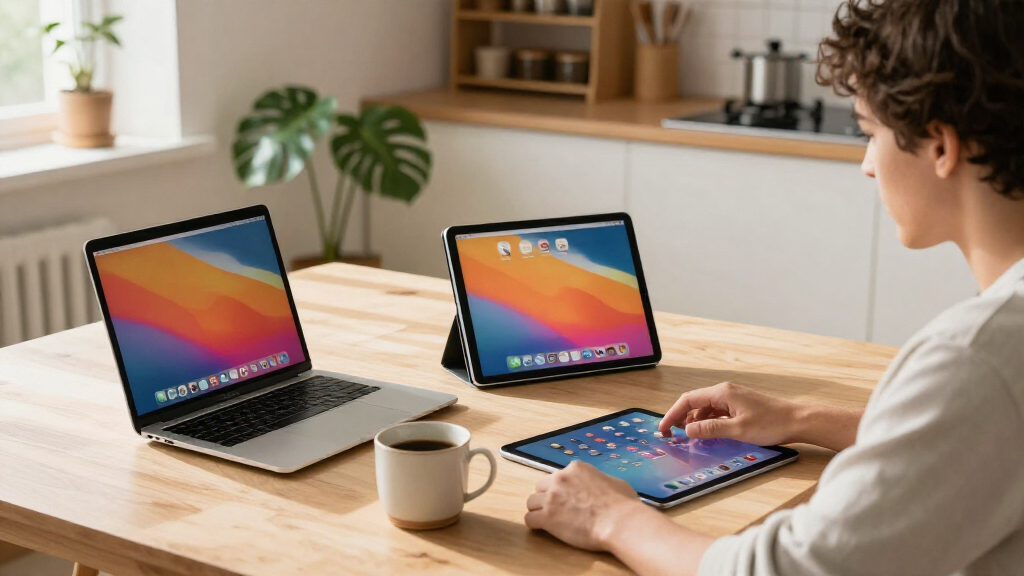

The best MacBooks and iPads depend on whether you need a laptop for sustained work, a tablet for touch-first tasks, or one device that can cover several roles. I’d put the 13-inch MacBook Air with M5 first for most laptop buyers, while the 11-inch iPad with A16 is a sensible starting point for everyday tablet use and the 14-inch MacBook Pro suits demanding creative work. The main tradeoffs are laptop flexibility versus tablet portability, newer performance versus older refurbished hardware, and screen size versus how easily a device travels. This roundup compares current and older models so you can see where a lower-spec or refurbished option makes sense—and where it may hold you back. Read on for the full breakdown and a guide to choosing the right fit.

Get the latest gadgets delivered free with Prime
- Fast, free delivery on millions of items
- Prime Video, Amazon Music and more included
- Member-only deals all year
Complete the kit



Key Takeaways
- The 13-inch MacBook Air with M5 is the strongest all-purpose laptop choice in this lineup: it pairs a portable size with 16GB memory and a 512GB SSD, avoiding the tighter limits of older Air models.
- MacBook Air and iPad are not interchangeable just because both are portable. The Air is better for long-form typing, desktop software, and file-heavy workflows; iPads favor touch, media, and tablet-specific tasks.
- Screen size changes the day-to-day experience more than many buyers expect. The 15-inch Air and 13-inch iPads offer more room, while 13-inch laptops and the 11-inch iPad are easier to carry.
- Older refurbished Macs trade upfront simplicity for greater uncertainty. The Intel-era models and 8GB M1 Air can handle lighter tasks, but buyers should weigh their age, storage, memory, and support horizon against newer options.
- Pro models make sense when their extra capability matches the workload. The MacBook Pro models and iPad Pro have more specialized appeal than the Air and standard iPad, so everyday browsing and study may not justify their added complexity.
| Apple MacBook Air 13-inch Laptop with M5 Chip, 16GB Memory, 512GB SSD, Silver | 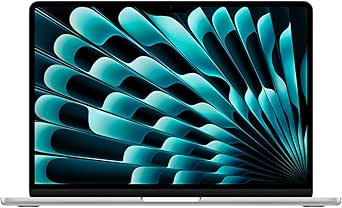 | Best Overall MacBook | Chip: Apple M5 | Display: 13.6-inch Liquid Retina | Memory: 16GB unified memory | VIEW LATEST PRICE | See Our Full Breakdown |
| Apple iPad Air 13-inch (M4), 128GB, Wi-Fi 7, Space Gray |  | Best Large-Screen iPad Air | Chip: Apple M4 | Display: 13-inch Liquid Retina with P3 wide color and True Tone | Storage: 128GB | VIEW LATEST PRICE | See Our Full Breakdown |
| Apple MacBook Neo 13-inch Laptop with A18 Pro Chip, 8GB Memory, 256GB SSD, Liquid Retina Display, 1080p Camera, Silver |  | Best Entry-Level MacBook | Processor: A18 Pro chip | Display: 13-inch Liquid Retina, supports 1 billion colors | Memory: 8GB unified memory | VIEW LATEST PRICE | See Our Full Breakdown |
| Apple iPad 11-inch with A16 Chip, 128GB, Wi-Fi, Silver |  | Best iPad for Everyday Use | Chip: Apple A16 | Display: 11-inch Liquid Retina with True Tone | Storage: 128GB | VIEW LATEST PRICE | See Our Full Breakdown |
| Apple MacBook Pro 13-inch (2019), Intel Core i5, 8GB RAM, 256GB SSD, Space Gray (Renewed) |  | Best for Buyers Seeking a Renewed MacBook Pro | Model year: 2019 | Processor: 8th-generation Intel Core i5, 1.4 GHz | Display: 13-inch Retina LCD with True Tone | VIEW LATEST PRICE | See Our Full Breakdown |
| Apple iPad Pro 13-inch (M5), 256GB, Wi-Fi 7, Space Black |  | Best Premium iPad for Creative Work | Display: 13-inch Ultra Retina XDR | Processor: Apple M5 | Storage: 256GB | VIEW LATEST PRICE | See Our Full Breakdown |
| Apple MacBook Air 13.3-inch (2017), 1.8GHz Intel Core i5, 8GB RAM, 128GB SSD, Silver (Certified Refurbished) |  | Best for Legacy Mac Basics | Model year: 2017 | Processor: Dual-core Intel Core i5, 1.8GHz; Turbo Boost up to 2.9GHz | Memory: 8GB 1600MHz LPDDR3 | VIEW LATEST PRICE | See Our Full Breakdown |
| Apple MacBook Air (2020) with M1 Chip, 13.3-Inch, 8GB RAM, 128GB SSD, Space Gray (Renewed) | 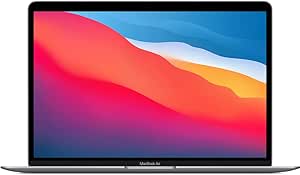 | Best Renewed MacBook Value | Model year: 2020 | Processor: Apple M1, 8-core CPU | Graphics: 7-core GPU | VIEW LATEST PRICE | See Our Full Breakdown |
| Apple MacBook Pro 14.2-inch with PROLED XDR Display (2026), Space Black |  | Best for Color-Critical Creative Work | Display: 14.2-inch tandem OLED PROLED XDR touchscreen | Peak brightness: Up to 2,000 nits | Color gamut: P3 and Adobe RGB | VIEW LATEST PRICE | See Our Full Breakdown |
| Apple 2023 MacBook Pro 16-inch with M3 Pro, 18GB Memory, 512GB SSD, Space Black |  | Best for a Large Built-In Workspace | Chip: Apple M3 Pro | CPU and GPU: 12-core CPU, 18-core GPU | Memory: 18GB unified memory | VIEW LATEST PRICE | See Our Full Breakdown |
| Apple MacBook Air 15-inch with M5 chip, 16GB memory, 512GB SSD, and Liquid Retina display |  | Best Large-Screen MacBook Air | Chip: Apple M5 | Display: 15.3-inch Liquid Retina; supports 1 billion colors | Memory: 16GB unified memory | VIEW LATEST PRICE | See Our Full Breakdown |
| Apple MacBook Pro 16.2-inch with M5 Pro, 18-core CPU, 20-core GPU, 24GB Memory, 1TB SSD, Wi-Fi 7, Silver | 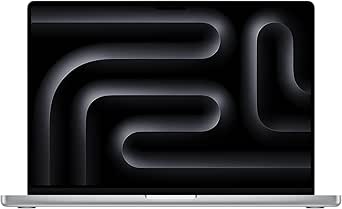 | Best for Demanding Creative Work | Chip: Apple M5 Pro | CPU and GPU: 18-core CPU; 20-core GPU | Display: 16.2-inch Liquid Retina XDR; 1600 nits peak and 1000 nits sustained brightness | VIEW LATEST PRICE | See Our Full Breakdown |
| Apple 2023 MacBook Air 15-inch with M2 Chip, 16GB Memory, 256GB SSD, and Midnight Finish |  | Best for Quiet, Everyday Big-Screen Use | Chip: Apple M2; 8-core CPU and 10-core GPU | Display: 15.3-inch Liquid Retina; 500 nits | Memory: 16GB unified memory | VIEW LATEST PRICE | See Our Full Breakdown |
| MacBooks and iPad | Display | Storage | Memory | Weight |
|---|---|---|---|---|
| Apple MacBook Air 13-inch Lapt | 13.6-inch Liquid Retina | 512GB SSD | 16GB unified memory | 2.71 pounds |
| Apple iPad Air 13-inch | 13-inch Liquid Retina with P3 wide color and True Tone | 128GB | — | 1.36 pounds |
| Apple MacBook Neo 13-inch Lapt | 13-inch Liquid Retina, supports 1 billion colors | 256GB SSD | 8GB unified memory | 2.71 pounds |
| Apple iPad 11-inch with A16 Ch | 11-inch Liquid Retina with True Tone | 128GB | — | 1.05 pounds |
| Apple MacBook Pro 13-inch | 13-inch Retina LCD with True Tone | 256GB SSD | 8GB DDR3 | — |
| Apple iPad Pro 13-inch | 13-inch Ultra Retina XDR | 256GB | — | 1.28 pounds |
| Apple MacBook Air 13.3-inch | 13.3-inch glossy, 1440 × 900 | 128GB SSD | 8GB 1600MHz LPDDR3 | — |
| Apple MacBook Air | 13.3-inch Retina, 2560 × 1600 | 128GB SSD | 8GB | — |
| Apple MacBook Pro 14.2-inch wi | 14.2-inch tandem OLED PROLED XDR touchscreen | — | — | 3.04 pounds |
| Apple 2023 MacBook Pro 16-inch | 16.2-inch Liquid Retina XDR, 3456 × 2234 | 512GB SSD | 18GB unified memory | — |
| Apple MacBook Air 15-inch with | 15.3-inch Liquid Retina; supports 1 billion colors | 512GB SSD | 16GB unified memory | 3.32 pounds |
| Apple MacBook Pro 16.2-inch wi | 16.2-inch Liquid Retina XDR; 1600 nits peak and 1000 nits sustained brightness | 1TB SSD | 24GB unified memory | 4.71 pounds |
| Apple 2023 MacBook Air 15-inch | 15.3-inch Liquid Retina; 500 nits | 256GB SSD | 16GB unified memory | 3.3 pounds |
More Details on Our Top Picks
Apple MacBook Air 13-inch Laptop with M5 Chip, 16GB Memory, 512GB SSD, Silver
The 13-inch MacBook Air with M5 is my strongest all-around laptop pick here: its 16GB of unified memory and 512GB SSD give everyday multitasking and file storage more headroom than the MacBook Neo, which has 8GB and 256GB. The lightweight 2.71-pound build, up to 18 hours of battery life, and MagSafe charging suit commuters and students who want a capable machine without a bulky chassis. It also supports two external displays, a practical advantage for a compact laptop-based desk setup. The tradeoff is a sparse built-in port selection: two Thunderbolt 4 ports, MagSafe, and a headphone jack. Buyers who need more screen space may prefer the 15-inch MacBook Air, while demanding creative workflows may call for a MacBook Pro.
Pros:- 16GB unified memory and 512GB SSD provide more multitasking and storage headroom than the MacBook Neo configuration.
- Light 2.71-pound design and up to 18 hours of battery life suit travel and long workdays.
- Supports up to two external displays for a flexible desk setup.
- 12MP Center Stage camera supports Center Stage and Desk View.
Cons:- Only two Thunderbolt 4 ports are available for peripherals and displays.
- The 13.6-inch display offers less workspace than the 15-inch MacBook Air.
Best for: Students, mobile professionals, and general-purpose users who want a light Mac laptop with more memory and storage headroom than the MacBook Neo.
Not ideal for: Buyers who need a wide built-in port selection, a larger screen, or the higher-end performance and display features of a MacBook Pro.
- Chip:Apple M5
- Display:13.6-inch Liquid Retina
- Memory:16GB unified memory
- Storage:512GB SSD
- Battery life:Up to 18 hours
- Ports:Two Thunderbolt 4, MagSafe charging, headphone jack
- External displays:Supports up to two
- Weight:2.71 pounds
Our verdict“Choose this MacBook Air if you want a portable, well-equipped everyday laptop with more memory and storage than the MacBook Neo.”
Apple iPad Air 13-inch (M4), 128GB, Wi-Fi 7, Space Gray
The 13-inch iPad Air with M4 is the better fit for people who want a spacious tablet for reading, drawing, or split-screen work but do not need a MacBook-style computer. Its P3 wide-color display and True Tone give photos and creative work room to breathe, while the M4 chip is suited to multitasking and demanding apps. Compared with the 11-inch iPad with A16, the larger panel offers more usable space, but the 1.36-pound tablet is also less convenient to hold for long stretches. It has 128GB of storage and Wi-Fi 7, but no keyboard or Pencil comes in the described configuration. Add those separately if you want laptop-like typing or stylus work; otherwise, the smaller iPad is an easier carry.
Pros:- 13-inch Liquid Retina screen with P3 wide color and True Tone provides generous, color-rich workspace.
- M4 chip supports multitasking and demanding apps.
- Wi-Fi 7 and 12MP Center Stage front camera support connected work and video calls.
- Touch ID supports secure unlocking, app sign-in, and Apple Pay.
Cons:- Apple Pencil and Magic Keyboard are sold separately.
- The larger 1.36-pound body is less convenient to hold than the 11-inch iPad.
- 128GB of storage may constrain users keeping large media or project libraries on the device.
Best for: Artists, students, and tablet-first users who value a large canvas for notes, media, and multitasking and are willing to add accessories separately.
Not ideal for: Readers who want a compact tablet to hold one-handed or buyers seeking a complete laptop replacement without purchasing a keyboard.
- Chip:Apple M4
- Display:13-inch Liquid Retina with P3 wide color and True Tone
- Storage:128GB
- Connectivity:Wi-Fi 7 with Apple N1
- Front camera:12MP Center Stage
- Rear camera:12MP Wide; supports 4K video
- Authentication:Touch ID
- Weight:1.36 pounds
Our verdict“Pick the 13-inch iPad Air if screen space matters more than compact handling and you are comfortable choosing accessories separately.”
Apple MacBook Neo 13-inch Laptop with A18 Pro Chip, 8GB Memory, 256GB SSD, Liquid Retina Display, 1080p Camera, Silver
The MacBook Neo makes sense for buyers whose main tasks are browsing, writing, video calls, and everyday apps. Its 13-inch Liquid Retina display, 1080p camera, aluminum enclosure, and up to 16 hours of battery life make it a straightforward portable laptop. Compared with the M5 MacBook Air, however, it has half the unified memory and half the SSD capacity listed here, so people with many demanding apps or large local files have less room to grow. The 2.71-pound weight is the same as the Air, while its listed thickness is 0.5 inches. This is a simpler fit for basic computer needs, not a better choice for everyone: skip it if you expect to run intensive creative workloads or keep a large library of files locally.
Pros:- 13-inch Liquid Retina display supports 1 billion colors.
- Up to 16 hours of battery life supports extended use away from an outlet.
- Recycled aluminum enclosure combines a portable build with 60% recycled content by weight.
- 1080p camera, dual microphones, and side-firing speakers suit calls and media.
Cons:- 8GB of unified memory leaves less room for demanding multitasking than the M5 MacBook Air.
- 256GB SSD provides less local storage than the 512GB MacBook Air configuration.
- Listed thickness is 0.5 inches, compared with 0.44 inches for the M5 MacBook Air.
Best for: First-time Mac buyers, students, and households needing a portable laptop for web, documents, streaming, and video calls.
Not ideal for: Creative professionals, heavy multitaskers, or users who need ample local storage and memory for demanding applications.
- Processor:A18 Pro chip
- Display:13-inch Liquid Retina, supports 1 billion colors
- Memory:8GB unified memory
- Storage:256GB SSD
- Camera:1080p FaceTime HD
- Battery life:Up to 16 hours
- Enclosure:Recycled aluminum; 60% recycled content by weight
- Weight:2.71 pounds
Our verdict“Choose the MacBook Neo for everyday computing and calls, but move up to the M5 MacBook Air if your workload or file library is likely to grow.”
Apple iPad 11-inch with A16 Chip, 128GB, Wi-Fi, Silver
The 11-inch iPad with A16 is the practical tablet choice for everyday browsing, video, notes, and games. At 1.05 pounds, it is easier to carry and hold than the 13-inch iPad Air, though its smaller screen gives less room for split-screen work or drawing. The A16 chip supports demanding apps, and the 12MP Center Stage front camera is useful for calls in either portrait or landscape use. Touch ID adds convenient secure access, while Wi-Fi 6 is a step behind the iPad Air’s Wi-Fi 7 connectivity. Pencil and Magic Keyboard Folio compatibility adds flexibility, but those accessories are separate purchases. With 128GB of storage, this is a balanced general-use iPad rather than a large-screen creative workstation.
Pros:- Light 1.05-pound design is easier to carry and hold than the 13-inch iPad Air.
- A16 chip supports demanding apps, games, and creative tasks.
- 11-inch True Tone display adjusts to the room’s color temperature.
- 12MP Center Stage front camera and 12MP rear camera with True Tone flash support calls and 4K video.
Cons:- Apple Pencil and Magic Keyboard Folio are compatible accessories but are not included.
- 128GB of storage may be limiting for large offline media or project collections.
- Wi-Fi 6 lacks the Wi-Fi 7 connectivity listed for the iPad Air.
Best for: Families, students, and casual tablet users who want a light iPad for streaming, browsing, schoolwork, and video calls.
Not ideal for: Digital artists and multitaskers who want the larger workspace and M4 chip of the 13-inch iPad Air.
- Chip:Apple A16
- Display:11-inch Liquid Retina with True Tone
- Storage:128GB
- Connectivity:Wi-Fi 6
- Front camera:12MP Center Stage
- Rear camera:12MP Wide with True Tone flash; records 4K video
- Authentication:Touch ID
- Weight:1.05 pounds
Our verdict“Pick this iPad for portable everyday use; choose the 13-inch iPad Air if a larger canvas and Wi-Fi 7 matter more.”
Apple MacBook Pro 13-inch (2019), Intel Core i5, 8GB RAM, 256GB SSD, Space Gray (Renewed)
This renewed 2019 MacBook Pro has a sharp 13-inch Retina display with True Tone, Touch ID, and a Touch Bar, but its older Intel platform changes who should choose it. The 8th-generation Core i5 and 8GB of DDR3 memory are a much more constrained setup than the M5 MacBook Air, which offers 16GB of unified memory, more SSD space, and up to 18 hours of battery life. This Pro’s listed battery life is up to 10 hours, and its two Thunderbolt 3/USB-C ports leave little room for accessories without adapters. Its 2.6-pound weight is close to the newer laptops, but the 90-day limited warranty and renewed condition call for extra care from buyers. It suits basic tasks, not people shopping for a modern performance machine.
Pros:- 13-inch Retina display has a 2560 x 1600 resolution and True Tone.
- Touch ID supports fingerprint-based access.
- At 2.6 pounds, it remains relatively light for a laptop.
- Touch Bar offers an additional input surface for supported apps.
Cons:- 8GB DDR3 memory and an 8th-generation Intel processor are less capable than the M5 MacBook Air configuration.
- Up to 10 hours of battery life is shorter than the newer MacBook Air models listed here.
- Renewed condition and a 90-day limited warranty offer less reassurance than a new laptop.
Best for: Mac users who specifically want a renewed, Intel-based MacBook Pro for basic documents, browsing, and occasional media work.
Not ideal for: Buyers who need long battery life, substantial multitasking capacity, modern wireless connectivity, or a longer warranty period.
- Model year:2019
- Processor:8th-generation Intel Core i5, 1.4 GHz
- Display:13-inch Retina LCD with True Tone
- Resolution:2560 x 1600 pixels
- Memory:8GB DDR3
- Storage:256GB SSD
- Ports:Two Thunderbolt 3 / USB-C ports
- Warranty:90-day limited warranty
Our verdict“Consider this renewed MacBook Pro only for basic tasks if you specifically want an older Intel Mac and accept its shorter battery life and limited warranty.”
Apple iPad Pro 13-inch (M5), 256GB, Wi-Fi 7, Space Black
The 13-inch iPad Pro with M5 is the specialist pick for people who want a large, responsive canvas for illustration, video review, or demanding tablet apps. Its Ultra Retina XDR display with ProMotion combines smooth scrolling with wide color, while the M5 chip and Neural Accelerators give it headroom for graphics and on-device AI tasks. Compared with the 13-inch iPad Air with M4, this Pro is aimed at display-sensitive work and heavier workloads, not everyday browsing alone. The tradeoff is that turning it into a laptop-like setup adds separate Apple Pencil and Magic Keyboard purchases, and 256GB may feel tight for large media libraries. Buyers seeking macOS apps or a built-in keyboard should choose a MacBook instead.
Pros:- 13-inch Ultra Retina XDR display supports ProMotion, P3 wide color, and True Tone.
- M5 chip with Neural Accelerators is suited to demanding apps and on-device AI tasks.
- Landscape 12MP Center Stage camera keeps video calls framed around the user.
- Four-speaker audio system provides fuller sound for video and media.
Cons:- Apple Pencil and Magic Keyboard are sold separately.
- 256GB storage can constrain large creative libraries and offline media.
- Nano-texture display glass is unavailable in this storage configuration.
Best for: Digital artists, video editors, and tablet-first professionals who want a large color-rich display and plan to use Apple Pencil.
Not ideal for: Laptop-first buyers who need macOS, a built-in keyboard, or ample local space for large project files.
- Display:13-inch Ultra Retina XDR
- Processor:Apple M5
- Storage:256GB
- Connectivity:Wi-Fi 7 with Apple N1
- Front camera:12MP Center Stage, landscape orientation
- Security:Face ID
- Weight:1.28 pounds
- Audio:Four-speaker system and four microphones
Our verdict“Choose this iPad Pro if a premium, large-format tablet matters more than built-in laptop features.”
Apple MacBook Air 13.3-inch (2017), 1.8GHz Intel Core i5, 8GB RAM, 128GB SSD, Silver (Certified Refurbished)
This 2017 MacBook Air makes the list only for buyers whose needs are modest and who specifically want a traditional Mac with an SDXC card slot. Its aluminum body weighs 2.96 pounds, and the listed battery life reaches up to 12 hours; those traits still suit basic writing, web use, and travel. But compared with the 2020 MacBook Air with M1, its dual-core Intel processor, older 1440 × 900 display, and shorter stated battery life leave less room for current workloads. The 128GB SSD also limits how many apps and files can stay on the machine. As a certified refurbished computer, it comes with a limited 90-day warranty, so buyers should weigh that shorter coverage against the appeal of its legacy ports and familiar macOS setup.
Pros:- Aluminum unibody design weighs 2.96 pounds.
- Built-in SDXC card slot supports direct card-based file transfer.
- SSD storage and 8GB memory support basic everyday tasks.
- Battery life is specified for up to 12 hours.
Cons:- Dual-core Intel processor is a less capable choice than the M1 MacBook Air for heavier modern workloads.
- 128GB SSD leaves little room for large files and applications.
- 1440 × 900 display and limited 90-day refurbished warranty are dated tradeoffs.
Best for: Light-use Mac buyers who mainly handle documents and web browsing and specifically need an SDXC card slot.
Not ideal for: Students, creative professionals, or buyers planning to keep many apps and files locally; its older processor, low-resolution display, and 128GB SSD are limiting.
- Model year:2017
- Processor:Dual-core Intel Core i5, 1.8GHz; Turbo Boost up to 2.9GHz
- Memory:8GB 1600MHz LPDDR3
- Storage:128GB SSD
- Display:13.3-inch glossy, 1440 × 900
- Wireless:802.11ac Wi-Fi, Bluetooth 4.0
- Battery life:Up to 12 hours
- Condition and warranty:Certified refurbished; limited 90-day warranty
Our verdict“Pick this refurbished Air only for light Mac tasks and its SDXC slot, not as a long-term machine for demanding work.”
Apple MacBook Air (2020) with M1 Chip, 13.3-Inch, 8GB RAM, 128GB SSD, Space Gray (Renewed)
The 2020 MacBook Air with M1 is the more convincing renewed Mac for everyday work than the 2017 Air in this lineup. Its 8-core M1 chip, Retina resolution, and stated battery life of up to 18 hours give it a more modern foundation for documents, video calls, and general multitasking. Touch ID and a backlit Magic Keyboard also make daily use more convenient than the older model’s simpler setup. Compared with newer MacBook Air options elsewhere in the roundup, though, this is still a renewed configuration with just 8GB of memory and 128GB of storage. Those limits can pinch when several demanding apps or a large photo and video collection are involved. The 720p camera is another compromise for frequent calls.
Pros:- M1 combines an 8-core CPU, 7-core GPU, and 16-core Neural Engine.
- 13.3-inch Retina display has a 2560 × 1600 resolution and True Tone.
- Backlit Magic Keyboard and Touch ID improve everyday usability.
- Listed battery life is up to 18 hours.
Cons:- 128GB SSD can quickly fill with applications, photos, and project files.
- 8GB memory is a constraint for heavier multitasking.
- 720p camera is modest for frequent video calls.
Best for: Students and home users seeking a renewed MacBook for writing, browsing, and routine work, with a sharper display than the 2017 Air.
Not ideal for: People who keep large project libraries locally, run demanding creative workflows, or rely on a high-resolution webcam.
- Model year:2020
- Processor:Apple M1, 8-core CPU
- Graphics:7-core GPU
- Memory:8GB
- Storage:128GB SSD
- Display:13.3-inch Retina, 2560 × 1600
- Battery life:Up to 18 hours
- Condition and warranty:Renewed; 90-day limited warranty
Our verdict“Choose this renewed M1 Air for everyday Mac work and a sharper screen, provided 128GB of storage is enough.”
Apple MacBook Pro 14.2-inch with PROLED XDR Display (2026), Space Black
This 14.2-inch MacBook Pro is the most display- and connection-focused choice here for creative work that benefits from a bright touchscreen and wide color support. Its listed tandem OLED PROLED XDR panel reaches up to 2,000 nits and covers P3 and Adobe RGB, while Thunderbolt 5, HDMI, SDXC, and MagSafe reduce the need for adapters. Compared with the 2023 16-inch MacBook Pro with M3 Pro, this model is more compact and lists newer display and port features; the 16-inch model instead specifies a particular M3 Pro configuration and 18GB of memory. This listing leaves the chip choice at M5 Pro or M5 Max, so buyers should check which configuration they are selecting. The stated battery life is up to 22 hours, but actual runtime depends on workload.
Pros:- Tandem OLED PROLED XDR touchscreen lists peak brightness up to 2,000 nits.
- P3 and Adobe RGB color support suits color-focused creative workflows.
- Thunderbolt 5, HDMI, SDXC, and MagSafe provide a broad set of connections.
- M5 Pro or M5 Max configurations support demanding creative and AI workloads.
Cons:- M5 Pro and M5 Max configurations differ in external-display support.
- The product description does not specify a single processor configuration.
- Up-to-22-hour battery life is a listed maximum and varies with use.
Best for: Color-focused video and image professionals who want a portable MacBook Pro with a touchscreen and direct access to common ports.
Not ideal for: Buyers who need a clearly specified chip and memory configuration before choosing, or who prefer a larger built-in workspace.
- Display:14.2-inch tandem OLED PROLED XDR touchscreen
- Peak brightness:Up to 2,000 nits
- Color gamut:P3 and Adobe RGB
- Processor:M5 Pro or M5 Max
- Battery life:Up to 22 hours
- Ports:Three Thunderbolt 5, MagSafe 3, SDXC card slot, HDMI, headphone jack
- Wireless:Wi-Fi 7 and Bluetooth 6
- Weight:3.04 pounds
Our verdict“Choose this 14-inch Pro for its listed display and port capabilities, after confirming the chip configuration fits your workflow.”
Apple 2023 MacBook Pro 16-inch with M3 Pro, 18GB Memory, 512GB SSD, Space Black
For buyers who want a roomy screen and a defined pro-level configuration, the 2023 16-inch MacBook Pro offers a clearer choice than the 14-inch Pro listing with its M5 Pro or M5 Max alternatives. Here, the M3 Pro, 18GB unified memory, and 512GB SSD are specified, while the 16.2-inch Liquid Retina XDR display gives editing timelines and side-by-side windows more space. Its six-speaker system, three-mic array, and 1080p camera also make it a strong fit for media work and calls. Compared with the 14-inch model, it trades newer listed display and connection features for a larger panel and a fixed configuration. The major drawback is carry weight: the supplied spec says 8.3 pounds, making this a poor pick for frequent travel. Battery life is listed up to 22 hours, depending on use.
Pros:- M3 Pro has a 12-core CPU and 18-core GPU for demanding workflows.
- 18GB unified memory and 512GB SSD provide a defined configuration for multitasking and project storage.
- 16.2-inch Liquid Retina XDR display offers a large workspace and HDR brightness up to 1,000 nits.
- 1080p camera, three-mic array, and six-speaker Spatial Audio system support calls and media work.
Cons:- The listed 8.3-pound weight makes it less suitable for carrying regularly.
- Its M3 Pro configuration is older than the M5 Pro or M5 Max options listed for the 14-inch Pro.
- Battery life varies by use and configuration.
Best for: Video editors, developers, and office professionals who want a large display, defined memory and storage, and substantial multitasking capacity.
Not ideal for: Frequent commuters or travelers seeking a light laptop; the listed 8.3-pound weight is a significant portability tradeoff.
- Chip:Apple M3 Pro
- CPU and GPU:12-core CPU, 18-core GPU
- Memory:18GB unified memory
- Storage:512GB SSD
- Display:16.2-inch Liquid Retina XDR, 3456 × 2234
- Camera:1080p FaceTime HD
- Ports:USB, HDMI, Thunderbolt
- Maximum battery life:Up to 22 hours
Our verdict“Pick this 16-inch MacBook Pro for a large working area and specified M3 Pro setup, not for lightweight travel.”
Apple MacBook Air 15-inch with M5 chip, 16GB memory, 512GB SSD, and Liquid Retina display
I’d choose this Air when a roomy screen matters more than the smaller footprint of the 13-inch MacBook Air with M5. Its 15.3-inch Liquid Retina display gives split-screen work, photo editing, and video calls more breathing room, while the 3.32-pound fanless design stays easier to carry than a Pro. The M5 chip, 16GB of memory, and 512GB SSD make it a stronger everyday multitasking pick than the older M2 MacBook Air in this lineup, with more storage headroom for apps and files. Its limits are clear: the two Thunderbolt 4 ports may require a hub for desk setups, and demanding sustained workloads are better matched to the 16-inch MacBook Pro with M5 Pro. I see this as the practical large-screen choice, not a workstation substitute.
Pros:- 15.3-inch display supports 1 billion colors, giving creative projects and side-by-side windows more usable space.
- At 3.32 pounds, it is lighter than the 16-inch MacBook Pro while retaining a large screen.
- Up to 18 hours of battery life supports long workdays away from an outlet.
- M5 chip, 16GB memory, and 512GB SSD provide a capable everyday multitasking setup.
Cons:- Two Thunderbolt 4 ports can be limiting for users who connect several wired accessories.
- The 512GB SSD may fill quickly for people with large video, photo, or offline media libraries.
- Its Air design is less suited to sustained demanding workloads than the MacBook Pro with M5 Pro.
Best for: Students, remote workers, and frequent travelers who want a large display for multitasking without carrying a MacBook Pro.
Not ideal for: Video editors and developers with sustained heavy workloads or several wired peripherals who would benefit more from the MacBook Pro’s stronger chip and broader port selection.
- Chip:Apple M5
- Display:15.3-inch Liquid Retina; supports 1 billion colors
- Memory:16GB unified memory
- Storage:512GB SSD
- Camera:12MP Center Stage
- Battery life:Up to 18 hours
- Ports:Two Thunderbolt 4, MagSafe charging, headphone jack
- Weight:3.32 pounds
Our verdict“Choose this model if you want a portable Mac with a genuinely spacious screen, but pick the 16-inch MacBook Pro for sustained professional workloads.”
Apple MacBook Pro 16.2-inch with M5 Pro, 18-core CPU, 20-core GPU, 24GB Memory, 1TB SSD, Wi-Fi 7, Silver
This is the lineup’s clearest fit for people whose work pushes beyond the MacBook Air’s everyday strengths. The M5 Pro with an 18-core CPU and 20-core GPU, plus 24GB of memory, is built for demanding creative and AI workloads; the 1TB SSD also gives projects more room than the 512GB drive in the 15-inch M5 Air. Its 16.2-inch Liquid Retina XDR display reaches 1600 nits peak brightness, while HDMI, SDXC, and three Thunderbolt 5 ports reduce the need for adapters. The tradeoff is portability: at 4.71 pounds, it is substantially heavier than either Air, and its M5 Pro configuration supports up to three external displays, not four. I’d reserve this premium-sized machine for buyers who can use its processing, display, and connections regularly.
Pros:- M5 Pro, 24GB unified memory, and 1TB SSD suit demanding creative and AI workloads.
- 16.2-inch Liquid Retina XDR display offers up to 1600 nits peak brightness.
- Three Thunderbolt 5 ports, HDMI, SDXC, and MagSafe 3 provide versatile built-in connectivity.
- Six-speaker audio system and 12MP Center Stage camera support media work and video calls.
Cons:- At 4.71 pounds, it is considerably less convenient to carry than either 15-inch MacBook Air.
- M5 Pro supports up to three external displays; four-display setups require an M5 Max configuration.
- Its performance and display advantages may be unnecessary for routine productivity tasks.
Best for: Video professionals, photographers, and developers handling demanding projects who need a bright large display, substantial memory, and built-in card and HDMI connections.
Not ideal for: Students and mobile workers focused on portability or routine browsing and office work; the MacBook Air models are lighter and better suited to those needs.
- Chip:Apple M5 Pro
- CPU and GPU:18-core CPU; 20-core GPU
- Display:16.2-inch Liquid Retina XDR; 1600 nits peak and 1000 nits sustained brightness
- Memory:24GB unified memory
- Storage:1TB SSD
- Ports:Three Thunderbolt 5, MagSafe 3, SDXC card slot, HDMI, headphone jack
- Wireless:Wi-Fi 7, Bluetooth 6
- Weight:4.71 pounds
Our verdict“Pick this MacBook Pro for demanding creative workloads and built-in professional connections, not for a lightweight everyday laptop.”
Apple 2023 MacBook Air 15-inch with M2 Chip, 16GB Memory, 256GB SSD, and Midnight Finish
I’d shortlist this older Air for buyers who value a large, quiet laptop and do not need the newest chip or much local storage. Its 15.3-inch Liquid Retina display, fanless operation, and up to 18 hours of battery life make it a comfortable fit for writing, browsing, and streaming. The 16GB of unified memory is useful for juggling everyday apps, but the M2 chip is a generation behind the 15-inch MacBook Air with M5, which is the better fit for heavier creative work and newer connectivity. The biggest compromise is the 256GB SSD: it leaves less space for large projects than the M5 Air’s 512GB drive. Two Thunderbolt ports also limit direct connections. This pick makes the most sense when quiet operation and a spacious display matter more than extra storage or current-generation performance.
Pros:- 15.3-inch Liquid Retina display provides generous space for documents and side-by-side apps.
- Fanless design runs silently during typical everyday tasks.
- Up to 18 hours of battery life supports extended use away from a charger.
- 16GB unified memory supports everyday multitasking.
Cons:- 256GB SSD offers limited room for large photo, video, and app libraries.
- M2 chip is older than the M5 in the newer 15-inch MacBook Air.
- Two Thunderbolt ports can require a hub for a multi-accessory setup.
Best for: Writers, students, and home users who want a silent, large-screen MacBook for everyday tasks and can keep most files in cloud or external storage.
Not ideal for: Creative professionals with large local media libraries or buyers who want the newer M5 chip, 512GB storage, and Wi-Fi 7 found on the newer 15-inch Air.
- Chip:Apple M2; 8-core CPU and 10-core GPU
- Display:15.3-inch Liquid Retina; 500 nits
- Memory:16GB unified memory
- Storage:256GB SSD
- Camera:1080p FaceTime HD
- Battery life:Up to 18 hours
- Connectivity:MagSafe, two Thunderbolt ports, headphone jack
- Weight:3.3 pounds
Our verdict“Choose this M2 Air for quiet everyday work on a large display, but favor the M5 Air if you need more storage or newer performance.”
How We Picked
I ranked these MacBooks and iPads by how well each fits a distinct buyer need, rather than treating a laptop and a tablet as direct substitutes. The main criteria were expected performance for the product’s class, memory and storage headroom, screen size, portability, and the practical difference between standard and Pro models. I also considered the product’s age and whether a refurbished or renewed device brings tradeoffs in support, condition, and long-term usefulness.
The ranking gives priority to versatile, current configurations that can serve a broad range of buyers without relying on workarounds. Specialized Pro devices rank well for demanding tasks, but not automatically above a more suitable everyday pick. Older Macs sit lower because their reduced memory, storage, and age can limit their appeal even when they remain capable of basic work. Since this lineup spans different device types and generations, the best choice depends on your workload and preferred way of working—not one universal spec winner.
| MacBooks and iPad | Chip | Battery life |
|---|---|---|
| Apple MacBook Air 13-inch Lapt | Apple M5 | Up to 18 hours |
| Apple iPad Air 13-inch | Apple M4 | — |
| Apple MacBook Neo 13-inch Lapt | — | Up to 16 hours |
| Apple iPad 11-inch with A16 Ch | Apple A16 | — |
| Apple MacBook Pro 13-inch | — | — |
| Apple iPad Pro 13-inch | — | — |
| Apple MacBook Air 13.3-inch | — | Up to 12 hours |
| Apple MacBook Air | — | Up to 18 hours |
| Apple MacBook Pro 14.2-inch wi | — | Up to 22 hours |
| Apple 2023 MacBook Pro 16-inch | Apple M3 Pro | — |
| Apple MacBook Air 15-inch with | Apple M5 | Up to 18 hours |
| Apple MacBook Pro 16.2-inch wi | Apple M5 Pro | — |
| Apple 2023 MacBook Air 15-inch | Apple M2; 8-core CPU and 10-core GPU | Up to 18 hours |
Factors to Consider When Choosing Best MacBooks And IPads
Before choosing among these models, decide what you need the device to do on an ordinary day. MacBooks are full laptop computers; iPads are touch-first tablets, and their overlapping portability can obscure very different workflows. These factors help you compare the lineup without paying for features or capacity that your routine will not use.
Choose the Device Type Around Your Main Tasks
Start with the work you do repeatedly, not the task you might try once. Long documents, spreadsheets, desktop apps, and managing many files generally fit a MacBook workflow better because it is built around a keyboard, trackpad, and laptop software. An iPad is a stronger match for reading, handwriting, drawing, video, and touch-oriented apps. Adding a keyboard can make an iPad more versatile, but it does not make every desktop workflow behave like macOS. A common mistake is buying a tablet for laptop duties without checking whether the apps and file handling you depend on work well on iPadOS. If you need both styles of work, compare the cost and inconvenience of accessories with the benefit of carrying one device.
Match Screen Size to How You Work and Travel
A larger display gives documents, timelines, and side-by-side windows more breathing room, but it also makes a device less convenient to carry and use in tight spaces. The 13-inch MacBook Air models are a middle ground; the 15-inch Air favors workspace, and the 11-inch iPad is easier to handle as a tablet. A 13-inch iPad can be more comfortable for drawing or split-screen use, though its size may feel less natural for casual handheld reading. Think about where the device will be used most: a desk, a classroom, a commute, or a mix. Buyers often overvalue screen area without accounting for how frequently they will carry the device. If the device stays at home, a larger screen can be worth the trade; if it travels daily, weight and footprint deserve equal attention.
Buy Enough Memory and Storage for Your Actual Work
Memory affects how comfortably a computer handles multiple apps and demanding projects, while storage determines how much you can keep locally. The newer 16GB MacBook Air configurations in this lineup offer more headroom than the 8GB older Air and renewed Pro options. A 256GB drive can suit cloud-first users, but offline media, large photo libraries, and creative files can fill it quickly. Cloud storage can reduce local space pressure, but it depends on reliable access and may add recurring costs. Avoid choosing the smallest configuration just because your current files fit; estimate what you expect to keep on the device over its useful life. On an iPad, choose storage based on downloaded media, games, creative projects, and how often you work away from a network.
Treat Refurbished and Older Macs as a Separate Tradeoff
An older or refurbished Mac can meet basic needs, but its appeal depends on more than its original model name. The 2017 Intel Air and 2019 Intel Pro are far removed from the current M-series machines in this selection, while the M1 Air is newer in design but still has 8GB memory and a 128GB SSD in the listed configuration. Before buying renewed or refurbished, check the seller’s return window, battery condition, included accessories, and what warranty applies. Also confirm that the operating system and apps you need support the hardware. A low initial outlay can become poor value if limited storage, aging components, or software compatibility force an early replacement. Favor these models for light, clearly defined tasks rather than as a long-term choice for demanding work.
Pay for Pro Hardware Only When Your Work Benefits
Pro branding alone does not tell you whether a MacBook Pro or iPad Pro fits your needs. A stronger display, additional processing capacity, or more memory matters most when your work uses those resources regularly, such as complex creative projects or sustained intensive tasks. For browsing, schoolwork, streaming, and everyday office use, an Air or standard iPad may be easier to justify and simpler to carry. Compare the specific configuration too: the 16-inch M5 Pro MacBook has more memory and storage than the listed 2023 M3 Pro model, while the 14-inch Pro serves buyers who want a smaller Pro laptop. The common mistake is paying for capacity that sits unused or choosing an older Pro solely because the name sounds higher-end. Match the extra capability to a workload you can name.
Plan for Accessories and Your Existing Setup
The device itself is only part of the buying decision, especially with an iPad. If you intend to type for hours, draw with a stylus, connect external storage, or work at a desk, check accessory compatibility and budget for what your routine requires. A MacBook includes its core typing and pointing tools, while a tablet may need add-ons to cover the same jobs. Check your current charger, display, and storage connections before replacing a computer; a new setup can call for adapters or different cables. Also consider whether your work depends on particular macOS or iPadOS apps, shared files, or collaboration tools. Choosing around your existing workflow can save more hassle than selecting a device based on a single impressive specification.
Frequently Asked Questions
Should I buy a MacBook or an iPad if I can only choose one?
Choose a MacBook if your routine includes extended typing, desktop applications, multitasking across many windows, or regular file management. Choose an iPad if touch input, drawing, reading, and handheld use matter more than desktop-style work. An iPad can cover some laptop-like tasks with accessories, but check that your essential apps and file workflows behave as you expect before relying on it as your only device. If you are unsure, list the tasks you do every week and identify which ones require a keyboard-led computer. The device that handles your most demanding recurring task should usually take priority.
Is an older refurbished MacBook a sensible choice for school or basic home use?
It can be, if the intended tasks are light and you verify the device’s condition, software compatibility, and support terms. The older Intel models in this roundup have less appeal for buyers who want a machine for demanding or long-term use, while the M1 Air is a more recent design but has limited memory and storage in its listed configuration. Check battery health, return options, warranty coverage, and whether your school or work apps still support the model. Also think about how much local storage you need; a small drive can become restrictive even for ordinary use. A newer entry-level model may be a better fit if you want fewer age-related uncertainties.
Is a 13-inch or 15-inch MacBook Air better for everyday work?
The 13-inch Air is the more portable choice for commuting, classes, and working in small spaces. The 15-inch version gives you more screen area for documents and side-by-side windows, which can reduce reliance on an external monitor. Both sizes can suit everyday work, so the decision is mainly about how often you travel and how much workspace you value. Try to account for where the laptop will be carried and opened, not just how large the screen looks on a desk. If portability is a daily priority, lean smaller; if the laptop serves as your main screen at home, the larger model may be more comfortable.
How much storage should I choose for a MacBook or iPad?
Base your choice on what stays on the device, not only on what you currently own. Cloud-first users who stream media and keep few large files locally may manage with less storage, while downloaded video, games, photo libraries, and creative projects need more room. MacBook buyers should also account for work files and applications that can grow over time. Cloud storage can help, but it does not replace local space when you travel or work offline, and it may bring ongoing fees. If you regularly clear files to make room, that is a sign to choose more capacity.
When is a MacBook Pro or iPad Pro worth choosing over an Air or standard iPad?
A Pro model makes sense when its additional capabilities directly support work you do often, such as demanding creative tasks, intensive multitasking, or a need for a more specialized display experience. For ordinary browsing, schoolwork, video, and general productivity, an Air or standard iPad may cover the essentials with less device than you need. Compare the exact model and configuration rather than assuming every Pro is newer or better suited to you; this lineup includes Pro Macs from different generations. Also consider whether a larger or more capable device changes your daily workflow enough to justify the tradeoff in portability and complexity. If you cannot point to a regular task that benefits from Pro hardware, an Air or standard iPad is likely the more sensible match.
Conclusion
For most laptop shoppers, I recommend the 13-inch MacBook Air with M5 as the best overall: its balance of portable size, 16GB memory, and 512GB storage makes it the most adaptable choice here. The 11-inch iPad with A16 is my best value-style starting point for everyday tablet use, while the MacBook Air with M1 is a lower-spec alternative only if its 8GB memory and 128GB storage suit your light workload and you accept the age-related tradeoffs. For a premium laptop, look to the 16-inch MacBook Pro with M5 Pro; for a premium tablet, the 13-inch iPad Pro with M5 is the specialized option. Beginners who want a traditional computer should start with the M5 MacBook Air, while beginners who mainly browse, read, and stream should choose the standard iPad. Pick the 15-inch Air for more laptop screen space, the 13-inch iPad Air for a larger tablet workspace, and a Pro model only when its added capability matches a task you do regularly.
Black Friday Picks

Sonos One (Gen 2) Two-Room Set Voice-Controlled Smart Speaker with Alexa (2-Pack, Black)
As an affiliate, we earn on qualifying purchases.