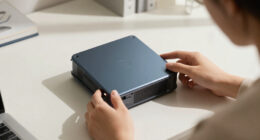
The best iPad mini accessories pair the right protection with the way you use your tablet every day. My best overall pick is the ZUGU Protective Case for its focused balance of case protection and viewing support, while the Ailun Tempered Glass Screen Protector is a practical add-on for guarding the display and the LISEN Foldable Adjustable Tablet Stand suits desk use without adding a bulky case. The main tradeoffs are protection versus portability, a paper-like drawing feel versus screen clarity, and keyboard convenience versus extra weight. Compatibility matters too: these choices are listed for the iPad mini 6, iPad mini 7, or both, so check your exact model before buying. Read on for how the 14 options compare and which combination fits your routine.

Get the latest gadgets delivered free with Prime
- Fast, free delivery on millions of items
- Prime Video, Amazon Music and more included
- Member-only deals all year
Complete the kit



Key Takeaways
- ZUGU takes the overall case pick because it centers on everyday protection and adjustable viewing, while slim folio cases like ProCase favor a lighter, simpler setup.
- Ailun glass and Bersem Paperfeel solve different screen problems: Ailun prioritizes a clear protective layer, while Bersem trades some screen smoothness for a more textured feel when writing or drawing.
- Rotating cases are not interchangeable with desk stands. The JETech, TORRAS, and SEYMAC cases keep support attached to the iPad, while the LISEN and Lamicall stands are better for a dedicated desk setup.
- The keyboard case is a specialized productivity choice, not a universal upgrade. typecase adds typing and trackpad controls but brings more bulk than a separate stand or slim case.
- Protection levels vary widely across the case lineup. SEYMAC adds a screen protector, pencil holder, hand strap, and stand, while ProCase and DTTO offer a more conventional case format with fewer built-in extras.
| ZUGU Protective Case for iPad mini 6 and iPad mini 7, Stealth Black |  | Best Overall Protective Case | Compatible devices: 2021 iPad mini 6 (A2567, A2568, A2569) and 2024 iPad mini 7 (A17 Pro) | Color: Stealth Black | Stand: Magnetic stand with 7 angles | VIEW LATEST PRICE | See Our Full Breakdown |
| TORRAS Ostand K1 Guardian Case for iPad mini 7 and 6 with Stand, Black |  | Best for Portrait and Landscape Viewing | Compatible models: iPad mini 7 (2024): A2995, A2996, A2993; iPad mini 6 (2021): A2567, A2568, A2569 | Stand adjustment: Short stand: 0°–105°; long stand: 30°–105°; portrait mode: 75° | Stand material: Aviation aluminum | VIEW LATEST PRICE | See Our Full Breakdown |
| LULULOOK 360° Magnetic Stand for iPad mini 7 and mini 6, Gray |  | Best Adjustable Desk Stand | Compatible devices: iPad mini 7 (A17 Pro, 8.3-inch, 2024) and iPad mini 6 (8.3-inch, 2021) | Rotation: 360° rotating panel and base | Stand adjustment: 180° adjustable | VIEW LATEST PRICE | See Our Full Breakdown |
| ProCase Slim Smart Case for iPad Mini 7 (A17 Pro, 2024) and iPad Mini 6 (2021), 8.3-inch, Black |  | Best Slim Folio | Compatible devices: iPad Mini 7 (A17 Pro, 2024): A2995, A2996, A2993; iPad Mini 6 (2021): A2567, A2568, A2569 | Maximum compatible screen size: 8.3 inches | Color: Black | VIEW LATEST PRICE | See Our Full Breakdown |
| Ailun Tempered Glass Screen Protector for iPad mini 7 and mini 6, 2-Pack, 8.3-Inch |  | Best Screen-Protection Value | Compatible devices: iPad mini 7 (A17 Pro, 2024) and iPad mini 6 (2021) | Screen size: 8.3 inches | Material: Tempered glass | VIEW LATEST PRICE | See Our Full Breakdown |
| DEGGE Stylus Pen for Compatible iPads, with Palm Rejection and Fast Charging |  | Best Fast-Charging Stylus | Brand: DEGGE | Model: DG-Stylus-Purple | Compatibility: Select iPad, iPad Pro, iPad mini, and iPad Air models | VIEW LATEST PRICE | See Our Full Breakdown |
| DTTO Case for iPad mini 7 (A17 Pro) and iPad mini 6, 8.3-inch, Brown |  | Best for Carrying Essentials | Compatible devices: iPad mini 7 (A17 Pro, 2024; A2993, A2995, A2996) and iPad mini 6 (2021; A2567, A2568, A2569) | Screen size: 8.3 inches | Color: Brown | VIEW LATEST PRICE | See Our Full Breakdown |
| Supveco Composition Notebook Case for iPad mini 7 (A17 Pro) and iPad mini 6, 8.3-inch, Black |  | Best Notebook-Style Folio | Compatible models: iPad mini (A17 Pro, 2024; A2995/A2996) and iPad mini 6th generation (2021; A2567/A2568/A2569) | Maximum compatible device size: 8.3 inches | Materials: Silicone shell and TPU cover | VIEW LATEST PRICE | See Our Full Breakdown |
| JETech 360° Rotating Case for iPad mini (A17 Pro and 6th Gen), Starlight |  | Best Rotating Stand Case | Compatible devices: iPad mini (A17 Pro, 2024) and iPad mini 6 (2021) | Compatible model numbers: A2993, A2995, A2996, A2567, A2568, A2569 | Maximum device size: 8.3 inches | VIEW LATEST PRICE | See Our Full Breakdown |
| Bersem Paperfeel Screen Protector 2-Pack for iPad Mini 7 and iPad Mini 6 |  | Best for Pencil Writing and Drawing | Compatible devices: iPad mini 7 (A17 Pro, 2024) and iPad mini 6 (2021), 8.3-inch | Material: PET film | Finish: Matte | VIEW LATEST PRICE | See Our Full Breakdown |
| typecase Keyboard Case with Trackpad for iPad mini 7 and 6 (8.3-inch), 360° Rotating |  | Best for Turning the mini into a Tiny Workstation | Compatibility: iPad mini 7 (A17 Pro, 2024) and iPad mini 6 (2021), 8.3-inch | Compatible model numbers: A2996, A2993, A2995, A2567, A2568, A2569 | Connectivity: Bluetooth | VIEW LATEST PRICE | See Our Full Breakdown |
| SEYMAC Stock Protective Case for iPad mini 7 and iPad mini 6, 8.3-inch, with Screen Protector, Pencil Holder, Rotating Hand Strap, and Stand |  | Best for Drop-Prone, On-the-Go Use | Compatibility: iPad mini 7 (A17 Pro) and iPad mini 6, 8.3-inch | Compatible models: A2996, A2995, A2993, A2569, A2568, A2567 | Protection features: Shock-absorbing case, built-in screen protector, and port covers | VIEW LATEST PRICE | See Our Full Breakdown |
| LISEN Foldable Adjustable Tablet Stand for Desk |  | Best for a Portable, Adjustable Desk Setup | Device compatibility: Devices 4–15.6 inches wide; device width under 0.7 inches | Weight: 15.2 ounces (0.95 lb) | Material: ABS plastic with metal panel | VIEW LATEST PRICE | See Our Full Breakdown |
| Lamicall Adjustable Aluminum Tablet Stand |  | Best Compact Stand for Everyday Desk Use | Compatible device size: 4–13 inches | Maximum device thickness: 18 mm (0.71 in) | Material: Aluminum alloy and alloy steel | VIEW LATEST PRICE | See Our Full Breakdown |
| iPad mini accessorie | Compatible devices | Dimensions | Weight | Warranty |
|---|---|---|---|---|
| ZUGU Protective Case for iPad | 2021 iPad mini 6 (A2567, A2568, A2569) and 2024 iPad mini 7 (A17 Pro) | 8.66 x 5.91 x 0.55 inches | 216.9 g | 2 years |
| TORRAS Ostand K1 Guardian Case | — | — | 180 g | — |
| LULULOOK 360° Magnetic Stand f | iPad mini 7 (A17 Pro, 8.3-inch, 2024) and iPad mini 6 (8.3-inch, 2021) | — | — | 1 year manufacturer warranty |
| ProCase Slim Smart Case for iP | iPad Mini 7 (A17 Pro, 2024): A2995, A2996, A2993; iPad Mini 6 (2021): A2567, A2568, A2569 | 7.87 x 5.51 x 0.39 inches | 4.66 ounces | — |
| Ailun Tempered Glass Screen Pr | iPad mini 7 (A17 Pro, 2024) and iPad mini 6 (2021) | — | — | 12 months |
| DEGGE Stylus Pen for Compatibl | — | — | — | 1 year |
| DTTO Case for iPad mini 7 | iPad mini 7 (A17 Pro, 2024; A2993, A2995, A2996) and iPad mini 6 (2021; A2567, A2568, A2569) | — | — | 1 year |
| Supveco Composition Notebook C | — | — | — | 1-year free replacement |
| JETech 360° Rotating Case for | iPad mini (A17 Pro, 2024) and iPad mini 6 (2021) | 5.86 x 0.7 x 7.86 inches | 204.6 g | — |
| Bersem Paperfeel Screen Protec | iPad mini 7 (A17 Pro, 2024) and iPad mini 6 (2021), 8.3-inch | 7.5 x 5.11 inches | — | — |
| typecase Keyboard Case with Tr | — | 6.32 × 0.83 × 7.87 inches | — | — |
| SEYMAC Stock Protective Case f | — | 8.5 × 6.61 × 0.9 inches | 12.35 ounces | 6-month maintenance or replacement service for product defects |
| LISEN Foldable Adjustable Tabl | — | — | 15.2 ounces (0.95 lb) | — |
| Lamicall Adjustable Aluminum T | — | 5 × 5.5 × 4.5 inches | 8.81 ounces | — |
More Details on Our Top Picks
ZUGU Protective Case for iPad mini 6 and iPad mini 7, Stealth Black
I’d choose the ZUGU Protective Case when one accessory needs to handle everyday protection, propping up the iPad, and keeping an Apple Pencil close. Its seven-angle magnetic stand gives more flexibility for reading, video calls, and watching than the two-position tri-fold cover on the ProCase Slim Smart Case. The stated 5-foot drop protection also makes it a stronger fit for buyers who want more than scratch coverage, while its 216.9 g weight keeps it relatively manageable for a protective case.
The tradeoff is that it adds more structure than the slim ProCase, and the Pencil holder does not include a stylus. It supports Apple Pencil 2 wireless charging, so check which Pencil model you own before choosing. Compatibility is limited to iPad mini 6 and 7; this is my most balanced pick for protection and stand versatility, not the lightest option.
Pros:- Seven magnetic stand angles suit varied viewing and working positions.
- Advertised 5-foot drop protection offers more impact coverage than a basic folio.
- Supports Apple Pencil 2 wireless charging and includes a stylus holder.
- Auto sleep/wake adds convenience when opening and closing the case.
Cons:- At 216.9 g, it weighs more than the 180 g TORRAS Ostand K1.
- Apple Pencil is not included, and Pencil compatibility should be checked before buying.
- Fits only the specified iPad mini 6 and 7 models.
Best for: iPad mini 6 and 7 owners who want drop protection, several viewing angles, and Apple Pencil 2 charging support in one case.
Not ideal for: Buyers prioritizing the lightest, simplest cover, or anyone with an iPad mini model outside the listed generations.
- Compatible devices:2021 iPad mini 6 (A2567, A2568, A2569) and 2024 iPad mini 7 (A17 Pro)
- Color:Stealth Black
- Stand:Magnetic stand with 7 angles
- Drop protection:5 ft
- Additional features:Stylus holder, Apple Pencil 2 wireless charging support, auto sleep/wake
- Materials:Thermoplastic polyurethane; hybrid shell
- Dimensions:8.66 x 5.91 x 0.55 inches
- Weight:216.9 g
- Warranty:2 years
Our verdict“Choose the ZUGU if you want a protective mini case with more stand positions and Pencil 2 support, and can accept some added weight.”
TORRAS Ostand K1 Guardian Case for iPad mini 7 and 6 with Stand, Black
The TORRAS Ostand K1 stands apart from the ZUGU case by using two adjustable aluminum stands rather than a covered folio-style support. That layout suits readers who switch between portrait and landscape, with a stated portrait position and broad adjustment ranges for the short and long stands. Its 180 g, front-cover-free design is lighter than the ZUGU, though it leaves the display exposed in a bag.
For protection, TORRAS lists reinforced corners and MIL-STD-810H certification, plus a polycarbonate shell and rubber bumper. The Pencil Pro holder supports magnetic attachment and wireless charging, which may be a better match than the ZUGU’s Apple Pencil 2-specific support if you use Pencil Pro. The tradeoff is a more open design: buyers wanting a screen cover or the all-in-one folio feel of the ProCase should look elsewhere. Compatibility is limited to mini 6 and 7.
Pros:- Separate adjustable stands support portrait and landscape setups.
- Aviation-aluminum stands provide a sturdy support structure.
- Apple Pencil Pro holder supports magnetic attachment and wireless charging.
- Reinforced corners and MIL-STD-810H certification are specified for impact protection.
Cons:- The front-cover-free design leaves the display without a cover.
- Apple Pencil Pro support may not suit buyers with a different Pencil model.
- Compatibility is limited to the specified iPad mini 6 and 7 models.
Best for: iPad mini 6 or 7 owners who regularly switch between portrait and landscape viewing and use Apple Pencil Pro.
Not ideal for: Commuters who want the screen covered inside a bag, or buyers seeking a folio-style front cover.
- Compatible models:iPad mini 7 (2024): A2995, A2996, A2993; iPad mini 6 (2021): A2567, A2568, A2569
- Stand adjustment:Short stand: 0°–105°; long stand: 30°–105°; portrait mode: 75°
- Stand material:Aviation aluminum
- Shell material:Polycarbonate
- Weight:180 g
- Apple Pencil support:Pencil holder with magnetic attachment and wireless charging support for Apple Pencil Pro
- Drop protection:MIL-STD-810H certified; reinforced impact-absorbing corners
- Water resistance:Water resistant
Our verdict“Pick the TORRAS over the ZUGU if portrait-and-landscape stand flexibility and Pencil Pro support matter more than having a protective front cover.”
LULULOOK 360° Magnetic Stand for iPad mini 7 and mini 6, Gray
The LULULOOK 360° Magnetic Stand is the clearest choice here for a desk setup rather than all-day case protection. Its magnetic mount, 180-degree stand adjustment, and rotating panel and base let you reposition the mini without relying on a case’s fixed angles. Compared with the built-in stand on the ZUGU, this separate aluminum stand offers more freedom to adjust height and orientation, while the ZUGU is the more practical choice for carrying protection with the tablet.
The foldable form and nonskid protection make the LULULOOK easier to store or move between work areas, but it is still a tabletop accessory, not a substitute for a protective case. Buyers who need a cover against drops or scratches should pair it with a case; the ProCase, for example, combines a cover and two stand positions. Confirm model fit before ordering: the listed compatibility is for iPad mini 6 and 7, and the data explicitly excludes mini 8.
Pros:- Rotating panel and base allow multiple orientations.
- Adjustable stand supports different viewing angles and heights.
- Foldable design is suited to storage and transport between desks.
- Aluminum alloy construction includes nonskid protection.
Cons:- Does not cover or protect the iPad when carried.
- Requires a separate case for protection against drops and scratches.
- Listed compatibility excludes iPad mini 8.
Best for: Desk users with an iPad mini 6 or 7 who want adjustable height, rotating orientation, and a stand that folds away.
Not ideal for: People seeking drop protection or a stand they can use while carrying the iPad; this is a tabletop mount, not a case.
- Compatible devices:iPad mini 7 (A17 Pro, 8.3-inch, 2024) and iPad mini 6 (8.3-inch, 2021)
- Rotation:360° rotating panel and base
- Stand adjustment:180° adjustable
- Mounting type:Tabletop
- Fastening type:Magnetic
- Material:Aluminum alloy
- Included components:1 iPad mini stand
- Warranty:1 year manufacturer warranty
- Not compatible with:iPad mini 8 (2026)
Our verdict“Choose LULULOOK for a flexible, portable desk stand; choose the ZUGU instead if you need protection attached to the iPad.”
ProCase Slim Smart Case for iPad Mini 7 (A17 Pro, 2024) and iPad Mini 6 (2021), 8.3-inch, Black
The ProCase Slim Smart Case favors a lightweight folio over the more protective, stand-focused ZUGU. Its tri-fold cover provides viewing and typing positions, while auto Sleep/Wake and Apple Pencil 2 magnetic attachment and charging keep everyday tasks straightforward. The hard translucent back helps show the iPad’s color and guards against fingerprints and scratches without the more substantial construction described for the ZUGU or TORRAS.
That slimness comes with narrower protection: the product data does not list drop protection, and the case is not water resistant. Its two stand positions also offer less adjustment than the ZUGU’s seven angles or the TORRAS’s dual stands. I’d choose it for a lightweight cover-first setup, not for frequent rough handling or users who need a wide range of viewing positions. Check the model numbers before buying, since fit is limited to mini 6 and 7.
Pros:- Slim, lightweight build adds less bulk than the more protective ZUGU case.
- Translucent hard back helps show the iPad’s color while guarding against fingerprints and scratches.
- Supports Apple Pencil 2 magnetic attachment and wireless charging.
- Tri-fold cover offers viewing and typing positions with auto Sleep/Wake.
Cons:- Not water resistant.
- Only two stand positions, fewer than the ZUGU’s seven angles.
- No drop-protection rating is provided.
Best for: iPad mini 6 and 7 owners who want a lightweight folio with Pencil 2 charging, auto Sleep/Wake, and basic stand positions.
Not ideal for: People who need listed drop protection, water resistance, or more stand-angle choices than two positions.
- Compatible devices:iPad Mini 7 (A17 Pro, 2024): A2995, A2996, A2993; iPad Mini 6 (2021): A2567, A2568, A2569
- Maximum compatible screen size:8.3 inches
- Color:Black
- Material:Plastic
- Water resistance:Not water resistant
- Features:Apple Pencil 2 magnetic attachment and wireless charging, auto Sleep/Wake, Touch ID support, tri-fold cover with two stand positions
- Dimensions:7.87 x 5.51 x 0.39 inches
- Weight:4.66 ounces
- Model number:PC-08363110
Our verdict“Choose the ProCase for a light, everyday folio, but step up to the ZUGU or TORRAS if stand flexibility or impact protection comes first.”
Ailun Tempered Glass Screen Protector for iPad mini 7 and mini 6, 2-Pack, 8.3-Inch
The Ailun Tempered Glass Screen Protector addresses a different need from every case and stand in this group: protecting the display while leaving the iPad’s shape and handling largely unchanged. The two-pack gives buyers a spare, unlike the ProCase, ZUGU, and TORRAS, which focus on case-based coverage rather than a dedicated glass layer. Its listed HD clarity, responsive touch, rounded edges, and oleophobic coating aim to preserve everyday screen use while helping resist fingerprints, dust, and scratches.
Glass does not replace a protective case, and Ailun lists the protector as not water resistant. It also adds no stand or Pencil storage, so it works best alongside another accessory rather than as a complete setup. The included wipes, cloth, and dust absorbers support installation, but careful screen preparation still matters. This is a practical add-on for mini 6 and 7 owners who want a spare protector on hand, not a solution for buyers seeking case-level impact coverage.
Pros:- Two protectors provide a spare for replacement.
- Oleophobic coating is designed to help reduce fingerprints.
- HD clarity and high touch sensitivity are intended to preserve normal screen use.
- Rounded edges and cleaning accessories support application and everyday handling.
Cons:- Protects the screen only and does not replace a case for device-level protection.
- Not water resistant.
- Limited to the listed 8.3-inch iPad mini 6 and 7 models.
Best for: iPad mini 6 and 7 owners who want a clear glass screen layer and a spare protector for a later replacement.
Not ideal for: Buyers looking for a case, stand, or full-device drop protection, or anyone with a mini model outside the listed generations.
- Compatible devices:iPad mini 7 (A17 Pro, 2024) and iPad mini 6 (2021)
- Screen size:8.3 inches
- Material:Tempered glass
- Finish:Polished
- Features:Anti-glare, anti-fingerprint, dust-resistant, high-definition clarity, high touch sensitivity
- Clarity:0.99
- Quantity:2 screen protectors
- Included components:2 screen protectors, 1 cleaning cloth, 2 cleaning wipes, 2 dust absorbers, 1 installation manual
- Warranty:12 months
Our verdict“Choose Ailun as a screen-protection add-on when you want two glass covers, but pair it with a case for broader protection.”
DEGGE Stylus Pen for Compatible iPads, with Palm Rejection and Fast Charging
The DEGGE makes the most sense for iPad mini owners who want a writing or drawing tool without Bluetooth setup. A double-click turns it on, and palm rejection helps keep a resting hand from disrupting notes or sketches. Its 15-minute charge provides up to nine hours of use, a practical advantage for people who often pick up the mini for short work sessions. Unlike the DTTO case, which is built around carrying and protecting the tablet, this accessory adds a direct input tool; its magnetic attachment also helps keep the pen nearby. The tradeoff is that compatibility covers only select iPad models, so checking the model list is necessary before buying. It is a capable everyday alternative to an Apple Pencil, but buyers should not assume every iPad mini generation is supported.
Pros:- Up to nine hours of use from a 15-minute charge
- Palm rejection supports more natural writing and drawing
- Four replaceable tips extend the pen’s usable life
- Magnetic attachment helps keep it with the iPad
Cons:- Works only with select iPad models, so compatibility needs checking
- Does not pair through Bluetooth, which limits access to Bluetooth-dependent functions
Best for: iPad mini owners with a confirmed compatible model who take handwritten notes or sketch and want quick charging without Bluetooth pairing
Not ideal for: Owners who need guaranteed compatibility without checking model numbers, or buyers seeking a stylus with confirmed support for every iPad mini generation
- Brand:DEGGE
- Model:DG-Stylus-Purple
- Compatibility:Select iPad, iPad Pro, iPad mini, and iPad Air models
- Charging time:15 minutes
- Battery life:Up to 9 hours
- Palm rejection:Yes
- Replaceable tips:4 included
- Magnetic attachment:Yes
- Warranty:1 year
Our verdict“Choose the DEGGE if your iPad mini is listed as compatible and you want a quickly charged stylus for notes or sketches.”
DTTO Case for iPad mini 7 (A17 Pro) and iPad mini 6, 8.3-inch, Brown
The DTTO is the most useful pick here for readers who carry an iPad mini between places and want more than a basic folio. Its hand strap, card pocket, elastic closure, and multiple viewing angles support both one-handed reading and a more organized commute. The Pencil holder supports wireless charging for Apple Pencil Pro and second-generation Pencil, a more integrated setup than the Supveco Composition Notebook Case, whose description specifies second-generation Pencil charging. The faux leather and microfiber lining add a more traditional, book-like feel, but this case also brings more features and bulk than a slim cover. Its model fit is limited to the iPad mini 6 and mini 7, and the Pencil is not included. Choose it for carrying convenience; skip it if your priority is a minimal case that adds little to the tablet’s footprint.
Pros:- Hand strap makes one-handed reading easier
- Card pocket and elastic band support organized carrying
- Pencil holder supports wireless charging for Apple Pencil Pro and second-generation Pencil
- Auto wake/sleep and multiple viewing angles add everyday convenience
Cons:- Fits only the specified iPad mini 6 and mini 7 models
- Apple Pencil is sold separately
- Extra strap and pocket features make it less minimal than a slim folio
Best for: iPad mini 6 or mini 7 commuters and readers who want a hand strap, card storage, and a charging-compatible Pencil holder in one case
Not ideal for: Owners of older iPad mini generations or anyone seeking a lightweight, bare-bones folio without extra pockets and straps
- Compatible devices:iPad mini 7 (A17 Pro, 2024; A2993, A2995, A2996) and iPad mini 6 (2021; A2567, A2568, A2569)
- Screen size:8.3 inches
- Color:Brown
- Material:Faux leather with microfiber lining
- Pencil holder:Supports Apple Pencil Pro and second-generation Pencil wireless charging
- Other features:Auto wake/sleep, hand strap, elastic closure band, front pocket, multiple viewing angles
- Pencil included:No
- Warranty:1 year
Our verdict“Pick the DTTO if you carry your iPad mini often and want a hand strap, card pocket, and Pencil storage together.”
Supveco Composition Notebook Case for iPad mini 7 (A17 Pro) and iPad mini 6, 8.3-inch, Black
The Supveco suits buyers who want a notebook-style cover with practical stand and Pencil features, but without the DTTO’s hand strap and front pocket. Its silicone shell and TPU cover are designed to help protect against bumps and scratches, while the adjustable stand supports viewing and typing positions. A built-in holder supports second-generation Apple Pencil wireless charging, and auto sleep/wake means opening the cover can bring the tablet back into use. Compared with the rotating JETech case, this is the more straightforward folio: it does not add a 360-degree swivel mechanism, which keeps the design focused on cover, stand, and closure functions. That simplicity also means the stand is not a tri-fold design, and buyers should verify their model number; compatibility excludes mini generations 1 through 5.
Pros:- Adjustable stand supports viewing and typing angles
- Built-in holder supports second-generation Pencil wireless charging
- Silicone shell and TPU cover help guard against bumps and scratches
- Magnetic closure and auto sleep/wake simplify daily handling
Cons:- Not compatible with iPad mini generations 1 through 5
- Stand is not a tri-fold design
- Does not offer the hand strap and card pocket found on the DTTO case
Best for: iPad mini 6 and mini 7 owners who want a notebook-style folio with a typing stand and a holder for a second-generation Apple Pencil
Not ideal for: Owners of iPad mini generations 1 through 5 or people who need portrait-and-landscape rotation or a hand strap
- Compatible models:iPad mini (A17 Pro, 2024; A2995/A2996) and iPad mini 6th generation (2021; A2567/A2568/A2569)
- Maximum compatible device size:8.3 inches
- Materials:Silicone shell and TPU cover
- Color:A-Book Black
- Stand:Adjustable viewing and typing angles
- Pencil holder:Built-in holder supports second-generation Pencil wireless charging
- Closure and screen function:Magnetic closure and automatic sleep/wake
- Warranty:1-year free replacement
Our verdict“Choose the Supveco for a notebook-style iPad mini 6 or 7 folio with a stand and Pencil holder, rather than extra carrying features.”
JETech 360° Rotating Case for iPad mini (A17 Pro and 6th Gen), Starlight
The JETech earns its place for buyers who switch often between portrait and landscape use. Its 360-degree swivel stand and anti-slip grooves offer more orientation flexibility than the Supveco’s adjustable folio stand, which is aimed at viewing and typing rather than rotation. The clear polycarbonate back, shockproof TPU frame, and PU leather cover combine a visible tablet back with protection and a front cover that supports auto wake/sleep. At 204.6 g, it adds a defined case-and-stand setup to the mini, so it is less suited to people who want the lightest possible folio. The built-in Pencil holder is handy, but the Pencil is not included. Compatibility is limited to the mini 6 and mini 7; buyers with older minis need another option.
Pros:- 360-degree stand supports portrait and landscape viewing
- Anti-slip grooves provide multiple stand positions
- Polycarbonate back and TPU frame add a protective structure
- Built-in Pencil holder and auto wake/sleep cover keep useful functions in one case
Cons:- Compatible only with iPad mini 6 and iPad mini 7
- Pencil is not included
- Its rotating stand and protective frame are less minimal than a simple folio
Best for: iPad mini 6 and mini 7 owners who read, browse, or follow instructions in both portrait and landscape and want a rotating built-in stand
Not ideal for: Owners of older iPad mini models or buyers who prioritize the lightest, simplest folio over stand rotation and a protective frame
- Compatible devices:iPad mini (A17 Pro, 2024) and iPad mini 6 (2021)
- Compatible model numbers:A2993, A2995, A2996, A2567, A2568, A2569
- Maximum device size:8.3 inches
- Materials:Polycarbonate, polyurethane, thermoplastic polyurethane
- Features:360-degree rotation, multi-angle stand, auto wake/sleep, Pencil holder
- Color:Starlight
- Dimensions:5.86 x 0.7 x 7.86 inches
- Weight:204.6 g
- Model number:3185W
Our verdict“Pick the JETech if you frequently rotate your iPad mini between portrait and landscape and want the stand built into its protective case.”
Bersem Paperfeel Screen Protector 2-Pack for iPad Mini 7 and iPad Mini 6
The Bersem is the specialist choice for iPad mini owners who prefer a textured writing surface over a glass-like feel. Its matte Paperfeel finish is designed to add friction for Apple Pencil work and cut glare, making it a different kind of upgrade from the JETech case, which focuses on protection and viewing angles rather than screen feel. The thin 0.17 mm PET film is intended to preserve touch sensitivity, and the included alignment tool can make placement easier. This two-pack also gives buyers a spare if installation goes poorly or the first film wears out. The tradeoff is that a matte surface changes the screen finish, so buyers who want the clearest, smoothest view may prefer the Ailun tempered glass protectors listed elsewhere in this roundup. Check compatibility carefully: this set is for mini 6 and mini 7, not mini 4 or 5.
Pros:- Paper-like texture is suited to Apple Pencil writing and drawing
- Matte surface reduces glare and fingerprints
- Thin film is designed to preserve touch sensitivity
- Two protectors and an alignment tool are included
Cons:- Not compatible with iPad mini 4 or mini 5
- Matte texture changes the screen’s smooth, clear finish
- Printed protective layer must be removed before use
Best for: iPad mini 6 and mini 7 owners who write or draw with Apple Pencil and prefer a matte, paper-like surface with reduced glare
Not ideal for: Owners of iPad mini 4 or 5, or readers who prefer a smooth, clear screen finish over added Pencil friction
- Compatible devices:iPad mini 7 (A17 Pro, 2024) and iPad mini 6 (2021), 8.3-inch
- Material:PET film
- Finish:Matte
- Surface:Paperfeel
- Hardness:3H
- Thickness:0.17 mm
- Special features:Anti-glare and waterproof
- Quantity:2 protectors
- Dimensions:7.5 x 5.11 inches
Our verdict“Choose the Bersem if Pencil control and glare reduction matter more to you than keeping a smooth, glass-like screen feel.”
typecase Keyboard Case with Trackpad for iPad mini 7 and 6 (8.3-inch), 360° Rotating
I’d pick the typecase keyboard case when typing and cursor control matter more than keeping the iPad mini slim. Its multi-touch trackpad handles scrolling, gestures, and app switching, while the 360° hinge provides seven modes for typing, viewing, or folding the keyboard behind the tablet. That versatility sets it apart from the SEYMAC Stock Protective Case, which prioritizes drop protection and hand-held carrying rather than a built-in keyboard.
The 78 backlit keys offer 11 colors and three brightness levels, and a Pencil holder keeps a stylus close by. The tradeoff is added bulk: this is a more specialized setup than a simple stand such as the Lamicall Adjustable Aluminum Tablet Stand, and its Bluetooth keyboard needs charging. Check the exact iPad mini model before buying; compatibility is limited to the specified mini 6 and mini 7 versions.
Pros:- Trackpad supports cursor control, scrolling, gestures, and app switching
- 360° hinge offers seven viewing and use modes
- Backlit QWERTY keyboard has 11 colors and three brightness levels
- Protective case includes a Pencil holder
Cons:- Adds more bulk than a basic protective case or standalone stand
- Bluetooth keyboard requires its own charging
- Fits only the specified 8.3-inch iPad mini 6 and mini 7 models
Best for: iPad mini owners who regularly write emails, edit documents, or switch between apps and want a keyboard and trackpad in one case
Not ideal for: Readers who want a slim, lightweight everyday case or buyers who rarely type and would rather use a separate stand
- Compatibility:iPad mini 7 (A17 Pro, 2024) and iPad mini 6 (2021), 8.3-inch
- Compatible model numbers:A2996, A2993, A2995, A2567, A2568, A2569
- Connectivity:Bluetooth
- Keyboard:78 QWERTY keys
- Backlighting:11 colors and 3 brightness levels
- Viewing modes:7
- Hinge durability:Tested for 20,000 cycles
- Operating system:iPadOS 15 or later
- Dimensions:6.32 × 0.83 × 7.87 inches
Our verdict“Choose this case if you want your iPad mini to handle frequent typing and trackpad navigation, and skip it if portability matters more than laptop-like controls.”
SEYMAC Stock Protective Case for iPad mini 7 and iPad mini 6, 8.3-inch, with Screen Protector, Pencil Holder, Rotating Hand Strap, and Stand
The SEYMAC Stock case is the protection-first choice here: shock-absorbing construction, a built-in screen protector, and port covers give it a more enclosed setup than the ProCase Slim Smart Case. Its 360-degree rotating stand and hand strap also make it easier to hold the mini securely or prop it up without finding a separate stand. A shoulder strap adds another carrying option for people moving between rooms, work sites, or travel days.
That coverage comes at a cost in weight and bulk. At 12.35 ounces, it is less suited to readers who want the mini to stay light in one hand, and it is not water resistant. The stand’s listed positions—30°, 45°, and 60°—are useful but less adjustable than a dedicated desk stand such as the LISEN Foldable Adjustable Tablet Stand. I’d choose SEYMAC for handling security, not for a slim profile or flexible desk positioning.
Pros:- Shock-absorbing design helps protect against bumps and drops
- Built-in screen protector and port covers add coverage
- Rotating stand offers 30°, 45°, and 60° viewing positions
- Hand strap and shoulder strap support secure handling and carrying
Cons:- At 12.35 ounces, it adds substantial weight to the iPad mini
- Not water resistant
- Stand positions are less flexible than an adjustable dedicated stand
Best for: Parents, commuters, and field workers who carry an iPad mini in active settings and want a hand strap, screen coverage, and drop protection
Not ideal for: Readers who prioritize a lightweight, slim case or anyone needing water-resistant protection
- Compatibility:iPad mini 7 (A17 Pro) and iPad mini 6, 8.3-inch
- Compatible models:A2996, A2995, A2993, A2569, A2568, A2567
- Protection features:Shock-absorbing case, built-in screen protector, and port covers
- Additional features:Pencil holder, rotating stand, hand strap, and shoulder strap
- Stand angles:30°, 45°, and 60°
- Dimensions:8.5 × 6.61 × 0.9 inches
- Weight:12.35 ounces
- Water resistance:Not water resistant
- Warranty:6-month maintenance or replacement service for product defects
Our verdict“Pick SEYMAC for extra protection and secure carrying in busy environments, but choose a slimmer case if you mainly use the mini at home.”
LISEN Foldable Adjustable Tablet Stand for Desk
The LISEN Foldable Adjustable Tablet Stand suits iPad mini owners who want to raise the screen for desk use but pack the stand away afterward. Its height and angle adjustments make it more adaptable to different seating positions than the fixed-size feel of the Lamicall Adjustable Aluminum Tablet Stand. The fold-flat design also makes it easier to carry in a bag, while the silicone base and gravity-based support help keep a compatible tablet steady during viewing.
A bridge screw lets you adjust joint tension, which can help maintain support over time. Still, this is a stand, not a case: it offers no screen or drop protection, and its 15.2-ounce weight is noticeable for a portable accessory. Check fit if you use a bulky iPad mini case, since the supported device width is under 0.7 inches. It also supports phones in landscape only, so it is a less flexible choice for mixed tablet-and-phone use than the Lamicall.
Pros:- Folds flat for storage and travel
- Adjustable height and viewing angle support varied desk setups
- Anti-slip silicone and gravity-based support help stabilize devices
- Bridge screw allows joint-tension adjustment
Cons:- Does not protect the iPad mini from drops or screen damage
- Some heavy-duty tablet cases may not fit
- Phone orientation is limited to landscape
Best for: iPad mini owners who work at different desks or travel with a stand and want adjustable screen height and viewing angle
Not ideal for: People who need drop protection, use a thick protective case, or want to prop a phone in portrait orientation
- Device compatibility:Devices 4–15.6 inches wide; device width under 0.7 inches
- Weight:15.2 ounces (0.95 lb)
- Material:ABS plastic with metal panel
- Adjustment:Adjustable height and angle
- Joint tension:Adjustable bridge screw
- Design:Foldable
- Phone orientation:Landscape only
Our verdict“Choose LISEN if you want a foldable stand with adjustable height for desk or travel use, but check your case thickness before buying.”
Lamicall Adjustable Aluminum Tablet Stand
The Lamicall Adjustable Aluminum Tablet Stand is a straightforward desk accessory for iPad mini owners who want a stable viewing angle without a large or elaborate support. Its aluminum alloy and alloy steel construction gives it a more substantial tabletop feel than the foldable plastic-and-metal LISEN stand, while rubber pads help reduce slipping and scratches where the device rests. The stand works in both portrait and landscape, making it more flexible than LISEN for phone use and video calls.
Its small footprint and 8.81-ounce weight suit a permanent desk spot or a bag, but the compact frame has limits: devices thicker than 18 mm won’t fit, and larger tablets may be less stable in some positions. Unlike the SEYMAC Stock Protective Case, it provides no impact protection or carrying strap. This is best viewed as a simple viewing aid, not an all-in-one accessory for protecting the mini on the move.
Pros:- Supports both vertical and horizontal viewing
- Rubber pads help prevent slipping and scratches
- Aluminum alloy and alloy steel construction
- Compact tabletop footprint works for a desk or bag
Cons:- Devices thicker than 18 mm may not fit
- Larger tablets may be less stable in some positions
- Offers no case-style impact protection or carrying options
Best for: iPad mini owners who want a compact, adjustable tabletop stand for reading, video calls, or watching content in portrait or landscape
Not ideal for: Owners of thick cases or larger tablets who need extra stability, or buyers looking for drop protection and carrying features
- Compatible device size:4–13 inches
- Maximum device thickness:18 mm (0.71 in)
- Material:Aluminum alloy and alloy steel
- Mounting type:Tabletop
- Orientation:Vertical or horizontal
- Dimensions:5 × 5.5 × 4.5 inches
- Weight:8.81 ounces
- Color:Silver
Our verdict“Choose Lamicall for compact portrait-or-landscape viewing at a desk, but opt for LISEN if adjustable height and a fold-flat design matter more.”

How We Picked
I compared these accessories by the job they do for an iPad mini: protecting the tablet, improving hands-free viewing, supporting handwriting, or adding a more productive desk setup. For cases, I weighed stated fit for iPad mini 6 and 7, protection features, stand or grip utility, and the portability cost of added parts. For screen protectors and the stylus, the key distinction was how each choice changes the screen or writing experience, not simply the number of included features.
The ranking favors useful combinations that suit common iPad mini routines without forcing a specialized setup. ZUGU leads as the most balanced case-oriented pick; focused accessories such as Ailun and LISEN rank well for buyers who want a simple, clear benefit. More feature-heavy picks, including the SEYMAC case and typecase keyboard, suit narrower needs but rank below simpler choices for general use because their added bulk and complexity will not benefit every owner. I also considered overlap: a rotating case may make a separate stand redundant, and a paper-feel protector may not suit buyers who prioritize a smooth, clear display.
Factors to Consider When Choosing Best IPad Mini Accessories
Choosing iPad mini accessories is less about collecting add-ons and more about avoiding conflicts between them. I would start with how and where the tablet gets used, then check model fit and whether one accessory already covers a job another would do. These broader tradeoffs can help narrow the field before comparing individual products.
Match the Accessory to Your Main Use
Choose around the task you perform most, rather than a hypothetical future use. Reading and video calls call for comfortable grip and a stable viewing angle, while handwriting or sketching puts more weight on stylus behavior and screen texture. Frequent typing can justify a keyboard case, but casual notes may not warrant carrying its extra hardware. A desk stand can work across more than one tablet, while a case-mounted stand stays with the iPad when you leave home. Avoid buying several accessories that all solve the same viewing problem. Pick one primary setup, then add only what fills a clear gap.
Check Exact iPad Mini Model Fit
“iPad mini” does not name a single physical generation, and case openings, button placement, and camera cutouts can vary. Confirm whether the listing names iPad mini 6, iPad mini 7, or both, and match that against the model in your device settings or purchase details. Screen protectors also need the correct display dimensions and sensor cutouts to sit properly. Shared fit claims are useful, but they do not remove the need to check the exact product variant. This is especially relevant when buying a case with a built-in screen protector or pencil holder. A correct fit matters more than an attractive finish or extra feature list.
Balance Protection Against Pocketability
A rugged case can reduce worry during commuting or family use, yet each added layer makes the mini less mini. Before choosing a bulky case, think about whether the tablet will be carried in a bag, held for long reading sessions, or used mostly on a desk. A hand strap and raised protection may be helpful for one-handed use, but they add bulk and can get in the way of a slim sleeve. A folio-style cover may be easier to carry, though it offers a different level of coverage than a more protective design. Do not treat every protection feature as a benefit if it makes the tablet uncomfortable for your routine. The right amount of protection is the amount you will keep attached.
Choose Screen Texture With Your Main Task in Mind
Screen films can change both protection and how the display feels under a finger or stylus. A clear tempered-glass protector is a straightforward choice for buyers who want a protective surface without seeking a paper-like writing feel. A paper-feel film adds friction that can make drawing strokes feel more controlled, but that texture may feel less smooth during scrolling and ordinary touch use. Consider how much time you spend writing before choosing texture for occasional sketching. Also check whether your stylus tip is compatible with the added friction and whether you are comfortable replacing a film when it wears. A screen protector is a daily interface choice, not just a layer to install and forget.
Decide Between Built-In and Separate Stands
A case with a kickstand or rotating support is convenient when the iPad moves between rooms or locations. A separate stand can offer a more dedicated desk position and avoid adding support hardware to the case you hold all day. The tradeoff is that a separate stand stays behind when you travel, while a case-mounted option travels with the tablet. Check how often you adjust viewing angle and whether you need portrait orientation, landscape orientation, or both. If your case already handles stable viewing, a desk stand may duplicate that function. For a shared workspace or a fixed home setup, a separate stand can be a cleaner choice than adding another feature to the case.
Treat Keyboard Cases as a Workflow Choice
A keyboard case makes most sense when you regularly type long messages, documents, or notes on the iPad mini. Its integrated format keeps the keyboard with the tablet, but adds weight and takes up more room than a compact case alone. A separate Bluetooth keyboard can be easier to position and may serve other devices, though it means carrying and pairing another item. Trackpad support can help with pointer-based tasks, but it does not turn every tablet workflow into a laptop workflow. Think about where your hands will rest and whether the mini’s compact screen is comfortable for extended typing. If writing is occasional, a stylus or on-screen keyboard may keep the setup simpler.
Frequently Asked Questions
Will accessories for iPad mini 6 fit iPad mini 7?
Several products in this roundup are listed as compatible with both iPad mini 6 and iPad mini 7, but compatibility should be checked on the exact listing and selected variant. A case needs accurate camera, button, and port openings, while a screen protector needs a matching display layout. Do not assume that a product labeled only for one generation fits the other. Check your iPad’s model details before ordering, especially for cases with integrated stands or screen covers. If the listing does not clearly name your generation, choose another option with explicit compatibility.
Should I buy a paper-feel protector or tempered glass?
Choose based on how you use the display most often. The Ailun tempered-glass option is the clearer fit for buyers seeking a conventional protective layer, while the Bersem Paperfeel film is aimed at people who want more surface friction for writing or drawing. A paper-like texture can make stylus movement feel less slippery, but it changes the feel of regular touch use too. If you mostly read, browse, and watch video, the texture may offer little benefit. If handwriting is central to your routine, that tradeoff may be worthwhile.
Is a rotating case better than a separate tablet stand?
Neither is better for every setup: a rotating case keeps support attached to the iPad, while a separate stand is intended for a more fixed desk location. The JETech and TORRAS options combine a case with stand functionality, and the LISEN and Lamicall options let you choose a desk support independently of your case. A built-in stand suits people who change locations often or want fewer separate items. A desk stand can make more sense if the tablet usually stays in one workspace and you prefer a lighter case for handheld use. Check whether your chosen case already gives you the viewing angles you need before adding a stand.
Do I need a rugged case if I already use a screen protector?
A screen protector addresses the display surface, not the entire tablet. It does not replace a case’s role in covering edges and the back, or in providing a grip or stand. For gentle home use, a slimmer case paired with a screen film may be sufficient for your preferences. For frequent travel, shared handling, or a greater risk of drops, a more protective case may make more sense. The SEYMAC option bundles several protective and handling features, while simpler cases keep the overall setup less elaborate.
Is a keyboard case worth the added bulk for an iPad mini?
It can be worthwhile if you type on the mini often enough that keeping a keyboard attached saves repeated setup. The typecase option also includes a trackpad and rotating design, which targets a more laptop-like workflow than a basic protective case. Those additions come with extra bulk, so they may be a poor fit if you mainly read, draw, or carry the tablet in a small bag. For occasional typing, an on-screen keyboard or a separate keyboard can preserve more flexibility. Decide based on how often you write substantial text, not on the presence of keyboard features alone.
Conclusion
For most owners seeking one everyday case, I recommend the ZUGU Protective Case as the best overall balance in this lineup. The Ailun Tempered Glass Screen Protector is my best-value-style pick for a straightforward display add-on, while the feature-rich SEYMAC Protective Case is the best premium-style choice for buyers who want a hand strap, stand, pencil holder, and screen protection in one setup. Beginners can start with a simple combination: a compatible case such as ProCase and a clear protector, then add more only if a real need appears. For handwriting, choose Bersem Paperfeel and the DEGGE stylus; for desk use, look at LISEN or Lamicall; for frequent typing, consider the typecase keyboard. Match the accessory to your routine, verify your iPad generation, and avoid paying in bulk for features you will not use.