The best MacBook Air laptop overall in this roundup is the 15-inch M5 with 24GB of memory and 1TB SSD: it pairs a roomy screen and current-generation performance with generous storage. For demanding multitasking, the 15-inch M5 with 32GB memory is the standout, while the 13-inch M5 is a better fit for buyers who prioritize portability. The main tradeoffs are screen size versus carry weight, newer chips versus older refurbished models, and memory versus storage capacity. Older M2 and M1 options may suit lighter everyday tasks, but their lower memory configurations leave less headroom. Read on for the full breakdown of what separates these 14 MacBook Air choices and which one best fits your needs.

Get the latest gadgets delivered free with Prime
- Fast, free delivery on millions of items
- Prime Video, Amazon Music and more included
- Member-only deals all year
Complete the kit



Key Takeaways
- The 15-inch M5 with 24GB memory and 1TB SSD is the most balanced pick for buyers who want a large display, current chip, and room for files without moving to 32GB memory.
- The 32GB M5 configurations are the strongest multitasking choices; their extra memory matters more to heavy workloads and long-term flexibility than to basic browsing or document work.
- The 13-inch M5 is the portability pick, while the 15-inch models give spreadsheets, split-screen work, and media more display space at the cost of a larger laptop to carry.
- Refurbished M3 models offer a middle ground between the newest M5 machines and older M2 or M1 options, but buyers should check seller condition, return terms, and included accessories.
- Configuration matters as much as chip generation: a machine with 24GB or 32GB memory can be a better fit for demanding multitasking than a newer base configuration, while SSD capacity should match the amount of work kept locally.


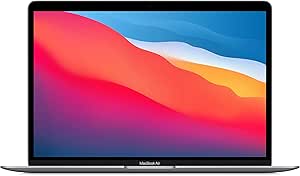


| MacBook Air laptop | Memory | Storage | Display | Weight |
|---|---|---|---|---|
| Apple MacBook Air 15-inch with | 32GB | 512GB SSD | 15.3-inch Liquid Retina, 2880 × 1864, 224 ppi | 1.51 kg |
| Apple MacBook Air with M3 Chip | 24GB unified memory | 1TB SSD | 13.6-inch Liquid Retina, 2560 × 1664 | — |
| Apple MacBook Air 13.6-inch | 16GB unified memory | 1TB SSD | 13.6-inch Liquid Retina, 2560 × 1664 | 2.7 pounds |
| Apple 2022 MacBook Air 13.6-in | 8GB | 256GB SSD | 13.6-inch Retina LED, 2560 × 1664 | 2.7 pounds |
| Apple MacBook Air 15-inch Lapt | 24GB unified memory | 1TB SSD | 15.3-inch Liquid Retina, supports one billion colors | 3.32 pounds |
| Apple MacBook Air 15-inch | 24GB unified memory | 512GB SSD | 15.3-inch Liquid Retina, 2880 × 1864 | — |
| Apple MacBook Air | 8GB | 256GB SSD | 13.3-inch Retina, 2560 × 1600 | 3.8 pounds |
| Apple MacBook Air | 24GB unified memory | 1TB SSD | 13.6-inch Liquid Retina, 2560 × 1664 | 2.7 pounds |
| Apple MacBook Air 15-inch | 8GB unified memory | 256GB SSD | 15.3-inch Liquid Retina, 2880 × 1864, 500 nits | 3.3 pounds |
| Apple MacBook Air 13-inch with | 16GB unified memory | 512GB SSD | 13.6-inch Liquid Retina | 2.71 pounds |
| Apple MacBook Air | 8GB | 256GB SSD | 13.3-inch Retina LED, 2560 × 1600, True Tone | 2.8 pounds |
| Apple 15-inch MacBook Air with | 32GB | 512GB SSD | 15.3-inch Liquid Retina | — |
| 2025 Apple MacBook Air 15-inch | 16GB | 256GB SSD | 15.3-inch Liquid Retina, 2880 × 1864 | 1.51 kg |
| Apple 15-inch MacBook Air with | 24GB | 512GB SSD | 15.3-inch Liquid Retina | — |
More Details on Our Top Picks
Apple MacBook Air 15-inch with M5 Chip, 32GB Memory, 512GB SSD, Midnight
The 15.3-inch display and 32GB of memory make this the Air in the group for people who keep demanding apps and many browser tabs open while working across a roomy screen. Its M5 chip, Wi-Fi 7, and support for two external displays give it a more current connection and multitasking setup than the renewed M3 models. Compared with the 15-inch M5 with 24GB memory and 1TB SSD, this configuration prioritizes memory capacity over internal storage, a sensible trade for heavier multitasking if your files live elsewhere. The tradeoff is that it still has only two Thunderbolt 4 ports, so connected accessories may call for a hub. Choose it for screen space and memory headroom; skip it if a smaller, easier-to-carry laptop matters more.
Pros:- 32GB of memory suits heavier multitasking better than the 16GB renewed M3 model.
- 15.3-inch Liquid Retina display provides more room for documents and split-screen work.
- M5 chip, Wi-Fi 7, and support for up to two external displays make for a current connectivity setup.
- Up to 18 hours of stated battery life and a 1.51 kg weight support mobile work.
Cons:- 512GB SSD is less internal storage than the 1TB 15-inch M5 configuration.
- Two Thunderbolt 4 ports may require a hub for multiple wired accessories.
- The larger display makes it less compact than the 13.6-inch Air models.
Best for: Multitaskers who want a large built-in display and memory headroom for creative apps, research, and many open tabs.
Not ideal for: Frequent travelers who prioritize a smaller laptop, or buyers who need more than 512GB of internal storage without relying on external or cloud storage.
- Chip:Apple M5, 10-core CPU and 10-core GPU
- Memory:32GB
- Storage:512GB SSD
- Display:15.3-inch Liquid Retina, 2880 × 1864, 224 ppi
- Battery life:Up to 18 hours
- Weight:1.51 kg
- Camera:12MP Center Stage
- Ports:Two Thunderbolt 4 ports, MagSafe charging port, headphone jack
- Wireless:Wi-Fi 7 and Bluetooth 6
Our verdict“Choose this 15-inch M5 Air if multitasking and a generous display matter more than having 1TB of built-in storage.”
Apple MacBook Air with M3 Chip, 24GB RAM, 1TB SSD, Midnight (Renewed)
This renewed 13.6-inch Air brings together 24GB of memory and a 1TB SSD, a useful pairing for buyers who want room for apps and files without stepping up to a larger laptop. Its M3 chip is an older generation than the M5 in the two 15-inch models here, but the compact screen and stated battery life of up to 18 hours make it a practical portable option. Compared with the renewed silver M3 Air with 16GB of memory and 1TB storage, this Midnight model gives memory-heavy workflows more breathing room while keeping the same listed storage capacity. The main compromise is condition: it is renewed and carries a 90-day limited warranty, so it lacks the assurance of a new model. It also has just two Thunderbolt/USB4 ports.
Pros:- 24GB unified memory offers more headroom than the 16GB renewed M3 Air.
- 1TB SSD provides room for a sizable local file and app library.
- 13.6-inch display keeps the laptop more compact than either 15-inch M5 Air.
- Up to 18 hours of stated battery life and a 1080p camera suit mobile work and calls.
Cons:- Renewed condition and a 90-day limited warranty bring more purchase uncertainty than a new model.
- M3 is an older chip generation than the M5 models in this roundup.
- Two Thunderbolt/USB4 ports limit direct wired connections.
Best for: Buyers seeking a compact renewed MacBook Air with ample memory and storage for a large local photo, document, or app library.
Not ideal for: Shoppers who want a new laptop, a longer listed warranty, the latest M5 chip, or a larger 15.3-inch screen.
- Model year:2024
- Processor:Apple M3, 8-core CPU
- Graphics:10-core integrated GPU
- Memory:24GB unified memory
- Storage:1TB SSD
- Display:13.6-inch Liquid Retina, 2560 × 1664
- Wireless:Wi-Fi 6E and Bluetooth 5.3
- Battery life:Up to 18 hours
- Warranty and condition:Renewed; 90-day limited warranty
Our verdict“Pick this renewed M3 Air if you want a compact laptop with 24GB of memory and 1TB of storage and accept the shorter warranty.”
Apple MacBook Air 13.6-inch (2024) with M3 Chip, 16GB RAM, 1TB SSD, Silver (Renewed)
This renewed M3 Air suits buyers who want a portable 13.6-inch laptop with 1TB of storage and a familiar set of everyday features. Its 16GB of unified memory is a step below the 24GB in the Midnight M3 model, so it is better matched to general productivity, video calls, and moderate creative work than especially demanding multitasking. Both have an M3 chip, 1TB SSD, and a stated battery life of up to 18 hours; the Midnight configuration is the stronger pick if memory headroom is the priority. Compared with the 15-inch M5 Airs, this model favors a smaller footprint over a newer chip and a larger display. Its renewed condition and 90-day warranty, plus two USB4 ports, are the main compromises.
Pros:- 13.6-inch design is easier to carry than the 15-inch M5 Air models.
- 1TB SSD provides substantial local storage for everyday files and media.
- M3 chip, 1080p camera, Touch ID, and Spatial Audio speakers cover common work and entertainment needs.
- Up to 18 hours of stated battery life supports working away from an outlet.
Cons:- 16GB memory is less headroom than the 24GB renewed M3 configuration.
- Renewed condition comes with a 90-day limited warranty.
- Two Thunderbolt/USB4 ports restrict direct accessory connections.
Best for: Students and mobile professionals who want a compact Air with 1TB of storage for documents, media, and everyday apps.
Not ideal for: Power users who regularly run memory-intensive workloads, buyers who need a 15-inch screen, or anyone who prefers a new laptop with a longer warranty.
- Model year:2024
- Processor:Apple M3, 8-core CPU
- Graphics:10-core GPU
- Memory:16GB unified memory
- Storage:1TB SSD
- Display:13.6-inch Liquid Retina, 2560 × 1664
- Weight:2.7 pounds
- Camera:1080p FaceTime HD
- Warranty and condition:Renewed; 90-day limited warranty
Our verdict“Choose this renewed silver M3 Air for compact everyday computing and 1TB of storage, but favor the 24GB M3 option for heavier multitasking.”
Apple 2022 MacBook Air 13.6-inch with M2 Chip, 8GB RAM, 256GB SSD, Starlight (Renewed)
This 2022 M2 Air is the most basic configuration in this group, with 8GB of memory and a 256GB SSD. Those limits make it a fit for light everyday use—documents, browsing, and streaming—rather than a good match for large media libraries or demanding creative work. The 13.6-inch display and 2.7-pound weight keep it portable, while the M2 chip offers a newer foundation than the renewed M1 Air elsewhere in the roundup. Compared with the renewed M3 models, though, it has less memory and storage and an older processor, so those alternatives provide more room for growing workloads. Its renewed condition and 90-day limited warranty add another tradeoff; choose this only if your needs are modest.
Pros:- M2 chip offers a newer generation than the renewed M1 Air in the wider roundup.
- 13.6-inch display and 2.7-pound weight make it suitable for everyday travel.
- 2560 × 1664 display resolution provides a detailed workspace for documents and browsing.
- Includes Wi-Fi 6 and the listed Apple productivity and media apps.
Cons:- 8GB of memory is substantially less than the 16GB and 24GB renewed M3 options.
- 256GB SSD leaves limited room for large applications and local media libraries.
- Renewed condition comes with a 90-day limited warranty.
Best for: First-time MacBook Air buyers with light workloads who need a portable laptop for web browsing, documents, and streaming.
Not ideal for: Users who keep many apps open, edit large photos or videos, store substantial files locally, or want a new device with a longer warranty.
- Model year:2022
- Processor:Apple M2, 8-core CPU
- GPU:8-core integrated GPU
- Memory:8GB
- Storage:256GB SSD
- Display:13.6-inch Retina LED, 2560 × 1664
- Wireless:Wi-Fi 6 and Bluetooth
- Weight:2.7 pounds
- Warranty and condition:Renewed; 90-day limited warranty
Our verdict“Consider this renewed M2 Air for light computing on a compact laptop, but choose an M3 model if you need more memory or storage.”
Apple MacBook Air 15-inch Laptop with M5 Chip, 24GB Memory, 1TB SSD, Midnight
This 15-inch M5 Air is the strongest fit for buyers who want a large display, 24GB of memory, and 1TB of storage in one configuration. Against the 32GB M5 model in this roundup, it gives up some multitasking headroom but doubles the listed SSD capacity, a better balance for people who keep a sizable library of work files on the laptop. Compared with the renewed M3 options, it pairs the newer M5 chip with Wi-Fi 7 and support for two external displays. The 15.3-inch screen gives documents and side-by-side windows more space, though the 3.32-pound weight is less appealing for buyers who prize a compact carry. Its two Thunderbolt 4 ports are also a limit for accessory-heavy desks.
Pros:- 1TB SSD offers twice the storage listed on the 32GB M5 configuration.
- 24GB memory provides room for demanding multitasking and creative applications.
- 15.3-inch Liquid Retina display supports up to two external displays.
- M5 chip, Wi-Fi 7, Bluetooth 6, and 12MP Center Stage camera offer a current feature set.
Cons:- 24GB memory is less than the 32GB in the other 15-inch M5 model.
- At 3.32 pounds, it is less suited to buyers prioritizing a very light carry.
- Only two Thunderbolt 4 ports are listed, which may call for a hub.
Best for: Professionals and creators who want a large-screen Air with 1TB of local storage, current wireless connectivity, and ample memory.
Not ideal for: Buyers who need the highest available memory in this group, prefer a smaller laptop, or connect several wired devices without a hub.
- Chip:Apple M5
- Memory:24GB unified memory
- Storage:1TB SSD
- Display:15.3-inch Liquid Retina, supports one billion colors
- Battery life:Up to 18 hours
- Weight:3.32 pounds
- Camera:12MP Center Stage with Desk View
- Ports:Two Thunderbolt 4 ports, MagSafe charging port, headphone jack
- Wireless:Wi-Fi 7 and Bluetooth 6
Our verdict“Choose this premium 15-inch M5 Air if you want 1TB of storage and a large screen, and do not need the 32GB configuration’s extra memory.”
Apple MacBook Air 15-inch (2024, M3, 24GB RAM, 512GB SSD, Space Gray, Renewed)
The 15.3-inch screen gives this M3 Air room for side-by-side documents and spreadsheets, while its 24GB of unified memory is a better fit for heavier multitasking than the 8GB 2023 15-inch M2 model in this roundup. Its 10-core GPU and support for up to two external displays with the laptop lid closed add flexibility for a desk setup, and the listed battery life reaches up to 18 hours. Compared with the 13.6-inch M3 Air with 1TB storage, this one favors screen space over portability and local capacity: it has a 512GB SSD and weighs 5 pounds according to the supplied specifications. It also comes renewed, not new, and its two Thunderbolt ports limit direct connections, so buyers with many peripherals may need a hub.
Pros:- 15.3-inch Liquid Retina display supports 1 billion colors
- 24GB unified memory suits heavier multitasking than 8GB Air configurations
- Supports up to two external displays with the laptop lid closed
- MagSafe charging, headphone jack, and two Thunderbolt ports
Cons:- Renewed condition may show prior use and is not equivalent to buying new
- The listed 5-pound weight is heavier than the 2.7-pound 13-inch M3 Air in this roundup
- 512GB SSD offers less capacity than the 1TB 13-inch M3 option
Best for: Multitaskers who want a large MacBook Air display and 24GB of memory for work across several apps.
Not ideal for: Frequent travelers prioritizing the lightest carry or buyers who need more than 512GB of built-in storage.
- Model year:2024
- Condition:Renewed
- Processor:Apple M3, 8-core CPU
- Graphics:Integrated 10-core GPU
- Memory:24GB unified memory
- Storage:512GB SSD
- Display:15.3-inch Liquid Retina, 2880 × 1864
- Battery life:Up to 18 hours
- Connectivity:Two Thunderbolt ports, MagSafe, headphone jack, Wi-Fi 6E, Bluetooth 5.3
Our verdict“Choose this renewed 15-inch M3 Air if screen area and 24GB memory matter more than low carry weight or a 1TB drive.”
Apple MacBook Air (Late 2020) – 13.3″ M1, 8 GB RAM, 256 GB SSD, Space Gray (Renewed)
This renewed M1 Air is the oldest and most limited option in this group, but it still offers a compact 13.3-inch Retina display, an efficient Apple chip, and up to 18 hours of listed battery life. At 3.8 pounds, it is lighter than the 15-inch M2 Air, though heavier than the newer 13-inch M3 model listed here. The main compromise is its fixed 8GB of memory, which leaves less headroom for large projects and demanding multitasking than either M3 configuration with 24GB. Its 256GB SSD also calls for careful file management. I would reserve it for everyday browsing, writing, and video calls rather than long-term intensive use; the renewed unit’s stated 90-day limited warranty is shorter than many buyers may want.
Pros:- Apple M1 chip offers efficient performance for everyday tasks
- Up to 18 hours of listed battery life
- 13.3-inch Retina display with 2560 × 1600 resolution
- Backlit keyboard and two Thunderbolt/USB-C ports
Cons:- 8GB RAM is fixed and gives less multitasking headroom than the 24GB M3 models
- 256GB SSD can fill quickly with apps and local files
- Renewed unit has a stated 90-day limited warranty
Best for: Students or casual users who need a basic MacBook Air for writing, browsing, and common school or home tasks.
Not ideal for: People keeping many demanding apps open, editing large media projects, or seeking a longer warranty and newer hardware.
- Model year:2020
- Condition:Renewed
- Processor:Apple M1, 8-core
- Graphics:Integrated Apple GPU, up to 8 cores
- Memory:8GB
- Storage:256GB SSD
- Display:13.3-inch Retina, 2560 × 1600
- Weight:3.8 pounds
- Warranty:90-day limited
Our verdict“Pick this M1 Air for routine tasks and a smaller screen, but choose a 24GB M3 model for demanding workloads or more room to grow.”
Apple MacBook Air (2024) with M3 Chip, 13.6-inch Display, 24GB RAM, 1TB SSD, Silver (Renewed)
This 13-inch M3 Air combines 24GB of unified memory with a 1TB SSD, making it the strongest compact choice here for buyers who want room for demanding apps and a sizable local library. It weighs 2.7 pounds, substantially less than the 15-inch M3 model in this batch, while retaining an 18-hour stated battery life and a 1080p camera. Compared with the M5 13-inch Air, it offers double the listed memory and storage, but it is a renewed 2024 model rather than a newer configuration. The 13.6-inch display is easier to carry than the 15.3-inch screens, though less suited to working across several windows without an external monitor. Two Thunderbolt/USB4 ports also leave limited room for wired accessories.
Pros:- 24GB unified memory provides ample headroom for multitasking
- 1TB SSD offers more local capacity than the 512GB M3 and M5 options listed here
- 2.7-pound design is easier to carry than the 15-inch Air models
- 1080p camera and up to 18 hours of stated battery life
Cons:- Renewed condition may not suit buyers who require a new laptop
- 13.6-inch display gives less workspace than the 15.3-inch M3 Air
- Only two Thunderbolt/USB4 ports are listed
Best for: Mobile professionals and students who want a light laptop with generous memory and storage for apps and files.
Not ideal for: Buyers who want a new device, a larger built-in workspace, or several built-in ports for peripherals.
- Model year:2024
- Condition:Renewed
- Processor:Apple M3, 8-core CPU
- Graphics:10-core GPU
- Memory:24GB unified memory
- Storage:1TB SSD
- Display:13.6-inch Liquid Retina, 2560 × 1664
- Weight:2.7 pounds
- Connectivity:Two Thunderbolt/USB4 ports, Wi-Fi 6E, Bluetooth 5.3
Our verdict“Choose this renewed 13-inch M3 Air if portability, 24GB memory, and a 1TB SSD outrank having the newer M5 chip or a larger screen.”
Apple MacBook Air 15-inch (2023), M2, 8GB RAM, 256GB SSD, Midnight (Renewed)
For buyers who want a large workspace without stepping up to the 24GB M3 configurations, this renewed 15-inch M2 Air centers on a 15.3-inch Liquid Retina display and silent, fanless operation. Its 500-nit screen and P3 wide color are useful for comfortable everyday viewing and color-rich content, while the thin aluminum design weighs a listed 3.3 pounds. Compared with the 15-inch M3 Air in this batch, it has the same screen size but an older chip, 8GB rather than 24GB of memory, and a smaller 256GB SSD. That makes it a better fit for browsing, documents, and streaming than heavier creative workloads or large local libraries. The renewed condition and battery life that varies by use add further uncertainty; the supplied operating-system listing also warrants checking before purchase.
Pros:- 15.3-inch display offers more workspace than the 13-inch Air models
- Fanless design runs silently
- 500-nit Liquid Retina display with P3 wide color
- Thin aluminum enclosure and up to 18 hours of listed battery life
Cons:- 8GB unified memory is limiting for demanding multitasking
- 256GB SSD provides less capacity than the 512GB or 1TB options
- Renewed condition and variable battery life may add uncertainty
Best for: Home users who want a quiet, large-screen MacBook Air for browsing, documents, streaming, and light multitasking.
Not ideal for: Creative users or heavy multitaskers who need more than 8GB memory, substantial local storage, or the newer M3 configuration.
- Model year:2023
- Condition:Renewed
- Processor:Apple M2, 8-core CPU
- Graphics:Integrated 10-core GPU
- Memory:8GB unified memory
- Storage:256GB SSD
- Display:15.3-inch Liquid Retina, 2880 × 1864, 500 nits
- Weight:3.3 pounds
- Wireless:Wi-Fi 6, Bluetooth 5.3
Our verdict“Choose this renewed M2 Air for a quiet, spacious screen and everyday work, but favor the 15-inch M3 if memory and performance headroom matter more.”
Apple MacBook Air 13-inch with M5 chip, 16GB memory, 512GB SSD, and 12MP Center Stage camera
The M5 13-inch Air is the newer-generation choice in this batch, pairing 16GB of unified memory with a 512GB SSD in a 2.71-pound design. Its 13.6-inch Liquid Retina screen keeps the laptop portable, while Wi-Fi 7, Thunderbolt 4, and a 12MP Center Stage camera make it better equipped for current wireless networks, desk connections, and video calls than the renewed M1 and M2 models here. The tradeoff is memory and storage: the renewed M3 13-inch Air doubles both, offering 24GB and 1TB for buyers who need more capacity. This M5 configuration also has only two Thunderbolt 4 ports, so a hub may still be useful. Its listed battery life reaches up to 18 hours, though actual runtime depends on workload.
Pros:- M5 chip is the newest generation among these five options
- 12MP Center Stage camera includes Desk View
- Wi-Fi 7 and two Thunderbolt 4 ports
- 2.71-pound design with up to 18 hours of stated battery life
Cons:- 16GB memory is less than the 24GB in the renewed M3 13-inch model
- 512GB SSD is half the capacity of that 1TB M3 configuration
- Two Thunderbolt 4 ports may require a hub for multiple wired accessories
Best for: Buyers who want a current-generation, lightweight MacBook Air for work calls, everyday productivity, and newer connectivity.
Not ideal for: Users who need 24GB memory or 1TB storage more than the newer chip, Wi-Fi 7, and upgraded camera.
- Chip:Apple M5
- Display:13.6-inch Liquid Retina
- Memory:16GB unified memory
- Storage:512GB SSD
- Camera:12MP Center Stage with Desk View
- Wireless:Wi-Fi 7, Bluetooth 6
- Ports:Two Thunderbolt 4, MagSafe charging, headphone jack
- Weight:2.71 pounds
- Battery life:Up to 18 hours
Our verdict“Pick this M5 Air if newer connectivity and video-call features matter more than the extra memory and storage in the renewed 13-inch M3.”
Apple MacBook Air (Early 2020), 13.3-inch, Intel Core i3, 8GB RAM, 256GB SSD, Silver (Renewed)
This renewed Intel MacBook Air is the simplest fit here for buyers whose workload is mostly web browsing, writing, and video calls. Its 13.3-inch Retina display, backlit Magic Keyboard, and Touch ID preserve useful everyday comforts, while the 2.8-pound design is easier to carry than the 15-inch M4 and M5 options in this roundup. The tradeoff is its dual-core Intel Core i3 and 8GB of memory: compared with the Apple MacBook Air with M4 chip, it has less headroom for busy multitasking, demanding apps, or longer-term use. The 256GB SSD is also modest, and renewed condition comes with a 90-day limited warranty. I’d choose it only when basic tasks and the compact screen matter more than modern chip performance or extra working space.
Pros:- 13.3-inch Retina display includes True Tone.
- Backlit Magic Keyboard and Touch ID support comfortable everyday use.
- Light 2.8-pound design is easy to carry.
- 256GB SSD provides local storage for common documents and apps.
Cons:- The dual-core Intel processor and 8GB of memory limit demanding multitasking.
- 256GB of storage can fill quickly with large media libraries or applications.
- Renewed condition is covered by a 90-day limited warranty.
Best for: Students or home users who mainly write, browse, stream, and want a compact MacBook Air with Touch ID.
Not ideal for: People who regularly edit video, keep many demanding apps open, or want a laptop with current-generation Apple silicon and more performance headroom.
- Model year:2020
- Condition:Renewed
- Display:13.3-inch Retina LED, 2560 × 1600, True Tone
- Processor:1.1GHz dual-core Intel Core i3
- Memory:8GB
- Storage:256GB SSD
- Weight:2.8 pounds
- Battery life:Up to 11 hours
- Warranty:90-day limited warranty
Our verdict“Choose this renewed Intel model for basic everyday computing in a compact Air, but pick an M4 or M5 model for more performance headroom.”
Apple 15-inch MacBook Air with M5, 10-core CPU and GPU, 32GB Memory, 512GB SSD, Midnight
This 15-inch M5 configuration is the lineup’s strongest fit for buyers who want a large screen and generous memory for juggling demanding apps. Its 32GB of memory gives it more multitasking capacity than the 24GB Apple 15-inch MacBook Air with M5, while the 512GB SSD doubles the storage of the renewed 15-inch M4 model. The 15.3-inch Liquid Retina display and six-speaker system make it a better workspace and media machine than the smaller 2020 Intel Air. It also supports up to two external displays, which helps build a desk setup without giving up portability. The tradeoffs are its larger footprint compared with 13-inch Airs and storage that may still feel tight for extensive video or photo libraries. Battery life varies with workload.
Pros:- 32GB of memory offers the most multitasking headroom among these two M5 configurations.
- 15.3-inch Liquid Retina display provides a roomy workspace and supports one billion colors.
- Up to 18 hours of stated battery life supports long workdays away from an outlet.
- 12MP Center Stage camera and six-speaker system suit video calls and media playback.
Cons:- The 15-inch chassis is less compact than 13-inch MacBook Air alternatives.
- 512GB of storage may be limiting for large creative libraries.
- Actual battery life varies with use and configuration.
Best for: Professionals, researchers, and creators who keep many apps or large projects open and prefer a roomy 15.3-inch screen.
Not ideal for: Frequent travelers who prioritize the smallest, lightest Air, or creators who need more than 512GB of built-in storage.
- Chip:Apple M5
- CPU and GPU:10-core CPU, 10-core GPU
- Memory:32GB
- Storage:512GB SSD
- Display:15.3-inch Liquid Retina
- Battery life:Up to 18 hours
- Camera:12MP Center Stage
- Ports:Two Thunderbolt 4 ports, MagSafe charging port, headphone jack
- Wireless:Wi-Fi 7, Bluetooth 6
Our verdict“Pick this M5 Air when 32GB of memory and a large display matter more than the portability of a 13-inch model.”
2025 Apple MacBook Air 15-inch with M4 Chip, 16GB RAM, 256GB SSD, Silver (Renewed)
This renewed 15-inch M4 Air is a sensible middle ground for buyers who want a large display and a newer Apple chip without stepping up to the M5 models’ higher memory configurations. Its 16GB of memory gives it more room for everyday multitasking than the 8GB 2020 Intel Air, and the M4 is suited to creative work such as light video editing. The 15.3-inch Liquid Retina screen offers much more workspace than that older 13.3-inch model, while the stated battery life is up to 18 hours. Compared with the M5 15-inch Airs, however, this is a renewed configuration with less memory and only 256GB of storage. Its 90-day limited warranty is another reason buyers who prefer a new device or longer coverage may want to look elsewhere.
Pros:- M4 chip and 16GB of memory are suited to multitasking and moderate creative workloads.
- 15.3-inch Liquid Retina display provides a spacious workspace.
- Stated battery life is up to 18 hours.
- Backlit keyboard and fingerprint reader add useful everyday convenience.
Cons:- 256GB SSD may not leave enough room for large apps and media files.
- Renewed condition comes with a 90-day limited warranty.
- Only two Thunderbolt ports are listed, so users with several wired accessories may need a hub.
Best for: Buyers seeking a renewed, large-screen MacBook Air for office work, study, and moderate creative tasks.
Not ideal for: People who store large photo or video projects locally, need 24GB or more of memory, or prefer a new laptop with broader warranty coverage.
- Model year:2025
- Condition:Renewed
- Processor:Apple M4, 10-core
- Memory:16GB
- Storage:256GB SSD
- Display:15.3-inch Liquid Retina, 2880 × 1864
- Battery life:Up to 18 hours
- Weight:1.51 kg
- Warranty:90-day limited warranty
Our verdict“Choose this renewed M4 model for a large-screen Air and capable everyday performance, provided 256GB of storage and the shorter warranty suit you.”
Apple 15-inch MacBook Air with M5 Chip, 24GB Memory, 512GB SSD, Midnight
This 15-inch M5 Air is the more balanced choice for buyers who want current-generation performance without prioritizing the 32GB memory of its sibling. Its 24GB of memory and 512GB SSD provide a capable everyday setup for multitasking, while the same 15.3-inch Liquid Retina display and M5 chip appear on the 32GB version. Compared with that model, the main compromise is less memory headroom for unusually heavy workloads; compared with the renewed M4 Air, this configuration offers a newer chip and avoids the listed renewed condition. Up to 18 hours of battery life, MagSafe charging, and support for up to two external displays suit mobile work and desk use alike. It remains a 15-inch laptop rather than the more compact 13-inch M5 option, and battery performance depends on use.
Pros:- M5 chip with a 10-core CPU and 10-core GPU supports demanding everyday work.
- 24GB of memory balances multitasking capacity with a less specialized configuration than the 32GB version.
- 512GB SSD offers more room than the renewed M4 model’s 256GB drive.
- 12MP Center Stage camera, MagSafe, and support for up to two external displays broaden its work setup.
Cons:- The 24GB memory configuration offers less headroom than the 32GB M5 model.
- The 15.3-inch form is less compact than a 13-inch MacBook Air.
- Battery life varies with use and configuration.
Best for: Mac users who want a new 15-inch Air for demanding everyday multitasking, video calls, and a mix of mobile and desk work.
Not ideal for: Buyers who need maximum memory for intensive professional workloads, or who prefer the smaller footprint of a 13-inch laptop.
- Chip:Apple M5
- CPU and GPU:10-core CPU, 10-core GPU
- Memory:24GB
- Storage:512GB SSD
- Display:15.3-inch Liquid Retina
- Battery life:Up to 18 hours
- Camera:12MP Center Stage
- Ports:Two Thunderbolt 4 ports, MagSafe charging port, headphone jack
- Wireless:Wi-Fi 7, Bluetooth 6
Our verdict“Choose this M5 Air for a large-screen, well-equipped everyday Mac, and move to the 32GB version only if your workload needs the extra memory.”

How We Picked
I ranked these MacBook Air laptops by how well their configurations fit distinct buyer needs, rather than treating every newer chip as an automatic winner. I weighed chip generation, memory, storage, screen size, and portability, with extra attention to whether a configuration has enough headroom for its intended workload. New M5 models rank highly for buyers who want a current machine, while higher-memory M3 options remain compelling for heavier multitasking at a lower generation tier. I also separated the 13-inch and 15-inch models by how their size affects daily use.
Condition and configuration transparency shaped the placement of renewed products: they can offer a practical route to more memory or storage, but condition, warranty, and seller policies vary and need checking before purchase. Older M2 and M1 models are ranked for lighter use and lower-demand needs, not as equivalents to newer systems. The Intel model sits last because it is the oldest platform in the group and is harder to recommend for a buyer seeking a MacBook Air for years of current software and everyday responsiveness.
| MacBook Air laptop | Battery life | Wireless |
|---|---|---|
| Apple MacBook Air 15-inch with | Up to 18 hours | Wi-Fi 7 and Bluetooth 6 |
| Apple MacBook Air with M3 Chip | Up to 18 hours | Wi-Fi 6E and Bluetooth 5.3 |
| Apple MacBook Air 13.6-inch | — | — |
| Apple 2022 MacBook Air 13.6-in | — | Wi-Fi 6 and Bluetooth |
| Apple MacBook Air 15-inch Lapt | Up to 18 hours | Wi-Fi 7 and Bluetooth 6 |
| Apple MacBook Air 15-inch | Up to 18 hours | — |
| Apple MacBook Air | — | — |
| Apple MacBook Air | — | — |
| Apple MacBook Air 15-inch | — | Wi-Fi 6, Bluetooth 5.3 |
| Apple MacBook Air 13-inch with | Up to 18 hours | Wi-Fi 7, Bluetooth 6 |
| Apple MacBook Air | Up to 11 hours | — |
| Apple 15-inch MacBook Air with | Up to 18 hours | Wi-Fi 7, Bluetooth 6 |
| 2025 Apple MacBook Air 15-inch | Up to 18 hours | — |
| Apple 15-inch MacBook Air with | Up to 18 hours | Wi-Fi 7, Bluetooth 6 |
Factors to Consider When Choosing Best MacBook Air Laptops
MacBook Air listings can look similar while differing in ways that change how long a laptop remains comfortable to use. I would start with the work you expect to do and the amount of time you plan to keep the machine, then weigh screen size, memory, storage, and refurbished condition against that use.
Choose screen size by where you work
A 13-inch Air is easier to carry and takes up less desk or tray space, which matters if you move between classes, offices, and home. A 15-inch display gives you more room for side-by-side windows, timelines, and large spreadsheets, reducing the need to zoom or rearrange apps. The larger chassis is not automatically better if you travel daily or use the laptop in cramped spaces. Think about your most common work setting, not just the occasional task that benefits from a bigger screen. If you often connect an external display at a desk, the portable model may be the more sensible everyday choice. If the laptop screen is your main workspace, the 15-inch size can be worth the extra bulk.
Match memory to multitasking, not just the chip name
Memory affects how comfortably a laptop handles many open apps, large creative projects, and browser tabs at once. Buyers doing email, streaming, and routine documents may not gain much from choosing the highest memory configuration. Photo libraries, coding tools, virtual machines, and larger creative files can benefit from extra headroom, especially if you expect to keep the laptop for several years. A common mistake is paying for a newer chip while overlooking a low-memory configuration that better fits neither the workload nor the intended lifespan. Compare the actual memory listed on each model rather than assuming two Airs with the same screen size are equivalent. When uncertain, prioritize memory for sustained multitasking and storage for keeping files on the machine.
Estimate storage needs before choosing an SSD size
Local storage fills with more than documents: photo and video libraries, downloaded media, creative project files, and apps all add up. A 512GB or 1TB SSD provides more room to work offline and reduces the need to manage files constantly. The smaller drive can still suit a cloud-first workflow, but cloud storage does not replace local space for every large project or travel situation. Consider whether you already rely on external drives and whether you are comfortable carrying one. Do not choose a larger SSD simply because the number sounds safer if most of your work lives online and your files are modest. Conversely, if you routinely keep media or project archives nearby, extra capacity can make daily use easier.
Compare generations by workload and configuration
A newer chip can bring a more current platform, but the best choice depends on the work you do and the rest of the configuration. For everyday school, office, and web tasks, an older Apple silicon model may remain adequate if its condition and memory suit the job. Demanding creative work, heavier multitasking, or a longer ownership horizon can make a newer generation more attractive. Avoid treating model year as the only quality signal: this roundup includes newer base configurations alongside older models with more memory or storage. Compare the complete specification and the specific workload rather than assuming every upgrade matters equally. Intel-era models deserve extra scrutiny because they are a much older platform than the M-series options here.
Treat renewed condition as part of the specification
A renewed laptop can make higher memory or storage accessible, but its condition is not determined by the chip or model year. Before buying, check the seller’s description of cosmetic condition, battery expectations, warranty coverage, return window, and what accessories are included. A lower upfront commitment is less useful if the machine arrives with wear that bothers you or a battery that does not suit your routine. Also verify the exact model year and configuration, since listings can use similar names for different generations. Compare the renewed option with a new model on the full package of condition protection and configuration, not hardware alone. If predictable condition and support matter most, a new model may be the easier decision.
Spend extra only on upgrades you will use
Memory and storage are harder to change later than many accessories, so those upgrades deserve more thought than cosmetic preferences. A buyer who edits large projects may benefit from more memory and SSD space, while a student writing papers may get more practical value from choosing the right screen size and keeping a backup drive. The 15-inch screen is a daily quality-of-life upgrade only if you use the laptop display enough to notice it. A newer chip is worthwhile when its capabilities match your workload or when you want a more current machine, not merely because it is the latest label. List your two most demanding recurring tasks and your likely ownership period before comparing configurations. That simple check helps avoid paying for capacity that stays unused or choosing a configuration that feels constrained too soon.
Frequently Asked Questions
Is the 15-inch MacBook Air worth choosing over the 13-inch model?
Choose the 15-inch version if the laptop screen is your main workspace and you regularly use split-screen apps, wide spreadsheets, or detailed creative interfaces. Its added screen area can make daily work more comfortable, but it is less convenient to carry and use in tight spaces. The 13-inch M5 in this lineup makes more sense for frequent commuters and buyers who value a compact setup. If you usually work at a desk with an external monitor, portability may matter more than the larger built-in display. Let your most common work location guide the decision.
Should I choose an M5 model or a refurbished M3 with more memory?
Start with your workload and configuration rather than choosing by chip generation alone. The M5 options are the newer choices in this lineup, while some renewed M3 models pair their chip with 24GB memory and 1TB SSD, which can suit heavier multitasking and larger local files. For routine browsing and office tasks, either generation may be sufficient when the rest of the configuration fits. For sustained demanding work, consider whether the newer platform or the extra memory and storage better address your actual bottleneck. With a renewed model, also weigh condition, warranty, and return terms.
Is 8GB of memory enough for a MacBook Air?
Eight gigabytes can handle lighter use such as web browsing, streaming, and basic documents, especially when you keep the number of open apps modest. It offers less headroom for large projects, many simultaneous apps, or heavier creative and development tasks. This roundup’s 8GB M1, M2, and M3-era configurations should be judged by that lighter-use profile rather than assumed to match higher-memory models. If you expect your workload to grow or plan to keep the laptop for a long time, a 16GB-or-higher configuration is a safer fit. Prioritize the higher memory tier when multitasking is a regular part of your day.
What should I check before buying a renewed MacBook Air?
Confirm the exact generation, chip, memory, storage, and screen size because similar listing names can refer to substantially different machines. Read the seller’s condition notes and check the battery policy, warranty, return window, and included charger or accessories. Ask whether the laptop has cosmetic wear if appearance matters to you, and compare the protection offered with a new model. A renewed configuration can be appealing when it offers more memory or storage than another option, but that benefit is only useful if the device’s condition meets your expectations. Keep the listing and seller terms available until you have checked the delivered machine.
Is an older M1 or Intel MacBook Air a sensible choice in 2027?
An M1 Air can still suit basic tasks if the machine is in good condition and the buyer accepts its older configuration, including 8GB memory and 256GB storage in this roundup. It is a better fit for a constrained, light-use role than for demanding work or a buyer seeking the longest practical ownership horizon. The Intel Core i3 model is older still, so I would choose it only when its condition and use case clearly justify that tradeoff. Before buying either, check current software compatibility and the seller’s support terms. If you want a more capable everyday machine, the M3 or M5 choices here provide a stronger starting point.
Conclusion
Best overall: I would choose the 15-inch M5 with 24GB memory and 1TB SSD for a balanced combination of screen space, current-generation hardware, and local storage. Best for demanding multitasking: the 32GB M5 configuration is the stronger fit for larger workloads and buyers who want more memory headroom. Best for portability: the 13-inch M5 keeps the current-generation option in a smaller form. Best value direction: compare the renewed M3 models with 24GB memory against your need for condition protection and seller support; they offer substantial memory and storage without requiring the newest generation. Best for beginners: a well-conditioned M2 or M3 Air can cover everyday school and home tasks, while the M1 is best reserved for lighter use. For buyers considering the Intel model, I recommend moving to an Apple silicon option unless there is a specific reason to choose that older platform.