The Samsung 990 PRO 2TB is my best overall pick for a fast internal PCIe 4.0 drive, while the Samsung T9 stands out for high-speed portable storage and the Samsung 870 EVO for dependable SATA upgrades. The right choice depends first on whether you need an internal drive or a portable one, then on your device’s interface and the workloads you expect. Faster specifications do not help if your computer cannot support that connection, and rugged features can matter more than peak speed for travel. This roundup compares 14 SSDs across those tradeoffs, including budget-oriented NVMe options and high-capacity SATA models. Read on for the full breakdown and help matching a drive to your setup.

Get the latest gadgets delivered free with Prime
- Fast, free delivery on millions of items
- Prime Video, Amazon Music and more included
- Member-only deals all year
Complete the kit



Key Takeaways
- Internal versus portable is the first decision: the 990 PRO, 990, NQ780, Bestoss, 870 EVO, and Gigastone are internal drives; the other picks connect externally.
- Interface sets the speed ceiling: PCIe 4.0 models can suit compatible desktops and laptops, while SATA drives serve older systems and portable SSD speeds depend on the host USB connection.
- The 990 PRO is the strongest performance-led internal choice here, but a PCIe 3.0 drive or SATA SSD may be a better fit when the computer cannot use its capabilities.
- Portable models split by priority: the Samsung T9 and faster Extreme Portable SSD target high transfer rates, while the T7 and standard SanDisk models suit simpler everyday file storage.
- Capacity and endurance answer different needs: the 4TB Gigastone prioritizes space in a SATA form factor, while portable 2TB options provide room for files you need to carry.
| Lexar D70E 1TB Dual-Drive External SSD |  | Best for Cable-Free Device Switching | Capacity: 1 TB | USB-C read speed: Up to 2,000 MB/s | USB-C write speed: Up to 1,800 MB/s | VIEW LATEST PRICE | See Our Full Breakdown |
| Samsung T9 Portable SSD 1TB | 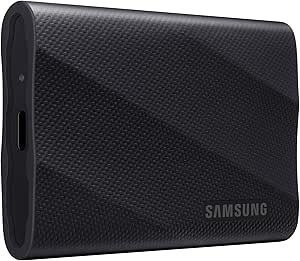 | Best for High-Speed Portable Work | Capacity: 1 TB | Interface: USB 3.2 Gen 2×2 | Read/write speeds: Up to 2,000 MB/s read and write | VIEW LATEST PRICE | See Our Full Breakdown |
| Lexar NQ780 1TB Internal NVMe SSD, M.2 2280, PCIe Gen 4×4 |  | Best Internal SSD for Laptop Upgrades | Capacity: 1 TB | Interface: PCIe Gen 4×4 NVMe | Form factor: M.2 2280 | VIEW LATEST PRICE | See Our Full Breakdown |
| SanDisk Extreme Portable SSD, 2TB |  | Best for Rugged, Higher-Capacity Carry | Capacity: 2 TB | Read/write speeds: Up to 1,050 MB/s read; up to 1,000 MB/s write | Connectivity: USB 3.2 Gen 2 | VIEW LATEST PRICE | See Our Full Breakdown |
| SanDisk 1TB Portable SSD, up to 1000MB/s, Black |  | Best Simple USB-C Portable SSD | Capacity: 1 TB | Interface and connector: USB 3.0; USB Type-C | Read speed: Up to 1,000 MB/s | VIEW LATEST PRICE | See Our Full Breakdown |
| Samsung 870 EVO 1TB SATA III 2.5-Inch Internal SSD |  | Best SATA Upgrade | Capacity: 1 TB | Interface: SATA III 6 Gb/s | Form factor: 2.5 inches | VIEW LATEST PRICE | See Our Full Breakdown |
| SanDisk Extreme PRO Portable SSD, 2TB |  | Best for Demanding Portable Workloads | Storage capacity: 2 TB | Interface: USB 3.0 | Connector: USB Type-C | VIEW LATEST PRICE | See Our Full Breakdown |
| Bestoss 1TB NVMe M.2 2280 PCIe 3.0 Internal SSD |  | Best Value NVMe Upgrade | Storage capacity: 1 TB | Interface: NVMe, PCIe 3.0 | Form factor: M.2 2280 | VIEW LATEST PRICE | See Our Full Breakdown |
| SanDisk 1TB Portable SSD Drive, Black |  | Best Compact Everyday Portable SSD | Capacity: 1 TB | Read speed: Up to 600 MB/s | Connectivity: USB Type-C | VIEW LATEST PRICE | See Our Full Breakdown |
| SanDisk Extreme Portable SSD, 1TB, Up to 2000MB/s |  | Best Rugged 1TB Portable SSD | Storage capacity: 1 TB | Interface: USB 3.0 | Connector: USB Type-C | VIEW LATEST PRICE | See Our Full Breakdown |
| Samsung 990 PRO 2TB PCIe 4.0 M.2 2280 SSD |  | Best for High-Performance Gaming and Creative Work | Capacity: 2 TB | Interface: PCIe 4.0 x4 | Form factor: M.2 2280 | VIEW LATEST PRICE | See Our Full Breakdown |
| Samsung T7 Portable SSD, 2TB, Titan Gray, USB 3.2 Gen 2 | 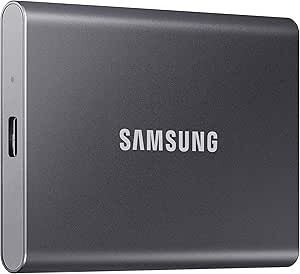 | Best Portable SSD for Everyday Carry | Capacity: 2 TB | Drive type: Portable solid-state drive | Interface: USB 3.2 Gen 2 | VIEW LATEST PRICE | See Our Full Breakdown |
| Gigastone 4TB High Endurance 2.5-Inch SATA III Internal SSD | 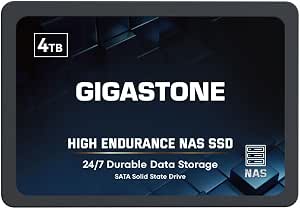 | Best High-Capacity SATA SSD for NAS Use | Capacity: 4 TB | Interface: SATA III, SATA 6.0 Gb/s | Form factor: 2.5-inch, 7mm | VIEW LATEST PRICE | See Our Full Breakdown |
| Samsung 990 Internal SSD 1TB NVMe M.2 |  | Best 1TB NVMe Pick for Laptops | Capacity: 1 TB | Interface: PCIe 4.0 x4 NVMe | Form factor: M.2 | VIEW LATEST PRICE | See Our Full Breakdown |
| SSD drife | Capacity | Interface |
|---|---|---|
| Lexar D70E 1TB Dual-Drive Exte | 1 TB | — |
| Samsung T9 Portable SSD 1TB | 1 TB | USB 3.2 Gen 2×2 |
| Lexar NQ780 1TB Internal NVMe | 1 TB | PCIe Gen 4×4 NVMe |
| SanDisk Extreme Portable SSD | 2 TB | — |
| SanDisk 1TB Portable SSD | 1 TB | — |
| Samsung 870 EVO 1TB SATA III 2 | 1 TB | SATA III 6 Gb/s |
| SanDisk Extreme PRO Portable S | — | USB 3.0 |
| Bestoss 1TB NVMe M.2 2280 PCIe | — | NVMe, PCIe 3.0 |
| SanDisk 1TB Portable SSD Drive | 1 TB | — |
| SanDisk Extreme Portable SSD | — | USB 3.0 |
| Samsung 990 PRO 2TB PCIe 4.0 M | 2 TB | PCIe 4.0 x4 |
| Samsung T7 Portable SSD | 2 TB | USB 3.2 Gen 2 |
| Gigastone 4TB High Endurance 2 | 4 TB | SATA III, SATA 6.0 Gb/s |
| Samsung 990 Internal SSD 1TB N | 1 TB | PCIe 4.0 x4 NVMe |
More Details on Our Top Picks
Lexar D70E 1TB Dual-Drive External SSD
The Lexar D70E makes the most sense when an SSD needs to move between devices with different ports. Its built-in USB-C and USB-A connectors avoid carrying a separate cable, while the Lexar app can automatically back up photos and videos. USB-C speeds reach 2,000 MB/s read and 1,800 MB/s write, but those figures depend on a compatible USB 3.2 Gen 2 host; USB-A performance is lower. Compared with the Samsung T9, the D70E offers more direct plug-in flexibility, while the T9 has faster stated writes and specified drop resistance. The D70E’s 55 g metal body is easy to carry, though its 1TB capacity may feel limiting for large media libraries. I’d choose it for convenient transfers, not for maximum ruggedness or capacity.
Pros:- Built-in USB-C and USB-A connectors allow cable-free connection to compatible devices.
- USB-C read speeds reach up to 2,000 MB/s on a suitable host.
- Compact 55 g metal housing includes an integrated lanyard loop.
- Lexar app supports automatic photo and video backups.
Cons:- USB-C performance depends on USB 3.2 Gen 2 support, and USB-A speeds are lower.
- 1TB capacity may be restrictive for extensive video or project archives.
Best for: People who regularly transfer files between USB-C phones or tablets and older USB-A computers, and want automatic photo and video backup.
Not ideal for: Creators moving very large projects who need the Samsung T9’s stated 2,000 MB/s write speed or documented drop resistance.
- Capacity:1 TB
- USB-C read speed:Up to 2,000 MB/s
- USB-C write speed:Up to 1,800 MB/s
- USB-A read/write speeds:Up to 1,000 MB/s read; up to 900 MB/s write
- Connectivity:Built-in USB-C and USB-A connectors
- Weight and dimensions:55 g; 3.13 × 1.19 × 0.31 in
- Housing and backup:Metal housing; automatic photo and video backup through the Lexar app
- Warranty:5-year limited warranty
Our verdict“Choose the D70E for convenient cable-free transfers across USB-C and USB-A devices, but pick the Samsung T9 for higher stated write speeds and specified drop protection.”
Samsung T9 Portable SSD 1TB
The Samsung T9 is the strongest fit here for demanding portable workflows, with stated read and write speeds of up to 2,000 MB/s over USB 3.2 Gen 2×2. That balanced speed profile suits frequent transfers of large project files better than the SanDisk Extreme Portable SSD 2TB, whose listed speeds are lower but whose capacity is double. Samsung also specifies drop resistance up to 9.8 feet and Dynamic Thermal Guard for heat management during intensive tasks. The catch is host compatibility: reaching its maximum speed requires USB 3.2 Gen 2×2 support and UASP mode, so it may run slower on many connections. Its 1TB capacity also leaves less room for archives than the 2TB SanDisk. I’d favor the T9 when throughput and durability matter more than capacity.
Pros:- Up to 2,000 MB/s read and write speeds are specified over USB 3.2 Gen 2×2.
- Dynamic Thermal Guard is designed to manage heat during intensive tasks.
- Specified drop resistance reaches up to 9.8 feet.
- Compatibility includes computers, consoles, tablets, and iPhone 15/16.
Cons:- Maximum speeds require a USB 3.2 Gen 2×2 host and UASP mode.
- At 1TB, it offers less room than the 2TB SanDisk Extreme Portable SSD.
- Enclosure material details are not specified.
Best for: Video editors, photographers, and other mobile creators with a USB 3.2 Gen 2×2 computer who regularly move large files.
Not ideal for: Buyers whose devices lack USB 3.2 Gen 2×2 or who need 2TB of portable space for a large working library.
- Capacity:1 TB
- Interface:USB 3.2 Gen 2×2
- Read/write speeds:Up to 2,000 MB/s read and write
- Encryption:AES 256-bit hardware encryption
- Drop resistance:Up to 9.8 ft
- Compatibility:Mac, PC, tablet, iPhone 15/16, Xbox Series X/S, PlayStation 4/5
- Form factor and color:2.5-inch; black
Our verdict“Pick the T9 for fast, rugged portable work on a compatible host; choose the SanDisk Extreme Portable SSD 2TB if capacity matters more than peak transfer speed.”
Lexar NQ780 1TB Internal NVMe SSD, M.2 2280, PCIe Gen 4×4
Unlike the portable drives in this roundup, the Lexar NQ780 is an internal M.2 NVMe SSD, so it suits a laptop or desktop upgrade rather than moving files between devices. Its PCIe Gen 4×4 read speed of up to 6,000 MB/s can shorten loading and file-access waits on compatible systems. The single-sided layout and Intelligent Power Control make it a more laptop-oriented fit than a typical external SSD, and the listed compatibility includes PlayStation 5. Compared with the Samsung 990 PRO 2TB in this roundup, the NQ780 has half the capacity and a lower stated write speed of 2,500 MB/s, but its single-sided design is a useful fit constraint for compact installations. It still requires a compatible M.2 2280 slot; it cannot serve as a plug-and-play backup drive.
Pros:- PCIe Gen 4×4 read speeds reach up to 6,000 MB/s.
- Single-sided design suits compatible laptop installations.
- HMB and SLC cache technologies support responsiveness.
- DiskMaster supports firmware updates and drive health monitoring.
Cons:- The M.2 2280 form factor requires a compatible internal slot.
- Stated write speed is lower than its read speed and below the Samsung 990 PRO 2TB’s listed read/write figures.
- It is not an external drive for cable-free device-to-device transfers.
Best for: Laptop owners with a compatible M.2 2280 PCIe Gen 4 slot who want a fast internal drive for games, applications, and active files.
Not ideal for: People seeking portable, cable-connected storage or buyers needing more capacity and higher stated write speeds than this 1TB drive provides.
- Capacity:1 TB
- Interface:PCIe Gen 4×4 NVMe
- Form factor:M.2 2280
- Read/write speeds:Up to 6,000 MB/s read; up to 2,500 MB/s write
- Controller and cache:8-channel Gen 4 controller; HMB and SLC cache
- Design:Single-sided
- Compatible devices:Desktop, laptop, Sony PlayStation 5
- Warranty:5-year limited warranty
Our verdict“Choose the NQ780 for a compatible laptop or desktop internal upgrade, but select a portable SSD for easy device switching or the Samsung 990 PRO 2TB for more listed capacity.”
SanDisk Extreme Portable SSD, 2TB
The SanDisk Extreme Portable SSD 2TB is the capacity-first portable pick: it doubles the storage of the Samsung T9 and Lexar D70E while adding a carabiner loop for securing it to a bag. Its listed IP65 water and dust resistance, drop protection up to 3 meters, and 256-bit AES hardware encryption make it a practical choice for carrying files outside the office. The tradeoff is speed: its up-to-1,050 MB/s read and 1,000 MB/s write figures are below the T9’s stated 2,000 MB/s in both directions, so large recurring transfers can take longer. The product data also references IP55 in its description, so the supplied water-and-dust rating information is not fully consistent. I’d choose it for capacity and carry-friendly protection, not peak throughput.
Pros:- 2TB capacity provides more room than the 1TB Samsung T9 and Lexar D70E.
- Listed read and write speeds reach up to 1,050 MB/s and 1,000 MB/s.
- Carabiner loop helps secure the drive to a belt loop or backpack.
- Includes 256-bit AES hardware encryption and listed drop protection up to 3 meters.
Cons:- Stated speeds are lower than the Samsung T9’s up-to-2,000 MB/s read and write figures.
- Water and dust resistance is listed as IP65 in the specs but IP55 in the description.
- Mac password protection requires a software download.
Best for: Photographers, travelers, and field workers who want 2TB of portable storage with a carabiner loop and specified environmental protection.
Not ideal for: Creators who frequently move very large files and have a USB 3.2 Gen 2×2 host that can take advantage of the Samsung T9’s higher stated speeds.
- Capacity:2 TB
- Read/write speeds:Up to 1,050 MB/s read; up to 1,000 MB/s write
- Connectivity:USB 3.2 Gen 2
- Water and dust resistance:IP65 listed in specs; product description also references IP55
- Drop protection:Up to 3 meters
- Encryption:256-bit AES hardware encryption
- Operating temperature:-20°C to 85°C
- Form factor and compatibility:Portable, 2.5-inch; desktop, laptop, tablet
Our verdict“Choose this SanDisk when 2TB capacity and carry-friendly protection outweigh speed; pick the Samsung T9 for faster stated transfers on a compatible host.”
SanDisk 1TB Portable SSD, up to 1000MB/s, Black
This SanDisk 1TB Portable SSD keeps the portable-storage proposition straightforward: connect over USB-C without driver setup, then carry a compact drive for everyday files, photos, and videos. Its listed read speed reaches 1,000 MB/s, and the solid-state design has no moving parts, with drop protection specified up to 2 meters. Compared with the SanDisk Extreme Portable SSD 2TB, this model is smaller and lighter at 1.12 ounces, but gives up half the capacity and the other model’s listed water and dust resistance, hardware encryption, and carabiner loop. Write speed is not supplied, so buyers handling repeated large exports have less performance information to work with than on the Samsung T9. I’d pick it for simple, light USB-C carry, not harsh conditions or a large archive.
Pros:- Pocket-friendly dimensions and a 1.12-ounce weight suit everyday carry.
- USB-C connection requires no driver setup.
- Read speeds are listed up to 1,000 MB/s.
- Drop protection is specified up to 2 meters.
Cons:- Write speed is not specified, making performance comparisons for large exports harder.
- It has half the capacity of the SanDisk Extreme Portable SSD 2TB.
- No water and dust resistance or hardware encryption is listed.
Best for: Students, commuters, and phone or laptop owners who want a lightweight 1TB USB-C drive for everyday transfers and backups.
Not ideal for: Outdoor users needing listed water and dust resistance, or creators who need specified write speeds and higher-capacity storage.
- Capacity:1 TB
- Interface and connector:USB 3.0; USB Type-C
- Read speed:Up to 1,000 MB/s
- Drop protection:Up to 2 meters
- Weight:1.12 ounces
- Dimensions:1.77 × 3.35 × 0.39 in
- Compatibility:Desktop, laptop, smartphone, tablet; Mac and PC
- Color:Black
Our verdict“Choose this model for light, uncomplicated USB-C storage, but step up to the SanDisk Extreme Portable SSD 2TB for more space and listed environmental protection.”
Samsung 870 EVO 1TB SATA III 2.5-Inch Internal SSD
The Samsung 870 EVO is my pick for replacing a hard drive in a computer that has a 2.5-inch SATA bay but no M.2 slot. Its 560 MB/s read and 530 MB/s write speeds approach the practical limits of SATA, so it is a familiar, straightforward upgrade rather than a route to NVMe-class performance. Compared with the Bestoss 1TB NVMe M.2, it is far slower on paper, but it fits a different set of machines and avoids the need for an M.2-compatible system. The 1TB model’s 600 TBW endurance, AES encryption support, and Samsung Magician management software add useful ownership features. The tradeoff is the SATA ceiling: buyers with a compatible M.2 slot should look at an NVMe drive instead. Its warranty also ends at five years or the TBW limit, whichever comes first.
Pros:- Near-limit SATA sequential speeds of up to 560 MB/s read and 530 MB/s write
- 2.5-inch form factor suits many desktop PCs and laptops
- Rated endurance of up to 600 TBW for the 1TB model
- Samsung Magician supports drive management and health monitoring
Cons:- SATA interface is much slower than the Bestoss PCIe 3.0 NVMe drive
- Requires a compatible SATA connection and 2.5-inch mounting space
- Five-year warranty ends sooner if the TBW limit is reached
Best for: Laptop and desktop owners replacing a hard drive or older SATA SSD in a system with a 2.5-inch SATA bay.
Not ideal for: Buyers with a free M.2 NVMe slot who want much higher transfer speeds, or anyone without a compatible SATA connection.
- Capacity:1 TB
- Interface:SATA III 6 Gb/s
- Form factor:2.5 inches
- Sequential read speed:Up to 560 MB/s
- Sequential write speed:Up to 530 MB/s
- Endurance:600 TBW
- Warranty:5 years or TBW limit, whichever comes first
- Memory technology:MLC V-NAND
- Encryption:AES 256-bit, TCG/Opal, IEEE1667
Our verdict“Choose the 870 EVO for a dependable 2.5-inch SATA replacement, but pick an NVMe model if your system supports one and speed is the priority.”
SanDisk Extreme PRO Portable SSD, 2TB
For large project files on the move, the SanDisk Extreme PRO Portable SSD pairs 2TB capacity with up to 4,000 MB/s reads and average sustained writes of 3,100 MB/s. That sustained-write figure makes it a more compelling fit for extended transfers than a drive judged only by its peak read claim. Compared with the SanDisk Extreme Portable SSD 1TB, this model offers twice the capacity and higher listed read performance, while retaining IP65 protection and drop resistance up to 3 meters. It also adds 256-bit AES password protection. The tradeoffs are practical: you need a compatible host and connection to approach the listed speeds, and encryption requires a software download. For routine backups or lighter file transfers, the less performance-focused SanDisk 1TB Portable SSD may be a simpler match.
Pros:- 2TB capacity for large project libraries and backups
- Up to 4,000 MB/s reads and 3,100 MB/s average sustained writes
- IP65 dust and water resistance with drop protection up to 3 meters
- 256-bit AES password protection
Cons:- Actual performance depends on the host device, interface, and usage conditions
- Encryption software must be downloaded
- Its speed advantage may go unused on devices with slower connections
Best for: Video editors, photographers, and other mobile creators who move large files between compatible computers and need a rugged 2TB drive.
Not ideal for: People doing occasional backups or using hosts that cannot take advantage of the drive’s high transfer speeds.
- Storage capacity:2 TB
- Interface:USB 3.0
- Connector:USB Type-C
- Maximum read speed:Up to 4,000 MB/s
- Maximum write speed:Up to 3,800 MB/s
- Average sustained write speed:3,100 MB/s
- Protection:IP65; drop protection up to 3 m
- Encryption:256-bit AES password protection
- Weight:2.24 oz
Our verdict“Choose this model for demanding portable file transfers and rugged protection, provided your devices can make use of its high speeds.”
Bestoss 1TB NVMe M.2 2280 PCIe 3.0 Internal SSD
The Bestoss 1TB NVMe gives compatible laptops and desktops a substantial speed step up from SATA, with listed sequential reads up to 3,500 MB/s and writes up to 3,000 MB/s. Its M.2 2280 PCIe 3.0 format keeps it inside the computer, unlike the external SanDisk drives, so it suits buyers adding fast system or application storage rather than a portable file shuttle. TLC NAND, HMB, and dynamic SLC caching support its everyday workload profile, while TRIM, SMART, and NCQ are listed among its supported features. Compared with the Samsung 870 EVO, it offers much higher stated transfer speeds, but it requires an available compatible M.2 slot. The three-year limited warranty is shorter than the Samsung’s five-year term, and speeds depend on a PCIe 3.0 connection.
Pros:- Up to 3,500 MB/s read and 3,000 MB/s write speeds
- TLC NAND with HMB and dynamic SLC caching
- Supports TRIM, SMART, and NCQ
- Includes a three-year limited warranty and lifetime technical support
Cons:- Requires a compatible M.2 2280 PCIe 3.0 slot
- Three-year limited warranty is shorter than the Samsung 870 EVO’s stated term
- An external enclosure may limit speeds over USB
Best for: PC builders and laptop owners with an available M.2 2280 PCIe 3.0 slot who want faster internal storage for apps, games, or everyday work.
Not ideal for: Owners of systems without a compatible M.2 NVMe slot, or buyers who need an external drive for transfers between devices.
- Storage capacity:1 TB
- Interface:NVMe, PCIe 3.0
- Form factor:M.2 2280
- Read speed:Up to 3,500 MB/s
- Write speed:Up to 3,000 MB/s
- NAND type:TLC
- Cache:HMB and dynamic SLC cache
- Compatibility:Windows and Linux; laptops, desktops, and all-in-one PCs
- Warranty:3-year limited warranty
Our verdict“Pick the Bestoss for a fast, affordable-style internal NVMe upgrade when your computer has the required M.2 slot.”
SanDisk 1TB Portable SSD Drive, Black
The SanDisk 1TB Portable SSD is the straightforward choice for carrying files between a computer, phone, or tablet without adding much bulk. It weighs 1.12 ounces, connects over USB-C, and lists read speeds up to 600 MB/s—enough for routine document libraries, photo transfers, and backups. Its no-moving-parts design and protection from drops up to 2 meters make it more suitable for everyday travel than a portable hard drive. Compared with the SanDisk Extreme Portable SSD 1TB, this model has a lower listed read speed and lacks the stated IP65 protection and 3-meter drop protection, but its simpler feature set may suit less demanding use. The key limitation is that write speeds are not specified here, and performance depends on the connected device and interface.
Pros:- Lightweight at 1.12 ounces with a pocket-sized design
- USB Type-C connectivity for compatible computers and mobile devices
- Up to 600 MB/s read speed for everyday file transfers
- Solid-state design with no moving parts and drop protection up to 2 meters
Cons:- Write speed is not specified in the supplied product data
- Lower listed read speed than the SanDisk Extreme Portable SSD 1TB
- No IP65 water and dust rating is listed
Best for: Students, commuters, and phone or laptop owners who want a light 1TB drive for everyday file storage and transfers.
Not ideal for: Mobile creators needing faster sustained transfers or stronger stated water, dust, and drop protection.
- Capacity:1 TB
- Read speed:Up to 600 MB/s
- Connectivity:USB Type-C
- Drop protection:Up to 2 m
- Weight:1.12 oz
- Dimensions:2.95 × 1.77 × 0.39 in
- Color:Black
- Compatibility:Mac, PC, smartphone, and tablet
Our verdict“Choose this SanDisk for light, everyday 1TB portable storage; step up to an Extreme model for higher speed and stronger stated protection.”
SanDisk Extreme Portable SSD, 1TB, Up to 2000MB/s
This SanDisk Extreme Portable SSD occupies the middle ground between the basic SanDisk 1TB Portable SSD and the higher-capacity SanDisk Extreme PRO 2TB. Its listed read speed reaches 2,000 MB/s, and it adds IP65 water and dust resistance plus drop protection up to 3 meters—useful when project files travel in a bag or get used outdoors. At 1.6 ounces, it remains easy to carry, and password protection with 256-bit AES encryption adds an option for sensitive files. Compared with the basic 1TB SanDisk, it has a much higher stated read ceiling and stronger protection; compared with the Extreme PRO, it has half the capacity and does not list the same sustained-write figures. Write speeds are lower than the maximum read claim, and encryption requires a software download with supported operating systems.
Pros:- Read speeds up to 2,000 MB/s
- IP65-rated water and dust resistance
- Drop protection up to 3 meters
- Compact 1.6-ounce design with 256-bit AES password protection
Cons:- Write speeds are lower than the stated maximum read speed
- Encryption requires a software download and supports Windows 10+ and macOS 12+
- Listed capacity is 1TB, less than the SanDisk Extreme PRO 2TB
Best for: Photographers, students, and field workers who want 1TB of portable storage with rugged protection and faster transfers than a basic portable SSD.
Not ideal for: Buyers who need 2TB capacity, documented sustained-write speeds, or encryption support outside Windows 10+ and macOS 12+.
- Storage capacity:1 TB
- Interface:USB 3.0
- Connector:USB Type-C
- Maximum read speed:Up to 2,000 MB/s
- Water and dust resistance:IP65
- Drop protection:Up to 3 m
- Encryption:256-bit AES password protection
- Weight:1.6 oz
- Compatible devices:Desktop, laptop, smartphone, and tablet
Our verdict“Choose this model for a rugged, fast 1TB travel drive, while the Extreme PRO is the better fit when you need more capacity and sustained-write detail.”
Samsung 990 PRO 2TB PCIe 4.0 M.2 2280 SSD
The Samsung 990 PRO 2TB is the strongest fit here for a desktop or laptop buyer who wants fast internal storage without moving to a newer interface. Its PCIe 4.0 speeds—up to 7,450 MB/s read and 6,900 MB/s write—far exceed the SATA-based Gigastone 4TB, which trades speed for capacity and workload-focused features. The 2TB capacity also leaves room for sizable game libraries and project files. Samsung’s controller is designed to manage heat, though a PS5 installation may benefit from a separate heatsink. This drive only reaches its stated performance in a PCIe 4.0 system, so buyers with older hardware will not get the full speed advantage. Compared with the 1TB Samsung 990, it offers twice the storage and somewhat higher stated sequential speeds, but takes the same M.2 compatibility planning.
Pros:- High sequential read and write speeds for large files and demanding workloads
- 2TB capacity suits substantial game libraries and creative projects
- In-house controller is designed to manage heat
- Compatible with desktops, laptops, and PlayStation 5
Cons:- Requires PCIe 4.0 support to reach its stated performance
- A third-party heatsink is recommended for optimal PS5 thermal performance
- M.2 installation requires a compatible slot
Best for: PC gamers, video editors, and data-heavy users with a PCIe 4.0 M.2 slot who want 2TB of fast internal storage.
Not ideal for: Owners of older systems without PCIe 4.0 support, or PS5 users who do not want to source a separate heatsink.
- Capacity:2 TB
- Interface:PCIe 4.0 x4
- Form factor:M.2 2280
- Sequential read speed:Up to 7,450 MB/s
- Sequential write speed:Up to 6,900 MB/s
- Compatible devices:Desktop, laptop
- Console compatibility:Sony PlayStation 5
- Weight:9.07 g
Our verdict“Choose the 990 PRO if your system supports PCIe 4.0 and you want 2TB of high-speed internal storage for gaming or creative work.”
Samsung T7 Portable SSD, 2TB, Titan Gray, USB 3.2 Gen 2
The Samsung T7 is the practical choice for carrying files between devices, rather than installing a drive inside one computer. Its 2TB capacity, USB connection, and included Type-C-to-Type-C and Type-C-to-Type-A cables make it easier to use across compatible computers and other devices than either the internal Samsung 990 PRO or the Gigastone SATA SSD. With a compatible USB 3.2 Gen 2 host and cable, it reaches up to 1,050 MB/s read and 1,000 MB/s write—quick for portable transfers, though well below the 990 PRO’s internal PCIe 4.0 speeds. The aluminum body and six-foot drop protection suit travel, and hardware encryption adds a useful security option. Peak speeds depend on the host, cable, and UASP support, while compatibility varies across devices.
Pros:- Portable 2TB capacity for moving large libraries and project files
- USB 3.2 Gen 2 supports read speeds up to 1,050 MB/s with a compatible setup
- Aluminum body offers shock resistance and drop protection up to 6 feet
- Includes both Type-C-to-Type-C and Type-C-to-Type-A cables
Cons:- Maximum speeds require a compatible host, cable, and UASP mode
- Device and operating system support varies
- Slower than the internal Samsung 990 PRO for workloads that benefit from PCIe 4.0 speeds
Best for: Photographers, students, and mobile creators who need a 2TB drive to move files among compatible computers, phones, cameras, or consoles.
Not ideal for: Buyers seeking the highest internal-drive speeds, or anyone whose host device lacks compatible USB support.
- Capacity:2 TB
- Drive type:Portable solid-state drive
- Interface:USB 3.2 Gen 2
- Read speed:Up to 1,050 MB/s
- Write speed:Up to 1,000 MB/s
- Encryption:256-bit AES hardware encryption
- Construction and drop protection:Aluminum unibody; protection up to 6 feet
- Included cables:USB Type-C to Type-C and USB Type-C to Type-A
Our verdict“Pick the T7 if you want a durable, versatile 2TB external SSD for carrying files between compatible devices.”
Gigastone 4TB High Endurance 2.5-Inch SATA III Internal SSD
Where the Samsung 990 PRO prioritizes speed, the Gigastone 4TB High Endurance prioritizes capacity and features aimed at sustained storage workloads. Its 2.5-inch SATA III format can fit compatible NAS units, PCs, and laptops, and the 4TB capacity makes it a better match for large shared libraries than the 1TB Samsung 990. Sequential reads reach up to 530 MB/s, so it is a clear step down from that NVMe drive for large transfers and responsive, high-demand tasks. For NAS or RAID users, the listed power-loss protection and ECC are more relevant than headline speed alone. The drive is not suggested for server models or SAN environments, which narrows its use. Its five-year replacement warranty and lifetime technical support add support options, but do not change the limits of SATA performance.
Pros:- 4TB capacity accommodates storage-heavy libraries and NAS workloads
- Designed for continuous NAS use and heavy workloads
- Power-loss protection and ECC support data handling
- SLC caching supports sequential transfer speeds up to 530 MB/s
Cons:- SATA III performance trails the PCIe 4.0 Samsung 990 PRO by a wide margin
- Not suggested for server models or SAN environments
- Requires a compatible 2.5-inch SATA bay
Best for: Home NAS owners and users of compatible RAID, NVR, or personal-cloud setups who need 4TB of internal SATA storage for continuous workloads.
Not ideal for: Buyers seeking NVMe performance, or administrators building server or SAN storage environments.
- Capacity:4 TB
- Interface:SATA III, SATA 6.0 Gb/s
- Form factor:2.5-inch, 7mm
- Sequential read speed:Up to 530 MB/s
- Media speed:480 MB/s
- Memory technology:3D NAND flash with SLC cache
- Features:Power-loss protection, ECC, dust resistance, shock resistance, waterproofing
- Warranty:5-year replacement warranty
Our verdict“Choose the Gigastone for a compatible NAS or PC that needs 4TB of SATA storage more than NVMe-class speed.”
Samsung 990 Internal SSD 1TB NVMe M.2
The Samsung 990 1TB suits buyers who want fast internal storage in a smaller capacity, especially for a compatible laptop where power use matters. It delivers sequential speeds up to 7,150 MB/s read and 6,450 MB/s write, plus listed random IOPS figures suited to frequent app loads and multitasking. Compared with the 2TB Samsung 990 PRO, it gives up capacity and some sequential speed, but its stated efficiency improvement over previous models makes it a compelling fit for mobile systems. It also offers hardware encryption, TRIM support, and software tools for firmware and health monitoring. The tradeoff is a 1TB ceiling that can fill quickly with large games or media projects. Its performance depends on the system configuration and Intelligent TurboWrite activation, and older computers may lack a compatible M.2 slot.
Pros:- Fast PCIe 4.0 sequential read and write speeds
- High listed random IOPS suit multitasking and application loading
- Designed for improved power efficiency compared with previous models
- Includes hardware encryption, TRIM support, and drive monitoring tools
Cons:- 1TB capacity may be limiting for large libraries and project files
- Performance figures depend on system configuration and Intelligent TurboWrite activation
- Some authentication and software features require an internet connection
Best for: Laptop owners and desktop users with a compatible PCIe 4.0 M.2 slot who want a fast 1TB drive for games, apps, and creative work.
Not ideal for: Users with large game libraries or extensive media projects who need more than 1TB, or owners of systems without a compatible M.2 slot.
- Capacity:1 TB
- Interface:PCIe 4.0 x4 NVMe
- Form factor:M.2
- Sequential read speed:Up to 7,150 MB/s
- Sequential write speed:Up to 6,450 MB/s
- Random read IOPS:Up to 700K
- Random write IOPS:Up to 1,100K
- Features:Hardware encryption, TRIM support, Intelligent TurboWrite
Our verdict“Choose this Samsung 990 if you want fast, efficient 1TB NVMe storage for a compatible laptop or desktop.”
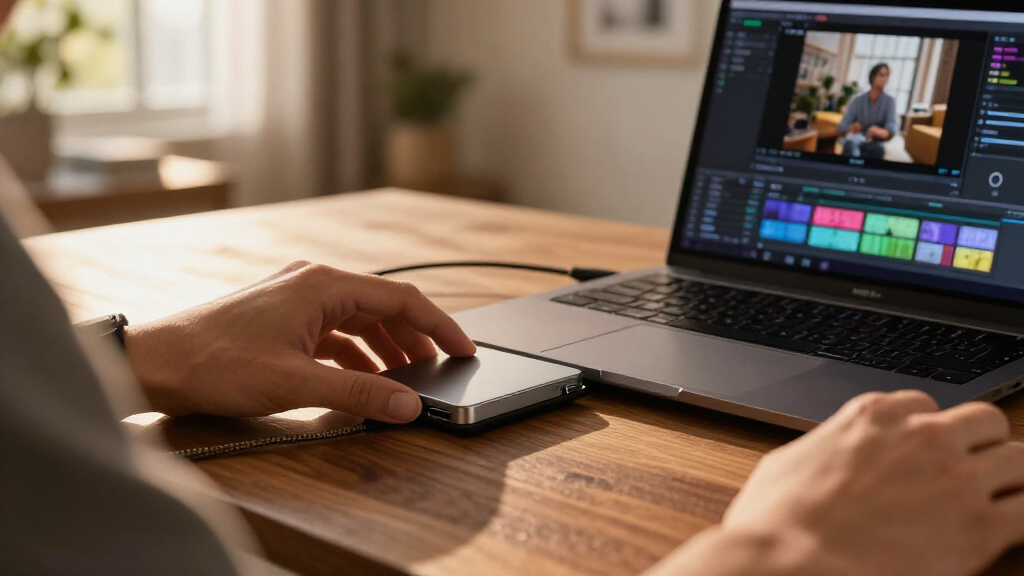
How We Picked
I grouped the 14 drives by their main job—internal NVMe, internal SATA, or portable storage—because comparing headline speeds across those categories can mislead. I weighed interface and likely compatibility alongside capacity, stated transfer performance, physical format, and the practical value of features such as portability or rugged construction. A drive ranked highly only when its strengths matched a clear buyer need; a fast model is not a good fit if the host device cannot support its interface.
The ranking favors versatile options with a clear use case, then places specialized, lower-cost, or less fully specified models according to the tradeoffs buyers should expect. Within portable drives, speed, capacity, and travel suitability separate the picks; within internal drives, PCIe generation, SATA compatibility, and capacity matter more. Product details supplied for this roundup do not establish every specification, such as sustained-write behavior or included accessories, so I avoid treating unlisted features as advantages.
Factors to Consider When Choosing Best SSD Drives
Before choosing among the best SSD drives, match the drive to the device and the job. These checks can prevent common mismatches, such as buying a fast NVMe model for a system that only accepts SATA or expecting a portable SSD to reach its advertised ceiling through a slower USB port.
Choose Internal or Portable Storage First
An internal SSD installs inside a compatible computer, while a portable SSD connects externally and can move between devices. Internal drives are a natural fit for replacing a system drive or adding storage without occupying a USB port. Portable models make more sense for transfers, backups, and carrying a working library between machines. Check whether you need a bare M.2 module, a 2.5-inch SATA drive, or an external enclosure before comparing speeds. A common mistake is assuming that an M.2 drive is automatically compatible: M.2 describes a physical format, not a guarantee that every computer supports the same protocol. If you need storage shared across several devices, confirm their ports and file-system needs before buying.
Match the Interface to Your Computer
PCIe NVMe, SATA, and USB connections have different compatibility limits and performance ceilings. PCIe 4.0 drives such as the 990 PRO need a compatible M.2 slot and platform to make use of their interface. A SATA SSD can be the sensible upgrade for a computer with a 2.5-inch bay, even if it cannot match modern NVMe transfer rates. External SSD speeds depend on both the drive and the computer’s USB port, cable, and connection path. Check the manufacturer’s specifications for your device rather than relying on connector shape alone. Paying for a faster interface brings little benefit when a slower host connection is the bottleneck.
Size Capacity for the Work, Not the Headline
Capacity needs vary with what you store and how often you can offload it. A system drive holding applications and active files may need less space than a portable archive of video, photos, or project backups. Leave room for operating-system updates and future files instead of planning to fill the drive immediately. For long-term backups, remember that a single SSD is still a single point of failure; a second copy on another device or service matters more than buying a larger drive alone. The 4TB Gigastone in this lineup favors capacity in a SATA form, while several portable options offer 2TB for a more mobile library. Compare usable space needs with your replacement or backup plan, not just the largest number on the box.
Treat Advertised Speed as a Ceiling, Not a Promise
Manufacturer speed figures generally describe best-case transfers, not every task a drive will perform. Large sequential file copies can benefit from high throughput, while everyday booting and opening many small files may feel less different between SSDs. External performance can fall when the host port is slower, and sustained transfers may differ from short benchmark bursts. If you regularly move large video files, pay attention to interface compatibility and sustained workload information where available. For general storage, prioritize a suitable capacity and reliable fit over the largest speed claim. Avoid comparing a portable USB figure directly with an internal PCIe specification as though they describe identical conditions.
Pay for Durability or Endurance Only When It Fits the Job
Portable drives face drops, dust, moisture, and repeated plugging in more often than drives installed inside a desktop. If your SSD travels in a bag or works outdoors, check the model’s documented protection ratings and handling guidance instead of assuming every rugged-looking drive offers the same protection. Internal drives have a different concern: write workload and endurance can matter for frequent large writes, scratch disks, or surveillance-style recording. A high-endurance label may be relevant for repeated recording, but it does not replace checking warranty terms and drive specifications. For a mostly read-heavy media library, paying extra for workload features you will not use may not improve the experience. Match durability claims to the conditions the drive will actually face.
Check Installation, Cooling, and Backup Details
An internal upgrade can require an M.2 screw, a suitable slot, a 2.5-inch bay, or a data cable, depending on the computer. Some high-performance NVMe drives can benefit from adequate airflow or a heatsink, especially in compact systems or sustained workloads. Review your motherboard or laptop documentation before ordering, since laptops may restrict drive length or leave little room for cooling. For portable drives, check whether the included cable or adapter fits the devices you plan to use. Also plan how you will migrate data and keep a separate backup before replacing an existing drive. These practical details can matter more than a small difference in quoted speed.
Frequently Asked Questions
Can I install the Samsung 990 PRO in any computer with an M.2 slot?
No. An M.2 slot does not automatically mean the computer supports every NVMe drive or PCIe generation. Check the system or motherboard documentation for supported drive type, length, capacity limits, and available PCIe lanes. A compatible older PCIe system may still run a newer drive at a lower interface speed, but that can reduce the value of paying for its full performance. If the computer supports only SATA M.2, a PCIe NVMe model may not work at all.
Will a portable SSD reach its advertised speed through any USB port?
No; the drive, USB port, cable, and device all affect transfer rates. A fast portable SSD connected through a slower port will be limited by that connection, and a cable that does not support the needed data rate can also hold it back. Check the exact USB standard supported by your computer, not just the port’s shape. For routine document storage, that ceiling may be unimportant, but frequent large transfers make the connection details worth checking before purchase.
Should I choose a 2TB portable SSD or a 4TB SATA internal SSD?
Choose based on where the storage needs to live and how you will access it. The 2TB portable options in this lineup suit files that travel between devices, while the 4TB Gigastone is an internal 2.5-inch SATA choice for a compatible computer that needs more installed capacity. A portable drive is easier to move but occupies a connection and can be misplaced or damaged during travel. The internal SATA drive avoids that routine handling but is not a plug-and-play option for every device. Check your real capacity needs and whether your computer has a compatible bay before deciding.
Is a SATA SSD still a sensible upgrade for an older computer?
Yes, if the computer has a compatible 2.5-inch SATA connection and you want a straightforward upgrade from a hard drive. The Samsung 870 EVO and Gigastone serve different priorities in this roundup: a familiar SATA option versus greater stated capacity. Neither will match the interface ceiling of a current PCIe 4.0 NVMe drive, but an older system may not support NVMe in the first place. Confirm physical fit, connection type, and any capacity limits in the computer documentation before buying.
Is one SSD enough for my photo or video backup?
One SSD can provide a convenient copy, but it should not be the only copy of files you cannot replace. A portable model is easy to keep separate from a computer, yet it can still be lost, damaged, or fail. Keep another copy on a second drive or a suitable backup service, and update it regularly. For large libraries, capacity affects how much fits in one place, while a separate backup plan protects against losing that one device. Choose a drive for capacity and portability, then treat redundancy as a separate part of the decision.
Conclusion
For most buyers building or upgrading a compatible computer, I’d start with the Samsung 990 PRO 2TB as the best overall performance-led pick. The Samsung 870 EVO is my best value-style choice for a compatible SATA system, while the Samsung T9 is the best premium portable option for buyers who can use its faster connection. Beginners who want simple external storage can choose the Samsung T7 or a standard SanDisk portable SSD, after checking their device’s USB support. For a high-capacity internal SATA need, consider the 4TB Gigastone; for a PCIe 3.0 system or a lower-cost NVMe role, compare the Bestoss and Lexar NQ780 against your computer’s specifications. The clearest decision is to identify your interface and use case first, then pick the drive whose tradeoffs match them.
Evergreen bestsellers Picks

KitchenAid Classic Series 4.5-Quart Tilt-Head Stand Mixer, Onyx Black

KitchenAid Artisan 5-Quart Tilt-Head Stand Mixer, Almond Cream

Vitamix Nano Personal Blender with SmoothiePilot Technology, Black
As an affiliate, we earn on qualifying purchases.