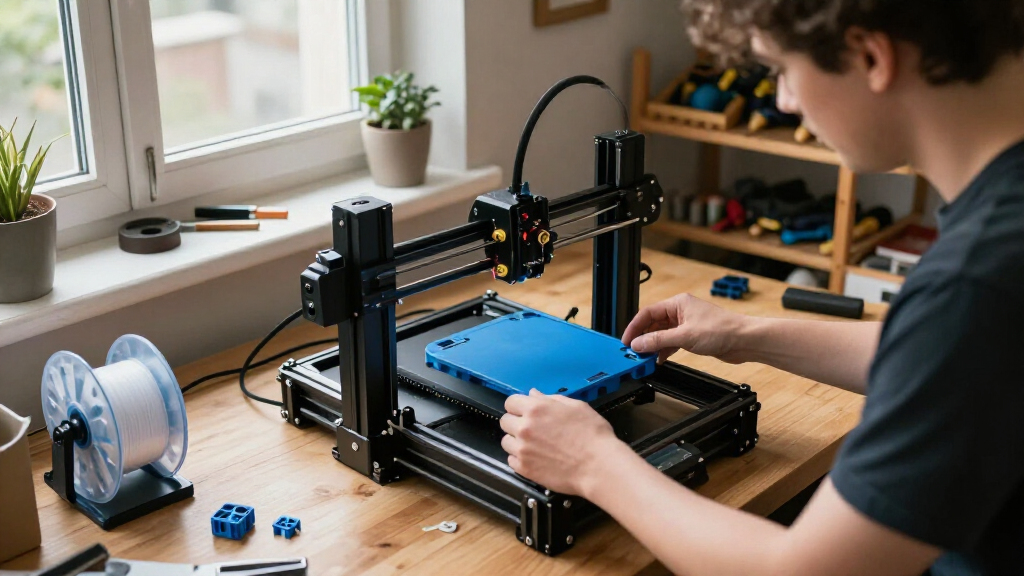

The best 3D printers balance dependable output and easy setup with the features your projects actually need. I rank the Bambu Lab P2S Combo as the best overall for its enclosed design and included AMS 2 Pro, while the Bambu Lab A1 is a simpler open-frame choice and the Snapmaker U1 stands out for its four-toolhead system. The main tradeoffs are between multicolor convenience, printer size and complexity, and how much setup or upkeep you want to handle. Some models suit first-time makers; others are built for larger prints or more advanced workflows. Read on for the full comparison, buying advice, and picks by buyer type.

Get the latest gadgets delivered free with Prime
- Fast, free delivery on millions of items
- Prime Video, Amazon Music and more included
- Member-only deals all year
Complete the kit


Key Takeaways
- The Bambu Lab P2S Combo is my best overall pick: its enclosed design and AMS 2 Pro bundle offer a balanced starting point for buyers who want an adaptable printer with multicolor capability.
- Toolhead count changes the multicolor equation: the Snapmaker U1 and Flashforge Creator 5 models use multiple independent toolheads, while several other picks rely on a filament management system.
- The lineup has distinct entry points: the Bambu Lab A1 and A1 Mini Combo emphasize approachable desktop printing, while the Creality Ender 3 V3 SE favors buyers willing to manage a more traditional setup.
- Enclosures and larger formats serve different needs: models such as the Bambu Lab P1S and Creality K2 Plus Combo target buyers with material or build-volume priorities that a compact open-frame machine may not meet.
- Product naming needs a close read: the list includes multiple Kobra X and K2 Combo entries, so buyers should verify the exact bundle, color system, and included accessories before choosing.
| Snapmaker U1 3D Printer with 4 Toolheads and 5-Second Tool Changer |  | Best for Low-Waste Multimaterial Printing | Toolheads: 4 independent toolheads | Tool change time: 5 seconds | Maximum print speed: 500 mm/s | VIEW LATEST PRICE | See Our Full Breakdown |
| Bambu Lab A1 FDM 3D Printer |  | Best for Easy Everyday Printing | Printer type: FDM 3D printer | Acceleration: 10,000 mm/s² | Multicolor printing: Requires AMS lite, sold separately | VIEW LATEST PRICE | See Our Full Breakdown |
| Anycubic Kobra X Multicolor 3D Printer |  | Best Built-In Multicolor Value | Print technology: FDM | Built-in colors: 4 | Expandable colors: Up to 19 with four ACE 2 Pro units | VIEW LATEST PRICE | See Our Full Breakdown |
| Creality K2 Pro Combo 3D Printer with CFS Multicolor System |  | Best for Large, Heated-Chamber Prints | Build volume: 300 × 300 × 300 mm | Maximum print speed: 600 mm/s | Maximum acceleration: 20,000 mm/s² | VIEW LATEST PRICE | See Our Full Breakdown |
| Creality K2 Combo 3D Printer with CFS Multicolor System | 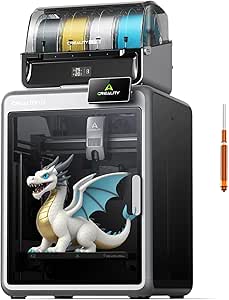 | Best Expandable Enclosed Multicolor Pick | Build volume: 260 × 260 × 260 mm | Maximum print speed: 600 mm/s | Maximum acceleration: 20,000 mm/s² | VIEW LATEST PRICE | See Our Full Breakdown |
| ANYCUBIC Kobra X 3D Printer with Native 4-Color Printing and Expansion up to 19 Colors |  | Best for Expandable Multicolor Printing | Printing technology: FDM | Build volume: 260 × 260 × 260 mm | Native color printing: 4 colors | VIEW LATEST PRICE | See Our Full Breakdown |
| Bambu Lab A1 Mini Combo 3D Printer with AMS lite |  | Best for Beginners and Small Multicolor Prints | Multi-color printing: AMS lite included | Acceleration: 10,000 mm/s² | Calibration: Automatic, including Z-offset and bed leveling | VIEW LATEST PRICE | See Our Full Breakdown |
| Creality Ender 3 V3 SE 3D Printer |  | Best for Straightforward Single-Color Printing | Printing technology: FDM | Build volume: 220 × 220 × 250 mm (8.66 × 8.66 × 9.84 inches) | Maximum printing speed: 250 mm/s | VIEW LATEST PRICE | See Our Full Breakdown |
| Flashforge Creator 5 3D Printer with 4 Independent Toolheads |  | Best for Multi-Material Toolhead Printing | Toolheads: 4 independent toolheads | Tool change time: About 7 seconds | Maximum print speed: 600 mm/s | VIEW LATEST PRICE | See Our Full Breakdown |
| Bambu Lab P2S 3D Printer Combo with AMS 2 Pro |  | Best for Enclosed, Filament-Managed Printing | Printer type: FDM | Maximum print speed: 600 mm/s | Filament system: AMS 2 Pro | VIEW LATEST PRICE | See Our Full Breakdown |
| Creality K2 Plus Combo Multi-Color 3D Printer |  | Best for Large, Engineering-Grade Multicolor Prints | Build volume: 350 × 350 × 350 mm | Maximum print speed: 600 mm/s | Maximum acceleration: 30,000 mm/s² | VIEW LATEST PRICE | See Our Full Breakdown |
| FLASHFORGE Adventurer 5M Pro 3D Printer |  | Best for Enclosed, Everyday Printing | Printer type: Enclosed CoreXY | Build volume: 220 × 220 × 220 mm | Maximum printing speed: 600 mm/s | VIEW LATEST PRICE | See Our Full Breakdown |
| Flashforge Creator 5 Pro Industrial 3D Printer |  | Best for Multi-Material Workshop Production | Printer type: Enclosed CoreXY | Build volume: Listed as 256 mm³; usable dimensions are unclear | Maximum chamber temperature: 65°C | VIEW LATEST PRICE | See Our Full Breakdown |
| Bambu Lab P1S Enclosed FDM 3D Printer |  | Best for a Straightforward Enclosed Setup | Printer type: Enclosed CoreXY FDM | Maximum printing speed: 500 mm/s | Maximum acceleration: 20,000 mm/s² | VIEW LATEST PRICE | See Our Full Breakdown |
| Creality K2 Combo 3D Printer with CFS |  | Best for an Accessible CFS Multicolor Start | Build volume: 260 × 260 × 260 mm | Maximum printing speed: 600 mm/s | Color printing: Up to 16 colors with four CFS units | VIEW LATEST PRICE | See Our Full Breakdown |
| 3D printer | Build volume | Weight | Maximum print speed | Dimensions |
|---|---|---|---|---|
| Snapmaker U1 3D Printer with 4 | 270 × 270 × 270 mm | 57.9 pounds | 500 mm/s | — |
| Bambu Lab A1 FDM 3D Printer | — | 22 pounds | — | 21.76 × 20.83 × 12.87 inches |
| Anycubic Kobra X Multicolor 3D | — | — | 600 mm/s | — |
| Creality K2 Pro Combo 3D Print | 300 × 300 × 300 mm | — | 600 mm/s | — |
| Creality K2 Combo 3D Printer w | 260 × 260 × 260 mm | 55 pounds | 600 mm/s | — |
| ANYCUBIC Kobra X 3D Printer wi | 260 × 260 × 260 mm | — | — | 17.93 × 17.53 × 18.16 inches |
| Bambu Lab A1 Mini Combo 3D Pri | — | 22 pounds | — | 16.77 × 14.82 × 19.5 inches |
| Creality Ender 3 V3 SE 3D Prin | 220 × 220 × 250 mm (8.66 × 8.66 × 9.84 inches) | — | — | — |
| Flashforge Creator 5 3D Printe | — | 30.8 pounds | 600 mm/s | 16 × 14 × 18 inches |
| Bambu Lab P2S 3D Printer Combo | — | — | 600 mm/s | 18 × 22 × 18 inches |
| Creality K2 Plus Combo Multi-C | 350 × 350 × 350 mm | 70.4 pounds | 600 mm/s | 16.1 × 15.4 × 18.7 inches |
| FLASHFORGE Adventurer 5M Pro 3 | 220 × 220 × 220 mm | 22 pounds | — | — |
| Flashforge Creator 5 Pro Indus | Listed as 256 mm³; usable dimensions are unclear | — | 600 mm/s | — |
| Bambu Lab P1S Enclosed FDM 3D | — | 38.9 pounds | — | 15.31 × 18.03 × 15.31 inches |
| Creality K2 Combo 3D Printer w | 260 × 260 × 260 mm | 65.9 pounds | — | 16.93 × 16.54 × 21.06 inches |
More Details on Our Top Picks
Snapmaker U1 3D Printer with 4 Toolheads and 5-Second Tool Changer
The Snapmaker U1 suits projects where switching between colors or material types matters as much as print speed. Its four independent toolheads change in about five seconds, reducing the purged filament associated with many multicolor systems and letting you combine materials such as rigid filament, TPU, and water-soluble PVA. Compared with the Anycubic Kobra X, which offers built-in four-color printing and a higher listed top speed, the U1’s toolhead setup is the more distinctive fit for frequent material changes. Its 270 mm cube build area also edges past the Kobra X’s 260 mm cube. The tradeoff is a substantial 57.9-pound frame and a wide footprint; buyers prioritizing a lighter, simpler machine should look at the Bambu Lab A1 instead.
Pros:- Four independent toolheads support multi-color and multi-material projects.
- Five-second tool changes can reduce filament purging.
- 270 × 270 × 270 mm build volume accommodates larger parts than the Anycubic Kobra X.
- Automatic calibration and filament management reduce setup chores.
Cons:- At 57.9 pounds, it is difficult to move once installed.
- Its 22.6 × 13 × 14.2-inch listed dimensions call for a dedicated workspace.
- The 500 mm/s maximum speed is lower than the listed 600 mm/s maximums of the Kobra X and Creality K2 models.
Best for: Makers who regularly combine multiple colors or materials and want less filament waste during tool changes.
Not ideal for: Buyers with limited bench space or anyone seeking a light printer that is easy to move between work areas.
- Toolheads:4 independent toolheads
- Tool change time:5 seconds
- Maximum print speed:500 mm/s
- Build volume:270 × 270 × 270 mm
- Motion system:CoreXY
- Compatible materials:PLA, PVA, TPU, PETG, PCTG, ABS, ASA, PA, PC, and more
- Weight:57.9 pounds
- Display and warranty:3.5-inch touchscreen; 1 year
Our verdict“Choose the Snapmaker U1 if frequent, lower-waste material changes matter more than a lighter footprint or the highest listed speed.”
Bambu Lab A1 FDM 3D Printer
The Bambu Lab A1 is the straightforward pick for buyers who want automated setup without committing to a large multicolor system. Automatic bed leveling and Z-offset calibration reduce the adjustments that can derail a first print, while active flow rate compensation helps keep extrusion consistent as print conditions change. Its quick-swap nozzle also makes routine maintenance less of a project. Compared with the Snapmaker U1, the A1 is much lighter and less specialized: it does not have four independent toolheads, and multicolor printing requires the separately sold AMS lite. That makes it a better fit for single-color everyday work than for frequent multimaterial jobs. The listed noise level of 48 dB or less and motor noise cancellation are useful for shared spaces, though buyers wanting multicolor printing out of the box should compare the Anycubic Kobra X.
Pros:- Automatic Z-offset and bed leveling reduce manual calibration.
- Active flow rate compensation supports consistent extrusion.
- Quick-swap nozzle simplifies nozzle changes and maintenance.
- Active motor noise cancellation and a touchscreen support easier home use.
Cons:- Multicolor printing requires the AMS lite, sold separately.
- No build-volume figure is provided in the supplied product data, limiting direct capacity comparisons.
- Its feature set is less suited to frequent material changes than the Snapmaker U1’s four-toolhead system.
Best for: First-time or casual makers who want automatic calibration, convenient nozzle maintenance, and a manageable single-color printer.
Not ideal for: Buyers who need multicolor printing immediately or want a larger build area without adding a separate AMS lite.
- Printer type:FDM 3D printer
- Acceleration:10,000 mm/s²
- Multicolor printing:Requires AMS lite, sold separately
- Calibration:Automatic Z-offset and bed leveling
- Nozzle:1-Clip quick-swap
- Noise level:≤48 dB
- Dimensions:21.76 × 20.83 × 12.87 inches
- Weight:22 pounds
Our verdict“Pick the A1 for automated, everyday single-color printing, but choose a bundled multicolor option if you want color changes without buying an add-on.”
Anycubic Kobra X Multicolor 3D Printer
The Anycubic Kobra X makes multicolor printing the starting point rather than an add-on: it has four built-in colors and can expand to 19 with four ACE 2 Pro units. Its 600 mm/s listed maximum speed and 260 mm cube print area give it a broad range for colorful models and everyday parts. Compared with the Bambu Lab A1, the Kobra X includes multicolor capability in its stated configuration, while the A1 needs an AMS lite bought separately. The Snapmaker U1 remains the more compelling choice for frequent changes between distinct material types because it uses independent toolheads; the Kobra X instead offers a clear route to a much larger color count. Automatic 49-point leveling and app monitoring lower setup effort, but filament is not included, and expansion depends on compatible ACE 2 Pro units.
Pros:- Four built-in colors support multicolor printing without a separate expansion unit.
- Expansion supports up to 19 colors with four ACE 2 Pro units.
- Automatic 49-point bed leveling helps simplify setup.
- App monitoring includes spaghetti and foreign-object detection.
Cons:- No filament is included.
- Reaching the expanded color capacity requires four compatible ACE 2 Pro units.
- ACE 2 Pro and ACE Pro units are not interchangeable.
Best for: Makers who want four-color printing built in, with the option to expand color capacity for more elaborate models.
Not ideal for: Buyers who want filament included, avoid add-on ecosystems, or prioritize independent toolheads for frequent multimaterial printing.
- Print technology:FDM
- Built-in colors:4
- Expandable colors:Up to 19 with four ACE 2 Pro units
- Print volume:260 × 260 × 260 mm
- Maximum print speed:600 mm/s
- Nozzle:Hardened steel; maximum temperature 300°C
- Compatible filaments:PLA, PETG, TPU, PVA, ASA
- Connectivity and monitoring:Dual-band 2.4/5 GHz Wi-Fi, LAN; spaghetti and foreign-object detection
Our verdict“Choose the Kobra X for built-in four-color printing and a clear expansion path, provided you are comfortable sourcing filament and compatible add-ons separately.”
Creality K2 Pro Combo 3D Printer with CFS Multicolor System
The Creality K2 Pro Combo is the strongest fit here for buyers who need both a roomy build area and an enclosure with active chamber heating. Its 300 mm cube volume is larger than the 260 mm cube on the Creality K2 Combo and Anycubic Kobra X, leaving more room for large parts or batches. Heating the chamber up to 60°C is also aimed at materials such as ABS, ASA, and carbon-fiber composites, rather than only routine PLA projects. The included CFS supports up to 16 colors, and dual AI cameras add monitoring beyond what the K2 Combo’s single listed chamber camera provides. These capabilities come with a substantial footprint and a 61.6-pound weight. For smaller multicolor work, the lighter Kobra X is easier to place; the Pro makes more sense when size and material range justify its bulk.
Pros:- 300 × 300 × 300 mm build volume is the largest among the five listed printers.
- Active chamber heating reaches 60°C for temperature-sensitive material workflows.
- Included CFS supports up to 16-color printing.
- Dual AI cameras support print monitoring and real-time flow adjustments.
Cons:- At 61.6 pounds, it is difficult to relocate.
- Its 17 × 20 × 18-inch dimensions require dedicated workspace.
- Its larger, heated-chamber feature set may be unnecessary for buyers focused on small, basic prints.
Best for: Experienced makers and small workshops printing larger parts or batches with materials that benefit from a heated chamber.
Not ideal for: Beginners with limited workspace who mostly print small PLA models and do not need chamber heating or a 300 mm build volume.
- Build volume:300 × 300 × 300 mm
- Maximum print speed:600 mm/s
- Maximum acceleration:20,000 mm/s²
- Maximum chamber temperature:60°C
- Color printing:Up to 16 colors with CFS
- Maximum extruder flow rate:40 mm³/s
- Supported materials:PLA, ABS, ASA, PPA, PPA-CF, PET-CF, and carbon-fiber composites
- Weight and dimensions:61.6 pounds; 17 × 20 × 18 inches
Our verdict“Choose the K2 Pro Combo when large-format capacity and a heated chamber matter more than a compact setup or simple operation.”
Creality K2 Combo 3D Printer with CFS Multicolor System
The Creality K2 Combo offers an enclosed, high-speed route into CFS multicolor printing, with one filament unit included and expansion to as many as 16 colors. Its 260 mm cube build volume is smaller than the K2 Pro Combo’s 300 mm cube, but it still accommodates many practical parts while taking a different place in the lineup: a multicolor workhorse without the Pro’s listed active chamber heating and dual-camera setup. The K2 Combo adds an AI chamber camera, air purifier, Wi-Fi, and 8 GB of local storage, while RFID identification and moisture-protected storage help manage filament. Its 600 mm/s maximum speed and 20,000 mm/s² acceleration are geared toward fast production, though those figures do not remove the need to tune prints for the material and model. At 55 pounds, it is still a substantial machine, and reaching 16 colors means adding CFS units.
Pros:- One CFS unit is included for multicolor printing, with expansion up to 16 colors.
- AI chamber camera, air purifier, Wi-Fi, and 8 GB local storage add useful onboard features.
- Direct-drive extrusion and a 300°C maximum nozzle temperature support a range of filament types.
- RFID identification and moisture-protected storage help manage filament.
Cons:- The included package has one CFS unit; additional units are needed for the full 16-color capacity.
- Its 260 mm cube build volume is smaller than the K2 Pro Combo’s 300 mm cube.
- At 55 pounds, it is not an easy printer to move.
Best for: Makers who want an enclosed printer with included CFS multicolor capability, onboard monitoring, and room to expand their color setup.
Not ideal for: Buyers who need a 300 mm build volume or a specified actively heated chamber for demanding engineering-material prints.
- Build volume:260 × 260 × 260 mm
- Maximum print speed:600 mm/s
- Maximum acceleration:20,000 mm/s²
- CFS configuration:1 unit included; expandable to 16 colors
- Hotend flow rate:40 mm³/s
- Maximum nozzle temperature:300°C
- Supported materials:PLA, ABS, PETG, and engineering-grade filaments
- Connectivity and storage:Wi-Fi; 8 GB local storage
- Weight:55 pounds
Our verdict“Pick the K2 Combo for an expandable enclosed multicolor setup with useful monitoring features, but step up to the K2 Pro if you need more build area and active chamber heating.”
ANYCUBIC Kobra X 3D Printer with Native 4-Color Printing and Expansion up to 19 Colors
The Kobra X makes the most sense for buyers who want multicolor printing now and a path to a much larger palette later. It handles four colors natively, while adding four ACE 2 Pro units can expand the system to as many as 19 colors. Compared with the Bambu Lab A1 Mini Combo, its 260 mm cubed build area gives more room for larger single-piece models, and the top-mounted spool arrangement keeps the printer footprint relatively compact.
Automatic 49-point bed leveling, print recovery, and a camera with AI-assisted monitoring reduce some routine oversight. The tradeoff is that the expanded color capacity depends on buying several additional units, and the listed maximum speed of 600 mm/s is not a guarantee for every print. Its build volume may also constrain oversized projects.
Pros:- Supports four-color printing natively, with expansion up to 19 colors using four ACE 2 Pro units.
- 49-point mesh leveling helps compensate for build-plate variation.
- 720p camera and AI-assisted monitoring provide visibility into print progress.
- Top-mounted spool design helps limit the printer’s footprint.
Cons:- Reaching 19-color capacity requires four additional ACE 2 Pro units.
- The 260 × 260 × 260 mm build area may be restrictive for larger models.
- The maximum speed specification does not indicate achievable speed for every material or print.
Best for: Makers who want four-color printing out of the box, a mid-size build area, and the option to expand their palette later.
Not ideal for: Buyers who need a large-format printer or want extensive multicolor capacity without adding separate ACE 2 Pro units.
- Printing technology:FDM
- Build volume:260 × 260 × 260 mm
- Native color printing:4 colors
- Expanded color printing:Up to 19 colors with 4 ACE 2 Pro units
- Maximum printing speed:600 mm/s
- Auto-leveling:LeviQ 3.0, 49-point mesh
- Camera:720p with AI-assisted monitoring
- Dimensions:17.93 × 17.53 × 18.16 inches
- Item weight:20.9 pounds
Our verdict“Choose the Kobra X if expandable four-color printing and a roomier build area matter more than a ready-to-go large color system.”
Bambu Lab A1 Mini Combo 3D Printer with AMS lite
The A1 Mini Combo is the approachable pick for a first printer: it arrives pre-assembled, includes the AMS lite for multicolor printing, and automates bed leveling and Z-offset setup. A stated setup time of about 20 minutes and a touchscreen reduce the initial learning curve, while active motor noise cancellation keeps its stated noise level at 48 dB or less. Compared with the larger ANYCUBIC Kobra X, this model puts more emphasis on a guided, compact start than on a specified build area or future expansion to a very large color palette.
That simplicity comes with limits. The product information does not provide a build volume or supported materials, making it harder to judge fit for larger or specialized projects. Multicolor printing relies on the included AMS lite, rather than being a standalone capability. Pick it for convenience and smaller projects, not when print size or material range is your priority.
Pros:- Pre-assembled design and approximately 20-minute setup lower the barrier to a first print.
- AMS lite is included for multicolor printing.
- Automatic calibration covers Z-offset and bed leveling.
- Stated noise level of 48 dB or less and motor noise cancellation suit shared spaces.
Cons:- Multicolor printing depends on the included AMS lite system.
- Build volume is not specified in the product information.
- Supported materials are not specified, limiting buyers’ ability to assess project compatibility.
Best for: New makers who want a pre-assembled printer, guided setup, and multicolor capability for smaller home projects.
Not ideal for: Buyers planning large models or specialized-material work, since the listed information does not state build volume or supported materials.
- Multi-color printing:AMS lite included
- Acceleration:10,000 mm/s²
- Calibration:Automatic, including Z-offset and bed leveling
- Noise level:≤48 dB
- Setup time:About 20 minutes
- Nozzle:1-Clip quick-swap
- Dimensions:16.77 × 14.82 × 19.5 inches
- Weight:22 pounds
- Model number:PF002-M+SA005-AU
Our verdict“Choose the A1 Mini Combo for a straightforward first multicolor printer, but look elsewhere if you need confirmed capacity for large or specialized prints.”
Creality Ender 3 V3 SE 3D Printer
The Ender 3 V3 SE is the practical choice for buyers who want a conventional, single-nozzle FDM printer rather than a multicolor setup. Its Sprite direct extruder is designed to feed PLA, TPU, and PETG, so it offers flexibility across common hobby materials without adding a multi-filament system. CR Touch leveling and strain-sensor Z-offset take much of the manual bed adjustment out of setup; compared with the Bambu Lab A1 Mini Combo, it also states its print area clearly at 220 × 220 × 250 mm.
Its advertised 250 mm/s speed and quick assembly make it a capable everyday machine, but it lacks the color-changing convenience of the Kobra X and the A1 Mini Combo. Buyers should also treat the maximum speed as a ceiling, not a promise that every model will print cleanly at that rate. This is a better fit for functional parts and learning the basics than for multicolor display pieces.
Pros:- CR Touch leveling and strain-sensor Z-offset reduce manual bed setup.
- Sprite direct extruder supports PLA, TPU, and PETG.
- 220 × 220 × 250 mm build volume is explicitly stated.
- Automatic filament loading and unloading simplify filament changes.
Cons:- No multicolor printing system is listed.
- The 250 mm/s maximum speed may not suit every material or print geometry.
- The open-frame design offers less containment than enclosed printers.
Best for: New and hobbyist makers who want a clearly specified build area, automatic leveling, and support for common flexible and rigid filaments.
Not ideal for: Makers focused on multicolor models or those who want an included automated color-changing system.
- Printing technology:FDM
- Build volume:220 × 220 × 250 mm (8.66 × 8.66 × 9.84 inches)
- Maximum printing speed:250 mm/s
- Acceleration:2,500 mm/s²
- Extruder:Sprite full-metal dual-gear direct extruder
- Auto-leveling:CR Touch with strain-sensor auto Z-offset
- Supported materials:PLA, TPU, PETG
- Motion features:Dual Z-axis lead screws and Y-axis linear shafts
Our verdict“Pick the Ender 3 V3 SE for uncomplicated single-color projects and common filaments, not for automated multicolor printing.”
Flashforge Creator 5 3D Printer with 4 Independent Toolheads
The Creator 5 takes a different route to multicolor work than the Kobra X: its four independent toolheads let it switch between colors or materials without relying on a single nozzle to share them. That arrangement can reduce color mixing and avoid the purging associated with changing filament through one nozzle. Background preheating brings stated tool changes to about seven seconds, while the CoreXY system is rated for speeds up to 600 mm/s.
For functional parts, its support for TPU, PETG-CF, and dedicated support materials makes it more versatile than the beginner-focused Bambu Lab A1 Mini Combo. The tradeoff is a heavier, space-demanding machine, and the maximum speed will vary with the job and material. Choose it when tool separation and material variety matter more than keeping the setup small and simple.
Pros:- Four independent toolheads help avoid single-nozzle color mixing and purging.
- Background preheating supports tool changes in about seven seconds.
- Supports PLA, PETG, TPU, PETG-CF, and support materials.
- Automatic calibration includes vibration compensation and flow calibration.
Cons:- At 30.8 pounds, it is heavier than the A1 Mini Combo and needs a stable setup location.
- The 600 mm/s maximum speed may not apply to every material or print.
- The product information does not specify build volume.
Best for: Makers producing multi-material parts or color-separated models who want independent toolheads and support-material options.
Not ideal for: Casual beginners with limited workspace who want a lighter, simpler printer for occasional small prints.
- Toolheads:4 independent toolheads
- Tool change time:About 7 seconds
- Maximum print speed:600 mm/s
- Motion system:CoreXY
- Supported materials:PLA, PETG, TPU, PETG-CF, and support materials
- Calibration:Automatic, with vibration compensation and flow calibration
- Dimensions:16 × 14 × 18 inches
- Weight:30.8 pounds
Our verdict“Choose the Creator 5 when independent toolheads and varied material support outweigh its larger, heavier setup.”
Bambu Lab P2S 3D Printer Combo with AMS 2 Pro
The P2S Combo suits buyers who want multicolor printing alongside more control over filament conditions. Its included AMS 2 Pro handles multi-color and multi-material jobs and can dry filament at up to 65 °C, while the printer’s heated chamber reaches up to 50 °C. That combination sets it apart from the more open, beginner-oriented A1 Mini Combo and the Kobra X, which focuses on expandable color capacity rather than a listed drying system and heated chamber.
Automatic calibration, AI failure detection, and active flowrate compensation aim to reduce routine setup and catch print problems. The compromise is a 46.3-pound machine with a substantial footprint, and the product information does not state its build volume or supported filament types. It is the better match for buyers prioritizing enclosure features and filament handling, provided they can verify their intended materials and part size.
Pros:- Included AMS 2 Pro supports multi-color and multi-material printing.
- AMS 2 Pro dries filament at up to 65 °C.
- Heated chamber reaches up to 50 °C, with adaptive airflow and a carbon filter.
- AI failure detection and automatic calibration support a more automated workflow.
Cons:- At 46.3 pounds and 18 × 22 × 18 inches, it needs substantial, stable workspace.
- Build volume is not specified in the product information.
- Supported filament types are not specified, making material compatibility harder to confirm.
Best for: Experienced home makers who want an enclosed printer with included multicolor and multi-material handling, filament drying, and a heated chamber.
Not ideal for: Buyers with limited bench space or those who need confirmed build-volume and material specifications before choosing a printer.
- Printer type:FDM
- Maximum print speed:600 mm/s
- Filament system:AMS 2 Pro
- Filament drying temperature:Up to 65 °C
- Chamber temperature:Up to 50 °C
- Included features:AI failure detection, quick-swap nozzles, automatic calibration, carbon filter
- Dimensions:18 × 22 × 18 inches
- Item weight:46.3 pounds
- Model number:PF004-U+SA007-AU
Our verdict“Choose the P2S Combo for an enclosed, filament-managed multicolor workflow, but confirm its build size and material compatibility for your projects first.”
Creality K2 Plus Combo Multi-Color 3D Printer
The K2 Plus Combo is the strongest fit here when large parts and demanding materials matter as much as multicolor output. Its 350 × 350 × 350 mm build volume is far roomier than the FLASHFORGE Adventurer 5M Pro’s 220 mm cube, giving you more room for oversized models or batch production. A heated chamber rated to 60°C and a 350°C nozzle also make it better suited to engineering filaments than the more general-purpose Bambu Lab P1S. The tradeoff is scale: at 70.4 pounds, this is a substantial machine to place and keep in one spot. Its headline capacity of 16 colors also depends on adding four CFS units, so the included setup should not be confused with the maximum configuration.
Pros:- Large 350 × 350 × 350 mm build volume accommodates parts and batches that do not fit the smaller Adventurer 5M Pro.
- Up to 16-color printing is available with four connected CFS units and automatic filament switching.
- A 350°C nozzle and 60°C chamber support a broader range of engineering-material work.
- Dual AI cameras, automatic bed leveling, and a rigid aluminum frame support monitoring and print consistency.
Cons:- At 70.4 pounds, it is difficult to move and calls for a stable, dedicated location.
- The 16-color configuration requires four connected CFS units, adding complexity beyond the printer itself.
- Its large footprint is excessive for users focused on small desktop prints.
Best for: Makers and small workshops printing large models, batches, or engineering-material parts who have room for a heavy printer.
Not ideal for: Buyers with limited workspace, frequent relocation needs, or no interest in adding CFS units for expanded multicolor printing.
- Build volume:350 × 350 × 350 mm
- Maximum print speed:600 mm/s
- Maximum acceleration:30,000 mm/s²
- Maximum nozzle temperature:350°C
- Maximum chamber temperature:60°C
- Multicolor capacity:Up to 16 colors with four connected CFS units
- Dimensions:16.1 × 15.4 × 18.7 inches
- Weight:70.4 pounds
Our verdict“Choose the K2 Plus Combo if you need a large build area and heated-chamber material support; skip it if a compact, simpler printer better fits your workspace.”
FLASHFORGE Adventurer 5M Pro 3D Printer
The Adventurer 5M Pro is a practical middle ground for buyers who want an enclosed CoreXY printer without the size and specialization of the K2 Plus Combo or Creator 5 Pro. Its 220 mm cube build area suits everyday parts and prototypes, while a 280°C nozzle and 110°C bed support materials such as ABS and ASA. Quick-swap nozzles make it easier to change between detail-focused and faster, broader prints, and the camera, mobile controls, filament detection, and power-loss recovery help manage jobs remotely. It reaches the same stated 600 mm/s speed as the much larger K2 Plus, but its smaller build volume and lower thermal limits make it a less suitable choice for large engineering parts. The enclosure also limits portability despite its lighter 22-pound weight.
Pros:- Enclosed CoreXY design combines high stated speed with a compact 220 mm cube build area.
- Automatic bed leveling and tool-free quick-swap nozzles simplify setup and nozzle changes.
- Supports PLA, PETG, ABS, ASA, and PETG-CF with a 280°C nozzle and 110°C heated bed.
- Built-in camera, mobile monitoring, filament detection, and power-loss recovery help manage unattended jobs.
Cons:- The 220 × 220 × 220 mm build volume is substantially smaller than the K2 Plus Combo’s.
- It lacks the actively heated chamber offered by the Creator 5 Pro for more demanding engineering-material work.
- The enclosed form and 22-pound weight make it less convenient to relocate than a small open-frame printer.
Best for: Home makers and small workspaces that need an enclosed printer for common filaments and occasional ABS or ASA projects.
Not ideal for: Buyers printing oversized parts, seeking a heated chamber for demanding materials, or needing a lightweight printer to move often.
- Printer type:Enclosed CoreXY
- Build volume:220 × 220 × 220 mm
- Maximum printing speed:600 mm/s
- Acceleration:20,000 mm/s²
- Maximum nozzle temperature:280°C
- Maximum heated bed temperature:110°C
- Supported materials:PLA, PETG, ABS, ASA, PETG-CF
- Weight:22 pounds
Our verdict“Pick the Adventurer 5M Pro for enclosed, monitored everyday printing in a modest footprint, but choose a larger heated-chamber model for engineering parts.”
Flashforge Creator 5 Pro Industrial 3D Printer
The Creator 5 Pro takes a different approach to multicolor work than the Creality K2 Plus Combo: four independent toolheads handle color and material changes, rather than relying on one nozzle and a filament-switching system. That can suit workshop jobs where separate materials matter, while its actively heated 65°C chamber, enclosed CoreXY frame, and HEPA13 filtration target a more controlled environment than the Adventurer 5M Pro. The machine is also lighter than the K2 Plus at 30.9 pounds, though it still needs room for an enclosed setup. There is a key uncertainty in the supplied specifications: the build volume is listed as “256 mm³,” which does not give a usable set of dimensions. I would verify the actual printable area before choosing it for a specific part size.
Pros:- Four independent toolheads support multicolor and multi-material printing without purging through a single nozzle.
- A 65°C actively heated chamber is suited to materials such as ABS, ASA, PC, and Nylon.
- Enclosed construction includes HEPA13 filtration and adaptive air circulation.
- Automatic leveling, filament monitoring, and a flexible magnetic PEI plate support a more managed workflow.
Cons:- The supplied build-volume figure, 256 mm³, is incomplete or inconsistent and should be verified before purchase.
- The heated chamber and filtration add space and upkeep needs compared with the Adventurer 5M Pro.
- Four toolheads make this a more specialized choice than the simpler Bambu Lab P1S.
Best for: Small production shops and advanced makers who need four separate toolheads, an actively heated chamber, and filtration for engineering-material jobs.
Not ideal for: Buyers who need a clearly documented build volume, a simple general-purpose printer, or a low-maintenance open-frame setup.
- Printer type:Enclosed CoreXY
- Build volume:Listed as 256 mm³; usable dimensions are unclear
- Maximum chamber temperature:65°C
- Maximum print speed:600 mm/s
- Maximum acceleration:30,000 mm/s²
- Extruders:4 independent toolheads
- Supported materials:ABS, ASA, PC, Nylon
- Filtration:HEPA13
Our verdict“Choose the Creator 5 Pro for four-toolhead material flexibility and a heated chamber, but confirm its usable build dimensions before planning jobs.”
Bambu Lab P1S Enclosed FDM 3D Printer
The P1S earns its place as the simpler enclosed all-rounder in this group. Automatic bed leveling and a setup time of about 15 minutes reduce the setup burden, while its CoreXY design reaches up to 500 mm/s. That is below the 600 mm/s listed for the Adventurer 5M Pro and the Creality K2 models, but speed is only one part of the decision: the P1S accepts a broad range of common filaments, including TPU and PVA, with PA and PC also listed as possible materials. For multicolor printing, it needs a Bambu Lab AMS, so the basic printer does not provide the same ready-to-expand CFS configuration as the K2 Combo. Its documented limitation is clear too: carbon- and glass-fiber-reinforced polymers are not recommended.
Pros:- Automatic bed leveling and approximately 15-minute setup lower the barrier to getting started.
- Enclosed CoreXY design supports a broad selection of common filaments, including TPU and PVA.
- Up to 16 colors or materials are possible when paired with a Bambu Lab AMS.
- Compact listed dimensions make it less imposing than the large Creality K2 Plus Combo.
Cons:- Its 500 mm/s maximum speed is lower than the 600 mm/s specified for the Adventurer 5M Pro and K2 models.
- The Bambu Lab AMS is required for multicolor or multi-material printing.
- Carbon- and glass-fiber-reinforced polymers are not recommended.
Best for: Makers who want an enclosed printer with guided setup, automatic leveling, and support for a broad mix of everyday filaments.
Not ideal for: Buyers who need reinforced composite filaments, a large build area, or multicolor printing without adding an AMS.
- Printer type:Enclosed CoreXY FDM
- Maximum printing speed:500 mm/s
- Maximum acceleration:20,000 mm/s²
- Automatic bed leveling:Yes
- Multicolor capacity:Up to 16 colors or materials with Bambu Lab AMS
- Supported filaments:PLA, PETG, TPU, PVA, PET, ABS, ASA; capable of PA and PC
- Dimensions:15.31 × 18.03 × 15.31 inches
- Weight:38.9 pounds
Our verdict“Choose the P1S for a capable, enclosed printer with approachable setup; look elsewhere if reinforced composites or multicolor output without an added AMS are priorities.”
Creality K2 Combo 3D Printer with CFS
The K2 Combo makes the most sense for buyers who want CFS-based multicolor printing without stepping up to the K2 Plus Combo’s 350 mm build area and heavier frame. Its 260 mm cube gives more room than the Adventurer 5M Pro, and the included CFS unit provides a starting point for automatic color changes. The stated ceiling of 16 colors, however, requires four CFS units; the Combo includes only one. Like the K2 Plus, it lists a maximum speed of 600 mm/s and uses AI camera monitoring, but its material list is narrower and does not specify a heated chamber. That makes it a more approachable multicolor option for common filaments, not a substitute for the Plus when large or temperature-sensitive engineering prints are the priority.
Pros:- One included CFS unit provides a starting point for automatic multicolor printing.
- The 260 × 260 × 260 mm build volume is roomier than the Adventurer 5M Pro’s 220 mm cube.
- Automatic leveling probes the target print area, while an AI camera monitors for print failures.
- The printer arrives 95% pre-assembled and includes step-servo motors with a silent mode.
Cons:- The 16-color maximum requires four CFS units; three additional units are needed beyond the one included.
- At 65.9 pounds, it is a heavy printer to reposition.
- The supplied material list and chamber details are less suited to demanding engineering-material work than the K2 Plus Combo.
Best for: Makers who want a pre-assembled printer with one included CFS unit for multicolor PLA, PETG, or ABS projects.
Not ideal for: Buyers who need a large engineering-material build platform, a light printer, or 16-color capability without adding more CFS units.
- Build volume:260 × 260 × 260 mm
- Maximum printing speed:600 mm/s
- Color printing:Up to 16 colors with four CFS units
- Included CFS units:1
- Supported materials:PLA, PETG, ABS, PLA-CF, PET
- Assembly:95% pre-assembled
- Dimensions:16.93 × 16.54 × 21.06 inches
- Weight:65.9 pounds
Our verdict“Pick the K2 Combo for a pre-assembled CFS multicolor entry point with a useful mid-sized build area, but choose the K2 Plus for larger or more demanding prints.”
How We Picked
I compared these 15 printers by the decisions that most affect ownership: expected ease of setup, print workflow, multicolor approach, enclosure and build-format needs, and the degree of maintenance or tuning a buyer may face. I also considered whether a model’s features solve a common need or add complexity without a clear benefit for the likely user. Because a printer can be a strong fit for one workflow and a poor fit for another, I gave distinct roles to beginner-friendly, value-focused, multicolor, enclosed, and higher-capacity options.
My ranking favors versatility and a useful balance of capability and usability, which puts the Bambu Lab P2S Combo first. The A1 and A1 Mini Combo rank as approachable alternatives, while the U1 and Creator 5 printers stand apart for their toolhead designs rather than serving as default picks for every home. Enclosed and larger-format Creality models may be a better match for buyers with specific space, material, or output needs. Where product names repeat or bundles differ, I treat the exact configuration as a buying decision rather than assuming every listing includes the same equipment.
Factors to Consider When Choosing Best 3D Printers
Before choosing among these models, decide what you need the printer to do repeatedly—not just what looks appealing on a feature list. I would start with project size, material plans, and how much hands-on setup feels acceptable; those choices narrow the field faster than headline speed claims.
Choose a multicolor method that fits your workflow
Multicolor printing can mean swapping filament through a management system or assigning separate toolheads to different materials. Those approaches affect waste, print preparation, machine complexity, and how easily you can create models with several colors or materials. A bundled filament system may offer a straightforward route into color printing, but check how many spools it holds and whether the exact listing includes the system. Independent toolheads can reduce some changeover steps, yet the printer may be larger or more specialized. Do not buy a multicolor feature for occasional color accents if single-color printing would meet most of your needs. Match the mechanism to the frequency and type of color work you plan to do.
Match the printer to your materials and enclosure needs
An enclosure can help manage drafts and temperature around a print, which matters more for some materials than for basic hobby projects. It also adds size, limits access while printing, and can call for ventilation planning depending on what you print. Open-frame machines are easier to access and may suit PLA-focused work in a comfortable indoor setting. Before paying for an enclosed model, check the manufacturer’s supported materials and operating guidance rather than assuming the enclosure makes every filament suitable. Think about where the printer will sit, too: a room with changing temperatures or frequent airflow can affect results. Buy for the materials you will actually use, not a speculative upgrade path.
Treat build volume as a project constraint, not a score
A larger build area is useful when you regularly print wide parts, several pieces at once, or models that cannot be split cleanly. For smaller objects, a large machine can consume workspace without improving everyday results. Measure your biggest intended print and allow room for the printer, spool handling, and access for maintenance. A model that prints a part in one piece may save assembly time, but large prints also take longer and can make a failed job more costly in material and time. If your designs can be divided into sections, a smaller printer may still cover demanding projects. Let the largest repeat-use job—not an occasional ambitious design—set your volume target.
Look past peak speed to the whole print workflow
Headline speed is only one part of how quickly a finished object reaches your desk. Setup, bed preparation, filament loading, multicolor changes, and post-print cleanup all add time. High-speed operation can also make a printer’s calibration and motion system more important, so compare ease of setup and the manufacturer’s maintenance instructions alongside speed claims. A slightly slower machine can be a better fit if it reduces hands-on work for the jobs you run often. Consider how many prints you expect to start unattended and whether you want a simple routine or frequent control over settings. Judge the workflow from file preparation to finished part, not just the movement speed during printing.
Budget for accessories, upkeep, and the learning curve
The printer itself may not be the full setup: multicolor systems, extra build plates, spare nozzles, filament storage, or ventilation can add to the purchase and workspace demands. Read the exact bundle contents before comparing listings with similar names, especially when a product is offered both with and without an accessory system. A beginner may gain more from guided setup and routine automation than from a larger feature list. More experienced users may prefer the control and flexibility of a more specialized machine, even if it asks for extra tuning. Check how common maintenance tasks are performed and whether replacement parts are readily identified by the manufacturer. Choose the least complicated setup that can handle your regular projects, then add accessories when a real need appears.
Frequently Asked Questions
Should I choose a printer with a multicolor system or separate toolheads?
Choose based on how often you print multicolor parts and how much setup you are willing to manage. Filament management systems can make color changes accessible, but they involve feeding and changing filament during a job. Multiple toolheads take a different approach and may better suit workflows that regularly switch between materials or colors, though they can bring extra machine complexity. For mostly single-color models, either system may add cost and upkeep without helping your usual work. Compare the exact bundle and workflow before deciding.
Is an enclosed 3D printer necessary for a first-time buyer?
No: an open-frame printer can be a sensible first machine if your projects are mostly basic materials and you have a stable indoor workspace. An enclosure becomes more relevant when your material plans or room conditions benefit from a more controlled printing environment. It also takes up more space and can make access less convenient. Beginners should check supported materials and setup guidance rather than assuming an enclosure alone guarantees better results. Choose the format around your intended projects, not the idea that more enclosure always means a better printer.
Which matters more: a larger build area or faster printing?
For most buyers, the answer depends on which limitation they encounter more often. A larger build area helps when parts do not fit on a smaller bed or when printing several objects in one job. Faster printing helps when you already have a reliable workflow and regularly produce many parts. Neither feature automatically improves print quality, and both can matter less than predictable setup and maintenance. Make a short list of the largest objects and most frequent jobs you expect to print, then prioritize the constraint that affects those tasks.
How can I avoid choosing the wrong bundle when product names are similar?
Check the full model name and the included accessories in the exact listing, not just the product family name. This roundup includes repeated Kobra X and K2 Combo entries, where the wording points to different multicolor descriptions or bundle configurations. Confirm whether a filament system, extra tool, or other accessory is included, and whether the printer’s stated capability requires a separate purchase. Compare the manufacturer’s specifications with the seller’s package contents if anything is unclear. A few minutes spent checking the configuration can prevent buying a printer that does not match your intended workflow.
What should a beginner prioritize over advanced features?
I would prioritize clear setup instructions, routine automation, a manageable footprint, and a workflow that makes loading filament and starting prints straightforward. Advanced features are useful only when they address a project you plan to do; multicolor hardware or industrial-style toolheads can add setup and maintenance demands. A printer with a simpler workflow may help you spend more time learning design and print settings. Also check the manufacturer’s support materials and maintenance guidance before choosing. If your projects later grow more demanding, you can upgrade based on a specific limitation rather than guessing at one now.
Conclusion
For the broadest balance of features and capability, I recommend the Bambu Lab P2S Combo as best overall. Buyers seeking an accessible desktop starting point should compare the Bambu Lab A1 and A1 Mini Combo, while the Creality Ender 3 V3 SE is a value-focused route for those comfortable with a more hands-on setup. For a more specialized premium workflow, the Snapmaker U1 stands out for its four-toolhead design; buyers who need an enclosed machine or larger format should look closely at the Bambu Lab P1S and Creality K2 Plus Combo. If multicolor work is your main need, compare the U1 and Flashforge Creator 5 models with the CFS and AMS bundles, checking the exact configuration before buying. Pick the machine that fits your regular projects and available workspace, rather than paying for features you are unlikely to use.