
The best Acer Chromebook for most buyers is the Acer Chromebook Plus Spin 514 with a Core i5-1334U, 8GB RAM, and 512GB SSD: its convertible design and stronger processor make it the most versatile option in this group. For a lighter 2-in-1, the Acer Plus Spin 714 pairs a 14-inch WUXGA touchscreen with a newer Core Ultra 5, while the Chromebook Plus 515 suits buyers who want a roomy 15.6-inch screen. The main tradeoffs are portability versus screen space, convertible flexibility versus a standard laptop design, and faster processors or SSD storage versus simpler configurations. I compare all 15 Acer models by their practical differences, including their memory and storage limits. Read on for the full breakdown and help matching a Chromebook to your needs.

Get the latest gadgets delivered free with Prime
- Fast, free delivery on millions of items
- Prime Video, Amazon Music and more included
- Member-only deals all year
Complete the kit



Key Takeaways
The Core i5 Chromebook Plus Spin 514 stands out as the most capable all-round 2-in-1 here, pairing a stronger processor with 512GB SSD storage.
The Plus Spin 714 with Core Ultra 5 offers a different premium route: a WUXGA touchscreen and convertible flexibility in a 14-inch format.
The 14-inch Chromebook Plus 514 models offer a useful middle ground, but buyers should compare processor and storage details rather than assume similarly named versions are identical.
The 15.6-inch Plus 515 options favor a larger workspace, while the 16-inch Plus 516 pushes screen area further but uses 128GB UFS rather than a larger SSD.
The standard Chromebook models with Intel N50 or Celeron processors and 4GB RAM are simpler choices for light tasks, but have less room for multitasking than the 8GB Chromebook Plus options.
| Acer Plus Spin 714 14-Inch WUXGA Touchscreen 2-in-1 Chromebook, Intel Core Ultra 5 115U, 8GB RAM, 256GB SSD with Storage Dock, Gray |  | Best Premium Convertible | Display: 14-inch WUXGA touchscreen, 1920 × 1200 | Processor: Intel Core Ultra 5 115U | Memory: 8GB LPDDR5 | VIEW LATEST PRICE | See Our Full Breakdown |
| Acer Chromebook Plus 515 15.6-Inch FHD Touchscreen Laptop |  | Best Large-Screen Chromebook Plus | Display: 15.6-inch FHD IPS touchscreen, 1920 × 1080, 60 Hz | Processor: Intel Core i3-1305U | Memory: 8GB | VIEW LATEST PRICE | See Our Full Breakdown |
| Acer 15.6-Inch FHD Touch Chromebook, Intel N50, 8GB RAM, 128GB eMMC |  | Best for Basic Big-Screen Use | Model: Acer CB315-7HT-C7GN | Display: 15.6-inch anti-glare FHD touchscreen, 1920 × 1080 | Processor: Intel N50, up to 3.4 GHz | VIEW LATEST PRICE | See Our Full Breakdown |
| Acer Chromebook Plus 514 14-Inch Touchscreen Laptop, Intel Core i3-N305, 8GB RAM, 512GB SSD | 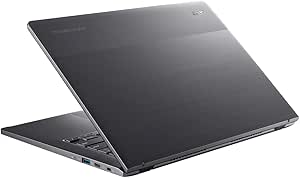 | Best for Local Storage and Privacy | Model: Acer Chromebook Plus 514 | Display: 14-inch FHD IPS touchscreen, 1920 × 1080, 60 Hz, 300 nits | Processor: Intel Core i3-N305, 8 cores and 8 threads, up to 3.80 GHz | VIEW LATEST PRICE | See Our Full Breakdown |
| Acer Chromebook Plus 514 14-Inch FHD Touchscreen Laptop, Intel Core i3-N305, 8GB RAM, 512GB SSD |  | Best for Long-Day Portability | Model: Acer Chromebook Plus 514 | Display: 14-inch FHD IPS touchscreen, 1920 × 1080 | Processor: Intel Core i3-N305, 8 cores, up to 3.8 GHz | VIEW LATEST PRICE | See Our Full Breakdown |
| Acer Chromebook 15.6-Inch Full HD Laptop, Intel N50, 4GB LPDDR5, 128GB eMMC |  | Best for a Large Screen on a Simple Setup | Processor: Intel N50, 2 cores, up to 3.4 GHz | Display: 15.6-inch Full HD IPS, anti-glare, 1920 × 1080, 60 Hz | Memory: 4GB LPDDR5 | VIEW LATEST PRICE | See Our Full Breakdown |
| Acer Chromebook Plus 515 15.6-inch Touchscreen Laptop, Intel Core i3-1305U, 8GB RAM, 256GB SSD |  | Best for Big-Screen Productivity | Processor: Intel Core i3-1305U, 5 cores, up to 4.5 GHz | Display: 15.6-inch FHD IPS touchscreen, 1920 × 1080 | Memory: 8GB DDR5 | VIEW LATEST PRICE | See Our Full Breakdown |
| Acer Chromebook Spin 314 Convertible Laptop, 14-inch WUXGA Touchscreen, Intel Core i3-N305, 8GB RAM, 128GB eMMC |  | Best Convertible for Everyday Flexibility | Processor: Intel Core i3-N305, 1.8 GHz, turbo up to 3.8 GHz | Display: 14-inch WUXGA IPS touchscreen, 1920 × 1200, 16:10 | Display protection: Antimicrobial Corning Gorilla Glass | VIEW LATEST PRICE | See Our Full Breakdown |
| Acer Chromebook Plus 514 14-Inch Touchscreen Laptop, Intel Core i3-1315U, 8GB RAM, 256GB SSD |  | Best Compact Workday Chromebook | Model: CB514-5HT-33RD | Processor: Intel Core i3-1315U, 6 cores, 8 threads, up to 4.5 GHz | Display: 14-inch WUXGA IPS touchscreen, 1920 × 1200, 300 nits, 16:10, matte anti-glare | VIEW LATEST PRICE | See Our Full Breakdown |
| Acer Chromebook Plus Spin 514 2-in-1 Laptop |  | Best Premium Convertible | Model: CB514-5HN | Processor: MediaTek Kompanio Ultra 910, with 50 TOPS AI processing power listed | Display: 14-inch WUXGA (1920 × 1200) IPS touchscreen | VIEW LATEST PRICE | See Our Full Breakdown |
| Acer Chromebook Plus Spin 714 14-Inch 2-in-1 Chromebook |  | Best for Color-Accurate Convertible Work | Processor: Intel Core Ultra 5 115U, 8 cores, up to 4.2 GHz | Memory: 8 GB RAM | Storage: 256 GB SSD | VIEW LATEST PRICE | See Our Full Breakdown |
| Acer Chromebook 315 15.6-Inch Touchscreen Laptop, Intel N50, 8GB RAM, 128GB eMMC, Silver (Renewed) | | Best Renewed Large-Screen Touch Option | Processor: Intel N50, 1.8 GHz base speed, up to 3.4 GHz | Memory: 8GB DDR5, 4800 MHz | Storage: 128GB eMMC | VIEW LATEST PRICE | See Our Full Breakdown |
| Acer Chromebook Plus 516 16-Inch WUXGA Laptop, Intel Core i3-1315U, 8GB RAM, 128GB UFS, Chrome OS, Steel Gray |  | Best for a Large Workspace | Processor: Intel Core i3-1315U, 6 cores, up to 4.5 GHz | Memory: 8GB LPDDR5 | Storage: 128GB UFS | VIEW LATEST PRICE | See Our Full Breakdown |
| Acer Chromebook 315 15.6-Inch FHD Laptop, Intel Celeron N4500, 4GB RAM, 128GB Storage, ChromeOS |  | Best for Basic Everyday Use | Processor: Intel Celeron N4500 | Memory: 4GB RAM | Storage: 128GB total: 64GB eMMC and 64GB SD card | VIEW LATEST PRICE | See Our Full Breakdown |
| Acer Chromebook Plus Spin 514 14-Inch 2-in-1 Laptop, Intel Core i5-1334U, 8GB RAM, 512GB SSD |  | Best Convertible for Storage Capacity | Processor: Intel Core i5-1334U, 10 cores, up to 4.6 GHz | Memory: 8GB DDR5 | Storage: 512GB PCIe NVMe M.2 SSD | VIEW LATEST PRICE | See Our Full Breakdown |
| Acer Chromebook | Display | Processor | Memory | Storage |
|---|---|---|---|---|
| Acer Plus Spin 714 14-Inch WUX | 14-inch WUXGA touchscreen, 1920 × 1200 | Intel Core Ultra 5 115U | 8GB LPDDR5 | 256GB SSD; additional dock storage advertised, amount unclear |
| Acer Chromebook Plus 515 15.6- | 15.6-inch FHD IPS touchscreen, 1920 × 1080, 60 Hz | Intel Core i3-1305U | 8GB | 256GB PCIe SSD |
| Acer 15.6-Inch FHD Touch Chrom | 15.6-inch anti-glare FHD touchscreen, 1920 × 1080 | Intel N50, up to 3.4 GHz | 8GB DDR5, 4800 MHz | 128GB eMMC |
| Acer Chromebook Plus 514 14-In | 14-inch FHD IPS touchscreen, 1920 × 1080, 60 Hz, 300 nits | Intel Core i3-N305, 8 cores and 8 threads, up to 3.80 GHz | 8GB LPDDR5 | 512GB PCIe Gen 4 SSD |
| Acer Chromebook Plus 514 14-In | 14-inch FHD IPS touchscreen, 1920 × 1080 | Intel Core i3-N305, 8 cores, up to 3.8 GHz | 8GB | 512GB SSD |
| Acer Chromebook 15.6-Inch Full | 15.6-inch Full HD IPS, anti-glare, 1920 × 1080, 60 Hz | Intel N50, 2 cores, up to 3.4 GHz | 4GB LPDDR5 | 128GB eMMC |
| Acer Chromebook Plus 515 15.6- | 15.6-inch FHD IPS touchscreen, 1920 × 1080 | Intel Core i3-1305U, 5 cores, up to 4.5 GHz | 8GB DDR5 | 256GB SSD |
| Acer Chromebook Spin 314 Conve | 14-inch WUXGA IPS touchscreen, 1920 × 1200, 16:10 | Intel Core i3-N305, 1.8 GHz, turbo up to 3.8 GHz | 8GB LPDDR5, 5200 MHz | 128GB eMMC |
| Acer Chromebook Plus 514 14-In | 14-inch WUXGA IPS touchscreen, 1920 × 1200, 300 nits, 16:10, matte anti-glare | Intel Core i3-1315U, 6 cores, 8 threads, up to 4.5 GHz | 8GB LPDDR5 | 256GB PCIe Gen4 SSD |
| Acer Chromebook Plus Spin 514 | 14-inch WUXGA (1920 × 1200) IPS touchscreen | MediaTek Kompanio Ultra 910, with 50 TOPS AI processing power listed | 12GB LPDDR5X | 256GB UFS |
| Acer Chromebook Plus Spin 714 | 14-inch WUXGA (1920 × 1200) IPS touchscreen, 100% sRGB | Intel Core Ultra 5 115U, 8 cores, up to 4.2 GHz | 8 GB RAM | 256 GB SSD |
| Acer Chromebook 315 15.6-Inch | 15.6-inch LCD touchscreen, 1920 × 1080, anti-glare | Intel N50, 1.8 GHz base speed, up to 3.4 GHz | 8GB DDR5, 4800 MHz | 128GB eMMC |
| Acer Chromebook Plus 516 16-In | 16-inch IPS LCD, 1920 × 1200, 16:10, 300 nits, anti-glare | Intel Core i3-1315U, 6 cores, up to 4.5 GHz | 8GB LPDDR5 | 128GB UFS |
| Acer Chromebook 315 15.6-Inch | 15.6-inch FHD (1920 × 1080) LCD, non-touch | Intel Celeron N4500 | 4GB RAM | 128GB total: 64GB eMMC and 64GB SD card |
| Acer Chromebook Plus Spin 514 | 14-inch WUXGA (1920 × 1200) IPS touchscreen | Intel Core i5-1334U, 10 cores, up to 4.6 GHz | 8GB DDR5 | 512GB PCIe NVMe M.2 SSD |
More Details on Our Top Picks
Acer Plus Spin 714 14-Inch WUXGA Touchscreen 2-in-1 Chromebook, Intel Core Ultra 5 115U, 8GB RAM, 256GB SSD with Storage Dock, Gray
I’d put the Acer Plus Spin 714 at the premium end of this group for buyers who want one Chromebook to serve as both a laptop and a tablet. Its 14-inch 1920 × 1200 touchscreen offers more vertical workspace than the Full HD panels on the Chromebook Plus 514 models, while the Core Ultra 5 processor and 256GB SSD give it a stronger-sounding foundation than the N50-based 15.6-inch Chromebook. A backlit keyboard and QHD webcam also suit frequent typing and video calls. The included docking bundle adds useful connectivity and storage accessories, but the advertised storage total is unclear: the title and dock details do not agree. I’d also verify the weight before buying, since the listing gives conflicting figures. Its 8GB of memory is less appealing for heavy multitasking.
Pros:- Convertible design supports laptop and tablet use
- WUXGA touchscreen provides more vertical room than the Full HD Chromebook Plus 514
- QHD webcam and backlit keyboard suit calls and low-light typing
- Bundle includes a 7-in-1 dock and MicroSD card
Cons:- Listing gives conflicting weights of 3.21 and 7 pounds
- Advertised storage total is unclear because the title and dock details differ
- 8GB of memory may constrain heavier multitasking
Best for: Buyers who want a higher-end Acer Chromebook with laptop and tablet modes, a taller touchscreen, and a strong video-call setup.
Not ideal for: Shoppers who need confirmed total storage or weight, or who expect to run many demanding tasks at once with more than 8GB of memory.
- Display:14-inch WUXGA touchscreen, 1920 × 1200
- Processor:Intel Core Ultra 5 115U
- Memory:8GB LPDDR5
- Storage:256GB SSD; additional dock storage advertised, amount unclear
- Operating system:Chrome OS
- Webcam:QHD
- Connectivity:Wi-Fi 802.11ax and Bluetooth
- Ports:2 USB-C, HDMI, headphone/speaker
- Form factor:Convertible 2-in-1
Our verdict“Choose the Spin 714 if flexible 2-in-1 use and a taller display matter more than clear bundle specifications or extra memory.”
Acer Chromebook Plus 515 15.6-Inch FHD Touchscreen Laptop
The Acer Chromebook Plus 515 is my pick for buyers who want a roomy screen without stepping up to a convertible. Its 15.6-inch FHD IPS touchscreen gives documents and browser windows more space than the 14-inch Chromebook Plus 514, and Gorilla Glass adds a protective layer to the touch display. The Core i3-1305U, 8GB RAM, and 256GB SSD make it a more capable everyday setup than the N50-based Acer 15.6-inch Chromebook, while HDMI, USB-A, and USB-C reduce the need for adapters. A 1080p webcam at 60 FPS and stated battery life of up to 10 hours suit calls and mobile work. The tradeoffs are its larger footprint and conflicting listed weights; the cloud-storage offer also lasts only 12 months.
Pros:- Large FHD IPS touchscreen with Corning Gorilla Glass
- Core i3 processor and 256GB SSD offer a stronger everyday setup than the N50 Chromebook
- 1080p webcam supports video at 60 FPS
- USB-C, USB-A, HDMI, and headphone ports cover common connections
Cons:- 15.6-inch chassis takes more room than the 14-inch Chromebook Plus 514
- Listing gives two different weights: 3.69 and 3.3 pounds
- Included 2TB Google Cloud storage offer is limited to 12 months
Best for: Students and home-office users who want a large touchscreen, practical ports, and a sharper video-call camera in a conventional laptop.
Not ideal for: Frequent travelers who prioritize a compact chassis, or buyers who want long-term bundled cloud storage rather than a time-limited offer.
- Display:15.6-inch FHD IPS touchscreen, 1920 × 1080, 60 Hz
- Processor:Intel Core i3-1305U
- Memory:8GB
- Storage:256GB PCIe SSD
- Operating system:ChromeOS
- Webcam:1080p FHD video at 60 FPS
- Battery life:Up to 10 hours
- Wireless:Wi-Fi 6E and Bluetooth
- Ports:2 USB-C, 1 USB-A, HDMI, headphone jack
Our verdict“Pick this Chromebook Plus 515 if you want a large, well-connected touchscreen laptop and do not mind its bigger footprint.”
Acer 15.6-Inch FHD Touch Chromebook, Intel N50, 8GB RAM, 128GB eMMC
I’d choose this Acer 15.6-inch Chromebook for straightforward browsing, schoolwork, and streaming on a larger screen—not for demanding workloads. The anti-glare FHD touchscreen gives it a useful combination of size and touch input, while the included sleeve is a practical extra for carrying it between home and class. Compared with the Chromebook Plus 515, it has a less capable Intel N50 processor and half the listed SSD capacity, so it is better suited to lighter tasks than sustained multitasking. Its 128GB eMMC storage and 8GB memory keep the configuration modest, though the broad selection of USB-C, USB-A, HDMI, and headphone connections is handy. Buyers who mainly want a large display and basic ChromeOS functions can avoid paying for capabilities they may not use.
Pros:- 15.6-inch FHD touchscreen has an anti-glare finish
- 8GB DDR5 memory is more generous than 4GB entry-level Chromebook configurations
- USB-C, USB-A, HDMI, and headphone connections support varied peripherals
- Protective sleeve is included
Cons:- Intel N50 is better suited to basic tasks than the Core i3 Chromebook Plus 515
- 128GB eMMC storage is limited compared with the 256GB and 512GB SSD options here
- Memory is fixed at 8GB
Best for: Students or household users who mainly browse, stream, and complete light school or office tasks on a large touchscreen.
Not ideal for: People who keep many large files locally, multitask heavily, or want the faster processor and SSD configuration of the Chromebook Plus 515.
- Model:Acer CB315-7HT-C7GN
- Display:15.6-inch anti-glare FHD touchscreen, 1920 × 1080
- Processor:Intel N50, up to 3.4 GHz
- Memory:8GB DDR5, 4800 MHz
- Storage:128GB eMMC
- Operating system:Chrome OS
- Graphics:Integrated Intel UHD Graphics
- Ports:2 USB-C 3.2 Gen 1, 2 USB-A 3.2 Gen 1, HDMI, headphone jack
- Weight:3.51 lb
Our verdict“Choose this model for basic everyday use on a large touchscreen, but favor the Chromebook Plus 515 for heavier work and faster local storage.”
Acer Chromebook Plus 514 14-Inch Touchscreen Laptop, Intel Core i3-N305, 8GB RAM, 512GB SSD
This Chromebook Plus 514 makes the most sense for buyers who want generous local storage in a compact, everyday laptop. Its 512GB PCIe Gen 4 SSD doubles the capacity of the 256GB Chromebook Plus 515 and gives users more room for downloaded files and offline work. The 14-inch FHD touchscreen is easier to fit on a desk or in a bag than that 15.6-inch alternative, and the 1080p webcam’s privacy shutter is a useful addition for frequent video callers. Compared with the closely related Chromebook Plus 514 in this lineup, it has a listed microSD reader, protective sleeve, and detailed port selection, though it shares the same 8GB memory ceiling. I’d pick it for storage and privacy features, not for graphics-heavy work or upgrade flexibility.
Pros:- 512GB PCIe Gen 4 SSD provides more local capacity than the 256GB Chromebook Plus 515
- 1080p webcam includes a privacy shutter
- 14-inch FHD IPS touchscreen suits a more compact setup
- USB-C charging and DisplayPort, USB-A, and microSD reader add connection options
Cons:- 8GB of memory may limit heavier multitasking
- Integrated Intel UHD Graphics are not aimed at demanding graphics work
- Touchscreen resolution is Full HD rather than the taller WUXGA panel on the Spin 714
Best for: People who want a portable 14-inch Chromebook Plus with substantial built-in storage, a touchscreen, and a physical webcam shutter.
Not ideal for: Users who need more than 8GB of memory or expect integrated graphics to handle demanding visual workloads.
- Model:Acer Chromebook Plus 514
- Display:14-inch FHD IPS touchscreen, 1920 × 1080, 60 Hz, 300 nits
- Processor:Intel Core i3-N305, 8 cores and 8 threads, up to 3.80 GHz
- Memory:8GB LPDDR5
- Storage:512GB PCIe Gen 4 SSD
- Operating system:Chrome OS
- Webcam:1080p camera with privacy shutter
- Wireless:Wi-Fi 6E and Bluetooth 5.1
- Ports:2 USB-C with DisplayPort and charging, 2 USB-A, microSD reader, 3.5mm combo jack
Our verdict“Choose this Chromebook Plus 514 if local SSD space and webcam privacy matter more than extra memory or a convertible design.”
Acer Chromebook Plus 514 14-Inch FHD Touchscreen Laptop, Intel Core i3-N305, 8GB RAM, 512GB SSD
This version of the Acer Chromebook Plus 514 is the practical pick for buyers who value stated battery endurance and a well-rounded portable setup. It pairs the same Core i3-N305, 8GB memory, and 512GB SSD listed for the other Chromebook Plus 514 here with a 14-inch FHD touchscreen, Wi-Fi 6E, and an SD card reader. The listing claims up to 11 hours of battery life, making it a better match for a day away from an outlet than the Chromebook Plus 515, which lists up to 10 hours. Unlike the other 514 listing, this one specifies an auto-update expiration date of June 2033, but it does not mention a webcam privacy shutter. Its 8GB memory and integrated graphics still place a ceiling on demanding workloads.
Pros:- 512GB SSD offers substantial local storage
- Listed battery life is up to 11 hours
- 14-inch FHD IPS touchscreen is more compact than the Chromebook Plus 515 display
- USB-A, USB-C, and SD card reader support common accessories and media
Cons:- 8GB of memory may restrict heavy multitasking
- Integrated Intel UHD Graphics are suited to everyday use rather than demanding visual tasks
- Listing specifies a 1080p webcam but does not mention the privacy shutter found on the other Chromebook Plus 514
Best for: Students and mobile workers who want a 14-inch touchscreen Chromebook with a large SSD, card-reader convenience, and a stated long battery runtime.
Not ideal for: Users who need a webcam privacy shutter, more than 8GB of memory, or stronger graphics capabilities.
- Model:Acer Chromebook Plus 514
- Display:14-inch FHD IPS touchscreen, 1920 × 1080
- Processor:Intel Core i3-N305, 8 cores, up to 3.8 GHz
- Memory:8GB
- Storage:512GB SSD
- Operating system:Chrome OS
- Wireless:Wi-Fi 6E and Bluetooth 5.1
- Battery life:Up to 11 hours
- Auto-update expiration:June 2033
Our verdict“Pick this Chromebook Plus 514 for portable everyday work and its stated battery life, but choose the other 514 listing if a webcam privacy shutter is a priority.”
Acer Chromebook 15.6-Inch Full HD Laptop, Intel N50, 4GB LPDDR5, 128GB eMMC
I’d choose this Acer for straightforward browsing, document work, and video calls where a roomy screen matters more than multitasking power. Its 15.6-inch anti-glare Full HD display gives spreadsheets and side-by-side windows more space than the 14-inch Acer Chromebook Plus 514, while the numeric keypad is handy for entering figures. The webcam shutter and broad port selection, including HDMI, also make it practical for home or classroom setups without extra adapters.
The tradeoff is the 4GB of memory: it can feel restrictive when many tabs or demanding web apps are open. The Chromebook Plus 515 is the stronger choice for heavier everyday workloads, with 8GB RAM and an SSD. This model counters with up to 14.5 hours of stated battery life, but its 128GB eMMC storage is less suited to keeping large local files.
Pros:- 15.6-inch Full HD IPS display with an anti-glare finish
- Full-size keyboard includes a numeric keypad
- HDMI, two USB-C ports, and two USB-A ports support varied peripherals
- Webcam privacy shutter and stated battery life of up to 14.5 hours
Cons:- 4GB RAM can constrain multitasking compared with the Chromebook Plus 515
- 128GB eMMC is less suitable for large local file collections than an SSD
- 720p webcam is lower resolution than the Full HD cameras on several alternatives
Best for: Students and home users who want a large anti-glare screen, a numeric keypad, and familiar ports for basic ChromeOS tasks.
Not ideal for: People who routinely keep many browser tabs open, run demanding web apps, or need substantial local file storage.
- Processor:Intel N50, 2 cores, up to 3.4 GHz
- Display:15.6-inch Full HD IPS, anti-glare, 1920 × 1080, 60 Hz
- Memory:4GB LPDDR5
- Storage:128GB eMMC
- Wireless:Wi-Fi 6E, Bluetooth 5.3
- Webcam:HD 720p with privacy shutter
- Ports:2 USB 3.2, 2 USB-C, HDMI, headset jack
- Battery life:Up to 14.5 hours
- Weight:3.68 lbs
Our verdict“Choose this model for a roomy display and keypad on a basic setup, but pick the Chromebook Plus 515 for more memory and faster storage.”
Acer Chromebook Plus 515 15.6-inch Touchscreen Laptop, Intel Core i3-1305U, 8GB RAM, 256GB SSD
For buyers who want a large touchscreen without stepping down to entry-level memory and storage, I’d put the Chromebook Plus 515 ahead of the basic Acer Chromebook 15.6-Inch Full HD. Its Core i3 processor, 8GB of RAM, and 256GB SSD are a more capable combination for juggling work tabs, school tasks, and local files. The 15.6-inch IPS touchscreen keeps documents and media spacious, while HDMI and USB-C support connections to external displays.
Its unusual listing condition matters: the computer is described as brand-new but resealed for a system upgrade, and coverage comes from a seller warranty rather than a stated manufacturer warranty. That makes it a less straightforward purchase than the Acer Chromebook Plus 514, which has a smaller 14-inch screen but avoids this listing-specific caveat. Battery life is stated at up to 10 hours, and the larger chassis is not the pick for compact carry.
Pros:- Core i3 processor, 8GB DDR5 memory, and 256GB SSD suit everyday productivity
- 15.6-inch Full HD IPS touchscreen gives work and media a spacious viewing area
- Supports up to three external 4K monitors via HDMI or USB-C
- 1080p webcam with privacy shutter and Wi-Fi 6E
Cons:- Listing says the computer was resealed for a system upgrade
- Warranty is from the seller rather than identified as a manufacturer warranty
- Up to 10 hours of stated battery life is less than the Spin 514’s stated 17 hours
Best for: Remote workers and students who want a 15.6-inch touchscreen, stronger multitasking than an N50 Chromebook, and room for local files.
Not ideal for: Buyers who want an untouched factory-sealed unit, manufacturer-backed warranty coverage, or a smaller laptop for frequent travel.
- Processor:Intel Core i3-1305U, 5 cores, up to 4.5 GHz
- Display:15.6-inch FHD IPS touchscreen, 1920 × 1080
- Memory:8GB DDR5
- Storage:256GB SSD
- Wireless:Wi-Fi 6E and Bluetooth
- Webcam:1080p FHD with privacy shutter
- External display support:Up to three 4K monitors at 60 Hz via HDMI or USB-C
- Battery life:Up to 10 hours
- Condition and warranty:Brand-new computer resealed for a system upgrade; one-year seller warranty
Our verdict“Pick this for a large, capable touchscreen workspace if you accept the resealed condition and seller warranty.”
Acer Chromebook Spin 314 Convertible Laptop, 14-inch WUXGA Touchscreen, Intel Core i3-N305, 8GB RAM, 128GB eMMC
The Acer Chromebook Spin 314 earns its place for buyers who want one device to work as a laptop, tablet, or presentation screen. Its 360-degree hinge and 14-inch, 16:10 WUXGA touchscreen offer more vertical room than the 15.6-inch Acer Chromebook Plus 515’s 16:9 display, which can make reading and scrolling through documents feel less cramped. The touchscreen supports USI stylus input, and antimicrobial Gorilla Glass adds a protective layer to the display.
Compared with the Acer Chromebook Plus 514, this Spin trades a faster-feeling Plus configuration and a 256GB SSD for a flexible hinge and a smaller 128GB eMMC drive. Its 8GB of onboard memory cannot be upgraded, so buyers should treat that capacity as fixed. A Full HD webcam with a privacy shutter and Wi-Fi 6E help with calls and connectivity, but this is not the best fit for users who need abundant local storage or memory headroom.
Pros:- 360-degree hinge supports laptop, tablet, and presentation use
- 14-inch WUXGA 16:10 touchscreen supports USI stylus input
- Antimicrobial Corning Gorilla Glass protects the display surface
- Full HD webcam with privacy shutter and Wi-Fi 6E
Cons:- 8GB memory is onboard and cannot be expanded
- 128GB eMMC storage is more limited than the Acer Chromebook Plus 514’s 256GB SSD
- Convertible design may be unnecessary for buyers who only use a standard laptop setup
Best for: Students and mobile note-takers who want touchscreen laptop, tablet, and presentation modes with optional USI stylus input.
Not ideal for: Multitaskers who need upgradeable memory or anyone who stores large collections of files on the Chromebook.
- Processor:Intel Core i3-N305, 1.8 GHz, turbo up to 3.8 GHz
- Display:14-inch WUXGA IPS touchscreen, 1920 × 1200, 16:10
- Display protection:Antimicrobial Corning Gorilla Glass
- Memory:8GB LPDDR5, 5200 MHz
- Storage:128GB eMMC
- Wireless:Wi-Fi 6E, Bluetooth 5.2 or above
- Webcam:1920 × 1080 FHD with privacy shutter
- Ports:1 USB-C, 2 USB-A, 1 HDMI 1.4
- Included accessory:Protective sleeve
Our verdict“Choose the Spin 314 if tablet and presentation modes matter more than the larger SSD found in the Chromebook Plus 514.”
Acer Chromebook Plus 514 14-Inch Touchscreen Laptop, Intel Core i3-1315U, 8GB RAM, 256GB SSD
I’d choose this Chromebook Plus 514 for a portable everyday work setup that still has a touchscreen and useful connections. The 14-inch WUXGA 16:10 display is taller than the 15.6-inch Acer Chromebook Plus 515’s Full HD screen, making it a better fit for reading documents and browsing while taking up less desk and bag space. Its Core i3-1315U, 8GB LPDDR5, and 256GB PCIe Gen4 SSD give it a stronger productivity profile than the basic Acer Chromebook 15.6-Inch Full HD.
Wi-Fi 7, a Full HD webcam with a shutter, and HDMI alongside USB-A and USB-C make it ready for calls and external screens. The cost of this compact configuration is that 8GB of memory is onboard, with no listed upgrade path. The description also gives no battery-life figure, so I wouldn’t select it based on runtime expectations. A protective sleeve is included, but the Spin 314 is the more versatile choice if tablet mode is a priority.
Pros:- 14-inch WUXGA 16:10 matte touchscreen offers extra vertical workspace
- Core i3-1315U and 256GB PCIe Gen4 SSD suit everyday productivity and local files
- Wi-Fi 7 and Full HD webcam with privacy shutter
- Includes USB-C, USB-A, HDMI, and a protective sleeve
Cons:- 8GB LPDDR5 memory is onboard
- No battery-life estimate is provided in the product data
- Unlike the Spin 314, it does not have a 360-degree convertible hinge
Best for: Hybrid workers and students who want a compact touchscreen Chromebook with fast local storage, modern wireless, and HDMI.
Not ideal for: Buyers who need upgradeable memory, a convertible tablet mode, or a stated battery-life estimate before choosing.
- Model:CB514-5HT-33RD
- Processor:Intel Core i3-1315U, 6 cores, 8 threads, up to 4.5 GHz
- Display:14-inch WUXGA IPS touchscreen, 1920 × 1200, 300 nits, 16:10, matte anti-glare
- Memory:8GB LPDDR5
- Storage:256GB PCIe Gen4 SSD
- Wireless:Wi-Fi 7, Bluetooth 5.3 or above
- Webcam:1920 × 1080 Full HD with privacy shutter
- Ports:2 USB-C, 2 USB-A, 1 HDMI 1.4
- Included accessory:Protective sleeve
Our verdict“Pick this Chromebook Plus 514 for a compact work-focused touchscreen and SSD, but choose the Spin 314 if convertible modes matter more.”
Acer Chromebook Plus Spin 514 2-in-1 Laptop
This is the most flexible pick here for buyers who want a convertible Chromebook Plus with an emphasis on battery life and memory capacity. The 14-inch WUXGA touchscreen and 2-in-1 design make it more adaptable than the standard Acer Chromebook Plus 514, while 12GB of LPDDR5X RAM gives it more headroom than the 8GB Spin 314 for switching between demanding browser tasks. Its MediaTek Kompanio Ultra 910 also includes stated AI processing capability, and the product data lists a 12-month Google AI Pro subscription.
The standout claim is up to 17 hours of battery life, paired with MIL-STD-810H durability and a 3.0-pound weight. Those are useful traits for people who work away from an outlet, though actual runtime can vary with use. Storage is 256GB UFS rather than the 256GB SSD in the Chromebook Plus 515, and the product data notes that backlit keyboard and fingerprint reader features may be optional. Buyers tied to specialized desktop software should also check ChromeOS compatibility before choosing it.
Pros:- 2-in-1 design pairs a 14-inch WUXGA IPS touchscreen with flexible use modes
- 12GB LPDDR5X memory exceeds the 8GB configurations in the Spin 314 and Chromebook Plus 514
- Up to 17 hours of stated battery life and 3.0-pound weight suit mobile use
- MIL-STD-810H durability and Wi-Fi 7
Cons:- 256GB UFS storage may not suit large local file libraries
- Backlit keyboard and fingerprint reader are listed as optional features
- ChromeOS may not run specialized professional software available on other operating systems
Best for: Frequent travelers and flexible-work users who want a convertible touchscreen, more than 8GB of memory, and long stated battery life.
Not ideal for: People who need Windows or macOS-only professional software, more than 256GB of local storage, or guaranteed backlit keyboard and fingerprint features.
- Model:CB514-5HN
- Processor:MediaTek Kompanio Ultra 910, with 50 TOPS AI processing power listed
- Display:14-inch WUXGA (1920 × 1200) IPS touchscreen
- Memory:12GB LPDDR5X
- Storage:256GB UFS
- Wireless:Wi-Fi 7 and Bluetooth
- Battery life:Up to 17 hours
- Weight:3.0 lbs
- Durability:MIL-STD-810H
Our verdict“Choose this Spin 514 if convertible flexibility, 12GB memory, and long stated battery life outweigh software compatibility and storage limits.”
Acer Chromebook Plus Spin 714 14-Inch 2-in-1 Chromebook
I’d choose the Spin 714 for buyers who want a flexible Chromebook with a screen suited to more than basic browsing. Its 14-inch WUXGA touchscreen covers 100% sRGB, making photos and other color-rich content look more dependable than on the larger, anti-glare Chromebook Plus 516. The Intel Core Ultra 5 processor, two Thunderbolt 4 ports, and HDMI also make it a capable choice for connecting fast accessories or external displays. A QHD webcam with a privacy shutter is a useful call-friendly detail.
The tradeoff is its 8GB of RAM, which gives less room for heavy multitasking than buyers may want from a premium-positioned model. It also costs flexibility in software compatibility: Chrome OS does not run every Windows or macOS app. I’d pick the Spin 514 instead if 512GB of SSD storage matters more than this model’s color coverage and Thunderbolt ports.
Pros:- 14-inch WUXGA touchscreen with 100% sRGB coverage
- Two Thunderbolt 4 ports plus HDMI for flexible display and accessory connections
- QHD webcam with a physical privacy shutter
- Convertible design, backlit keyboard, and DTS Audio
Cons:- 8GB of RAM may constrain demanding multitasking
- Chrome OS does not support every desktop application
- At 3.2 pounds, it is heavier than some compact travel-focused options
Best for: People who work with color-rich images, attend frequent video calls, and want a convertible Chromebook with high-speed accessory connections.
Not ideal for: Buyers who keep many demanding apps open or rely on Windows- or macOS-only software; its 8GB of RAM and Chrome OS may not fit those workloads.
- Processor:Intel Core Ultra 5 115U, 8 cores, up to 4.2 GHz
- Memory:8 GB RAM
- Storage:256 GB SSD
- Display:14-inch WUXGA (1920 × 1200) IPS touchscreen, 100% sRGB
- Operating system:Chrome OS
- Ports:2 × USB-C Thunderbolt 4, 1 × USB-A 3.2, 1 × HDMI 1.4b
- Webcam:QHD with privacy shutter
- Weight:3.2 lbs
Our verdict“Choose the Spin 714 if screen color coverage and Thunderbolt connectivity matter more to you than extra memory or a larger SSD.”
Acer Chromebook 315 15.6-Inch Touchscreen Laptop, Intel N50, 8GB RAM, 128GB eMMC, Silver (Renewed)
The renewed Chromebook 315 makes sense for buyers who want a roomy touchscreen and familiar ports without stepping up to a performance-focused Chromebook Plus model. Its 15.6-inch Full HD anti-glare display gives documents and web pages more space than the 14-inch Spin 714, while HDMI, two USB-C ports, and two USB-A ports simplify connecting a monitor and common accessories. The 8GB of DDR5 memory also gives it more breathing room than the 4GB Chromebook 315 in this lineup.
That larger screen comes with a slower-storage compromise: 128GB eMMC is not as responsive or flexible as the SSD in the Spin 714. The Intel N50 is better matched to everyday browsing and streaming than demanding workloads, and this unit is renewed with a 90-day limited warranty, rather than a new Chromebook. I’d skip it for heavier work or if a convertible hinge is a priority.
Pros:- 15.6-inch Full HD touchscreen with an anti-glare coating
- 8GB DDR5 memory for everyday multitasking
- USB-C, USB-A, HDMI, and headphone ports
- Large display area for documents, browser tabs, and video
Cons:- 128GB eMMC storage is slower than the Spin 714’s SSD
- Intel N50 is aimed at everyday tasks, not demanding workloads
- Renewed condition and a 90-day limited warranty may not suit buyers seeking a new device
Best for: Students or home users who want a large touchscreen, 8GB of memory, and HDMI and USB ports in a renewed Chromebook.
Not ideal for: Buyers who need fast SSD storage, a new unit, a convertible design, or performance for intensive multitasking.
- Processor:Intel N50, 1.8 GHz base speed, up to 3.4 GHz
- Memory:8GB DDR5, 4800 MHz
- Storage:128GB eMMC
- Display:15.6-inch LCD touchscreen, 1920 × 1080, anti-glare
- Operating system:ChromeOS
- Ports:2 × USB-C 3.2 Gen 1, 2 × USB-A 3.2 Gen 1, HDMI output, headphone jack
- Condition and warranty:Renewed; 90-day limited warranty
- Weight:1.67 kg
Our verdict“Pick this renewed Chromebook 315 for a large touch display and broad ports, but choose the Spin 714 for stronger performance and faster SSD storage.”
Acer Chromebook Plus 516 16-Inch WUXGA Laptop, Intel Core i3-1315U, 8GB RAM, 128GB UFS, Chrome OS, Steel Gray
If screen area is your priority, I’d put the Chromebook Plus 516 ahead of the smaller convertible models. Its 16-inch, 16:10 WUXGA display leaves more vertical room for documents and browser pages than the 15.6-inch Chromebook 315, and the anti-glare coating and 300-nit brightness suit desk work in varied indoor lighting. The Core i3-1315U, Wi-Fi 6E, and full-size keyboard with numeric keypad make it a more work-oriented choice than the entry-level Chromebook 315 with its Celeron processor and 4GB of RAM.
The size is also the main compromise: at 4 pounds, this is less appealing for carrying around all day. Its 128GB UFS storage is modest beside the 512GB SSD in the Spin 514, and integrated graphics are not meant for demanding visual workloads. I’d choose this for a fixed workspace, not as a compact tablet-style device.
Pros:- 16-inch WUXGA 16:10 display provides a broad workspace
- Anti-glare panel rated at 300 nits
- Full-size keyboard includes a numeric keypad
- Wi-Fi 6E and USB-C, USB-A, and HDMI connections
Cons:- 4-pound weight makes it less convenient to carry than 14-inch Spin models
- 128GB UFS storage is limited compared with the Spin 514’s 512GB SSD
- Integrated Intel UHD Graphics are suited to general use, not demanding graphics work
Best for: Home-office users, students, and spreadsheet-heavy workers who want a large anti-glare screen and a numeric keypad.
Not ideal for: Frequent travelers, buyers wanting a touchscreen convertible, or people storing large local files and applications.
- Processor:Intel Core i3-1315U, 6 cores, up to 4.5 GHz
- Memory:8GB LPDDR5
- Storage:128GB UFS
- Display:16-inch IPS LCD, 1920 × 1200, 16:10, 300 nits, anti-glare
- Operating system:Chrome OS
- Wireless:Wi-Fi 6E and Bluetooth
- Ports:2 × USB-C 3.2, 2 × USB-A 3.2, HDMI 1.4, headphone jack
- Battery life:Up to 12.5 hours
- Weight:4 lbs
Our verdict“Choose the Chromebook Plus 516 if you want the biggest workspace and a number pad, and favor the Spin 514 if portability or storage capacity matters more.”
Acer Chromebook 315 15.6-Inch FHD Laptop, Intel Celeron N4500, 4GB RAM, 128GB Storage, ChromeOS
The non-touch Chromebook 315 is the straightforward pick here for browsing, web-based schoolwork, and video calls. Its 15.6-inch Full HD screen and numeric keypad give it a familiar laptop layout, while the included protective sleeve is a practical extra for occasional trips. Acer lists up to 10 hours of battery life and ChromeOS updates through June 2031, which helps make it a clear basic-use alternative to the renewed Chromebook 315 with a touchscreen and 8GB of RAM.
The lower memory ceiling is a real limit: 4GB RAM can make juggling many tabs or apps less comfortable, and the Celeron N4500 is not a match for the Core i3 Chromebook Plus 516. Its 128GB storage figure combines eMMC and an SD card, rather than describing one large SSD. I’d keep this to light tasks and choose another model for heavier multitasking or touch use.
Pros:- 15.6-inch Full HD screen for a roomy everyday workspace
- Numeric keypad and OceanGlass touchpad
- Up to 10 hours of stated battery life and a protective sleeve
- ChromeOS updates scheduled through June 2031
Cons:- 4GB RAM limits demanding multitasking compared with the 8GB Chromebook 315
- Non-touch display lacks the interaction available on the renewed Chromebook 315
- 128GB storage is split between 64GB eMMC and a 64GB SD card
Best for: First-time Chromebook buyers or students who mainly use browser-based apps and want a large screen, number pad, and included sleeve.
Not ideal for: People who routinely keep many tabs open, need a touchscreen, or run demanding applications.
- Processor:Intel Celeron N4500
- Memory:4GB RAM
- Storage:128GB total: 64GB eMMC and 64GB SD card
- Display:15.6-inch FHD (1920 × 1080) LCD, non-touch
- Operating system:ChromeOS
- Battery life:Up to 10 hours
- Ports:2 × USB-A 3.2 Gen 1, 2 × USB-C 3.2 Gen 1, microSD card reader, headphone/microphone combo jack
- Auto Update Expiration:June 2031
- Weight:3.5 pounds
Our verdict“Choose this Chromebook 315 for light browser-based work and its large screen, but step up to an 8GB model if you multitask heavily.”
Acer Chromebook Plus Spin 514 14-Inch 2-in-1 Laptop, Intel Core i5-1334U, 8GB RAM, 512GB SSD
I’d steer buyers who want a convertible Chromebook and room for local files toward the Chromebook Plus Spin 514. Its 14-inch WUXGA touchscreen and 360-degree hinge support laptop, stand, flip, and tablet use, while the 512GB SSD gives it far more storage than the 256GB Spin 714 or the 128GB Chromebook Plus 516. The Core i5-1334U, Wi-Fi 6E, backlit keyboard, and privacy-shutter camera round out a capable everyday setup. Acer also lists MIL-STD 810H testing and up to 10 hours of battery life.
It is not a clear upgrade in every respect. The 8GB of RAM remains a constraint for heavier multitasking, and the Spin 714 offers 100% sRGB coverage plus two Thunderbolt 4 ports—details not listed for this Spin 514. ChromeOS also rules out some desktop software. I’d favor this model for storage and convertible flexibility, rather than specialized ports or color-sensitive work.
Pros:- 512GB PCIe NVMe SSD offers more capacity than the Spin 714 and Chromebook Plus 516
- 360-degree hinge supports laptop, stand, flip, and tablet modes
- 14-inch WUXGA touchscreen with a 16:10 aspect ratio
- Wi-Fi 6E, backlit keyboard, privacy-shutter camera, and MIL-STD 810H testing
Cons:- 8GB of memory may limit demanding multitasking
- ChromeOS does not support every Windows or macOS application
- The listed display details do not include the Spin 714’s 100% sRGB coverage
Best for: Students and mobile workers who want a touchscreen 2-in-1 with substantial local storage for documents, media, and offline files.
Not ideal for: Buyers who need more than 8GB of memory, Windows- or macOS-only software, or the Spin 714’s specified color coverage and Thunderbolt 4 ports.
- Processor:Intel Core i5-1334U, 10 cores, up to 4.6 GHz
- Memory:8GB DDR5
- Storage:512GB PCIe NVMe M.2 SSD
- Display:14-inch WUXGA (1920 × 1200) IPS touchscreen
- Operating system:ChromeOS
- Battery life:Up to 10 hours
- Wireless:Wi-Fi 6E and Bluetooth 5.2
- Ports:2 × USB Type-C, USB Type-A, HDMI 1.4, audio combo jack
- Durability:MIL-STD 810H testing
Our verdict“Pick the Spin 514 if you want a convertible Chromebook with 512GB of SSD storage; choose the Spin 714 for specified color coverage and Thunderbolt 4.”

How We Picked
I compared these Acer Chromebooks on the details that change everyday use: processor class, memory, storage type and capacity, screen size and resolution, and whether the display supports touch or converts into a tablet-style setup. I also separated Chromebook Plus configurations from more basic models, since that distinction helps explain where a buyer gets more headroom for multitasking and demanding browser-based work. Product names can conceal meaningful differences, so I treated near-matches as separate configurations rather than assuming their performance or storage is the same.
The ranking favors useful capability and flexibility across a range of tasks, not the biggest screen or the most impressive spec in isolation. That places the Core i5 Plus Spin 514 first for its combination of processing power, convertible design, and 512GB SSD, with the Plus Spin 714 and larger Plus 515 models appealing to different priorities. Models with 8GB RAM and faster processors rank ahead of 4GB entry-level options for buyers who keep multiple tabs or apps open; those simpler models remain relevant for lighter use. I also account for tradeoffs such as eMMC or UFS storage, renewed condition, and the greater portability of 14-inch designs.
| Acer Chromebook | Operating system | Battery life |
|---|---|---|
| Acer Plus Spin 714 14-Inch WUX | Chrome OS | — |
| Acer Chromebook Plus 515 15.6- | ChromeOS | Up to 10 hours |
| Acer 15.6-Inch FHD Touch Chrom | Chrome OS | — |
| Acer Chromebook Plus 514 14-In | Chrome OS | — |
| Acer Chromebook Plus 514 14-In | Chrome OS | Up to 11 hours |
| Acer Chromebook 15.6-Inch Full | — | Up to 14.5 hours |
| Acer Chromebook Plus 515 15.6- | — | Up to 10 hours |
| Acer Chromebook Spin 314 Conve | — | — |
| Acer Chromebook Plus 514 14-In | — | — |
| Acer Chromebook Plus Spin 514 | — | Up to 17 hours |
| Acer Chromebook Plus Spin 714 | Chrome OS | — |
| Acer Chromebook 315 15.6-Inch | ChromeOS | — |
| Acer Chromebook Plus 516 16-In | Chrome OS | Up to 12.5 hours |
| Acer Chromebook 315 15.6-Inch | ChromeOS | Up to 10 hours |
| Acer Chromebook Plus Spin 514 | ChromeOS | Up to 10 hours |
Factors to Consider When Choosing Best Acer Chromebooks
Before choosing among Acer’s similar model names, decide what you need the Chromebook to do day to day. Screen size, workload, storage habits, and whether you will use touch or tablet mode can matter more than a small difference in model number. These points help avoid paying for flexibility you will not use or choosing an entry-level configuration that feels cramped once your workload grows.
Match Memory and Processor to Your Workload
For a few browser tabs, email, and streaming, a basic processor can be enough; frequent video calls, many open tabs, or several web apps favor an 8GB RAM Chromebook Plus configuration. Memory affects how comfortably you can keep tasks open, while the processor influences responsiveness when those tasks become heavier. Avoid choosing by processor name alone: compare the exact model and its RAM together, since the lineup includes both 4GB and 8GB configurations. If this Chromebook will be your main computer for school or work, extra headroom is usually more useful than a minor spec bump elsewhere. For occasional, simple use, a less powerful model may make more sense than paying for capacity you will not use.
Choose Storage for How You Work Offline
Chromebooks rely heavily on online services, but storage still matters for downloaded files, offline documents, and locally installed Android apps. A 512GB SSD gives more room and is a different proposition from 128GB eMMC or UFS, even when the devices share a similar screen size. Buyers who keep most files in cloud storage may be comfortable with a smaller drive; people who travel offline or save large projects should check capacity before buying. Do not treat every 128GB listing as identical: storage type differs across these models and can affect everyday responsiveness. Check whether your preferred apps and files will live locally or in the cloud, then choose capacity accordingly.
Decide Whether a Convertible Is Worth the Tradeoff
A touchscreen laptop is not automatically a 2-in-1. A convertible hinge lets you fold the screen into tablet or stand modes, which can help with reading, drawing, presentations, or watching video in a tight space. If you mostly type at a desk, a standard laptop may give you the form you need without paying for a feature that stays unused. Consider how often you would actually switch modes, and check the device’s weight and dimensions if you plan to hold it as a tablet. A 14-inch convertible can be easier to handle than a larger model, while a touchscreen alone may be enough for occasional tapping or scrolling.
Pick a Screen Size for Your Routine
A 15.6-inch or 16-inch display gives documents and side-by-side windows more room, which can reduce the need to zoom or switch tabs. That extra space comes with a larger body, so it may be less convenient for a backpack or small desk. The 14-inch models strike a more portable balance, especially when they also offer WUXGA resolution for a taller workspace than standard FHD. Compare both resolution and aspect ratio where listed; screen size alone does not tell you how much usable content fits on screen. If you regularly work on spreadsheets or use split-screen layouts, favor display area; if you commute often, prioritize a size you will carry comfortably.
Read the Full Configuration, Not Just the Model Name
Acer’s Chromebook names repeat across configurations, and small listing differences can change the buying decision. The Plus 514 range here includes different processors and storage capacities, while the Plus 515 appears with more than one processor and storage setup. Check the exact processor, RAM, storage type, touchscreen status, and condition on the specific listing rather than relying on a family name. This matters especially for renewed products, where condition and included accessories may differ from a new unit. If two listings appear nearly identical, compare their full specifications line by line before deciding which better fits your workload.
Frequently Asked Questions
Which Acer Chromebook in this lineup makes the strongest all-purpose choice?
I would start with the Acer Chromebook Plus Spin 514 with Core i5-1334U and 512GB SSD if you want one device for varied tasks. It combines a stronger listed processor with a convertible design and more storage than many other models here. That makes it a flexible pick for multitasking, offline files, and switching between laptop and tablet-style use. Choose the Plus Spin 714 instead if its Core Ultra 5 processor and 14-inch WUXGA configuration better match your priorities. If you do not need a 2-in-1, a standard Plus model may be a simpler fit.
Is a Chromebook Plus model worth choosing over a basic Acer Chromebook?
A Chromebook Plus configuration makes more sense when you regularly multitask, keep many tabs open, or want more room for demanding browser-based work. In this group, Plus models generally pair 8GB RAM with stronger processor options than the basic models that have 4GB RAM and entry-level chips. For email, web browsing, and streaming, a basic Chromebook may still cover the essentials. The difference is less about a label and more about the exact hardware, so compare processor, memory, and storage on the listing. If you expect your workload to grow, the added headroom of a Plus model can make it a more lasting choice.
Should I choose the 15.6-inch Chromebook Plus 515 or a 14-inch Plus model?
Choose the 15.6-inch Plus 515 if a larger display is your priority for documents, video, or keeping two windows visible. A 14-inch Plus model is easier to carry and can be a better match for commuting, classroom use, or smaller work surfaces. Compare the exact configurations as well as screen size: the listed Plus 515 options and Plus 514 models differ in processors and storage. If you rarely move your Chromebook, a larger screen may be worth the extra bulk. If portability is part of your daily routine, the 14-inch size is the safer starting point.
How much storage should I choose if I mostly use cloud services?
If your documents, photos, and media are mostly stored online, a smaller local drive may be adequate. Still, leave room for offline files, Android apps, downloads, and temporary data, especially if you travel without reliable internet. The models here range from 128GB UFS or eMMC to 256GB and 512GB SSD configurations, so capacity and storage type both vary. Choose more capacity if you keep large files on the device or want fewer cleanup decisions. Before buying, check which files and apps you expect to use when offline rather than assuming cloud storage removes the need for local space.
Is a renewed Acer Chromebook 315 a sensible choice for a first Chromebook?
A renewed Chromebook 315 may suit a beginner with light needs who wants a large touchscreen and can confirm the seller’s condition details. Its listed 8GB RAM separates it from several basic 4GB models in this roundup, but it still uses an Intel N50 and 128GB eMMC. Compare the renewal terms, return policy, and included accessories before choosing it over a new entry-level Chromebook. A new model may be preferable if predictable condition matters more than the touchscreen or configuration. For heavier multitasking, I would look toward an 8GB Chromebook Plus model instead.
Conclusion
For the best overall, I recommend the Acer Chromebook Plus Spin 514 with Core i5-1334U and 512GB SSD because it combines strong listed hardware, generous storage, and 2-in-1 flexibility. The best premium alternative is the Plus Spin 714 with Core Ultra 5 for buyers who favor its 14-inch WUXGA touchscreen configuration. For a larger-screen value-oriented choice, compare the Chromebook Plus 515 options and select by processor and storage rather than name alone. Beginners with basic needs can look at the Acer Chromebook 315, while anyone needing a portable convertible has several 14-inch Spin models to compare. If your work is mostly light browsing and you want to keep the choice simple, choose a basic model; for longer sessions, multitasking, or offline storage, prioritize 8GB RAM and a larger SSD.
Black Friday Picks

Sonos One (Gen 2) Two-Room Set Voice-Controlled Smart Speaker with Alexa (2-Pack, Black)
As an affiliate, we earn on qualifying purchases.