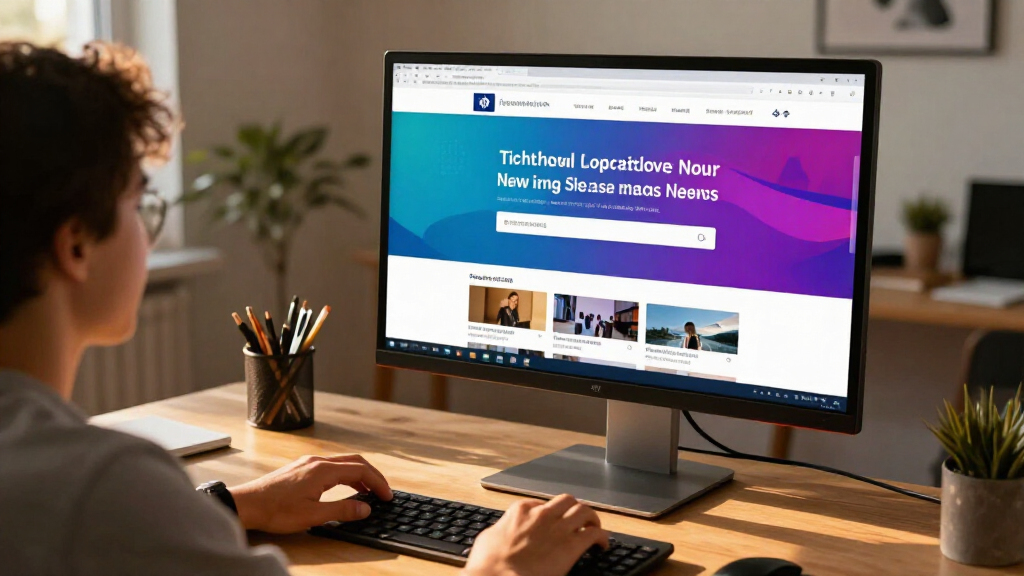

The best computer monitors balance image quality, screen size, refresh rate, and ergonomics for the way you work or play. My best overall pick is the Dell 27 Plus 4K Monitor (S2725QS), which pairs a sharp 4K image with a 120Hz refresh rate and an IPS panel. For a wider workspace, the Samsung 34-inch ViewFinity S50GC adds ultrawide room for side-by-side windows, while the Samsung Odyssey G5 prioritizes QHD gaming at 180Hz. Choosing among these models means weighing resolution against motion smoothness, screen size against desk space, and features against simplicity. Read on for the full breakdown and help matching a monitor to your setup.

Get the latest gadgets delivered free with Prime
- Fast, free delivery on millions of items
- Prime Video, Amazon Music and more included
- Member-only deals all year
Complete the kit



Key Takeaways
The Dell S2725QS leads as the all-rounder: Its 4K resolution and 120Hz refresh rate serve both detailed work and smoother everyday motion, though it costs a bigger graphics workload than Full HD.
Screen shape can matter as much as resolution: The Samsung 34-inch ViewFinity S50GC provides ultrawide workspace, while 27-inch 4K picks such as the LG 27US500-W focus on fine detail in a conventional layout.
Gaming choices split by priority: The Odyssey G5 reaches 180Hz at QHD, while Dell’s S2725DSM offers QHD at 144Hz and the smaller SE2426H pairs Full HD with 144Hz.
Full HD remains a practical fit for smaller screens and basic setups: The 23.8-inch Dell SE2426H and Philips 241V8LB avoid the pixel-density compromises that can be more apparent on 27-inch Full HD displays.
Matching the stand and ports to the setup saves hassle: Several models include useful features such as adjustable stands, USB ports, or built-in speakers, but these are not consistent across the lineup and should be checked before buying.
| Samsung 27″ Essential S3 (S36GD) Series FHD 1800R Curved Computer Monitor |  | Best Curved Full HD Monitor | Screen size: 27 inches | Resolution: 1920 × 1080 (Full HD) | Curvature: 1800R | VIEW LATEST PRICE | See Our Full Breakdown |
| Amazon Basics 27-Inch Monitor, Full HD 1080p, 100Hz IPS, Built-in Speakers, VESA Compatible, USB Ports, Black |  | Best for Built-In Connectivity | Screen size: 27 inches | Resolution: 1920 × 1080 (Full HD) | Panel type: IPS | VIEW LATEST PRICE | See Our Full Breakdown |
| Amazon Basics 27-Inch Full HD IPS Monitor, 120 Hz |  | Best Full HD Pick for Casual Gaming | Screen size: 27 inches | Resolution: 1920 × 1080 (Full HD) | Panel type: IPS LCD | VIEW LATEST PRICE | See Our Full Breakdown |
| LG 27US500-W 27-Inch 4K UHD IPS Monitor |  | Best for 4K Detail | Screen size: 27 inches | Resolution: 3840 × 2160 (4K UHD) | Panel type: IPS | VIEW LATEST PRICE | See Our Full Breakdown |
| Samsung 34-inch ViewFinity S50GC Ultra-WQHD Monitor |  | Best for Wide-Screen Multitasking | Screen size: 34 inches | Resolution: 3440 × 1440 (Ultra-WQHD) | Aspect ratio: 21:9 | VIEW LATEST PRICE | See Our Full Breakdown |
| Samsung 32″ Odyssey G5 (G51F) QHD 180Hz Gaming Monitor |  | Best for Large-Screen Gaming | Screen size: 32 inches | Resolution: 2560 x 1440 (QHD) | Panel type: VA | VIEW LATEST PRICE | See Our Full Breakdown |
| Dell 27 Plus 4K Monitor (S2725QS), 27-Inch IPS, 120Hz |  | Best All-Round 4K Monitor | Screen size: 27 inches | Resolution: 3840 x 2160 (4K UHD) | Panel technology: IPS | VIEW LATEST PRICE | See Our Full Breakdown |
| Acer KB272 G0bi 27-Inch Full HD IPS Monitor, 120Hz |  | Best for Straightforward Full HD Gaming | Screen size: 27 inches | Resolution: 1920 x 1080 (Full HD) | Panel technology: IPS LCD | VIEW LATEST PRICE | See Our Full Breakdown |
| Samsung 27-Inch S3 FHD IPS Monitor |  | Best for Simple Everyday Use | Screen size: 27 inches | Resolution: 1920 x 1080 (Full HD) | Panel type: IPS LCD | VIEW LATEST PRICE | See Our Full Breakdown |
| LG 27UP650K-W 27-inch Ultrafine 4K UHD IPS Monitor with HDR400, Reader Mode, Flicker Safe, HDMI & DisplayPort, Adjustable Stand (White) |  | Best for 4K Color and HDR | Screen size: 27 inches | Resolution: 3840 x 2160 (4K UHD) | Panel technology: IPS | VIEW LATEST PRICE | See Our Full Breakdown |
| Dell SE2426H 23.8-Inch Full HD IPS Monitor, 144Hz, 1ms MPRT, FreeSync, Dual HDMI |  | Best Compact High-Refresh Pick | Screen size: 23.8 inches | Resolution: 1920 × 1080 (Full HD) | Panel: IPS LCD | VIEW LATEST PRICE | See Our Full Breakdown |
| Dell 27 Plus QHD Monitor – S2725DSM, 27-inch QHD 144Hz IPS Display |  | Best QHD All-Rounder | Screen size: 27 inches | Resolution: 2560 × 1440 (QHD) | Panel: IPS | VIEW LATEST PRICE | See Our Full Breakdown |
| Dell 27 Plus S2725HSM 27-Inch FHD Monitor, 144Hz, 1ms, FreeSync, Ash White |  | Best Adjustable Full HD Monitor | Screen size: 27 inches | Resolution: 1920 × 1080 (Full HD) | Refresh rate: 144 Hz | VIEW LATEST PRICE | See Our Full Breakdown |
| Philips 241V8LB 23.8-Inch Full HD Monitor, 100Hz VA, Adaptive-Sync |  | Best for High-Contrast Everyday Viewing | Screen size: 23.8 inches | Resolution: 1920 × 1080 (Full HD) | Panel: VA LCD | VIEW LATEST PRICE | See Our Full Breakdown |
| Samsung 32″ Flat Computer Monitor |  | Best Large-Screen Budget-Feature Pick | Screen size: 32 inches | Resolution: 1920 × 1080 (Full HD) | Refresh rate: 75 Hz | VIEW LATEST PRICE | See Our Full Breakdown |
| computer monitor | Screen size | Resolution | Refresh rate | Response time |
|---|---|---|---|---|
| Samsung 27" Essential S3 | 27 inches | 1920 × 1080 (Full HD) | 100Hz (default 60Hz) | 4ms |
| Amazon Basics 27-Inch Monitor | 27 inches | 1920 × 1080 (Full HD) | 100Hz | 4ms |
| Amazon Basics 27-Inch Full HD | 27 inches | 1920 × 1080 (Full HD) | 120Hz | 14ms |
| LG 27US500-W 27-Inch 4K UHD IP | 27 inches | 3840 × 2160 (4K UHD) | 60Hz | 5ms |
| Samsung 34-inch ViewFinity S50 | 34 inches | 3440 × 1440 (Ultra-WQHD) | 100Hz | 5ms |
| Samsung 32" Odyssey G5 | 32 inches | 2560 x 1440 (QHD) | 180 Hz | 1 ms (MPRT) |
| Dell 27 Plus 4K Monitor | 27 inches | 3840 x 2160 (4K UHD) | Up to 120Hz | — |
| Acer KB272 G0bi 27-Inch Full H | 27 inches | 1920 x 1080 (Full HD) | Up to 120Hz | 1ms VRB |
| Samsung 27-Inch S3 FHD IPS Mon | 27 inches | 1920 x 1080 (Full HD) | 120Hz; defaults to 60Hz | 5 ms |
| LG 27UP650K-W 27-inch Ultrafin | 27 inches | 3840 x 2160 (4K UHD) | 60 Hz | — |
| Dell SE2426H 23.8-Inch Full HD | 23.8 inches | 1920 × 1080 (Full HD) | 144 Hz | 1 ms MPRT |
| Dell 27 Plus QHD Monitor | 27 inches | 2560 × 1440 (QHD) | 144 Hz | 1 ms MPRT |
| Dell 27 Plus S2725HSM 27-Inch | 27 inches | 1920 × 1080 (Full HD) | 144 Hz | 1 ms MPRT |
| Philips 241V8LB 23.8-Inch Full | 23.8 inches | 1920 × 1080 (Full HD) | 100 Hz | 4 ms |
| Samsung 32" Flat Computer Moni | 32 inches | 1920 × 1080 (Full HD) | 75 Hz | 8 ms |
More Details on Our Top Picks
Samsung 27″ Essential S3 (S36GD) Series FHD 1800R Curved Computer Monitor
The 1800R curve gives this 27-inch Samsung a more enveloping feel than the flat Amazon Basics 27-inch 100Hz IPS, making it a better fit for solo viewing and casual games. Its 100Hz refresh rate is smoother than a standard 60Hz display, though the monitor defaults to 60Hz, so you’ll need to change the setting to use its full refresh rate. The VA-style contrast listed at 3,000:1 can help dark scenes look more distinct, while TÜV-certified flicker-free and blue-light features support longer sessions. The tradeoff is 1080p on a 27-inch screen, which looks less crisp than the LG 27US500-W’s 4K image, plus a single HDMI port and modest 250-nit brightness. Choose it for curve and contrast, not fine-detail work or bright rooms.
Pros:- 1800R curve creates a more immersive viewing feel than the flat monitors in this group.
- 100Hz refresh rate supports smoother motion than a standard 60Hz display.
- 3,000:1 contrast ratio can make dark scenes more defined.
- Flicker-free and blue-light comfort features support extended viewing.
Cons:- Full HD resolution is less crisp at 27 inches than the LG 27US500-W’s 4K panel.
- Only one HDMI port limits connections for multiple HDMI devices.
- 250 cd/m² brightness may be limiting in bright rooms, and 100Hz requires manual setup.
Best for: Viewers who want a curved screen for everyday computing, streaming, and casual gaming without stepping up to a high-resolution monitor.
Not ideal for: People who need sharp text or detailed 4K content, use several HDMI devices at once, or work in a brightly lit room.
- Screen size:27 inches
- Resolution:1920 × 1080 (Full HD)
- Curvature:1800R
- Refresh rate:100Hz (default 60Hz)
- Contrast ratio:3,000:1
- Brightness:250 cd/m²
- Response time:4ms
- Connections:1 HDMI, 2 D-sub
Our verdict“Choose this Samsung if you value a curved, contrast-focused screen for everyday use more than 27-inch sharpness or multi-device connectivity.”
Amazon Basics 27-Inch Monitor, Full HD 1080p, 100Hz IPS, Built-in Speakers, VESA Compatible, USB Ports, Black
This Amazon Basics monitor is the practical pick for a desk where USB access and built-in audio matter more than gaming extras. Its four USB 2.0 ports can keep common peripherals close at hand, and the integrated speakers handle basic calls or video without requiring a separate audio setup. The IPS panel and 100Hz refresh rate make it a more versatile everyday screen than the curved Samsung Essential S3, especially for shared viewing angles and general work. There are tradeoffs: both models are Full HD at 27 inches, so neither matches the LG 27US500-W for fine detail, while this model’s stated viewing angle is narrower than the other IPS options here. Its stand has limited ergonomic adjustment, making VESA mounting the better route if you need precise positioning.
Pros:- Four USB 2.0 ports provide convenient access for peripherals.
- Built-in speakers cover basic audio without a separate speaker setup.
- IPS panel supports wide viewing angles for everyday work and shared viewing.
- 100Hz refresh rate makes scrolling and motion smoother than 60Hz.
Cons:- Full HD resolution can look less sharp at 27 inches than the LG 27US500-W’s 4K display.
- Limited stand adjustment may require a VESA mount for comfortable positioning.
- USB ports are USB 2.0 rather than a higher-speed connection.
Best for: Home-office users who want a 27-inch IPS screen with handy USB ports and basic built-in audio for calls and everyday tasks.
Not ideal for: Buyers seeking crisp 4K text, extensive stand adjustment, or a monitor focused on higher-refresh gaming.
- Screen size:27 inches
- Resolution:1920 × 1080 (Full HD)
- Panel type:IPS
- Refresh rate:100Hz
- Response time:4ms
- USB ports:4 × USB 2.0
- Speakers:Built in
- Mounting:VESA compatible
Our verdict“Pick this model for a straightforward home-office setup where USB ports and built-in speakers matter more than resolution or ergonomic flexibility.”
Amazon Basics 27-Inch Full HD IPS Monitor, 120 Hz
Among the two 27-inch Full HD Amazon Basics options here, this one is the better fit for casual gaming: its 120Hz refresh rate exceeds the other model’s 100Hz, and Adaptive Sync can reduce tearing when frame rates vary. The IPS panel with 99% sRGB coverage also gives it a stronger stated color-coverage profile than the Samsung Essential S3, making it a reasonable choice for general creative work and media as well as games. HDMI and DisplayPort offer more connection flexibility than a single-input setup, and the narrow bezel suits multi-monitor arrangements. The limitation remains the resolution: 1080p is less detailed across 27 inches than the LG 27US500-W’s 4K panel. Its listed 14ms response time also calls for realistic expectations; the higher refresh rate alone does not make it a dedicated competitive-gaming display.
Pros:- 120Hz refresh rate and Adaptive Sync support smoother, less tear-prone gaming.
- IPS panel and 99% sRGB coverage suit everyday color-conscious work.
- HDMI and DisplayPort provide more input flexibility than the Samsung Essential S3.
- LowBlue Light and Flicker-Free features support longer sessions.
Cons:- Full HD resolution is less detailed at 27 inches than the LG 27US500-W’s 4K panel.
- Listed 14ms response time is a limitation for buyers focused on competitive gaming.
- Reaching 120Hz depends on compatible hardware, cabling, and system settings.
Best for: Casual PC gamers and general-use buyers who want an IPS screen, Adaptive Sync, and a refresh rate above 100Hz at 27 inches.
Not ideal for: Competitive gamers who prioritize fast stated response times, or detail-focused users who want higher resolution than Full HD.
- Screen size:27 inches
- Resolution:1920 × 1080 (Full HD)
- Panel type:IPS LCD
- Refresh rate:120Hz
- Color coverage:99% sRGB
- Response time:14ms
- Sync technology:Adaptive Sync, FreeSync
- Connections:HDMI 1.4, DisplayPort 1.2, 3.5mm audio-out
Our verdict“Choose this Amazon Basics model for casual gaming and flexible everyday use if 120Hz matters more to you than 27-inch resolution or a fast stated response time.”
LG 27US500-W 27-Inch 4K UHD IPS Monitor
The LG 27US500-W is the clearest choice here for buyers who want 4K detail on a 27-inch IPS screen. Its 3840 × 2160 resolution gives text, images, and compatible video noticeably more pixel detail than the Full HD Samsung Essential S3 and Amazon Basics monitors. HDR10 support and coverage of up to 90% DCI-P3 add appeal for media and color-rich content, while OnScreen Control helps manage workspace layouts without relying only on physical buttons. The tradeoff is a 60Hz refresh rate: the Amazon Basics 120Hz model and Samsung 34-inch ViewFinity S50GC are better suited to smoother gaming and motion. Its stand is tilt-only, too, so it offers less positioning flexibility than a fully adjustable setup. This is a resolution-first monitor, not the best match for high-refresh gaming or ergonomic fine-tuning.
Pros:- 4K UHD resolution provides substantially more detail than the Full HD 27-inch models.
- IPS panel supports broad viewing angles.
- HDR10 and up to 90% DCI-P3 coverage suit compatible media and color-rich content.
- OnScreen Control supports workspace and display adjustments.
Cons:- 60Hz refresh rate is less suited to smooth gaming than the 120Hz Amazon Basics model.
- Stand adjustment is limited to tilt.
- 1,000:1 contrast ratio is lower than the Samsung Essential S3 and ViewFinity S50GC listings.
Best for: Office users, readers, and content viewers who prioritize crisp 4K text and image detail on a 27-inch screen.
Not ideal for: Gamers seeking refresh rates above 60Hz or desk users who need height, swivel, or pivot adjustments from the included stand.
- Screen size:27 inches
- Resolution:3840 × 2160 (4K UHD)
- Panel type:IPS
- Refresh rate:60Hz
- Response time:5ms
- Brightness:300 cd/m²
- Color gamut:Up to 90% DCI-P3
- Connections:HDMI, DisplayPort
Our verdict“Buy the LG if sharp 4K detail is your priority and you can accept 60Hz motion and a tilt-only stand.”
Samsung 34-inch ViewFinity S50GC Ultra-WQHD Monitor
The ViewFinity S50GC is the lineup’s strongest fit for people who want one broad workspace instead of a conventional 16:9 screen. Its 34-inch, 21:9 Ultra-WQHD panel gives you room to keep multiple windows visible, and Picture-by-Picture and Picture-in-Picture make it more useful when working with two input sources. Compared with the LG 27US500-W, it trades 4K pixel density for more horizontal workspace and a 100Hz refresh rate; AMD FreeSync also helps reduce tearing in supported games. HDR10 and a 3,000:1 contrast ratio add media appeal, though 300 cd/m² brightness sets a limit in bright rooms. The listed connections include only one DisplayPort, and the wide format may not suit compact desks or users who prefer a standard monitor for vertical documents.
Pros:- 34-inch 21:9 panel provides broad workspace for side-by-side applications.
- Picture-by-Picture and Picture-in-Picture support viewing multiple input sources.
- 100Hz refresh rate and AMD FreeSync support smoother motion in compatible setups.
- 3,000:1 contrast ratio and HDR10 support add depth for compatible media.
Cons:- Ultra-WQHD resolution offers less pixel density than the LG 27US500-W’s 4K panel.
- The wide body needs more desk width than the 27-inch options.
- Only one DisplayPort input is listed, and 300 cd/m² brightness may be limiting in bright rooms.
Best for: Multitaskers, spreadsheet users, and creators who want space for side-by-side windows or multiple input sources on one display.
Not ideal for: Buyers with limited desk space, those who prioritize 4K pixel density, or users who mainly work with portrait-oriented documents.
- Screen size:34 inches
- Resolution:3440 × 1440 (Ultra-WQHD)
- Aspect ratio:21:9
- Refresh rate:100Hz
- Response time:5ms
- Brightness:300 cd/m²
- HDR and sync:HDR10, AMD FreeSync
- Connections:2 × HDMI 2.2, 1 × DisplayPort 1.2, headphone
Our verdict“Choose the ViewFinity S50GC if a wide, multi-window workspace matters more than 4K sharpness or a compact footprint.”
Samsung 32″ Odyssey G5 (G51F) QHD 180Hz Gaming Monitor
I’d choose the Odyssey G5 for gaming when a 32-inch screen and high refresh rate matter more than maximum pixel density. Its QHD resolution gives games more detail than the Full HD Acer KB272 G0bi and Samsung S3, while 180Hz refresh and FreeSync are aimed at fluid motion. The VA panel’s 3000:1 contrast can make dark scenes look more defined, and height adjustment adds flexibility that the Acer listing does not specify. The tradeoff is that QHD is spread across a larger screen than on the 27-inch Dell S2725QS, so fine details may look less dense. VA response can also trail IPS in some fast-moving scenes, and a single HDMI port limits device connections.
Pros:- QHD resolution adds detail over the Full HD Acer KB272 G0bi and Samsung S3.
- 180Hz refresh rate and AMD FreeSync support smoother gameplay.
- VA panel’s 3000:1 contrast suits darker game scenes.
- Stand offers both height and tilt adjustment.
Cons:- A single HDMI port restricts connected devices.
- VA pixel response may show more smearing than an IPS panel in some fast motion.
- QHD on 32 inches is less pixel-dense than 4K on the 27-inch Dell S2725QS.
Best for: PC gamers who want a large 32-inch screen, QHD detail, and a high refresh rate for fast-paced play.
Not ideal for: Buyers who prioritize 4K sharpness, IPS motion handling, or multiple HDMI connections.
- Screen size:32 inches
- Resolution:2560 x 1440 (QHD)
- Panel type:VA
- Refresh rate:180 Hz
- Response time:1 ms (MPRT)
- Contrast ratio:3000:1
- HDR:HDR10
- Connectivity:1 HDMI; DisplayPort
Our verdict“Choose the Odyssey G5 for a spacious, high-refresh gaming setup, but pick the Dell S2725QS if sharper 4K detail matters more than screen size and speed.”
Dell 27 Plus 4K Monitor (S2725QS), 27-Inch IPS, 120Hz
The Dell S2725QS is my most balanced pick here for buyers who want one monitor for detailed everyday work, media, and occasional gaming. Its 27-inch 4K IPS panel packs more pixels into a smaller area than the LG 27UP650K-W’s 27-inch 4K display while adding up to 120Hz refresh, which makes scrolling and compatible games feel smoother than on the LG’s 60Hz screen. The 99% sRGB coverage, matte finish, and broad stand adjustments also suit a desk used for both creative tasks and general computing. Its limitations are worth checking: the listed response times conflict, and the supplied connection details name HDMI and DisplayPort rather than confirming USB-C. The LG offers a stated 95% DCI-P3 gamut and HDR400, which may better suit color-focused media work.
Pros:- 4K IPS resolution provides fine detail for text, photos, and desktop work.
- Up to 120Hz refresh with AMD FreeSync Premium is more fluid than the LG 27UP650K-W’s 60Hz.
- 99% sRGB coverage suits general color-conscious work.
- Stand adjusts for height, swivel, tilt, and pivot.
Cons:- Product data gives conflicting response-time figures of 0.03ms and 5ms.
- Listed connectivity confirms HDMI and DisplayPort but does not clearly confirm USB-C.
- The LG 27UP650K-W specifies HDR400 and 95% DCI-P3 coverage, which may appeal more for HDR and wider-gamut content.
Best for: Home-office users who want crisp 4K text, accurate sRGB color, flexible positioning, and smoother-than-60Hz motion.
Not ideal for: Buyers who need confirmed USB-C connectivity, wide-gamut DCI-P3 coverage, or a clearly specified response time.
- Screen size:27 inches
- Resolution:3840 x 2160 (4K UHD)
- Panel technology:IPS
- Refresh rate:Up to 120Hz
- Color coverage:99% sRGB
- Brightness:350 cd/m²
- Screen finish:Matte, anti-glare
- Connectivity:DisplayPort and HDMI listed
Our verdict“Pick the Dell S2725QS for a versatile 4K desk monitor with a high refresh rate and extensive stand adjustment, but verify connections if USB-C is a requirement.”
Acer KB272 G0bi 27-Inch Full HD IPS Monitor, 120Hz
I’d put the Acer KB272 G0bi on a shortlist for buyers who want an uncomplicated 27-inch screen for everyday use and lighter gaming. Its IPS panel and 120Hz refresh rate offer wider viewing angles and smoother motion than a conventional 60Hz display, while Adaptive-Sync helps reduce tearing with compatible systems. Compared with the Samsung S3, the Acer lists HDMI and VGA, giving it a useful legacy connection; its matte finish can also help limit reflections. The main compromise is resolution: Full HD at 27 inches looks less detailed than the QHD Samsung Odyssey G5 or either 4K option here. At 250 nits, it is also less suited to bright rooms than the Dell S2725QS. Its appeal is practical simplicity, not fine image detail or premium brightness.
Pros:- 120Hz refresh and Adaptive-Sync support smoother gameplay than a standard 60Hz monitor.
- IPS viewing angles help keep the image consistent when viewed from the side.
- Matte screen reduces reflections in typical desk environments.
- HDMI and VGA provide both modern and older-device connections.
Cons:- Full HD resolution is less detailed at 27 inches than the QHD Odyssey G5 or 4K Dell S2725QS.
- 250-nit brightness is modest for bright rooms.
- The listed stand does not specify height adjustment.
Best for: Students and casual PC gamers seeking a 27-inch IPS display with 120Hz motion and both HDMI and VGA.
Not ideal for: Users who need sharp 4K or QHD detail, high brightness for a sunlit room, or an especially compact pixel-dense desktop.
- Screen size:27 inches
- Resolution:1920 x 1080 (Full HD)
- Panel technology:IPS LCD
- Refresh rate:Up to 120Hz
- Response time:1ms VRB
- Brightness:250 nits
- Adaptive sync:FreeSync compatible
- Connectivity:HDMI and VGA
Our verdict“Choose the Acer for accessible Full HD gaming and flexible HDMI/VGA connections, but step up to the Dell S2725QS or Odyssey G5 if resolution is a priority.”
Samsung 27-Inch S3 FHD IPS Monitor
The Samsung S3 is a straightforward choice for a shared home desk where easy viewing and basic gaming support matter more than resolution or connection variety. Its 27-inch IPS screen keeps colors visible across wide angles, and its 120Hz mode can make motion smoother than a standard office monitor once enabled. That setting needs attention: the display defaults to 60Hz, unlike the Acer KB272 G0bi, which lists up to 120Hz without that caveat. The S3 also includes FreeSync and Eye Saver Mode, but its single HDMI connection is less flexible than the Acer’s HDMI-and-VGA setup. Both monitors are Full HD, so neither matches the detail of the 4K Dell S2725QS. The glossy finish may also reflect nearby light more than the Acer’s matte screen.
Pros:- IPS panel provides broad 178-degree viewing angles.
- 120Hz mode supports smoother motion than a 60Hz display.
- FreeSync and game settings add basic gaming support.
- Eye Saver Mode is included for extended viewing.
Cons:- Refresh rate defaults to 60Hz and must be changed in settings to use 120Hz.
- Single HDMI connection offers less flexibility than the Acer KB272 G0bi’s HDMI and VGA.
- Glossy finish can reflect room lighting, and Full HD is less detailed than the 4K Dell S2725QS.
Best for: Households and general-use buyers who want a slim IPS monitor for browsing, schoolwork, and occasional gaming over HDMI.
Not ideal for: Users who need multiple display inputs, a matte surface for reflective rooms, or high pixel density for detailed work.
- Screen size:27 inches
- Resolution:1920 x 1080 (Full HD)
- Panel type:IPS LCD
- Refresh rate:120Hz; defaults to 60Hz
- Response time:5 ms
- Brightness:250 cd/m²
- Screen finish:Glossy
- Connectivity:HDMI
Our verdict“Choose the Samsung S3 for uncomplicated everyday viewing and occasional play, but favor the Acer KB272 G0bi for matte finish and more connection options.”
LG 27UP650K-W 27-inch Ultrafine 4K UHD IPS Monitor with HDR400, Reader Mode, Flicker Safe, HDMI & DisplayPort, Adjustable Stand (White)
The LG 27UP650K-W is the better fit for buyers who put 4K detail and wider color ahead of refresh rate. Its 27-inch IPS panel covers up to 95% of DCI-P3 and supports DisplayHDR 400, giving color-rich photos and compatible video a broader presentation than the Dell S2725QS’s stated 99% sRGB coverage. The LG also supplies dual HDMI and DisplayPort, plus height, tilt, and pivot adjustments. That makes it a capable work-and-media screen, but the 60Hz refresh rate is a clear limit for fast gaming; the Dell reaches 120Hz, while the Samsung Odyssey G5 goes to 180Hz. The LG has one USB port, so it offers little peripheral expansion. I’d favor it for detailed, color-focused desktop work rather than high-frame-rate play.
Pros:- 4K resolution delivers fine detail for images, video, and desktop work.
- Up to 95% DCI-P3 coverage and DisplayHDR 400 support suit color-rich media.
- Stand adjusts for height, tilt, and pivot.
- Dual HDMI and DisplayPort provide more display connections than the Samsung S3.
Cons:- 60Hz refresh rate is less fluid for gaming than the Dell S2725QS at up to 120Hz.
- Only one USB port is listed for peripherals.
- The Samsung Odyssey G5 is a stronger fit for fast gaming, with a 180Hz refresh rate.
Best for: Photo and video hobbyists who want a 27-inch 4K IPS screen with DCI-P3 coverage, HDR support, and an adjustable stand.
Not ideal for: Competitive gamers or users who want refresh rates above 60Hz, extensive USB connectivity, or a monitor primarily for high-frame-rate play.
- Screen size:27 inches
- Resolution:3840 x 2160 (4K UHD)
- Panel technology:IPS
- Refresh rate:60 Hz
- Color gamut:Up to 95% DCI-P3
- Brightness:400 cd/m²
- HDR:VESA DisplayHDR 400
- Connectivity:2 HDMI, DisplayPort, 1 USB
Our verdict“Choose the LG for 4K media and wider-gamut color, but pick the Dell S2725QS for smoother motion or the Odyssey G5 for high-refresh gaming.”
Dell SE2426H 23.8-Inch Full HD IPS Monitor, 144Hz, 1ms MPRT, FreeSync, Dual HDMI
The Dell SE2426H pairs a compact 23.8-inch footprint with a 144Hz refresh rate, making it a sensible choice for a smaller desk or a responsive everyday gaming setup. Its IPS panel keeps colors consistent when viewed from the side, while FreeSync helps reduce tearing with compatible systems. Compared with the larger Dell 27 Plus S2725HSM, this model gives up screen area and an adjustable stand, but its Full HD resolution is a more natural fit for a smaller display. The tradeoff is limited detail for close-up work and only tilt adjustment; the 27-inch Dell also offers height, pivot, and swivel positioning. Two HDMI ports add flexibility, though there is no DisplayPort listed. Eye-comfort certification and an anti-glare finish round out a practical, space-conscious monitor.
Pros:- 144Hz refresh rate and 1ms MPRT support fluid motion
- IPS panel provides consistent color across wide viewing angles
- Two HDMI ports allow more than one HDMI-connected device
- Anti-glare screen and TÜV Rheinland 3-star eye comfort certification
Cons:- Full HD resolution offers less workspace detail than the QHD Dell 27 Plus S2725DSM
- Stand adjusts only for tilt
- No DisplayPort connection is listed
Best for: Desk-limited users who want a compact IPS screen with high-refresh gaming and two HDMI connections
Not ideal for: People who want crisp text across a large 27-inch workspace or need height adjustment and DisplayPort
- Screen size:23.8 inches
- Resolution:1920 × 1080 (Full HD)
- Panel:IPS LCD
- Refresh rate:144 Hz
- Response time:1 ms MPRT
- Adaptive sync:AMD FreeSync
- Ports:2 × HDMI
- Adjustment:Tilt
Our verdict“Choose the SE2426H for a smaller desk and smooth 144Hz performance, but pick the S2725HSM if you need a more adjustable 27-inch screen.”
Dell 27 Plus QHD Monitor – S2725DSM, 27-inch QHD 144Hz IPS Display
The Dell 27 Plus S2725DSM is the most balanced pick here for buyers who want one monitor for gaming, office work, and general media. Its 27-inch QHD IPS display delivers more workspace and sharper detail than the Full HD Dell S2725HSM, while retaining a 144Hz refresh rate for smooth motion. The stand’s height, tilt, pivot, and swivel adjustments make it easier to set up comfortably than the more limited SE2426H. Integrated speakers are handy for calls and casual video, but their 3W output is not a substitute for dedicated audio. Connectivity is another compromise: there is only one HDMI and one DisplayPort, whereas the S2725HSM provides two HDMI ports. With FreeSync, a wide color gamut, and TÜV-certified eye comfort, this is the stronger mixed-use choice—provided its port selection suits your devices.
Pros:- QHD resolution provides more detail and workspace than the Full HD Dell S2725HSM
- 144Hz refresh rate, 1ms MPRT, and FreeSync support smooth gaming
- Stand adjusts for height, tilt, pivot, and swivel
- Includes dual 3W speakers and TÜV 4-star eye-comfort certification
Cons:- Only one HDMI port and one DisplayPort limit connected device options
- Built-in speakers are suited to basic audio, not demanding listening
- Larger and heavier than the compact Dell SE2426H
Best for: People seeking a single 27-inch monitor for QHD productivity, casual gaming, and everyday media
Not ideal for: Users who need several HDMI devices connected at once or expect built-in speakers to deliver rich sound
- Screen size:27 inches
- Resolution:2560 × 1440 (QHD)
- Panel:IPS
- Refresh rate:144 Hz
- Response time:1 ms MPRT
- Adaptive sync:AMD FreeSync
- Ports:1 × HDMI, 1 × DisplayPort
- Speakers:2 × 3W
- Stand adjustment:Height, tilt, pivot, and swivel
Our verdict“Pick this Dell for sharper QHD detail and a flexible stand in a 144Hz all-purpose monitor, as long as its two video inputs are enough.”
Dell 27 Plus S2725HSM 27-Inch FHD Monitor, 144Hz, 1ms, FreeSync, Ash White
For buyers who want a large screen and a flexible stand without stepping up to QHD, the Dell S2725HSM combines 27 inches of Full HD space with 144Hz motion and FreeSync. Height, tilt, pivot, and swivel adjustment give it a practical advantage over the compact SE2426H, whose stand only tilts. Its two HDMI ports also make it easier to keep multiple HDMI devices connected than the QHD S2725DSM, which has one HDMI input. The main compromise is pixel density: Full HD spread across 27 inches looks less detailed than that QHD Dell, particularly for small text and fine creative work. Dual 3W speakers cover basic desktop audio, and the matte screen plus TÜV 4-star eye-comfort certification suit long sessions. Choose it for ergonomics and smooth motion, not maximum sharpness.
Pros:- 144Hz refresh rate, 1ms MPRT, and FreeSync support smooth motion
- Stand offers height, tilt, pivot, and swivel adjustment
- Two HDMI ports accommodate multiple HDMI-connected devices
- Matte screen, dual 3W speakers, and TÜV 4-star eye-comfort certification
Cons:- Full HD resolution is less detailed than the QHD Dell S2725DSM at the same screen size
- Brightness is listed as 300 without a unit in the supplied specifications
- Built-in 3W speakers offer limited output for fuller, room-filling audio
Best for: Users who want a 27-inch 144Hz monitor with a fully adjustable stand and two HDMI connections
Not ideal for: Designers, detail-focused readers, and multitaskers who want QHD sharpness at 27 inches
- Screen size:27 inches
- Resolution:1920 × 1080 (Full HD)
- Refresh rate:144 Hz
- Response time:1 ms MPRT
- Adaptive sync:AMD FreeSync
- Ports:2 × HDMI
- Speakers:Dual 3W
- Stand adjustment:Height, tilt, pivot, and swivel
- Eye comfort:TÜV 4-star certified
Our verdict“Choose the S2725HSM if you value ergonomic adjustment and two HDMI ports more than the sharper QHD image of its sibling.”
Philips 241V8LB 23.8-Inch Full HD Monitor, 100Hz VA, Adaptive-Sync
The Philips 241V8LB favors contrast and comfortable everyday use over the faster motion performance of Dell’s 144Hz SE2426H. Its VA panel’s 3000:1 contrast ratio can make dark scenes and text-heavy content look more distinct, while 100Hz and Adaptive-Sync offer a smoother desktop experience than a standard 60Hz display. LowBlue Mode, flicker-free technology, and EasyRead are useful for long reading sessions. Compared with the Dell, though, the Philips has a slower listed 4ms response time and a lower refresh rate, so it is less suited to fast competitive play. HDMI and VGA provide a useful mix for newer and older devices, and VESA compatibility helps with mounting. Its 250 cd/m² brightness may struggle in a bright room, and the supplied listing describes the screen finish inconsistently, so check the exact version before buying.
Pros:- VA panel with a 3000:1 contrast ratio for pronounced light-dark separation
- 100Hz refresh rate with Adaptive-Sync and FreeSync support
- LowBlue Mode, flicker-free technology, and EasyRead mode
- HDMI, VGA, and VESA compatibility
Cons:- 100Hz refresh rate and 4ms response time are less suited to fast play than the Dell SE2426H
- 250 cd/m² brightness may be limiting in bright environments
- Full HD resolution offers less workspace detail than the QHD Dell S2725DSM
Best for: Readers and general-use buyers who prefer stronger VA contrast, eye-comfort modes, and HDMI plus VGA
Not ideal for: Competitive gamers who prioritize 144Hz motion or users working in a brightly lit room
- Screen size:23.8 inches
- Resolution:1920 × 1080 (Full HD)
- Panel:VA LCD
- Refresh rate:100 Hz
- Response time:4 ms
- Contrast ratio:3000:1
- Brightness:250 cd/m²
- Connectivity:HDMI, VGA
- Mounting:VESA compatible
Our verdict“Choose the Philips for contrast-focused reading and everyday use, but opt for the Dell SE2426H if faster gaming motion matters more.”
Samsung 32″ Flat Computer Monitor
The Samsung 32-inch Flat Computer Monitor is the size-first option in this group: its broad 32-inch screen suits casual viewing and a spacious desktop, while the three-sided borderless design can help keep a multi-monitor arrangement visually tidy. A 4000:1 contrast ratio gives it an advantage over the IPS Dell S2725HSM for pronounced dark-to-light separation. Its 75Hz refresh rate and FreeSync are a modest step up from standard 60Hz use, but the 8ms response time is far behind the 1ms Dell models for fast gaming. The Full HD resolution is also stretched across more screen area than on the 23.8-inch Philips 241V8LB, so fine detail will look less dense. Eye Saver Mode and Flicker Free support longer sessions; however, 250 cd/m² brightness and one HDMI port limit flexibility in bright rooms and multi-device setups.
Pros:- 32-inch screen and three-sided borderless design suit expansive desktops and multi-monitor setups
- 4000:1 contrast ratio is higher than the listed ratio of the Dell S2725HSM
- 75Hz refresh rate with AMD FreeSync
- Flicker Free and Eye Saver Mode support more comfortable viewing
Cons:- Full HD resolution across 32 inches provides less pixel density than the smaller Philips 241V8LB
- 8ms response time and 75Hz refresh rate are less suited to fast gaming than the 144Hz Dell monitors
- One HDMI port and 250 cd/m² brightness limit connection flexibility and bright-room use
Best for: Viewers who want a large, borderless Full HD screen for everyday work, casual media, or a multi-monitor layout
Not ideal for: Competitive gamers, detail-focused workers, and buyers who need multiple HDMI devices connected directly
- Screen size:32 inches
- Resolution:1920 × 1080 (Full HD)
- Refresh rate:75 Hz
- Response time:8 ms
- Contrast ratio:4000:1
- Brightness:250 cd/m²
- Adaptive sync:AMD FreeSync
- Video connections:1 × HDMI, DisplayPort
- Eye-care features:Eye Saver Mode, Flicker Free
Our verdict“Pick this Samsung for a large, borderless everyday display, not for high-detail work or fast-paced gaming.”
How We Picked
I ranked these monitors by how well their stated features match common buyer needs: everyday productivity, gaming, high-resolution work, and limited desk space. I weighed resolution and screen size together, since 4K can sharpen text and detail but demands more from a computer, while Full HD can be a sensible choice on a smaller display. Refresh rate mattered most for gaming and fast-moving content; for office work, panel type, usable connections, and stand flexibility can have a greater effect on day-to-day comfort.
The ranking favors monitors that balance several uses without forcing a major compromise, which puts the Dell S2725QS ahead as a versatile 4K, 120Hz option. Specialized picks follow when they serve a narrower purpose particularly well: the Samsung ViewFinity for ultrawide workspace and the Odyssey G5 for high-refresh QHD gaming. More basic Full HD models rank lower for overall versatility, not because they cannot serve well, but because their resolution or feature set makes them a better match for specific budgets, desks, or tasks. I treated listed specifications as selection criteria and did not assume unlisted features or hands-on test results.
Factors to Consider When Choosing Best Computer Monitors
Before choosing from this lineup, decide what problem the monitor needs to solve: more workspace, sharper text, smoother motion, or a smaller footprint. The following factors help separate upgrades that make a practical difference from specifications that may not suit your computer or routine.
Choose resolution based on screen size and viewing distance
Resolution works best when considered alongside screen size, how close you sit, and the type of work you do. A 27-inch 4K monitor can render fine text and detailed images more sharply than a 27-inch Full HD screen, but the higher pixel count may require display scaling to keep text comfortable to read. QHD offers a middle ground: more desktop room and detail than Full HD without the same graphics demands as 4K. At 23.8 inches, Full HD can be a sensible match for everyday tasks, particularly if you do not need extra space for several windows. Avoid choosing resolution by its number alone; check whether your computer can output it at the refresh rate you want.
Match refresh rate to the motion you care about
Refresh rate describes how often the display can update its image, but a high number does not automatically make every task feel better. For fast-paced games, 144Hz or 180Hz can make motion appear smoother, provided your computer can render enough frames to take advantage of it. For browsing, documents, and video calls, a 100Hz or 120Hz display may already feel responsive, and panel quality or an adjustable stand may matter more. Check that your computer and cable support the monitor’s resolution at its advertised refresh rate. If gaming is occasional, putting more of your selection effort into resolution, comfort, and compatibility may be a better trade than chasing the highest refresh figure.
Consider how much desk space your screen will use
A larger screen can reduce window switching, but it also affects viewing distance, desk depth, and how easily you can see the entire display. An ultrawide monitor offers room for multiple applications side by side, yet its width may not fit every desk and some games or video sources may not use the full screen. A 32-inch model can feel immersive, but may be less comfortable if you sit close or prefer a compact workspace. Measure the desk width and depth, including room for the stand and other equipment, before choosing. If you plan to use a monitor arm, verify its VESA compatibility and the arm’s supported weight rather than assuming every display will mount the same way.
Check the stand, connections, and daily setup
Specifications describe the panel, but the stand and connections determine how easily the monitor fits your routine. Height adjustment and tilt can help place the screen at a comfortable angle; a fixed-height stand may require a riser or arm. Count the devices you expect to connect, such as a computer, console, or work laptop, and confirm that the available video inputs suit them. Built-in speakers can handle basic calls or system sounds, but should not be treated as a replacement for dedicated audio gear. USB ports can cut down on reaching for a computer, though their presence and purpose vary by model. Check the full connection and stand details before buying, especially if you want a clean desk setup.
Think about computer capability before choosing 4K or high refresh
A monitor can display a higher resolution or refresh rate only when the connected computer can send a compatible signal. For gaming, graphics hardware has to render frames at the chosen resolution, so 4K at a high refresh rate can be more demanding than QHD or Full HD. For office work, older computers may still handle a 4K desktop, but output ports, cables, and operating-system scaling can affect the experience. Confirm the computer’s supported resolution and refresh rate through the specific port you intend to use. If you split time between a work computer and a gaming system, check both devices instead of buying around the stronger one. A well-matched QHD or Full HD display can be more useful than a higher-spec monitor your setup cannot fully drive.
Frequently Asked Questions
Is a 27-inch Full HD monitor sharp enough for everyday work?
A 27-inch Full HD monitor can work well for email, web browsing, calls, and general use, but text and fine details may look less crisp than on a 27-inch QHD or 4K display. The difference is most noticeable if you sit close or spend long stretches reading small text. For a 23.8-inch screen, Full HD is a more natural pairing and can keep everyday content clear without demanding much from the computer. If your work involves detailed design, dense spreadsheets, or frequent window tiling, consider QHD or 4K instead. Your viewing distance and visual preferences matter as much as the resolution label.
Should I choose 4K at 120Hz or QHD at 144Hz for gaming?
Choose 4K at 120Hz if you value fine image detail and your computer can sustain strong performance at that resolution. QHD at 144Hz is often the more practical gaming balance because it gives a high refresh rate while placing less demand on graphics hardware than 4K. The 180Hz Samsung Odyssey G5 is the lineup’s more motion-focused QHD option, while the Dell S2725QS combines 4K with 120Hz for broader use. Check your graphics card, the games you play, and the monitor’s connection requirements before deciding. If your system cannot deliver a high frame rate, a faster display alone will not create one.
Is an ultrawide monitor a good substitute for two screens?
An ultrawide can make it easier to keep two applications visible without a central bezel, which suits side-by-side documents, timelines, and multitasking. It may also simplify a desk setup by using one display and one stand. However, it takes substantial horizontal space, and some video or games may not fill the screen in the way you expect. Two separate monitors can offer more flexibility in positioning and may be easier to share between devices. Before choosing the Samsung ViewFinity S50GC or a dual-screen setup, check your desk dimensions and the software you rely on.
Will a high-refresh-rate monitor work with an older computer?
It may work, but the computer’s graphics output, port, cable, and settings determine the resolution and refresh rate it can send. An older system might display a desktop while being limited to a lower refresh rate, particularly at QHD or 4K. Gaming performance is a separate constraint: the computer must render enough frames for a high-refresh display to show its full benefit. Check the specifications for your graphics hardware and the exact output port you plan to use. If the system is primarily for office tasks, a higher refresh rate can still be pleasant, but it may not justify a monitor that the computer cannot fully support.
What should I prioritize if I work from home and game occasionally?
Start with the work you do most often, then choose a refresh rate that fits your gaming habits and computer. A sharp QHD or 4K screen can make documents and multitasking more comfortable, while 120Hz or 144Hz offers smoother motion for casual gaming. The Dell S2725QS is the broad-use 4K choice in this roundup; the Dell S2725DSM combines QHD with 144Hz if gaming motion matters more than 4K detail. Also check stand adjustment, available inputs, and whether your computer can output the selected resolution at the desired refresh rate. A balanced monitor usually serves mixed use better than a display chosen only for its gaming specification.
Conclusion
For the broadest mix of work and entertainment, I recommend the Dell 27 Plus 4K Monitor (S2725QS) as the best overall pick, with 4K detail and 120Hz motion in one display. For a premium wide workspace, choose the Samsung 34-inch ViewFinity S50GC; for high-refresh gaming, the Samsung Odyssey G5 puts QHD resolution together with 180Hz. Buyers who want a more straightforward everyday screen can look at the Full HD IPS options, including the Amazon Basics 27-inch 120Hz IPS or the Acer KB272 G0bi, after confirming the stand and connections suit their desk. For compact setups, the 23.8-inch Dell SE2426H adds 144Hz, while the Philips 241V8LB keeps the feature set more basic at 100Hz. My final advice is to match resolution and refresh rate to your computer, then choose the screen size and stand that fit your work area.