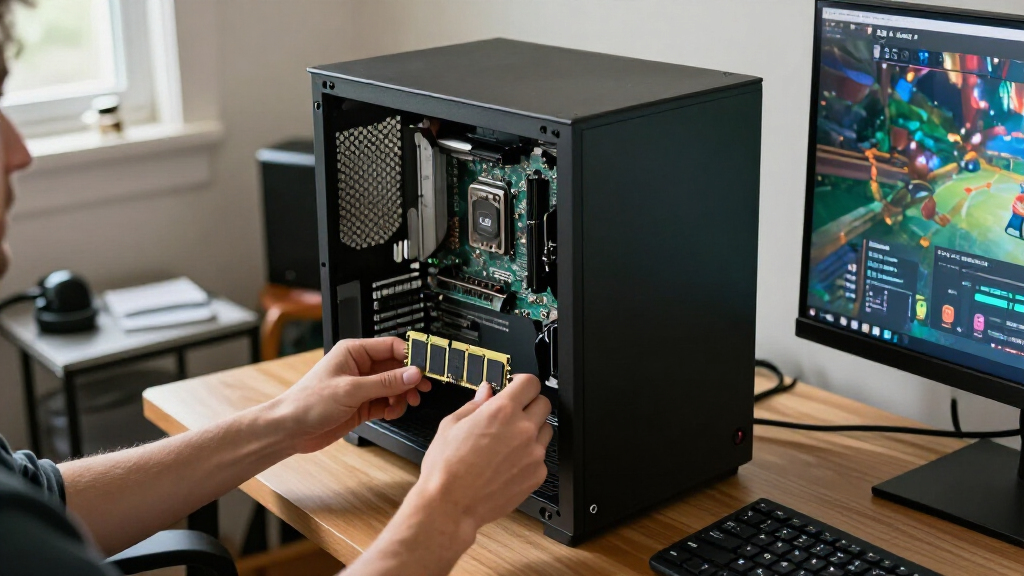

Among the best DDR4 RAM kits, I’d put the G.SKILL Ripjaws V 32GB 3200MHz CL16 first for desktop buyers seeking a strong balance of speed and timings. The Crucial Pro 64GB desktop kit is a better fit for memory-heavy work, while the TEAMGROUP Elite 32GB SODIMM stands out for compatible laptops. The key tradeoffs are desktop versus laptop form factor, capacity versus speed, and tighter timings versus broader plug-and-play appeal. A 3200MHz label alone does not guarantee the kit will run at that speed; motherboard and processor support matter too. Read on for how each kit differs and which one fits your system.

Get the latest gadgets delivered free with Prime
- Fast, free delivery on millions of items
- Prime Video, Amazon Music and more included
- Member-only deals all year
Complete the kit



Key Takeaways
- The lineup splits into desktop UDIMMs and laptop SODIMMs. A kit that fits one type of system will not fit the other, regardless of capacity or speed.
- 3200MHz CL16 desktop kits separate themselves on timing. G.SKILL Ripjaws V and Corsair Vengeance LPX offer tighter listed timings than the 3200MHz CL22 options.
- Capacity choices serve different workloads. The Crucial Pro 64GB desktop and Crucial 64GB laptop kits are aimed at heavier multitasking, while 16GB kits suit more modest upgrades.
- 2666MHz kits remain relevant for compatible systems. Timetec and A-Tech options may make sense when the device’s supported memory speed is the limiting factor.
- The fastest advertised profile is not automatic. Several desktop picks rely on a compatible motherboard and memory profile for their rated speed, so buyers should check system support before choosing on MHz alone.


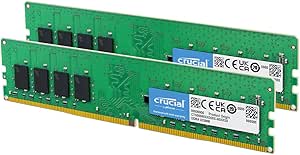


| DDR4 RAM kit | Memory type | Capacity | Form factor | Voltage |
|---|---|---|---|---|
| Timetec 32GB | DDR4 | 32GB (2x16GB) | 288-pin DIMM, desktop UDIMM | 1.2V |
| GIGASTONE 32GB | DDR4 | 32GB (2x16GB) | 260-pin SODIMM | 1.2V |
| GIGASTONE Game PRO 32GB DDR4 3 | DDR4 | 32GB (2x16GB) | 288-pin UDIMM | 1.35V |
| PNY DDR4 32GB | DDR4 | 32GB (2x16GB) | 288-pin DIMM | 1.2V |
| PUSKILL DDR4 3200MHz CL16 Desk | DDR4 | 16GB (2x8GB) | 288-pin DIMM | 1.35V |
| Timetec 16GB Kit | DDR4 | 16GB (2x8GB) | DIMM | 1.2V |
| Crucial Pro 64GB DDR4 RAM Kit | DDR4 | 64GB (2x32GB) | DIMM | 1.2V |
| Crucial Pro 32GB DDR4 RAM Kit | DDR4 | 32GB (2x16GB) | UDIMM | 1.2V |
| G.SKILL Ripjaws V Series DDR4 | DDR4 | 32GB (2x16GB) | UDIMM | 1.35V |
| TEAMGROUP Elite DDR4 32GB Kit | DDR4 | 32GB (2x16GB) | SODIMM | 1.2V |
| TEAMGROUP T-Force Vulcan Z DDR | DDR4 | 16GB (2x8GB) | 288-pin DIMM | 1.35V |
| Crucial 32GB DDR4 RAM Kit | DDR4 | 32GB (2x16GB) | 288-pin UDIMM | 1.2V |
| Crucial 64GB DDR4 RAM Kit | DDR4 | 64GB (2x32GB) | 260-pin SODIMM | 1.2V |
| A-Tech DDR4 RAM 32GB Kit | DDR4 | 32GB (2x16GB) | 260-pin SODIMM | 1.2V |
| Corsair Vengeance LPX DDR4 32G | DDR4 | 32GB (2x16GB) | 288-pin DIMM | 1.35V |
More Details on Our Top Picks
Timetec 32GB (2x16GB) DDR4 2666MHz Desktop RAM Kit
I’d choose this Timetec kit for a desktop that needs 32GB without a high memory speed target. Its two 16GB modules give multitasking and workstation tasks more room than a 16GB kit such as the PUSKILL DDR4 3200MHz kit, while its 2666MHz speed and CL19 timing suit systems built around that generation of DDR4. The tradeoff is headroom: compared with the 3200MHz GIGASTONE Game PRO or PNY kits, it runs at a lower rated speed. Its 288-pin UDIMM format is for compatible desktops, not laptops, and the board and processor still determine supported memory settings. Plug-and-play installation and a lifetime warranty are useful advantages for a practical upgrade, though buyers seeking gaming-oriented speed or tuning should look elsewhere.
Pros:- 32GB capacity across two 16GB modules supports heavier multitasking.
- 2666MHz rating suits compatible systems designed for that speed.
- Plug-and-play installation avoids requiring memory-profile tuning.
- Lifetime warranty is stated in the product specifications.
Cons:- Slower rated speed than the 3200MHz desktop kits in this roundup.
- 288-pin desktop UDIMMs do not fit laptop SODIMM slots.
- CL19 timing is not aimed at latency-focused gaming builds.
Best for: Desktop and workstation owners with DDR4 UDIMM systems capped near 2666MHz who want 32GB and a stated lifetime warranty.
Not ideal for: Laptop owners, or desktop builders whose compatible hardware can use faster 3200MHz kits and who want more memory bandwidth.
- Capacity:32GB (2x16GB)
- Memory type:DDR4
- Speed:2666MHz
- Form factor:288-pin DIMM, desktop UDIMM
- Voltage:1.2V
- Latency:CL19
- Memory type:Non-ECC, unbuffered
- Warranty:Lifetime
Our verdict“Pick this Timetec kit for a compatible desktop that needs a straightforward 32GB upgrade more than 3200MHz performance.”
GIGASTONE 32GB (2x16GB) DDR4 3200MHz Laptop RAM Kit
This is the laptop-specific pick: 32GB of DDR4-3200 in two 260-pin SODIMMs gives compatible notebooks a substantial capacity upgrade without confusing it with desktop memory. That distinction matters more than the speed comparison here. The PNY DDR4 32GB kit also runs at 3200MHz, but its full-size DIMMs are for desktops and will not fit a laptop. The GIGASTONE’s non-ECC, unbuffered design targets ordinary notebook upgrades; actual operating speed depends on the laptop’s memory support. The product data does not specify timing or a warranty, so buyers who need those details should check compatibility and terms before choosing. Compared with the 3200MHz TEAMGROUP Elite SODIMM option in this roundup, the listed core configuration is similar, so fit and verified system support should guide the decision.
Pros:- Two 16GB modules provide 32GB for demanding laptop multitasking.
- 3200MHz rating is suited to notebooks that support DDR4-3200.
- 260-pin SODIMM form factor is designed for laptops and notebooks.
- Non-ECC, unbuffered memory fits standard consumer laptop use.
Cons:- SODIMMs are incompatible with desktop DIMM slots.
- The product data does not state latency or warranty coverage.
- The laptop must support the module capacity and rated speed.
Best for: Notebook owners with two compatible DDR4 SODIMM slots who want to upgrade to 32GB using a matched 2x16GB kit.
Not ideal for: Desktop builders, owners of laptops with soldered memory or different slot requirements, and buyers who need listed latency or warranty details.
- Capacity:32GB (2x16GB)
- Memory type:DDR4
- Speed:3200MHz
- Form factor:260-pin SODIMM
- Voltage:1.2V
- Memory type:Non-ECC, unbuffered
- Intended use:Laptops and notebooks
Our verdict“Choose this kit when your laptop supports 32GB DDR4-3200 SODIMMs and desktop memory is not an option.”
GIGASTONE Game PRO 32GB DDR4 3200MHz RAM Kit (2x16GB) for Gaming Desktop
The Game PRO earns its place for buyers who want 32GB, a 3200MHz rating, and XMP 2.0 support in one desktop kit. That profile support offers a path to the rated speed on compatible hardware, unlike the Timetec 2666MHz kit, which is better matched to older or speed-limited systems. It also gives gaming and multitasking workloads more capacity than the 16GB PUSKILL kit, though PUSKILL specifies CL16 while GIGASTONE’s listing provides no timing figure. The Game PRO uses 1.35V, 288-pin non-ECC UDIMMs, so buyers need a compatible desktop board and should confirm its memory settings. There is no RGB lighting, which keeps the proposition focused on capacity and profile support rather than appearance; buyers who do not plan to enable a profile may prefer a simpler kit.
Pros:- 32GB capacity supports modern games alongside background applications.
- 3200MHz rating offers more speed headroom than the Timetec 2666MHz kit.
- XMP 2.0 support provides a profile-based route to rated settings on compatible systems.
- Non-ECC unbuffered UDIMM format is aimed at consumer desktops.
Cons:- Rated profile settings depend on motherboard and processor support.
- 1.35V is higher than the 1.2V PNY and Timetec desktop kits.
- No timing specification or RGB lighting is listed.
Best for: Desktop gamers and multitaskers with compatible Intel or AMD memory-profile support who want 32GB and are comfortable enabling XMP or a supported profile.
Not ideal for: Laptop owners, buyers seeking listed CL timings or RGB, and users whose motherboard cannot support the kit’s rated speed or profile.
- Capacity:32GB (2x16GB)
- Memory type:DDR4
- Speed:3200MHz
- Form factor:288-pin UDIMM
- Voltage:1.35V
- Memory type:Non-ECC, unbuffered
- Profile support:Intel XMP 2.0; AMD Ryzen support listed
Our verdict“Choose the Game PRO for a compatible gaming desktop where 32GB capacity and XMP profile support matter more than RGB or specified latency.”
PNY DDR4 32GB (2x16GB) 3200MHz CL22 Performance Desktop Memory Kit
PNY is the practical choice here for buyers who want 32GB at 3200MHz with a listed 1.2V operating voltage, rather than a kit centered on overclocking profiles. Its CL22 timing is clearly specified, making the tradeoff easier to judge: the PUSKILL 16GB kit lists faster CL16 timing, but offers half the capacity. The GIGASTONE Game PRO also supplies 32GB at 3200MHz and lists XMP 2.0 support; PNY’s provided data does not list a profile, so I would not choose it specifically for tuning. Its 288-pin desktop DIMMs cannot serve laptop upgrades. PNY describes the kit as tested for stability, but the motherboard and processor still need to support the target speed. This pick favors a clear, conventional desktop configuration over lower latency or enthusiast features.
Pros:- 32GB across two modules suits gaming, creative work, and multitasking.
- 3200MHz rated speed is higher than the Timetec 2666MHz kit.
- 1.2V voltage is specified for a conventional desktop configuration.
- CL22 timing is clearly stated.
Cons:- CL22 is looser than the PUSKILL kit’s listed CL16 timing.
- The provided specifications do not list XMP or other profile support.
- Desktop DIMMs do not fit laptop SODIMM slots.
Best for: Desktop users who want a matched 32GB kit at 3200MHz and prefer a stated 1.2V configuration over profile-focused tuning.
Not ideal for: Laptop owners, latency-focused gamers, or builders who specifically want XMP support and lower listed timing such as the PUSKILL kit’s CL16.
- Capacity:32GB (2x16GB)
- Memory type:DDR4
- Speed:3200MHz
- Form factor:288-pin DIMM
- Voltage:1.2V
- Timing:CL22
- Compatibility:Desktop
Our verdict“Pick PNY for a conventional 32GB desktop upgrade at 3200MHz if clearly stated 1.2V operation matters more than tight timings or XMP features.”
PUSKILL DDR4 3200MHz CL16 Desktop RAM Kit Heatsink, 16GB (2x8GB)
PUSKILL is the speed-and-timing pick for a system that only needs 16GB, split across two 8GB modules. Its 3200MHz rating and CL16 timing make it more appealing to latency-conscious builders than the PNY 32GB kit’s CL22, while the aluminum heatsink gives the modules a more substantial physical profile. The compromise is capacity: the Timetec and GIGASTONE desktop kits provide 32GB, which leaves more room for heavy multitasking and demanding creative workloads. PUSKILL also specifies 1.35V and XMP 2.0; reaching the advertised speed may require enabling XMP or DOCP in BIOS, and support depends on the motherboard and processor. These are desktop UDIMMs, not laptop memory. Choose it for a lean gaming build, not as the broadest-capacity option in this roundup.
Pros:- 3200MHz speed and CL16 timing are tighter than the PNY kit’s listed CL22.
- Two modules support dual-channel operation on compatible systems.
- Aluminum heatsink is included for module heat dissipation.
- XMP 2.0 support provides a route to rated settings on compatible hardware.
Cons:- 16GB total capacity is half that of the 32GB kits in this group.
- 1.35V profile settings may require BIOS configuration.
- Desktop UDIMMs are not compatible with laptop SODIMM slots.
Best for: Budget-conscious desktop gamers building around 16GB who value 3200MHz CL16 settings and have a compatible board for XMP or DOCP.
Not ideal for: Heavy multitaskers, creative users needing 32GB, and anyone upgrading a laptop or unable to configure a memory profile.
- Capacity:16GB (2x8GB)
- Memory type:DDR4
- Speed:3200MHz
- Latency:CL16
- Form factor:288-pin DIMM
- Voltage:1.35V
- Profile support:XMP 2.0
- Additional feature:Aluminum heatsink
Our verdict“Choose PUSKILL for a compatible desktop gaming build that favors CL16 timing over the extra capacity of a 32GB kit.”
Timetec 16GB Kit (2x8GB) DDR4 2666MHz Desktop RAM – PC4-2666V, 288-Pin, CL19, Non-ECC, Unbuffered
I’d choose this 16GB, two-module kit for a compatible desktop that needs a straightforward memory refresh rather than a speed-focused upgrade. Its 2666MHz rating and CL19 timing are more modest than the 3200MHz Crucial Pro and G.SKILL Ripjaws V kits, but they suit supported systems that run at this speed and don’t need extra capacity for heavier workloads. Two 8GB sticks also provide a matched pair without requiring the buyer to source modules separately. The tradeoff is a lower ceiling for demanding multitasking and gaming than the 32GB options here, and the listing warns that color and rank can vary by batch. I’d also check the motherboard’s DDR4 UDIMM support before buying; this is desktop memory, not a laptop upgrade. The lifetime warranty adds reassurance, but can’t make an incompatible kit fit.
Pros:- Two matched 8GB modules provide 16GB total capacity.
- 2666MHz operation fits compatible desktops configured for that memory speed.
- Plug-and-play installation is suited to a straightforward upgrade.
- Lifetime warranty is included.
Cons:- 16GB offers less headroom than the 32GB and 64GB kits in this roundup.
- 2666MHz and CL19 are less performance-oriented than the 3200MHz CL16 G.SKILL kit.
- Color and rank may vary between batches, and compatibility is limited to DDR4 desktop UDIMM systems.
Best for: Desktop owners with DDR4 UDIMM support who need a basic 16GB replacement or capacity upgrade for everyday computing.
Not ideal for: Gamers, creators, or heavy multitaskers who would benefit from 32GB, or laptop owners who need SODIMM memory.
- Capacity:16GB (2x8GB)
- Memory type:DDR4
- Speed:2666MHz
- Form factor:DIMM
- Pin count:288-pin
- Voltage:1.2V
- CAS latency:CL19
- Memory configuration:Non-ECC, unbuffered
- Compatibility:Desktop PCs supporting DDR4 288-pin UDIMM
Our verdict“Pick this Timetec kit for a simple, supported desktop upgrade when 16GB is enough and higher memory speeds are not the priority.”
Crucial Pro 64GB DDR4 RAM Kit (2x32GB), 3200MHz Desktop Memory, Compatible with Intel and AMD Ryzen
This Crucial Pro kit is the capacity-first choice in this group: 64GB across two 32GB modules gives demanding desktop workloads more room than the 32GB Crucial Pro or G.SKILL Ripjaws V kits. That extra capacity is useful when a system regularly handles large projects, virtual machines, or many applications at once; it won’t, by itself, make every task faster. The stated 3200MHz speed is a stronger fit for newer compatible builds than the 2666MHz Timetec kit, and the memory can downclock to 3000MHz or 2666MHz when system support calls for it. Its CL22 latency is less aggressive than the Ripjaws V’s CL16 timings, and there’s no RGB styling for buyers building around visible effects. I’d confirm motherboard support for 32GB modules and the desired operating speed before choosing this kit.
Pros:- 64GB capacity provides more room for demanding applications than the 32GB kits.
- 3200MHz rated speed, with downclocking options to 3000MHz or 2666MHz.
- Two-module configuration leaves the other memory slots available on supported motherboards.
- Compatibility is listed for Intel 8th–13th Gen and AMD Ryzen 1000–5000 Series.
Cons:- CL22 timings are looser than the G.SKILL Ripjaws V kit’s CL16 timings.
- A motherboard and processor must support the capacity and operating speed for the intended configuration.
- No RGB lighting or decorative features.
Best for: Desktop users running memory-heavy creative software, virtual machines, or demanding multitasking on a compatible Intel or AMD Ryzen system.
Not ideal for: Everyday users who won’t use more than 32GB, or enthusiasts prioritizing tighter timings and RGB appearance.
- Capacity:64GB (2x32GB)
- Memory type:DDR4
- Downclock options:3000MHz or 2666MHz
- Form factor:DIMM
- Pin count:288-pin
- Voltage:1.2V
- CAS latency:CL22
- Memory type details:Non-ECC
Our verdict“Choose this Crucial Pro kit when your desktop workload needs 64GB more than it needs tighter timings or showpiece styling.”
Crucial Pro 32GB DDR4 RAM Kit (2x16GB), 3200MHz Desktop Memory UDIMM 288-Pin, Compatible with Intel and AMD Ryzen
For a desktop that needs a practical step up from 16GB, I’d favor this 32GB Crucial Pro kit over the 16GB Timetec: its two 16GB modules provide more room for current games, productivity tasks, and simultaneous apps, while the 3200MHz rating is higher than the Timetec’s 2666MHz. It also avoids the extra capacity of the 64GB Crucial Pro, which many everyday builders may not need. The compromise is CL22 timing, less aggressive than the CL16 G.SKILL Ripjaws V, and the product data lists no heatsinks or RGB lighting. That makes this a sensible function-first option, not a showpiece or enthusiast timing pick. Its 288-pin UDIMM format means laptop owners should look to a SODIMM kit instead, and desktop buyers should confirm their board supports the rated speed.
Pros:- 32GB in two 16GB modules suits gaming and multitasking better than a 16GB kit.
- 3200MHz rated speed is above the 2666MHz Timetec option.
- Listed compatibility covers Intel 8th–13th Gen and AMD Ryzen 1000–5000 Series.
- 1.2V operation and non-ECC UDIMM design suit compatible desktop systems.
Cons:- CL22 timings are looser than the G.SKILL Ripjaws V kit’s CL16 specification.
- No heatsinks or RGB lighting are listed for buyers seeking a more styled build.
- Works only in compatible DDR4 desktop systems, not laptop SODIMM slots.
Best for: Desktop gamers and general productivity users moving to 32GB who want a matched 3200MHz kit for a supported Intel or Ryzen system.
Not ideal for: Laptop owners needing SODIMM memory, or desktop enthusiasts who prioritize tighter timings, heatsinks, or RGB lighting.
- Capacity:32GB (2x16GB)
- Memory type:DDR4
- Speed:3200MHz
- Form factor:UDIMM
- Pin count:288-pin
- Voltage:1.2V
- CAS latency:CL22
- Memory type details:Non-ECC
- Compatibility:Intel 8th–13th Gen and AMD Ryzen 1000–5000 Series
Our verdict“This is the straightforward pick for a compatible desktop needing 32GB at 3200MHz without paying for enthusiast timings or visual extras.”
G.SKILL Ripjaws V Series DDR4 RAM 32GB (2x16GB) Up to 3200MT/s CL16-18-18-38 1.35V for Desktop
The Ripjaws V earns its spot for desktop builders who want 32GB with tighter stated timings, not simply the largest capacity. Its 3200MT/s rating matches the Crucial Pro 32GB kit, while the CL16-18-18-38 specification is more performance-focused than that Crucial kit’s CL22. Intel XMP 2.0 provides a route to the advertised settings, but it may require a BIOS change; buyers who want memory to run with no setup should favor a simpler configuration and check their system’s defaults. At 1.35V, it also differs from the 1.2V Crucial Pro kits. This is a desktop UDIMM, so it cannot replace the TEAMGROUP Elite laptop SODIMM. I’d avoid mixing it with separate memory kits, since the product guidance warns that mixed kits can affect stability.
Pros:- 32GB capacity comes as two matched 16GB modules.
- CL16-18-18-38 timings are tighter than the Crucial Pro 32GB kit’s CL22.
- Intel XMP 2.0 supports configuring the rated memory profile.
- 3200MT/s rating suits compatible performance-oriented desktop builds.
Cons:- XMP may require BIOS adjustments and compatible system support.
- 1.35V is higher than the 1.2V Crucial Pro kits in this roundup.
- Mixing this kit with other memory kits can risk stability.
Best for: Desktop gamers and performance-build owners who want 32GB at 3200MT/s with tighter timings and are comfortable enabling XMP in BIOS.
Not ideal for: Laptop owners, users who don’t want to adjust BIOS settings, or buyers seeking a low-voltage kit with simpler default operation.
- Capacity:32GB (2x16GB)
- Memory type:DDR4
- Speed:Up to 3200MT/s
- Timings:CL16-18-18-38
- Voltage:1.35V
- Form factor:UDIMM
- Pin count:288-pin
- Profile support:Intel XMP 2.0
- Compatible devices:Desktop
Our verdict“Choose Ripjaws V if you want tighter timings than the Crucial Pro 32GB kit and are willing to configure XMP on a compatible desktop.”
TEAMGROUP Elite DDR4 32GB Kit (2 x 16GB) 3200MHz SODIMM Laptop Memory Module
This is the laptop-specific pick in the batch: its 32GB capacity and 3200MHz rating make it a more substantial upgrade than the desktop-only kits, but the key distinction is the compact 260-pin SODIMM form factor. It will not fit a standard 288-pin desktop UDIMM slot, including those used by the Crucial Pro and G.SKILL Ripjaws V kits. At 1.2V and CL22, it is aimed at compatible laptop upgrades rather than desktop enthusiasts chasing tighter timings; the G.SKILL kit’s CL16 profile serves that different goal. Laptop memory speed can depend on the computer’s supported configuration, so I’d verify the exact model’s capacity and speed limits before ordering. The included lifetime warranty and technical support are useful backstops, but they don’t replace a compatibility check.
Pros:- 32GB capacity suits laptop multitasking and memory-heavy applications.
- 3200MHz rating fits compatible DDR4 laptop configurations.
- 1.2V operation is specified for this SODIMM kit.
- Lifetime warranty and technical support are included.
Cons:- 260-pin SODIMM modules do not fit standard desktop UDIMM slots.
- Actual operating speed depends on laptop compatibility.
- CL22 timings are less performance-focused than the G.SKILL Ripjaws V desktop kit’s CL16.
Best for: Laptop owners with two compatible DDR4 SODIMM slots who need 32GB for heavier multitasking or demanding applications.
Not ideal for: Desktop builders needing 288-pin UDIMM memory, or laptop owners whose system cannot support 32GB or the listed speed.
- Capacity:32GB (2x16GB)
- Memory type:DDR4
- Speed:3200MHz
- Form factor:SODIMM
- Pin count:260-pin
- Voltage:1.2V
- Latency:CL22
- Compatible devices:Laptop
- Warranty:Lifetime warranty
Our verdict“Buy this TEAMGROUP kit for a compatible laptop that needs 32GB of DDR4 SODIMM memory, not for a desktop upgrade.”
TEAMGROUP T-Force Vulcan Z DDR4 16GB Kit (2x8GB) 3200MHz Desktop Memory Module (Gray)
The T-Force Vulcan Z is a straightforward desktop upgrade for buyers who want a matched 16GB pair without moving to a larger kit. Its 3200MHz speed and CL16 latency give it a more performance-focused profile than the Crucial 32GB kit’s CL22 timings, though the Crucial offers twice the capacity for heavier multitasking. XMP 2.0 support can make setting the rated speed easier on compatible systems, and the heat-conductive adhesive helps transfer heat from the modules. The tradeoff is capacity: 2x8GB is a tighter fit for newer games and memory-heavy workloads than 32GB kits. I’d also check motherboard support before buying, since actual memory speed depends on the board and CPU memory controller.
Pros:- CL16 latency at a rated 3200MHz speed
- Two matched 8GB DIMMs support dual-channel operation on compatible systems
- XMP 2.0 support simplifies applying the rated memory profile
- Lifetime warranty
Cons:- 16GB total capacity may constrain memory-heavy workloads
- Rated speed depends on motherboard and CPU memory-controller support
- The gray, no-frills design has no RGB lighting
Best for: Desktop builders who want a matched 16GB kit for everyday use or lighter gaming and value CL16 timings at 3200MHz.
Not ideal for: People running memory-heavy games, creative applications, or many tasks at once; a 32GB kit such as the Crucial 2x16GB desktop kit offers more headroom.
- Capacity:16GB (2x8GB)
- Memory type:DDR4
- Latency:CL16
- Form factor:288-pin DIMM
- Voltage:1.35V
- Additional feature:XMP 2.0 support
- Warranty:Lifetime
Our verdict“Choose the T-Force Vulcan Z if you want a compact, CL16 16GB desktop kit; pick a 32GB alternative for heavier multitasking.”
Crucial 32GB DDR4 RAM Kit (2x16GB), 3200MHz, CL22, UDIMM 288-Pin, Downclockable to 2933/2666MHz, Compatible with Intel and AMD Ryzen
This Crucial kit makes capacity the priority: 32GB across two 16GB DIMMs gives desktop users more room for multitasking and demanding applications than the 16GB T-Force Vulcan Z. It runs at 3200MHz and can operate at 2933MHz or 2666MHz on systems that call for a lower memory speed, which can help when matching an older platform. Its 1.2V rating and standard UDIMM format suit compatible desktop builds, but its CL22 timing is looser than the T-Force kit’s CL16. That makes this a capacity-first, everyday choice rather than a low-latency enthusiast pick. Check your motherboard’s supported speeds and capacity before purchase; the downclocking options are specific, not a guarantee of compatibility with every DDR4 desktop.
Pros:- 32GB capacity from a matched 2x16GB kit
- 3200MHz rated speed with listed 2933MHz and 2666MHz downclock options
- Standard 288-pin UDIMM format for compatible desktop motherboards
- 1.2V operating voltage
Cons:- CL22 timing is looser than the CL16 T-Force Vulcan Z
- Downclocking choices are limited to the listed speeds
- No RGB or decorative heat-spreader features are specified
Best for: Desktop users upgrading to 32GB for multitasking, productivity applications, or a system that may need to run memory below 3200MHz.
Not ideal for: Buyers prioritizing tighter timings or a gaming-oriented memory profile; the T-Force Vulcan Z has CL16 timing, though it provides only 16GB.
- Capacity:32GB (2x16GB)
- Memory type:DDR4
- Latency:CL22
- Form factor:288-pin UDIMM
- Voltage:1.2V
- Downclock options:2933MHz or 2666MHz
- ECC:Non-ECC
Our verdict“Pick this Crucial kit for straightforward 32GB desktop capacity, not for the tighter timings offered by the 16GB T-Force Vulcan Z.”
Crucial 64GB DDR4 RAM Kit (2x32GB), 3200MHz SODIMM Laptop Memory, CL22, Compatible with 13th Gen Intel Core and AMD Ryzen 7000
Among these picks, this Crucial kit is the one for a laptop that needs 64GB of DDR4 SODIMM memory. Two 32GB modules offer substantially more capacity than A-Tech’s 32GB laptop kit, making this a better fit for compatible systems handling large projects, virtual machines, or heavy multitasking. The rated 3200MHz speed and 1.2V operation are paired with CL22 timing, so capacity—not tight latency—is the main reason to choose it. It can downclock to 2933MHz or 2666MHz, but only laptops that accept DDR4 260-pin SODIMMs and support the module capacity can use it. This is not a desktop DIMM kit, and the supplied details do not state a warranty, so I would verify both compatibility and support terms before ordering.
Pros:- 64GB total capacity in two 32GB modules
- 3200MHz rated speed with listed downclocking to 2933MHz or 2666MHz
- 1.2V, non-ECC laptop memory
- Two-module kit can support dual-channel operation in compatible laptops
Cons:- CL22 timing is not aimed at latency-focused performance
- Requires a laptop that supports DDR4 SODIMMs and 32GB modules
- Warranty details are not provided in the supplied product information
Best for: Laptop owners with two accessible DDR4 SODIMM slots who need 64GB for memory-intensive work such as large projects or virtual machines.
Not ideal for: Desktop builders, DDR5 laptop owners, and users whose laptop supports only 32GB total; the A-Tech 32GB SODIMM kit may suit systems with a lower capacity limit.
- Capacity:64GB (2x32GB)
- Memory type:DDR4
- Form factor:260-pin SODIMM
- Latency:CL22
- Voltage:1.2V
- Downclock options:2933MHz or 2666MHz
- ECC:Non-ECC
Our verdict“Choose this Crucial kit when a compatible DDR4 laptop needs 64GB; choose A-Tech’s 32GB kit if your system cannot support that capacity.”
A-Tech DDR4 RAM 32GB Kit (2x16GB) 2666MHz PC4-21300 SODIMM Laptop Memory
The A-Tech kit is a 32GB laptop and mini-PC upgrade for systems that use DDR4 SODIMMs and run memory at 2666MHz. Compared with Crucial’s 64GB 3200MHz laptop kit, it offers half the capacity and a lower rated speed, but that can be a better match for an older machine whose supported memory speed is limited. The pair of 16GB modules is non-ECC, unbuffered, and rated at 1.2V; its CL19 timing is tighter than the Crucial laptop kit’s CL22, though speed and capacity differ too. Plug-and-play installation is convenient, but compatibility remains system-specific. Check the laptop or mini-PC manual for module capacity, DDR4 SODIMM support, and memory speed before choosing it.
Pros:- 32GB capacity supplied as two 16GB modules
- 2666MHz speed can suit older compatible laptop platforms
- CL19 timing
- Limited lifetime warranty
Cons:- Lower rated speed than the 3200MHz Crucial laptop kit
- Not compatible with desktop DIMM slots or DDR3 and DDR5 systems
- Requires checking the laptop or mini-PC memory limits before purchase
Best for: Owners of older DDR4 laptops, notebooks, or mini PCs that support 2x16GB SODIMMs and are limited to 2666MHz memory.
Not ideal for: Users who need 64GB or whose laptop supports 3200MHz memory; Crucial’s 64GB kit offers more capacity and a higher rated speed for compatible systems.
- Capacity:32GB (2x16GB)
- Memory type:DDR4
- Form factor:260-pin SODIMM
- Latency:CL19
- Voltage:1.2V
- Configuration:Non-ECC, unbuffered
- Warranty:Limited lifetime
Our verdict“Choose A-Tech for a compatible 2666MHz DDR4 laptop that needs 32GB, rather than a faster or higher-capacity upgrade.”
Corsair Vengeance LPX DDR4 32GB (2x16GB) RAM, 3200MHz, CL16-20-20-38, 1.35V, Intel XMP/AMD EXPO, Black
The Corsair Vengeance LPX combines 32GB capacity with CL16 timing, making it a stronger fit for performance-minded desktop builds than Crucial’s 32GB CL22 kit. Its 3200MHz rating and XMP support provide a route to the advertised profile on a compatible system, while the low-profile aluminum heat spreader is useful when tall modules would interfere with a CPU cooler or compact case layout. The tradeoff is setup: the rated speed may require enabling a memory profile in BIOS, and the result depends on motherboard and processor support. Unlike the 16GB T-Force Vulcan Z, this kit has more capacity but still targets desktop DIMM systems, not laptops. I’d confirm the board’s supported memory settings before relying on the full rated speed.
Pros:- 32GB capacity from two 16GB DIMMs
- CL16-20-20-38 timings at a rated 3200MHz
- Low-profile design can help with CPU cooler clearance
- Aluminum heat spreader and XMP support
Cons:- Rated speed may require BIOS profile configuration
- Actual memory speed depends on motherboard and CPU support
- No RGB lighting
Best for: Desktop gamers and builders who want 32GB, tighter listed timings, and low-profile modules for a cooler- or space-constrained build.
Not ideal for: Laptop owners, plug-and-play buyers unwilling to adjust BIOS settings, or anyone whose platform does not support the rated memory profile.
- Capacity:32GB (2x16GB)
- Memory type:DDR4
- Timings:CL16-20-20-38
- Form factor:288-pin DIMM
- Voltage:1.35V
- Heat spreader:Aluminum
- Color:Black
Our verdict“Pick the Vengeance LPX for a low-profile 32GB desktop kit with CL16 timings, provided you are prepared to check and configure platform support.”

How We Picked
I ranked these kits by how well their form factor, capacity, speed, and listed timings match common upgrade needs. Desktop UDIMMs and laptop SODIMMs are treated as separate use cases rather than direct substitutes. Within desktop kits, I gave more weight to a useful 32GB capacity and tighter 3200MHz timings, while recognizing that a 64GB kit is a stronger fit for demanding workloads than for every buyer. I also weighed whether a kit’s listed speed and profile are likely to require BIOS configuration or platform support.
The order reflects versatility and fit for the intended buyer, not a claim that one kit works best in every machine. Kits with clearly stated speed and timing specifications rise when those details offer a tangible advantage; simpler or lower-speed choices have a place when system compatibility or a modest upgrade matters more. I also accounted for the distinction between desktop and laptop modules, and avoided treating RGB, heatsinks, or a gaming label as proof of better performance. Buyers should still confirm capacity limits, module type, and supported speeds for their exact system.
Factors to Consider When Choosing Best DDR4 RAM Kits
Choosing between DDR4 kits starts with the computer, not the spec sheet. I’d check physical fit and platform support first, then decide how much memory the workload needs and whether the rated speed is worth pursuing.
Match the Module Type to Your System
Desktop UDIMM and laptop SODIMM modules are not interchangeable. Desktop systems typically use longer 288-pin UDIMMs, while laptops and some small PCs take shorter SODIMMs. Check the device manual or motherboard specifications before comparing speed or capacity. Some compact desktops use SODIMMs, so the word “desktop” in a listing is not a substitute for checking the exact machine. Mixing the wrong physical format with a suitable speed will still leave you with memory you cannot install.
Choose Capacity Around Your Workload
More capacity helps when applications compete for memory, but it does not automatically make every task faster. A 16GB kit can suit a basic system or a limited upgrade, while 32GB gives many gaming and multitasking desktops more room. Heavy creative projects, virtual machines, and large datasets may justify 64GB. Check how many slots your system has and whether the kit replaces existing modules or can be added alongside them. Combining kits that look similar can cause compatibility or speed issues, so a matched kit is the safer route.
Read Speed and Timings Together
MHz and latency describe different parts of memory performance. A higher transfer rate can help bandwidth-sensitive workloads, while lower CAS latency can reduce the delay associated with access. The 3200MHz CL16 kits in this roundup have tighter listed timings than the CL22 alternatives, but the real-world difference depends on the processor, workload, and system settings. Avoid choosing by MHz alone, especially when comparing kits with different timings. For a routine upgrade, stable compatibility and enough capacity can matter more than chasing a small spec-sheet advantage.
Check Support for Rated Speeds
A kit’s advertised speed may depend on a memory profile such as XMP or a corresponding platform setting. The motherboard, processor, and BIOS all play a part in whether that profile is available and stable. Some systems default to a lower speed until the profile is enabled; others have a hard speed limit. Look up your system’s supported memory speeds before buying, and be ready to leave the kit at a supported setting if needed. This is a common reason a faster kit fails to deliver its advertised rate after installation.
Decide Whether a Matched Kit Beats an Expansion
Two matched modules are usually a simpler upgrade than adding a random stick. A paired kit is specified to work together, while an added module may differ in rank, timings, or memory chips even when its label looks close. Before replacing memory, check whether your current modules are soldered, removable, or already occupying the available slots. Laptop upgrades also depend on maximum supported capacity and whether the system uses a mix of soldered and socketed memory. Reusing existing RAM can reduce waste, but only if the combined setup remains supported and stable.
Pay for Useful Headroom, Not Appearance Alone
Capacity and compatibility are more durable reasons to spend extra than decorative features. A heatsink can help with clearance or fit the look of a desktop build, but it does not by itself make a kit faster. For everyday use, spending more on a 64GB kit can be wasteful if your workload never approaches 32GB. On the other hand, frequent memory-heavy work can make extra capacity more useful than tighter timings. Compare the benefit you will actually use with the system’s limits before choosing a premium-spec kit.
Frequently Asked Questions
Can I install a DDR4 kit in a computer that currently uses DDR5?
No, DDR4 and DDR5 are not interchangeable. Their physical notches and electrical requirements differ, and a motherboard is built for one generation or the other. Check the motherboard or computer model’s specifications rather than relying on the processor name, since some processor families support different memory types across different boards. If the system uses DDR5, none of the DDR4 kits in this roundup will fit. Confirm the memory generation before ordering any upgrade.
Should I choose a 32GB 3200MHz kit or a 64GB 2666MHz kit?
Pick capacity based on workload, then check the supported speed. If your applications regularly use more than 32GB, avoiding memory pressure can matter more than the lower transfer rate of a 2666MHz kit. For gaming and everyday desktop use, 32GB at 3200MHz may be the more balanced choice if your system supports that speed. A 64GB kit is more relevant to large projects, virtual machines, or heavy multitasking. Compare your current memory use and platform limits rather than assuming the larger number always wins.
Will a 3200MHz DDR4 kit run at 3200MHz automatically?
Not always. Some systems start memory at a standard default speed and need a BIOS setting or XMP profile enabled to reach the kit’s rated speed. The motherboard and processor may also cap the supported rate, regardless of the memory kit’s label. Before buying, check whether your computer allows memory profile changes and what speeds its platform supports. If you prefer not to adjust settings, a kit that matches the system’s default specification can be the simpler choice.
Can I mix a new DDR4 kit with the RAM already in my computer?
It may work, but matching specifications alone do not guarantee a trouble-free combination. Mixed modules can run at the slowest shared speed and may use different timings or internal configurations. Check your motherboard’s slot guidance and supported capacity, then compare the new kit with the installed memory. For a predictable upgrade, replacing the old modules with a matched pair is often easier than combining separate kits. If you do mix them, test system stability after installation.
How can I tell whether my laptop takes a SODIMM kit or has non-upgradeable memory?
Check the service manual or the manufacturer’s specifications for your exact model number. Laptop memory can be socketed, soldered, or a combination of both, and product family names often cover several configurations. Confirm the DDR generation, SODIMM form factor, maximum supported capacity, and number of accessible slots. A memory scanner or system information tool can help identify installed memory, but it may not reveal whether modules are removable. If the documentation is unclear, verify the layout before purchasing a kit.
Conclusion
For a broadly capable desktop upgrade, I’d choose the G.SKILL Ripjaws V 32GB 3200MHz CL16 as best overall, with Corsair Vengeance LPX as another strong fit for buyers who want a similarly tight-timing desktop kit. The best value depends on your system: a Timetec 2666MHz kit makes more sense for a compatible machine that cannot use faster memory, while the Crucial Pro 32GB is a straightforward capacity-and-speed choice for many desktop builds. For beginners, I’d favor a Crucial 3200MHz kit after confirming the system’s module type and supported speed. For premium capacity, pick Crucial Pro 64GB desktop memory for a desktop or Crucial 64GB SODIMM for a compatible laptop; laptop owners seeking 32GB should compare the TEAMGROUP Elite and GIGASTONE SODIMM kits. Match the module format first, then choose the capacity and speed your workload and platform can use.