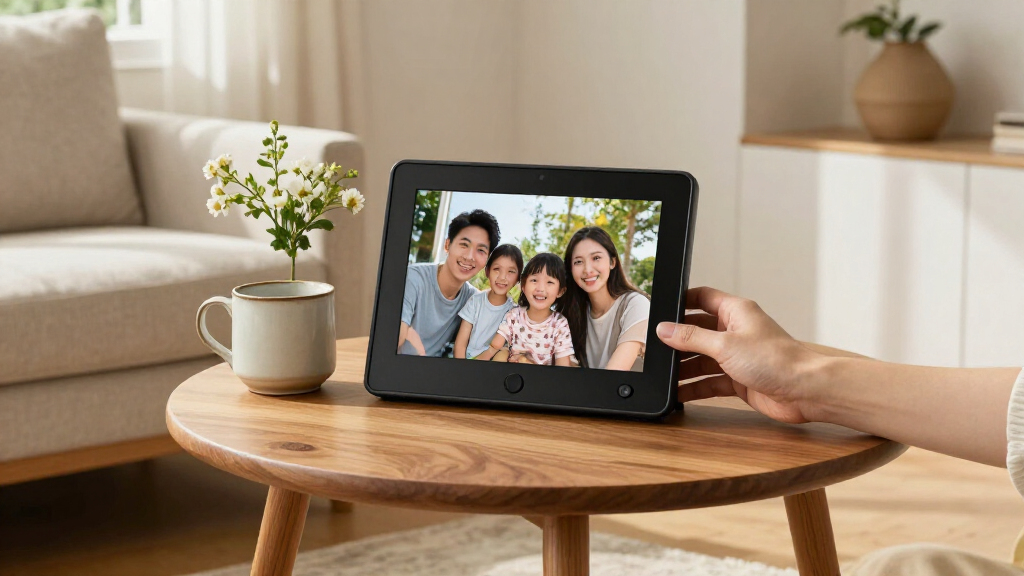
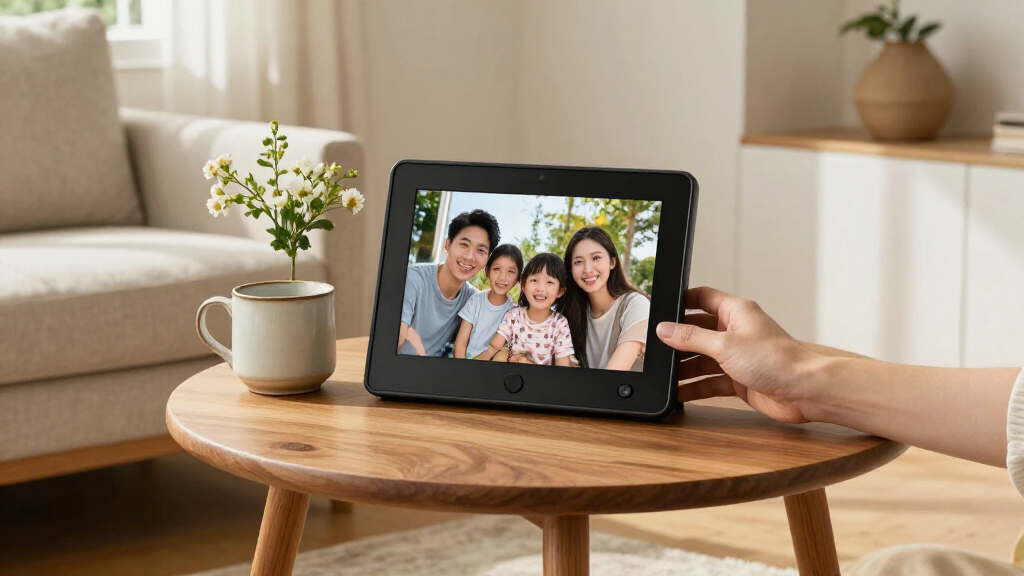
For most gift-givers, I’d choose the Skylight 10-Inch Wi-Fi Digital Picture Frame for its straightforward approach to sharing photos; the Flyruit 15.6-Inch frame stands out when a larger 1080p touchscreen matters, while the Sungale DPF710 suits someone who would rather skip Wi-Fi. The main tradeoff is between easy photo delivery, a display that’s large enough to enjoy across a room, and setup that won’t leave the recipient needing tech support. Storage, app-based sharing, and the frame’s size can matter as much as display features when choosing a present. I’ve compared all 15 options by how well their features fit different gifting situations. Read on for the full breakdown and help matching a frame to its recipient.

Get the latest gadgets delivered free with Prime
- Fast, free delivery on millions of items
- Prime Video, Amazon Music and more included
- Member-only deals all year
Complete the kit



Key Takeaways
- Ease of sharing is a defining gift advantage: Wi-Fi models such as the Skylight and Frameo options can suit relatives who want photos sent remotely, but the recipient’s comfort with setup and apps still matters.
- The two 15.6-inch picks serve a different purpose from the 10.1-inch crowd: Flyruit emphasizes a 1080p touchscreen, while the 64GB Frameo model pairs a large display with more listed storage; both need more space than a tabletop frame.
- 32GB is a recurring spec, not a complete buying decision: Many models share that capacity, so the meaningful differences are the sharing workflow, design, and how easily the recipient can manage the frame.
- A no-Wi-Fi frame can be the more thoughtful choice: The 7-inch Sungale DPF710 is a distinct fit for recipients who prefer local playback over app-based photo delivery, though its smaller screen is less suited to viewing across a room.
- Branding and appearance do not replace a setup check: The rose-gold ARZOPA, brown Heart Frame, and black Skylight offer different presentation styles, but a gift-giver should still check how photos are loaded and who will handle setup.
| Flyruit 15.6-Inch Wi-Fi Digital Picture Frame with 1080p Touchscreen |  | Best for Large, Flexible Family Sharing | Display: 15.6-inch IPS touchscreen | Resolution: 1920 × 1080 (Full HD) | Aspect ratio: 16:9 | VIEW LATEST PRICE | See Our Full Breakdown |
| BIGASUO Frameo 10.1-Inch Wi-Fi Digital Photo Frame, 32GB |  | Best for First-Time Frame Owners | Display size: 10.1 inches | Display type: IPS touchscreen | Resolution: 1280 × 800 | VIEW LATEST PRICE | See Our Full Breakdown |
| Frameo 10.1-Inch Wi-Fi Digital Picture Frame, 32GB |  | Best for Shared Family Access | Screen: 10.1-inch IPS touchscreen | Resolution: 1280 × 800 HD | Aspect ratio: 16:10 | VIEW LATEST PRICE | See Our Full Breakdown |
| Akimart 10.1-Inch Wi-Fi Digital Photo Frame with 32GB Memory |  | Best for Personalised Everyday Viewing | Screen: 10.1-inch IPS LCD touchscreen | Resolution: 1280 × 800 | Internal storage: 32 GB | VIEW LATEST PRICE | See Our Full Breakdown |
| 15.6-Inch Frameo Wi-Fi Digital Picture Frame, 64GB |  | Best for a Large, Ready-to-Fill Photo Library | Display: 15.6-inch IPS touchscreen | Resolution: 1920 × 1080 | Aspect ratio and viewing angle: 16:9; 178° | VIEW LATEST PRICE | See Our Full Breakdown |
| Frameo 10.1-Inch Wi-Fi Digital Picture Frame with Touchscreen |  | Best for Easy Family Sharing | Display: 10.1-inch touchscreen | Resolution: 1280 x 800 | Aspect ratio: 16:10 | VIEW LATEST PRICE | See Our Full Breakdown |
| Skylight 10-Inch Wi-Fi Digital Picture Frame, Black |  | Best for Preloaded Gifting | Display: 10-inch touchscreen | Resolution: 1280 x 800 | Aspect ratio: 16:9 | VIEW LATEST PRICE | See Our Full Breakdown |
| 10.1-Inch Wi-Fi Digital Picture Frame with Touchscreen and 32GB Storage |  | Best for Expandable Storage | Display: 10.1-inch IPS touchscreen | Resolution: 1280 x 800 (WXGA) | Aspect ratio: 16:10 | VIEW LATEST PRICE | See Our Full Breakdown |
| Sungale DPF710 7-Inch Digital Photo Frame |  | Best for Simple, Offline Gifting | Display: 7-inch LCD | Resolution: 1024 x 600 pixels | Aspect ratio: 16:9 | VIEW LATEST PRICE | See Our Full Breakdown |
| AEEZO 10.1-Inch Wi-Fi Digital Picture Frame with 32GB Storage |  | Best for Shared Family Contributions | Display: 10.1-inch IPS touchscreen | Resolution: 1280 x 800 (WXGA) | Aspect ratio: 16:10 | VIEW LATEST PRICE | See Our Full Breakdown |
| Pastigio Frameo 10.1-Inch Wi-Fi Digital Picture Frame, 32GB |  | Best for Flexible Setup | Screen size: 10.1 inches | Resolution: 1280 × 800 | Aspect ratio: 16:10 | VIEW LATEST PRICE | See Our Full Breakdown |
| Aluratek 10-Inch Wi-Fi Digital Photo Frame with Touchscreen IPS Display |  | Best for a Multi-Function Display | Display size: 10 inches | Display type: Touchscreen IPS LCD | Resolution: Source claims conflict: 1024 × 600 and 1280 × 800 | VIEW LATEST PRICE | See Our Full Breakdown |
| ARZOPA D10 10.1-Inch Digital Picture Frame, Rose Gold |  | Best for a Ready-to-Gift Look | Display size: 10.1 inches | Resolution: 1280 × 800 | Display: HD IPS anti-glare touchscreen | VIEW LATEST PRICE | See Our Full Breakdown |
| Heart Frame 10.1-Inch Wi-Fi Digital Picture Frame, 32GB, Brown |  | Best for Ongoing Family Sharing | Display: 10.1-inch IPS touchscreen | Resolution: 1280 × 800 | Built-in storage: 32GB | VIEW LATEST PRICE | See Our Full Breakdown |
| Frameo 10.1-Inch Wi-Fi Digital Picture Frame |  | Best for Video Keepsakes | Display size: 10.1 inches | Resolution: 1080p | Screen type: IPS touchscreen | VIEW LATEST PRICE | See Our Full Breakdown |
| digital photo frames for gifting | Resolution | Connectivity | Aspect ratio | Display |
|---|---|---|---|---|
| Flyruit 15.6-Inch Wi-Fi Digita | 1920 × 1080 (Full HD) | 2.4 GHz Wi-Fi, full-size SD card, USB, USB-C | 16:9 | 15.6-inch IPS touchscreen |
| BIGASUO Frameo 10.1-Inch Wi-Fi | 1280 × 800 | Wi-Fi; Frameo app sharing | 1.75:1 | — |
| Frameo 10.1-Inch Wi-Fi Digital | 1280 × 800 HD | Wi-Fi; app sharing for invited senders | 16:10 | — |
| Akimart 10.1-Inch Wi-Fi Digita | 1280 × 800 | Wi-Fi; Frameo app sharing | — | — |
| 15.6-Inch Frameo Wi-Fi Digital | 1920 × 1080 | 2.4 GHz Wi-Fi; Frameo app | — | 15.6-inch IPS touchscreen |
| Frameo 10.1-Inch Wi-Fi Digital | 1280 x 800 | Wi-Fi, USB | 16:10 | 10.1-inch touchscreen |
| Skylight 10-Inch Wi-Fi Digital | 1280 x 800 | Wi-Fi | 16:9 | 10-inch touchscreen |
| 10.1-Inch Wi-Fi Digital Pictur | 1280 x 800 (WXGA) | Wi-Fi | 16:10 | 10.1-inch IPS touchscreen |
| Sungale DPF710 7-Inch Digital | 1024 x 600 pixels | — | 16:9 | 7-inch LCD |
| AEEZO 10.1-Inch Wi-Fi Digital | 1280 x 800 (WXGA) | Wi-Fi | 16:10 | 10.1-inch IPS touchscreen |
| Pastigio Frameo 10.1-Inch Wi-F | 1280 × 800 | Wi-Fi, microSD/TF card, USB-C cable, USB-C drive | 16:10 | — |
| Aluratek 10-Inch Wi-Fi Digital | Source claims conflict: 1024 × 600 and 1280 × 800 | Wi-Fi | 16:9 | — |
| ARZOPA D10 10.1-Inch Digital P | 1280 × 800 | — | 16:10 | HD IPS anti-glare touchscreen |
| Heart Frame 10.1-Inch Wi-Fi Di | 1280 × 800 | Wi-Fi; remote sharing through Frameo app or email | — | 10.1-inch IPS touchscreen |
| Frameo 10.1-Inch Wi-Fi Digital | 1080p | Wi-Fi, USB | 16:10 | — |
More Details on Our Top Picks
Flyruit 15.6-Inch Wi-Fi Digital Picture Frame with 1080p Touchscreen
For a gift meant to gather family photos in one easy-to-see place, I’d put the Flyruit 15.6-Inch ahead of the smaller BIGASUO Frameo. Its 15.6-inch Full HD IPS touchscreen gives shared photos more room, while Frameo app sharing lets relatives add pictures remotely rather than leaving the recipient to manage every transfer. That combination suits a household display or a gift for someone who appreciates a prominent screen.
It’s also more flexible than a Wi-Fi-only setup: SD card, USB, and USB-C transfers offer ways to load photos without relying on app sharing. The tradeoff is that it needs a power cord, uses 2.4 GHz Wi-Fi only, and removable storage is not included. Its larger footprint also asks for more table or wall space than a 10.1-inch frame.
Pros:- Large 15.6-inch Full HD IPS touchscreen makes group viewing easier.
- Frameo app supports remote photo and video sharing.
- SD card, USB drive, and USB-C provide offline transfer options.
- Portrait and landscape rotation, sleep mode, and photo reactions add useful flexibility.
Cons:- Wi-Fi supports 2.4 GHz only.
- SD card and USB storage are not included.
- Larger dimensions need more room than a compact 10.1-inch frame.
Best for: Families gifting a shared display to someone who wants a large screen and several ways to receive photos.
Not ideal for: Recipients with limited display space, or households that rely on 5 GHz-only Wi-Fi.
- Display:15.6-inch IPS touchscreen
- Resolution:1920 × 1080 (Full HD)
- Aspect ratio:16:9
- Built-in storage:32 GB
- Connectivity:2.4 GHz Wi-Fi, full-size SD card, USB, USB-C
- External storage:Up to 32 GB via SD card or USB drive
- Supported media:JPG, JPEG, BMP, PNG, MP4
- Mounting and orientation:Wall-mountable or tabletop; portrait and landscape rotation
- Dimensions and power:10 × 16 inches; corded electric
Our verdict“Choose the Flyruit for a gift where a large screen and flexible photo sharing matter more than a compact footprint.”
BIGASUO Frameo 10.1-Inch Wi-Fi Digital Photo Frame, 32GB
I’d choose the BIGASUO Frameo 10.1-Inch for a recipient who wants a straightforward entry into shared digital photos. Its touchscreen and Frameo app keep the basic routine simple: family members can send photos and videos from smartphones, while the recipient can view them on a familiar-sized display. Compared with the larger Flyruit, this model takes up less space and is easier to fit on a bedside table or modest shelf.
The compromise is a smaller 1280 × 800 screen, which gives photos less detail and presence than a 15.6-inch Full HD frame. It still has 32 GB of built-in storage and Micro SD expansion, but the card is not specified as included. Like the Akimart, it needs corded power; buyers seeking a more feature-rich gifting experience may prefer the Akimart’s listed collage and calendar functions.
Pros:- Frameo app enables remote sharing from iOS and Android smartphones.
- Touchscreen is suited to accessible setup and everyday use.
- 32 GB built-in storage with Micro SD card expansion.
- Slideshow, auto-rotate, brightness adjustment, and sleep mode support daily viewing.
Cons:- 1280 × 800 resolution is less detailed than the Flyruit and other 15.6-inch Full HD options.
- Requires corded power.
- Micro SD card is not specified as included.
Best for: Gift-givers choosing a simple, mid-size frame for a relative who is comfortable with a touchscreen and smartphone app.
Not ideal for: Recipients who want a large, high-resolution display or a frame that can run without a power cord.
- Display size:10.1 inches
- Display type:IPS touchscreen
- Resolution:1280 × 800
- Aspect ratio:1.75:1
- Storage:32 GB built-in; Micro SD expansion supported
- Connectivity:Wi-Fi; Frameo app sharing
- Power:Corded electric
- Frame and dimensions:Engineered plastic; 7.2 × 10.5 inches
- Warranty:1 year
Our verdict“Pick the BIGASUO as a familiar-sized, app-connected gift for a first-time digital frame owner who values simple operation over a premium-sized display.”
Frameo 10.1-Inch Wi-Fi Digital Picture Frame, 32GB
The Frameo 10.1-Inch makes the most sense as a gift from several people: app sharing is limited to invited senders, so a family can contribute without opening the frame to uninvited uploads. Its 32 GB of storage and microSD slot give the recipient room for a growing collection, while calendar syncing and collage mode add functions beyond the simpler BIGASUO’s listed slideshow and sleep settings.
The screen is a familiar 10.1-inch, 1280 × 800 IPS touchscreen, not a match for the larger, sharper Flyruit. App-shared video is also capped at 15 seconds, and microSD compatibility is specified for cards up to 32 GB formatted as FAT32. I’d favor this over the Akimart when controlled sender access matters more than its extra listed features, but skip it if longer video clips are central to the gift.
Pros:- App sharing is limited to invited senders.
- 32 GB built-in storage plus a microSD slot supports a sizeable photo collection.
- Calendar syncing and collage mode add practical viewing options.
- IPS touchscreen supports direct adjustments to display and sleep settings.
Cons:- App-shared videos are limited to 15 seconds.
- microSD cards are recommended up to 32 GB and must be FAT32 formatted.
- Corded power and a 10.1-inch display make it less suited to flexible placement or large-room viewing.
Best for: Families who want several invited relatives to send photos to a shared frame, with calendar and collage features for the recipient.
Not ideal for: Buyers who want to share longer videos through the app or use high-capacity microSD cards.
- Screen:10.1-inch IPS touchscreen
- Resolution:1280 × 800 HD
- Aspect ratio:16:10
- Built-in storage:32 GB
- Memory card:microSD; recommended up to 32 GB, FAT32 formatted
- Connectivity:Wi-Fi; app sharing for invited senders
- App video limit:Up to 15 seconds
- Additional features:Calendar syncing, collage mode, adjustable display and sleep settings
- Power and warranty:Corded electric; 1-year replacement service for quality-related issues
Our verdict“Choose this Frameo when controlled contributions from multiple relatives matter more than a larger screen or longer app-shared videos.”
Akimart 10.1-Inch Wi-Fi Digital Photo Frame with 32GB Memory
For a gift that should feel more tailored to the recipient’s routine, I’d pick the Akimart 10.1-Inch. Its custom albums, collage layouts, calendar syncing, and emoji reactions give family photos more ways to appear than on the BIGASUO, which focuses on straightforward slideshow viewing. Auto-rotation also helps the frame adapt when someone changes how it sits on a table, and the Frameo app lets people send photos remotely.
Those extras come with familiar limits: the 10.1-inch, 1280 × 800 screen is smaller and less crisp than the Flyruit’s Full HD panel, and shared videos stop at 15 seconds. The plastic frame is functional rather than a decorative centerpiece, and this model is listed for tabletop mounting only. It’s a good fit for a recipient who will use the extra display options, but not for someone who wants a large statement frame or a more furniture-like finish.
Pros:- Custom albums, collage layouts, calendar syncing, and emoji reactions offer varied ways to display family photos.
- Frameo app supports remote photo and short-video sharing.
- 32 GB internal storage with Micro SD card expansion.
- Auto-rotation and adjustable display settings suit changing tabletop placement.
Cons:- App-shared videos are limited to 15 seconds.
- Plastic construction may feel less decorative than a more substantial frame.
- Tabletop mounting only offers less placement flexibility than the wall-mountable Flyruit.
Best for: Gift-givers who want a tabletop frame with custom albums, collage layouts, and calendar features for a recipient who enjoys personalising a display.
Not ideal for: Anyone seeking a wall-mountable large-screen frame, a premium-looking frame material, or app-shared longer videos.
- Screen:10.1-inch IPS LCD touchscreen
- Resolution:1280 × 800
- Internal storage:32 GB
- Expandable storage:Micro SD card
- Connectivity:Wi-Fi; Frameo app sharing
- Supported media:JPG, JPEG, BMP, PNG, MP4
- Video limit and orientation:15 seconds; portrait or landscape with auto-rotate
- Mounting and size:Tabletop; 7 × 9 inches
- Material and warranty:Plastic; 1 year
Our verdict“Choose the Akimart for a tabletop gift aimed at someone who will use its albums, collages, and calendar tools rather than prioritise screen size.”
15.6-Inch Frameo Wi-Fi Digital Picture Frame, 64GB
If the gift is meant to hold a large family archive, I’d choose this 15.6-inch Frameo over the Flyruit: it doubles the built-in space to 64 GB while keeping a Full HD IPS touchscreen and remote app sharing. The wide 178° viewing angle is useful when several people gather around the frame, and portrait or landscape orientation makes it easier to place in different rooms.
It is not a clear upgrade for every recipient. Like the Flyruit, it supports only 2.4 GHz Wi-Fi, while app-uploaded videos are capped at 15 seconds; the Flyruit instead offers USB-C transfer and its external storage limit is clearly stated. This frame adds SD and USB expansion plus a built-in speaker for removable media, but some larger cards and drives may not work properly. Its plastic construction and sizeable screen suit practical family viewing more than a small, polished bedside gift.
Pros:- 15.6-inch Full HD IPS touchscreen gives family photos a prominent display.
- 64 GB built-in storage holds more photos than the Flyruit’s 32 GB.
- 178° viewing angle supports viewing from different positions around a room.
- Frameo app sharing, SD and USB expansion, and a built-in speaker support varied playback.
Cons:- Wi-Fi supports 2.4 GHz only.
- App-uploaded videos are limited to 15 seconds.
- Some 64 GB and 128 GB SD cards or USB drives may not work properly.
Best for: Families gifting a large shared display to someone with a substantial photo library and enough room to show it.
Not ideal for: Recipients with limited space, 5 GHz-only Wi-Fi, or a need to rely on high-capacity removable drives without compatibility uncertainty.
- Display:15.6-inch IPS touchscreen
- Resolution:1920 × 1080
- Aspect ratio and viewing angle:16:9; 178°
- Built-in storage:64 GB
- Connectivity:2.4 GHz Wi-Fi; Frameo app
- Expansion and playback:SD card and USB flash drive; built-in speaker for removable media
- Supported media:JPG, JPEG, BMP, PNG, MP4
- App video limit:15 seconds
- Dimensions and power:15.43 × 9.61 inches; DC power
Our verdict“Pick this Frameo for a roomy family display with more built-in storage than the Flyruit, provided the recipient has space and uses compatible Wi-Fi and removable media.”
Frameo 10.1-Inch Wi-Fi Digital Picture Frame with Touchscreen
For a gift meant to keep relatives connected, this Frameo-app sharing model offers a straightforward way for people using iOS or Android to send photos to its 10.1-inch screen. The recipient can adjust slideshows and captions directly on the touchscreen, while auto-rotation accommodates portrait and landscape pictures without asking family to sort them first. Its 16 GB of storage is useful for keeping a selection of photos on the frame, though it is less generous than the 32 GB AEEZO and AiMOR frames in this roundup. App-sent video clips are limited to 15 seconds, which makes it better for everyday snapshots than longer family messages. Like those Wi-Fi alternatives, it needs a corded outlet, so placement depends on access to power.
Pros:- Frameo app supports photo sharing from iOS and Android devices
- Touchscreen controls make slideshow settings and captions accessible to the recipient
- Auto-rotation supports both portrait and landscape photos
- 16 GB of built-in storage keeps photos on the frame
Cons:- Videos shared through the app are limited to 15 seconds
- Corded power restricts placement near an outlet
- Storage is smaller than the 32 GB AEEZO and AiMOR options
Best for: Families gifting a shared frame to someone who wants simple touchscreen controls and photo contributions from both iPhone and Android users.
Not ideal for: Gift givers who want ample room for a large offline library or plan to send video messages longer than 15 seconds.
- Display:10.1-inch touchscreen
- Resolution:1280 x 800
- Aspect ratio:16:10
- Storage:16 GB
- Connectivity:Wi-Fi, USB
- Power:Corded electric
- Dimensions:10.4 x 7.3 inches
- Warranty:1 year
Our verdict“Choose this for a family gift centered on easy app-based photo sharing, but pick a 32 GB alternative for a larger stored collection.”
Skylight 10-Inch Wi-Fi Digital Picture Frame, Black
Gift Mode gives this Skylight a useful advantage when the surprise matters: you can preload photos before handing the frame to its recipient. That makes setup feel more complete than gifting a blank device, and offline viewing lets saved pictures continue to show if the home Wi-Fi drops. Compared with the Frameo 10.1-Inch model, Skylight has less listed storage at 8 GB, so it is a better fit for a curated starter collection than a growing archive. New uploads still depend on Wi-Fi, and the frame’s cloud-based sharing is less suited to a recipient who wants to avoid network setup altogether. Its 10-inch touchscreen keeps operation approachable, but the corded design means the recipient will need a suitable outlet.
Pros:- Gift Mode allows photos to be preloaded before gifting
- Remote photo and video sharing is available over Wi-Fi
- Saved photos remain viewable offline
- Touchscreen provides direct frame controls
Cons:- Wi-Fi is needed to receive or upload new photos
- Listed storage capacity is 8 GB, less than the 16 GB Frameo option
- Requires corded power and a nearby outlet
Best for: People preparing a sentimental gift who want to load a chosen set of family photos before the recipient opens the frame.
Not ideal for: Recipients without reliable Wi-Fi, or gift givers who want more listed storage than 8 GB for a large photo collection.
- Display:10-inch touchscreen
- Resolution:1280 x 800
- Aspect ratio:16:9
- Storage capacity:8 GB
- Connectivity:Wi-Fi
- Photo viewing:Offline viewing of photos already stored on the frame
- Power:Corded electric
- Color:Black
Our verdict“Pick Skylight when you want to present a frame already filled with photos, rather than prioritize larger storage or offline-first setup.”
10.1-Inch Wi-Fi Digital Picture Frame with Touchscreen and 32GB Storage
This frame suits gift givers who want room for a substantial photo collection without giving up app sharing. Its 32 GB internal storage is double the capacity listed for the Frameo 10.1-Inch model, and Micro SD support adds a way to bring in more media. There is a catch: files on the card must be imported to the frame before playback, so the card is not a simple plug-in library. The AiMOR app, touchscreen, and auto-rotation make day-to-day sharing and viewing accessible, while ambient-light brightness adjustment can help the display adapt to its room. Like the AEEZO AiMOR frame, it limits video clips to 15 seconds; choose it over the AEEZO if storage expansion is a priority, not if direct SD-card playback is.
Pros:- 32 GB of built-in storage holds more photos than the 16 GB Frameo option
- Supports Micro SD cards up to 64 GB for importing additional media
- AiMOR app and touchscreen offer both remote sharing and local controls
- Auto-rotation and ambient-light brightness adjustment support flexible placement
Cons:- SD-card media must be imported before playback
- Video clips are limited to 15 seconds
- Corded power limits placement to areas near an outlet
Best for: Gift givers building a large photo collection for someone who values app sharing and is comfortable importing files from a Micro SD card.
Not ideal for: Recipients who expect to play media directly from a memory card or want to send longer video clips.
- Display:10.1-inch IPS touchscreen
- Resolution:1280 x 800 (WXGA)
- Aspect ratio:16:10
- Internal storage:32 GB
- Expandable storage:Micro SD cards up to 64 GB; files must be imported
- Connectivity:Wi-Fi
- Video support:MP4 clips up to 15 seconds
- Power:Corded electric
Our verdict“Choose this for a large, expandable photo collection if importing card files is acceptable; skip it if direct card playback matters.”
Sungale DPF710 7-Inch Digital Photo Frame
The Sungale is the most straightforward choice here for a recipient who would rather insert a memory card than install an app or connect a frame to Wi-Fi. Load JPG photos onto an SD/SDHC card or USB flash drive, then use the plug-and-play slideshow controls to display them. That makes it a practical gift for someone who prefers a prepared, offline collection, though it lacks the remote family contributions offered by the Skylight and the Frameo model. Its 7-inch screen is also much smaller than those 10-inch options, better suited to a desk or bedside table than a shared living-room display. The tradeoff is simplicity: it supports JPG photos only, and new pictures require access to removable media rather than a phone app.
Pros:- No Wi-Fi or app setup is required
- Accepts USB flash drives and SD/SDHC cards up to 32 GB
- Slideshow controls include transitions, intervals, and photo rotation
- Clock and calendar add utility on a desk or nightstand
Cons:- No wireless photo transfer for remote family contributions
- Supports JPG photos only
- The 7-inch screen is smaller than the 10-inch Wi-Fi frames in this lineup
Best for: Gifting to someone who prefers a small, offline desk or bedside frame and can receive photos on a USB drive or SD card.
Not ideal for: Families who want relatives to send new photos remotely, or recipients who need a larger display or broader image-format support.
- Display:7-inch LCD
- Resolution:1024 x 600 pixels
- Aspect ratio:16:9
- Supported photo format:JPG
- Memory card support:SD/SDHC, up to 32 GB
- USB connection:USB host
- Power:Corded electric; AC 100–240 V, DC 5 V
- Frame material:Plastic
Our verdict“Choose the Sungale for a small, offline frame that is simple to preload, not for remote sharing or a room-filling display.”
AEEZO 10.1-Inch Wi-Fi Digital Picture Frame with 32GB Storage
The AEEZO makes the strongest case for a group gift: family and friends can be invited to contribute photos through the AiMOR app, turning the frame into a shared stream rather than a one-time upload. Its 32 GB storage provides room for a larger collection than the 16 GB Frameo model, and the ambient-light sensor can adjust brightness as room conditions change. Compared with the other 32 GB AiMOR frame in this batch, its description emphasizes inviting multiple contributors and includes a one-year limited warranty. Both share the same important limitation: SD-card files must be imported rather than played directly, and video clips are not specified here. The corded connection also makes outlet access part of choosing where the gift will live.
Pros:- AiMOR app supports remote sharing and invitations for family and friends
- 32 GB internal storage provides room for a sizable photo collection
- Auto-rotate sensor adjusts photos to the frame’s orientation
- Ambient-light sensor adjusts screen brightness
Cons:- SD-card files must be imported to the frame rather than played directly
- Corded power restricts placement
- App-based sharing depends on Wi-Fi connectivity
Best for: Families organizing a shared gift where several relatives want to add photos remotely to one recipient’s frame.
Not ideal for: Recipients who want a wireless, battery-powered display or expect to play files directly from an SD card.
- Display:10.1-inch IPS touchscreen
- Resolution:1280 x 800 (WXGA)
- Aspect ratio:16:10
- Internal storage:32 GB
- Expandable storage:SD card up to 64 GB; files must be imported
- Connectivity:Wi-Fi
- Power:Corded electric
- Warranty:1 year limited warranty
Our verdict“Choose the AEEZO for a family gift with multiple remote contributors, but look elsewhere if direct SD-card playback or cord-free placement is needed.”
Pastigio Frameo 10.1-Inch Wi-Fi Digital Picture Frame, 32GB
For a gift recipient who may prefer a shelf, wall, or portrait display, the Pastigio Frameo is more adaptable than the Aluratek 10-Inch, which highlights VESA mounting but offers fewer listed ways to bring in photos. Its Frameo app sharing lets family send pictures over Wi-Fi, while microSD, USB-C drive, and Windows computer transfers offer a fallback when wireless sharing is not convenient. The 32GB storage can hold photos for offline playback, and the magnetic stand supports either orientation. The tradeoff is that the transfer accessories are not included, so a gift giver may need to supply a compatible card or drive. It is also a plastic frame, and computer transfer compatibility is limited to Windows. I’d choose it when setup flexibility matters more than premium materials.
Pros:- Remote photo sharing through the Frameo app
- 32GB built-in storage supports playback without a constant connection
- Supports microSD, USB-C drive, and Windows computer transfers
- Magnetic stand supports portrait and landscape display, with wall mounting also available
Cons:- MicroSD card, USB-C drive, and USB-C cable are not included
- Computer transfer compatibility is limited to Windows
- Plastic construction may feel less refined as a display-focused gift
Best for: Gift givers choosing a frame for someone who may want to display it on a shelf or wall and receive photos remotely or by removable media
Not ideal for: Mac households that want to transfer files directly from a computer, or recipients expecting included cables and storage accessories
- Screen size:10.1 inches
- Resolution:1280 × 800
- Aspect ratio:16:10
- Built-in storage:32GB
- Connectivity:Wi-Fi, microSD/TF card, USB-C cable, USB-C drive
- Display controls:Touchscreen
- Orientation and mounting:Portrait or landscape; magnetic stand and wall-mounting option
- Computer transfer compatibility:Windows
- Power and frame material:Corded electric; plastic
Our verdict“Choose the Pastigio for a recipient who will benefit from several placement and photo-transfer options, but skip it if Mac-based transfers or included accessories matter.”
Aluratek 10-Inch Wi-Fi Digital Photo Frame with Touchscreen IPS Display
The Aluratek AWDMPF110F suits a gift recipient who would use a frame as a small household display, not just a rotating photo album. Its clock, calendar, alarm, weather, and automatic power scheduling add everyday utility that the simpler Pastigio Frameo does not emphasize. The IPS touchscreen and Wi-Fi sharing support photo and video viewing, and its aluminum frame gives it a more finished look than plastic-bodied alternatives such as the Pastigio. There is a meaningful catch for gift buyers: the supplied product information conflicts on both memory capacity and resolution, listing 16GB and 32GB for storage, and two different resolutions. I would confirm those details before ordering. Its Facebook and Twitter sharing focus may also be less straightforward for families who want app-based sharing from relatives.
Pros:- Clock, calendar, alarm, and weather functions add daily utility
- Wi-Fi sharing supports photos and videos
- Touchscreen IPS display
- Aluminum frame and VESA-compatible mounting
Cons:- Product details conflict on whether storage is 16GB or 32GB
- Source information gives conflicting resolution claims
- Social-network sharing may be less convenient for relatives than a dedicated frame-sharing app
Best for: Gift recipients who want photos alongside clock, calendar, alarm, and weather functions, and who value an aluminum frame
Not ideal for: Buyers who need verified storage and resolution details or want a clearly specified family photo-sharing workflow
- Display size:10 inches
- Display type:Touchscreen IPS LCD
- Resolution:Source claims conflict: 1024 × 600 and 1280 × 800
- Aspect ratio:16:9
- Memory storage:Conflicting claims: 16GB in product details and 32GB in raw title
- Connectivity:Wi-Fi
- Frame material:Aluminum
- Mounting:VESA-compatible
- Power source:Corded electric
Our verdict“Pick the Aluratek for a recipient who will use its household display tools, but verify its storage and resolution before making it a gift.”
ARZOPA D10 10.1-Inch Digital Picture Frame, Rose Gold
The ARZOPA D10 is the most gift-oriented choice here for buyers who want a distinctive finish and the option to preload photos before handing it over. Its rose-gold metal frame looks more decorative than the black plastic Frameo model, while gift mode lets the giver prepare a slideshow that feels personal from the start. Remote sharing of photos and videos, plus free cloud storage with no subscription, makes it easier for family to keep contributing afterward. A USB port and TF card slot also give recipients a local import route. Compared with the Pastigio Frameo, the ARZOPA combines a more polished material with gift-preloading features, but it still needs corded power and Wi-Fi for remote sharing. Software update support is listed as unknown, which may matter to buyers planning long-term use.
Pros:- Gift mode allows photos to be preloaded before giving
- Rose-gold metal construction offers a more decorative finish than plastic models
- Remote photo and video sharing with free cloud storage and no subscription
- USB and TF card imports provide local transfer options
Cons:- Requires corded power
- Remote sharing depends on Wi-Fi
- Software update support date is listed as unknown
Best for: Gift givers who want to preload a personal slideshow and prefer a rose-gold metal frame with ongoing app sharing
Not ideal for: Recipients who need a battery-powered frame or buyers who prioritize clear information about future software updates
- Display size:10.1 inches
- Resolution:1280 × 800
- Display:HD IPS anti-glare touchscreen
- Aspect ratio:16:10
- Storage capacity:32GB
- Connectivity and imports:Wi-Fi, USB, TF card
- Frame material and color:Metal; rose gold
- Power source:Corded electric
- Warranty:1 year
Our verdict“Choose the ARZOPA D10 when presentation and a preloaded personal slideshow matter more than portability or certainty about future software support.”
Heart Frame 10.1-Inch Wi-Fi Digital Picture Frame, 32GB, Brown
The Heart Frame is tailored to a family gift where relatives want to keep sending photos and see which images the recipient favorites. Photos arrive through the Frameo app or email, and a phone notification when a photo is favorited gives contributors a small signal that their gift landed well. That social feedback makes it more personal than the Aluratek AWDMPF110F, whose added value is household tools such as an alarm and weather display. The Heart Frame also has 32GB of storage for offline slideshows, adjustable brightness, and scheduled sleep mode—useful for a bedroom or shared living space. The limitation is that remote photo delivery needs Wi-Fi; this is not a frame for reliably updating from afar without an internet connection. Its approximate dimensions are listed, but no weight is provided.
Pros:- Photos can be shared remotely through the Frameo app or email
- Phone notifications report when the recipient favorites a photo
- 32GB built-in storage supports offline slideshow playback
- Adjustable brightness and scheduled sleep mode help suit different rooms
Cons:- Wi-Fi is required to receive new remote photos
- Approximate dimensions are given, but weight is not listed
- MicroSD support is limited to FAT32 cards up to 32GB
Best for: Families who want several relatives to send photos remotely and enjoy seeing which images the recipient favorites
Not ideal for: Recipients without dependable Wi-Fi, or gift buyers who need precise weight and dimension information for placement planning
- Display:10.1-inch IPS touchscreen
- Resolution:1280 × 800
- Built-in storage:32GB
- Connectivity:Wi-Fi; remote sharing through Frameo app or email
- Photo formats:JPEG, JPG, BMP, PNG, GIF
- Memory card support:MicroSD; FAT32 cards up to 32GB
- Orientation:Portrait or landscape
- Dimensions:Approximately 13 × 10 × 1.5 inches
- Warranty:1 year
Our verdict“Choose the Heart Frame for a connected family that wants ongoing sharing and favorite-photo feedback, not for a recipient without reliable Wi-Fi.”
Frameo 10.1-Inch Wi-Fi Digital Picture Frame
For a gift meant to carry more than still photos, this Frameo 10.1-inch model is the clearest fit: it supports MP4 clips and lets relatives send videos of up to 15 seconds through the app. That makes brief greetings and family moments part of the slideshow, a feature not specified for the Pastigio Frameo. The 1080p IPS touchscreen, 32GB storage, auto-rotation, and adjustable display settings round out a straightforward home display, while USB and microSD offer alternatives to Wi-Fi sharing. The tradeoff is that app-sent videos must stay short, so it is not a substitute for viewing longer recordings. The microSD card is also sold separately, and, like the other corded options here, it needs to stay near a power outlet.
Pros:- Frameo app supports photo sharing and MP4 videos up to 15 seconds
- 32GB built-in storage provides space for a local collection
- USB and microSD support offer additional file-transfer options
- Auto-rotation and adjustable display settings simplify everyday viewing
Cons:- Videos shared through the app are limited to 15 seconds
- MicroSD card is not included
- Corded electric power limits placement to locations near an outlet
Best for: Families who want to send short video greetings as well as photos to a recipient’s frame
Not ideal for: Buyers who want to share longer videos through the app or need a frame that can run without nearby power
- Display size:10.1 inches
- Resolution:1080p
- Screen type:IPS touchscreen
- Aspect ratio:16:10
- Built-in storage:32GB
- Connectivity:Wi-Fi, USB
- Maximum microSD capacity:128GB
- Supported video format and app limit:MP4; app videos up to 15 seconds
- Power and mounting:Corded electric; wall-mountable
Our verdict“Choose this Frameo when short video messages are part of the gift, but select another option if longer clips or cord-free placement are priorities.”
How We Picked
I ranked these frames by how well they work as gifts, not by feature count alone. I gave weight to the recipient’s likely setup experience, the ways photos can be added or shared, screen size and stated display details, storage, and whether the design fits common home settings. A feature matters most when it removes a real gift friction point: remote sharing can help family members contribute, while local playback can suit someone who wants a simpler connection-free routine.
The order reflects the strength of the available differentiators and the range of recipients each option can serve. The Skylight leads as a gift-focused Wi-Fi choice, while Flyruit and the 15.6-inch Frameo model stand apart for buyers prioritizing a larger viewing area. The many 10.1-inch, 32GB Frameo-style models are separated by their named brand or design cues rather than treated as identical; where the listed details do not establish a meaningful advantage, I avoid implying one. The Sungale earns a specific place for its 7-inch, non-Wi-Fi format, which serves a different recipient instead of competing directly with connected frames.
Factors to Consider When Choosing Digital Photo Frames For Gifting
A frame is a gift the recipient has to live with and, often, set up. I’d start with how the person receives photos and where the frame will sit, then compare display size, storage, and appearance. These broader checks can prevent a present that looks appealing on a product page but asks too much of the person opening it.
Choose the sharing routine before choosing the frame
Ask whether the recipient wants new photos to arrive after the gift is set up, or whether they would rather load pictures themselves. Wi-Fi and app-based sharing can make a frame feel connected to family members who live elsewhere, but the recipient may need to connect it to a network and learn a new workflow. A local-playback model avoids that routine, though someone must still manage the photo files. A common gift mistake is assuming the person who buys the frame will always be available to add pictures. If you expect to send photos remotely, check the product’s sharing method and access requirements before buying, and plan to help with initial setup.
Match screen size to the room, not just the photo
A larger screen is easier to see from across a living room, but it takes more surface area and can dominate a small table. Compact frames are easier to place on a desk, bedside table, or crowded shelf, where viewers are closer. Think about the spot the recipient is most likely to use, including whether there is room for the frame and its power connection. Do not assume a larger display automatically makes a better gift: it may be awkward in a small home or a shared workspace. If you cannot check the space, a familiar 10-inch class is a more flexible size than jumping to a 15.6-inch model.
Treat storage capacity as a starting point
Listed internal storage can reduce the need to manage files, but capacity alone does not tell you how simple photo transfers will be or how the frame handles a large collection. Ask how many photos the recipient is likely to keep on the device and whether family members will add images over time. A frame with more storage can be useful for a gift meant to hold a broad archive, while a smaller collection may not need that extra room. Check the supported ways to add photos instead of assuming storage can be expanded or that every transfer method is available. When a listing gives limited detail about file handling, make that uncertainty part of the purchase decision rather than relying on the capacity number alone.
Plan for setup help as part of the gift
A connected frame can be easy for one household and frustrating for another, depending on Wi-Fi access, phone use, and comfort with account or app setup. If the recipient is not comfortable with those steps, arrange to set up the frame and add an initial selection of photos before handing it over. That turns a box of technology into a ready-to-enjoy present. Ask whether the recipient has reliable Wi-Fi near the planned display location, not only elsewhere in the home. A non-connected frame may be a better fit when ongoing setup help would be difficult, even if it offers fewer ways for relatives to send new photos.
Pay for features the recipient will actually notice
Spend more for a large viewing area when the frame will be seen from a distance, or for connected sharing when several people will contribute photos. A higher listed storage capacity makes more sense for a substantial collection than for a small set of family favorites. By contrast, appearance may matter more than extra technical features when the frame will sit in a prominent room, making a color or finish that suits the recipient’s decor a sensible priority. Avoid paying for a feature simply because it sounds advanced if the recipient will not use it. The best gift is the one whose main advantage fits the person’s daily routine.
Check what the product details leave unclear
Product names in this lineup often emphasize the same screen size, Wi-Fi, touchscreen, or 32GB storage, which makes it easy to mistake repeated specs for meaningful differences. Before buying, verify the current listing for setup instructions, included accessories, photo-sharing steps, display orientation, and any connection requirements. Do not assume two frames using the Frameo name have identical bundles or workflows just because their headline specifications look alike. Also check the frame’s physical dimensions and finish against the recipient’s space and taste. When a detail is not specified, treat it as unknown and confirm it rather than making it part of your gift promise.
Frequently Asked Questions
Should I set up a digital photo frame before giving it?
For a recipient who is less comfortable with technology, setting it up first can make the gift much easier to enjoy. Add a small, carefully chosen collection of photos and confirm the frame can display them before wrapping it. For a Wi-Fi model, you may need the recipient’s network details or their help connecting it, so do not assume you can complete every step in advance. If remote sharing is part of the appeal, explain how new photos will arrive and who can send them. For a more tech-confident recipient, leaving setup for them may be preferable if they want control over accounts and settings.
Is a Wi-Fi frame a good gift for someone who does not use apps?
It can be, but only if someone is ready to handle the initial setup and ongoing photo sharing. A connected frame’s main gift advantage is that family members can add images without visiting the recipient, but that benefit depends on a working network and a sharing workflow the family can manage. If the recipient wants no app or network involvement, a local-playback option such as the Sungale DPF710 may be a better match. Check the exact transfer method in the listing, since Wi-Fi alone does not tell you how photos are sent. When in doubt, ask who will own the setup and maintenance before choosing a connected model.
Should I choose a 15.6-inch frame or a 10.1-inch frame as a present?
Choose based on the display location and viewing distance. A 15.6-inch model is easier to view from farther away and gives photos more presence, but it needs a larger, more visible spot. A 10.1-inch frame is generally easier to fit on a shelf, desk, or bedside table, making it the more adaptable choice when you do not know the recipient’s room. Also account for the frame’s footprint and power connection rather than judging only by the screen measurement. If the frame is meant for a living room centerpiece, the larger format may be worth it; for a small or shared space, the smaller class is usually safer.
Are frames with the same storage capacity interchangeable?
No. Matching storage figures do not tell you whether frames have the same sharing process, setup demands, display details, or included accessories. In this lineup, 32GB appears across several 10.1-inch models, so I would compare the exact brand, design, and photo-transfer instructions instead of treating that number as a full measure of value. Consider how many people will contribute and whether photos will arrive remotely or be loaded locally. Before gifting, confirm any storage expansion or file-transfer claims on the current product listing. A familiar specification can help narrow choices, but it should not settle the decision.
What if I want relatives to add photos after the gift is delivered?
Prioritize a connected frame with a clearly described remote-sharing process, then check who can send photos and what setup the recipient must complete. Decide in advance who will help connect the frame and explain the sharing method, especially if several relatives will contribute. It can also help to agree on a small group of contributors so the frame does not become difficult to manage. The listed storage capacity is only one part of this decision; the ease of adding and organizing images matters just as much. If remote contributions are not needed, a simpler local-playback frame may avoid setup that the recipient would not use.
Conclusion
For the broadest gifting fit, I’d start with the Skylight 10-Inch Wi-Fi Digital Picture Frame, particularly when remote photo sharing is the point of the present. Choose the BIGASUO Frameo 10.1-Inch as a value-minded pick if its 32GB capacity and familiar-sized display suit your needs, while checking its setup details against the other similarly specified Frameo models. For a premium, larger-display gift, compare the Flyruit 15.6-inch touchscreen with the 15.6-inch Frameo model: the former lists 1080p, while the latter lists 64GB. A beginner-friendly gift is less about a label than who will handle setup; choose a sharing workflow you can configure and explain. For someone who prefers to avoid Wi-Fi, the Sungale DPF710 is the specific-use choice, with its smaller 7-inch screen as the tradeoff. Match the frame to the recipient’s habits and space, and the right choice becomes much clearer.