
The best external hard drives balance capacity, portability, speed, and the kind of protection your files need. I’d name the WD My Passport 6TB the best overall for its generous portable capacity, while the SanDisk Extreme Portable SSD stands out for speed and the Seagate Expansion 24TB for bulk desktop storage. The main tradeoff is straightforward: portable hard drives offer more space per device, while SSDs handle frequent travel and quick transfers better. Desktop drives can hold far more, but need a fixed setup and external power. Read on for the full breakdown and help matching a drive to your backup habits.

Get the latest gadgets delivered free with Prime
- Fast, free delivery on millions of items
- Prime Video, Amazon Music and more included
- Member-only deals all year
Complete the kit



Key Takeaways
- The WD My Passport 6TB is the strongest all-rounder in this lineup: it combines substantial capacity with a portable design, without requiring a desktop-drive setup.
- The SanDisk Extreme Portable SSD and SanDisk 1TB Portable Drive serve speed-focused buyers: their SSD format suits frequent transfers better than the lineup’s mechanical hard drives, but offers less capacity for large archives.
- Seagate Expansion 24TB and WD Elements 14TB are the bulk-storage choices: their desktop form factor prioritizes a large local library over portability.
- WD My Passport capacities make capacity planning unusually clear: 2TB, 4TB, 5TB, and 6TB versions let buyers choose a size without changing product families.
- Simple portable models remain useful for basic backups: WD Elements, Seagate Portable, and Toshiba Canvio Basics emphasize straightforward storage, while buyers should compare their available capacity and features rather than assume every drive includes the same extras.
| Seagate Expansion 4TB Desktop External Hard Drive, USB 3.0 |  | Best Desktop Storage Pick | Storage capacity: 4 TB | Drive type: Mechanical hard drive | Interface: USB 2.0/3.0 | VIEW LATEST PRICE | See Our Full Breakdown |
| WD My Passport 6TB Portable External Hard Drive, Black |  | Best High-Capacity Portable Drive | Storage capacity: 6 TB | Drive type: Mechanical hard drive | Interface: USB 2.0/3.0 | VIEW LATEST PRICE | See Our Full Breakdown |
| SanDisk Extreme Portable SSD, 2TB |  | Best for Speed and Rugged Portability | Storage capacity: 2 TB | Drive type: Solid-state drive | Interface: USB 3.2 Gen 2 | VIEW LATEST PRICE | See Our Full Breakdown |
| WD My Passport 4TB Portable External Hard Drive, Black |  | Best Balanced Portable Pick | Storage capacity: 4 TB | Drive type: Mechanical hard disk | Interface: USB 2.0/3.0 | VIEW LATEST PRICE | See Our Full Breakdown |
| WD My Passport 2TB Portable External Hard Drive, Black |  | Best for Everyday Personal Backups | Storage capacity: 2 TB | Drive type: Mechanical hard disk | Interface: USB 2.0/3.0 | VIEW LATEST PRICE | See Our Full Breakdown |
| WD 1TB My Passport Ultra Portable External Hard Drive (Black, USB 3.0) |  | Best for Password-Protected Everyday Storage | Capacity: 1 TB | Interface: USB 3.0 | Form factor: 2.5 inches | VIEW LATEST PRICE | See Our Full Breakdown |
| WD Elements 2TB Portable External Hard Drive | 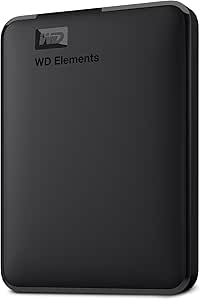 | Best Value for Straightforward Backup | Capacity: 2 TB | Interface: USB 2.0 / USB 3.0 | Data transfer rate: Up to 5 Gbps | VIEW LATEST PRICE | See Our Full Breakdown |
| Seagate 2TB Portable External Hard Drive, USB 3.0 (STGX2000400) |  | Best for Simple Cross-Platform Setup | Capacity: 2 TB | Interface: USB 3.0 | Read speed: Up to 120 MB/s | VIEW LATEST PRICE | See Our Full Breakdown |
| SanDisk 1TB Portable Drive, Up to 600MB/s Read Speed, Black |  | Best Compact Solid-State Drive | Capacity: 1 TB | Read speed: Up to 600 MB/s | Connectivity: USB Type-C | VIEW LATEST PRICE | See Our Full Breakdown |
| WD My Passport 5TB Portable External Hard Drive |  | Best High-Capacity Portable Pick | Capacity: 5 TB | Interface: USB 2.0 / USB 3.0 | Form factor: 2.5 inches | VIEW LATEST PRICE | See Our Full Breakdown |
| Seagate Expansion 24TB External Hard Drive with USB 3.0 and Rescue Data Recovery Services |  | Best for Maximum Desktop Capacity | Storage capacity: 24 TB | Interface: USB 3.0 | Form factor: 3.5 inches | VIEW LATEST PRICE | See Our Full Breakdown |
| Toshiba Canvio Basics 2TB Portable External Hard Drive, USB 3.0, Black |  | Best Simple Portable Pick | Storage capacity: 2 TB | Interface: USB 2.0/3.0 | Form factor: 2.5 inches | VIEW LATEST PRICE | See Our Full Breakdown |
| Western Digital 14TB Elements Desktop External Hard Drive (USB 3.0) |  | Best for Xbox and PC Storage | Storage capacity: 14 TB | Interface: USB 3.0 | Form factor: 3.5 inches | VIEW LATEST PRICE | See Our Full Breakdown |
| Seagate Backup Plus Portable 4TB External Hard Drive, Red |  | Best for Scheduled Portable Backups | Storage capacity: 4 TB | Interface: USB 3.0 | Form factor: 2.5 inches | VIEW LATEST PRICE | See Our Full Breakdown |
| Western Digital Elements 5TB Portable External Hard Drive |  | Best High-Capacity Portable Pick | Storage capacity: 5 TB | Drive type: Mechanical hard disk | Interface: USB 2.0/3.0 | VIEW LATEST PRICE | See Our Full Breakdown |
| external hard drife | Interface | Form factor | Storage capacity | Drive type |
|---|---|---|---|---|
| Seagate Expansion 4TB Desktop | USB 2.0/3.0 | 3.5 inches | 4 TB | Mechanical hard drive |
| WD My Passport 6TB Portable Ex | USB 2.0/3.0 | 2.5 inches | 6 TB | Mechanical hard drive |
| SanDisk Extreme Portable SSD | USB 3.2 Gen 2 | — | 2 TB | Solid-state drive |
| WD My Passport 4TB Portable Ex | USB 2.0/3.0 | 2.5 inches | 4 TB | Mechanical hard disk |
| WD My Passport 2TB Portable Ex | USB 2.0/3.0 | 2.5 inches | 2 TB | Mechanical hard disk |
| WD 1TB My Passport Ultra Porta | USB 3.0 | 2.5 inches | — | — |
| WD Elements 2TB Portable Exter | USB 2.0 / USB 3.0 | — | — | — |
| Seagate 2TB Portable External | USB 3.0 | Portable | — | Mechanical hard disk |
| SanDisk 1TB Portable Drive | — | — | — | Solid-state drive |
| WD My Passport 5TB Portable Ex | USB 2.0 / USB 3.0 | 2.5 inches | — | — |
| Seagate Expansion 24TB Externa | USB 3.0 | 3.5 inches | 24 TB | — |
| Toshiba Canvio Basics 2TB Port | USB 2.0/3.0 | 2.5 inches | 2 TB | — |
| Western Digital 14TB Elements | USB 3.0 | 3.5 inches | 14 TB | — |
| Seagate Backup Plus Portable 4 | USB 3.0 | 2.5 inches | 4 TB | — |
| Western Digital Elements 5TB P | USB 2.0/3.0 | 2.5 inches | 5 TB | Mechanical hard disk |
More Details on Our Top Picks
Seagate Expansion 4TB Desktop External Hard Drive, USB 3.0
The Seagate Expansion 4TB makes the most sense when a computer needs a roomy archive that can stay connected at a desk. Its drag-and-drop setup avoids added backup software, and the included 18W power adapter supports a desktop drive rather than relying on a laptop’s USB port. That makes it less convenient to carry than the bus-powered WD My Passport 4TB, but a good fit for keeping a larger working collection of photos, movies, or other files in one place. The tradeoff is its 3.5-inch mechanical design: it needs a wall outlet and is not the choice for frequent travel or fast editing workflows. Mac users can use it, though Time Machine requires reformatting.
Pros:- Provides 4TB of desktop storage for a broad file collection
- Drag-and-drop transfers require no included software
- Works with Windows and Mac computers
- Includes a USB 3.0 cable and 18W power adapter
Cons:- Requires a separate power outlet and adapter
- 3.5-inch mechanical design is less portable than the WD My Passport drives
- Requires reformatting for Apple Time Machine use
Best for: Home and office users who want a 4TB drive to stay beside a desktop computer for general file storage.
Not ideal for: Travelers or laptop users who need a compact drive without a separate power adapter.
- Storage capacity:4 TB
- Drive type:Mechanical hard drive
- Interface:USB 2.0/3.0
- Form factor:3.5 inches
- Rotational speed:5400 rpm
- Read speed:120 MB/s
- Compatibility:Windows and Mac
- Included accessories:18-inch USB 3.0 cable and 18W power adapter
Our verdict“Choose the Seagate Expansion 4TB for straightforward, stay-at-the-desk storage, not a portable or high-speed drive.”
WD My Passport 6TB Portable External Hard Drive, Black
For buyers who want a large archive in a drive they can carry, the WD My Passport 6TB stands out for combining substantial capacity with a 2.5-inch portable format. It offers more room than the WD My Passport 4TB while keeping the same general portable-hard-drive approach, and its included backup software adds a layer of protection for files. Password protection and hardware encryption also suit people carrying work or personal data between locations. The compromise is speed: this is a mechanical drive, not an SSD like the SanDisk Extreme Portable SSD 2TB, so it is a better fit for storing and moving files than for fast, frequent work with large media projects. Its larger capacity is useful, but not a substitute for SSD responsiveness.
Pros:- Offers 6TB of storage in a 2.5-inch portable drive
- Includes backup software with ransomware protection
- Password protection and hardware encryption help secure stored files
- USB connectivity supports use with compatible computers
Cons:- Mechanical drive is much slower than the SanDisk Extreme Portable SSD
- Portable hard-drive format is less suited to demanding, speed-sensitive workflows
Best for: Photographers, students, and mobile workers who need several terabytes of portable file storage with built-in security features.
Not ideal for: Video editors or other users who need SSD-level transfer speeds and routinely work directly from an external drive.
- Storage capacity:6 TB
- Drive type:Mechanical hard drive
- Interface:USB 2.0/3.0
- Form factor:2.5 inches
- Read speed:110 MB/s
- Data transfer rate:5 Gbps
- Security:Password protection and hardware encryption
- Included software:Acronis True Image for Western Digital
Our verdict“Pick this WD My Passport if portable capacity and data security matter more than SSD speed.”
SanDisk Extreme Portable SSD, 2TB
The SanDisk Extreme Portable SSD 2TB is the speed-first choice in this group. Its stated read and write speeds of up to 1050 MB/s and 1000 MB/s are far above the mechanical WD My Passport drives, making it better suited to moving large projects or working with files directly from external storage. It also adds IP65 water and dust resistance, drop protection, a carabiner loop, and hardware encryption—useful protections for a drive that may travel alongside a laptop. The key tradeoff is capacity: at 2TB, it offers less room than the WD My Passport 6TB. Performance can vary by host device and conditions, and the supplied product details cite both current and older protection ratings, so buyers should confirm the rating for the exact version they receive.
Pros:- Up to 1050 MB/s read and 1000 MB/s write speeds
- IP65 water and dust resistance and drop protection
- Portable design includes a carabiner loop
- Includes 256-bit AES hardware encryption
Cons:- 2TB capacity is lower than the WD My Passport 4TB and 6TB options
- Actual transfer speeds vary with the connected device and usage conditions
- Product details cite older and current protection ratings, so version details may need confirmation
Best for: Mobile creators and professionals who need fast transfers, a compact drive, and added protection for travel.
Not ideal for: People prioritizing maximum storage capacity for a large archive over speed and rugged portability.
- Storage capacity:2 TB
- Drive type:Solid-state drive
- Interface:USB 3.2 Gen 2
- Read speed:Up to 1050 MB/s
- Write speed:Up to 1000 MB/s
- Drop protection:Up to 3 meters (current rating; older description says up to 2 meters)
- Water and dust resistance:IP65 (current rating; older description says IP55)
- Encryption:256-bit AES hardware encryption
Our verdict“Choose the SanDisk Extreme when speed and travel-ready protection are more valuable than the larger capacity of a mechanical drive.”
WD My Passport 4TB Portable External Hard Drive, Black
The WD My Passport 4TB balances useful capacity with a portable 2.5-inch design, making it a flexible everyday backup drive for laptops and desktops. Like the 6TB My Passport, it includes backup software with ransomware protection plus password protection and hardware encryption. Its smaller capacity is the tradeoff for buyers who do not need the extra room offered by the 6TB version; it still has twice the storage of the 2TB My Passport, while remaining a mechanical drive rather than a fast SSD. Compared with the desk-bound Seagate Expansion 4TB, this WD model is easier to carry and does not require the same desktop setup, though it is not a speed upgrade. The listed three-year limited warranty adds a defined coverage period.
Pros:- Combines 4TB capacity with a portable 2.5-inch design
- Includes backup software with ransomware protection
- Password protection and hardware encryption help protect files
- Listed with a three-year limited warranty
Cons:- Mechanical hard drive is slower than the SanDisk Extreme Portable SSD
- Offers less capacity than the 6TB WD My Passport
- Backup and security features add setup steps compared with simple drag-and-drop storage
Best for: Laptop owners who want a portable 4TB backup drive with included security and backup features.
Not ideal for: Users who need rapid transfers for active media projects or more capacity than 4TB provides.
- Storage capacity:4 TB
- Drive type:Mechanical hard disk
- Interface:USB 2.0/3.0
- Form factor:2.5 inches
- Security:Hardware encryption and password protection
- Backup features:Backup software with ransomware protection
- Compatible devices:Desktop, laptop, and tablet
- Warranty:3-year limited warranty
Our verdict“The WD My Passport 4TB suits laptop users seeking portable, secure backups without stepping up to the 6TB model.”
WD My Passport 2TB Portable External Hard Drive, Black
The WD My Passport 2TB is a sensible match for everyday personal files when a compact portable drive is more useful than a large archive. It includes downloadable backup and device-management software, along with password protection and hardware encryption. That gives it more security and backup support than a basic drag-and-drop option such as the Seagate Expansion 4TB, though the Seagate provides twice the capacity and is better suited to a desk. This WD model also shares the My Passport family’s mechanical-drive limitation: it cannot match the SanDisk Extreme SSD for speed. Its 2TB capacity can suit documents, music, and personal photo collections, but video libraries or growing multi-device backups may fill it sooner. The software must be downloaded and installed, and its terms may require account registration.
Pros:- Compact 2.5-inch portable design
- Includes downloadable backup and device-management software
- Password protection and hardware encryption
- Compatible with desktop, laptop, and tablet devices
Cons:- 2TB capacity is more limited than the 4TB and 6TB My Passport models
- Backup software requires download and installation
- Software terms apply, and account registration may be required
Best for: Students and personal-computer users who want a portable 2TB drive for routine file backups with optional security software.
Not ideal for: Users with large video archives, frequent high-volume backups, or a preference for setup-free plug-and-drag storage.
- Storage capacity:2 TB
- Drive type:Mechanical hard disk
- Interface:USB 2.0/3.0
- Form factor:2.5 inches
- Security:Password protection and hardware encryption
- Included software:Downloadable device-management and backup software
- Compatible devices:Desktop, laptop, and tablet
- Warranty:3-year limited warranty
Our verdict“Choose this model for portable, routine personal backups; choose a higher-capacity My Passport for larger libraries.”
WD 1TB My Passport Ultra Portable External Hard Drive (Black, USB 3.0)
The WD My Passport Ultra suits buyers who want a compact drive with an extra layer of file protection, not the most capacity per device. Its hardware encryption and password protection make it a better fit for sensitive documents than the straightforward WD Elements 2TB, while USB 3.0 keeps routine file transfers practical. It is lighter and smaller than the 5TB WD My Passport, but its 1TB capacity leaves less room for growing photo and video libraries. The drive comes formatted as NTFS for Windows; Mac users need to reformat it before use, which makes the Seagate 2TB a simpler cross-platform starting point. Dropbox cloud-backup integration adds an option for off-site copies, but the protective case is sold separately.
Pros:- Hardware encryption and password protection add a layer of security for stored files
- Compact 5.44-ounce design is easy to carry
- USB 3.0 supports practical everyday transfers
- Dropbox integration provides an option for cloud backup
Cons:- NTFS formatting requires Mac users to reformat the drive
- The 1TB capacity is modest beside the WD My Passport 5TB
- A protective case is not included
Best for: Windows users carrying sensitive work files who want a lightweight drive with password protection and hardware encryption
Not ideal for: Mac users seeking a ready-to-use drive, or anyone storing a large media library who will quickly outgrow 1TB
- Capacity:1 TB
- Interface:USB 3.0
- Form factor:2.5 inches
- File system:NTFS (Windows)
- Weight:5.44 ounces
- Dimensions:4.33 × 3.21 × 0.62 inches
- Security:Hardware encryption with password protection
- Warranty:3-year limited warranty
Our verdict“Choose this for portable, password-protected Windows storage; pick the WD My Passport 5TB if capacity matters more than a smaller footprint.”
WD Elements 2TB Portable External Hard Drive
The WD Elements 2TB is a no-frills pick for adding room to a computer without paying for security software or cloud features. Its plug-and-play setup and USB 2.0/3.0 support make it a simpler backup choice than the password-protected WD My Passport Ultra, though it lacks that model’s encryption and Dropbox integration. Two terabytes gives it twice the capacity of the Ultra, making it more useful for a basic photo, document, and video archive. The tradeoff is familiar for portable mechanical drives: it has moving parts, so it is less suited to rough handling than the solid-state SanDisk Portable Drive. The product information also gives conflicting form-factor details, so buyers who need precise dimensions should verify the listing before choosing it.
Pros:- 2TB capacity suits everyday document and media backups
- Supports both USB 3.0 and USB 2.0 connections
- Plug-and-play setup keeps routine use simple
- Light 4.64-ounce weight makes it easy to carry
Cons:- Mechanical drive is more vulnerable to impact than the SanDisk Portable Drive
- No built-in password protection or hardware encryption is listed
- Product details conflict on form factor
Best for: Budget-conscious Windows users who want a simple portable drive for routine file backups and extra storage
Not ideal for: People needing drop-resistant storage, built-in encryption, or dependable form-factor details before purchase
- Capacity:2 TB
- Interface:USB 2.0 / USB 3.0
- Data transfer rate:Up to 5 Gbps
- Rotational speed:5400 RPM
- Weight:4.64 ounces
- Dimensions:5.8 × 4.8 × 1.8 inches
- Color:Black
- Warranty:2-year limited warranty
Our verdict“Pick the WD Elements for uncomplicated 2TB backups, but choose the SanDisk Portable Drive if impact resistance and speed matter more.”
Seagate 2TB Portable External Hard Drive, USB 3.0 (STGX2000400)
The Seagate STGX2000400 is a practical choice for buyers who want 2TB storage that works with Windows and Mac computers without installing backup software. Its plug-and-play setup gives it an easier start than the WD My Passport Ultra, which needs reformatting for Mac, and the included 18-inch USB 3.0 cable is ready for a desk or laptop bag. The listed 7200 RPM speed and read speed up to 120 MB/s describe a mechanical drive, not the faster-feeling solid-state SanDisk Portable Drive, so it is better for general storage than frequent work with large active files. It also lists PlayStation 4 compatibility, making it a flexible option beyond computer backups. Available capacity can differ from the stated 2TB after formatting and system use.
Pros:- 2TB capacity provides room for everyday media and backups
- Works with Windows and Mac computers
- Plug-and-play operation requires no software installation
- Includes an 18-inch USB 3.0 cable
Cons:- Mechanical hard drive is less resistant to impact than the SanDisk Portable Drive
- Listed read speed is well below the SanDisk SSD’s stated speed
- Usable capacity may be lower than the labeled 2TB
Best for: Windows and Mac users who want a no-software 2TB drive for general backups, media storage, or compatible PlayStation 4 use
Not ideal for: People who regularly move large active projects and want SSD-class speed or a drive with drop protection
- Capacity:2 TB
- Interface:USB 3.0
- Read speed:Up to 120 MB/s
- Rotational speed:7200 RPM
- Drive type:Mechanical hard disk
- Compatibility:Windows, Mac, PC, Sony PlayStation 4
- Included cable:18 inches
- Form factor:Portable
Our verdict“Choose this Seagate for easy cross-platform storage and console compatibility, but favor the SanDisk Portable Drive for speed and ruggedness.”
SanDisk 1TB Portable Drive, Up to 600MB/s Read Speed, Black
For buyers who value speed and pocketability over capacity, the SanDisk 1TB Portable Drive is the clear standout in this group. Its solid-state design has no moving parts, and its listed read speed of up to 600 MB/s is far above the mechanical WD Elements 2TB’s listed 5 Gbps interface rate, though that comparison reflects different kinds of specifications and actual performance varies by setup. The drive weighs just 1.12 ounces and has drop protection up to 2 meters, making it a better travel companion than the larger mechanical options. Its USB-C connection suits newer laptops, tablets, and phones, but buyers should check device compatibility and cable needs. At 1TB, it offers less room than the 2TB Seagate, and write speeds are lower than read speeds.
Pros:- Listed read speed reaches up to 600 MB/s
- Pocket-sized body weighs 1.12 ounces
- Solid-state design has no moving parts
- Rated for drops up to 2 meters
Cons:- Only 1TB of capacity, compared with 2TB mechanical options in this lineup
- Write speeds are lower than the listed read speed
- USB-C connection may require compatibility checks with older devices
Best for: Photographers, students, and mobile-device users who need a small, impact-resistant drive for fast access to a 1TB file collection
Not ideal for: Anyone needing 2TB or more, relying on high sustained write speeds, or using hardware without compatible USB-C connectivity
- Capacity:1 TB
- Read speed:Up to 600 MB/s
- Connectivity:USB Type-C
- Drive type:Solid-state drive
- Drop protection:Up to 2 meters
- Weight:1.12 ounces
- Dimensions:2.95 × 1.77 × 0.39 inches
- Compatible devices:Desktop, laptop, smartphone, tablet
Our verdict“Choose the SanDisk for compact, drop-resistant storage and faster reads; opt for the Seagate 2TB if capacity and broad setup matter more.”
WD My Passport 5TB Portable External Hard Drive
The WD My Passport 5TB is the capacity-first choice for carrying a substantial archive without moving to a desktop drive. Its 5TB storage gives it far more room than the 1TB My Passport Ultra or the 2TB WD Elements, making it a stronger fit for large photo, video, and backup collections. WD also includes backup-management software with ransomware protection, plus password protection and hardware encryption; that makes this a more security-focused package than the simpler Seagate 2TB. The tradeoff is that it remains a mechanical drive, so it is not the best match for rough travel or fast, repeated work on active files compared with the solid-state SanDisk Portable Drive. Its USB 2.0/3.0 interface supports older and newer connections, but the listing does not specify a transfer speed.
Pros:- 5TB capacity supports large portable archives and backups
- Password protection and hardware encryption help secure stored files
- Included software offers backup management and ransomware protection
- Compact 2.5-inch form factor weighs 7.4 ounces
Cons:- Mechanical drive is less suited to rough handling than the SanDisk Portable Drive
- No transfer speed is specified in the provided product data
- Larger and heavier than the 1TB My Passport Ultra
Best for: Traveling professionals and media collectors who need several terabytes of portable backup space with file security features
Not ideal for: Buyers prioritizing SSD-level responsiveness, impact resistance, or the lightest possible drive for daily carry
- Capacity:5 TB
- Interface:USB 2.0 / USB 3.0
- Form factor:2.5 inches
- Weight:7.4 ounces
- Dimensions:4.22 × 2.95 × 0.75 inches
- Security:Password protection and hardware encryption
- Included software:Device management and backup software with ransomware protection
- Warranty:3-year limited warranty
Our verdict“Choose the WD My Passport 5TB when portable capacity and built-in security outweigh the speed and impact resistance of an SSD.”
Seagate Expansion 24TB External Hard Drive with USB 3.0 and Rescue Data Recovery Services
When sheer capacity is the priority, the Seagate Expansion 24TB offers more room than the WD Elements 14TB Desktop for large photo libraries, video archives, and game collections. Its 3.5-inch drive reaches a listed read speed of 140 MB/s, while the included drag-and-drop setup keeps everyday file storage straightforward. Rescue Data Recovery Services add a recovery option that the supplied product details do not list for the other drives in this group. The tradeoff is desktop use: it needs its own power adapter, so it is less convenient to move between workspaces than the Toshiba Canvio Basics 2TB or WD Elements 5TB Portable. Mac users can connect it, but must reformat it to use Apple Time Machine. I’d choose it for a stationary archive, not as a travel drive.
Pros:- 24TB capacity suits large libraries and long-term storage
- Drag-and-drop file saving keeps setup simple
- Includes Rescue Data Recovery Services
- Works with Windows and Mac computers
Cons:- Requires a separate power adapter and nearby outlet
- Apple Time Machine use requires reformatting
- Desktop form factor is less convenient to carry than portable drives
Best for: Desktop users building a large archive of video, photos, games, or other files who want one high-capacity drive and included recovery services.
Not ideal for: Frequent travelers and Mac users who want to start Time Machine backups without reformatting.
- Storage capacity:24 TB
- Interface:USB 3.0
- Form factor:3.5 inches
- Rotational speed:7200 rpm
- Listed read speed:140 MB/s
- Included accessories:18-inch USB 3.0 cable; 18W power adapter
- Data recovery:Rescue Data Recovery Services
- Warranty:1-year limited
Our verdict“Choose the Seagate Expansion 24TB for a stationary, high-capacity archive; pick a portable drive if you need storage on the move.”
Toshiba Canvio Basics 2TB Portable External Hard Drive, USB 3.0, Black
The Toshiba Canvio Basics 2TB is a straightforward choice for buyers who want portable storage without a power brick or extra setup software. At just 5.28 ounces, it is easier to slip into a bag than the larger-capacity WD Elements 5TB Portable, though it gives up 3TB of space. USB 3.0 and USB 2.0 support also lets it connect to older computers, with actual transfer performance dependent on the host connection. Its Windows-ready NTFS format makes it especially simple for PC users. Mac owners can use it after reformatting, but that adds a setup step compared with drives described as Mac-compatible out of the box. This is a modest-capacity, no-fuss pick for everyday documents and backups, not the best fit for growing video libraries.
Pros:- Lightweight 5.28-ounce portable design
- 2TB capacity in a compact 2.5-inch drive
- No external power cord or software installation needed
- Supports both USB 3.0 and USB 2.0
Cons:- Mac use requires reformatting from its Windows NTFS format
- Less capacity than the WD Elements 5TB Portable
- Transfer performance depends on the connected device and port
Best for: Windows laptop users who want a light, bus-powered drive for documents, photos, and routine backups.
Not ideal for: Mac users who want to connect and start backing up immediately, or anyone storing large video and game libraries.
- Storage capacity:2 TB
- Interface:USB 2.0/3.0
- Form factor:2.5 inches
- Rotational speed:5400 rpm
- Maximum transfer rate:5 Gbit/s
- Weight:5.28 ounces
- Dimensions:4.3 × 3.1 × 0.55 inches
- Format:NTFS for Windows; reformatting required for Mac
Our verdict“Pick the Toshiba Canvio Basics for simple, lightweight Windows storage, but choose a larger portable drive for a substantial media library.”
Western Digital 14TB Elements Desktop External Hard Drive (USB 3.0)
The WD Elements 14TB Desktop hits a useful middle ground for buyers who need more space than a typical portable drive can offer but do not need the Seagate Expansion 24TB’s maximum capacity. Its stated compatibility with Windows PCs and Xbox One, Xbox Series S, and Xbox Series X makes it a practical candidate for expanding a game collection as well as keeping PC files. The listed transfer speed reaches 140 MB/s, though its 5400-rpm drive is slower by rotation speed than the 7200-rpm Seagate. It is a 3.5-inch desktop unit, so plan for a fixed setup rather than carrying it around. The listed UK-market adapter may also be a poor match for buyers outside that market, and Mac use calls for reformatting.
Pros:- 14TB capacity accommodates large game and media collections
- Listed compatibility includes major Xbox consoles
- USB 3.0 connection and up to 140 MB/s transfer speed
- Plug-and-play setup for Windows
Cons:- UK-market adapter may not suit buyers in other regions
- Desktop form factor is less portable than 2.5-inch drives
- 5400-rpm rotation is slower than the 7200-rpm Seagate Expansion 24TB
- Mac use requires reformatting
Best for: Windows PC and Xbox owners who need a large, mostly stationary library drive and can use the included UK-market adapter.
Not ideal for: Travelers, Mac users seeking a ready-to-use Time Machine drive, and buyers without a compatible power adapter or outlet.
- Storage capacity:14 TB
- Interface:USB 3.0
- Form factor:3.5 inches
- Rotational speed:5400 rpm
- Transfer speed:Up to 140 MB/s
- Compatible devices:Windows PCs, Xbox One, Xbox Series S, Xbox Series X
- Enclosure material:Polycarbonate
- Model number:WDBWLG0140HBK-EESN
Our verdict“Choose this WD for high-capacity PC or Xbox storage if its desktop setup and UK-market adapter fit your location.”
Seagate Backup Plus Portable 4TB External Hard Drive, Red
The Seagate Backup Plus Portable 4TB is aimed at people who want backup features alongside portable storage. Its one-click and scheduled backup options offer more structure than the simple drag-and-drop approach of the Toshiba Canvio Basics 2TB, while the brushed metal enclosure gives this 2.5-inch drive a different feel from the plastic-bodied WD Elements 5TB Portable. At 4TB, it also provides more room than the Toshiba, though less than the WD portable model. Mac and Windows compatibility broadens its appeal, but Mac users may need to reformat for Time Machine. The included Mylio Create and Adobe Creative Cloud Photography Plan subscriptions may suit photo workflows, though they are time-limited offers rather than permanent storage features. Its listed read speed is 120 MB/s.
Pros:- 4TB capacity in a portable 2.5-inch drive
- Supports one-click and scheduled backups
- Metal enclosure and distinctive red finish
- Includes time-limited Mylio Create and Adobe Photography Plan subscriptions
Cons:- Mac users may need to reformat for Time Machine
- Listed read speed of 120 MB/s is below the WD Elements 5TB Portable’s 5 Gbps interface rating
- Full USB 3.0 performance requires a compatible port
Best for: Photographers and laptop users who want a portable 4TB backup drive with scheduled backup options and bundled photo tools.
Not ideal for: Buyers who want the largest portable capacity in this group, or Mac users who need Time Machine readiness without reformatting.
- Storage capacity:4 TB
- Interface:USB 3.0
- Form factor:2.5 inches
- Listed read speed:120 MB/s
- Enclosure material:Metal
- Compatibility:Mac and PC
- Warranty:2-year limited
- Included subscriptions:1 year of Mylio Create; 2 months of Adobe Creative Cloud Photography Plan
Our verdict“Choose the Backup Plus for portable scheduled backups and bundled photo tools; opt for the WD Elements 5TB if capacity matters more.”
Western Digital Elements 5TB Portable External Hard Drive
The WD Elements 5TB Portable packs more capacity into a carryable 2.5-inch drive than the Toshiba Canvio Basics 2TB or Seagate Backup Plus 4TB. That makes it a strong choice for people who want a single portable drive for a larger photo or video collection, without moving up to a desktop model such as the WD Elements 14TB. It works over USB 3.0 or USB 2.0 and is listed for Mac, PC, desktops, laptops, and tablets. The main compromise is speed: the supplied data lists a read speed of just 50 MB/s, so it may be a poor match for frequent transfers of very large files. It is also a mechanical hard drive, not a solid-state option like the SanDisk Extreme Portable SSD; prioritize capacity over speed and impact resistance.
Pros:- 5TB capacity exceeds the Toshiba Canvio Basics 2TB and Seagate Backup Plus 4TB
- Compact 2.5-inch form factor weighs 8.32 ounces
- Supports USB 2.0 and USB 3.0 connections
- Listed compatibility includes Mac, PC, desktops, laptops, and tablets
Cons:- Listed read speed is 50 MB/s
- Mechanical drive is less suited to speed-focused workflows than the SanDisk Extreme Portable SSD
- Mac formatting needs may vary by intended use
Best for: Laptop and tablet owners who need up to 5TB of portable file storage and value capacity over fast transfers.
Not ideal for: Editors moving large video files often, or buyers who want solid-state speed and greater resistance to knocks.
- Storage capacity:5 TB
- Drive type:Mechanical hard disk
- Interface:USB 2.0/3.0
- Form factor:2.5 inches
- Listed read speed:50 MB/s
- Weight:8.32 ounces
- Dimensions:4.35 × 3.23 × 0.82 inches
- Warranty:2-year limited
Our verdict“Pick the WD Elements 5TB Portable when you want substantial capacity in a carryable drive and can accept slower mechanical-drive transfers.”
How We Picked
I ranked these drives around the needs that most often determine a good external-storage purchase: usable capacity, portability, transfer needs, setup simplicity, and fit for the intended job. I gave the highest placement to options that serve a broad range of buyers without requiring a desktop setup or specialized workflow. Larger desktop drives rank well for archives, but below versatile portable picks because they are less convenient to move. SSDs earn distinction for speed-oriented use, not for replacing every high-capacity backup drive.
I also compared options within the same lineup instead of treating each capacity as a separate kind of product. The different WD My Passport sizes are mainly a choice about how much space to keep on hand; basic portable drives compete on uncomplicated storage, while desktop models compete on capacity. Since the products span different formats and intended uses, the ranking reflects buyer fit rather than a single spec. A drive can be a strong choice for one use and still rank lower overall if it serves fewer needs.
| external hard drife | Drive type | Interface |
|---|---|---|
| Seagate Expansion 4TB Desktop | Mechanical hard drive | USB 2.0/3.0 |
| WD My Passport 6TB Portable Ex | Mechanical hard drive | USB 2.0/3.0 |
| SanDisk Extreme Portable SSD | Solid-state drive | USB 3.2 Gen 2 |
| WD My Passport 4TB Portable Ex | Mechanical hard disk | USB 2.0/3.0 |
| WD My Passport 2TB Portable Ex | Mechanical hard disk | USB 2.0/3.0 |
| WD 1TB My Passport Ultra Porta | — | USB 3.0 |
| WD Elements 2TB Portable Exter | — | USB 2.0 / USB 3.0 |
| Seagate 2TB Portable External | Mechanical hard disk | USB 3.0 |
| SanDisk 1TB Portable Drive | Solid-state drive | — |
| WD My Passport 5TB Portable Ex | — | USB 2.0 / USB 3.0 |
| Seagate Expansion 24TB Externa | — | USB 3.0 |
| Toshiba Canvio Basics 2TB Port | — | USB 2.0/3.0 |
| Western Digital 14TB Elements | — | USB 3.0 |
| Seagate Backup Plus Portable 4 | — | USB 3.0 |
| Western Digital Elements 5TB P | Mechanical hard disk | USB 2.0/3.0 |
Factors to Consider When Choosing Best External Hard Drives
Before choosing from this list, decide what job the drive will do and how it will fit into your backup routine. These broader tradeoffs can matter more than a model’s capacity label, particularly if the drive will hold your only copy of important files.
Choose Capacity Around Your Backup Routine
Start with the data you need to keep, then leave room for future growth rather than buying a drive that barely fits today’s files. Photos, video projects, game libraries, and computer backups can grow at different rates, so a single capacity rule does not suit everyone. A useful check is to compare the drive’s advertised capacity with the size of the files you plan to store and the backup software’s version history needs. If you want one portable drive for a growing collection, a larger My Passport size may prevent an early replacement. For a long-term media archive that rarely moves, a desktop model may make more sense. Avoid treating one external drive as a complete backup plan: a second copy stored separately protects against drive failure, loss, or accidental deletion.
Pick SSD or Hard Drive for the Work, Not the Label
SSDs are a natural fit for repeated transfers, active project files, and people who carry storage between locations. Mechanical hard drives generally make more sense when the priority is keeping a larger volume of files in one place. Speed matters most when you move large files often or work directly from the external device; it matters less for a drive used mainly for occasional backups. Do not assume an SSD will make every task faster: the computer’s port, cable, and workload can limit transfer rates. Likewise, a portable hard drive may be adequate for backups even if it is slower during large transfers. Match the drive type to how often you access the files, not just the headline speed.
Decide Whether Portability Is Real or Just a Nice-to-Have
A portable drive is smaller and easier to carry, but moving it often also raises the chance of drops, cable loss, or leaving it behind. A desktop drive is a better match for a stationary archive or frequent computer backups when its size and power requirements are acceptable. Think through where the drive will sit and whether you need it to work away from a desk before choosing a form factor. If you travel with data, keep another copy elsewhere so a lost device does not take your only backup with it. For home use, a large desktop drive can reduce the need to juggle several smaller units. Choose portability only when you will actually benefit from it.
Check Compatibility, Formatting, and Connection Limits
A drive’s connector is only one part of compatibility: its file system and the device you connect it to matter too. A drive formatted for one operating system may need reformatting for another, and reformatting can erase files already stored on it. Check whether you plan to use the drive with a computer, console, router, or more than one kind of device, since each may have its own format and capacity limits. The port and cable can also constrain real-world transfer speeds even when a drive advertises a higher maximum. Before using a new drive, confirm its out-of-box format supports your intended devices and decide whether cross-platform access is needed. This small check can prevent setup delays and avoidable data loss.
Treat Backup Software and Redundancy as Separate Decisions
Storage capacity alone does not say how easy it will be to maintain a backup. Check whether your computer’s built-in backup tools work with the drive and whether you want scheduled backups, manual copies, or file-history features. A single drive can fail, be damaged, or be taken with the computer it backs up, so important files deserve another copy in a separate location. Cloud storage can provide off-site access, while a second physical drive may be more practical for large collections or limited internet connections. Recovery services and bundled software can add value, but they do not replace a personal backup routine. Plan how you will restore files before you need them.
Pay for Capacity or Convenience You Will Actually Use
Spending more on a larger drive is useful when it prevents splitting a library across devices or supports years of backups. A premium portable SSD is harder to justify if files are written once and rarely accessed; a simpler mechanical drive may suit that pattern better. On the other hand, frequent travel and large working files can make the speed and compact format of an SSD worthwhile. Compare models by their role, not by capacity alone: a desktop archive and a portable working drive solve different problems. Leave room for growth, but do not buy capacity that creates needless setup or backup complexity. The best fit is the drive you can keep connected, organized, and backed up consistently.
Frequently Asked Questions
Should I choose the WD My Passport 6TB or a desktop drive for a large photo library?
Choose the WD My Passport 6TB if you want a large library on a portable drive that can move between computers. A desktop option such as the Seagate Expansion 24TB or WD Elements 14TB suits a much larger archive that can stay in one place. Consider how often you access the files and whether you need to carry the drive. For irreplaceable photos, keep another copy separately, regardless of which capacity you buy. A single large drive is convenient, but it is not redundancy.
Is an external SSD worth choosing over a hard drive for everyday backups?
An SSD makes the most sense when you transfer files often, work from the drive, or carry it regularly. For scheduled backups that run in the background, a mechanical hard drive may provide more storage in a format better suited to a large file collection. The SanDisk Extreme Portable SSD is the speed-oriented pick here, while the lineup’s portable hard drives prioritize capacity. Also check the computer’s ports and your backup software, since those affect the experience. If the drive will mostly sit connected and receive periodic backups, speed may not be the deciding factor.
Can I use one external hard drive with both Windows and Mac?
Often, but the drive’s format determines how easily it works across both systems. Some formats support reading and writing on both platforms, while others may be read-only or require additional software on one system. Reformatting can improve compatibility but erases existing data, so copy files elsewhere before changing a drive’s format. If you want to share a drive between computers, check your operating-system versions and any file-size limits before setup. You may also prefer separate drives for backup and cross-platform file transfer.
Is a single external drive enough to protect my computer files?
No single drive can protect against every problem: it can fail, be damaged, or be lost alongside the computer. Use the external drive as one layer of a backup plan, then keep another copy in a separate place or use a suitable cloud backup. Automated backups help because a backup that is not updated can leave recent work unprotected. Periodically check that files can be opened or restored, rather than assuming a connected drive is working correctly. For valuable files, plan for both hardware failure and events that affect your home or office.
Should I buy one high-capacity drive or several smaller portable drives?
One large drive is easier to organize and can keep a complete archive together, especially for stationary storage. Several smaller drives can separate projects or provide a second copy, but they require more tracking and can be misplaced. For data that changes often, using separate drives for working files and backup copies can reduce the risk of losing everything at once. Consider how you will label, store, and update multiple devices before choosing that approach. The right answer depends on whether you value simpler access, portability, or redundancy most.
Conclusion
For the broadest mix of capacity and portability, I’d choose the WD My Passport 6TB as the best overall. The WD Elements 2TB is a sensible value-oriented pick for straightforward storage, while the Seagate Expansion 24TB is the premium choice for buyers who need a substantial desktop archive. Beginners who want a simple portable backup drive can start with the Toshiba Canvio Basics 2TB or a WD Elements portable model. For frequent transfers and mobile work, the SanDisk Extreme Portable SSD is the specific-use standout; for a stationary library, compare the large WD and Seagate desktop drives. Whichever option you choose, pair it with a separate backup copy for files you cannot replace.