The best MacBook deals balance the right chip, memory, and storage with a condition and configuration you can live with. I’d point most shoppers toward the 2025 13-inch MacBook Air with M4 and 16GB memory as the strongest all-around fit; the 15-inch M4 Air is a better match for a larger screen, while the M5 Air models offer newer hardware and higher-memory configurations. The main tradeoffs are new versus renewed, portability versus display size, and a lower upfront spend versus enough memory and storage for longer-term use. Older M1 and M2 models can still suit lighter workloads, but their configurations deserve closer scrutiny. Read on for how these 15 options compare and which one fits your needs.

Get the latest gadgets delivered free with Prime
- Fast, free delivery on millions of items
- Prime Video, Amazon Music and more included
- Member-only deals all year
Complete the kit



Key Takeaways
- The renewed 13-inch M4 Air with 16GB memory is the most balanced pick here: it pairs a current-generation Air design with enough memory for a broader range of everyday tasks.
- The 15-inch M4 Air appears in both 256GB and 512GB configurations, making screen size a separate decision from storage; buyers should not assume every large-screen option has the same capacity.
- The M5 Air choices span from a 13-inch 16GB/512GB model to a 15-inch 24GB/1TB model, so paying more can mean both extra screen space and room for heavier multitasking and larger files.
- The MacBook Neo stands apart as a simpler, entry-level option, but its 8GB memory makes it less appealing for demanding workloads than the 16GB Air models.
- Renewed M1 and M2 models may suit basic use, yet the 128GB M1 Air is the most storage-constrained option and the 8GB configurations have less headroom than newer 16GB choices.


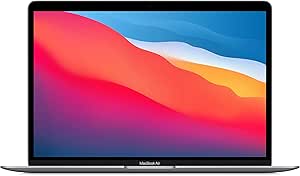




| MacBook deal | Display | Storage | Processor | Memory |
|---|---|---|---|---|
| Apple MacBook Neo 13-inch | 13-inch LED, 3024 × 1964, 120Hz | 256GB SSD | Apple A18 Pro, 6-core CPU, 5-core GPU | 8GB LPDDR4X |
| 2025 Apple MacBook Air with Ap | 15.3-inch Liquid Retina, 2880 × 1864 | 256GB SSD | Apple M4 | 16GB |
| Apple 2022 MacBook Air 13.6-in | 13.6-inch Liquid Retina, 2560 × 1664, P3 wide color | 256GB SSD | Apple M2, 8-core CPU | 8GB |
| Apple MacBook Air 13.3-Inch | 13.3-inch LED, 2560 × 1600, 60Hz | 256GB SSD | Apple M1, 8 cores, up to 3.1GHz | 8GB |
| Apple 2025 MacBook Air 15-inch | 15.3-inch Liquid Retina, 2880 × 1864 at 224 pixels per inch | 512GB SSD | Apple M4, 10-core | 16GB unified memory |
| Apple MacBook Pro 13.3-Inch | 13.3-inch Retina, 2560 × 1600, 500 nits | 256GB SSD | Apple M1, 8-core, 3.2 GHz | 8GB unified memory |
| Apple MacBook Air 13-inch Lapt | 13.6-inch Liquid Retina | 512GB SSD | — | 16GB unified memory |
| Apple 2026 MacBook Pro 14-inch | 14.2-inch Liquid Retina XDR | — | Apple M6 chip | — |
| Apple 2025 MacBook Air 13-inch | 13.6-inch Liquid Retina, 2560 × 1664 | 256GB SSD | Apple M4, 10-core | 16GB unified memory |
| Apple MacBook Neo 13-inch Lapt | 13-inch Liquid Retina, supports 1 billion colors | 512GB SSD | Apple A18 Pro | 8GB unified memory |
| Apple 14.2-inch MacBook Pro wi | 14.2-inch Liquid Retina XDR; up to 1600 nits peak brightness | 1TB SSD | — | 16GB unified memory |
| Apple MacBook Air | 13.3-inch Retina LED-backlit IPS, 2560 x 1600 | 128GB SSD | Apple M1, 8-core CPU | 8GB |
| Apple 2025 MacBook Air 15-inch | 15.3-inch Liquid Retina, 2880 x 1864 at 224 pixels per inch | 256GB SSD | Apple M4, 10-core | 16GB unified memory |
| Apple MacBook Air 15-inch Lapt | 15.3-inch Liquid Retina | 1TB SSD | Apple M5 | — |
| Apple MacBook Air 13.6-inch | 13.6-inch Liquid Retina, 2560 x 1664 | 1TB SSD | Apple M2, 8-core | 16GB unified RAM |
More Details on Our Top Picks
Apple MacBook Neo 13-inch (2026), A18 Pro, 8GB RAM, 256GB SSD, Silver (Renewed)
This renewed 13-inch MacBook Neo stands out for a display specification that is unusual among the smaller options here: its listed 3024 × 1964 resolution and 120Hz refresh rate promise especially sharp text and smoother scrolling. The A18 Pro processor suits everyday browsing, schoolwork, and light creative tasks, though the listed 8GB of non-expandable memory leaves less room for demanding multitasking than the 16GB MacBook Air M4 models. Its 256GB SSD also calls for cloud storage or regular file cleanup if you keep large media libraries. Compared with the 2022 MacBook Air M2, the Neo is newer and claims a faster-refresh display, while the Air offers a wider set of listed ports and a 1080p camera. I’d choose this Neo for its compact display experience, not for heavy workloads; renewed condition adds another reason to check the seller’s return terms.
Pros:- Listed 3024 × 1964 display resolution and 120Hz refresh rate
- A18 Pro processor with 6 CPU cores and 5 GPU cores
- Compact 13-inch screen size
- 256GB SSD provides more local space than a 128GB entry-level configuration
Cons:- 8GB memory is the listed maximum and is not expandable
- 256GB storage can fill quickly with large photo, video, or project files
- Renewed condition rather than a new unit
Best for: Students and everyday users who want a compact Mac with a high-resolution, high-refresh-rate display and mainly use web, office, and streaming apps.
Not ideal for: People who regularly edit large projects, keep extensive local files, or need more than 8GB of memory; the listed memory ceiling and 256GB drive limit room to grow.
- Processor:Apple A18 Pro, 6-core CPU, 5-core GPU
- Memory:8GB LPDDR4X
- Storage:256GB SSD
- Display:13-inch LED, 3024 × 1964, 120Hz
- Operating system:macOS Tahoe
- Weight:2.15kg
- Condition and warranty:Renewed; Amazon Renewed Warranty
Our verdict“Choose this renewed Neo for its sharp, smooth 13-inch display and everyday tasks, but pick an M4 Air if you need more memory for demanding multitasking.”
2025 Apple MacBook Air with Apple M4 Chip (15-inch, 16GB RAM, 256GB SSD Storage) (QWERTY English) Silver (Renewed)
This renewed 15-inch MacBook Air M4 combines a roomy 15.3-inch display with 16GB of memory, making it a stronger fit for juggling browser tabs, documents, and creative apps than the 8GB MacBook Neo or older M2 and M1 Airs in this group. The larger screen gives spreadsheets and split-screen work more breathing room, while the listed battery life reaches up to 18 hours. Its main compromise is storage: 256GB is modest for a laptop aimed at people who may keep photos, video, and work files locally. Compared with the renewed 15-inch M4 Air with 512GB, this configuration offers the same core screen and memory advantages but less room for files. I’d favor this one when display space and multitasking matter more than onboard capacity, and I’d factor its renewed condition into the purchase decision.
Pros:- 15.3-inch Liquid Retina display with 2880 × 1864 resolution
- 16GB memory supports more demanding multitasking than the 8GB models here
- M4 chip is suited to app switching, video editing, and graphics-heavy tasks
- Listed battery life is up to 18 hours
Cons:- 256GB SSD may require external or cloud storage for large files
- Renewed condition means it is not listed as new
- Two Thunderbolt ports may require adapters for some accessories
Best for: Remote workers, students, and home users who want a large MacBook screen and 16GB memory for multitasking without stepping up to a Pro model.
Not ideal for: Video editors, photographers, or travelers who store large media libraries locally; the 256GB SSD offers less headroom than the 512GB 15-inch M4 Air.
- Processor:Apple M4
- Memory:16GB
- Storage:256GB SSD
- Display:15.3-inch Liquid Retina, 2880 × 1864
- Battery life:Up to 18 hours
- Weight:1.51kg
- Ports:2 Thunderbolt ports
- Operating system:macOS Sequoia
- Condition:Renewed
Our verdict“Pick this renewed 15-inch M4 Air if you want a large screen and 16GB memory, but choose the 512GB version if you keep substantial files on your Mac.”
Apple 2022 MacBook Air 13.6-inch with M2 Chip, 8GB RAM, 256GB SSD (Midnight, Renewed)
The renewed 2022 MacBook Air M2 is a balanced older-generation option for buyers who want a more modern everyday design than the M1 Air without needing the M4 models’ extra memory. Its 13.6-inch Liquid Retina display, P3 wide color, and 500-nit brightness make it better suited to photo viewing and bright rooms than a basic screen, while MagSafe charging leaves both Thunderbolt ports available when the laptop is plugged in. Against the 2020 M1 MacBook Air, the M2 offers a larger display, a 1080p camera, and a newer feature set. The tradeoff is that this configuration still has only 8GB RAM and 256GB storage, while the 16GB M4 Air is a safer fit for heavier multitasking. Its 90-day limited warranty is also shorter than buyers may prefer for a renewed computer.
Pros:- 13.6-inch Liquid Retina display with P3 wide color and up to 500 nits of brightness
- 1080p FaceTime HD camera for clearer video calls
- MagSafe charging plus two Thunderbolt ports and a headphone jack
- Four-speaker system with Spatial Audio
Cons:- 8GB RAM and 256GB SSD limit demanding workloads and local file storage
- Renewed unit includes a 90-day limited warranty
- Older M2 platform has less headroom than the M4 Air options
Best for: Students and everyday users who want a compact MacBook with a color-rich display, MagSafe charging, and a better video-call camera than the older M1 Air.
Not ideal for: People running memory-intensive creative software or keeping large work and media libraries locally; 8GB RAM and 256GB storage can feel restrictive.
- Processor:Apple M2, 8-core CPU
- Memory:8GB
- Storage:256GB SSD
- Display:13.6-inch Liquid Retina, 2560 × 1664, P3 wide color
- Camera:1080p FaceTime HD
- Ports:MagSafe, 2 Thunderbolt ports, headphone jack
- Audio:Four-speaker system with Spatial Audio; three-mic array
- Weight:2.7 pounds
- Condition and warranty:Renewed; 90-day limited warranty
Our verdict“Choose the M2 Air for its useful screen, camera, and charging features in a compact renewed Mac, but favor an M4 model for heavier multitasking.”
Apple MacBook Air 13.3-Inch (2020) with M1 Chip, 8GB RAM, 256GB SSD, Space Gray (Renewed)
This renewed 2020 MacBook Air M1 earns its place as the straightforward entry point in this group: it has an 8-core M1 chip, a 2560 × 1600 display, and a backlit keyboard for everyday writing, web use, and video calls. It is an older design, though, and the 2022 M2 Air adds a larger screen, a 1080p camera, and MagSafe charging. The gap is wider against the 16GB M4 Air, which is a more sensible choice for sustained multitasking or newer creative workloads. This M1 configuration’s 8GB memory and 256GB SSD leave limited room for growth, and the listing gives conflicting battery-life figures of 15 hours and up to 18 hours. I’d choose it for basic Mac tasks, not as a long-term workstation; the renewed condition and 90-day warranty deserve attention too.
Pros:- M1 processor with an 8-core design for everyday computing
- 2560 × 1600 display resolution
- Backlit keyboard for working in dim settings
- Wi-Fi 802.11ax and Bluetooth connectivity
Cons:- 8GB memory and 256GB storage limit heavier work and local file capacity
- Older model than the M2 and M4 Air options in this roundup
- Battery-life details conflict between 15 hours and up to 18 hours; warranty is 90 days
Best for: First-time Mac buyers, students, and household users who mainly need a laptop for web browsing, writing, video calls, and everyday apps.
Not ideal for: Creative professionals or users who plan to keep many large files or run demanding apps; this older configuration has 8GB RAM and 256GB storage.
- Processor:Apple M1, 8 cores, up to 3.1GHz
- Memory:8GB
- Storage:256GB SSD
- Display:13.3-inch LED, 2560 × 1600, 60Hz
- Battery life:Listing gives 15 hours in product information and up to 18 hours elsewhere
- Wireless:Wi-Fi 802.11ax and Bluetooth
- Keyboard:Backlit, QWERTY
- Condition and warranty:Renewed; 90-day limited warranty
Our verdict“This M1 Air is a sensible renewed Mac for basic everyday use, while buyers who need more multitasking headroom should choose an M4 Air with 16GB memory.”
Apple 2025 MacBook Air 15-inch with M4 Chip, 16GB Memory, 512GB SSD, Midnight (Renewed)
This renewed 15-inch MacBook Air M4 is the most complete all-rounder among these five: it pairs a 15.3-inch Liquid Retina display with 16GB of memory and a 512GB SSD, addressing the storage pinch found in the other 15-inch M4 Air listed here. That combination suits larger creative projects and busy multitasking better than the 8GB M2, M1, and Neo configurations. The screen’s support for 1 billion colors also makes it a strong choice for photo and video viewing, while the listed battery life reaches up to 18 hours. Compared with its 256GB sibling, the extra storage is the practical advantage; compared with the smaller Airs, the larger display is less convenient for tight bags and small desks. It remains a renewed model with a 90-day limited warranty, so buyers seeking a new unit or longer coverage should look elsewhere.
Pros:- M4 10-core processor and 16GB unified memory
- 512GB SSD offers double the capacity of the other listed 15-inch M4 Air
- 15.3-inch Liquid Retina display supports 1 billion colors
- Listed battery life is up to 18 hours
Cons:- 15-inch size is less convenient than the 13-inch models for compact bags and crowded workspaces
- Renewed condition rather than a new unit
- 90-day limited warranty
Best for: Photographers, students, and remote professionals who want a large screen, 16GB memory, and enough local storage for a substantial everyday file library.
Not ideal for: Commuters prioritizing the smallest possible laptop or buyers who require a new unit or longer warranty coverage.
- Processor:Apple M4, 10-core
- Memory:16GB unified memory
- Storage:512GB SSD
- Display:15.3-inch Liquid Retina, 2880 × 1864 at 224 pixels per inch
- Battery life:Up to 18 hours
- Battery capacity:66.5 watt-hours
- Weight:1.51kg
- Included items:35W USB-C power adapter and 2m USB-C to MagSafe 3 cable
- Condition and warranty:Renewed; 90-day limited warranty
Our verdict“Choose this renewed 15-inch M4 Air for the strongest mix of screen space, memory, and storage here, provided its renewed condition and short warranty suit you.”
Apple MacBook Pro 13.3-Inch (2020) with M1 Chip, 8GB RAM, 256GB SSD, Space Gray (Renewed)
For buyers seeking an older Pro model without needing the newest chip, this renewed 13-inch MacBook Pro pairs M1 performance with an actively cooled design. The fan can help sustain workloads longer than a fanless Air, while its 500-nit Retina display is a useful advantage in bright rooms. Compared with the newer MacBook Air 13-inch with M4, however, it has half the listed memory, less storage, and a previous-generation processor. That makes this a better fit for everyday productivity and moderate creative work than for heavy multitasking or future-proofing. Its renewed condition and 90-day limited warranty are meaningful tradeoffs: buyers should be comfortable with a pre-owned device and a shorter coverage window than a new purchase may offer.
Pros:- M1 chip with an 8-core CPU and 8-core GPU
- Bright 500-nit Retina display
- Active cooling can support sustained workloads
- 256GB SSD provides more room than entry configurations with 128GB
Cons:- 8GB of unified memory can constrain demanding multitasking
- Renewed condition and 90-day limited warranty carry added purchase risk
- Older M1 hardware is less capable than the newer M4 and M5 Air options
Best for: Budget-conscious buyers who want a MacBook Pro chassis for school, office work, and moderate creative tasks, and are comfortable buying renewed.
Not ideal for: People running memory-intensive creative software, keeping large local files, or wanting a new laptop with a longer warranty.
- Model year:2020
- Processor:Apple M1, 8-core, 3.2 GHz
- Graphics:Integrated 8-core GPU
- Memory:8GB unified memory
- Storage:256GB SSD
- Display:13.3-inch Retina, 2560 × 1600, 500 nits
- Weight:3 pounds
- Condition and warranty:Renewed; 90-day limited warranty
Our verdict“Choose this renewed Pro for a lower-cost entry to MacBook Pro features, but pick the M4 Air for newer hardware and more memory.”
Apple MacBook Air 13-inch Laptop with M5 Chip, 16GB Memory, 512GB SSD, Liquid Retina Display, and 12MP Center Stage Camera (Midnight)
This MacBook Air stands out for buyers who want a current-generation everyday laptop with room for multitasking: its M5 chip, 16GB of memory, and 512GB SSD give it a stronger starting configuration than the renewed M4 Air with 256GB storage. The 2.71-pound design and listed battery life of up to 18 hours suit commuters and students who work away from a desk. A 12MP Center Stage camera also makes video calls more flexible than the older renewed M1 Pro’s display-camera setup. The tradeoff is connectivity: two Thunderbolt 4 ports mean some users will need a hub for accessories, and this Air lacks the Pro models’ broader selection of built-in connections. It is best for portable everyday work, not sustained high-demand workloads that favor active cooling.
Pros:- M5 chip with 16GB unified memory
- 512GB SSD offers more working room than the renewed M4 Air’s 256GB
- Light 2.71-pound build and up to 18 hours of battery life
- 12MP Center Stage camera and support for up to two external displays
Cons:- Two Thunderbolt 4 ports may require a hub for multiple wired accessories
- Fanless Air design is less suited to sustained workloads than a MacBook Pro
- The listed memory and storage may still fall short for large professional projects
Best for: Students, mobile professionals, and frequent video-call users who want a lightweight new-generation Air with 16GB memory and 512GB storage.
Not ideal for: Creative professionals with sustained heavy workloads or buyers who need numerous built-in ports without a hub.
- Chip:Apple M5
- Memory:16GB unified memory
- Storage:512GB SSD
- Display:13.6-inch Liquid Retina
- Camera:12MP Center Stage
- Battery life:Up to 18 hours
- Ports:Two Thunderbolt 4, MagSafe charging, headphone jack
- Weight:2.71 pounds
Our verdict“Pick this Air for portable everyday work and a roomier configuration; choose a Pro when sustained performance and built-in ports matter more.”
Apple 2026 MacBook Pro 14-inch with M6 chip, Space Black
For buyers whose work benefits from a high-end display and flexible connections, this 14-inch Pro is the premium choice in this group. Its Liquid Retina XDR screen combines a listed peak brightness of 1600 nits with high contrast, while HDMI, SDXC, MagSafe, and Thunderbolt ports reduce the need for adapters compared with the M5 MacBook Air. The up-to-24-hour battery claim, six-speaker system, and 12MP Center Stage camera also make it a capable mobile workstation and media machine. That extra capability comes with a heavier 3.4-pound body, and the M6 configuration supports only two external displays. For routine browsing and documents, the M5 Air is lighter and likely a better fit; this Pro makes sense when its screen, ports, and sustained-work focus matter.
Pros:- 14.2-inch Liquid Retina XDR display with up to 1600-nit peak brightness
- Broad built-in connection options, including HDMI and SDXC
- Listed battery life of up to 24 hours
- Six-speaker audio system and 12MP Center Stage camera
Cons:- At 3.4 pounds, it is heavier than the MacBook Air options
- M6 configuration supports up to two external displays
- Its premium hardware may be unnecessary for routine browsing and office tasks
Best for: Video editors, photographers, and other professionals who need a bright high-contrast screen and built-in HDMI, SDXC, and Thunderbolt connections.
Not ideal for: Travelers prioritizing the lightest laptop or everyday users whose work does not call for a Pro display and port selection.
- Processor:Apple M6 chip
- Neural Engine:Dual 16-core Neural Engine
- Display:14.2-inch Liquid Retina XDR
- Brightness:Up to 1600 nits peak; up to 1000 nits sustained
- Battery life:Up to 24 hours
- Camera and audio:12MP Center Stage; six speakers; three microphones
- Ports:Thunderbolt 4 or 5, MagSafe 3, SDXC, HDMI, headphone jack
- Weight:3.4 pounds
Our verdict“Choose this Pro for demanding visual work and versatile ports, but take the lighter M5 Air if portability matters more than its XDR display.”
Apple 2025 MacBook Air 13-inch with M4 Chip, 16GB Memory, 256GB SSD, Sky Blue (Renewed)
This renewed M4 Air is the practical middle ground for buyers who want newer Air hardware but do not need a large drive. Its 16GB of unified memory gives it a more comfortable multitasking baseline than the renewed M1 MacBook Pro’s 8GB, while the 13.6-inch Liquid Retina display and up-to-18-hour battery life suit everyday work and travel. Compared with the M5 Air in this roundup, it gives up a generation of chip performance and half the SSD capacity, so it is a more restrained choice for buyers who can keep files in cloud storage or external drives. The main caveat is condition: this is renewed, with a 90-day limited warranty, rather than a new laptop. Its 256GB drive may also fill quickly with large media libraries.
Pros:- M4 chip paired with 16GB unified memory
- Lightweight 13.6-inch Air design
- Liquid Retina display with support for 1 billion colors
- Listed battery life of up to 18 hours
Cons:- 256GB SSD can fill quickly with large files and applications
- Renewed condition and 90-day limited warranty
- Less storage and a previous-generation chip compared with the M5 Air in this roundup
Best for: Students and office users who want a lightweight M4 Air with 16GB memory and can manage a modest local storage allowance.
Not ideal for: Buyers who need a large local project library, want a new device, or prefer the newer M5 Air’s 512GB SSD.
- Model year:2025
- Processor:Apple M4, 10-core
- Memory:16GB unified memory
- Storage:256GB SSD
- Display:13.6-inch Liquid Retina, 2560 × 1664
- Battery life:Up to 18 hours
- Weight:1.24 kg
- Condition and warranty:Renewed; 90-day limited warranty
Our verdict“Choose this renewed M4 Air if you want 16GB memory in a portable laptop and can live with 256GB storage and pre-owned condition.”
Apple MacBook Neo 13-inch Laptop with A18 Pro Chip, 8GB Memory, 512GB SSD, Touch ID, Silver, AppleCare+ (3 Years)
The MacBook Neo is the straightforward pick for buyers who value a compact aluminum laptop, useful everyday features, and included coverage over high memory capacity. Its 512GB SSD provides twice the listed space of the renewed M4 Air’s 256GB, while Touch ID and a 1080p camera cover common security and video-call needs. The 13-inch Liquid Retina display supports 1 billion colors, but the product details do not specify its resolution, making direct screen comparisons harder. The 8GB of unified memory is the bigger limitation: compared with the M4 Air’s 16GB, it leaves less headroom for heavy multitasking and demanding creative apps. Up to 16 hours of battery life is also shorter than the Air models’ listed 18 hours. This suits basic work and browsing, not a workload expected to grow.
Pros:- 512GB SSD offers generous listed capacity for everyday files
- Aluminum design with Touch ID
- 13-inch Liquid Retina display supports 1 billion colors
- Includes AppleCare+ coverage for three years
Cons:- 8GB of unified memory may limit demanding multitasking
- Listed battery life is up to 16 hours, below the Air models’ up-to-18-hour figure
- Display resolution is not specified in the product details
Best for: First-time Mac buyers and light-use students who want Touch ID, a 512GB drive, and three years of AppleCare+ coverage.
Not ideal for: Users who routinely keep many demanding apps open, edit large creative projects, or need a detailed display-resolution comparison before buying.
- Processor:Apple A18 Pro
- Memory:8GB unified memory
- Storage:512GB SSD
- Display:13-inch Liquid Retina, supports 1 billion colors
- Battery life:Up to 16 hours
- Camera:1080p FaceTime HD
- Security and coverage:Touch ID; AppleCare+ for 3 years
- Material:Aluminum
Our verdict“Choose the Neo for basic everyday computing and included AppleCare+; select the M4 Air for heavier multitasking and a more fully specified display.”
Apple 14.2-inch MacBook Pro with M5, 10-core CPU and GPU, 16GB Memory, 1TB SSD, Space Black
I’d choose this 14.2-inch MacBook Pro when a sharp, high-contrast display and built-in connections matter as much as speed. Its M5 chip, 1TB SSD, and Liquid Retina XDR screen suit demanding creative work, while HDMI and an SDXC slot reduce reliance on adapters compared with the MacBook Air 15-inch with M5. The six-speaker system and 12MP Center Stage camera also make it a stronger fit for media and video calls than a basic everyday laptop. The tradeoff is that its 16GB of unified memory is fixed, and it supports only two external displays. At 3.41 pounds, it is also heavier than the 2.7-pound renewed M2 MacBook Air. I’d rank it for buyers who need Pro-level display and ports, not the lightest carry.
Pros:- M5 chip pairs a 10-core CPU with a 10-core GPU
- Liquid Retina XDR display offers high contrast and up to 1600 nits peak brightness
- HDMI, SDXC, MagSafe 3, and three Thunderbolt 4 ports provide broad connectivity
- 1TB SSD and six-speaker system suit large projects and media playback
Cons:- 16GB of unified memory may constrain demanding workloads that need more
- Supports up to two external displays
- Heavier than the renewed 13.6-inch M2 MacBook Air
Best for: Creative professionals and frequent presenters who want an XDR display, built-in HDMI and SDXC, and a 1TB drive in a portable 14-inch laptop.
Not ideal for: Buyers who prioritize a lighter everyday laptop, need more than 16GB of memory, or plan to connect more than two external displays.
- Chip:Apple M5
- CPU and GPU:10-core CPU; 10-core GPU
- Memory:16GB unified memory
- Storage:1TB SSD
- Display:14.2-inch Liquid Retina XDR; up to 1600 nits peak brightness
- Camera:12MP Center Stage
- Ports:Three Thunderbolt 4, MagSafe 3, SDXC, HDMI, headphone jack
- External displays:Up to two
- Weight:3.41 pounds
Our verdict“Choose this MacBook Pro if you value its XDR screen and built-in ports more than a lighter Air design.”
Apple MacBook Air (2020) 13.3-inch with M1 Chip, 8GB RAM, 128GB SSD, Space Gray (Renewed)
This renewed M1 MacBook Air is the basic, lightweight pick for everyday tasks such as browsing, writing, and video calls. Its 2.8-pound frame and 13.3-inch Retina display make it easier to carry than the 15-inch renewed M4 MacBook Air, and Touch ID adds convenient sign-in. The older M1 chip remains a capable foundation for routine use, but this configuration’s 8GB memory and especially its 128GB SSD set a low ceiling for multitasking and file storage. By comparison, the renewed 13.6-inch M2 Air offers 16GB memory and 1TB storage, making it a much better fit for keeping files locally or running several demanding apps. This model’s place in a deals roundup depends on valuing a simple, compact Mac over headroom. Its renewed status and 90-day limited warranty are also part of the buying decision.
Pros:- Lightweight 2.8-pound design is easy to carry
- Retina display has a 2560 x 1600 resolution
- Backlit Magic Keyboard and Touch ID support everyday use
- Advertised battery life is up to 18 hours
Cons:- 128GB SSD leaves little room for large local files and apps
- 8GB memory limits headroom for heavier multitasking
- Renewed condition and 90-day limited warranty may not suit buyers seeking a new device
Best for: Students or casual users seeking a compact renewed MacBook for documents, web browsing, and streaming, with most files stored online.
Not ideal for: People who keep large photo or video libraries, work with many apps at once, or want a newer chip and more storage capacity.
- Model year:2020
- Processor:Apple M1, 8-core CPU
- GPU:7-core
- Memory:8GB
- Storage:128GB SSD
- Display:13.3-inch Retina LED-backlit IPS, 2560 x 1600
- Weight:2.8 pounds
- Battery life:Up to 18 hours
- Condition and warranty:Renewed; 90-day limited warranty
Our verdict“Pick this renewed M1 Air for basic portable computing only if 128GB storage and 8GB memory fit your routine.”
Apple 2025 MacBook Air 15-inch with M4 chip, 16GB memory, 256GB SSD, Midnight (Renewed)
The renewed 15-inch M4 MacBook Air makes sense for buyers who want a roomy screen without moving up to a MacBook Pro. Its 15.3-inch Liquid Retina display gives spreadsheets, split-screen work, and streaming more space than the 13.6-inch renewed M2 Air, while 16GB of unified memory offers more multitasking capacity than the older M1 option in this roundup. The M4 chip makes this the newer generation among these Air models, but the 256GB SSD is a clear compromise: it is less than the 1TB drives in the renewed M2 Air and M5 MacBook Pro. The listing is renewed and specifies a 90-day limited warranty, so buyers should weigh that against the larger display and newer chip. I’d shortlist it for screen space, not for generous local storage or a new-device purchase.
Pros:- 15.3-inch Liquid Retina display provides more workspace than the 13-inch Air models
- M4 10-core processor is newer than the M1 and M2 chips in the older Air options
- 16GB unified memory supports more multitasking headroom than the renewed M1 Air
- Advertised battery life is up to 18 hours
Cons:- 256GB SSD may fill quickly with large apps and media files
- Renewed condition and 90-day limited warranty are less reassuring than a new-device purchase
- Larger display makes it less compact than the 13-inch Air models
Best for: Remote workers and students who want a large display for side-by-side documents and can manage files within 256GB.
Not ideal for: Buyers who need a large local media library, prefer a new laptop, or want a smaller device for frequent travel.
- Model year:2025
- Processor:Apple M4, 10-core
- Memory:16GB unified memory
- Storage:256GB SSD
- Display:15.3-inch Liquid Retina, 2880 x 1864 at 224 pixels per inch
- Battery life:Up to 18 hours
- Weight:1.51 kg
- Connectivity:Wi-Fi 802.11ax and Bluetooth
- Condition and warranty:Renewed; 90-day limited warranty
Our verdict“Choose this renewed M4 Air if a spacious screen and newer chip matter more than extra storage or new-device condition.”
Apple MacBook Air 15-inch Laptop with M5 Chip, 24GB Memory, 1TB SSD, Midnight
This 15-inch M5 MacBook Air is the premium Air pick for people who want a large display, generous memory, and 1TB of storage without choosing the MacBook Pro. Its 24GB unified memory gives it more capacity than the 16GB M5 Pro and renewed M4 Air in this group, while the 1TB SSD avoids the storage squeeze of that renewed M4 configuration’s 256GB drive. The 15.3-inch screen and up-to-18-hour battery claim suit a desk-to-class or desk-to-office routine. Compared with the 14.2-inch M5 MacBook Pro, though, this Air has a more limited port setup: two Thunderbolt 4 ports, MagSafe, and a headphone jack, without the listed HDMI or SDXC connections. I’d pick it for a roomy everyday workspace and ample configuration headroom, not for the Pro’s XDR display or broader built-in connectivity.
Pros:- 24GB unified memory exceeds the 16GB configurations elsewhere in this batch
- 1TB SSD offers substantially more local storage than the renewed M4 Air’s 256GB drive
- 15.3-inch Liquid Retina display offers broad workspace
- 12MP Center Stage camera, Wi-Fi 7, and MagSafe charging
Cons:- Two Thunderbolt 4 ports provide fewer built-in connections than the M5 MacBook Pro
- Does not list the Pro’s HDMI port, SDXC slot, or XDR display
- Up to 18 hours is an advertised maximum and battery life varies with use
Best for: Professionals and multitaskers who want a large-screen MacBook Air with 24GB memory and 1TB storage for everyday work.
Not ideal for: Creative users who need an XDR display, built-in HDMI or SDXC, or more than two Thunderbolt 4 ports.
- Processor:Apple M5
- Display:15.3-inch Liquid Retina
- Unified memory:24GB
- Storage:1TB SSD
- Camera:12MP Center Stage
- Battery life:Up to 18 hours
- Wireless:Wi-Fi 7 and Bluetooth 6
- Ports:Two Thunderbolt 4, MagSafe charging port, headphone jack
- Weight:3.32 pounds
Our verdict“Choose this M5 Air for a large screen, 24GB memory, and 1TB storage; choose the M5 Pro for XDR and broader ports.”
Apple MacBook Air 13.6-inch (2022) with M2 Chip, 16GB RAM, 1TB SSD, Space Gray (Renewed)
This renewed 13.6-inch M2 MacBook Air is the compact choice for buyers who want more storage and memory than the entry-level renewed M1 Air provides. Its 16GB unified memory and 1TB SSD give it room for heavier multitasking and local files, a substantial practical advantage over that M1 model’s 8GB and 128GB. At 2.7 pounds, it is also lighter than the 15-inch renewed M4 Air, though its smaller display is less suited to side-by-side work. The M2 chip, 1080p camera, backlit keyboard, and Touch ID make it a more capable daily-work machine than the older M1 configuration. Its main compromises are the limited two-port connection setup and renewed condition with a 90-day limited warranty. I’d put it ahead of the M1 for buyers who value capacity and portability over a newer chip or bigger screen.
Pros:- 16GB unified memory provides more multitasking headroom than the renewed M1 Air’s 8GB
- 1TB SSD offers ample local storage compared with the renewed M1 and M4 Air configurations
- Light 2.7-pound design is easy to carry
- 1080p camera, backlit Magic Keyboard, and Touch ID
Cons:- Two Thunderbolt ports limit direct connections to peripherals
- Renewed condition comes with a 90-day limited warranty
- 13.6-inch display offers less workspace than either 15-inch Air in this batch
Best for: Mobile professionals and students who need a lightweight Mac for multitasking and want 1TB of local storage.
Not ideal for: Buyers who need many built-in ports, prefer a new laptop, or want the larger workspace of a 15-inch Air.
- Model year:2022
- Processor:Apple M2, 8-core
- Graphics:10-core GPU
- Memory:16GB unified RAM
- Storage:1TB SSD
- Display:13.6-inch Liquid Retina, 2560 x 1664
- Camera:1080p FaceTime HD
- Ports:Two Thunderbolt ports
- Condition and warranty:Renewed; 90-day limited warranty
Our verdict“Choose this renewed M2 Air if you want a light 13-inch laptop with 16GB memory and 1TB storage and accept its limited ports.”

How We Picked
I ranked these 15 options by how well their configuration, generation, and form factor match common MacBook buying needs. I gave more weight to memory, storage, and chip generation than to the model year alone: those details shape multitasking capacity, room for apps and files, and how comfortably a laptop can serve over time. Screen size and portability also mattered, since a 13-inch Air and a 15-inch Air answer different everyday needs.
I treated renewed status as a tradeoff, not an automatic bargain. A renewed laptop can make sense when its specifications fit and the seller’s return and warranty terms are acceptable, but a lower-tier configuration may not be the better choice simply because it costs less. The ranking favors balanced options first, then models that serve a distinct need such as a larger display, premium performance, or basic entry-level use; older and more limited configurations rank lower unless their simplicity is the point.
| MacBook deal | Condition and warranty | Battery life |
|---|---|---|
| Apple MacBook Neo 13-inch | Renewed; Amazon Renewed Warranty | — |
| 2025 Apple MacBook Air with Ap | — | Up to 18 hours |
| Apple 2022 MacBook Air 13.6-in | Renewed; 90-day limited warranty | — |
| Apple MacBook Air 13.3-Inch | Renewed; 90-day limited warranty | Listing gives 15 hours in product information and up to 18 hours elsewhere |
| Apple 2025 MacBook Air 15-inch | Renewed; 90-day limited warranty | Up to 18 hours |
| Apple MacBook Pro 13.3-Inch | Renewed; 90-day limited warranty | — |
| Apple MacBook Air 13-inch Lapt | — | Up to 18 hours |
| Apple 2026 MacBook Pro 14-inch | — | Up to 24 hours |
| Apple 2025 MacBook Air 13-inch | Renewed; 90-day limited warranty | Up to 18 hours |
| Apple MacBook Neo 13-inch Lapt | — | Up to 16 hours |
| Apple 14.2-inch MacBook Pro wi | — | — |
| Apple MacBook Air | Renewed; 90-day limited warranty | Up to 18 hours |
| Apple 2025 MacBook Air 15-inch | Renewed; 90-day limited warranty | Up to 18 hours |
| Apple MacBook Air 15-inch Lapt | — | Up to 18 hours |
| Apple MacBook Air 13.6-inch | Renewed; 90-day limited warranty | — |
Factors to Consider When Choosing Best MacBook Deals
A good MacBook deal is not just the lowest-cost listing. I’d match the computer to the work it needs to handle, then check the configuration and purchase terms before deciding whether the savings justify an older or renewed model.
Choose memory for the work you actually do
Memory affects how comfortably a MacBook handles several open apps, large browser sessions, and creative tasks at once. For routine browsing, documents, and video calls, an 8GB model may be workable, but it leaves less room for heavier multitasking than the 16GB Air options in this roundup. Buyers who edit media, keep many apps open, or want more headroom should prioritize a higher-memory configuration before paying for cosmetic upgrades. The 24GB M5 Air is aimed at a more demanding workload, not just a buyer who wants the newest chip. A common mistake is choosing by processor name alone while overlooking memory that cannot be upgraded later. Match memory to the most demanding regular task you expect to do, rather than an occasional burst of work.
Set a realistic storage target
Storage needs depend on whether your files live mainly in cloud services or on the laptop itself. A 128GB or 256GB drive can feel restrictive once apps, downloads, photos, and offline files accumulate; 512GB or 1TB gives more room but may be unnecessary for a cloud-first workflow. External drives and cloud storage can help, though they add steps and may not suit files you need while traveling. Do not confuse memory with storage: more of one does not compensate for too little of the other. If you keep large photo libraries, video projects, or games locally, make storage a priority from the start. For light use, a smaller drive may be a reasonable compromise if you already manage files carefully.
Compare 13-inch and 15-inch by where you work
A 13-inch Air is easier to carry and takes up less space, which favors commuters, students, and people who work in several locations. A 15-inch screen gives more room for side-by-side windows and long documents, reducing the need to connect an external monitor at a desk. That larger display does not automatically mean better value if portability matters more to you. Think about your usual workspace: a laptop used mostly at home can benefit from the extra screen area, while a daily bag may make a lighter, smaller model more practical. Screen size and storage are independent choices, as the different 15-inch M4 configurations show. Decide which advantage matters before comparing listings.
Treat renewed condition as part of the deal
Renewed models can offer a lower-cost route to an Air or Pro, but condition and included support vary by seller and listing. Before buying, check the stated cosmetic grade, battery or refurbishment details when provided, return window, and warranty coverage. Confirm that the exact model and configuration match the listing; similar names can hide differences in memory, storage, or year. A newer chip in a renewed machine may be more useful than an older model with a familiar name, but only if the condition and purchase protections suit you. If the return process is unclear or the listing omits key details, I would favor a more transparent option. Compare the full ownership terms, not just the product headline.
Pay extra for the capability you will use
The MacBook Pro makes sense when sustained demanding work, its display, or its connectivity and performance features matter to your routine. For everyday writing, web use, and media, an Air is usually the more fitting class of laptop, so a Pro label alone is not a reason to spend more. Likewise, an M5 configuration with 24GB memory and 1TB storage is easier to justify for intensive workloads and large local projects than for basic browsing. On the other hand, buying the smallest configuration to minimize initial cost can lead to frustration if your apps and files quickly outgrow it. Write down the tasks that would benefit from the upgrade, then spend on those capabilities rather than on a vague promise of future-proofing. The best deal is the configuration that avoids both unused capacity and avoidable limits.
Check keyboard layout and included coverage
Small listing details can change whether a laptop fits your routine. One renewed 15-inch M4 listing specifies a QWERTY English keyboard, so shoppers who need another layout should verify it before ordering. The MacBook Neo listing with AppleCare+ also differs from the renewed Neo listing without that coverage, making included support part of the comparison. Check the exact screen size, color, storage, memory, and accessories on the product page rather than relying on a family name or image. This matters especially when several similar MacBook Air configurations appear together. A quick specification check can prevent a return caused by a mismatch that has nothing to do with performance.
Frequently Asked Questions
Should I choose a renewed M4 MacBook Air or a new M5 Air?
I would start with the configuration and purchase terms rather than treating the newer chip as an automatic win. The renewed M4 Air options offer 16GB memory, while the listed 13-inch M5 Air also has 16GB memory and 512GB storage, so the difference may come down to condition, coverage, and how much you value newer hardware. If you want a larger display or more memory and storage, the 15-inch M5 configuration is a different step up, not a direct like-for-like comparison. Check the renewed listing’s return and warranty terms carefully. Choose the M5 if its added capabilities suit your workload; choose the M4 if the configuration and renewed terms make more sense for your needs.
Is an 8GB MacBook still a sensible choice?
An 8GB model can suit basic work such as web browsing, email, documents, and video calls, especially if you keep your app use modest. It offers less room for multitasking than the 16GB Air configurations in this roundup, so demanding creative work or many simultaneous apps may feel more constrained. The older M1 and M2 options and the Neo listings include 8GB configurations, which makes the intended workload especially important. I would not buy one solely because it is a MacBook or because it appears to be a deal. If you expect your workload to grow, a 16GB model is the more flexible choice.
How much storage should I get if I use cloud services?
Cloud storage can reduce how much local space you need, but it does not remove the need for room for apps, downloads, and files you want available offline. A 256GB model may work for a cloud-first user who keeps a tidy local library, while 512GB offers more breathing room. The 128GB M1 Air is the most constrained configuration in this lineup and asks for especially careful file management. If you work with large media files or prefer keeping photos and documents on the laptop, a larger drive is easier to live with. Consider how often you travel without reliable internet before relying heavily on cloud-only access.
Does a 15-inch MacBook Air make sense if I mostly work at a desk?
It can, particularly if you often compare documents, use split-screen apps, or do not want to add an external monitor. The larger display is a workspace benefit, while a 13-inch Air is easier to carry and better suited to frequent travel. The 15-inch models in this roundup also come with different storage configurations, so check capacity separately from screen size. If the laptop rarely leaves your desk, the larger screen may be more useful than a compact design. If you commute often or work in tight spaces, the smaller Air may be the better everyday fit.
What should I verify before ordering a renewed MacBook?
Confirm the exact model year, chip, memory, storage, screen size, and keyboard layout on the listing. Then review the seller’s description of condition, return window, and warranty or refurbishment coverage, since renewed terms can differ between products. Check whether accessories or added protection are included rather than assuming they come with every listing. Pay attention to battery information if the seller provides it, and keep a copy of the listing details until the laptop arrives. If a key term is missing or unclear, compare with a listing that spells out its condition and support.
Conclusion
For most buyers, I’d choose the renewed 13-inch M4 MacBook Air with 16GB memory for its balanced combination of current-generation Air hardware and practical multitasking capacity. The best value direction is a renewed M4 Air that matches your needs, with the 13-inch 256GB model fitting lighter use and the 15-inch 512GB option suiting buyers who want a larger screen and more local space. For a premium pick, the 15-inch M5 Air with 24GB memory and 1TB storage fits heavier workloads and larger libraries; the M5 MacBook Pro is the better specific choice for buyers whose work calls for a Pro-class machine. Beginners with basic needs can look at the MacBook Neo, but should accept its 8GB memory limits. For travel and everyday portability, favor a 13-inch Air; for a roomy screen, choose a 15-inch model. I’d reserve the older M1 and M2 options for buyers whose simple workload and careful checks of renewed condition make those configurations a good fit.