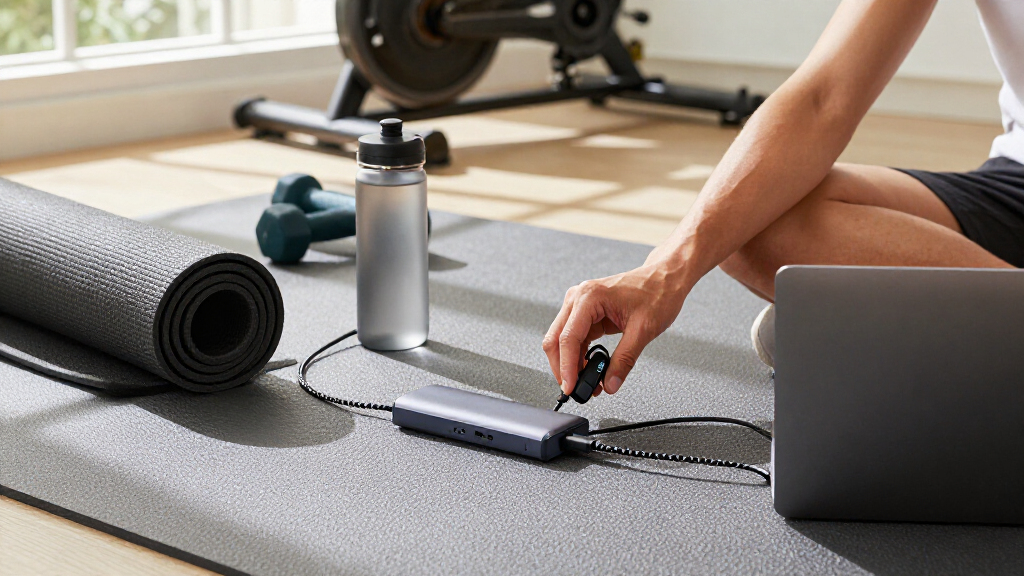

The best USB hubs for fitness enthusiasts make it easier to connect workout sensors, cameras, microphones, and other training gear to a computer without running out of ports. My best overall pick is the UGREEN 7-Port Powered USB 3.0 Hub with Individual Switches, which balances port count with control over connected devices. For mixed USB-C and USB-A gear, the Rosonway 7-Port Powered USB-C Hub stands out, while the compact Anker 4-Port USB 3.0 Hub suits a simple laptop setup. The main tradeoffs are how many ports you need, whether devices require external power, and whether a hub’s USB-C ports support data, charging, or both. Read on for the full breakdown and help matching a hub to your training setup.

Get the latest gadgets delivered free with Prime
- Fast, free delivery on millions of items
- Prime Video, Amazon Music and more included
- Member-only deals all year
Complete the kit



Key Takeaways
- Powered hubs suit busier training stations: The UGREEN, FIDECO, Atolla, and intpw powered models are better fits for several connected devices than compact bus-powered options.
- Port type matters as much as port count: The Rosonway and NEWQ combine USB-C and USB-A, while many other picks focus on USB-A.
- Individual switches add useful control: UGREEN and Atolla let users disconnect selected devices without unplugging cables, a practical distinction for a permanent workout desk.
- More ports can mean more desk clutter: The 15-port intpw and 15-in-1 Gitfos C1 offer broader connectivity, but compact four-port hubs are easier to place in a small training area.
- A hub is not automatically a charger or display dock: Check charging and video specifications separately; the Anker 7-in-1 lists 4K HDMI and card readers, while basic data hubs serve a narrower role.
| Anker 4-Port USB 3.0 Hub with 5Gbps Data Transfer |  | Best Compact Data Hub | Ports: 4 USB-A | Interface: USB 3.0 | Maximum data transfer rate: Up to 5Gbps | VIEW LATEST PRICE | See Our Full Breakdown |
| NEWQ 4-Port USB 3.0 Hub with 2 USB-C and 2 USB-A Ports |  | Best for Mixed-Connector Setups | Ports: 2 USB-C 3.0 and 2 USB-A 3.0 | Maximum data transfer rate: Up to 5Gbps | Cable length: 3.93 in | VIEW LATEST PRICE | See Our Full Breakdown |
| FIDECO 7-Port Powered USB Hub with 72W Adapter |  | Best for a Powered Training Desk | Total ports: 7 | Data ports: 2 USB-A and 2 USB-C | Maximum data transfer rate: Up to 10Gbps | VIEW LATEST PRICE | See Our Full Breakdown |
| ABFCRTTW 7-Port USB 3.0 Hub with 4 ft Cable |  | Best for a Widely Spaced USB-A Setup | Ports: 7 USB-A | USB interface: USB 3.0 | Maximum data transfer rate: Up to 5Gbps | VIEW LATEST PRICE | See Our Full Breakdown |
| UGREEN 7-Port Powered USB 3.0 Hub with Individual Switches |  | Best for Selective Peripheral Control | Ports: 5 USB-A and 2 USB-C | Interface: USB 3.0 | Maximum data transfer rate: 5Gbps shared | VIEW LATEST PRICE | See Our Full Breakdown |
| Rosonway 7-Port Powered USB-C Hub with 4 USB-C and 3 USB-A Ports |  | Best for USB-C Fitness Gear | Total ports: 7 | Port mix: 4 USB-C and 3 USB-A | Maximum data transfer rate: 10 Gbps | VIEW LATEST PRICE | See Our Full Breakdown |
| ACASIS 10-Port Powered USB 3.2 Hub with 5 USB-A and 5 USB-C Ports |  | Best for Large Training Setups | Total ports: 10 | Port mix: 5 USB-A 3.2 and 5 USB-C 3.2 | Maximum data transfer rate: 10 Gbps | VIEW LATEST PRICE | See Our Full Breakdown |
| Gitfos C1 15-in-1 Powered USB-C Hub, 10Gbps |  | Best for a Full Training Desk | Total ports: 15 | USB-C data ports: 2 USB 3.2 | USB-A data ports: 1 USB 3.2 and 7 USB 3.0 | VIEW LATEST PRICE | See Our Full Breakdown |
| intpw 15-Port Powered USB Hub with 10 Gbps Data Transfer and 45W Charging |  | Best for Data Plus Dedicated Charging | Total ports: 15 | Data port mix: 7 USB-C and 6 USB-A | Maximum data transfer rate: Up to 10 Gbps | VIEW LATEST PRICE | See Our Full Breakdown |
| FIDECO 7-Port USB 3.0 Hub with 4 ft Cable, 4 USB-A and 3 USB-C Ports |  | Best for Flexible Computer Compatibility | Total ports: 7 | Port mix: 4 USB-A and 3 USB-C | Maximum data transfer rate: 5 Gbps | VIEW LATEST PRICE | See Our Full Breakdown |
| 7-in-1 USB-C Hub with 10Gbps Data Transfer and Fast Charging |  | Best for Fast Charging and Workout File Transfers | Ports: 4 USB-A and 3 USB-C | Data ports: 2 USB-A and 2 USB-C | Maximum data transfer rate: Up to 10Gbps | VIEW LATEST PRICE | See Our Full Breakdown |
| UGREEN 4-Port USB 3.0 Hub, USB-A, 0.5 ft |  | Best Compact Travel Pick | Ports: 4 USB-A | Interface: USB 3.0 | Maximum data transfer rate: Up to 5Gbps | VIEW LATEST PRICE | See Our Full Breakdown |
| Atolla 7-Port USB 3.0 Powered Hub with Smart Charging Port and Individual Switches |  | Best for Managing a Fixed Training Station | Data ports: 7 USB 3.0 | Charging ports: 1 smart charging port, up to 2.4A | Maximum data transfer rate: Up to 5Gbps | VIEW LATEST PRICE | See Our Full Breakdown |
| Acer 4-Port USB 3.0 Hub with 2 ft Cable |  | Best for Flexible Desk Placement | USB-A ports: 4 | Maximum data transfer rate: Up to 5Gbps | Cable length: 2 ft | VIEW LATEST PRICE | See Our Full Breakdown |
| Anker 7-in-1 USB-C Hub with 4K HDMI, USB-A, USB-C, and SD/TF Card Reader |  | Best for Training Video and Media Workflows | Ports: 7 connection options | Video output: HDMI, up to 4K at 60Hz | Data ports: 2 USB-A 3.0 and 1 USB-C | VIEW LATEST PRICE | See Our Full Breakdown |
| USB hubs for fitness enthusiast | Maximum data transfer rate | Cable length |
|---|---|---|
| Anker 4-Port USB 3.0 Hub with | Up to 5Gbps | 0.7 ft |
| NEWQ 4-Port USB 3.0 Hub with 2 | Up to 5Gbps | 3.93 in |
| FIDECO 7-Port Powered USB Hub | Up to 10Gbps | — |
| ABFCRTTW 7-Port USB 3.0 Hub wi | Up to 5Gbps | 4 ft |
| UGREEN 7-Port Powered USB 3.0 | 5Gbps shared | 1 m (3.3 ft) |
| Rosonway 7-Port Powered USB-C | 10 Gbps | — |
| ACASIS 10-Port Powered USB 3.2 | 10 Gbps | — |
| Gitfos C1 15-in-1 Powered USB- | Up to 10 Gbps | — |
| intpw 15-Port Powered USB Hub | Up to 10 Gbps | 3 ft |
| FIDECO 7-Port USB 3.0 Hub with | 5 Gbps | — |
| 7-in-1 USB-C Hub with 10Gbps D | Up to 10Gbps | — |
| UGREEN 4-Port USB 3.0 Hub | Up to 5Gbps | 0.5 ft |
| Atolla 7-Port USB 3.0 Powered | Up to 5Gbps | 100 cm |
| Acer 4-Port USB 3.0 Hub with 2 | Up to 5Gbps | 2 ft |
| Anker 7-in-1 USB-C Hub with 4K | Up to 5Gbps | — |
More Details on Our Top Picks
Anker 4-Port USB 3.0 Hub with 5Gbps Data Transfer
For a fitness setup centered on syncing a watch, heart-rate monitor, or workout files, I’d pick the Anker 4-Port USB 3.0 Hub when portability matters more than charging. It turns one USB-A connection into four ports and supports transfers up to 5Gbps, making it a tidy way to connect compatible data devices without adding much bulk to a gym bag or desk. Unlike the powered UGREEN 7-Port Hub, it won’t supply power for several peripherals or offer individual switches; it also cannot charge connected devices. That keeps this option simple and light, but limits its usefulness for a station with many always-connected sensors or accessories. Its short cable suits close-by laptop placement, not a hub you need to position across a crowded training desk.
Pros:- Adds four USB-A ports to a single USB-A connection
- Supports data transfers up to 5Gbps
- Compact, lightweight design is easy to pack
- Designed for heat resistance and durability
Cons:- Does not charge connected devices
- USB-A ports only, with no direct USB-C connections
- Short 0.7 ft cable limits placement flexibility
Best for: Fitness enthusiasts who sync a few USB-A workout devices with a laptop and want a small, lightweight hub for travel.
Not ideal for: Anyone who needs to charge fitness devices from the hub, connect more than four peripherals, or place the hub far from the computer.
- Ports:4 USB-A
- Interface:USB 3.0
- Maximum data transfer rate:Up to 5Gbps
- Connector:USB-A
- Cable length:0.7 ft
- Dimensions:4.23 × 1.23 × 0.39 in
- Weight:1.28 oz
- Charging:Not supported
Our verdict“Choose this compact Anker if you mainly sync a handful of USB-A fitness devices and do not need hub-based charging.”
NEWQ 4-Port USB 3.0 Hub with 2 USB-C and 2 USB-A Ports
The NEWQ 4-Port Hub is a practical fit when a fitness kit mixes newer USB-C accessories with older USB-A devices. Its two ports of each type can transfer data simultaneously at up to 5Gbps, so you can connect compatible trackers and storage without carrying separate adapters. Compared with the all-USB-A Anker 4-Port Hub, NEWQ offers more connector flexibility, and its plug-and-play support spans Windows, macOS, Chrome OS, Linux, and Unix. The tradeoff is that this is a data hub, not a charging or display solution: it lacks PD charging and monitor output. Its short 3.93-inch cable also makes it best for a compact laptop setup rather than a hub that needs to sit beside a workout station.
Pros:- Combines two USB-C and two USB-A data ports
- Supports simultaneous transfers up to 5Gbps
- Plug-and-play operation requires no drivers
- Compatible with several major operating systems
Cons:- Does not support PD charging
- Does not support monitor output
- Very short cable restricts placement
Best for: Laptop users who sync both USB-C and USB-A fitness devices and want a lightweight, driver-free connection for data.
Not ideal for: People who need to charge phones or wearables from the hub, output to a monitor, or position it away from the host computer.
- Ports:2 USB-C 3.0 and 2 USB-A 3.0
- Maximum data transfer rate:Up to 5Gbps
- Cable length:3.93 in
- Dimensions:4.1 × 1.14 × 0.35 in
- Weight:0.04 kg
- Material:Plastic
- Compatibility:Windows 7 and later, macOS 10.12 and later, Chrome OS, Linux, Unix
- Charging and display:PD charging and monitor output not supported
Our verdict“Pick NEWQ over the all-USB-A Anker when your fitness gear uses a mix of USB-C and USB-A for data syncing.”
FIDECO 7-Port Powered USB Hub with 72W Adapter
When a training desk collects data devices, storage, and accessories that need separate power, the FIDECO 7-Port Powered Hub offers the most capability in this group. Four data ports—two USB-A and two USB-C—support up to 10Gbps, while a 72W adapter powers the hub’s connected peripherals. Two QC 3.0 ports and a 45W PD port add charging options, though the PD port is not recommended for charging laptops. That makes it more versatile for a stationary setup than the data-only ABFCRTTW 7-Port Hub, but also less suited to a light travel kit. The aluminum, angled, anti-slip body helps keep it planted on a desk. A potential nuisance: it may need a power cycle if the computer does not recognize it.
Pros:- Four data ports include both USB-A and USB-C
- Data ports support transfers up to 10Gbps
- Included 72W adapter powers connected peripherals
- Includes one 45W PD port and two QC 3.0 charging ports
Cons:- PD port is not recommended for charging laptops
- May need to be power-cycled if the host does not recognize it
- Powered design is less convenient for a minimalist travel kit
Best for: Fitness enthusiasts with a fixed laptop or desktop station who connect multiple workout-data devices and peripherals that benefit from hub power.
Not ideal for: Travelers seeking a minimal hub, or anyone expecting the PD port to serve as a laptop charger.
- Total ports:7
- Data ports:2 USB-A and 2 USB-C
- Maximum data transfer rate:Up to 10Gbps
- Charging ports:1 USB PD and 2 QC 3.0
- PD output:45W; not recommended for laptop charging
- QC 3.0 output:Up to 18W from one port; up to 9W per port when both are used
- Included power adapter:72W (24V/3A)
- Enclosure:Aluminum, angled anti-slip design
Our verdict“Choose FIDECO for a stationary fitness-data setup that needs faster data ports and dedicated peripheral power, not laptop charging.”
ABFCRTTW 7-Port USB 3.0 Hub with 4 ft Cable
The ABFCRTTW 7-Port Hub suits a desk where the computer and fitness accessories are not clustered together. Its 4 ft cable gives you more placement freedom than the short-cabled Anker and NEWQ hubs, and seven USB-A ports can keep a group of compatible workout peripherals connected at once. Transfers reach up to 5Gbps, but the hub is explicitly intended for data transmission rather than charging. That distinction makes it less useful than the powered FIDECO 7-Port Hub for a setup with power-hungry peripherals, even though both offer seven ports. The aluminum enclosure supports heat dissipation, but the listed USB-C port’s use is unclear; I would not choose it as a charging feature. This is a straightforward option for USB-A-heavy desks, not mixed-port or charging needs.
Pros:- Seven USB-A ports connect multiple peripherals
- Four-foot cable allows flexible placement
- Supports data transfer speeds up to 5Gbps
- Aluminum enclosure supports heat dissipation
Cons:- Does not support charging connected devices
- All seven data ports use USB-A
- The listed USB-C port’s supported use is unclear
Best for: Users with several USB-A fitness trackers, receivers, and storage devices who need a long cable to reach a convenient desk position.
Not ideal for: Anyone who needs hub-based charging, USB-C data connections, or a clearly specified USB-C function.
- Ports:7 USB-A
- USB interface:USB 3.0
- Maximum data transfer rate:Up to 5Gbps
- Cable length:4 ft
- Enclosure material:Aluminum
- Dimensions:1.2 × 0.66 × 5.3 in
- USB-C port:5V/3A; supported use not clearly detailed
- Power note:Data transmission only; charging not supported
Our verdict“Choose ABFCRTTW over short-cabled compact hubs when you need seven USB-A data connections and extra reach, but not charging.”
UGREEN 7-Port Powered USB 3.0 Hub with Individual Switches
The UGREEN 7-Port Hub stands apart for its individual on/off switches: I can leave frequently used fitness accessories attached and disable the ones I am not using without unplugging them. Its five USB-A and two USB-C ports cover a broader mix of data devices than the all-USB-A ABFCRTTW, and the included 24W adapter supports connected peripherals. That powered design suits a settled workout-data station, while the 1 m cable provides more placement room than the compact Anker or NEWQ. The main limitation is shared bandwidth: every port draws from an upstream connection capped at 5Gbps, so multiple active transfers divide that capacity. Per-port power can also decrease as more devices are connected, and the hub does not charge the host computer.
Pros:- Seven data ports include five USB-A and two USB-C
- Individual switches let users disable ports without unplugging devices
- Includes a 24W power adapter for connected peripherals
- One-meter cable allows flexible placement
Cons:- All ports share a 5Gbps upstream bandwidth limit
- Per-port power may decrease as more devices are connected
- Does not charge the host computer
Best for: Fitness enthusiasts who keep several USB-A and USB-C data devices connected at a desk and want switches to control them individually.
Not ideal for: People who need a hub to charge their laptop, expect full 5Gbps speeds on every port at once, or want a small travel-only adapter.
- Ports:5 USB-A and 2 USB-C
- Interface:USB 3.0
- Maximum data transfer rate:5Gbps shared
- Power adapter:24W
- Maximum single-port output:Up to 7.5W under suitable conditions
- Cable length:1 m (3.3 ft)
- Host connection:USB-A
- Host charging:Not supported
Our verdict“Choose UGREEN if you want a powered multi-device desk hub with individual switches, and can work within shared bandwidth and power limits.”
Rosonway 7-Port Powered USB-C Hub with 4 USB-C and 3 USB-A Ports
For a training desk crowded with USB-C heart-rate monitors, GPS watches, bike computers, and occasional USB-A accessories, the Rosonway RSH-H7C4 offers a useful mix without making you choose between connector types. All seven ports support up to 10 Gbps data, while the 36 W adapter powers the hub independently of the computer. Individual switches can help keep rarely used gear disconnected between workouts. Compared with the FIDECO 7-Port USB 3.0 Hub, Rosonway has faster data ports and more USB-C connections, but it is not a charging station: its USB-C output is limited to standard 1.5 A, with no PD charging or video output. I’d choose it for syncing several devices, not for fast-charging a phone or powering a laptop.
Pros:- Four USB-C and three USB-A data ports suit a mixed collection of fitness devices.
- Up to 10 Gbps transfer speeds across all ports can shorten large workout-file transfers.
- Included 36 W adapter powers the hub independently of the host computer.
- Individual switches and surge protection add control over connected accessories.
Cons:- USB-C ports provide standard 1.5 A charging only, with no USB PD.
- USB-C ports do not support video output.
- Its seven-port capacity is lower than the ten-port ACASIS for larger equipment setups.
Best for: Athletes with several USB-C wearables or training devices to sync alongside a few USB-A accessories.
Not ideal for: Buyers who want to fast-charge phones, charge a laptop, or connect an external display through the hub.
- Total ports:7
- Port mix:4 USB-C and 3 USB-A
- Maximum data transfer rate:10 Gbps
- Power adapter:36 W (12 V/3 A)
- Host cable:Detachable 3.3 ft USB-C cable
- USB-C charging:Standard 1.5 A; no PD charging
- Video output:Not supported
- Compatibility:Windows, macOS, Linux
Our verdict“Choose the Rosonway if your fitness setup is USB-C-heavy and focused on data syncing rather than fast charging.”
ACASIS 10-Port Powered USB 3.2 Hub with 5 USB-A and 5 USB-C Ports
When a workout station includes several sensors, watch docks, cameras, and older USB accessories, the ACASIS 10-port hub gives you room to leave more of them connected. Its evenly split five USB-A and five USB-C ports are a more expansive layout than the seven-port Rosonway, and every port supports up to 10 Gbps. The included 48 W adapter and individual switches make it a better fit for a permanent desk setup than a travel bag. The tradeoff is that its ports are for data and modest accessory power, not high-speed charging: per-port output is limited to 5 V/1.5 A, and there’s no video output. Compared with the intpw YH15, ACASIS offers more total connections, but lacks dedicated PD charging ports.
Pros:- Ten ports split evenly between USB-A and USB-C accommodate a broad mix of devices.
- Up to 10 Gbps data transfer supports quick syncing of large activity files.
- Included 48 W adapter and surge protection support a powered desktop arrangement.
- Individual switches let users disconnect accessories without pulling cables.
Cons:- Per-port power is limited to 5 V/1.5 A, so it is not suited to fast charging.
- Does not support video output.
- Larger port count makes it less suited to portable training kits than a compact hub.
Best for: Home gym users or coaches who keep many USB-A and USB-C trackers, docks, and peripherals connected at one workstation.
Not ideal for: People who need fast phone charging, USB-C display output, or a compact hub to carry between training locations.
- Total ports:10
- Port mix:5 USB-A 3.2 and 5 USB-C 3.2
- Maximum data transfer rate:10 Gbps
- Power adapter:48 W
- Per-port power:Up to 5 V/1.5 A
- Dimensions:6.3 × 2 × 0.7 in
- Housing:Aluminum alloy
- Video output:Not supported
Our verdict“Pick the ACASIS when keeping many mixed-generation fitness devices connected matters more than fast charging or portability.”
Gitfos C1 15-in-1 Powered USB-C Hub, 10Gbps
The Gitfos C1 suits a fitness workspace where one computer needs to connect to a collection of trackers, storage devices, and charging accessories at once. Its 15 ports combine data connections with dedicated charging ports, including a 100 W USB-C PD port; that makes it more versatile for charging accessories than the data-focused Rosonway and ACASIS hubs. Two USB 3.2 USB-C ports and one USB 3.2 USB-A port handle data at up to 10 Gbps, while additional USB-A ports expand the connection count. The angled aluminum body and non-slip feet help keep a busy desktop setup orderly. Its limits matter: the included 65 W adapter is required, it has no video output, and its charging ports are not recommended for computers or other high-power devices. I’d reserve it for a fixed station rather than a minimalist kit.
Pros:- Fifteen combined data and charging ports reduce the need for separate desk accessories.
- Dedicated USB-C PD charging reaches 100 W for compatible accessories.
- Angled aluminum housing with non-slip feet supports an organized desktop setup.
- Plug-and-play operation avoids installing drivers.
Cons:- Requires its included 65 W power adapter to operate.
- Does not support video output.
- Charging ports are not recommended for computers or other high-power devices.
Best for: Athletes or coaches building a stationary desk around multiple data devices, accessory chargers, and a computer.
Not ideal for: Traveling users who want a small hub, or anyone needing display output or a hub to charge a laptop.
- Total ports:15
- USB-C data ports:2 USB 3.2
- USB-A data ports:1 USB 3.2 and 7 USB 3.0
- Maximum data transfer rate:Up to 10 Gbps
- USB-C charging:1 × 100 W PD; 2 ports up to 45 W single or 20 W dual
- Power adapter:65 W DC
- Dimensions and weight:7.9 × 3.1 × 1.4 in; 290 g
- Video output:Not supported
Our verdict“Choose the Gitfos C1 for a fixed fitness workstation that needs many connections and accessory charging, but not display output or laptop charging.”
intpw 15-Port Powered USB Hub with 10 Gbps Data Transfer and 45W Charging
The intpw YH15 is a strong match for a training desk that needs many fast data connections without giving up dedicated phone or accessory charging. Thirteen ports handle data—seven USB-C and six USB-A—while two separate USB-C PD ports charge at up to 45 W each. That division is useful for keeping a heart-rate monitor, GPS watch, and workout storage connected while charging other gear. Compared with the Gitfos C1, intpw gives you more clearly defined high-speed data ports and a 100 W adapter, but Gitfos offers a broader assortment of charging connections. The intpw’s PD ports carry charging only, not data, and the hub cannot output video. Its angled, non-slip aluminum design is suited to a desk; the required adapter makes it less convenient for a light travel setup.
Pros:- Thirteen data ports provide a large mix of USB-C and USB-A connections.
- Two dedicated USB-C PD ports supply up to 45 W each for compatible devices.
- Included 100 W adapter supports the powered hub and connected accessories.
- Angled aluminum housing, anti-slip feet, and over-current and over-voltage protection suit desktop use.
Cons:- The two PD ports charge devices but do not transfer data.
- Does not support video output.
- Requires its power adapter, adding another component to a portable setup.
Best for: Serious home gym users who need many high-speed device connections plus dedicated charging for phones or compatible accessories.
Not ideal for: Buyers who need video output, want charging and data through the same PD ports, or prefer a bus-powered travel hub.
- Total ports:15
- Data port mix:7 USB-C and 6 USB-A
- Maximum data transfer rate:Up to 10 Gbps
- USB-C PD charging:2 ports, up to 45 W each
- Power adapter:100 W (20 V/5 A)
- Cable length:3 ft
- Design:28-degree angled triangular aluminum housing with anti-slip feet
- Video output:Not supported
Our verdict“Pick the intpw YH15 if you need a large bank of fast data ports and separate USB-C charging for compatible accessories.”
FIDECO 7-Port USB 3.0 Hub with 4 ft Cable, 4 USB-A and 3 USB-C Ports
The FIDECO 7-port hub is the straightforward pick for athletes who mainly need to connect and sync devices, with a longer cable and support for both USB-C and USB-A host computers. Its attached USB-A adapter means you can move it between a newer laptop and an older desktop without hunting for another cable. The seven data ports offer a practical mix of four USB-A and three USB-C, though the 5 Gbps maximum is slower than the 10 Gbps Rosonway or ACASIS. That difference matters most when moving large workout-video files, not for routine tracker syncing. FIDECO does not charge connected devices, and its optional 15 W auxiliary adapter is not included. Compared with the powered Rosonway, it is less capable for a heavily populated desk but offers a simpler host connection and a longer cable.
Pros:- Four USB-A and three USB-C data ports support a mixed device collection.
- Four-foot host cable and attached USB-A adapter work with USB-C or USB-A computers.
- Angled design keeps ports visible and accessible on a desktop.
- Plug-and-play compatibility includes Windows, macOS, and Linux.
Cons:- Maximum transfer rate is 5 Gbps, below the 10 Gbps Rosonway and ACASIS.
- Does not charge connected devices.
- Optional 5 V/3 A auxiliary adapter is not included and may be needed for multiple or power-hungry devices.
Best for: Athletes who switch between USB-A and USB-C computers and need an affordable-feeling, data-only connection point for trackers and accessories.
Not ideal for: Users who want to charge devices, regularly transfer large files at higher speeds, or connect many power-hungry accessories.
- Total ports:7
- Port mix:4 USB-A and 3 USB-C
- Maximum data transfer rate:5 Gbps
- Host cable:4 ft USB-C cable with attached USB-A adapter
- Auxiliary power input:USB-C, 5 V/3 A (15 W); adapter not included
- Charging:Does not support charging
- Dimensions and weight:6.3 × 1.9 × 1.2 in; 0.12 kg
- Compatibility:USB-C or USB-A computers; Windows, macOS, Linux
Our verdict“Choose the FIDECO if host-computer flexibility and a longer cable matter more than fast transfers or device charging.”
7-in-1 USB-C Hub with 10Gbps Data Transfer and Fast Charging
For a fitness setup that needs to charge a phone or earbuds while moving workout files, this hub combines four data ports rated up to 10Gbps with dedicated QC 18W and PD 45W charging. Its angled, non-slip design keeps connections accessible beside a laptop or training console. Compared with the Anker 7-in-1 USB-C Hub, it gives charging and data more emphasis, while Anker adds HDMI and SD/TF readers for video and media workflows. The tradeoff is that this model has no video output, and its charging ports cannot transfer data. Fast charging also depends on the included power adapter; when both QC ports are used, each is limited to up to 9W. I’d choose it for mixed charging and fast data, not for a display-based setup.
Pros:- Four data ports support transfer speeds up to 10Gbps.
- Dedicated USB-A QC and USB-C PD ports charge compatible devices.
- Angled body and non-slip base keep ports easy to reach and the hub steady.
- Included cable and adapter support USB-C or USB-A host connections.
Cons:- Charging requires the included power adapter.
- Charging ports do not transfer data, and data ports do not output video.
- Using both QC ports limits each to up to 9W.
Best for: Fitness coaches or athletes who regularly move large training videos and need dedicated ports to charge a phone or accessories.
Not ideal for: People who want one hub for an external monitor, card readers, and data connections; this hub has no video output or card slots.
- Ports:4 USB-A and 3 USB-C
- Data ports:2 USB-A and 2 USB-C
- Maximum data transfer rate:Up to 10Gbps
- Charging:2 USB-A QC ports up to 18W; 1 USB-C PD port up to 45W
- Host connection:USB-C or USB-A
- Power adapter:24V/3A
- Design:34° angled with non-slip silicone strip
- Compatibility:Windows, macOS, and Linux
Our verdict“Choose this hub if fast file transfers and dedicated device charging matter more than video output or card-reader convenience.”
UGREEN 4-Port USB 3.0 Hub, USB-A, 0.5 ft
This small hub suits athletes who carry a laptop between home, a gym, and competitions and only need extra USB-A connections for a mouse, keyboard, or flash drive. At 33 g with a 0.5 ft cable, it adds little bulk, and plug-and-play setup avoids another app or driver. Its 5Gbps transfer rate is enough for common peripherals, though it falls short of the faster data ports on the 7-in-1 USB-C Hub with 10Gbps Data Transfer and Fast Charging. That larger model also offers charging ports, which this UGREEN does not. The compact size comes with a clear limitation: there are no USB-C ports, external power input, or video output. I’d pick it as a basic travel companion, not as the center of a charging or streaming station.
Pros:- Four USB-A ports expand a single host connection.
- Compact 33 g body is easy to pack.
- Plug-and-play operation requires no added drivers or software.
- Works with a broad range of operating systems and USB-A devices.
Cons:- USB-A ports only, with no USB-C connectivity.
- No dedicated charging ports or external power input.
- Plastic enclosure offers less of a metal-bodied feel than the Anker 7-in-1 USB-C Hub.
Best for: Traveling athletes with a USB-A laptop who need a light hub for a mouse, keyboard, and occasional flash drive.
Not ideal for: People with USB-C-only devices or anyone who needs fast charging, video output, or powered support for several demanding peripherals.
- Ports:4 USB-A
- Interface:USB 3.0
- Maximum data transfer rate:Up to 5Gbps
- Cable length:0.5 ft
- Dimensions:3.1 × 0.8 × 0.3 in
- Weight:33 g
- Enclosure:Plastic
- Compatibility:Windows, macOS, Linux, Chrome OS, laptops, desktops, Xbox Series, PS5, and car systems
Our verdict“Pick this lightweight hub for basic USB-A peripherals on the move, but skip it if your fitness kit needs USB-C charging or display connections.”
Atolla 7-Port USB 3.0 Powered Hub with Smart Charging Port and Individual Switches
For a home gym desk or coaching workstation with several USB accessories, the Atolla offers seven data ports, an extra smart-charging port, and individual switches. Turning off a connected device at the hub can make a busy setup easier to manage without repeatedly unplugging cables. It includes a 5V/4A power adapter, unlike a simple bus-powered travel hub such as the UGREEN 4-Port USB 3.0 Hub. The Atolla is also larger and heavier, so it makes more sense on a stationary desk than in a gym bag. Its data ports still share one upstream USB connection, which can limit combined throughput when several devices transfer files at once. The charging port is rated up to 2.4A, but it is not a substitute for the higher-wattage PD charging on the 7-in-1 USB-C model.
Pros:- Seven USB 3.0 data ports connect multiple peripherals.
- Individual on/off switches give direct control over each port.
- Included 5V/4A adapter powers the hub.
- Separate smart-charging port provides up to 2.4A.
Cons:- All seven data ports share one upstream USB connection.
- Plastic enclosure and 256 g weight make it less suited to travel.
- Smart charging is limited to 2.4A and does not match the PD charging on the 7-in-1 USB-C Hub.
Best for: Athletes or coaches with a fixed PC-based training station and multiple USB accessories they want to switch on and off individually.
Not ideal for: Traveling users or anyone seeking USB-C data ports, high-wattage device charging, or separate bandwidth for simultaneous transfers.
- Data ports:7 USB 3.0
- Charging ports:1 smart charging port, up to 2.4A
- Maximum data transfer rate:Up to 5Gbps
- Power adapter:5V/4A
- Cable length:100 cm
- Dimensions:6.2 × 1.69 × 0.9 in
- Weight:256 g
- Features:Individual on/off switches, indicator light, plug and play, and hot swapping
Our verdict“Choose the Atolla for a powered, switch-controlled desk setup with many USB-A accessories, not for portable or high-speed multi-device workflows.”
Acer 4-Port USB 3.0 Hub with 2 ft Cable
The Acer’s 2 ft cable is its practical advantage for fitness setups: it can reach a laptop placed on a treadmill desk or a nearby workstation without forcing the hub to sit right beside the host port. Four USB-A ports handle everyday accessories, and the slim, lightweight body is easy to move between a laptop and a training console. Compared with the UGREEN 4-Port USB 3.0 Hub, Acer gives you a longer cable and a power input for steadier hard-drive transfers. That input is USB-C power only; it does not add data or charge connected devices, and the power source is not included. Like UGREEN, it lacks USB-C data ports and charging outputs. I’d favor Acer when reach matters, but not for a self-contained travel kit.
Pros:- Two-foot cable allows flexible placement around a desk or training station.
- Four USB-A ports support common peripherals.
- Slim, lightweight design includes an LED indicator.
- USB-C power input can support stable hard-drive transfers when a separate 5V source is connected.
Cons:- USB-C port supplies power only and does not transfer data or charge devices.
- A separate 5V USB-C power source may be needed for stable hard-drive transfers and is not included.
- No USB-C data ports or dedicated device-charging ports.
Best for: People connecting a laptop or console to USB-A accessories across a desk or workout station where a short cable would be awkward.
Not ideal for: Users who want a powered hub ready to go out of the box, USB-C data connections, or charging output for phones and wearables.
- USB-A ports:4
- Maximum data transfer rate:Up to 5Gbps
- Cable length:2 ft
- Power input:5V USB-C
- USB-C port function:Power input only
- Dimensions:4.13 × 1.18 × 0.35 in
- Weight:1.6 oz
- Compatibility:Desktops, gaming consoles, laptops, tablets; ChromeOS, Linux, and Windows 11
Our verdict“Pick Acer when extra cable reach matters more than portability or built-in charging, and plan to supply USB-C power for demanding drives.”
Anker 7-in-1 USB-C Hub with 4K HDMI, USB-A, USB-C, and SD/TF Card Reader
Fitness creators who review form on a larger screen or move footage from a camera will get more from this hub than from a basic port expander. It combines 4K HDMI at 60Hz, SD and TF card slots, USB data ports, and laptop power delivery in a compact metal body. Compared with the 7-in-1 USB-C Hub with 10Gbps Data Transfer and Fast Charging, Anker trades faster data and dedicated accessory-charging ports for video output and card readers. Its data connections are rated up to 5Gbps, and the USB-C data port does not output video; only HDMI does. The host device must support DP Alt Mode, and a charger for the PD input is not included. I’d choose it for a USB-C laptop-based video workflow, not for charging several peripherals.
Pros:- HDMI supports video output up to 4K at 60Hz.
- SD and TF slots simplify transfers from cameras and other media devices.
- Supports laptop charging up to 85W through a 100W PD input.
- Compact metal enclosure weighs 67 g.
Cons:- Requires a USB-C host that supports DP Alt Mode for video.
- Only HDMI outputs video; the USB-C port is for data only.
- Charger is not included, and laptop charging is limited to up to 85W.
Best for: Fitness instructors and athletes who connect a USB-C laptop to a monitor and import workout footage from SD or TF cards.
Not ideal for: People using a USB-A-only host, devices without DP Alt Mode, or anyone needing multiple high-speed data ports and dedicated phone or accessory charging.
- Ports:7 connection options
- Video output:HDMI, up to 4K at 60Hz
- Data ports:2 USB-A 3.0 and 1 USB-C
- Maximum data transfer rate:Up to 5Gbps
- Card slots:SD and TF
- Power delivery:100W PD input; laptop charging up to 85W
- Compatibility:USB-C devices with DP Alt Mode and Power Delivery; USB4 and Thunderbolt 3/4/5
- Dimensions and weight:5.17 × 1.46 × 0.47 in; 67 g
Our verdict“Choose Anker for a USB-C laptop training setup that needs a monitor connection and camera-card access, rather than dedicated fast charging for several devices.”
How We Picked
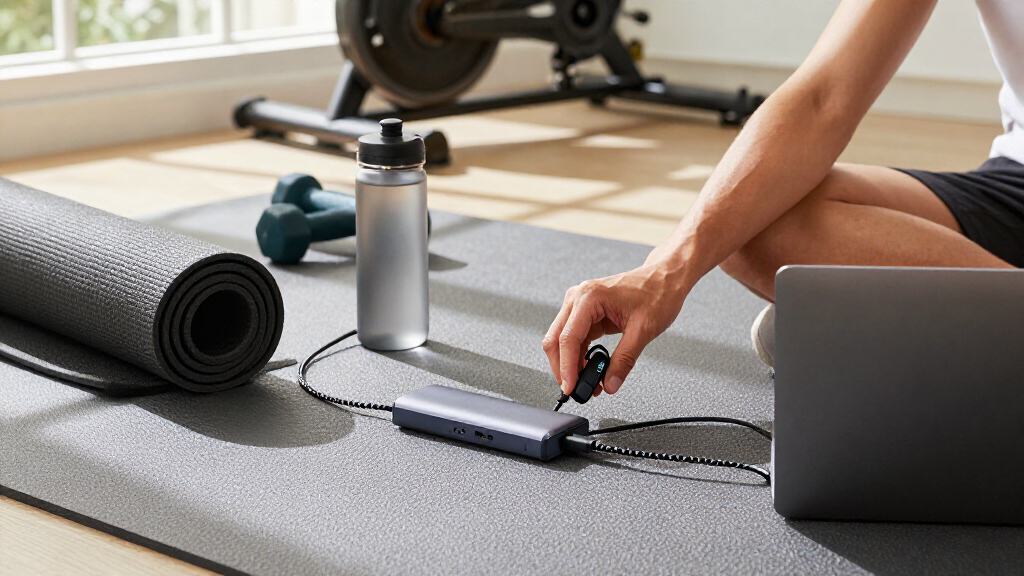
I ranked these hubs by how well their stated features match common fitness setups: connecting a laptop to sensors, cameras, microphones, storage, and other workout accessories. I gave more weight to useful port combinations, power support for several devices, practical cable reach, and controls that reduce routine unplugging. I also considered whether a model serves a clear role, from a compact four-port hub to a larger desk-based hub or a USB-C adapter with added display and card-reader functions.
The ranking favors balanced, flexible choices over the largest port count alone. That puts the powered UGREEN with individual switches near the top for a stable multi-device station, while compact Anker and UGREEN four-port models make more sense for lighter setups. Larger options such as the Gitfos C1 and intpw can connect more gear, but their extra capacity is only useful when buyers need it; a hub’s advertised charging, data, or video capabilities should also be checked against the devices it will serve.
Factors to Consider When Choosing Best USB Hubs For Fitness Enthusiasts
Fitness setups range from a laptop and one sensor to a full recording station with cameras, audio gear, and storage. I’d start with the devices you use at the same time, then check how they connect and draw power. These choices matter more than choosing the hub with the biggest number on its packaging.
Count devices you use at once, not every device you own
List the equipment that must stay connected during a typical workout or recording session: perhaps a heart-rate receiver, camera, microphone, and external drive. Add one spare port for occasional accessories, but avoid paying in desk space and cable clutter for a port count you will rarely use. A four-port hub can be a better fit for a laptop cart or small workout corner, while a seven-port model gives a growing setup room to expand. The 10- and 15-port options make more sense for a dedicated recording or coaching station with several peripherals. Check whether the hub’s ports are all usable at once and whether any are reserved for charging or other functions. Planning around simultaneous use prevents both undersizing and overbuying.
Match power delivery to the equipment
USB ports can share power limits, and a hub that works well with a keyboard may not suit multiple power-hungry accessories. Powered models include an external adapter, which can help when several devices draw power or when a laptop’s available output is limited. That does not mean every powered hub charges a laptop or delivers fast charging to every port; those are separate capabilities that need explicit support. Bus-powered hubs keep the setup simpler and more portable, but they may be less suitable for a collection of active devices. Check the power requirements of cameras, storage drives, and charging accessories before choosing. A common mistake is treating a large port count as proof that every connected device will receive adequate power.
Choose USB-C and USB-A for the gear you actually own
Inventory the plugs on your laptop and fitness accessories before choosing a hub. USB-A remains common on sensors, receivers, and older peripherals, while newer laptops and devices may rely on USB-C. Mixed-port models such as the Rosonway and NEWQ can reduce adapter clutter when a setup includes both standards. Still, USB-C describes the connector shape, not a guaranteed speed, charging level, or video output. Read the port specifications and distinguish data ports from charging ports. If your gear is mostly USB-A, a USB-C-heavy hub may leave useful capacity unused.
Treat data speed and video output as separate requirements
Fast data transfer is most useful when moving workout footage, backing up recordings, or using external storage; simple sensors may not benefit much from higher bandwidth. A hub’s advertised data rate is shared across its connections, so several active devices can compete for throughput. If you want to connect an external monitor to review training footage, confirm that the hub explicitly supports video output and that your laptop’s USB-C port can send a display signal. The Anker 7-in-1 lists 4K HDMI, but basic USB hubs should not be assumed to offer display output. Card readers can also reduce accessory clutter for camera workflows, though they add little for buyers who rarely transfer memory cards. Match these features to an actual task rather than choosing them just because they are listed.
Plan the hub’s location and cable reach
A hub placed beside a laptop is convenient for a portable setup, while a permanent training station may need a longer cable to reach a desk edge or equipment shelf. Short leads can keep a compact workspace tidy but may pull against connected cables if the hub sits farther away. A longer cable offers more placement flexibility, yet it can add slack to manage around exercise equipment and moving parts. Keep the hub and its power adapter away from sweat, water bottles, and foot traffic; ordinary USB hubs are not workout-proof devices. Think about where cables will run before choosing a model, especially if the station is shared or moved between rooms. Good placement can make a modest hub easier to live with than a larger model in the wrong spot.
Pay for controls and extras only when they solve a routine problem
Individual port switches can be handy when you want to disconnect a sensor or accessory without removing its cable, but they are less useful for devices that stay connected continuously. A smart charging port, card reader, or HDMI output can replace separate accessories when those functions are part of your workflow. Extra controls and ports also bring more components to place and manage. For a beginner with one or two accessories, a straightforward four-port hub is often easier to set up than a powered multiport model. For a coach or creator who records sessions and moves files often, added ports and media connections may simplify the desk. Choose based on repeated tasks, not a feature list alone.
Frequently Asked Questions
Do I need a powered USB hub for fitness sensors and recording gear?
Not always. A small setup with low-power sensors and a receiver may work well from a bus-powered hub, while several cameras, storage devices, or charging accessories can make external power more useful. A powered hub such as the UGREEN, FIDECO, or Atolla models can reduce reliance on the laptop’s available USB power. Check each device’s power needs and the hub’s specifications rather than assuming the adapter supports every port equally. If the hub will stay at a dedicated training station, the added adapter may be a reasonable trade for a more capable setup.
Can I charge my phone or sports watch from any USB hub?
No. Some hubs are designed mainly for data, and their ports may provide limited charging power or share power across connected devices. A listed charging port or charging wattage gives more useful evidence, but confirm that it matches the device and cable you plan to use. Also distinguish charging accessories from hubs that can charge a laptop through USB-C power delivery. If charging is a main purpose, compare the stated output for the specific port rather than relying on the hub’s total power-adapter rating.
Will a USB hub let me connect my laptop to a workout monitor?
Only if the hub supports video output and the laptop’s USB-C port can send a display signal. A standard USB data hub does not gain HDMI capability simply because it has USB-C connectors. The Anker 7-in-1 in this roundup lists 4K HDMI, making it the more relevant option for a monitor-based training desk. Before buying, check the monitor connection, supported resolution, and laptop compatibility. If you only need to attach sensors and storage, a video-capable hub may add features you will not use.
Is a 10- or 15-port hub a better choice for a home gym?
It is better only when you have enough devices to use those ports together. A large hub can suit a coaching or video-recording station with cameras, microphones, drives, and receivers, but it takes more space and usually adds more cables or power equipment. For a laptop and a few sensors, a four- or seven-port model can keep the setup simpler. Count the devices that must stay connected during one session, not the accessories stored in a drawer. Leave a little room for future gear without making unused capacity the main reason to buy.
What should I check before connecting a hub to a treadmill or exercise bike?
Check whether the machine exposes a compatible USB connection and what that port is intended to do; a service or firmware port may not support general accessories. Do not assume a hub can make a treadmill’s USB port function as a computer host. For a laptop-based setup, connect the hub to the laptop and keep it clear of sweat, vibration, and moving parts. Confirm cable length and route cables so they cannot catch on pedals or belts. If you need the hub close to the machine, favor placement and cable management over a very high port count.
Conclusion
For most dedicated workout desks, I’d choose the UGREEN 7-Port Powered USB 3.0 Hub with Individual Switches as the best overall balance of capacity, external power, and device control. For a budget-minded, lightweight setup, the Anker 4-Port USB 3.0 Hub is the best value-style pick when four ports are enough; beginners who want a simple, compact option can also start with the UGREEN 4-Port USB 3.0 Hub. The Gitfos C1 15-in-1 is the best premium-style choice for a busy station that needs broad connectivity, while the Rosonway 7-Port Powered USB-C Hub suits mixed USB-C and USB-A gear. Choose the Anker 7-in-1 if HDMI and card-reader access matter more than a large number of dedicated USB ports. My final advice is to buy for the devices you connect at once, then verify power, data, and video support separately.