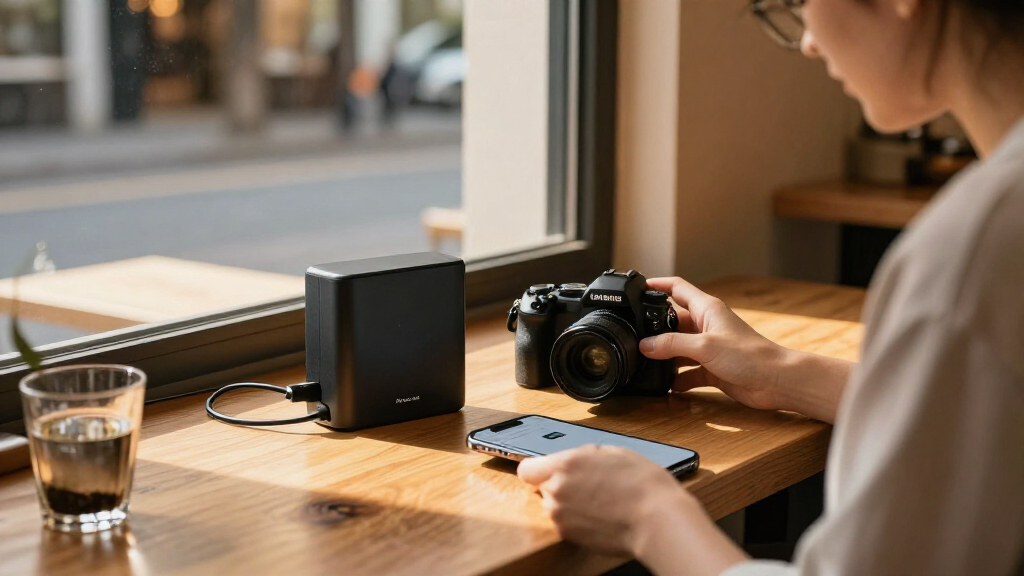

Choosing among the best portable WiFi NAS devices comes down to how you move files: from camera cards in the field, from a drive shared over a travel network, or from a compact battery-powered hub. I rank the STATIONPC PA100 Pro first for its combination of Wi-Fi 6, SD and CFexpress card slots, and lighter build. The PocketCloud PA100 is the more flexible backup station, particularly if its dock-based expansion appeals to you, while the NEWQ AC750 is a simpler way to make USB storage available over Wi-Fi without buying an NVMe SSD.

Get the latest gadgets delivered free with Prime
- Fast, free delivery on millions of items
- Prime Video, Amazon Music and more included
- Member-only deals all year
These products are not interchangeable. The two STATIONPC units are diskless portable NAS devices with batteries and M.2 NVMe storage, so you supply the SSD and manage a self-contained file hub. NEWQ is primarily a travel router and wireless file hub that shares storage you plug into it. I weigh portability, card-reader usefulness, network flexibility, storage expansion, and the practical limits behind each spec. The right choice depends less on a headline capacity figure than on what you need to connect and how long you expect to work away from a power source.
Complete the kit



Key Takeaways
- I rank the STATIONPC PA100 Pro first for photographers who want onboard SD and CFexpress Type B slots, Wi-Fi 6, and a 370 g body.
- The PocketCloud PA100 has the broadest stated backup options, but Ethernet needs its matching Dock and the listed weight is 722 g.
- The NEWQ AC750 is the only pick here that shares storage from an external drive or card rather than using an included M.2 drive bay.
- Both STATIONPC models are diskless and list up to six hours of continuous battery use, so plan for an SSD and charging breaks.
- Choose by workflow: direct camera-card ingestion favors the PA100 Pro, dock-based expansion favors the PocketCloud, and basic travel-network sharing favors NEWQ.
| STATIONPC PA100 Pro Portable NAS |  | Best Overall for Camera-First Portability | Storage: M.2 NVMe SSD slot; SSD not included | Wireless: Wi-Fi 6 | Card slots: SD 4.0 and CFexpress Type B | VIEW LATEST PRICE | See Our Full Breakdown |
| STATIONPC PocketCloud PA100 Portable NAS, Up to 8TB |  | Best for Flexible Backup and Dock Expansion | Storage: M.2 NVMe, up to 8TB; up to 16TB with matching Dock | Drive interface: PCIe x4 | Wireless: Wi-Fi 6 and Bluetooth | VIEW LATEST PRICE | See Our Full Breakdown |
| NEWQ AC750 Travel Router and Wireless File Hub |  | Best Value-Style Pick for Reusing Existing Storage | Wi-Fi: Dual-band 2.4 GHz and 5 GHz; Wi-Fi 5 | Maximum data transfer rate: 1300 Mbps listed | Upstream rate: 144 Mbps listed | VIEW LATEST PRICE | See Our Full Breakdown |
| portable WiFi NAS device | Storage | Wireless | Battery | Stated runtime |
|---|---|---|---|---|
| STATIONPC PA100 Pro Portable N | M.2 NVMe SSD slot; SSD not included | Wi-Fi 6 | Two replaceable 3200mAh batteries | Up to 6 hours continuous use; up to 20 days standby |
| STATIONPC PocketCloud PA100 Po | M.2 NVMe, up to 8TB; up to 16TB with matching Dock | Wi-Fi 6 and Bluetooth | Two replaceable 3200mAh batteries | Up to 6 hours continuous use; up to 20 days standby |
| NEWQ AC750 Travel Router and W | — | — | — | — |
More Details on Our Top Picks
STATIONPC PA100 Pro Portable NAS
The PA100 Pro earns my top place because it brings the most useful direct-ingest connections into the lightest listed package. Its SD 4.0 and CFexpress Type B slots let a compatible camera user copy card contents without carrying a separate reader, while its M.2 NVMe slot creates a local storage target rather than relying on an attached USB drive. At 370 g, it is also substantially lighter on paper than the PocketCloud PA100, which is listed at 722 g. That difference matters when the NAS is one of several items already packed for a shoot.
Wireless access uses Wi-Fi 6, and the unit adds USB 3.0, a monitoring LCD, and encrypted P2P remote access. The stated AI photo organization, including face and scene recognition, gives this model a software-oriented advantage over the PocketCloud, whose described emphasis is on multiple backup routes, controls, and expansion through a Dock. Those features may help users sort a growing photo library, though buyers should check that the software workflow suits their devices and privacy preferences rather than treating AI tagging as a substitute for a clear backup plan.
There are real limits. The SSD is not included, so the device is not ready to store a full shoot straight out of the box. The listed continuous runtime is up to six hours, matching the PocketCloud rather than extending the time away from a charger. Its card selection is excellent for supported camera media but does not include the PocketCloud’s stated Bluetooth and broader backup-method list. Compared with NEWQ, the Pro is a more self-contained storage hub, but it requires buying and fitting an NVMe drive instead of reusing a USB disk or flash drive. I would pick it for a compact camera workflow, not as a universal replacement for every kind of shared storage.
Pros:- Direct SD 4.0 and CFexpress Type B card slots suit camera-card backups.
- Listed weight of 370 g makes it the lightest option in this lineup.
- Wi-Fi 6, USB 3.0, and encrypted P2P remote access provide several ways to reach files.
- AI photo organization adds face and scene recognition for sorting images.
Cons:- M.2 NVMe SSD is not included, adding a separate storage purchase and setup step.
- Continuous battery use is listed at up to six hours.
- The listed specifications do not state a maximum SSD capacity.
Best for: Photographers and video creators who want a compact, battery-powered hub with direct SD and CFexpress Type B ingestion and Wi-Fi 6 file access.
Not ideal for: Buyers who want storage included, need a stated capacity ceiling before choosing an SSD, or mainly want a low-complexity router that shares an existing USB drive.
- Storage:M.2 NVMe SSD slot; SSD not included
- Wireless:Wi-Fi 6
- Card slots:SD 4.0 and CFexpress Type B
- Other port:USB 3.0
- Battery:Two replaceable 3200mAh batteries
- Stated runtime:Up to 6 hours continuous use; up to 20 days standby
- Weight:370 g
- Security:Encrypted P2P remote access and isolated sub-accounts
Our verdict“I recommend the PA100 Pro first for camera-focused travelers who value built-in card slots and low carry weight more than included storage.”
STATIONPC PocketCloud PA100 Portable NAS, Up to 8TB
The PocketCloud PA100 is the strongest fit for buyers who want several ways to feed files into one portable device. It supports backup from SD cards, USB drives, Wi-Fi 6, hotspot mode, and Ethernet when paired with the Dock. That mix is broader than the Pro’s specified list of SD and CFexpress Type B slots plus USB 3.0, although the Pro has the advantage of naming CFexpress support and weighing less. If a trip involves phones, laptops, removable cards, and a wired connection at a base location, the PocketCloud’s range of inputs is appealing.
Its M.2 NVMe slot supports up to 8TB according to the listing, with expansion to 16TB using the matching Dock. That creates a clearer capacity path than the Pro listing, which does not give a maximum SSD size. It also has an LCD and control knob, one-click backup, local account storage, and stated SSL and asymmetric encryption support. These features make the PocketCloud feel oriented toward managing backups directly on the device, while NEWQ leans more toward sharing attached storage as part of a travel network.
The tradeoffs are practical rather than hidden. The Dock is needed for Ethernet backup and the expanded capacity configuration, so the headline flexibility depends on carrying or acquiring an extra accessory. The unit is listed at 722 g, nearly twice the Pro’s 370 g, and it still has a stated maximum continuous runtime of six hours. Like both STATIONPC picks, it is diskless: an NVMe SSD must be supplied separately. I would choose it over the Pro when backup-method variety and the stated Dock expansion matter more than minimizing weight; I would choose the Pro when a lighter pack and CFexpress ingestion are the priorities.
Pros:- Supports backup from SD card, USB, Wi-Fi 6, hotspot mode, and Ethernet with the Dock.
- M.2 NVMe storage supports up to 8TB, with a stated Dock expansion path to 16TB.
- LCD, control knob, and one-click backup support hands-on operation.
- Replaceable batteries and USB-C PD charging suit portable use.
Cons:- Ethernet backup requires the matching Dock.
- The 722 g listed weight is much higher than the PA100 Pro’s 370 g.
- SSD is not included, and continuous battery use is listed at up to six hours.
Best for: Travelers and creators who want multiple backup routes, a built-in screen and controls, and a defined expansion path through the matching Dock.
Not ideal for: People prioritizing the lightest carry, buyers who do not want to depend on an extra Dock for Ethernet or expansion, and anyone expecting an SSD in the box.
- Storage:M.2 NVMe, up to 8TB; up to 16TB with matching Dock
- Drive interface:PCIe x4
- Wireless:Wi-Fi 6 and Bluetooth
- Backup methods:SD card, USB drive, Wi-Fi 6, AP mode, Ethernet with Dock
- Battery:Two replaceable 3200mAh batteries
- Stated runtime:Up to 6 hours continuous use; up to 20 days standby
- Weight:722 g
- Display and controls:LCD and control knob
Our verdict“I would choose the PocketCloud PA100 when varied backup inputs and Dock-based expansion outweigh its heavier build and accessory dependence.”
NEWQ AC750 Travel Router and Wireless File Hub
The NEWQ AC750 is a different sort of portable NAS: it is a travel router that makes connected storage available over Wi-Fi, not a battery-powered NVMe NAS with its own drive bay. Attach an external hard drive, USB flash drive, or SD card, then use the device to access and transfer files wirelessly. That approach can be appealing if you already own storage and want to share it among compatible devices while traveling. It avoids the separate NVMe installation required by both STATIONPC models.
Its three modes—Access Point, Router, and Bridge—give it a network role beyond file sharing. It supports both 2.4 GHz and 5 GHz Wi-Fi bands, and management is available through a web browser or optional app. Compared with the PocketCloud, NEWQ is less focused on standalone backup controls and stated high-capacity internal storage; compared with the PA100 Pro, it lacks built-in camera-card slots as a dedicated ingest setup. Its strength is using an existing drive while serving as a flexible travel-network accessory.
The key limitation is transfer performance, especially for buyers who expect a fast wired link. The listing specifies a 100 Mbps LAN port and a maximum upstream transfer rate of 144 Mbps. Those figures make it a less compelling choice for repeated large video transfers or workloads where wired throughput is a priority. It also uses Wi-Fi 5 rather than the Wi-Fi 6 listed for the STATIONPC devices. The information provided does not state an onboard battery or a continuous runtime, so I would not assume it has the same self-powered field use as either PA100. I place it third because it offers useful network modes and storage sharing, but it is the least like a self-contained portable NAS.
Pros:- Shares files from external hard drives, USB flash drives, and SD cards.
- Access Point, Router, and Bridge modes adapt to different network setups.
- Dual-band 2.4 GHz and 5 GHz Wi-Fi offers more choice than single-band access.
- Web-browser management is available without installing the optional app.
Cons:- The 100 Mbps LAN port limits wired network speed.
- Wi-Fi 5 is older than the Wi-Fi 6 listed for both STATIONPC devices.
- No onboard battery runtime is specified in the supplied product details.
Best for: Travelers who already carry a USB drive, flash drive, or SD card and want to share its files wirelessly while adding router or bridge functions.
Not ideal for: Photographers who need direct CFexpress ingestion, users who want an internal NVMe drive, or anyone prioritizing higher-speed wired transfers and clearly specified battery operation.
- Wi-Fi:Dual-band 2.4 GHz and 5 GHz; Wi-Fi 5
- Maximum data transfer rate:1300 Mbps listed
- Upstream rate:144 Mbps listed
- LAN port:100 Mbps
- Router modes:Access Point, Router, and Bridge
- Storage connections:External hard drive, USB flash drive, and SD card
- Management:Web browser or optional app
- Power:5 V
Our verdict“I recommend the NEWQ AC750 when wireless access to storage you already own matters more than a self-contained battery-powered NAS.”
How We Picked
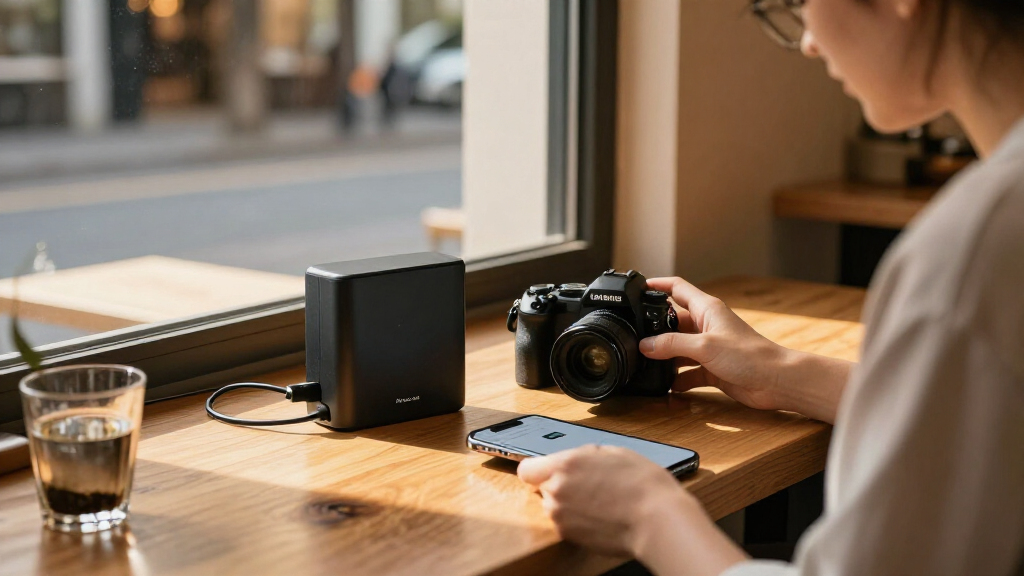
I compared these three devices as portable WiFi storage tools, not as conventional desktop NAS systems. A portable unit has to make sense away from a fixed network and power outlet, so I gave weight to battery operation, wireless access, physical size, and the kinds of media a buyer can connect directly. I also separated products that hold an internal SSD from products that share external storage, since those designs bring different setup steps and limitations.
Storage flexibility was another key dividing line. The PA100 and PA100 Pro accept an M.2 NVMe SSD, but neither listing includes one. The PocketCloud description gives a capacity of up to 8TB and says a matching Dock can expand it to 16TB. The Pro listing describes an M.2 slot without a stated maximum capacity, so I do not treat its capacity as equal to the PocketCloud’s specified figure. NEWQ instead supports external hard drives, USB flash drives, and SD cards; that is convenient when you already have media, but it means your storage remains a separate item to carry.
I compared network features by their use, not just their labels. Wi-Fi 6 on the STATIONPC models points to a newer wireless standard, while NEWQ offers dual-band Wi-Fi 5 and three router modes. Its stated 100 Mbps LAN port and 144 Mbps upstream figure are relevant constraints for wired or upstream transfers. Finally, I looked for tradeoffs buyers can act on: required accessories, stated battery runtime, weight, card-slot selection, and whether setup relies on an app or can be handled in a browser. The ranking reflects the strongest fit for a broad portable-storage workflow first, then specialized alternatives.
| portable WiFi NAS device | Storage | Wireless |
|---|---|---|
| STATIONPC PA100 Pro Portable N | M.2 NVMe SSD slot; SSD not included | Wi-Fi 6 |
| STATIONPC PocketCloud PA100 Po | M.2 NVMe, up to 8TB; up to 16TB with matching Dock | Wi-Fi 6 and Bluetooth |
| NEWQ AC750 Travel Router and W | — | — |
Factors to Consider When Choosing Best Portable WiFi NAS Devices
I would choose a portable WiFi NAS by starting with the transfer workflow, then checking storage, battery, and network limits. These three devices share files wirelessly, but only two are described as diskless M.2 NAS units with replaceable batteries; NEWQ is a router-style hub that shares storage connected to it.Decide Whether You Want Internal or Attached Storage
The PA100 Pro and PocketCloud PA100 both use an M.2 NVMe SSD slot, which lets you keep the storage and wireless hub together in one unit. Neither listing includes the SSD, so account for drive selection, installation, and capacity before treating either NAS as ready for a trip. The PocketCloud gives a stated capacity of up to 8TB and describes expansion to 16TB through its matching Dock. The Pro’s supplied details do not specify a maximum capacity, so check compatibility for the SSD you plan to use.
NEWQ takes the opposite approach: it shares an external drive, flash drive, or SD card. This can reuse gear you already own and avoids choosing an internal NVMe drive, but the storage remains a separate object in your bag and connected to the hub. I would favor NEWQ for occasional access to existing media and an STATIONPC unit for a more integrated storage setup.
Match Card Slots to Your Camera Workflow
For camera users, direct card ingestion can remove an accessory and a connection step. The PA100 Pro names SD 4.0 and CFexpress Type B slots, giving it the clearest fit for creators using those card formats. PocketCloud supports SD-card backup, but its listed details do not name a CFexpress slot. NEWQ can access an SD card, though it is designed around external storage sharing rather than a dedicated camera-backup workflow.
Check the exact cards your camera uses before choosing. A built-in slot only helps when it matches the media you carry, and a card slot does not itself establish how quickly a particular backup will finish. If you use CFexpress Type B, the Pro is the most direct match here. If your workflow mixes SD, USB storage, and wireless backups, PocketCloud offers a wider stated set of input paths.
Read Battery Claims as a Field-Use Limit
Both STATIONPC models list two replaceable 3200mAh batteries, USB-C PD charging, up to six hours of continuous use, and up to 20 days on standby. The six-hour figure is the more useful number for an active transfer day; standby time does not mean the device can run file transfers for weeks. Replaceable batteries can make longer outings easier to plan, but the supplied details do not specify a transfer workload behind the runtime claim.
NEWQ’s provided specifications list 5 V power but do not state an onboard battery or runtime. I would treat it as a router-style hub whose power arrangements need checking for your planned use, rather than assume it matches the battery-operated PA100 devices. If you need a NAS to work away from a power source, the two STATIONPC picks have the clearer documented case.
Choose Wireless and Wired Features for Your Transfers
Both STATIONPC models list Wi-Fi 6, while NEWQ uses dual-band Wi-Fi 5. The newer standard may suit a current-device setup, but actual transfer performance also depends on client devices, interference, distance, storage, and the file task. I would not infer a guaranteed transfer time from the Wi-Fi generation alone.
NEWQ’s three network modes are its distinct advantage: Access Point, Router, and Bridge can help it fit into different travel or home arrangements. Its 100 Mbps LAN port and 144 Mbps upstream figure are meaningful constraints if you expect to move large folders over a wired connection or use a fast upstream path. PocketCloud adds Ethernet backup only with its matching Dock, so include that accessory in the decision if a wired connection is central to your setup.
Think About Carry Weight and Setup
The listed weights create a clear portability split: 370 g for the PA100 Pro and 722 g for PocketCloud. Those figures do not include the SSD, cables, charger, Dock, or additional external storage. The Pro is the lighter choice for a camera bag, while PocketCloud trades a heavier listed body for its LCD, control knob, broad backup options, and Dock expansion path.
NEWQ’s supplied details do not state a weight, so compare its complete setup—including the hub, power source, and attached drive—rather than judging the hub alone. Setup style matters too: the STATIONPC units describe app-based or device-level workflows, with PocketCloud emphasizing a screen and physical control. NEWQ can be managed through a browser, a useful alternative when installing another app is inconvenient.
Treat Security and Remote Access as Workflow Features
PocketCloud lists local account storage plus SSL and asymmetric encryption support. PA100 Pro lists encrypted P2P remote access and isolated sub-accounts. These features can matter when files are sensitive or multiple people share a device, but they are not interchangeable security guarantees. I would check how accounts, remote access, updates, and sharing permissions work in the current software before storing private work.
The supplied NEWQ details focus on router modes and wireless file access, without comparable security specifications. That does not establish that it lacks security features; it means the information here does not support a direct feature match. For any portable NAS, use strong credentials, keep firmware current, and be deliberate about what is shared when the device is connected to a public or unfamiliar network.
Make the Final Choice by Your Main Job
For camera-card backups in a light kit, I would start with the PA100 Pro because it is the only listed model with CFexpress Type B support and the lowest stated weight. For varied backup inputs and a defined Dock expansion path, PocketCloud is more persuasive despite its extra weight and accessory dependence. For a travel router that exposes storage you already carry, NEWQ is the specialist choice, though its wired speed limits and lack of a stated battery runtime make it less suitable as a stand-alone field NAS.
Before buying, confirm SSD compatibility for an STATIONPC model, whether the required Dock is part of your plan, and whether your phone, computer, or camera can use the file-access workflow. A portable NAS is most useful when it reduces steps in a specific routine. Choose the device that fits that routine rather than paying attention only to a capacity or wireless-generation label.
Frequently Asked Questions
What is the difference between a portable WiFi NAS and a travel router with file sharing?
A portable WiFi NAS is generally centered on storing and organizing files on a device that other clients can reach wirelessly. The PA100 Pro and PocketCloud PA100 follow that pattern with M.2 NVMe slots and replaceable batteries. NEWQ is described primarily as a travel router and wireless file hub: it shares storage that you connect, such as a USB drive or SD card, while also offering Access Point, Router, and Bridge modes. The best fit depends on whether you want a self-contained storage hub or a network accessory that reuses storage you already own.
Do the STATIONPC PA100 Pro and PocketCloud PA100 include an SSD?
No. Both STATIONPC listings describe the devices as diskless, with an M.2 NVMe SSD slot and no SSD included. You need to select and install a compatible drive before relying on either as your storage destination. PocketCloud specifies up to 8TB and describes expansion to 16TB with its matching Dock; the PA100 Pro details provided here do not state a maximum capacity. Check current compatibility information before choosing a drive.
Which device is the better choice for backing up camera cards?
The PA100 Pro is the clearest match for camera users who need both SD 4.0 and CFexpress Type B card slots. PocketCloud also lists SD-card backup among its methods, while NEWQ supports SD-card access as part of its external-storage approach. If you use CFexpress Type B, the Pro is the only one in this group that specifically lists that slot. Confirm your card format and the intended backup steps before choosing.
Can I use these devices for a full workday without charging?
The PA100 Pro and PocketCloud PA100 each list up to six hours of continuous use, plus up to 20 days of standby. Those figures do not establish that either will run transfers for a full working day, since active use depends on workload and conditions. Their replaceable batteries and USB-C charging may help with longer outings, but plan for charging or spare batteries if your session could exceed the stated continuous runtime. The supplied NEWQ details do not give an onboard battery runtime.
Which portable WiFi NAS should I choose for travel?
I would choose the PA100 Pro for a light camera kit and direct SD or CFexpress backups, PocketCloud for varied backup connections and a Dock-based expansion option, and NEWQ when the main goal is sharing an existing external drive while adding travel-router modes. The Pro is the lightest listed option, PocketCloud has the broadest stated backup-method set, and NEWQ is the only router-first design. Match your choice to the storage you already own, your card formats, and whether battery-powered operation is a must.
Conclusion
My recommendation depends on the job. For photographers who want direct SD and CFexpress Type B ingestion in a lighter body, I would choose the STATIONPC PA100 Pro, while planning separately for an NVMe SSD. For travelers who need several ways to feed files into one hub and value a stated Dock expansion path up to 16TB, the PocketCloud PA100 is the better fit if its weight and Dock requirement are acceptable. If you already carry a drive and want a device that adds wireless file access plus router modes, NEWQ AC750 is the practical alternative, provided its 100 Mbps LAN limit works for your transfers.
Before deciding, compare the full kit rather than the device alone: the SSD or external drive, any required Dock, charging gear, and compatible cards all affect portability. I would start with the PA100 Pro for the broadest camera-first use, move to PocketCloud for more varied backup inputs, and choose NEWQ only when reusing attached storage and network flexibility are the main priorities.