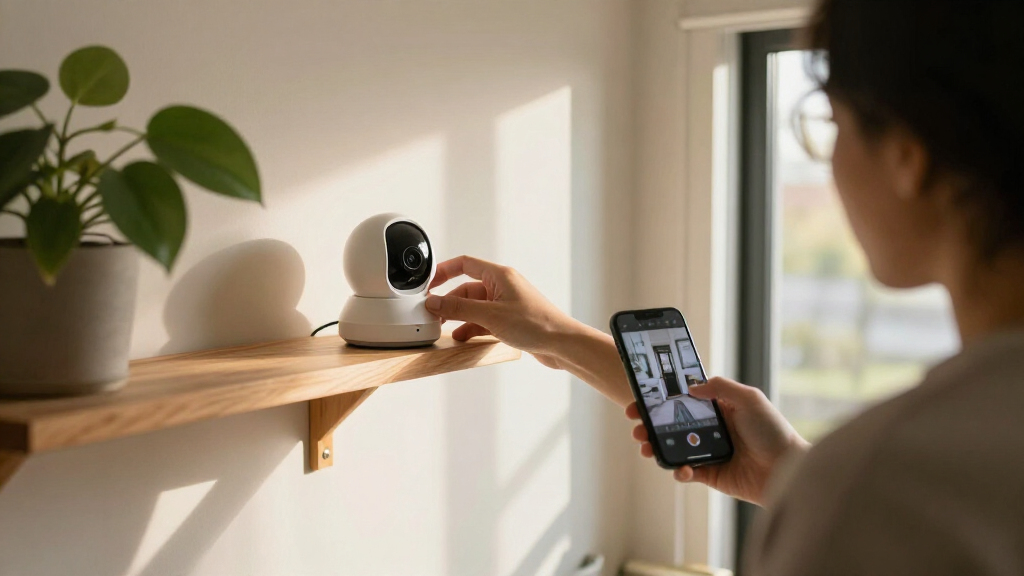

The best Apple home security cameras balance dependable monitoring with the way you use Apple Home, and my best overall pick is the Aqara 4MP Camera Hub G5 Pro Wi-Fi for its camera-and-hub versatility. The Logitech Circle View is a strong choice for a weatherproof outdoor setup, while the Aqara Camera Hub G5 Pro PoE suits buyers who prefer a wired network connection. The main tradeoffs are HomeKit Secure Video support, indoor versus outdoor placement, power and installation needs, and whether you want one camera or a broader smart-home hub. I also weigh how clearly each option fits an Apple-centered home rather than treating image resolution alone as the deciding factor. Read on for the full comparison and advice on choosing the right setup.

Get the latest gadgets delivered free with Prime
- Fast, free delivery on millions of items
- Prime Video, Amazon Music and more included
- Member-only deals all year
Complete the kit



Key Takeaways
- Aqara’s G5 Pro models stand out for flexibility: the Wi-Fi version is easier to place, while the PoE version is a better match for a fixed wired installation.
- Apple compatibility needs a closer look than a Works with HomeKit label: check the exact camera’s support for HomeKit Secure Video and which features depend on Aqara, eufy, or Eve apps.
- Outdoor use changes the shortlist: the Logitech Circle View and Aqara G100 are designed for outdoor placement, while indoor-only models should not be exposed to weather.
- Camera features and hub features are different priorities: Aqara‘s hub-equipped cameras can add smart-home connectivity, but buyers who only need video may not benefit from that extra hardware.
- The eufy three-camera pack is the multi-room outlier: it provides several viewpoints in one purchase, but a bundle is less useful if you only need to monitor one carefully chosen area.
| Aqara 4MP Camera Hub G5 Pro Wi-Fi Security Camera | 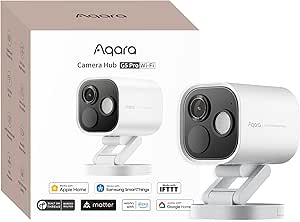 | Best Overall Apple HomeKit Hub Camera | Resolution: 4MP | Field of view: 133° | Night vision: True-color; no infrared light | VIEW LATEST PRICE | See Our Full Breakdown |
| Aqara 2K Indoor Security Camera E1 with HomeKit Secure Video |  | Best for Private Indoor Coverage | Resolution: 2304 × 1296 pixels (2K) | Viewing movement: 360° pan and tilt | Night vision: 940nm infrared, up to 10 meters | VIEW LATEST PRICE | See Our Full Breakdown |
| Aqara G100 2K Indoor/Outdoor Security Camera, White |  | Best Value for Indoor and Outdoor Flexibility | Resolution: 2304 × 1296 pixels (3MP) | Field of view: 140° | Lens aperture: f/1.8 | VIEW LATEST PRICE | See Our Full Breakdown |
| Aqara G350 Indoor Security Camera, 4K Dual-Lens with Matter and Zigbee Hub |  | Best Premium Indoor Camera | Lenses: 133° 4K wide-angle and 2.5K telephoto | Zoom: 9× hybrid | Movement: 360° pan and tilt | VIEW LATEST PRICE | See Our Full Breakdown |
| Logitech Circle View Weatherproof Wired Home Security Camera |  | Best for a Wide, Simple HomeKit View | Compatibility: Apple HomeKit Secure Video | Resolution: 1080p | Field of view: 180° | VIEW LATEST PRICE | See Our Full Breakdown |
| Aqara Camera Hub G5 Pro PoE – 4MP Security Camera with True Color Night Vision |  | Best for a Wired Apple Home Hub | Resolution: 4MP (1520p) | Field of view: 133 degrees | Night vision: True Color with 3000K spotlight; no IR | VIEW LATEST PRICE | See Our Full Breakdown |
| eufy Security Indoor Cam E30 (3-Pack), 4K Pet/Baby/Nanny Camera, 360° Pan Tilt, AI Auto Tracking, Color Night Vision, Two-Way Audio, AI Human/Pet Detection, Works with HomeKit |  | Best Multi-Room Pick | Pack size: 3 cameras | Resolution: 4K wide-angle and 2K telephoto cameras | Coverage: 360-degree pan and tilt | VIEW LATEST PRICE | See Our Full Breakdown |
| Eve Cam Smart Indoor Camera |  | Best for HomeKit Secure Video Privacy | Video resolution: 1080p | Field of view: 147 degrees | Frame rate: 25 or 30 fps | VIEW LATEST PRICE | See Our Full Breakdown |
| Apple home security camera | Resolution | Night vision | Connectivity | Field of view |
|---|---|---|---|---|
| Aqara 4MP Camera Hub G5 Pro Wi | 4MP | True-color; no infrared light | — | 133° |
| Aqara 2K Indoor Security Camer | 2304 × 1296 pixels (2K) | 940nm infrared, up to 10 meters | Wi-Fi 6, 2.4GHz only | — |
| Aqara G100 2K Indoor/Outdoor S | 2304 × 1296 pixels (3MP) | Spotlight color and 940nm infrared | Wi-Fi 6, 2.4GHz, and Bluetooth | 140° |
| Aqara G350 Indoor Security Cam | — | — | Wi-Fi, Bluetooth, Zigbee, and Thread; 2.4GHz and 5GHz | — |
| Logitech Circle View Weatherpr | 1080p | Infrared, up to 15 feet | 2.4GHz Wi-Fi (802.11 b/g/n) | 180° |
| Aqara Camera Hub G5 Pro PoE | 4MP (1520p) | True Color with 3000K spotlight; no IR | PoE Ethernet or USB-C (5V/2A) | 133 degrees |
| eufy Security Indoor Cam E30 | 4K wide-angle and 2K telephoto cameras | Color night vision with spotlight and infrared night vision | — | — |
| Eve Cam Smart Indoor Camera | — | — | Wi-Fi, Bluetooth | 147 degrees |
More Details on Our Top Picks
Aqara 4MP Camera Hub G5 Pro Wi-Fi Security Camera
The Aqara Camera Hub G5 Pro Wi-Fi is my strongest all-round pick for Apple households that also want a broader smart-home hub. Its HomeKit Secure Video support pairs with 4MP video, a 133° view, and true-color night vision, while onboard detection covers people, faces, vehicles, animals, packages, and selected sounds. Compared with the Logitech Circle View, it offers higher resolution and more local smart-home functions, though Logitech’s 180° view covers more of a single scene. The built-in Zigbee and Thread hub, encrypted storage, and RTSP support make it more versatile than a camera-only choice. The tradeoff is fixed USB-C power and no infrared night vision: its color night view relies on available light and the dimmable spotlight. HomeKit Secure Video also needs an active iCloud subscription and Apple home hub.
Pros:- 4MP video and 133° field of view provide more detail than the Logitech Circle View’s 1080p image.
- True-color night vision and a dimmable spotlight can show useful color detail in low light.
- Built-in detection covers several visual events and selected abnormal sounds.
- Combines encrypted onboard storage, RTSP, and Aqara Zigbee and Thread hub functions.
Cons:- Requires a wired 5V/2A USB-C power connection, limiting placement.
- Has no infrared night vision; color night viewing uses the spotlight.
- HomeKit Secure Video requires an active iCloud subscription and an Apple home hub.
Best for: Apple households that want one wired outdoor-capable camera to handle HomeKit recording, local storage, and Aqara Zigbee or Thread devices.
Not ideal for: Buyers who need a battery camera, infrared night vision without visible lighting, or a camera that works with HomeKit Secure Video without an iCloud subscription and Apple home hub.
- Resolution:4MP
- Field of view:133°
- Night vision:True-color; no infrared light
- AI detection:7 visual detection types and 4 abnormal sound detection types
- Smart-home protocols:Aqara Zigbee and Thread
- Storage:Built-in encrypted 8GB eMMC; Aqara Cloud and RTSP also supported
- Wi-Fi:Dual-band 2.4GHz and 5GHz; WPA3
Our verdict“Choose the G5 Pro Wi-Fi if you want a feature-rich HomeKit camera that can also serve as an Aqara smart-home hub.”
Aqara 2K Indoor Security Camera E1 with HomeKit Secure Video
The Aqara Camera E1 is a sensible indoor pick for buyers who want a camera that can follow activity around a room but also has a clear privacy routine. Its 360° pan and tilt can cover more than a fixed camera such as the Logitech Circle View, and the lens can pivot away when privacy is preferred. On-device AI supports local automation, while 2K video and infrared night vision suit everyday monitoring without a visible light. Storage flexibility is another advantage: it supports microSD recording as well as encrypted cloud services. The main compromise is its strictly indoor design; unlike the Aqara G100, it is not weather-resistant. It also uses 2.4GHz Wi-Fi only, and the required 5V/2A USB-A power adapter is not included, so check your network and power setup before choosing it.
Pros:- 360° pan-and-tilt viewing can cover a room more fully than a fixed-angle camera.
- Automated lens pivoting gives a physical privacy cue when monitoring is not wanted.
- 2K video and 940nm infrared night vision support clear, discreet indoor monitoring.
- Supports local microSD recording up to 512GB and encrypted cloud storage.
Cons:- IP20 housing is not water-resistant and limits use to dry indoor spaces.
- Wi-Fi is 2.4GHz only, with no 5GHz band.
- The required 5V/2A USB-A power supply is not included.
Best for: Apartment residents and families who want pan-and-tilt coverage, quiet infrared night vision, and a lens that can turn away for privacy.
Not ideal for: Anyone needing outdoor coverage, 5GHz Wi-Fi, or a complete setup with the power adapter included.
- Resolution:2304 × 1296 pixels (2K)
- Viewing movement:360° pan and tilt
- Night vision:940nm infrared, up to 10 meters
- Connectivity:Wi-Fi 6, 2.4GHz only
- Storage:MicroSD up to 512GB; encrypted cloud
- Compatibility:HomeKit, Alexa, IFTTT, and Aqara Home
- Power:Corded 5V/2A; power adapter not included
- Water resistance:IP20; not water-resistant
Our verdict“Pick the E1 for flexible, privacy-conscious indoor coverage, but choose the G100 if the camera needs to work outdoors.”
Aqara G100 2K Indoor/Outdoor Security Camera, White
The Aqara G100 is a flexible choice for Apple households that want one camera model for a covered porch, garage, or indoor room. Its IP65-rated housing and two night-vision modes make it more adaptable than the indoor-only Aqara Camera E1: infrared can keep illumination discreet, while the spotlight can provide color night viewing. It also supports HomeKit Secure Video, local person and motion detection, and microSD or NAS storage. The 140° view is wider than the G5 Pro Wi-Fi’s 133° view, although the G100’s 3MP video is a step below that model’s 4MP resolution. Setup has a few catches: it needs 2.4GHz Wi-Fi, the adapter and microSD card are not included, and night-vision modes must be enabled manually in the app. Some features also depend on a subscription or compatible hub.
Pros:- IP65 housing supports indoor and outdoor placement, unlike the indoor-only Aqara E1.
- Offers both spotlight color night vision and 940nm infrared night vision.
- Supports HomeKit Secure Video, local motion and person detection, and RTSP.
- MicroSD and NAS options allow recording without relying solely on cloud storage.
Cons:- Connects to 2.4GHz Wi-Fi only.
- Power adapter and microSD card are not included.
- Night-vision modes require manual selection, and some features depend on a subscription or compatible hub.
Best for: Apple users who need an adaptable, weather-resistant camera for a sheltered outdoor spot or an indoor room, with local storage options.
Not ideal for: Buyers who need 5GHz Wi-Fi, included power and storage accessories, or night-vision modes that switch automatically.
- Resolution:2304 × 1296 pixels (3MP)
- Field of view:140°
- Lens aperture:f/1.8
- Night vision:Spotlight color and 940nm infrared
- Connectivity:Wi-Fi 6, 2.4GHz, and Bluetooth
- Storage:MicroSD up to 512GB or NAS
- Power:DC 5V/1A adapter required; not included
Our verdict“Choose the G100 if you want a versatile HomeKit camera for indoor or outdoor use and can supply its power adapter and storage card.”
Aqara G350 Indoor Security Camera, 4K Dual-Lens with Matter and Zigbee Hub
The Aqara G350 is the premium indoor option for buyers who want more than room-wide monitoring. Its 4K wide-angle and 2.5K telephoto lenses work together with 9× hybrid zoom, giving it a closer view than the single-lens Aqara Camera E1. Pan-and-tilt movement and on-device person, pet, face, gesture, and sound recognition make it suited to tracking activity across a room, while a physical mode retracts the lens for privacy. It also supports HomeKit and Matter, plus Aqara Zigbee and Thread devices, so it can take on some hub duties. The tradeoffs are its indoor-only, tabletop design and the Aqara Home app requirement for full pan-tilt controls and close-up tracking. Local microSD storage is supported, but the card is sold separately.
Pros:- Dual wide-angle and telephoto lenses combine room coverage with close-up detail.
- 9× hybrid zoom and 360° pan-and-tilt can follow activity around an indoor space.
- On-device AI recognizes people, pets, faces, gestures, and sounds.
- Physical lens-retraction mode, HomeKit support, and Aqara Zigbee and Thread hub functions add privacy and smart-home flexibility.
Cons:- Designed for indoor tabletop use rather than outdoor or wall-mounted installation.
- Full pan-tilt controls and close-up tracking require the Aqara Home app.
- MicroSD card is not included, and Zigbee hub support is limited to Aqara Zigbee devices.
Best for: Apple smart-home owners seeking a premium indoor camera with zoomed-in views, pan-and-tilt tracking, and a physical privacy mode.
Not ideal for: Buyers who need weatherproof outdoor coverage, wall mounting, or full camera controls from Apple Home alone.
- Lenses:133° 4K wide-angle and 2.5K telephoto
- Zoom:9× hybrid
- Movement:360° pan and tilt
- Frame rate:20 fps
- Connectivity:Wi-Fi, Bluetooth, Zigbee, and Thread; 2.4GHz and 5GHz
- Smart-home support:Matter, Apple HomeKit, Alexa, Google Home, and SmartThings
- Storage:MicroSD up to 512GB, NAS, or optional encrypted cloud storage
- Privacy and mounting:Physical lens-retraction mode; tabletop mount
Our verdict“Choose the G350 if zoom, tracking, and an integrated Aqara hub matter more than outdoor placement or app-independent controls.”
Logitech Circle View Weatherproof Wired Home Security Camera
The Logitech Circle View suits Apple households that want a dedicated HomeKit Secure Video camera with a broad, fixed view and straightforward privacy controls. Its 180° field of view takes in more of one scene than the Aqara G5 Pro Wi-Fi’s 133° view, making it useful for a porch or a wide room where pan-and-tilt is not needed. The tilt-down privacy position and rear switch also make it easy to stop streaming and recording. Unlike the Aqara G100, however, this model records at 1080p and offers motion-only alerts, so it is less suited to buyers who want richer event detection or local storage choices. Its IP64 housing supports outdoor use, but the indoor USB power supply still needs to reach the camera, and compatibility is limited to Apple HomeKit.
Pros:- 180° field of view covers a wider scene than the Aqara G5 Pro Wi-Fi’s 133° view.
- Tilt-down privacy position and rear switch can stop streaming and recording.
- IP64-rated body supports indoor and outdoor placement.
- Infrared night vision reaches up to 15 feet.
Cons:- 1080p resolution is lower than the 2K Aqara G100 and 4MP Aqara G5 Pro Wi-Fi.
- Alerts are motion-only, with no listed person, pet, or vehicle detection.
- Indoor USB power supply limits placement, and the camera is designed exclusively for Apple HomeKit.
Best for: Apple users who want a fixed, wide-angle view for a covered outdoor area and prefer dedicated HomeKit controls over cross-platform support.
Not ideal for: Buyers who need higher-resolution footage, person or pet detection beyond motion alerts, local storage options, or placement far from indoor power.
- Compatibility:Apple HomeKit Secure Video
- Resolution:1080p
- Field of view:180°
- Night vision:Infrared, up to 15 feet
- Connectivity:2.4GHz Wi-Fi (802.11 b/g/n)
- Power:Indoor USB power supply
- Alerts:Motion only
Our verdict“Pick the Circle View for a wide, weatherproof HomeKit view if 1080p video and indoor-powered placement fit your setup.”
Aqara Camera Hub G5 Pro PoE – 4MP Security Camera with True Color Night Vision
The Aqara Camera Hub G5 Pro PoE is the strongest fit here for buyers who want an outdoor-ready camera and a wired smart-home hub in one device. Its 4MP video and 133-degree view cover more area than the Eve Cam’s 1080p indoor view, while the spotlight produces color night footage rather than relying on infrared. Local AI detection and built-in eMMC storage give it options beyond cloud recording, and its Thread, Zigbee, and Matter-bridge functions can support a broader Apple Home setup. That versatility comes with a more involved installation: PoE needs compatible Ethernet equipment, and there is no battery or infrared night mode. Compared with the Wi-Fi version of the G5 Pro, this model suits homes where a wired connection is practical and preferred.
Pros:- 4MP resolution and a 133-degree field of view provide detailed coverage across a broad area
- True Color Night Vision uses a dimmable 3000K spotlight for color footage in low light
- Local AI detection and 8GB eMMC storage offer functions that do not depend entirely on an internet connection
- Zigbee, Thread, and Matter-bridge support adds smart-home hub capability
Cons:- PoE installation requires compatible equipment, while USB-C still requires a constant wired power source
- No infrared night vision; low-light color visibility depends on the spotlight
- Does not support third-party Zigbee devices or Zigbee2MQTT dongles
Best for: Apple Home users who want an IP65-rated camera, wired power, local detection, and a Thread or Zigbee hub in one installation
Not ideal for: Renters or anyone without a nearby wired connection or PoE equipment, and buyers who need discreet infrared night vision without a spotlight
- Resolution:4MP (1520p)
- Field of view:133 degrees
- Night vision:True Color with 3000K spotlight; no IR
- Connectivity:PoE Ethernet or USB-C (5V/2A)
- Hub protocols:Zigbee, Thread, Matter bridge
- Storage:8GB eMMC, Aqara Cloud, RTSP
- Weather resistance:IP65
- Dimensions:3.98 x 2.87 x 3.86 inches
Our verdict“Choose this G5 Pro if you can provide wired power and want a versatile Apple Home camera that also serves as a local smart-home hub.”
eufy Security Indoor Cam E30 (3-Pack), 4K Pet/Baby/Nanny Camera, 360° Pan Tilt, AI Auto Tracking, Color Night Vision, Two-Way Audio, AI Human/Pet Detection, Works with HomeKit
This three-camera E30 bundle is the practical choice for Apple Home households that need to watch several indoor rooms rather than maximize privacy-first HomeKit Secure Video features. Its pan-and-tilt coverage, movement tracking, and two-camera 4K/2K zoom system make it more adaptable for following activity than the fixed-view Eve Cam. On-device detection can distinguish people, pets, sounds, and crying, while two-way audio helps with checking in remotely. Color and infrared night modes give it more flexibility after dark than the G5 Pro PoE’s spotlight-dependent night vision. The tradeoff is a more feature-dense setup across three cameras, and the supplied details only say it works with HomeKit; they do not specify HomeKit Secure Video support. Buyers who prioritize Apple’s encrypted recording workflow may prefer the Eve Cam.
Pros:- Three cameras can cover separate rooms without buying individual units
- Pan-and-tilt movement and AI auto tracking follow activity beyond a fixed camera view
- Dual-camera system combines 4K wide-angle and 2K telephoto views with up to 8x hybrid zoom
- Color and infrared night vision, two-way audio, and on-device detection suit varied indoor monitoring
Cons:- Indoor-only design does not suit entryways or exposed outdoor areas
- The product information says it works with HomeKit but does not confirm HomeKit Secure Video support
- Pan-and-tilt cameras need placement with clear movement space and may be more than needed for a single fixed view
Best for: Apple Home households that want to monitor multiple indoor rooms, track pets or children, and use pan-and-tilt views
Not ideal for: Buyers who need outdoor cameras or specifically require confirmed HomeKit Secure Video recording and its Apple-managed encryption features
- Pack size:3 cameras
- Resolution:4K wide-angle and 2K telephoto cameras
- Coverage:360-degree pan and tilt
- Zoom:Up to 8x hybrid zoom
- Night vision:Color night vision with spotlight and infrared night vision
- Detection:On-device human, pet, audio-cue, and crying detection
- Audio:Two-way audio
- Smart home compatibility:Works with HomeKit
Our verdict“Pick the three-pack for flexible, multi-room indoor monitoring and tracking, but choose Eve Cam if confirmed HomeKit Secure Video support is your priority.”
Eve Cam Smart Indoor Camera
The Eve Cam is the clearest choice in this group for Apple users who put HomeKit Secure Video and local video analysis ahead of resolution or motorized coverage. Its end-to-end encrypted recording fits directly into an Apple-centered security setup, whereas the eufy E30 offers pan-and-tilt tracking and a three-camera bundle but its supplied details do not confirm HomeKit Secure Video. Eve’s 147-degree field of view helps cover a room from a fixed position, and the included magnetic mounting hardware gives more placement options than a tabletop-only camera. Its 1080p image is less detailed than the G5 Pro PoE’s 4MP footage, and recording depends on an Apple home hub and iCloud+. This is a focused indoor camera, not a flexible multi-room or outdoor system.
Pros:- HomeKit Secure Video provides end-to-end encrypted recordings
- Local video analysis keeps camera processing within the home
- 147-degree field of view covers a broad indoor area from a fixed position
- Includes two-way audio, night vision, and magnetic wall-mount hardware
Cons:- Recording features require an Apple home hub, a compatible iPhone or iPad, and iCloud+
- 1080p resolution offers less detail than the 4MP Aqara G5 Pro PoE and the eufy E30’s 4K wide-angle camera
- Indoor-only design and fixed framing lack the E30’s pan-and-tilt coverage
Best for: Apple households with a compatible home hub and iCloud+ that want encrypted indoor recordings and local video analysis
Not ideal for: People without Apple Home hardware or iCloud+, and buyers seeking 4K detail, pan-and-tilt tracking, or outdoor protection
- Video resolution:1080p
- Field of view:147 degrees
- Frame rate:25 or 30 fps
- Features:Two-way audio, motion detection, night vision, local recording
- Connectivity:Wi-Fi, Bluetooth
- Compatibility:Apple HomeKit Secure Video; iPhone, iPad, Apple TV, Apple Watch
- Recording requirements:Apple home hub, compatible iPhone or iPad, and iCloud+
- Mounting:Tabletop or magnetic wall installation
Our verdict“Choose Eve Cam if encrypted HomeKit Secure Video and local analysis matter more to you than higher resolution or moving-camera coverage.”
How We Picked
I ranked these cameras by how well they serve an Apple-centered security setup, not by resolution or feature count alone. I gave weight to clearly stated HomeKit and HomeKit Secure Video compatibility, useful placement options, power and installation requirements, privacy and recording choices, and features that solve a real monitoring need. I also considered whether a camera adds a smart-home hub or multi-camera coverage, since those extras matter to some households but add complexity for others.
The ranking favors products with a compelling combination of Apple integration, practical installation, and a distinct reason to choose them. That puts the Aqara G5 Pro Wi-Fi first as a flexible camera-hub option, while the PoE model and Logitech Circle View serve more specific wired and outdoor needs. The remaining picks offer focused alternatives—such as a compact indoor camera, a three-camera package, or a camera with Matter and Zigbee hub functions—but rank lower when their extra capabilities, placement limits, or ecosystem requirements may not suit every Apple household. I do not treat similar brand names or broad compatibility claims as proof that every feature works identically across Apple Home.
Factors to Consider When Choosing Best Apple Home Security Cameras
Choosing an Apple-compatible camera is partly a camera decision and partly a decision about how you want monitoring to work at home. I would settle the recording, placement, and network questions before comparing image specs; those choices often determine whether a feature is useful in daily life.
Check the exact Apple Home and Secure Video support
Compatibility can mean different things: a camera may appear in Apple Home, support HomeKit Secure Video, or offer only some controls through Apple’s interface. Before buying, check the exact model and firmware requirements, then confirm which functions—such as recording, activity zones, or notifications—are available in Apple Home. Do not assume that a feature advertised in a manufacturer’s app will also appear in Apple’s app. HomeKit Secure Video recording generally relies on an eligible iCloud+ plan and a compatible home hub, so include those requirements in your setup plan. A camera that works with Apple Home without Secure Video may still suit live viewing, but it could change how you store and review clips.
Choose a recording approach before comparing resolution
Decide where recordings should live and how much account or cloud dependence you are comfortable with. Apple’s Secure Video option can be appealing to people who already use iCloud+, while other cameras may offer recording or controls through the maker’s app and storage options. Those approaches are not automatically interchangeable, and some camera features may depend on the manufacturer’s service. Higher resolution can make a scene easier to inspect, but it does not solve retention limits, missed notifications, or a poor viewing angle. Compare recording access, subscription requirements, and what happens if your internet connection drops—not only the maximum video resolution.
Plan placement, power, and network coverage together
A camera’s intended location should guide the shortlist before its feature list does. Outdoor installations call for weather-rated hardware and a suitable power plan; an indoor model is not a safe substitute just because it can see through a window. Wired cameras can reduce battery upkeep, but they limit placement and may require a cable run or network connection. Wi-Fi models are easier to position, though a weak signal at the installation point can undermine reliability. Check the route for power, the quality of Wi-Fi where the camera will sit, and whether mounting or cabling is practical before ordering.
Buy for the view you need, not a headline feature
Think about the area you need to monitor: a doorway, a whole room, a yard, or several rooms. A fixed camera can be a better fit for watching an entry point, while pan-and-tilt movement or tracking may help cover a larger indoor space. Movement can also create blind spots when the camera turns away, so it is not always a replacement for multiple fixed views. Night vision, two-way audio, and person or pet detection matter only if they address a specific use in your household. Sketch the desired viewing area and likely obstructions before paying extra for features that may not improve coverage.
Decide whether you need a camera hub or a camera-only device
Some models add smart-home hub functions alongside video monitoring, which can make them more useful if you plan to connect compatible sensors or devices. That extra role can also mean another app, setup steps, and compatibility details to verify. If your only goal is to check a room from Apple Home, hub features may add little value. On the other hand, a hub-equipped camera can make sense when you want to build out a wider Aqara or Matter-based setup. Make a short list of the devices you already own and the automations you want before paying for hub hardware.
Match camera count to your home’s actual blind spots
Multi-camera bundles can simplify coverage when you have several rooms to watch, but buying more cameras does not automatically create a better security plan. Identify entrances and high-priority areas first, then consider whether each camera can cover a distinct space without overlapping views unnecessarily. A single well-placed camera can be easier to manage than several devices generating alerts. For a bundle, check that every unit meets your placement needs and that setup, power, and app controls work for the whole set. Add cameras in response to a known blind spot rather than choosing a pack solely because it contains multiple units.
Frequently Asked Questions
Does every camera in this roundup support HomeKit Secure Video?
No—Apple compatibility and HomeKit Secure Video are not the same claim, and support can vary by exact model. Check the manufacturer’s current compatibility details for the specific camera before buying, including any firmware or setup requirements. Also verify whether the features you care about work in Apple Home or only in the maker’s app. If Secure Video recording is a requirement, confirm that explicitly rather than relying on a general Works with HomeKit label. Plan for the compatible Apple home hub and iCloud+ requirements as well.
Should I choose the Aqara G5 Pro Wi-Fi or the PoE version?
Choose based on the installation route you can support, not just the shared G5 Pro name. The Wi-Fi model is the more flexible fit when you want to place a camera without running network cable, provided the location has reliable wireless coverage. The PoE model suits a permanent position where a wired network connection and power over Ethernet are practical. A wired installation can simplify power management, but it takes more planning and can be difficult to retrofit. Check the exact model’s Apple Home features and included connection requirements before treating the two versions as interchangeable.
Is a camera with a hub worth choosing if I only want security footage?
Usually, a camera-only model is the simpler choice if video monitoring is your sole goal. A hub-equipped camera may be worthwhile if you also plan to connect compatible sensors or other smart-home devices, but those capabilities can involve a separate app and additional setup. Consider whether the hub features solve a current need rather than a possible future project. If you already own compatible Aqara devices, the added hub role may be more useful. If not, prioritize recording, placement, and Apple integration first.
Is the eufy Indoor Cam E30 three-pack a good choice for an Apple Home user?
It can suit a household that needs several indoor viewpoints and wants features such as pan-and-tilt coverage or tracking. The bundle is less compelling if you only need one camera, since extra devices also mean more setup, power planning, and alerts to manage. Confirm which functions are available through Apple Home and which require the eufy app; feature access may differ across those interfaces. Also decide whether moving coverage is appropriate for the rooms you want to monitor, since a camera pointed elsewhere can leave a temporary gap. Match the number of cameras to specific rooms and blind spots before choosing a multi-unit package.
What should I prioritize for outdoor Apple Home monitoring?
Start with a model explicitly designed for outdoor conditions, then check its power and network needs at the intended mounting point. A weather-resistant camera is of little use if the Wi-Fi signal is unreliable or the power connection cannot be installed safely. Decide whether you prefer a flexible Wi-Fi setup or a fixed wired installation, and check how that choice affects placement. Confirm the camera’s Apple Home and Secure Video support separately, since outdoor suitability does not guarantee a particular Apple feature set. Finally, set the view to cover the area you care about without pointing into neighboring private spaces.
Conclusion
My best overall choice is the Aqara 4MP Camera Hub G5 Pro Wi-Fi for buyers who want a versatile camera with hub capability. For a best value direction, the Aqara 2K Indoor Security Camera E1 is the simpler indoor pick when HomeKit Secure Video support is the priority and hub features are unnecessary. The best premium fit is the Aqara G350 for shoppers drawn to its 4K dual-lens design and Matter and Zigbee hub role, while the best for beginners is the Eve Cam for a straightforward indoor Apple-centered setup. Choose the Logitech Circle View for a weatherproof wired outdoor camera, the G5 Pro PoE for fixed network cabling, the Aqara G100 for indoor/outdoor flexibility, or the eufy E30 three-pack when several indoor views and pan-and-tilt features matter most. Before deciding, confirm the exact Apple Home features and recording requirements for your chosen model.