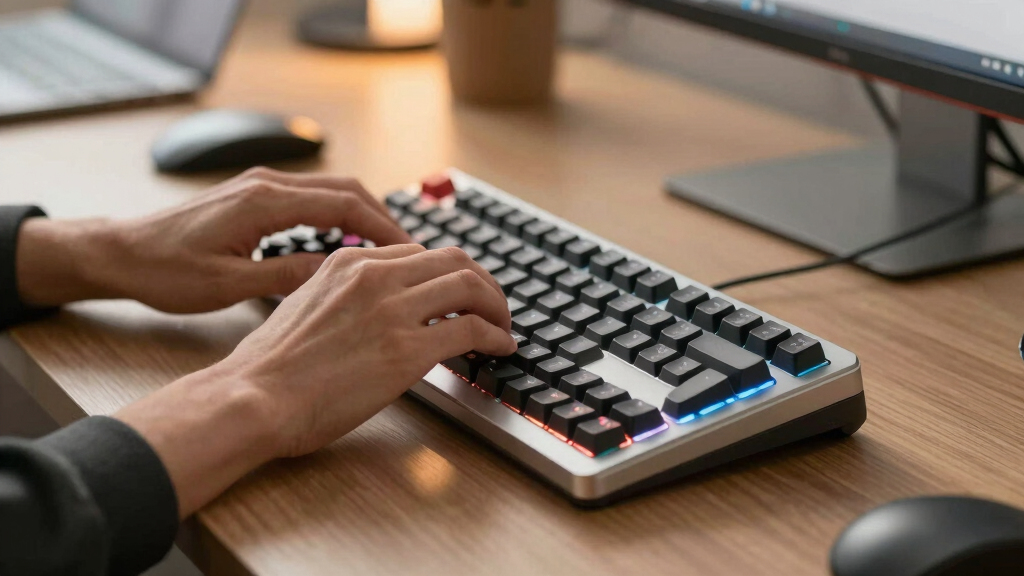

Finding the best keyboard depends on what you need—whether for gaming, professional work, or casual use. The Logitech MX Keys S stands out as the best overall for its comfortable typing experience and seamless connectivity. For gamers, the Redragon K668 RGB offers robust features at a competitive price, while the RK Royal Kludge S98 introduces smart display options for tech enthusiasts. All these options highlight a tradeoff: higher-end models often offer better build quality and features but come at a premium, while budget choices may sacrifice some comfort or durability. Continue reading for a detailed breakdown of these options and how to choose the best keyboard for your needs.

Get the latest gadgets delivered free with Prime
- Fast, free delivery on millions of items
- Prime Video, Amazon Music and more included
- Member-only deals all year
Key Takeaways
- The top-ranked keyboards balance build quality, typing comfort, and connectivity features for versatile use.
- Mechanical switches remain a favorite for gamers and enthusiasts, but quiet membrane options suit office environments better.
- Wireless models provide convenience but may introduce latency or connectivity issues, which high-end options mitigate effectively.
- Budget-friendly keyboards can be surprisingly capable, though they often lack premium features like backlit keys or robust build quality.
- The choice between dedicated gaming features and professional typing comfort is the key factor guiding the top picks.
| Logitech MX Keys S for Mac Wireless Keyboard |  | Best Overall for Apple Users | Weight: 810 g | Dimensions: 20.5 x 430.2 x 131.63 mm | Battery Type: Rechargeable Li-Po (1500 mAh) | VIEW LATEST PRICE | See Our Full Breakdown |
| Logitech MX Keys S Combo Wireless Keyboard and Mouse with Palm Rest in Graphite |  | Best for Multi-Device Productivity with Ergonomics | Keyboard Weight: 810 g | Mouse Weight: 141 g | Keyboard Dimensions: 20.5 x 430.2 x 131.63 mm | VIEW LATEST PRICE | See Our Full Breakdown |
| Redragon K668 RGB Gaming Keyboard with 108 Keys and Extra Hotkeys |  | Best for Gaming and Customization | Switch Type: Red Switch (hot-swappable) | Key Layout: 108 keys + 4 hotkeys | Lighting: RGB 19 modes, music sync | VIEW LATEST PRICE | See Our Full Breakdown |
| Logitech G213 Prodigy Gaming Keyboard |  | Best Wired Gaming Keyboard | Lighting Zones: 5 RGB zones | Compatibility: Windows | Color Options: Black | VIEW LATEST PRICE | See Our Full Breakdown |
| Logitech MX Keys S Wireless Keyboard – Graphite |  | Best Versatile Wireless Keyboard for Power Users | Weight: 810 g | Dimensions: 20.5 x 430.2 x 131.63 mm | Battery: Rechargeable Li-Po (1500 mAh) | VIEW LATEST PRICE | See Our Full Breakdown |
| Logitech G413 SE Full-Size Mechanical Gaming Keyboard with Tactile Switches and Anti-Ghosting |  | Best Overall Gaming Keyboard | Keyboard Type: Full-Size Mechanical | Switch Type: Tactile Mechanical | Keycap Material: PBT | VIEW LATEST PRICE | See Our Full Breakdown |
| Logitech MX Mechanical Wireless Illuminated Keyboard with Tactile Quiet Switches and Backlit Keys |  | Best Wireless Productivity Keyboard | Weight: 29.2 oz (828 g) | Dimensions: 1.02 x 17.08 x 5.18 in (26.1 x 433.85 x 131.55 mm) | Battery Life: Up to 15 days (full charge), up to 10 months (backlight off) | VIEW LATEST PRICE | See Our Full Breakdown |
| RK Royal Kludge S98 Mechanical Keyboard with Smart Display & Knob |  | Best Compact Customizable Keyboard | Connectivity: Bluetooth 5.0, RF (2.4GHz), USB-C | Switch Type: Linear (RK Switch) | Keycap Material: Double-shot PBT | VIEW LATEST PRICE | See Our Full Breakdown |
| Logitech Alto Keys K98M Wireless Mechanical Clicky Keyboard – Graphite |  | Best Mechanical Clicky Keyboard for Productivity | ASIN: B0FMD1DGS8 | Switch Type: Marble Switches (5) | Backlighting: Non-RGB, white only | VIEW LATEST PRICE | See Our Full Breakdown |
More Details on Our Top Picks
Logitech MX Keys S for Mac Wireless Keyboard
This keyboard is a standout for Apple-centric workflows, offering a fluid, laptop-like typing experience thanks to its low-profile design and spherical keys. Compared to the Logitech MX Keys S Combo, it sacrifices the integrated mouse and palm rest but excels in a sleek, dedicated typing device. Its programmable Smart Actions boost productivity by automating routine tasks, and adaptive backlit keys enhance usability in different lighting conditions. However, it relies on a USB receiver for FileVault-enabled Macs, which can be inconvenient for users seeking a fully wireless setup. If you mainly work within the Apple ecosystem and prioritize a refined typing experience, this keyboard offers a premium feel paired with multi-device support.
Pros:- Fluid, precise typing similar to a laptop keyboard
- Programmable Smart Actions for automation
- Adaptive backlit keys with customizable illumination
- Supports multi-device switching (up to 3 devices)
Cons:- Requires USB receiver for FileVault-enabled macOS systems
- No integrated pointing device or palm rest
Best for: Mac users who want a high-quality, minimalist keyboard with smart automation features.
Not ideal for: Users who require a fully wireless setup without any dongles or use Windows exclusively.
- Weight:810 g
- Dimensions:20.5 x 430.2 x 131.63 mm
- Battery Type:Rechargeable Li-Po (1500 mAh)
- Compatibility:macOS, iOS, iPadOS
- Customization App:Logi Options+
Bottom line: Ideal for Mac users seeking a sleek, feature-rich keyboard that enhances productivity and fits seamlessly into Apple workflows.
Logitech MX Keys S Combo Wireless Keyboard and Mouse with Palm Rest in Graphite
This combo pairs the MX Keys S keyboard with the MX Master 3S mouse, making it a versatile choice for those who juggle multiple devices across different operating systems. Compared with the stand-alone MX Keys S, this set adds a high-precision MagSpeed scroll wheel and a comfortable palm rest, enhancing long work sessions. The mouse’s multiple buttons and gesture controls allow for quick navigation, and multi-platform support broadens its appeal. The main tradeoff is the need for the Logi Bolt USB receiver for full functionality on macOS, which could be inconvenient for users seeking a fully wireless experience without dongles. If multi-device workflow and ergonomic comfort matter, this set delivers both in a sleek package.
Pros:- Ultra-fast MagSpeed scroll wheel for quick navigation
- Ergonomic design with a comfortable palm rest
- Supports up to 3 devices via Bluetooth or USB receiver
- High-precision Darkfield sensor on mouse
Cons:- Requires Logi Bolt USB receiver for full macOS FileVault support
- Limited recycled plastic content in the Graphite model
Best for: Creative professionals and multitaskers who need a reliable, ergonomic combo across multiple operating systems.
Not ideal for: Gamers who prefer wired setups or those looking for a purely wireless experience without dongles.
- Keyboard Weight:810 g
- Mouse Weight:141 g
- Keyboard Dimensions:20.5 x 430.2 x 131.63 mm
- Mouse Dimensions:51 x 84.3 x 124.9 mm
- Keyboard Battery:Rechargeable Li-Po (1500 mAh)
- Mouse Battery:Rechargeable Li-Po (500 mAh)
Bottom line: A highly adaptable, ergonomic set well-suited to professionals managing multiple devices and platforms.
Redragon K668 RGB Gaming Keyboard with 108 Keys and Extra Hotkeys
This mechanical keyboard emphasizes gaming with its hot-swappable Red switches, allowing users to customize their feel and response. Its 19 RGB lighting modes, including music sync, create an immersive environment, especially compared with the more subdued Logitech G213. The ergonomic adjustable design and extra hotkeys are perfect for gaming and macro-heavy tasks, but the sound-absorbing foam might compress over time, impacting acoustic dampening. The software for macro programming is limited to Windows, making it less flexible for Mac or Linux users. If you’re after a customizable, feature-rich gaming keyboard with vibrant lighting, this option stands out, but it demands some setup and maintenance over time.
Pros:- Hot-swappable switches for easy customization
- Music sync RGB lighting for immersive effects
- Ergonomic adjustable feet reduce wrist fatigue
- Includes dual mixed-color keycap sets for aesthetic variety
Cons:- Sound-absorbing foam may degrade over time
- Extra keycaps require additional setup
- Limited software support outside Windows
Best for: Gamers seeking a customizable, RGB-rich mechanical keyboard with hot-swappable switches.
Not ideal for: Office users or those preferring quieter, low-profile keyboards for general typing.
- Switch Type:Red Switch (hot-swappable)
- Key Layout:108 keys + 4 hotkeys
- Lighting:RGB 19 modes, music sync
- Ergonomic Features:Adjustable feet
- Included Keycaps:Mixed color sets
Bottom line: A top choice for gamers wanting vibrant lighting and switch flexibility, with some tradeoffs in noise and cross-platform support.
Logitech G213 Prodigy Gaming Keyboard
The G213 offers a reliable, wired connection with durable construction ideal for gaming and general use. Its five-zone RGB backlighting provides vibrant, synchronized lighting effects, though it isn’t as customizable as premium models like the Redragon K668. The anti-ghosting matrix ensures responsive gaming performance, and the liquid-resistant design adds durability against spills. However, being wired limits mobility, and full customization may require the Logitech G HUB software, which adds complexity. This keyboard makes sense for gamers or users who prefer a straightforward wired setup with dependable performance, especially in shared or cluttered environments where wireless may be less reliable.
Pros:- Customizable RGB lighting with color synchronization
- Liquid-resistant, durable build
- Responsive anti-ghosting gaming matrix
- Includes dedicated media controls
Cons:- Wired design limits flexibility and desk clutter
- Full feature set depends on software installation
Best for: Gamers and users who want a durable, wired keyboard with customizable lighting and gaming features.
Not ideal for: Those seeking wireless freedom or a quieter typing experience for office or shared spaces.
- Lighting Zones:5 RGB zones
- Compatibility:Windows
- Color Options:Black
- Additional Features:Media controls, anti-ghosting
Bottom line: A dependable wired gaming keyboard suited for gamers who prioritize durability and straightforward customization.
Logitech MX Keys S Wireless Keyboard – Graphite
This version of the MX Keys S emphasizes versatility, supporting a broad range of devices and platforms, including Windows, macOS, Linux, Chrome OS, and mobile devices. Its low-profile, full-size design offers a fluid typing experience similar to a laptop, with Smart Actions that automate repetitive tasks—making it ideal for power users. The adaptive backlighting adjusts to ambient light, reducing eye strain, though some users report that battery life can vary based on usage patterns. Compared with the Apple-optimized Logitech MX Keys S for Mac, this model provides more platform flexibility but may lack some macOS-specific features. It’s best for those who need a multi-platform, feature-rich keyboard that can seamlessly switch between devices.
Pros:- Fluid, low-profile typing experience
- Smart Actions simplify workflows
- Adaptive backlighting with customizable illumination
- Supports multi-device connection up to 3 devices
Cons:- Requires Logi Options+ app for full functionality
- Battery life may vary significantly with usage
- FileVault support issues on macOS via Bluetooth
Best for: Power users managing multiple operating systems and devices who value customization and automation.
Not ideal for: Users seeking a purely Mac-specific keyboard or those who prefer wired setups.
- Weight:810 g
- Dimensions:20.5 x 430.2 x 131.63 mm
- Battery:Rechargeable Li-Po (1500 mAh)
- Recycled Plastic Content:26%
- Compatibility:Windows, macOS, Linux, Chrome OS, iOS, iPadOS, Android
Bottom line: A flexible, feature-packed keyboard ideal for multi-platform workflows and automation enthusiasts.
Logitech G413 SE Full-Size Mechanical Gaming Keyboard with Tactile Switches and Anti-Ghosting
The Logitech G413 SE stands out for its robust build quality, thanks to a brushed aluminum-magnesium alloy frame that offers both durability and a sleek look, making it a prime choice for gamers and enthusiasts who prioritize longevity. Its tactile mechanical switches provide precise feedback, comparable to the more premium G413 but at a slightly lower price point, though it sacrifices RGB lighting for a single-color white LED backlight. Unlike some compact options, its full-size layout ensures all keys are accessible, but this results in a larger desk footprint. The inclusion of 6-key anti-ghosting improves responsiveness during intense gaming sessions, yet the full size can be a drawback for those with limited workspace. Overall, this keyboard balances premium materials with practical features, making it ideal for users who want durability and performance without the need for flashy lighting.
Pros:- Durable PBT keycaps resist wear and heat
- Tactile mechanical switches for precise keystrokes
- Brushed aluminum-magnesium alloy frame enhances durability and style
Cons:- Full-size design occupies significant desk space
- Only white LED backlighting (no RGB options)
- Premium price may be high for casual users
Best for: Gamers or power users seeking a durable, full-size mechanical keyboard with a premium feel.
Not ideal for: Users with limited desk space or those who prefer RGB lighting and more compact designs.
- Keyboard Type:Full-Size Mechanical
- Switch Type:Tactile Mechanical
- Keycap Material:PBT
- Anti-Ghosting:6-Key Rollover
- Backlighting:White LED Single Color
- Compatibility:Windows, macOS
Bottom line: This keyboard suits gamers and enthusiasts who prioritize durability, precise feedback, and a premium build over flashy lighting or compactness.
Logitech MX Mechanical Wireless Illuminated Keyboard with Tactile Quiet Switches and Backlit Keys
The Logitech MX Mechanical makes a compelling case for those who need a wireless full-size keyboard capable of multi-device management, supporting up to three systems simultaneously via Bluetooth or USB-C. Its tactile quiet switches offer a satisfying feedback similar to the more traditional MX Keys S, but with noticeably lower noise, enhancing comfort during long typing sessions. The smart backlit keys adjust automatically to ambient lighting, an upgrade over the static white LED of the G413 SE, and the low-profile keys improve ergonomics. Compared with the RK Royal Kludge S98, it lacks a smart display but compensates with seamless multi-OS support and a rechargeable battery that can last up to 15 days on a single charge. However, its weight and size make it less suitable for tight workspaces, and some advanced features require dedicated software. It’s ideal for multitasking professionals who value flexibility and quiet operation.
Pros:- Tactile quiet switches reduce noise while maintaining typing accuracy
- Smart auto-adjusting backlit keys enhance usability in varying lighting
- Supports up to 3 devices across different platforms with easy switching
Cons:- Heavier than standard wired keyboards, less portable
- Some features require Logi Options+ software
- Larger footprint may not suit small workspaces
Best for: Remote workers or multi-device users prioritizing wireless convenience and quiet, precise typing.
Not ideal for: Those with limited desk space or who prefer customizable RGB lighting and gaming features.
- Weight:29.2 oz (828 g)
- Dimensions:1.02 x 17.08 x 5.18 in (26.1 x 433.85 x 131.55 mm)
- Battery Life:Up to 15 days (full charge), up to 10 months (backlight off)
- Connectivity:Bluetooth Low Energy, USB-C
- Switch Type:Tactile Quiet mechanical
- Compatibility:Windows, macOS, Linux, iOS, Android
Bottom line: This keyboard is best for multitasking professionals seeking a quiet, wireless, and ergonomic typing experience with multi-platform support.
RK Royal Kludge S98 Mechanical Keyboard with Smart Display & Knob
The RK Royal Kludge S98 offers a unique blend of compact design and advanced features, including a smart display that supports custom GIFs, system stats, and quick controls via a knob. Its 98-key layout saves space while maintaining essential functions, yet the 96% layout may require some adjustment for users accustomed to full-size keyboards. The hot-swappable switches provide straightforward customization, and noise-reducing foam layers make it quieter than typical mechanical boards. Compared to the Logitech Alto Keys K98M, it excels in visual customization and multimedia control, though it demands additional setup software for RGB and backlight adjustments. Its multiple connectivity options (BT 5.0, 2.4G, USB-C) make it versatile for various devices, but the layout complexity and need for software might be hurdles for some. This model is best for users who want a space-efficient, highly customizable keyboard with a smart display.
Pros:- Smart display supports custom GIFs and system info
- Hot-swappable switches for easy personalization
- Multiple connectivity options (BT 5.0, 2.4G, USB-C)
Cons:- 96% layout may feel cramped for some users
- Requires software for RGB/backlight customization
- Setup complexity could be a barrier for beginners
Best for: Tech enthusiasts and creatives who enjoy customization, compact setups, and smart features.
Not ideal for: Users unfamiliar with advanced software or who prefer full-size, straightforward keyboards.
- Connectivity:Bluetooth 5.0, RF (2.4GHz), USB-C
- Switch Type:Linear (RK Switch)
- Keycap Material:Double-shot PBT
- Number of Keys:98 (96% layout)
- Backlighting:RGB
- Noise Reduction:IXPE switch dampener, 2-layer sound-absorbing foam
Bottom line: This keyboard is designed for tech-savvy users seeking a space-saving, highly customizable, and feature-rich device with smart display support.
Logitech Alto Keys K98M Wireless Mechanical Clicky Keyboard – Graphite
The Logitech Alto Keys K98M targets users who appreciate satisfying tactile feedback, thanks to its Marble Switches with concave keycaps that deliver a distinct click with each keystroke. Its UniCushion gasket technology absorbs vibrations, creating a more comfortable typing experience, especially during extended use. The 98-key layout with a numpad offers a compact yet complete setup, ideal for productivity without sacrificing functionality. Unlike the RK S98, it lacks RGB lighting, opting for a clean white backlight that appeals to minimalists. Battery life extends up to 12 months, making it highly convenient for wireless use via Bluetooth or Logi Bolt. The primary tradeoff involves the non-RGB backlighting, which may disappoint those seeking vibrant visual effects, and the tactile switches, while satisfying, might not be for everyone. This makes it perfect for users who value tactile feel and long battery life over flashy aesthetics.
Pros:- Vibration-absorbing UniCushion gasket provides a comfortable typing feel
- Up to 12 months of battery life reduces charging hassle
- Satisfying clicky Marble Switches enhance tactile feedback
Cons:- Non-RGB white backlighting may lack vibrancy for some users
- Compact layout requires adjustment for those used to full-size keyboards
- Limited customization options for lighting
Best for: Professionals and writers seeking a tactile, reliable, and long-lasting wireless mechanical keyboard.
Not ideal for: Gamers or RGB enthusiasts who prioritize visual flair and customizable lighting effects.
- ASIN:B0FMD1DGS8
- Switch Type:Marble Switches (5)
- Backlighting:Non-RGB, white only
- Battery Life:Up to 12 months
- Connectivity:Bluetooth, Logi Bolt USB Receiver
- Layout:98-key compact with numpad
Bottom line: This keyboard is ideal for users who prefer tactile, clicky feedback with long battery life and a clean, minimalist aesthetic.

How We Picked
Our evaluation focused on performance, build quality, usability, and value. We considered how well each keyboard supports different tasks—whether gaming, professional work, or casual typing—by examining features like switch type, connectivity options, and ergonomic design. Durability and maintenance were also key factors, with preference given to models that combine long-term reliability with user-friendly features. We ranked the keyboards based on how they balance these factors for different user needs, ensuring that each pick offers a clear advantage in its category or role.Factors to Consider When Choosing Best Keyboards
Choosing the best keyboard involves weighing several important factors beyond just features. Consider your primary use—gaming, work, or casual typing—as this influences the type of switches, form factor, and connectivity you should prioritize. Ergonomics can prevent discomfort during long sessions, while build quality impacts durability. Budget constraints often shape your options, but investing in a quality keyboard can improve your overall typing experience. Be mindful of tradeoffs: for example, mechanical keys offer better feel but are usually noisier and more expensive, while membrane keyboards tend to be quieter and more affordable but less tactile. The right choice depends on balancing these factors with your specific needs and preferences.Type of Switches and Typing Feel
Switch type is fundamental because it directly influences your typing experience. Mechanical switches, available in tactile, linear, or clicky variants, are preferred for gaming and typing precision. Membrane or rubber dome switches tend to be quieter and less expensive but often lack the tactile feedback that enthusiasts seek. Consider how much noise you can tolerate and whether a softer or more responsive feel suits your workflow. The choice between switches can also impact the keyboard’s lifespan and maintenance needs.Connectivity and Compatibility
Decide whether you need a wired or wireless keyboard. Wireless models add convenience, especially for clutter-free setups, but may introduce latency or connection stability issues, especially in busy environments. Look for Bluetooth or dedicated wireless dongles, depending on your setup. Compatibility with your devices and operating systems is equally important—some keyboards work seamlessly across platforms, while others are specialized for Mac or Windows. Also, consider whether multi-device pairing is a feature you’ll use regularly.Ergonomics and Comfort
Long typing sessions demand ergonomic features like wrist rests, adjustable tilt, and key layout. Mechanical keyboards with better ergonomics can reduce strain, improving comfort and productivity. For those with wrist issues, split or tented designs offer additional relief. Budget models often omit these features, so investing in ergonomic design can be worthwhile if you spend hours at the keyboard. Remember, comfort can significantly influence your overall typing efficiency and health over time.Build Quality and Durability
A well-built keyboard withstands daily use and maintains its performance over years. Look for solid materials like aluminum or high-quality plastics and reinforced keycaps. Mechanical switches tend to last longer than membrane ones, making them a better investment for heavy use. Consider the quality of key stabilizers, cable durability, and overall weight—heavier models often feel more stable during intense typing or gaming sessions. Cheaper keyboards may develop issues quickly, leading to frustration and replacement costs.Additional Features and Customization
Features like backlit keys, programmable macros, and dedicated media controls enhance functionality. RGB lighting adds aesthetic appeal but can drain power or distract in low-light environments. Customization options, including key remapping and firmware updates, are valuable for power users. However, extra features often come at a cost and may increase complexity. Think about which features genuinely improve your workflow or gaming experience, rather than adding bells and whistles you won’t use.Frequently Asked Questions
Should I choose a mechanical or membrane keyboard?
Mechanical keyboards are preferred by those seeking durability, tactile feedback, and a superior typing experience, especially for gaming or long typing sessions. Membrane keyboards are generally quieter, more affordable, and suitable for casual use or office environments. Your choice depends on your priorities: if you value responsiveness and longevity, mechanical is better; if you prefer quiet, budget-friendly options, membrane may suffice. Consider trying both types in person to understand what feels best for your specific needs.Is wireless or wired better for daily use?
Wired keyboards provide the most reliable connection with zero latency, making them ideal for professional work or gaming that demands precision. Wireless keyboards offer greater flexibility and a clutter-free setup, which is beneficial for casual use or in multi-device environments. Modern wireless models have minimized latency and improved stability, but they still may face occasional interference. Your environment and how you plan to use the keyboard will determine which option suits you better.What is the most important feature for gaming keyboards?
For gaming, features like high polling rates, anti-ghosting, N-key rollover, and mechanical switches with fast actuation are essential. Customizable macro keys and RGB lighting can enhance your experience but are secondary to core performance features. A sturdy build and a comfortable layout also matter since long gaming sessions can cause fatigue. Prioritize models with responsive switches and reliable connectivity to ensure your gameplay isn’t hindered by hardware limitations.How much should I spend on a good keyboard?
The price of a keyboard typically reflects its build quality, features, and intended use. Budget models under $50 can be sufficient for casual or infrequent use but often lack durability and advanced features. Mid-range options between $50 and $150 balance quality and features, suitable for most users. Premium keyboards over $150 offer exceptional durability, customization, and premium switches, ideal for enthusiasts or professionals. Investing more usually translates into better comfort, longevity, and overall experience.Are backlit keyboards worth it?
Backlit keyboards improve visibility in low-light conditions and add aesthetic appeal, especially with customizable RGB lighting. They are particularly useful if you work or game in dim environments. However, backlighting can increase power consumption and add to the cost. If lighting isn’t a priority for you, a non-backlit keyboard can be more affordable and may offer better battery life or a cleaner look. Ultimately, whether they are worth it depends on your environment and personal preferences.Conclusion
For most users, the Logitech MX Keys S offers a balanced mix of comfort, connectivity, and durability, making it the best overall choice. Gamers and enthusiasts should consider the RK Royal Kludge S98 for its smart display and mechanical feel, while budget-conscious buyers might prefer the Logitech G213 for solid performance at a lower price. Beginners or casual users will find the membrane-style Logitech G213 Prodigy sufficient, but those seeking premium features should look to the Logitech MX Mechanical. Ultimately, your ideal keyboard depends on your specific needs, whether for gaming, professional work, or everyday typing—this roundup helps you find the perfect fit.