
If you’re looking for the best 5K monitors for Mac in 2026, I recommend options like the Apple Studio Display, LG UltraFine 5K, and Samsung ViewFinity S9, which offer stunning visuals, excellent color accuracy, and seamless Mac compatibility. These screens feature high resolution, wide color support, and versatile connectivity like Thunderbolt, making them perfect for creative work. Keep exploring these choices further to find the perfect fit for your needs.
Key Takeaways
- Look for 27-inch IPS panels with 5120×2880 resolution for sharp, detailed visuals ideal for creative work.
- Prioritize models with Thunderbolt 3 or 4 ports for seamless Mac compatibility and high data transfer.
- Choose monitors with 99% DCI-P3 or sRGB coverage and hardware calibration for accurate, vibrant colors.
- Opt for ergonomic stands with height, tilt, swivel, and pivot adjustments to reduce strain during long sessions.
- Consider additional features like HDR support, built-in cameras, speakers, and smart calibration tools for enhanced productivity.
| Apple Studio Display – Standard Glass – Tilt-Adjustable Stand |  | Best Overall | Resolution: 5K (5120×2880) | Screen Size: 27 inches | Color Gamut: P3 wide color | VIEW LATEST PRICE | See Our Full Breakdown |
| KTC 27″ 5K Monitor with Type-C HDR IPS Panel | 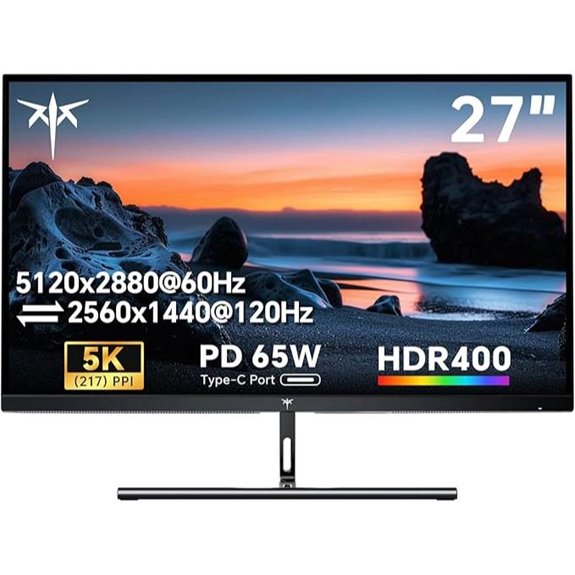 | High-Resolution Excellence | Resolution: 5K (5120×2880) | Screen Size: 27 inches | Color Gamut: 135% sRGB, HDR 400 | VIEW LATEST PRICE | See Our Full Breakdown |
| BenQ 27″ 5K Monitor with Thunderbolt 4 and KVM | 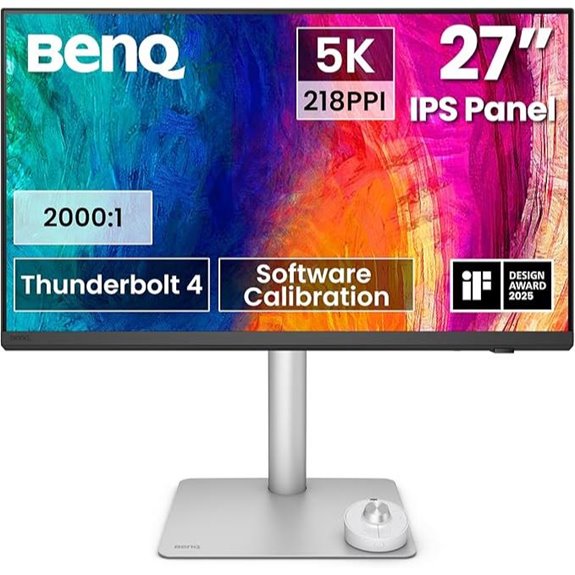 | Creative Professional | Resolution: 5K (5120×2880) | Screen Size: 27 inches | Color Gamut: 98% P3 | VIEW LATEST PRICE | See Our Full Breakdown |
| Samsung 27″ ViewFinity S9 5K Monitor with Thunderbolt |  | Smart Connectivity | Resolution: 5K (5120×2880) | Screen Size: 27 inches | Color Gamut: 99% DCI-P3 | VIEW LATEST PRICE | See Our Full Breakdown |
| ViewSonic VP2788-5K 27″ 5K Monitor with Thunderbolt 4 | 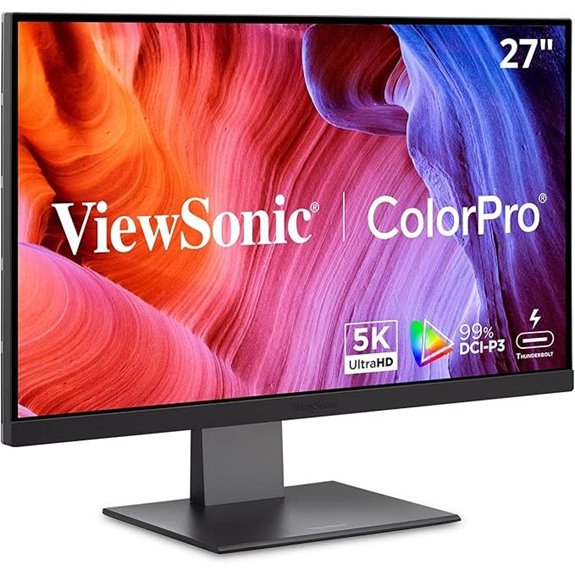 | Versatile Powerhouse | Resolution: 5K (5120×2880) | Screen Size: 27 inches | Color Gamut: 100% sRGB, 99% DCI-P3 | VIEW LATEST PRICE | See Our Full Breakdown |
| LG 27MD5KL-B Ultrafine 27-inch IPS LCD 5K UHD Monitor (Renewed) | 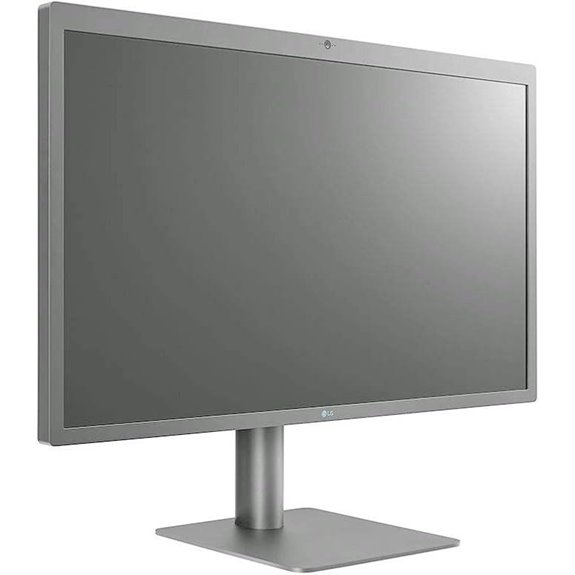 | Budget Premium | Resolution: 5K UHD (5120×2880) | Screen Size: 27 inches | Color Gamut: DCI-P3 99% | VIEW LATEST PRICE | See Our Full Breakdown |
| LG 27MD5KL-B UltraFine 5K Monitor with Thunderbolt | 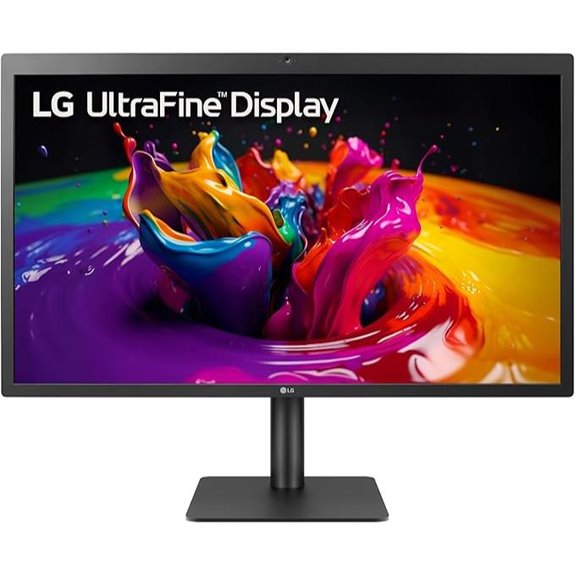 | Mac-Centric Power | Resolution: 5K (5120×2880) | Screen Size: 27 inches | Color Gamut: P3 99% | VIEW LATEST PRICE | See Our Full Breakdown |
| LG Monitor 27MD5KL-B Ultrafine 27″ IPS LCD 5K UHD Monitor for Apple Mac | 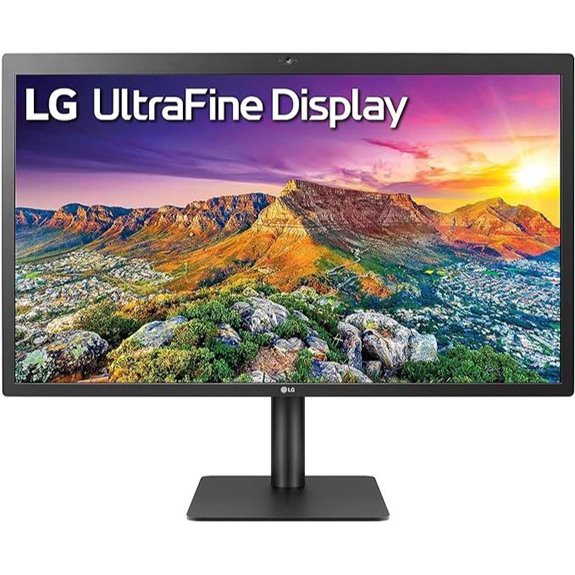 | Compact Precision | Resolution: 5K UHD (5120×2880) | Screen Size: 27 inches | Color Gamut: DCI-P3 99% | VIEW LATEST PRICE | See Our Full Breakdown |

More Details on Our Top Picks
-

KTC 27 Inch 5K Monitor, 5120 x 2880 5K2K Monitor with 65W Type-C Port, Dual Mode Computer Monitors Compatible with Mac mini, IPS Panel, HDR 400, 217 PPI, 135% sRGB, HDMI DisplayPort, Tilt, H27P3
Premium 27" 5K Monitor: Experience 5120x2880 clarity with 217 PPI on this ktc 27 inch IPS Mac mini-compatible...
As an affiliate, we earn on qualifying purchases.
Apple Studio Display – Standard Glass – Tilt-Adjustable Stand
Are you looking for a monitor that delivers stunning visuals and seamless integration with your Mac? The Apple Studio Display with Standard Glass and a tilt-adjustable stand is an excellent choice. Its 27-inch 5K Retina display offers vibrant colors, supporting over a billion hues with P3 wide color support and 600 nits brightness. The display features a 12MP Ultra Wide camera with Center Stage, studio-quality three-mic array, and a six-speaker system with Spatial Audio. Connectivity is simple with Thunderbolt 3 and three USB-C ports, plus 96W power delivery for charging your MacBook. The tilt-adjustable stand ensures comfortable viewing, making it perfect for creative professionals.
- Resolution:5K (5120×2880)
- Screen Size:27 inches
- Color Gamut:P3 wide color
- Connectivity Ports:Thunderbolt 3, USB-C, USB-C ports
- Built-in Camera:12MP Ultra Wide
- Stand Adjustments:Tilt-adjustable stand
- Additional Feature:Nano-texture glass option
- Additional Feature:Immersive audio experience
- Additional Feature:Configurable stand options
-

BenQ PD2730S 27" 5K 218 PPI Mac Monitor, 90W Thunderbolt 4, 98% P3, Uniformity, 2000:1 Contrast, Nano Matte Panel, Daisy Chain, KVM, Height Adjustable, for 3D Artists, VFX Animators, Game Designers
RETINA-LIKE 5K RESOLUTION: Experience 5120x2880 clarity with 218 PPI, delivering ultra-sharp details and smooth gradients. View details with...
As an affiliate, we earn on qualifying purchases.
KTC 27″ 5K Monitor with Type-C HDR IPS Panel
The KTC 27″ 5K Monitor with Type-C, HDR, and IPS panel is an excellent choice for Mac users seeking stunning visuals and seamless connectivity. Its 27-inch IPS display offers a sharp 5120×2880 resolution with 217 PPI, delivering ultra-clear details. HDR 400 enhances contrast and color vibrancy, making content pop with realism. With a 135% sRGB color gamut and 1.07 billion colors, it guarantees accurate, vivid hues. The monitor supports dual modes—5K at 60Hz or 2K at 120Hz—while adaptive sync assures smooth visuals. Fully equipped with Type-C, DisplayPort, and HDMI, it’s versatile for creative work, gaming, or entertainment.
- Resolution:5K (5120×2880)
- Screen Size:27 inches
- Color Gamut:135% sRGB, HDR 400
- Connectivity Ports:Type-C, HDMI 2.0, DisplayPort 1.4
- Built-in Camera:Built-in camera
- Stand Adjustments:Height, tilt, swivel
- Additional Feature:HDR 400 support
- Additional Feature:Adaptive Sync technology
- Additional Feature:VESA mount compatibility
-

Samsung 27" ViewFinity S9 Series 5K Computer Monitor, Thunderbolt 4, DisplayPort, Matte Display, 4K Slimfit-Camera, Slim Metal Design, AirPlay, Smart-TV Apps, Gaming Hub, LS27C900PANXZA
5K RESOLUTION: 5K provides more pixels than 4K, with 218 PPI for incredible detail; 99% DCI-P3 delivers color...
As an affiliate, we earn on qualifying purchases.
BenQ 27″ 5K Monitor with Thunderbolt 4 and KVM
For creative professionals who demand stunning image clarity and seamless workflow integration, the BenQ 27″ 5K Monitor with Thunderbolt 4 and KVM stands out. Its 5120×2880 resolution delivers ultra-sharp detail with 218 PPI, making every pixel count. The Nano Matte Panel reduces glare and minimizes eye strain, perfect for long sessions. With 98% P3 color accuracy and a 2000:1 contrast ratio, it offers vibrant, true-to-life visuals. The Thunderbolt 4 interface provides 90W power delivery, fast data transfer, and supports dual 5K displays. Plus, the built-in KVM switch and ergonomic stand boost productivity and comfort for creative professionals.
- Resolution:5K (5120×2880)
- Screen Size:27 inches
- Color Gamut:98% P3
- Connectivity Ports:Thunderbolt 4, USB-C, HDMI, DisplayPort
- Built-in Camera:Built-in camera
- Stand Adjustments:Height-adjustable stand
- Additional Feature:Built-in KVM switch
- Additional Feature:Wireless Hotkey Puck
- Additional Feature:Nano Matte reflection coating
Samsung 27″ ViewFinity S9 5K Monitor with Thunderbolt
If you prioritize stunning visuals and precise color accuracy for creative work or professional editing, the Samsung 27″ ViewFinity S9 5K Monitor with Thunderbolt stands out as an excellent choice. It offers a sharp 5K resolution with 218 PPI, ensuring detailed images, while its 99% DCI-P3 color gamut guarantees vibrant, true-to-life colors. Factory calibration keeps color accuracy tight, and Smart Calibration via smartphone makes customization easy. The matte display minimizes reflections, and features like adjustable height, tilt, and pivot enhance ergonomics. With Thunderbolt 4, DisplayPort, and built-in 4K camera, it’s perfect for seamless connectivity, productivity, and creative workflows.
- Resolution:5K (5120×2880)
- Screen Size:27 inches
- Color Gamut:99% DCI-P3
- Connectivity Ports:Thunderbolt 4, DisplayPort, USB-C, HDMI
- Built-in Camera:4K SlimFit camera
- Stand Adjustments:Height, tilt, pivot
- Additional Feature:Smart Calibration via smartphone
- Additional Feature:Embedded Smart TV Apps
- Additional Feature:90W Power Delivery
ViewSonic VP2788-5K 27″ 5K Monitor with Thunderbolt 4
Designed specifically for Mac users who demand stunning visuals and seamless connectivity, the ViewSonic VP2788-5K 27″ monitor stands out with its vibrant 5K resolution and Thunderbolt 4 support. It offers a 5120×2880 IPS display with 100% sRGB and 99% DCI-P3 color accuracy, HDR400, and Pantone validation, ensuring precise color reproduction. The Thunderbolt 4 port allows daisy chaining up to two monitors, plus fast data transfer and 100W power delivery. With versatile connectivity options like USB-C, HDMI, and DisplayPort, along with an ergonomic stand, this monitor blends professional performance with sleek design perfect for creative workflows.
- Resolution:5K (5120×2880)
- Screen Size:27 inches
- Color Gamut:100% sRGB, 99% DCI-P3
- Connectivity Ports:Thunderbolt 4, USB-C, HDMI, DisplayPort
- Built-in Camera:Not specified
- Stand Adjustments:Height, tilt, swivel, pivot
- Additional Feature:Pantone Validated
- Additional Feature:75Hz Refresh Rate
- Additional Feature:Frameless Multi-Monitor Design
LG 27MD5KL-B Ultrafine 27-inch IPS LCD 5K UHD Monitor (Renewed)
Looking for a monitor that delivers stunning 5K resolution and vibrant colors for your Mac setup? The LG 27MD5KL-B Ultrafine offers a 27-inch IPS LCD panel with 5120 x 2880 pixels, ensuring sharp images and detailed visuals. Its wide DCI-P3 99% color gamut provides accurate and vivid colors, perfect for creative work. With a brightness of 500 nits and a 60Hz refresh rate, it handles fast-moving media well. Connectivity is seamless thanks to Thunderbolt 3 with up to 94W power delivery and three USB-C ports. Includes an integrated camera and speakers, all in a renewed condition compatible with macOS.
- Resolution:5K UHD (5120×2880)
- Screen Size:27 inches
- Color Gamut:DCI-P3 99%
- Connectivity Ports:Thunderbolt 3, USB-C
- Built-in Camera:Built-in camera
- Stand Adjustments:Adjustable stand
- Additional Feature:Integrated camera and speaker
- Additional Feature:94W Power Delivery
- Additional Feature:Wide 178° Viewing Angle
LG 27MD5KL-B UltraFine 5K Monitor with Thunderbolt
The LG 27MD5KL-B UltraFine 5K Monitor stands out as an ideal choice for creative professionals and power users who demand exceptional image quality and seamless integration with their Mac systems. Its 27-inch IPS display offers a stunning 5120 x 2880 resolution, delivering sharp details and vibrant colors with support for P3 99% color gamut and HDR. The Thunderbolt 3 port provides up to 94W power delivery, simplifying connectivity by supporting 5K video, data, and charging through a single cable. With wide 178° viewing angles and accurate color reproduction, this monitor guarantees consistent, professional results for demanding workflows.
- Resolution:5K (5120×2880)
- Screen Size:27 inches
- Color Gamut:P3 99%
- Connectivity Ports:Thunderbolt 3, USB-C, USB-A, HDMI, DisplayPort
- Built-in Camera:Built-in camera
- Stand Adjustments:Adjustable stand
- Additional Feature:HDR support
- Additional Feature:14ms Response Time
- Additional Feature:1100:1 Contrast Ratio
LG Monitor 27MD5KL-B Ultrafine 27″ IPS LCD 5K UHD Monitor for Apple Mac
If you want a monitor that delivers stunning image quality and seamless integration with your Mac, the LG Monitor 27MD5KL-B is an excellent choice. Its 27-inch IPS LCD panel with 5K UHD resolution (5120 x 2880 pixels) ensures crisp, vibrant visuals perfect for creative work. With a 99% DCI-P3 color gamut and 500 nits brightness, colors are accurate and lively. It features a Thunderbolt 3 port with up to 94W power delivery and three USB-C ports, making connectivity easy. Plus, the built-in camera and speakers add convenience for video calls and media consumption, making it an all-in-one solution for Mac users.
- Resolution:5K UHD (5120×2880)
- Screen Size:27 inches
- Color Gamut:DCI-P3 99%
- Connectivity Ports:Thunderbolt 3, USB-C, HDMI, DisplayPort
- Built-in Camera:Built-in camera
- Stand Adjustments:Height, tilt, pivot
- Additional Feature:Integrated camera and speaker
- Additional Feature:Designed for Mac OS
- Additional Feature:94W Power Delivery
Factors to Consider When Choosing 5k Monitors for Mac
When choosing a 5K monitor for Mac, I focus on compatibility and connectivity to guarantee seamless use. I also consider color accuracy and screen size to match my workflow and workspace needs. Finally, I look at ergonomic features, price, and warranty options to make a well-rounded decision.
Compatibility and Connectivity
Choosing a 5K monitor for your Mac requires careful attention to compatibility and connectivity options. You want to guarantee the monitor supports Thunderbolt 3 or 4, or USB-C with enough power delivery to keep your Mac charged while working. High data transfer rates are vital—look for ports offering at least 40 Gbps—to handle the bandwidth needed for 5K resolution smoothly. Compatibility with macOS is essential for full features like color profiles and system scaling, so double-check that the monitor is macOS-compatible. Multiple USB-C or Thunderbolt ports allow you to connect peripherals and expand your workspace easily. Additionally, consider whether the monitor supports daisy chaining, which lets you connect multiple high-resolution displays through a single port, streamlining your setup.
Color Accuracy and Gamut
A wide color gamut, such as 99% sRGB or DCI-P3 coverage, is essential for vibrant and accurate color reproduction on 5K monitors for Mac. This guarantees the colors you see are true to life, which is crucial for creative work like photo editing and digital design. Color accuracy is measured with ΔE values; a lower ΔE (below 2) means the colors are more precise and consistent. Support for professional standards like DCI-P3 or Adobe RGB is vital for high-fidelity tasks, providing a broader spectrum for richer colors. Additionally, a high bit depth—10-bit or more—smooths gradients and minimizes color banding. Factory calibration or hardware calibration support helps maintain consistent color accuracy over time, ensuring your work remains precise and reliable.
Screen Size and Resolution
The screen size and resolution of a 5K monitor directly influence how sharp, detailed, and comfortable it is to work on your Mac. With a resolution of 5120×2880 pixels, these displays offer four times the pixel count of standard 1080p screens, delivering stunning clarity. Larger sizes, like 27 inches or more, enhance your viewing experience and provide ample workspace for detailed tasks such as photo editing or design work. The combination of high resolution and appropriate size ensures crisp images, accurate color detail, and improved visual clarity. Monitors with 5K resolution often feature high pixel density—around 218 PPI—making text and fine details exceptionally sharp. Just verify your Mac supports the connection standards, like Thunderbolt 3 or 4, to get the most out of your display.
Ergonomic Adjustments
Since prolonged use can lead to discomfort, paying attention to ergonomic adjustments is essential when selecting a 5K monitor for your Mac. An adjustable stand that offers height, tilt, swivel, and pivot options allows you to find the most comfortable viewing position. Height adjustment helps align the display with your eye level, reducing neck and eye strain during long work sessions. Tilt and swivel features let you customize the screen angle, minimizing glare and ensuring ideal comfort. Pivot capability enables vertical orientation, which is especially useful for reading long documents or coding. A monitor with a versatile ergonomic stand supports proper posture and helps prevent musculoskeletal issues. Prioritizing these adjustments ensures you maintain comfort and productivity, even during extended periods of use.
Price and Warranty Options
When choosing a 5K monitor for your Mac, evaluating the price and warranty options is crucial to guarantee you’re making a smart investment. I recommend comparing warranty durations, like 1-year, 3-year, or extended coverage, to match your usage needs and budget. It’s important to see what the warranty covers—whether it includes on-site repairs, replacements, or technical support—to ensure extensive protection. Pay attention to the return policy and warranty terms for defective or damaged units, so you avoid unexpected costs. Additionally, consider the reputation of the warranty provider—responsive customer service can make a big difference if issues arise. Balancing price with these warranty features helps you select a monitor that not only meets your creative needs but also offers peace of mind over the long term.
Smart Features and Extras
Smart features and extras can considerably boost your productivity and entertainment experience with a 5K monitor for Mac. Look for models with integrated wireless mirroring, streaming apps, or remote control capabilities to make multitasking smoother. Built-in cameras and speakers are also valuable, especially for video calls, eliminating the need for external peripherals. Compatibility with wireless technologies like AirPlay or Smart TV apps allows seamless content sharing and multi-device connectivity, enhancing workflow flexibility. Some monitors offer smart calibration tools or automatic color adjustments through smartphone apps, simplifying setup and ensuring color accuracy over time. Additionally, user-friendly control interfaces such as hotkeys or remote controls help you quickly access smart features, saving time and making your overall experience more intuitive and efficient.
Frequently Asked Questions
How Do 5K Monitors Impact Macbook Battery Life During Extended Use?
Using a 5K monitor with my MacBook can impact battery life, especially during extended use. The high-resolution display demands more power from the GPU and display components, which drains the battery faster. I’ve noticed that when I work on demanding tasks or keep the monitor connected for long periods, my MacBook’s battery runs out quicker. To conserve power, I try adjusting brightness and closing unnecessary apps.
Are 5K Monitors Compatible With Older Mac Models?
Yes, 5K monitors can be compatible with older Mac models, but it hinges on the specific ports and graphics capabilities of your Mac. Many older Macs have Thunderbolt 2 or HDMI ports, so you might need adapters or docks to connect a 5K display. I recommend checking your Mac’s specs and the monitor’s requirements to verify compatibility, as some older models may struggle with the high resolution.
What Is the Typical Price Range for Top-Tier 5K Mac Monitors?
Top-tier 5K Mac monitors usually cost between $1,300 and $2,000. I’ve found that prices vary depending on features like color accuracy, size, and connectivity options. It’s worth investing in a high-quality display if you’re serious about creative work, because the sharper images and better color fidelity truly make a difference. Keep an eye out for deals or upgrades, but expect to pay a premium for the best 5K experience.
Do 5K Monitors Support Color Calibration for Professional Editing?
Yes, many 5K monitors support color calibration, which is essential for professional editing. I’ve found that high-end models often come with hardware calibration tools and extensive color management options, ensuring accurate and consistent colors. This makes them perfect for creative work where precision matters. If you’re serious about editing, look for monitors with factory calibration and adjustable color profiles to get the best results.
How Do 5K Displays Compare to 4K in Everyday Productivity Tasks?
In everyday productivity tasks, I find 5K displays offer sharper text and more detailed images than 4K screens, making multitasking smoother and less straining. The extra resolution helps with split screens and reading small fonts without zooming, which boosts my efficiency. While 4K is still excellent, I prefer 5K for its crisper visuals, especially when working on detailed documents or browsing multiple windows simultaneously.
Conclusion
Choosing the right 5K monitor truly elevates your Mac experience, blending stunning visuals with seamless performance. While it might seem like a simple upgrade, I believe the real magic lies in how these displays unleash your creative potential—almost as if they’re an extension of your mind. So, trust that investing in a quality 5K monitor isn’t just about pixels; it’s about amplifying your artistry and pushing boundaries.