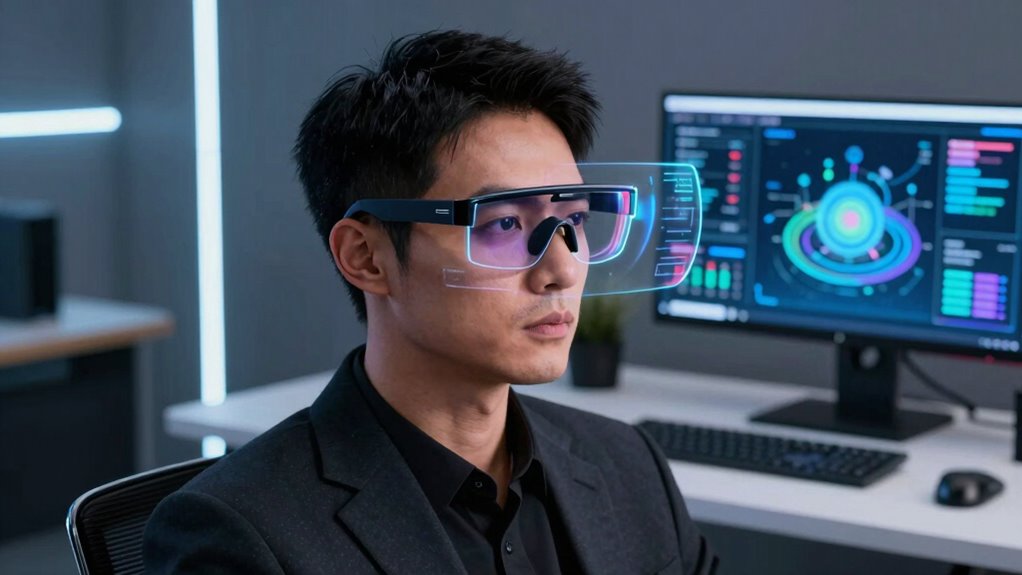

AR smart glasses for productivity continue to evolve rapidly, offering new ways to enhance work, communication, and multitasking. The best devices seamlessly blend augmented displays with user-friendly features, but tradeoffs remain—some prioritize display quality, others focus on AI integration or comfort. The VITURE Pro 2 XR stands out as the overall top pick thanks to its crisp micro-OLED display and adjustable vision settings. Meanwhile, the XREAL One Pro excels with its high refresh rate and compact design, ideal for mobility. You’ll find options suited to different needs, from professional teleprompters to immersive gaming. Keep reading for a detailed comparison and insights to help you choose the right AR glasses for your productivity goals.

Get the latest gadgets delivered free with Prime
- Fast, free delivery on millions of items
- Prime Video, Amazon Music and more included
- Member-only deals all year
Complete the kit



Key Takeaways
- Display quality and resolution are critical for clear visuals and reducing eye strain during prolonged use.
- AI and translation features add significant value for international business and travel, but may come with higher costs.
- Comfort and weight are often overlooked; lighter glasses improve usability over long periods.
- Battery life varies greatly and can limit productivity if not sufficient for your daily tasks.
- The most feature-rich models tend to be more expensive and complex, making simplicity a key factor for beginners.
| VITURE Pro 2 XR 146-inch Micro-OLED AR Glasses – 120Hz, Myopia Adjustment |  | Best Overall for High-Fidelity Personal Displays | Display Technology: Sony Micro-OLED | Screen Size: 146-inch virtual display | Refresh Rate: 120Hz | VIEW ON AMAZON | See Our Full Breakdown |
| XREAL One Pro AR Glasses with X1 Chip, 171″ 120Hz FHD Display |  | Best for Immersive AR with Advanced Tracking | Display: 171-inch virtual screen, 120Hz | Field of View: 57° | Chip: XREAL X1 | VIEW ON AMAZON | See Our Full Breakdown |
| RayNeo Air 3s Pro AR/XR Glasses 201″ 120Hz HueView 2.0 |  | Best for Bright Environments and Extended Viewing | Display Size: 201 inches (virtual) | Brightness: 1200 Nits | Refresh Rate: 120Hz | VIEW ON AMAZON | See Our Full Breakdown |
| Smart Glasses with AR Display, Teleprompter & AI Translation |  | Best for Business and Travel Productivity | Operating System: Android Wear 8.1 / iOS 10+ | Display Screen Size: 1.5 inches | Display Type: AMOLED | VIEW ON AMAZON | See Our Full Breakdown |
| RayNeo Air 4 Pro AR/XR Glasses HDR10 201″ 120Hz |  | Best for 3D Movies and Gaming in Immersive Settings | Display: 201 inches, HDR10, 819 x 461 resolution | Refresh Rate: 120Hz | Platform Compatibility: Android, iOS, PlayStation VR, SteamVR | VIEW ON AMAZON | See Our Full Breakdown |
| VITURE Beast XR/AR Glasses: 174″ 1200p, 58° FOV |  | Best Overall for Immersive Professional Use | Display Size: 174 inches | Resolution: 1200p per eye | Field of View: 58° | VIEW ON AMAZON | See Our Full Breakdown |
| AiLens AR Smart Glasses Teleprompter Translator AI Assistant Speech |  | Best for On-the-Go Professionals and Content Creators | Display Type: Waveguide LED | Display Screen Size: 60 inches | Brightness: 1200 nit | VIEW ON AMAZON | See Our Full Breakdown |
| inmo GO3 AI Translation Smart Glasses with Teleprompter and Camera |  | Best for Multilingual Communication and Presentations | Languages Supported: 98 | Camera: 8MP HD | Battery Life: 8 hours | VIEW ON AMAZON | See Our Full Breakdown |
| VITURE Luma Pro XR/AR Glasses, 152-inch 1200p Sharp Screen, 52° FOV |  | Best for Versatile Entertainment and Productivity | Display Resolution: 1200p | Screen Size: 152 inches | Brightness: 1000 nits | VIEW ON AMAZON | See Our Full Breakdown |
| A1 Smart AR Glasses with Real-Time Translator, 110 Languages, Offline & Photo Translation, Teleprompter, AI Assistant |  | Best for Multi-Function Communication and Travel | Languages Supported: 110 | Offline Languages: 19 | Features: Real-time translation, photo translation, call translation, teleprompter | VIEW ON AMAZON | See Our Full Breakdown |
| AI Smart Glasses with Camera, 4K Video, Real-Time Translation, AI Assistant |  | Best for Travel and Outdoor Use | Video Resolution: 4K Ultra HD | Battery Capacity: 290mAh | Waterproof Rating: IP65 | VIEW ON AMAZON | See Our Full Breakdown |
| ar smart glasses productivity | Weight |
|---|---|
| VITURE Pro 2 XR 146-inch Micro | 63g |
| XREAL One Pro AR Glasses with | Lightweight, compact |
| RayNeo Air 3s Pro AR/XR Glasse | — |
| Smart Glasses with AR Display | 40 g |
| RayNeo Air 4 Pro AR/XR Glasses | 2.88 ounces |
| VITURE Beast XR/AR Glasses: 17 | 88 g |
| AiLens AR Smart Glasses Telepr | 37 g |
| inmo GO3 AI Translation Smart | 58g |
| VITURE Luma Pro XR/AR Glasses | — |
| A1 Smart AR Glasses with Real- | — |
| AI Smart Glasses with Camera | — |
More Details on Our Top Picks
VITURE Pro 2 XR 146-inch Micro-OLED AR Glasses – 120Hz, Myopia Adjustment
The VITURE Pro 2 XR stands out for its stunning Sony Micro-OLED display that delivers vivid colors and brightness, making it ideal for both entertainment and productivity tasks. Unlike the XREAL One Pro, which prioritizes immersive AR with a larger FOV, the Pro 2 offers exceptional visual clarity in a lightweight form factor. Its built-in adjustable myopia correction is a game-changer for nearsighted users, eliminating the need for prescription glasses in many cases. However, its reliance on compatible USB-C devices and limited iPhone support may restrict some users. This pick is perfect for professionals and gamers who want high-quality visuals without sacrificing comfort, but those with older devices should consider compatibility needs.
Pros:- Vivid Sony Micro-OLED display with bright, true-to-life colors
- Built-in adjustable myopia correction for convenience
- Ultra-lightweight at only 63g for extended wear
Cons:- Requires compatible USB-C devices; limited support for some older phones
- Premium features may need additional accessories
Best for: Nearsighted professionals and avid streamers seeking high-fidelity visuals in a lightweight package
Not ideal for: Users with incompatible devices or those seeking extensive AR interaction beyond display quality
- Display Technology:Sony Micro-OLED
- Screen Size:146-inch virtual display
- Refresh Rate:120Hz
- Resolution:1080p
- Peak Brightness:1600 nits
- Weight:63g
- Myopia Adjustment:-5.00D
- Connectivity:USB-C
Our verdict“This is an excellent choice for users prioritizing high-quality visuals and comfort in a sleek AR headset.”
XREAL One Pro AR Glasses with X1 Chip, 171″ 120Hz FHD Display
The XREAL One Pro offers a compelling balance of immersive visuals and device compatibility, with a 171-inch virtual display and 120Hz refresh rate. Its advanced X1 chip ensures stable, smooth AR experiences with 6DoF tracking, outperforming simpler models like the RayNeo Air 3s Pro in terms of stability and responsiveness. While its price is higher, this makes it a worthwhile investment for users who need precise spatial computing, such as enterprise professionals or serious AR enthusiasts. However, it requires a compatible USB-C device or adapters, which may add complexity. This headset is best suited for those who want a portable, immersive AR experience with reliable performance but are prepared for the higher cost.
Pros:- Large 171-inch virtual display with high refresh rate
- Advanced X1 chip provides stable, smooth AR interaction
- Adjustable fit with dual IPD options for comfort
Cons:- Requires compatible USB-C device or adapters, adding setup complexity
- Premium price point may be prohibitive for casual users
Best for: AR professionals and power users who need precise spatial tracking and immersive visuals
Not ideal for: Casual users or those with limited budgets who just want simple notifications or basic AR features
- Display:171-inch virtual screen, 120Hz
- Field of View:57°
- Chip:XREAL X1
- Display Technology:Sony 0.55′ Micro-OLED
- Brightness:up to 700 nits
- Compatibility:USB-C, iPhone, Android, MacBook
- Weight:Lightweight, compact
- IPD Adjustment:Dual size options (M: 57–66mm, L: 66–75mm)
Our verdict“Ideal for AR users demanding high performance and customization, with considerations for device compatibility and cost.”
RayNeo Air 3s Pro AR/XR Glasses 201″ 120Hz HueView 2.0
The RayNeo Air 3s Pro distinguishes itself with an astonishing 1200 nits brightness, making it the best choice for outdoor or brightly lit environments. Its 201-inch virtual display and HueView 2.0 Micro-OLED technology deliver vibrant visuals suitable for streaming, gaming, or extended work sessions. Compared to the RayNeo Air 4 Pro, which emphasizes HDR and cinematic experiences, the 3s Pro focuses on eye comfort and visual clarity in challenging lighting. Its eye comfort certifications and PWM dimming help reduce fatigue during long use, but the device’s bulk and weight could be less comfortable for some. If you need high-brightness AR glasses for outdoor productivity or extended viewing, this model offers the highest brightness and vividness available.
Pros:- Highest brightness at 1200 nits for visibility in sunlight
- Large 201-inch virtual display ideal for immersive content
- Eye comfort certifications reduce fatigue during long use
Cons:- Potentially bulky and heavier than other models
- Additional cost for prescription lenses may be necessary
Best for: Outdoor professionals or users needing high brightness for extended use in bright conditions
Not ideal for: Indoor-only users or those concerned about bulk and weight for daily wear
- Display Size:201 inches (virtual)
- Brightness:1200 Nits
- Refresh Rate:120Hz
- Display Technology:Micro-OLED
- Color Accuracy:98% DCI-P3
- Eye Comfort Certification:TÜV SÜD Low Blue Light
- PWM Dimming:3,840Hz
- Viewing Modes:6 modes
Our verdict“Best suited for outdoor use or bright environments where high brightness and vivid visuals are critical.”
Smart Glasses with AR Display, Teleprompter & AI Translation
This lightweight AR Smart Glasses excel at enabling real-time translation, teleprompting, and notifications, making them ideal for professionals, travelers, and students. Their discreet 1.5-inch AMOLED display provides essential information without distraction. Compared to high-end immersive AR glasses like the XREAL One Pro, these prioritize quick, practical information over visual immersion. The limited battery life of around 2.5 hours and reliance on smartphone pairing mean they’re best for short sessions or day trips. This model appeals to users who need instant translation and quick access to info without sacrificing wearability, but it may not suit those requiring all-day use or extensive AR interaction.
Pros:- Real-time translation and AR display for seamless communication
- Discreet teleprompter and notification features for presentations
- Lightweight and comfortable for all-day wear
Cons:- Battery life limited to about 2.5 hours per charge
- Requires pairing with a smartphone for full functionality
Best for: Travelers, business professionals, or students needing quick translations and notifications
Not ideal for: Users looking for immersive AR experiences or extended all-day wear
- Operating System:Android Wear 8.1 / iOS 10+
- Display Screen Size:1.5 inches
- Display Type:AMOLED
- Weight:40 g
- Battery Capacity:183 mAh
- Battery Life:2.5 hours
- Water Resistance:Water Receptive
- Supported Apps:INMO Go, iOS, Android
Our verdict“A practical choice for quick translation and notifications during travel or meetings, with limited long-term use capacity.”
RayNeo Air 4 Pro AR/XR Glasses HDR10 201″ 120Hz
The RayNeo Air 4 Pro elevates AR entertainment with a 201-inch virtual display featuring HDR10 and 120Hz refresh rate, ideal for movie buffs and gamers who want a cinematic experience. Its Bang & Olufsen speakers provide immersive sound, complementing the high-quality visuals. Unlike the RayNeo Air 3s Pro, which excels in brightness and outdoor clarity, the 4 Pro focuses on HDR and 3D content, making it perfect for home theaters or gaming setups. Its reliance on external power sources rather than internal batteries limits portability, but it offers a premium immersive experience without needing WiFi or apps. This model is best for those seeking a private cinema or gaming zone in their space, accepting the tradeoff of external power dependency.
Pros:- Vivid HDR10 display with 201-inch virtual size
- 120Hz refresh rate ensures smooth motion for gaming
- Bang & Olufsen speakers deliver high-quality surround sound
Cons:- No internal battery; requires external power source
- Less portable due to reliance on external connections
Best for: Home users and gamers seeking cinematic AR experiences without WiFi dependency
Not ideal for: On-the-go users or those needing all-day portability due to reliance on external power
- Display:201 inches, HDR10, 819 x 461 resolution
- Refresh Rate:120Hz
- Platform Compatibility:Android, iOS, PlayStation VR, SteamVR
- Audio:Bang & Olufsen 360° speakers
- Connectivity:USB-C
- Weight:2.88 ounces
- Additional Features:AI SDR-to-HDR upscaling, 3D viewing
Our verdict“Best suited for immersive home entertainment and gaming, with the understanding of limited portability.”
VITURE Beast XR/AR Glasses: 174″ 1200p, 58° FOV
The VITURE Beast XR stands out for delivering an enormous 174-inch virtual display with vivid 1200p clarity, making it ideal for multitasking and immersive presentations. Compared to the VITURE Luma Pro, the Beast XR’s larger size and brighter display (1250 nits) enhance outdoor usability, but its premium price and hardware-only approach limit customization options. It’s best suited for professionals needing a portable, high-fidelity AR environment without software distractions, though casual users seeking simpler devices may find it too costly. Pros include its massive, crisp display, auto transparency for outdoor viewing, lightweight durable frame, and integrated audio. Cons involve high price, limited software flexibility, and reliance on specific hardware compatibility. Verdict: This pick makes the most sense for demanding professionals who prioritize immersive AR for work or entertainment, accepting the premium investment.- Display Size:174 inches
- Resolution:1200p per eye
- Field of View:58°
- Refresh Rate:120 Hz
- Brightness:1250 nits
- Weight:88 g
Our verdict“Best Overall for Immersive Professional Use — a strong pick in this lineup.”
AiLens AR Smart Glasses Teleprompter Translator AI Assistant Speech
The AiLens AR glasses excel with a vivid 1200-nit MicroLED display and versatile AI features, including translation, teleprompter, and real-time notifications, making them a powerful productivity tool for busy professionals and students. Unlike the inmo GO3 with its built-in camera, AiLens emphasizes communication and live updates, though it lacks water resistance, limiting outdoor use. This device is perfect for those who need quick access to information and seamless language support, but may be less suitable for outdoor environments or users uncomfortable with complex tech. Pros include bright display, lightweight comfort, AI-driven features, and multi-language support. Cons involve water resistance limitations, potential learning curve, and unspecified pricing. Verdict: Ideal for professionals prioritizing communication, translation, and presentation support in a compact, easy-to-wear form, despite some durability tradeoffs.- Display Type:Waveguide LED
- Display Screen Size:60 inches
- Brightness:1200 nit
- Battery Life:8 hours
- Weight:37 g
- Supported Application:Communication, Music, AI/AR
Our verdict“Best for On-the-Go Professionals and Content Creators — a strong pick in this lineup.”
inmo GO3 AI Translation Smart Glasses with Teleprompter and Camera
The inmo GO3 offers real-time translation in 98 languages, combined with an invisible teleprompter and HD camera, making it a versatile device for speakers, travelers, and content creators. Compared to the AiLens, the GO3’s camera and style appeal to users who want visual documentation and a sleek look, though it may lack some AI features. Its long 8-hour battery life and quick-swap batteries support extended use, but its durability and learning curve could be hurdles for new users. This device best suits users needing reliable translation and recording tools on the go, but those requiring water resistance or ruggedness should look elsewhere. Pros include extensive language support, discreet teleprompter, high-quality camera, and long battery life. Cons involve potential fragility, learning curve, and no explicit price info. Verdict: Perfect for travelers and speakers who need seamless multilingual support and visual recording, accepting some durability tradeoffs.- Languages Supported:98
- Camera:8MP HD
- Battery Life:8 hours
- Weight:58g
- Microphone Array:4-microphone AI beamforming
- Connectivity:Offline & online modes
Our verdict“Best for Multilingual Communication and Presentations — a strong pick in this lineup.”
VITURE Luma Pro XR/AR Glasses, 152-inch 1200p Sharp Screen, 52° FOV
The VITURE Luma Pro combines a sharp 152-inch display with 1200p resolution and a 52° field of view, suited for immersive work, gaming, or entertainment. Its adjustable fit and focus, along with dynamic lighting effects, make it versatile for different users. While the setup may seem complex, especially with the need to remove protective film over the camera, this model provides a near-cinematic experience for those who want a multi-purpose AR device. Compared to the larger Beast XR, the Luma Pro’s slightly smaller display and more refined color accuracy (DeltaE < 2) favor users prioritizing visual fidelity and comfort. It’s less ideal for straightforward, quick-use productivity due to setup complexity but excels in immersive environments. Pros include high resolution, adjustable comfort, multi-screen support, and vibrant colors. Cons involve complex initial setup and limited info on weight and battery life. Verdict: Best suited for users seeking a high-quality visual experience for both work and entertainment, despite a more involved setup.- Display Resolution:1200p
- Screen Size:152 inches
- Brightness:1000 nits
- Field of View:52°
- Color Accuracy:DeltaE < 2
- Compatibility:USB-C, gaming consoles, Mac, PC
Our verdict“Best for Versatile Entertainment and Productivity — a strong pick in this lineup.”
A1 Smart AR Glasses with Real-Time Translator, 110 Languages, Offline & Photo Translation, Teleprompter, AI Assistant
The A1 Smart AR glasses provide real-time translation in 110 languages, with offline support, photo translation, and a teleprompter, making them a flexible choice for travelers, students, and professionals needing instant multilingual assistance. Compared to the inmo GO3, the A1’s broader language support and offline capabilities cater well to those without constant internet access, though its call translation is limited geographically. Its built-in AI assistant and bilingual subtitles streamline conversations and presentations, but the price and unspecified battery life may deter casual users. This device is perfect for users who prioritize comprehensive translation and presentation tools in a lightweight package, accepting some limitations in durability and battery. Pros include extensive language support, offline translation, integrated teleprompter, and camera. Cons involve limited call translation, potential durability concerns, and lack of detailed price info. Verdict: Ideal for travelers and multilingual professionals who need reliable, all-in-one translation and communication support, even if it’s less rugged.- Languages Supported:110
- Offline Languages:19
- Features:Real-time translation, photo translation, call translation, teleprompter
- Compatibility:iTourAR app
- Battery Life:Not specified
Our verdict“Best for Multi-Function Communication and Travel — a strong pick in this lineup.”
AI Smart Glasses with Camera, 4K Video, Real-Time Translation, AI Assistant
This model stands out for its combination of high-quality 4K video recording and real-time translation, making it ideal for travelers and outdoor enthusiasts who want a versatile device beyond standard productivity. Compared to the XREAL One Pro, which offers a more refined display for immersive work, these glasses prioritize mobility and AI features, though they are somewhat bulky and rely on an app for full functionality. The waterproof design adds durability for outdoor activities, and support for Bluetooth music and calls enhances everyday use. However, the battery life isn’t clearly specified, which could limit long sessions, and the bulkiness might not suit all users seeking a discreet device.
Pros:- High-quality 4K video recording for capturing detailed content
- Real-time language translation and AI assistant boost multitasking capabilities
- Waterproof rating IP65 for outdoor durability
- Supports Bluetooth music and hands-free calls for convenience
Cons:- Battery life details are not provided, raising questions about longevity
- Potentially bulky for users prioritizing discreet or lightweight wear
- Full feature set requires app installation, adding complexity
Best for: Travelers, outdoor professionals, and users who need high-quality video and translation on the go
Not ideal for: Office workers or those seeking a sleek, lightweight design for daily productivity at a desk
- Video Resolution:4K Ultra HD
- Battery Capacity:290mAh
- Waterproof Rating:IP65
- Features:Real-Time Translation, ChatGPT Assistant, Bluetooth Music, Hands-Free Calls, Object Recognition
Our verdict“This pick makes the most sense for users who value advanced AI features and high-quality video in outdoor or travel contexts over a sleeker design.”

How We Picked
I evaluated these AR smart glasses based on core performance factors like display clarity, responsiveness, and ease of use. Usability was a priority, so I looked at comfort, weight, and battery life, which directly impact daily productivity. Value was also considered—balancing features against price—to identify options that offer the best bang for your buck. Additionally, I assessed the versatility of features such as AI assistance, translation, and camera capabilities, ensuring each model serves a distinct user need. The ranking reflects a combination of these factors, emphasizing real-world usefulness over flashy specs alone.Factors to Consider When Choosing Ar Smart Glasses Productivity
Choosing the right AR smart glasses for productivity depends on several critical factors. Understanding these can help you avoid common pitfalls, such as overpaying for unnecessary features or selecting a device that’s uncomfortable for long-term wear. Here are key considerations to keep in mind when making your decision.Display Quality and Resolution
Clear, high-resolution displays reduce eye strain and make reading or viewing content easier over extended periods. Micro-OLED and HDR screens tend to deliver sharper visuals, which is especially important if you plan to use your glasses for detailed work, presentations, or media consumption. However, higher resolution often comes with increased cost and power consumption, so balance your need for clarity with battery life considerations.
Comfort and Wearability
If you intend to wear your AR glasses for hours, comfort becomes a non-negotiable factor. Lighter frames, adjustable nose pads, and balanced weight distribution can significantly enhance usability. Be wary of bulky designs or models with sharp edges, as these can cause discomfort or fatigue, undermining productivity. Remember, the most feature-rich device is less useful if it’s hard to wear for extended periods.
Battery Life and Portability
Long-lasting battery performance is essential for uninterrupted work sessions. Some models offer all-day use, while others may require frequent recharging. Consider your typical workday and whether the device can support your activities without constant charging. Also, check if the glasses are easy to carry or recharge on the go—portability can be a decisive advantage for mobile professionals.
Feature Set and AI Capabilities
Features like real-time translation, AI assistants, and camera integrations extend your productivity, especially for international business or multitasking. However, more features often mean higher complexity and cost. Evaluate which functionalities will genuinely improve your workflow and avoid paying for extras you won’t use regularly. Simpler models may be more reliable and easier to operate for beginners.
Price and Overall Value
AR smart glasses span a wide price range. Higher-end models tend to have superior displays and advanced AI, but may be overkill for casual users. Budget options can be effective for basic notifications or light tasks but might lack durability or key features. Aim for a balance—invest more if you need high-fidelity visuals and professional tools, but consider simpler, more affordable options if your needs are modest.
Frequently Asked Questions
Can I wear AR smart glasses for all-day work sessions?
Wearing AR glasses for an entire workday depends on their comfort and battery life. Many models are designed with lightweight materials and adjustable fittings, making prolonged use feasible. However, some heavier or less breathable models may cause fatigue or discomfort over hours. Check the device’s weight and user reviews regarding all-day wear before committing, and consider models with longer battery life to avoid frequent recharging.
Are AR smart glasses suitable for multitasking across different applications?
Most AR glasses support multiple apps and notifications simultaneously, providing a hands-free experience. Features like split-screen displays and AI assistance can boost multitasking efficiency. Still, the performance depends on the device’s processing power and software ecosystem. Budget models may struggle with smooth multitasking, so prioritize those with robust hardware and flexible app support if multitasking is a priority.
How important is display resolution compared to other features?
Display resolution directly impacts clarity and reduces eye strain, making it a vital factor for productivity. High-resolution screens enable sharper text and visuals, especially during long sessions. However, they can drain battery faster and increase costs. Balance resolution with other factors like comfort and battery life, choosing a model that offers enough clarity without compromising usability or affordability.
Do I need AI translation features for my work?
AI translation can be a game-changer for international collaboration, allowing real-time communication across languages. If your work involves frequent interaction with foreign clients or teams, these features can save time and reduce misunderstandings. Keep in mind, such capabilities usually come with added costs and complexity, so assess whether they align with your specific productivity needs.
Is investing in a premium AR smart glass worth it?
Premium models often deliver superior display quality, longer battery life, and advanced AI features. For professionals who rely heavily on AR for presentations, detailed work, or frequent travel, the investment can significantly boost productivity. However, if your use is casual or basic, a more affordable model may suffice. Always consider your actual use case and budget before opting for high-end devices.
Conclusion
For those seeking the best overall experience, the VITURE Pro 2 XR offers a balanced mix of display quality, comfort, and features. Budget-conscious users will find the XREAL One Pro to be a compelling value, providing high refresh rates and portability without breaking the bank. Professionals needing advanced AI and translation tools should explore premium options like the A1 Smart AR Glasses or RayNeo Air 4 Pro. Beginners or casual users benefit from simpler, more straightforward models that prioritize ease of use and affordability. Ultimately, your ideal choice depends on your specific productivity goals and how much you’re willing to invest in cutting-edge AR technology.
As an affiliate, we earn on qualifying purchases.Fall Picks
fall essentials