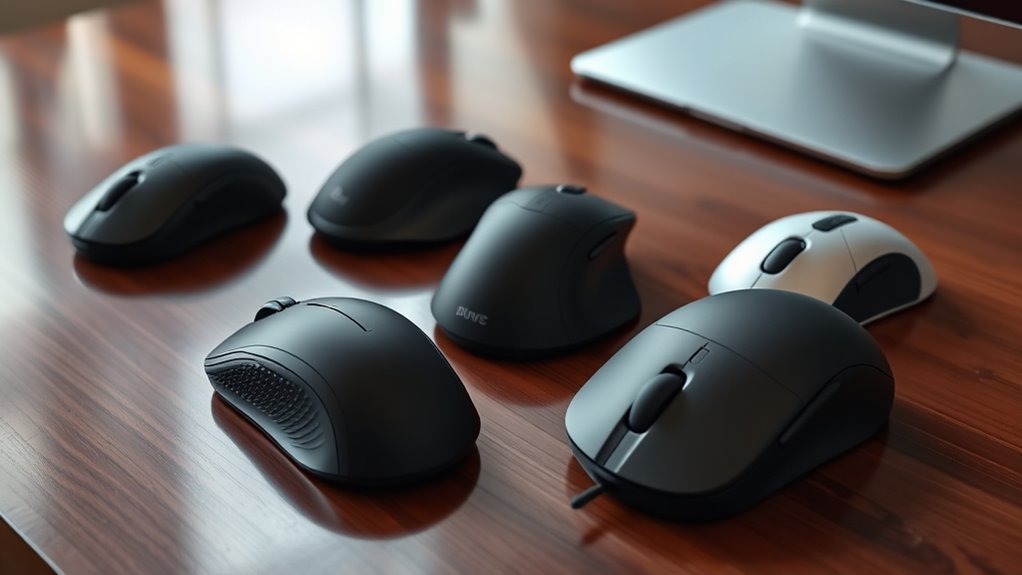

If you’re looking to ease wrist pain, I recommend exploring ergonomic mice with vertical designs, adjustable DPI, and supportive features like gel wrist rests. Models like the Logitech MX Vertical, TECKNET, and LEKVEY offer natural wrist alignments, customizable buttons, and long battery life to reduce fatigue during extended use. Wireless options with multi-device support make multitasking smooth. Keep in mind factors like size and surface compatibility—stick around, and I’ll help you find the perfect fit.
Key Takeaways
- Ergonomic mice promote natural wrist positioning with vertical designs and 57° angles, reducing wrist strain and muscular effort.
- Features like gel wrist rests, textured grips, and supportive contours enhance comfort during long use sessions.
- Adjustable DPI and customizable buttons improve precision and reduce repetitive movements, alleviating wrist fatigue.
- Wireless options with long battery life and easy device switching support seamless multi-device workflows.
- Compatibility across multiple OS and quiet operation make ergonomic mice suitable for various work environments.
TECKNET Wireless Ergonomic Vertical Mouse with Adjustable DPI
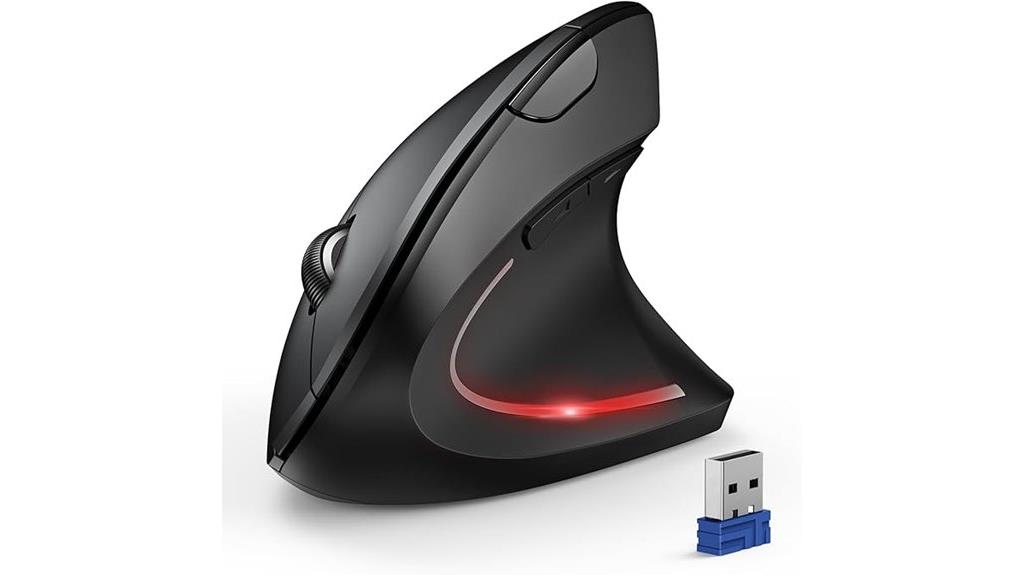
If you’re looking for an ergonomic mouse that combines flexibility with comfort, the TECKNET Wireless Ergonomic Vertical Mouse with Adjustable DPI is an excellent choice. It supports Bluetooth and 2.4GHz USB modes, making switching between devices seamless. The Bluetooth mode can connect to two devices simultaneously, saving USB ports. With six DPI levels, from 800 to 4800, it offers precise control across different tasks and surfaces. Its quiet operation and vertical design reduce wrist strain, making it ideal for long hours. Plus, the deep sleep mode conserves power, and the low battery indicator keeps you informed. Overall, it’s a versatile, comfortable tool for better wrist health.
Best For: users seeking an ergonomic, versatile mouse that reduces wrist strain and supports seamless multi-device connectivity for long hours of use.
Pros:
- Supports Bluetooth and 2.4GHz USB modes for easy device switching
- Adjustable DPI levels from 800 to 4800 for precise control on various surfaces
- Quiet operation and ergonomic vertical design enhance comfort and reduce strain
Cons:
- Requires 2 AAA batteries (not included), which may need frequent replacement
- Side buttons are not compatible with macOS
- Deep sleep mode may delay immediate wake-up if not used carefully
LEKVEY Wireless Vertical Ergonomic Mouse with Adjustable DPI
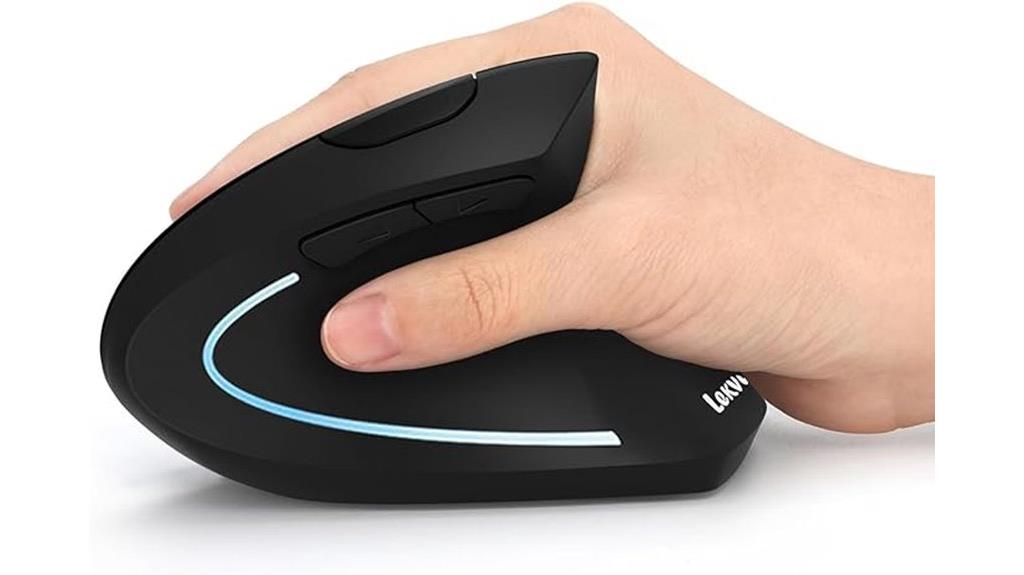
The LEKVEY Wireless Vertical Ergonomic Mouse stands out for its scientifically designed vertical shape, which encourages a natural handshake posture. This design helps reduce wrist and arm strain, making it a great choice for those seeking relief. It’s sleek, rechargeable, and fits well in medium to large hands, with dimensions of 5.0 x 3.0 x 2.5 inches. The mouse features three adjustable DPI settings—800, 1200, and 1600—for sensitivity control, along with multi-function buttons for easy navigation. With over 150 hours of use per charge and simple plug-and-play connectivity, it offers both convenience and comfort, ideal for long work sessions.
Best For: users seeking an ergonomic mouse that reduces wrist strain and offers customizable sensitivity for long hours of computer use.
Pros:
- Scientifically designed vertical shape promotes a natural handshake posture, reducing strain.
- Adjustable DPI levels (800, 1200, 1600) for personalized sensitivity control.
- Long-lasting battery life with over 150 hours of usage per charge and easy USB-C recharging.
Cons:
- Slight adjustment period needed to get accustomed to the vertical design.
- Size may not be suitable for very small or petite hands.
- Limited to Windows, Linux, and Mac OS; not compatible with some specialized operating systems or devices without USB ports.
Anker Wireless Vertical Ergonomic Optical Mouse
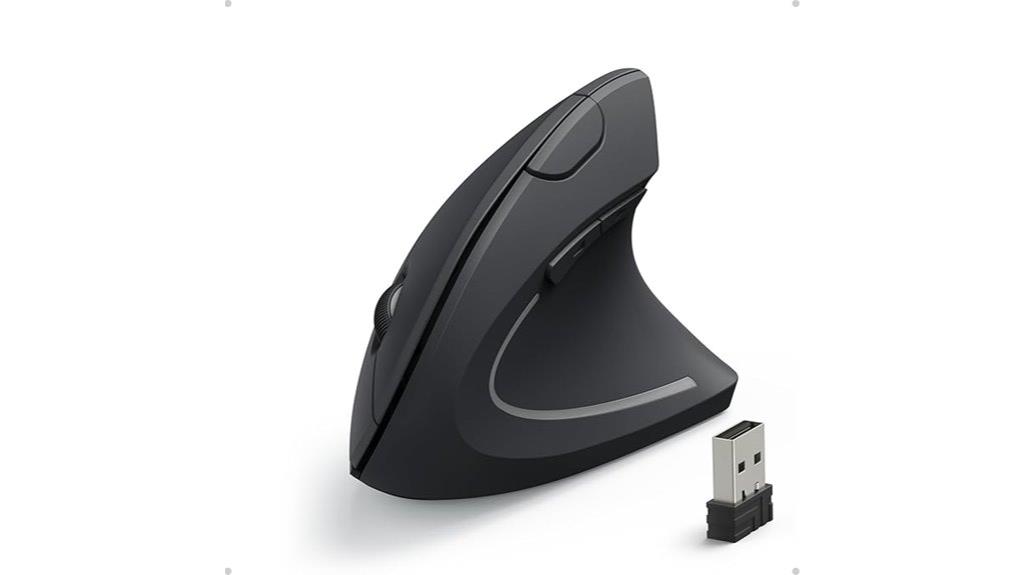
For those seeking a comfortable, health-conscious mouse, the Anker Wireless Vertical Ergonomic Optical Mouse stands out with its scientifically designed vertical shape that promotes a natural, neutral handshake wrist position. Weighing just 3.4 ounces and measuring 120*62.8*74.8 mm, it’s built for long-term comfort during extended work sessions. Its wireless 2.4G connection via a USB receiver makes it versatile and compatible with laptops, desktops, and MacBooks. The optical sensor offers adjustable DPI settings (800/1200/1600) for precise control, and the additional buttons make navigation easier. Plus, its power-saving mode helps conserve battery life, ensuring reliable use every day.
Best For: users seeking an ergonomic, health-conscious mouse suitable for long hours of work or browsing across multiple devices.
Pros:
- Scientifically designed vertical shape promotes a natural wrist and arm position, reducing strain
- Wireless 2.4G connectivity with multi-device compatibility for versatile use
- Adjustable DPI settings (800/1200/1600) for precise control on various surfaces
Cons:
- Batteries are not included, requiring additional purchase
- May be slightly larger and heavier than traditional mice, which could be less portable for some users
- Lacks customizable software for personalized button functions
ProtoArc Ergonomic Wireless Vertical Mouse (EM11 NL)
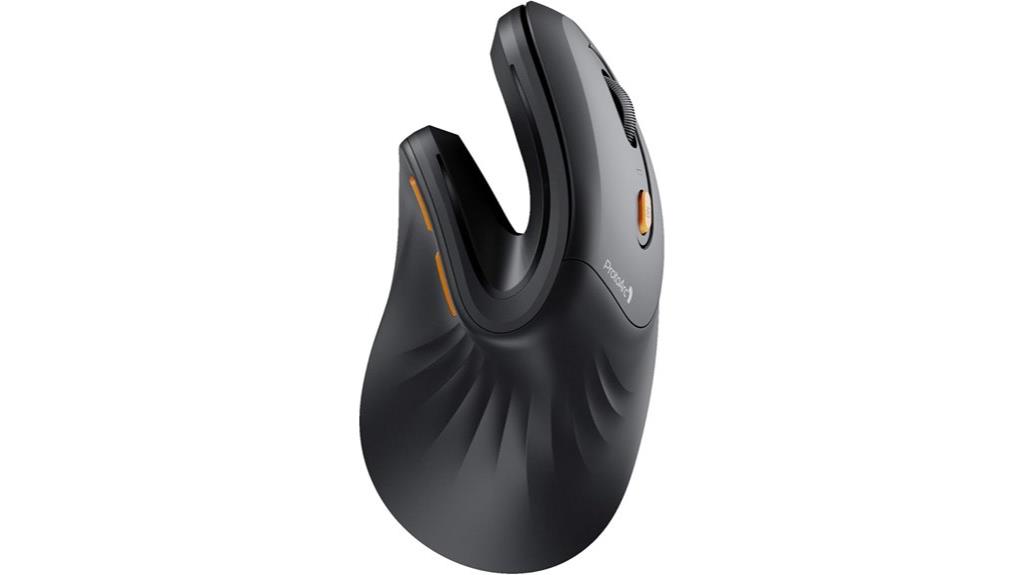
The ProtoArc Ergonomic Wireless Vertical Mouse (EM11 NL) stands out as an excellent choice for users who want to boost productivity while reducing wrist strain, thanks to its multi-device switching capability and silent buttons. Its vertical design keeps your wrist naturally straight, promoting comfort during long hours. Compatible with Windows, Mac, and Android, it easily connects to up to three devices via Bluetooth or USB, allowing seamless switching. With a rechargeable battery and adjustable DPI settings, it offers precise tracking. The silent clicks reduce noise, making it ideal for focused work. While it takes a bit of time to adapt, its ergonomic benefits make it a solid choice for wrist pain relief.
Best For: users seeking an ergonomic, multi-device wireless mouse that reduces wrist strain and enhances productivity during long work sessions.
Pros:
- Supports connection to up to three devices simultaneously via Bluetooth and USB modes for versatile use.
- Vertical ergonomic design promotes natural wrist positioning, reducing discomfort.
- Silent clicking minimizes noise, ideal for focused work environments.
Cons:
- Requires a 1-2 week adaptation period to get accustomed to the shape.
- Not all buttons are programmable, and Mac OS compatibility with back/forward buttons is limited.
- Designed for small to medium hands; larger hands may find the fit less comfortable.
TECKNET Wireless Vertical Mouse with 4800 DPI and Adjustable DPI Levels
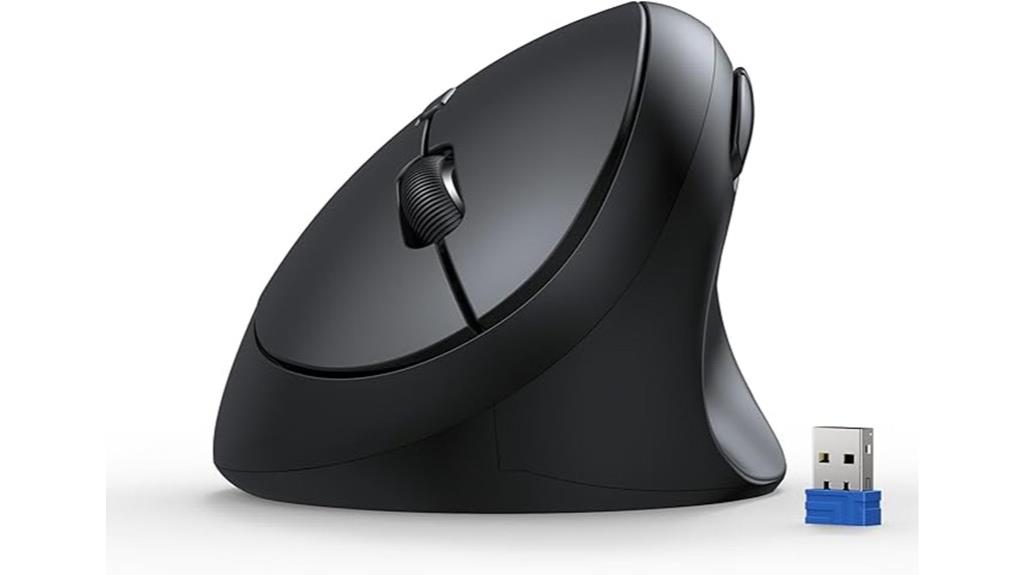
If you’re looking for an ergonomic mouse that offers both comfort and precision, the TECKNET Wireless Vertical Mouse stands out with its 4800 DPI optical sensor and adjustable DPI levels. Its 52° angle promotes a natural handshake position, reducing wrist and arm strain during long hours. The rounded shape fits small to medium hands comfortably, helping to prevent fatigue. With five DPI settings, from 800 to 4800, you can customize cursor sensitivity for different tasks or surfaces. Plus, silent click buttons and a stable 2.4GHz wireless connection make it a practical choice for quiet, flexible use at home or in the office.
Best For: users seeking an ergonomic, quiet, and precise wireless mouse suitable for long hours of work or leisure activities at home or in the office.
Pros:
- Ergonomic design with a 52° angle reduces wrist and arm strain for comfortable extended use
- Adjustable DPI levels up to 4800 ensure precise cursor control across different surfaces and tasks
- Quiet click buttons minimize noise by over 99%, ideal for quiet environments
Cons:
- Forward/back buttons are not silent, which may produce noise during frequent use
- Not supported on Mac OS for the web browsing buttons, limiting functionality for Mac users
- Requires a USB port for the receiver; not compatible with Bluetooth-enabled devices
Logitech Lift Ergonomic Wireless Mouse
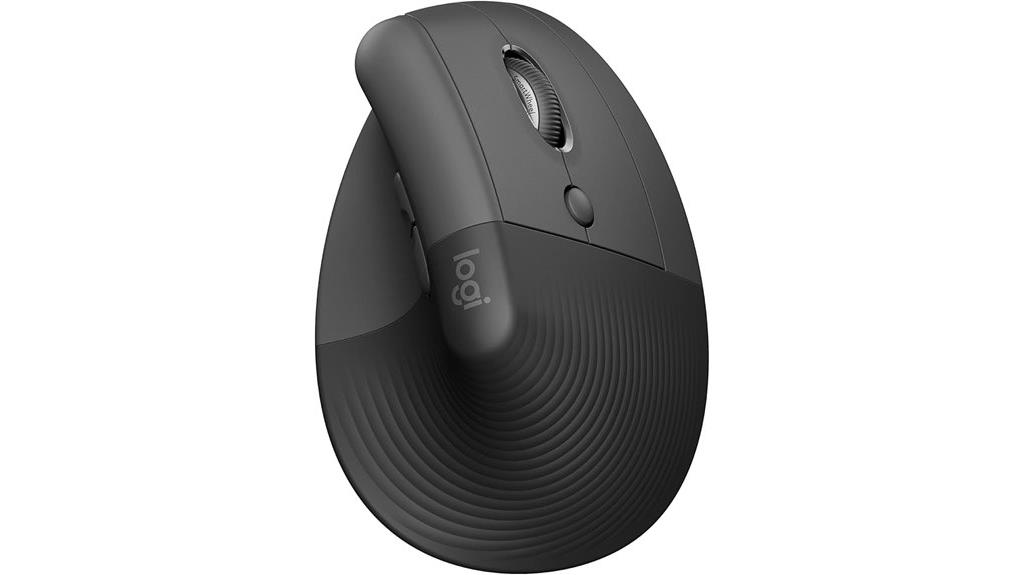
The Logitech Lift Ergonomic Wireless Mouse stands out as an excellent choice for right-handed users seeking all-day comfort and reduced wrist strain. Its 57-degree tilt promotes a natural forearm posture, easing fatigue during long sessions. The soft textured grip and snug thumb rest add to the comfort, fitting small to medium hands perfectly. With customizable buttons, a SmartWheel for smooth scrolling, and whisper-quiet clicks, it blends functionality with quiet operation. Wireless via Bluetooth or USB, it offers flexibility and convenience. Certified by ergonomists, the Logitech Lift is designed to improve posture, reduce strain, and boost productivity, making it a top pick for ergonomic comfort in 2025.
Best For: right-handed users seeking all-day ergonomic comfort, reduced wrist strain, and customizable functionality for extended computer use.
Pros:
- Promotes natural forearm posture with 57-degree tilt to reduce fatigue
- Soft textured grip and snug thumb rest enhance comfort for small to medium hands
- Quiet clicks and customizable buttons improve usability without noise
Cons:
- Designed specifically for right-handed users, limiting left-handed compatibility
- May be less suitable for users with very large or very small hands due to size fit
- Requires Bluetooth or USB receiver, which might be inconvenient for users with limited ports
ProtoArc Ergonomic Mouse, EM11 NL Wireless Vertical Mouse
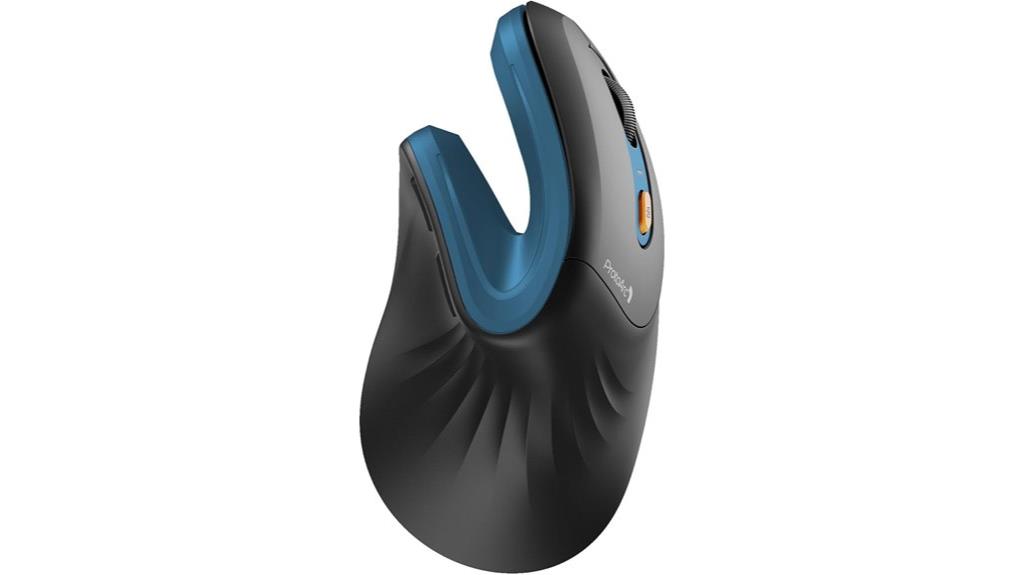
Designed for small to medium hands, the ProtoArc EM11 NL Wireless Vertical Mouse offers an ergonomic shape that promotes a natural wrist position, making it an excellent choice for anyone experiencing wrist fatigue or pain during extended computer use. Its vertical design reduces strain, while the wireless connectivity allows easy multi-device switching via Bluetooth 5.0 and USB. The rechargeable 500mAh battery ensures long-lasting use, and the adjustable DPI settings provide precise control. With silent clicking and back/forward buttons, it enhances focus and efficiency. Just keep in mind it’s best for smaller hands, and some features aren’t compatible with Mac OS.
Best For: users with small to medium hands seeking an ergonomic, wireless vertical mouse that reduces wrist strain and offers quiet operation.
Pros:
- Promotes natural wrist position to reduce fatigue and discomfort
- Wireless connectivity with multi-device switching via Bluetooth 5.0 and USB
- Quiet clicking design minimizes noise for better focus
Cons:
- All buttons are not programmable, limiting customization
- Back and forward buttons are not compatible with Mac OS
- Designed primarily for smaller hands; may not fit larger users comfortably
TECKNET Wireless Ergonomic Vertical Mouse with 4800 DPI
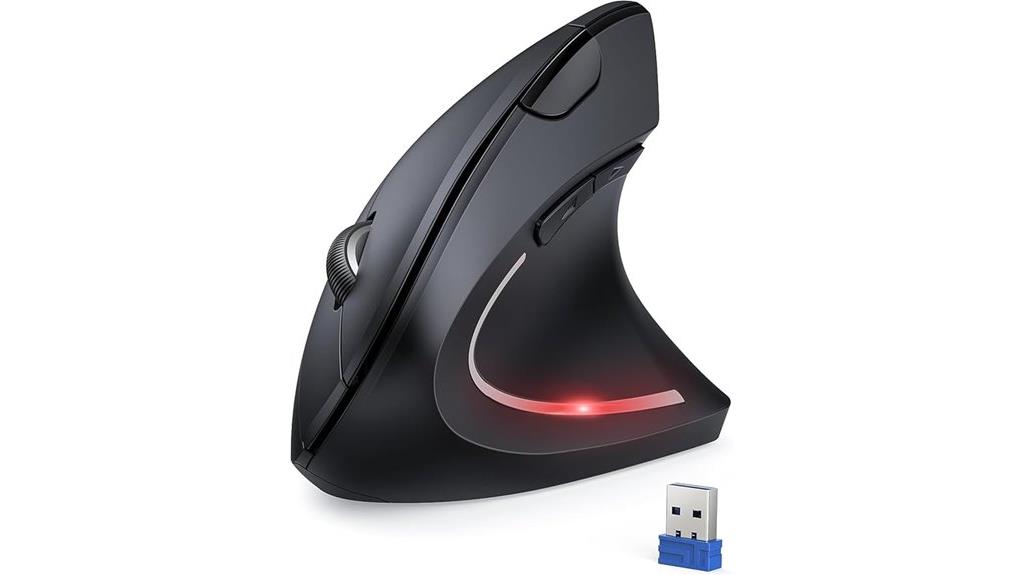
For anyone seeking a comfortable, wrist-friendly mouse that offers precise control, the TECKNET Wireless Ergonomic Vertical Mouse with 4800 DPI stands out as an excellent choice. Its vertical design helps reduce wrist and arm stress, with an adjustable arm and wrist positioning for personalized comfort. The five DPI settings ensure smooth, accurate tracking, while quiet clicks keep noise to a minimum—ideal for office or home use. With a wireless range of 49 feet and compatibility across multiple operating systems, setup is quick and hassle-free. Plus, the 36-month warranty and energy-saving features make this mouse both dependable and efficient, perfect for long hours of work or browsing.
Best For: users seeking an ergonomic, precise, and quiet wireless mouse suitable for office work, browsing, and long hours at the computer.
Pros:
- Ergonomic vertical design reduces wrist and arm stress for comfortable use
- Adjustable DPI settings up to 4800 for precise control and smooth tracking
- Quiet click mechanism minimizes noise, ideal for shared or quiet environments
Cons:
- Not compatible with Mac systems due to side button design
- Requires two AAA batteries, which are not included
- Slight adaptation period of 3-7 days for optimal comfort and familiarization
Lekvey Ergonomic Wireless Vertical Mouse with Rechargeable 2.4G Optical DPI Adjustable for Laptop and PC
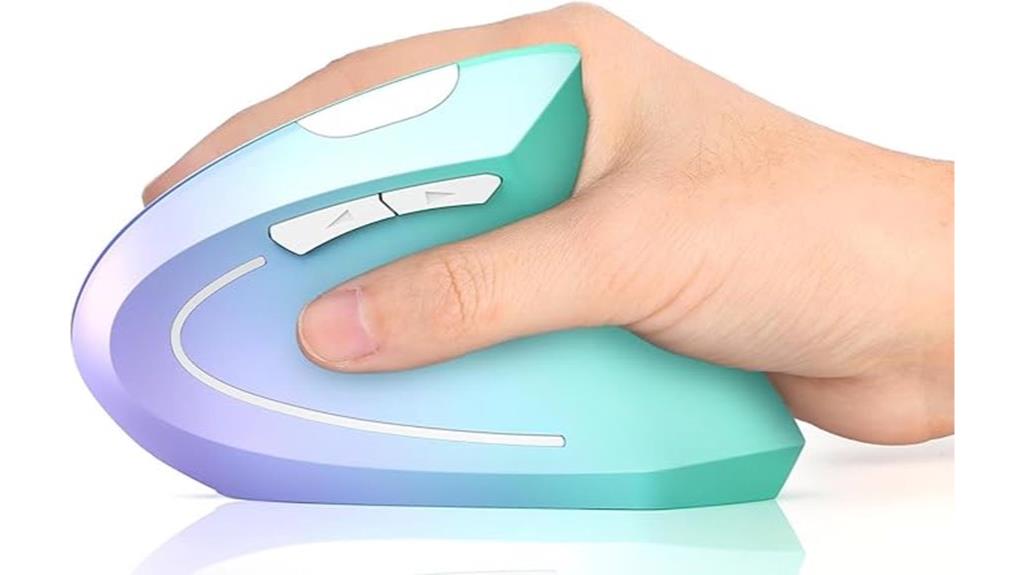
If you’re looking to reduce wrist strain during long hours at your computer, the Lekvey Ergonomic Wireless Vertical Mouse stands out as a top choice. Its scientific ergonomic design promotes a healthy, neutral wrist and arm position, easing discomfort. Available in stylish green and purple, it suits home, office, and travel use. The vertical shape is especially comfortable for larger hands, and the quiet buttons improve the experience without disturbing others. It connects easily via a USB receiver, with adjustable DPI settings for sensitivity. Plus, its rechargeable battery offers up to 150 hours of use on a quick charge, making it a practical, health-focused option.
Best For: users seeking an ergonomic, wireless mouse that reduces wrist strain during extended computer use, particularly those with larger hands.
Pros:
- Promotes healthy, neutral wrist and arm positioning to reduce discomfort
- Rechargeable battery offers up to 150 hours of use on a quick 3-hour charge
- Quiet click buttons enhance user experience without disturbing others
Cons:
- Larger size may not be suitable for users with small hands
- No side lighting, which some users might prefer for aesthetic purposes
- Compatibility requires a USB-A port and may need adapters for some Mac devices
TECKNET Wireless Ergonomic Vertical Mouse with 5 Adjustable DPI
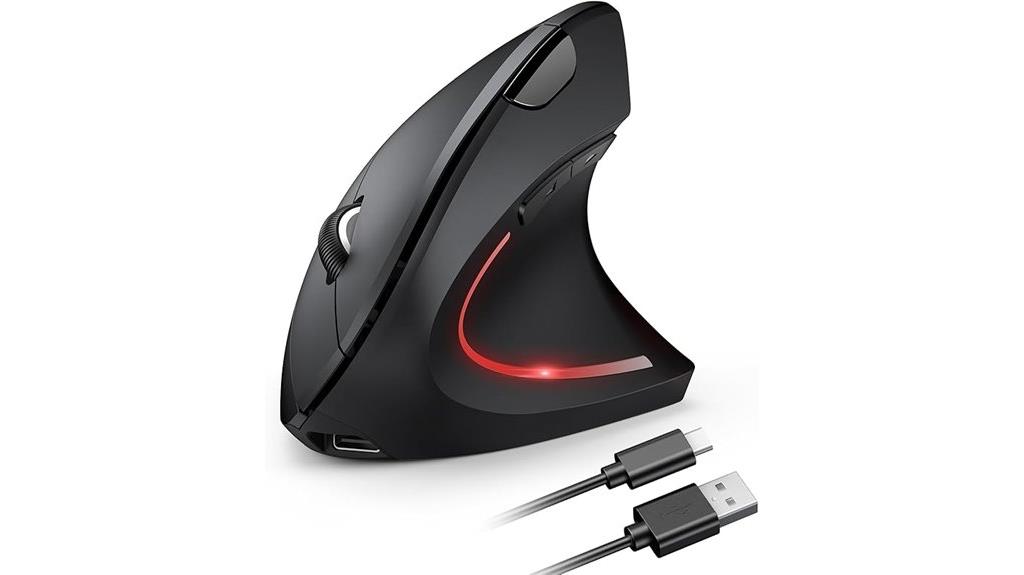
The TECKNET Wireless Ergonomic Vertical Mouse stands out for those seeking a comfortable, wireless solution that minimizes wrist strain during long work sessions. Its vertical design promotes a natural wrist and arm position, reducing fatigue and avoiding awkward postures. The silent-click buttons make it ideal for shared spaces, while the 2.4 GHz wireless connection ensures a reliable, interference-free link up to 10 meters. With a rechargeable 600mAh battery that lasts about two months, it’s perfect for busy professionals. The five adjustable DPI levels and Tru-Wave optical tracking provide precise control across various surfaces, making it a versatile choice for office and creative tasks.
Best For: professionals seeking an ergonomic, wireless mouse with customizable sensitivity for long hours of work or creative tasks.
Pros:
- Ergonomic vertical design reduces wrist and arm fatigue for comfortable extended use
- Wireless 2.4 GHz connection ensures reliable, interference-free operation up to 10 meters
- Rechargeable 600mAh battery lasts approximately two months on a single charge
Cons:
- Not compatible with USB-C ports directly; requires a USB-A adapter or port
- Auxiliary keys are not silent, which may produce noise during use
- Not suitable for use on glass surfaces due to optical tracking limitations
Logitech Ergo M575S Wireless Trackball Mouse
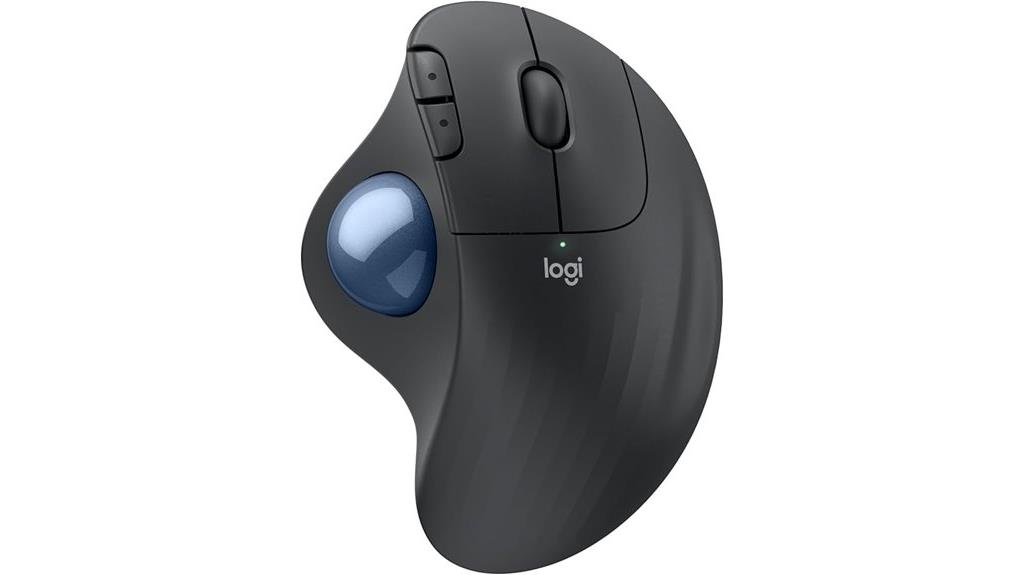
The Logitech Ergo M575S Wireless Trackball Mouse stands out as an ideal choice for users seeking all-day comfort and reduced muscle strain, thanks to its sculpted shape that promotes a relaxed hand posture. Its ergonomic design realigns the forearm, cutting muscle strain by 25%, making it perfect for extended use. The thumb-controlled trackball allows precise cursor movement without moving your hand, which is great for small or tight spaces. Plus, it supports most hand sizes and offers customizable buttons for shortcuts. Quiet clicks keep noise to a minimum, and with up to 18 months of battery life, it’s both practical and eco-friendly.
Best For: users who need an ergonomic, comfortable, and precise trackball mouse suitable for long hours and space-constrained setups.
Pros:
- Promotes relaxed hand posture, reducing muscle strain by 25% for all-day comfort
- Thumb-controlled trackball allows precise cursor movement without hand movement
- Eco-friendly design made with over 70% post-consumer recycled plastic
Cons:
- May require a learning curve for users unfamiliar with trackball mice
- Limited to Bluetooth or Logi Bolt USB connection, which may not be compatible with all devices
- Customizable buttons might be insufficient for users needing extensive shortcuts
Ergonomic Wireless Rechargeable Mouse (3-in-1: Bluetooth, USB A, Type C) with 5 DPI Levels
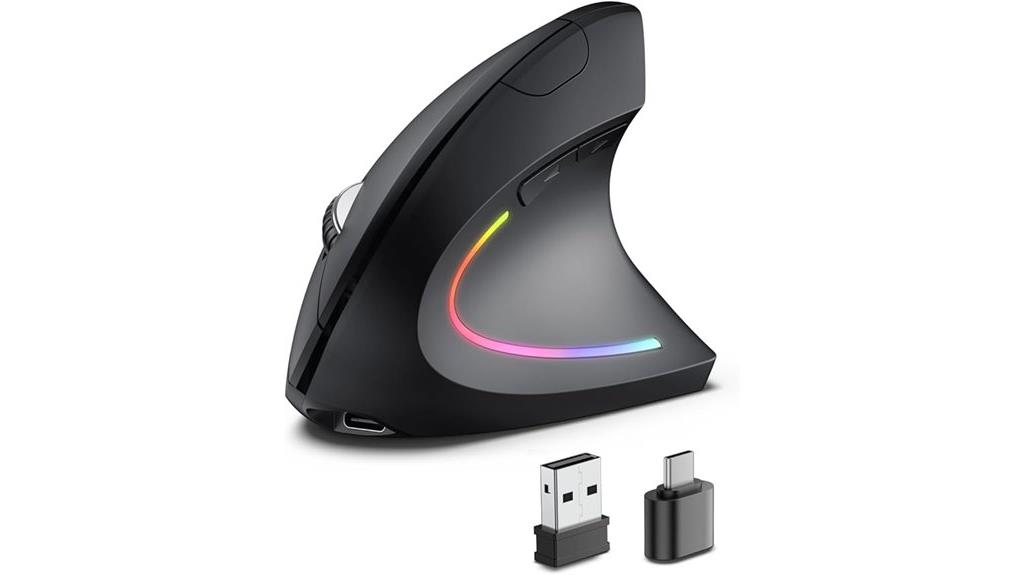
For anyone seeking a versatile, ergonomic mouse that minimizes wrist strain, this wireless rechargeable model is an excellent choice. Its vertical design with a 58-degree angle conforms to your palm, promoting a healthy neutral handshake and reducing muscle fatigue. You can connect via Bluetooth 5.3, USB A, or USB C, switching effortlessly between devices without unplugging. With five DPI levels up to 4800, it offers precise tracking on various surfaces. The rechargeable battery lasts 1-3 months, and the silent buttons make it ideal for quiet environments. Compatible with most systems, this mouse combines comfort, flexibility, and performance in one sleek package.
Best For: users seeking an ergonomic, versatile wireless mouse that reduces wrist strain and offers seamless multi-device connectivity.
Pros:
- Ergonomic vertical design promotes healthy posture and reduces muscle fatigue
- Supports three connection modes: Bluetooth 5.3, USB A, and USB C for versatile device pairing
- Quiet buttons and adjustable DPI levels up to 4800 ensure precise, comfortable use
Cons:
- Front/back shortcut keys are incompatible with macOS systems
- May require careful charging to avoid damage from fast chargers
- Full functionality depends on device compatibility with specific connection modes
Logitech MX Vertical Wireless Mouse with Ergonomic Design
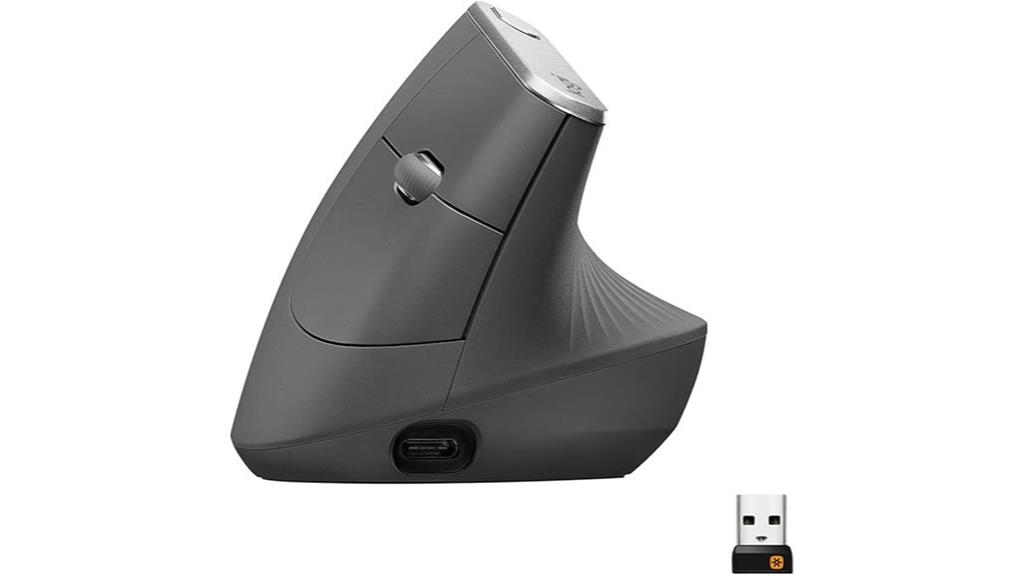
If you have a medium to large right hand and want to reduce wrist strain during extended computer use, the Logitech MX Vertical Wireless Mouse is an excellent choice. Its ergonomic design mimics a natural handshake position, reducing muscular effort by 10%. The unique 57° vertical angle alleviates wrist pressure, promoting better posture. With a textured rubber grip, it feels comfortable during long sessions. Featuring a high-precision 4000 DPI sensor and adjustable DPI settings, it offers accurate, effortless cursor control. Wireless and compatible with multiple devices, it’s perfect for seamless multi-tasking. Plus, its rechargeable battery and eco-friendly packaging make it a practical, sustainable option for daily use.
Best For: users with medium to large right hands seeking to reduce wrist strain and improve posture during extended computer use.
Pros:
- Ergonomic design with natural handshake position reduces muscular effort by 10%
- High-precision 4000 DPI sensor for accurate and effortless cursor control
- Wireless connectivity supports seamless multi-device use across Windows and Apple computers
Cons:
- May be less suitable for users with smaller hand sizes due to its shape and size
- The vertical angle might require an adjustment period for new users
- Higher price point compared to standard mice with similar features
Ergonomic Mouse Pad with Wrist Rest, Gel Support, Non-Slip for Office & Home
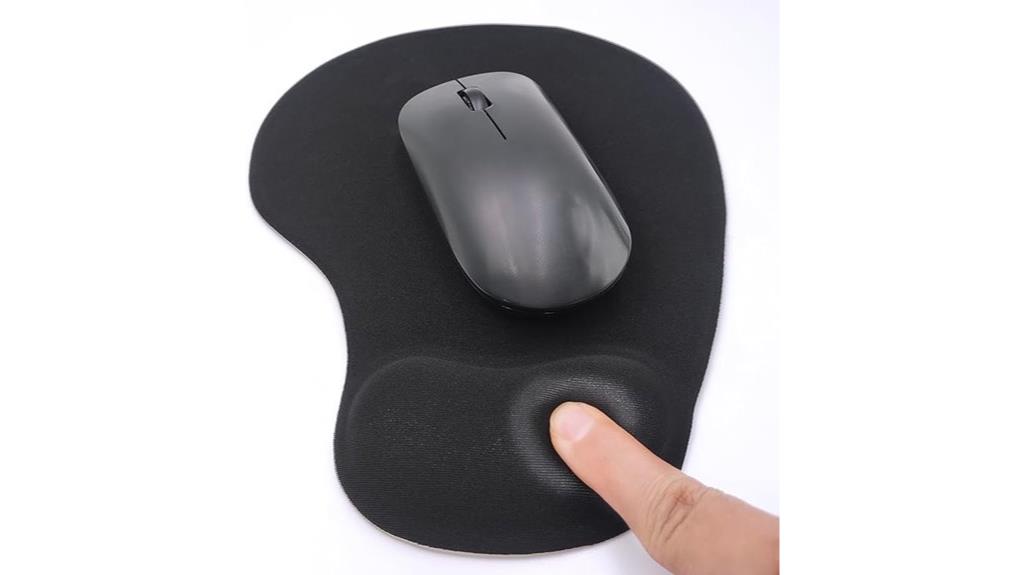
Anyone experiencing wrist discomfort during extended computer use will find this ergonomic mouse pad with a gel support and wrist rest to be a game-changer. Its gel cushion conforms to your wrist shape, providing comfort and reducing strain during long sessions. The soft lycra surface allows for smooth, frictionless mouse movement, boosting efficiency whether you’re working or gaming. The non-slip PU base keeps the pad stable on your desk, preventing slips even during intense use. Made with durable silicone-filled padding, it resists deformation over time. Plus, with 24/7 customer support and easy return policies, this mouse pad offers reliable comfort and stability for both office and home use.
Best For: anyone experiencing wrist discomfort or seeking enhanced comfort and stability during extended computer use at home or in the office.
Pros:
- Ergonomic gel cushion provides comfortable wrist support and relieves strain during long sessions
- Soft lycra fabric surface allows for smooth, accurate mouse movements, boosting efficiency and gaming performance
- Non-slip PU base ensures stability on desktop, preventing slipping during intense or prolonged use
Cons:
- May be less suitable for users preferring hard or plastic mouse pads for specific gaming or work needs
- Gel padding might require occasional cleaning to maintain hygiene and appearance
- Some users might find the size less portable for on-the-go use or small desks
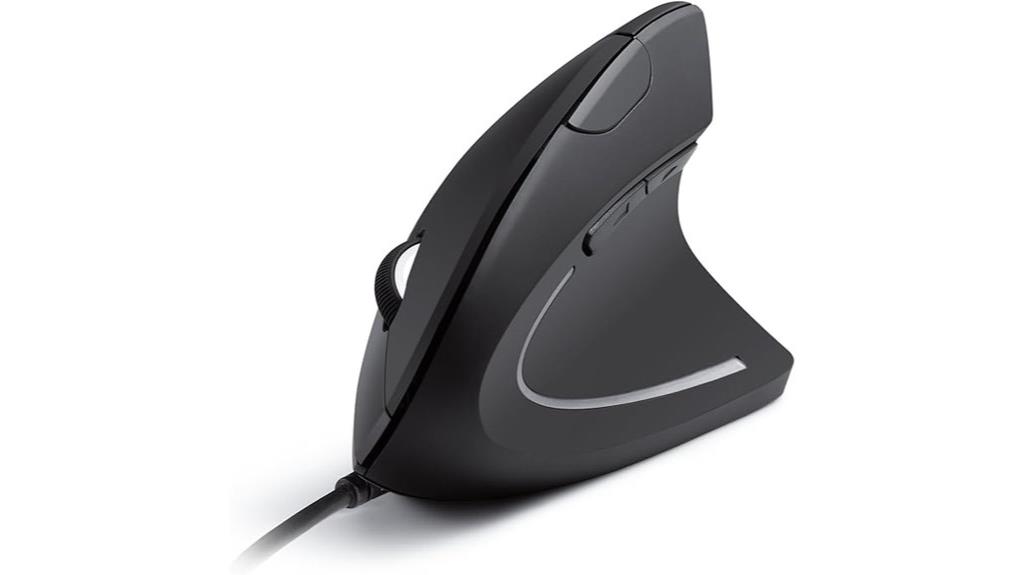
The Anker USB Wired Vertical Mouse is an excellent choice for those seeking an ergonomic design that promotes natural wrist positioning. Its vertical shape supports a handshake grip, reducing strain on your wrist and arm during long hours. Lightweight and compact, it’s comfortable to use without causing fatigue. With 1000/1600 DPI optical sensors, it delivers precise tracking across various surfaces, enhancing productivity whether you’re browsing, gaming, or working. The five buttons, including dedicated navigation controls, make tasks easier. Plus, its reliable wired connection and 18-month warranty guarantee a hassle-free experience, making it a smart addition to any ergonomic setup.
Best For: users seeking an ergonomic, comfortable mouse for long hours of browsing, gaming, or professional work.
Pros:
- Ergonomic vertical design reduces wrist and arm strain for comfortable extended use
- Precise 1000/1600 DPI optical sensors ensure accurate tracking on various surfaces
- Convenient 5-button layout with dedicated navigation controls enhances productivity
Cons:
- Wired connection may limit mobility compared to wireless alternatives
- Slightly larger size might not suit users with very small hands
- Only two DPI settings, which may not meet the needs of all high-precision tasks
Factors to Consider When Choosing Ergonomic Mice for Wrist Pain
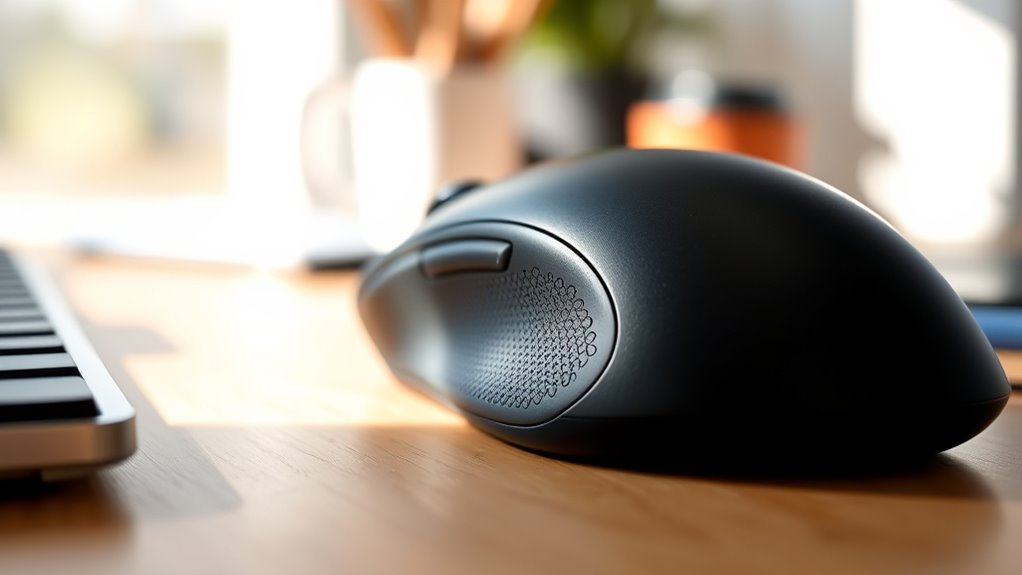
When choosing an ergonomic mouse, I focus on factors like hand size compatibility and adjustable DPI levels to guarantee comfort and precision. I also consider whether I prefer wireless or wired options and look for silent click features to minimize noise. Finally, I pay attention to the shape of the design to support my wrist and promote better ergonomics.
Hand Size Compatibility
Choosing the right ergonomic mouse starts with ensuring it fits your hand size properly. To do that, I recommend measuring your hand’s length and width to find a mouse that offers natural finger positioning without overextending. Larger hands need mice with broader grip areas for comfort and control, while smaller hands benefit from compact designs that don’t cause strain. Many ergonomic mice specify recommended hand size ranges—use these as a guide to pick the best fit. When the mouse size matches your hand, you’ll experience less fatigue, better precision, and reduced wrist pain during extended use. Ignoring hand size compatibility can lead to discomfort and decreased productivity, so it’s worth taking the time to select a mouse that suits your specific dimensions.
Adjustable DPI Levels
Adjustable DPI levels play a crucial role in reducing wrist strain by allowing you to customize cursor sensitivity to suit your tasks and preferences. With multiple DPI settings like 800, 1200, and 1600, you can achieve precise control for different activities and surfaces. Higher DPI options, such as 4800 or 5200, enable faster cursor movement with less wrist adjustment, boosting efficiency. The ability to switch DPI levels quickly helps adapt to changing work conditions, minimizing repetitive movements that cause fatigue. Choosing a mouse with adjustable DPI means you can tailor sensitivity to your comfort, reducing strain and enhancing overall ergonomics. This feature ensures your wrist stays relaxed during prolonged use, making your workspace more comfortable and less tiring.
Wireless Vs Wired
Deciding between wireless and wired ergonomic mice depends on your specific needs and workspace setup. Wireless mice offer greater freedom of movement and reduce cable clutter, helping you maintain a more natural wrist position. They’re ideal if you value convenience and flexibility, especially in dynamic workspaces. However, they often have limited battery life and require recharging or battery replacements, which can interrupt your workflow. Wired mice, on the other hand, provide a stable, lag-free connection, ensuring consistent responsiveness during precise tasks. They eliminate concerns about signal interference, making them more reliable for extended use. Ultimately, your choice hinges on whether you prioritize freedom and convenience or stability and reliability, considering your workspace, workflow, and personal preferences for responsiveness.
Silent Click Features
When selecting an ergonomic mouse, silent click features can make a significant difference in your work environment. These features reduce noise by over 90%, creating a quieter space and helping you focus. Quiet buttons are especially useful if you work in shared offices or noise-sensitive settings like libraries. They minimize distractions for both yourself and colleagues. Silent clicks are achieved through special mechanisms that dampen sound without sacrificing responsiveness, so your clicks still feel natural. Keep in mind, not all silent mice support all button functions silently—usually, primary left and right clicks are the quietest. This feature is beneficial during long work sessions, reducing fatigue and stress caused by loud clicking sounds. Silent click technology offers a seamless, distraction-free experience for ergonomic mouse users.
Ergonomic Design Shape
Choosing the right ergonomic mouse starts with considering its shape, as it directly impacts your wrist and forearm comfort. A shape that supports a natural handshake posture aligns your wrist and forearm in a neutral position, reducing strain. Vertical and contoured designs prevent awkward angles and help avoid repetitive strain injuries during long use. Mice with rounded, no-sharp-corner shapes distribute pressure evenly across your palm, decreasing discomfort. Additionally, adjustable arm and wrist positioning features allow you to customize the shape for your unique hand size and grip style, enhancing comfort and minimizing muscle fatigue. Ensuring the mouse’s size matches your hand dimensions is vital for proper ergonomic alignment. Ultimately, selecting a shape that promotes a relaxed, natural posture makes a significant difference in wrist pain relief.
Surface Compatibility
Selecting an ergonomic mouse that works well on your workspace surface can substantially improve tracking accuracy and reduce wrist strain. It’s crucial to verify compatibility with your primary surface, whether it’s glass, wood, or a mouse pad. Optical mice generally perform well on most surfaces, while laser mice handle a wider range of textures but may need surface calibration. Using a smooth, non-reflective, and consistent surface minimizes cursor jitter and reduces unnecessary hand movements. Some mice are optimized for specific surfaces or work best with specialized mouse pads designed to enhance tracking and lessen wrist fatigue. Always check the manufacturer’s surface compatibility specifications before purchasing to prevent issues like cursor skipping. Proper surface choice can make a significant difference in your comfort and productivity.
Battery Life & Power
Long battery life is crucial for maintaining uninterrupted ergonomic use, especially during long work sessions. A mouse with a high-capacity battery, offering 150+ hours of use per charge, means fewer interruptions and more consistent comfort. Rechargeable models are ideal, as they support extended use without frequent replacements. Many ergonomic mice feature sleep modes after 8-20 minutes of inactivity, conserving power and extending battery life. Power indicators, like blinking LEDs or notifications, help me monitor the battery status and avoid unexpected shutdowns. Wireless mice with efficient power management also reduce the need for frequent recharging or battery swaps. Overall, a long-lasting battery ensures I stay comfortable and focused, without the hassle of constant recharging, making it a essential factor when choosing an ergonomic mouse.
Price & Warranty
When considering an ergonomic mouse, price and warranty are important factors that can influence your long-term satisfaction. A longer warranty, typically between 18 to 36 months, suggests better durability and signals that the manufacturer has confidence in their product. Be sure to check if the warranty covers both hardware defects and technical support for thorough protection. Generally, higher-priced models tend to offer more extensive warranties, which can be a good investment for ongoing wrist pain relief. Also, review the warranty’s terms, including registration requirements and usage limitations, to avoid surprises later. While a higher price might mean better coverage, it’s essential to balance cost with warranty length and coverage to ensure you get the best value and peace of mind for your ergonomic mouse purchase.
Frequently Asked Questions
How Do Ergonomic Mice Prevent Wrist Strain During Long Use?
Ergonomic mice prevent wrist strain by promoting a natural hand position, reducing awkward angles that cause discomfort. I find that their contoured shapes support my wrist and encourage a relaxed grip. Adjustable features like thumb rests and customizable buttons also help me maintain proper alignment during long use. These design elements minimize repetitive stress and keep my wrist comfortable, even during extended work sessions.
Are There Specific Features That Make a Mouse More Suitable for Wrist Pain?
Did you know that 60% of users report less wrist discomfort with ergonomic mice? I find that features like a natural hand position, customizable buttons, and a shape that fits my grip make a huge difference. These design elements reduce strain by promoting proper alignment and minimizing unnatural movements. When choosing a mouse, look for these features to help ease wrist pain and make long hours more comfortable.
Can Ergonomic Mice Improve Overall Hand Posture Beyond Wrist Comfort?
Absolutely, ergonomic mice can improve your overall hand posture beyond just wrist comfort. I’ve noticed that they encourage a more natural hand position, reducing strain on fingers and forearm muscles. This helps prevent discomfort and long-term issues. When choosing one, look for features like a natural grip, adjustable angles, and support for your entire hand. It’s a simple switch that can make a big difference in your daily comfort and health.
How Important Is Adjustability in DPI for Wrist Pain Relief?
Adjustability in DPI is pretty important for wrist pain relief because it lets me customize the cursor speed to match my comfort level. When I can fine-tune DPI, I avoid overreaching or unnecessary wrist movements that cause strain. Having that control means I can work more efficiently and comfortably, reducing tension and fatigue in my wrist. So, I definitely look for ergonomic mice with adjustable DPI settings.
Do Ergonomic Mice Require Special Cleaning or Maintenance?
Think of cleaning your ergonomic mouse like tuning a musical instrument; it keeps everything playing smoothly. Yes, they need occasional cleaning—just wipe the surface with a damp cloth and check the buttons for dirt. Dust and oils can accumulate, affecting performance. Regular maintenance guarantees your mouse stays comfortable and functional, just like a well-maintained tool helps you work efficiently without strain or discomfort.
Conclusion
If you want to banish wrist pain and turn your workspace into a pain-free zone, these ergonomic mice are game-changers. Trust me, once you try one, you’ll wonder how you ever survived without it—it’s like giving your wrist a luxurious spa day every day. Don’t settle for discomfort; take control and find the perfect mouse to transform your comfort and productivity. Your wrist will thank you for this life-changing upgrade!