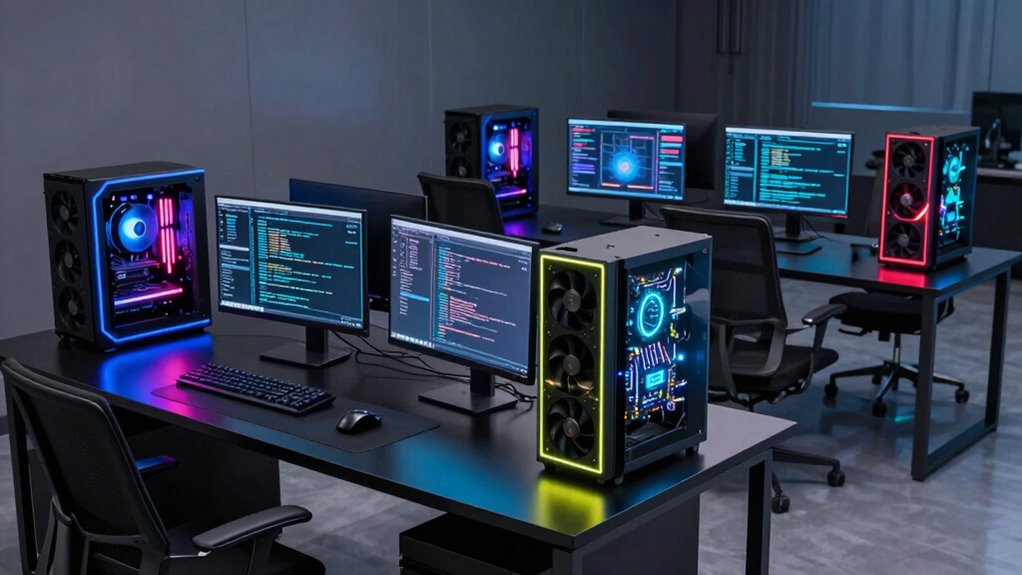

When searching for a gpu workstation for AI, you’re balancing raw compute power, memory capacity, and system compatibility. The NVIDIA RTX PRO 4000 stands out as the best overall pick thanks to its robust ECC memory and PCIe 5.0 support, ideal for demanding AI projects. For those on a tighter budget, the ASRock Intel Arc Pro B70 offers solid performance with 32GB of memory, but with slightly lower industry support. Meanwhile, the PNY NVIDIA RTX 6000 ADA caters to enterprise-level needs, providing extreme performance at a premium cost. These options highlight the main tradeoffs: balancing budget against compute power and feature set. Continue reading to see how these and other models compare for your specific AI workload needs.

Get the latest gadgets delivered free with Prime
- Fast, free delivery on millions of items
- Prime Video, Amazon Music and more included
- Member-only deals all year
Complete the kit



Key Takeaways
- High-memory capacity (32-48GB) is essential for large AI models, favoring workstation-grade GPUs over consumer cards.
- PCIe 5.0 support improves bandwidth for data transfer, benefiting multi-GPU setups and large datasets.
- ECC memory is a key feature for professional AI workstations, ensuring data integrity during long training runs.
- Performance varies significantly between enterprise GPUs and more affordable options, affecting project timelines and costs.
- System compatibility, including power supply and case size, can limit or expand your GPU choices.
| NVIDIA RTX PRO 4000 SFF Blackwell 24GB GDDR7 ECC PCIe 5.0×8 AI Workstation GPU |  | Best for Compact AI Workstations | Architecture: Blackwell | Memory: 24GB GDDR7 | Interface: PCIe 5.0×8 | VIEW ON AMAZON | See Our Full Breakdown |
| WEELIAO MAXSUN Intel Arc Pro B60 48G Turbo Workstation Graphics Card |  | Best for Massive VRAM and Heavy AI Inference | VRAM: 48GB GDDR6 | GPU Architecture: Dual Arc Pro B60 | Memory Bandwidth: 456 GB/s | VIEW ON AMAZON | See Our Full Breakdown |
| NVIDIA RTX PRO 4000 Blackwell Graphics Card – 24GB GDDR7 ECC Memory, PCIe 5.0 x16, 4X DisplayPort 2.1b, Single Slot Full Height AI Workstation GPU |  | Best for Professional Multi-Display AI Setups | Memory: 24GB GDDR7 ECC | Architecture: Blackwell | PCIe: 5.0 x16 | VIEW ON AMAZON | See Our Full Breakdown |
| ASUS Turbo Radeon AI PRO R9700 32GB Graphics Card for AI Workflows |  | Best for Scalable AI Training and Inference | GPU Architecture: RDNA 4 | AI Accelerators: 128 | TOPS (INT4): 1,531 | VIEW ON AMAZON | See Our Full Breakdown |
| ASRock Intel Arc Pro B70 Creator 32GB Workstation Graphics Card, Xe2-HPG, PCIe 5.0, 4X DP 2.1, Vapor Chamber |  | Best for Versatile Professional AI and Rendering | GPU Architecture: Intel Xe2-HPG | VRAM: 32GB GDDR6 | Memory Bus: 256-bit | VIEW ON AMAZON | See Our Full Breakdown |
| PNY NVIDIA RTX 6000 ADA |  | Best for High-End Professional AI and Rendering | Memory: Not specified (high-performance graphics card) | Architecture: Professional-grade NVIDIA architecture | AI Capabilities: Advanced AI cores | VIEW ON AMAZON | See Our Full Breakdown |
| ASRock Intel Arc Pro B60 24GB Graphics Card, Workstation GPU, PCIe 5.0, 4x DP 2.1, Blower |  | Best for Multi-Monitor AI Workstations on a Budget | Memory: 24GB GDDR6 | Memory Bus: 192-bit | Architecture: Intel Xe2-HPG | VIEW ON AMAZON | See Our Full Breakdown |
| NVD RTX PRO 6000 Blackwell Professional Workstation Graphics Card |  | Best for Large-Scale AI and Engineering Tasks | Memory: 96 GB DDR7 ECC | GPU Architecture: Blackwell Streaming Multiprocessor | Tensor Cores: 5th Gen | VIEW ON AMAZON | See Our Full Breakdown |
| ASRock Radeon AI PRO R9700 32GB Professional Graphics Card |  | Best for AI Development and Content Creation | Memory: 32GB GDDR6 | Boost Clock: 2920 MHz | Architecture: AMD RDNA 4 | VIEW ON AMAZON | See Our Full Breakdown |
| gpu workstation for ai | Memory | Architecture |
|---|---|---|
| NVIDIA RTX PRO 4000 SFF Blackw | 24GB GDDR7 | Blackwell |
| WEELIAO MAXSUN Intel Arc Pro B | — | — |
| NVIDIA RTX PRO 4000 Blackwell | 24GB GDDR7 ECC | Blackwell |
| ASUS Turbo Radeon AI PRO R9700 | — | — |
| ASRock Intel Arc Pro B70 Creat | — | — |
| PNY NVIDIA RTX 6000 ADA | Not specified (high-performance graphics card) | Professional-grade NVIDIA architecture |
| ASRock Intel Arc Pro B60 24GB | 24GB GDDR6 | Intel Xe2-HPG |
| NVD RTX PRO 6000 Blackwell Pro | 96 GB DDR7 ECC | — |
| ASRock Radeon AI PRO R9700 32G | 32GB GDDR6 | AMD RDNA 4 |
More Details on Our Top Picks
NVIDIA RTX PRO 4000 SFF Blackwell 24GB GDDR7 ECC PCIe 5.0×8 AI Workstation GPU
This GPU stands out for its high-performance 24GB GDDR7 memory and PCIe 5.0 support, making it ideal for small form factor setups that need professional-grade AI processing. Unlike larger cards like the ASRock Intel Arc Pro B70, its compact design is perfect for constrained spaces without sacrificing too much compute power. However, its professional focus means it’s likely more expensive and less versatile for casual users or gaming. The card’s ray tracing capabilities and optimized architecture ensure efficient AI workloads, but limited details on compatibility and pricing could be barriers for some buyers.
Pros:- High-performance 24GB GDDR7 memory for demanding AI tasks
- Supports PCIe 5.0 for fast data transfer
- Compact Small Form Factor design suitable for limited space
Cons:- Designed mainly for professional use, with a likely premium price
- Limited information on compatibility and broad application support
Best for: AI professionals working in compact or space-constrained environments needing high-end compute.
Not ideal for: Enthusiasts or gamers seeking a versatile GPU for mixed workloads, due to its professional pricing and focus.
- Architecture:Blackwell
- Memory:24GB GDDR7
- Interface:PCIe 5.0×8
- Form Factor:Small Form Factor (SFF)
- Features:Ray Tracing, AI Workstation
Our verdict“This card is best suited for professionals in small or dedicated AI workstations who prioritize performance in tight spaces.”
WEELIAO MAXSUN Intel Arc Pro B60 48G Turbo Workstation Graphics Card
The 48GB VRAM of this dual-GPU setup makes it stand out for handling very large AI models and data sets, especially compared with single-GPU options like the NVIDIA RTX PRO 4000. Its 394 TOPS of AI inference power underpins demanding workloads, and the triple cooling system supports prolonged, intensive use. However, this high compute capability comes with a costly price tag and the need for a compatible motherboard with PCIe x16 bifurcation. Physical size, power requirements, and limited hardware details could make integration challenging for some users.
Pros:- Massive 48GB VRAM ideal for large AI models
- High compute power with 394 TOPS for inference
- Advanced cooling system for sustained heavy workloads
Cons:- Requires compatible motherboard with PCIe x16 bifurcation
- Potentially high cost and power consumption
Best for: Large-scale AI inference and training environments where maximum VRAM and compute are critical.
Not ideal for: Casual AI developers or smaller-scale setups due to its high power needs and complexity.
- VRAM:48GB GDDR6
- GPU Architecture:Dual Arc Pro B60
- Memory Bandwidth:456 GB/s
- GPU Speed:2400 MHz
- Cores:20 Xe cores per GPU
- TOPS:394 TOPS
- PCIe Interface:PCIe 5.0 x8 + PCIe 5.0 x8
Our verdict“This GPU is targeted at enterprise AI inference tasks where maximum VRAM and compute power justify the investment.”
NVIDIA RTX PRO 4000 Blackwell Graphics Card – 24GB GDDR7 ECC Memory, PCIe 5.0 x16, 4X DisplayPort 2.1b, Single Slot Full Height AI Workstation GPU
This Blackwell-based GPU offers a substantial 24GB ECC memory, making it suitable for demanding AI and professional applications. Its PCIe 5.0 x16 interface ensures fast data throughput, and the four DisplayPort 2.1b outputs support extensive multi-monitor configurations. Compared to the NVIDIA RTX PRO 4000 SFF, this model’s full-height, single-slot design maximizes performance potential but may limit cooling options in tight cases. Its primary appeal lies in multi-display environments and high-memory tasks, but it likely comes with a high price tag and limited gaming features.
Pros:- High 24GB GDDR7 ECC memory for demanding workloads
- Supports PCIe 5.0 x16 for maximum data bandwidth
- Multiple DisplayPort 2.1b outputs for multi-monitor setups
Cons:- Likely expensive with a focus on professional markets
- Single slot design may limit cooling options in smaller cases
Best for: AI professionals and visualization specialists requiring extensive multi-monitor support and large memory for complex tasks.
Not ideal for: Casual users or gaming enthusiasts, due to its professional orientation and premium cost.
- Memory:24GB GDDR7 ECC
- Architecture:Blackwell
- PCIe:5.0 x16
- Display Outputs:4X DisplayPort 2.1b
- Form Factor:Single Slot Full Height
Our verdict“Ideal for multi-monitor AI workflows and large dataset processing in professional environments.”
ASUS Turbo Radeon AI PRO R9700 32GB Graphics Card for AI Workflows
This Radeon GPU’s 32GB GDDR6 VRAM and 128 AI accelerators make it a compelling choice for large-scale AI training and inference. Its up to 1,531 TOPS (INT4) performance outperforms many competitors in AI acceleration tasks, especially when paired with its multi-GPU support. Unlike the NVIDIA RTX PRO 4000, it emphasizes AI acceleration over gaming features, with robust thermal management ensuring stability during extended workloads. The tradeoff involves potentially higher power and cooling demands, and its price might be steep for smaller operations.
Pros:- High 32GB VRAM for large models
- Advanced AI accelerators with 1,531 TOPS
- Effective thermal management for sustained AI tasks
Cons:- Higher power consumption and cooling needs
- Less suited for gaming or mixed workloads
Best for: AI researchers and enterprises focusing on training large models or deploying inference at scale.
Not ideal for: Casual or gaming users, as the card is optimized for AI workloads and might be overkill for general use.
- GPU Architecture:RDNA 4
- AI Accelerators:128
- TOPS (INT4):1,531
- VRAM:32GB GDDR6
- Memory Bandwidth:640GB/s
- Memory Interface:256-bit
- Cooling:Diecast shroud, phase-change thermal pad, dual ball fan bearings
Our verdict“This card caters to AI-heavy workflows requiring extensive acceleration and large memory capacity.”
ASRock Intel Arc Pro B70 Creator 32GB Workstation Graphics Card, Xe2-HPG, PCIe 5.0, 4X DP 2.1, Vapor Chamber
The ASRock Intel Arc Pro B70 combines 32GB GDDR6 VRAM with PCIe 5.0 support, offering a balanced option for AI, rendering, and visualization workloads. Its vapor chamber cooling and sturdy build are designed for continuous professional use, and the four DisplayPort 2.1 outputs support multiple high-resolution monitors. Compared to the NVIDIA RTX PRO 4000, this card emphasizes broad compatibility and cooling efficiency, but its size and power requirements mean it may not fit in smaller cases or lower-capacity PSUs. It’s a solid choice for those needing high VRAM and multi-display support in a professional setting.
Pros:- High 32GB GDDR6 VRAM suited for large datasets
- Supports PCIe 5.0 for high data throughput
- Effective vapor chamber cooling for sustained workloads
Cons:- Requires verification of chassis and PSU compatibility
- May be overpowered for casual or light workloads
Best for: AI developers, rendering professionals, and visualization specialists needing high VRAM and multi-display support.
Not ideal for: Casual users or gamers, due to its professional focus and potential size/power demands.
- GPU Architecture:Intel Xe2-HPG
- VRAM:32GB GDDR6
- Memory Bus:256-bit
- Memory Speed:19 Gbps
- Interface:PCIe 5.0 x16
- Display Outputs:4x DisplayPort 2.1
- Cooling System:Vapor chamber
Our verdict“This card is well-suited for demanding AI and visualization tasks in a professional workstation environment.”
PNY NVIDIA RTX 6000 ADA
The PNY NVIDIA RTX 6000 ADA stands out for its ability to handle demanding AI workloads and high-end rendering tasks, making it ideal for large-scale data centers and enterprise AI development. Compared with the NVD RTX PRO 6000 Blackwell, this card offers comparable performance for large models but may lack detailed specifications upfront, which could concern users needing precise data. Its high-performance graphics processing ensures smooth operation under sustained loads, yet its premium cost makes it less appealing for casual or small-scale users. This GPU is best suited for organizations requiring robust, dedicated AI compute power without compromise.
Pros:- Exceptional performance for AI and rendering tasks
- Designed for large-scale professional workloads
- Advanced rendering and AI capabilities
Cons:- Limited publicly available detailed specifications
- High cost may be prohibitive for smaller operations
Best for: AI researchers and enterprise data centers needing top-tier performance for large models and intensive workloads
Not ideal for: Small startups or individual developers with limited budgets who won’t fully utilize its advanced features
- Memory:Not specified (high-performance graphics card)
- Architecture:Professional-grade NVIDIA architecture
- AI Capabilities:Advanced AI cores
- Render Capabilities:High-end rendering
- Outputs:Not specified
- Power Consumption:Potentially high
Our verdict“This card is ideal for large organizations demanding maximum performance for AI and visualization tasks, despite its high price and limited spec transparency.”
ASRock Intel Arc Pro B60 24GB Graphics Card, Workstation GPU, PCIe 5.0, 4x DP 2.1, Blower
The ASRock Intel Arc Pro B60 offers a potent mix of 24GB GDDR6 memory and PCIe 5.0 support, making it a strong contender for multi-tasking AI workflows and 3D rendering. Its four DisplayPort 2.1 outputs make it ideal for multi-monitor setups, which I find particularly useful for AI development environments that need extensive visualization. When compared to the ASRock Radeon AI PRO R9700, the B60’s PCIe 5.0 support and quieter blower cooling make it more suitable for users with high bandwidth needs and space constraints, though the blower design might be less effective in thermally demanding setups. This card strikes a balance between professional performance and value, especially for users who need multiple high-res outputs.
Pros:- Large 24GB GDDR6 memory for complex models
- Supports PCIe 5.0 for maximum bandwidth
- Four DisplayPort 2.1 outputs for multi-monitor setups
- Silent operation at low loads
Cons:- Requires verification of chassis clearance and power supply capacity
- Blower cooling may be less effective in high thermal environments
Best for: AI developers and 3D artists working with multiple high-resolution displays on workstations with limited space
Not ideal for: Casual users or those with small cases that can’t accommodate blower-style cooling or PSU upgrades
- Memory:24GB GDDR6
- Memory Bus:192-bit
- Architecture:Intel Xe2-HPG
- Core Count:20 Xe cores
- Bandwidth:456 GB/s
- Outputs:4x DisplayPort 2.1
- Power:200W
- Cooling:Blower-style
Our verdict“This GPU is well-suited for professionals needing multi-monitor support and high memory capacity without excessive noise or complexity.”
NVD RTX PRO 6000 Blackwell Professional Workstation Graphics Card
The NVD RTX PRO 6000 Blackwell excels in large AI models and engineering simulations thanks to its 96GB DDR7 ECC memory, which far surpasses the capacities of the ASRock Radeon AI PRO R9700. Its advanced ray tracing and AI cores enable realistic rendering and efficient AI processing, making it the go-to choice for demanding workloads. The double-flow-through cooling system ensures thermal stability during prolonged use, though its size and power draw—up to 600W—may limit compatibility with smaller chassis or less robust power supplies. This GPU is best for those handling massive datasets and complex simulations where memory and thermal management are critical.
Pros:- Massive 96GB DDR7 ECC memory for large-scale projects
- State-of-the-art ray tracing and AI cores
- Effective double-flow-through cooling system
- Supports high-resolution displays up to 8K 240Hz
Cons:- High power consumption requiring robust cooling and power supply
- Premium price point limits accessibility
Best for: Large enterprise AI labs and simulation-focused engineering teams managing huge datasets and models
Not ideal for: Small teams or individual users without access to high-capacity cooling and power infrastructure
- Memory:96 GB DDR7 ECC
- GPU Architecture:Blackwell Streaming Multiprocessor
- Tensor Cores:5th Gen
- Ray Tracing Cores:4th Gen
- Memory Bandwidth:1.8 TB/s
- Display Output:DisplayPort 2.1
- Power:Up to 600W
- Cooling Design:Double-Flow-Through
Our verdict“This card is perfect for organizations with extensive AI and simulation needs, provided they can handle its size and power requirements.”
ASRock Radeon AI PRO R9700 32GB Professional Graphics Card
The ASRock Radeon AI PRO R9700 offers a compelling blend of 32GB GDDR6 memory and AI-optimized RDNA 4 architecture, making it an excellent choice for AI development and high-resolution content creation. Its 2nd-generation AI accelerators improve performance on compute-heavy tasks, comparable to the NVD RTX PRO 6000 Blackwell, but at a potentially lower cost. Its blower cooling system is designed for durability in workstation or server environments, though it may be less suited for gaming or small, thermally-constrained cases. This GPU strikes a practical balance for professionals working on large models or 8K video editing, especially in environments where stability and memory are priorities.
Pros:- Large 32GB GDDR6 memory ideal for large models and high-res video editing
- Advanced RDNA 4 architecture with AI accelerators
- Durable blower cooling system for continuous operation
- PCIe 5.0 support for high bandwidth
Cons:- Designed primarily for workstations and servers, less for gaming
- Requires verification of driver compatibility for specific AI applications
Best for: AI developers, content creators, and video editors working on large projects in professional environments
Not ideal for: Gamers or users with small cases that can’t accommodate blower cooling or who need multi-GPU configurations
- Memory:32GB GDDR6
- Boost Clock:2920 MHz
- Architecture:AMD RDNA 4
- Compute Units:64
- Ray Tracing:3rd Gen
- AI Accelerators:2nd Gen
- Display Outputs:4x DisplayPort 2.1a
- PCIe Support:PCIe 5.0
Our verdict“This GPU offers a strong combination of large memory and AI acceleration, suited for demanding professional workloads in stable environments.”

How We Picked
These GPUs were evaluated based on their raw processing power, memory capacity, support for professional AI workflows, and system compatibility. We also considered build quality, reliability, and value relative to their price points. Prioritizing enterprise-grade features like ECC memory and PCIe 5.0 support helped us distinguish top-tier options from consumer-grade or less capable models. The ranking reflects a balance between performance, affordability, and future-proofing, ensuring that each pick serves a specific segment of AI users—from beginners to large-scale researchers.| gpu workstation for ai | Architecture |
|---|---|
| NVIDIA RTX PRO 4000 SFF Blackw | Blackwell |
| WEELIAO MAXSUN Intel Arc Pro B | — |
| NVIDIA RTX PRO 4000 Blackwell | Blackwell |
| ASUS Turbo Radeon AI PRO R9700 | — |
| ASRock Intel Arc Pro B70 Creat | — |
| PNY NVIDIA RTX 6000 ADA | Professional-grade NVIDIA architecture |
| ASRock Intel Arc Pro B60 24GB | Intel Xe2-HPG |
| NVD RTX PRO 6000 Blackwell Pro | — |
| ASRock Radeon AI PRO R9700 32G | AMD RDNA 4 |
Factors to Consider When Choosing Gpu Workstation For Ai
Choosing the right GPU workstation for AI involves understanding key factors that influence performance, reliability, and long-term value. These considerations help prevent common pitfalls like overpaying for unnecessary features or selecting a GPU that can’t handle your workload. The following sections cover the most important aspects to evaluate before making your purchase.Memory Capacity and Bandwidth
AI workloads often involve large datasets and complex models that demand significant GPU memory. Opt for GPUs with at least 24GB of VRAM for medium to large projects, but consider 32GB or more for enterprise-level training. Additionally, high memory bandwidth ensures faster data transfer, reducing bottlenecks during intensive computations. Ignoring memory limitations can lead to frequent model crashes or the need to split tasks across multiple GPUs, complicating your workflow.
Compute Power and CUDA/CX Support
The core GPU performance, measured in TFLOPS or CUDA cores, directly impacts training times. Look for models with powerful architectures like NVIDIA’s Ampere or Ada Lovelace tech, which accelerate AI calculations. Compatibility with AI frameworks—such as CUDA, ROCm, or TensorFlow—also matters. Investing in a GPU with proven support for your preferred software stack minimizes setup issues and maximizes productivity.
System Compatibility and Form Factor
GPU choices should align with your workstation’s case size, power supply, and PCIe slot availability. Professional AI GPUs often feature specialized cooling solutions, which may require more space or enhanced airflow. Failing to verify compatibility can lead to costly upgrades or system instability. Also, consider future expansion—selecting a GPU with PCIe 5.0 support can extend your investment’s lifespan as data transfer demands grow.
Price and Total Cost of Ownership
Premium GPUs come with high price tags but often deliver better stability, support, and longevity. Balance your immediate budget with long-term savings from reduced downtime and faster training cycles. Keep in mind that additional costs—like compatible power supplies or cooling upgrades—may be necessary. Avoid choosing a GPU based solely on initial price; evaluate total ownership costs to ensure the best value for your AI projects.
Reliability and Support
Professional-grade GPUs often include features like ECC memory and enhanced warranties, which protect against data corruption and hardware failure. These features are vital for large-scale or mission-critical AI applications. Additionally, vendor support and driver updates influence system stability over time. Investing in a reliable GPU can prevent costly downtime and data loss, especially in enterprise or research environments.
Frequently Asked Questions
Can I use a gaming GPU for AI workloads?
While gaming GPUs can handle some AI tasks, they generally lack the large memory pools, ECC support, and stability features of professional workstations. For small-scale or hobbyist projects, a high-end consumer GPU might suffice temporarily. However, for serious AI development and training, especially with large datasets or models, professional GPUs like those reviewed here are more reliable, faster, and better supported.
Is ECC memory necessary for AI training?
ECC memory helps detect and correct data corruption during long training sessions, making it highly valuable for large or critical AI projects. While not always essential for small experiments, neglecting ECC can lead to subtle errors that affect model accuracy or cause training failures. If your work involves large datasets or requires maximum reliability, investing in a GPU with ECC support is a wise choice.
How important is PCIe 5.0 support for AI workstations?
PCIe 5.0 provides double the bandwidth of PCIe 4.0, which benefits multi-GPU setups and data-intensive workflows. For AI tasks that involve shuttling large amounts of data between storage and GPU memory, PCIe 5.0 reduces bottlenecks. If your workload relies heavily on multi-GPU configurations or fast data transfer, choosing a PCIe 5.0-compatible GPU can improve overall performance and future-proof your system.
Should I prioritize raw GPU power or memory capacity?
This depends on your specific AI workload. Large models or datasets demand substantial VRAM to avoid bottlenecks, making memory capacity critical. Conversely, if you work with smaller datasets but require faster training, raw compute power becomes more important. Many professional AI setups benefit from a balanced approach, where both high compute and ample memory work together to optimize performance.
What role does cooling and form factor play in choosing a GPU?
Effective cooling solutions prevent thermal throttling, maintaining performance during extended training sessions. Some professional GPUs feature vapor chambers or blower-style fans suited for tight cases or multi-GPU setups. Form factor considerations—such as single-slot or full-height designs—are also important for compatibility in your workstation. Overlooking cooling and space requirements can lead to overheating, noise issues, or the need for costly case modifications.
Conclusion
For those new to AI or working on smaller projects, the ASRock Intel Arc Pro B70 offers a budget-friendly entry point without sacrificing critical features. Professionals seeking maximum performance and reliability should consider the NVIDIA RTX PRO 4000 for its solid balance of power and support. Enterprise users or large research teams might find the PNY NVIDIA RTX 6000 ADA justifiable for its unmatched capacity. Ultimately, your choice hinges on workload size, budget, and future scalability—matching the right GPU to your specific needs ensures smooth, efficient AI development.Halloween Picks
halloween
As an affiliate, we earn on qualifying purchases.