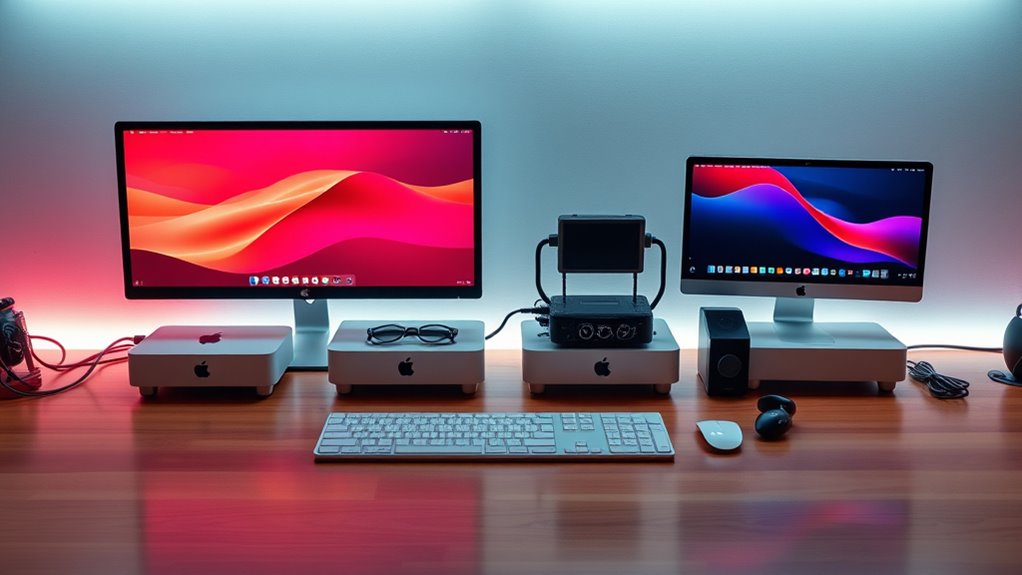

If you’re looking for the best Mac Mini configurations for creators in 2025, I recommend considering models with the latest M4 and M4 Pro chips. The 512GB SSD with 16GB RAM offers a great balance of speed and storage, suitable for most creative tasks. For higher-demand workflows, the M4 Pro with 24GB RAM and 512GB SSD takes performance further. Stay tuned as I break down each option to help you choose the perfect setup.
Key Takeaways
- The top configurations include M4, M4 Pro, and 2024 M4 models, offering varying CPU, GPU, and RAM options for different creative workflows.
- For demanding tasks, choose models with at least 16GB RAM and 512GB SSD to handle large files and multitasking efficiently.
- Prioritize models with multiple ports, Thunderbolt 4, and HDMI for seamless connectivity with peripherals and external displays.
- The compact size and ecosystem integration make these Mac Minis ideal for versatile, space-saving creative workstations.
- Consider future-proofing with higher-core, higher-RAM configurations to ensure performance longevity in 2025 creative projects.

Apple 2024 Mac mini Desktop Computer with M4 chip with 10‑core CPU and 10‑core GPU: Built for Apple Intelligence, 16GB Unified Memory, 512GB SSD Storage, Gigabit Ethernet. Works with iPhone/iPad
SIZE DOWN. POWER UP — The far mightier, way tinier Mac mini desktop computer is five by five...
As an affiliate, we earn on qualifying purchases.
Apple Mac mini Desktop Computer with M4 Chip (512GB SSD, 16GB RAM)

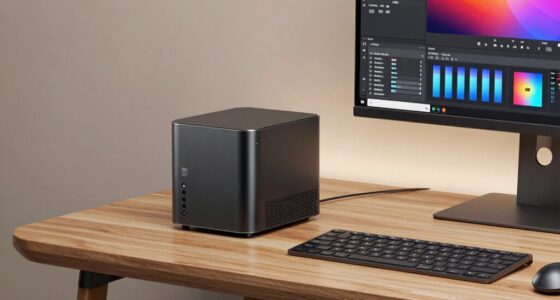
If you’re a creator seeking a compact yet powerful workstation, the Apple Mac mini with the M4 chip is an excellent choice. Its small size—just 5×5 inches—lets you place it easily next to your monitor or anywhere in your workspace. Despite its compact design, it packs a punch with a 10-core CPU and GPU, plus 16GB of unified memory for smooth multitasking. The 512GB SSD ensures quick data access, making editing, rendering, and multitasking seamless. With versatile ports like Thunderbolt, HDMI, and USB-C, it easily connects to your favorite devices. Plus, its eco-friendly, carbon-neutral build aligns with sustainable practices.
Best For: creators and professionals seeking a compact, high-performance workstation with seamless multitasking and advanced connectivity.
Pros:
- Compact size fits easily next to any monitor or workspace.
- Powerful M4 chip with 10-core CPU and GPU delivers robust performance.
- Eco-friendly, carbon-neutral design aligns with sustainable practices.
Cons:
- Limited upgrade options due to its small form factor.
- May require external peripherals for full workstation setup.
- Premium price may be a consideration for budget-conscious users.
Apple 2024 Mac mini Desktop Computer with M4 chip with 10‑core CPU and 10‑core GPU: Built for Apple Intelligence, 16GB Unified Memory, 256GB SSD Storage, Gigabit Ethernet. Works with iPhone/iPad
SIZE DOWN. POWER UP — The far mightier, way tinier Mac mini desktop computer is five by five...
As an affiliate, we earn on qualifying purchases.
Apple Mac mini 2024 Desktop with M4 Chip, 16GB RAM, 256GB SSD

The Apple Mac mini 2024 Desktop with M4 chip, 16GB RAM, and 256GB SSD stands out as an ideal choice for creators who need powerful performance in a compact form. Its five-by-five-inch design packs a 10-core CPU and GPU, delivering fast, responsive operation for demanding tasks. With 16GB of unified memory and a 256GB SSD, it handles multitasking and storage efficiently. The sleek, minimalist look allows it to fit seamlessly into any workspace, while connectivity options like Thunderbolt, HDMI, and USB-C ensure versatile compatibility. Built on Apple silicon, it offers smooth app performance and deep ecosystem integration, making it perfect for creative professionals on the go.
Best For: creative professionals and power users seeking a compact, high-performance desktop for demanding tasks and seamless Apple ecosystem integration.
Pros:
- Compact and sleek design fits easily into any workspace
- Powerful M4 chip with 10-core CPU and GPU for fast, responsive performance
- Excellent connectivity options including Thunderbolt, HDMI, and USB-C
Cons:
- Limited storage options starting at 256GB, which may require external drives for larger needs
- No dedicated graphics card, potentially limiting high-end gaming or intensive 3D rendering
- Price may be high for users with basic computing needs
Apple 2024 Mac mini Desktop Computer with M4 Pro chip with 12‑core CPU and 16‑core GPU: Built for Apple Intelligence, 24GB Unified Memory, 512GB SSD Storage, Gigabit Ethernet. Works with iPhone/iPad
SIZE DOWN. POWER UP — The far mightier, way tinier Mac mini desktop computer is five by five...
As an affiliate, we earn on qualifying purchases.
Apple Mac mini Desktop Computer with M4 Pro Chip

Designed for creators demanding serious power in a compact form, the Apple Mac mini with the M4 Pro chip delivers exceptional performance without taking up much space. Its five-by-five-inch design fits easily next to your monitor and offers versatile connectivity with Thunderbolt, HDMI, Gigabit Ethernet, front USB-C, and a headphone jack. The M4 Pro’s 12-core CPU and 16-core GPU handle demanding projects, large code compilations, and complex scenes effortlessly. With 24GB of unified memory and a 512GB SSD, it’s built for speed and multitasking. Seamlessly supporting all your favorite apps and integrating with the Apple ecosystem, it’s an ideal powerhouse in a tiny package.
Best For: creative professionals and power users who need a compact yet highly capable desktop computer that handles demanding tasks and integrates seamlessly with the Apple ecosystem.
Pros:
- Compact design fits easily next to any monitor, saving space
- Powerful M4 Pro chip with 12-core CPU and 16-core GPU for demanding applications
- Seamless integration with macOS and Apple devices enhances productivity
Cons:
- Limited upgrade options due to integrated hardware design
- Higher price point compared to other mini desktops with similar specs
- May be overkill for users with basic computing needs
Apple 2024 Mac mini Desktop Computer with M4 chip with 10‑core CPU and 10‑core GPU: Built for Apple Intelligence, 24GB Unified Memory, 512GB SSD Storage, Gigabit Ethernet. Works with iPhone/iPad
SIZE DOWN. POWER UP — The far mightier, way tinier Mac mini desktop computer is five by five...
As an affiliate, we earn on qualifying purchases.
Apple 2024 Mac mini Desktop Computer with M4 Chip

For creators seeking powerful performance in a compact form, the Apple 2024 Mac mini with the M4 chip stands out as an ideal choice. Its five-by-five-inch design fits easily beside monitors or in tight spaces, offering big capabilities in a small package. The M4 chip’s 10-core CPU and GPU deliver exceptional speed and fluidity, supported by 24GB of unified memory and a 512GB SSD for demanding tasks. With ports like Thunderbolt, HDMI, and Gigabit Ethernet, connectivity is seamless. Running macOS optimized for Apple Silicon, it provides fast performance and enhanced privacy, all while integrating smoothly with your other Apple devices.
Best For: creators and professionals seeking a compact, high-performance desktop that seamlessly integrates with the Apple ecosystem.
Pros:
- Compact design fits easily in tight spaces and next to monitors
- Powerful M4 chip with 10-core CPU and GPU ensures fast, fluid performance
- Seamless connectivity with multiple ports including Thunderbolt, HDMI, and Ethernet
Cons:
- Limited storage options beyond 512GB SSD may restrict large file handling
- No dedicated graphics card, which could impact high-end gaming or intensive 3D rendering
- Minimal upgradeability due to integrated hardware design
Factors to Consider When Choosing Mac Mini Configurations for Creators

When selecting a Mac Mini for creative work, I focus on balancing processing power, memory, and storage to meet my project demands. I also consider connectivity options and software compatibility to guarantee seamless workflow and future-proofing. Finally, I think about portability and size, especially if I need to move or set up in different spaces.
Processing Power Needs
Choosing the right processing power for your Mac Mini depends largely on the complexity of your projects and how you work. If you’re dealing with large files or complex tasks like video editing or 3D rendering, a higher-core CPU such as the M4 Pro with 12 cores is vital for smooth performance. These tasks demand significant processing power, and upgrading guarantees faster rendering and fewer lags. For simpler projects like basic photo editing or content creation, the M4 chip with a 10-core CPU offers enough power while saving costs. Multitasking with demanding applications like Adobe Creative Cloud benefits from more cores and higher processing speeds. Ultimately, selecting the appropriate CPU ensures your workflow remains efficient, minimizes delays, and accelerates project completion.
Memory and Storage Balance
Balancing memory and storage is essential for maximizing your Mac Mini’s performance, especially when handling large files or multitasking with demanding applications. I recommend at least 16GB of RAM for creators working with high-resolution video or complex graphics, as it guarantees smooth performance and reduces lag during intensive editing. Adequate storage is equally important; opting for 512GB or more allows you to store large media files locally without constantly relying on external drives. Over-investing in storage you won’t fully utilize isn’t cost-effective, so match your capacity to your project sizes. Increasing RAM can considerably boost application responsiveness, making your workflow more efficient. By finding the right balance, you future-proof your setup and ensure your creative process remains seamless and productive.
Connectivity Options
Connectivity options are crucial for creators who rely on multiple peripherals and high-speed data transfers to keep their workflows smooth. I look for a Mac mini with plenty of ports, including Thunderbolt, USB-C, HDMI, and Ethernet, so I can connect my external drives, monitors, and audio equipment without hassle. Front-facing ports are a bonus for quick access to USB-C or headphones. I also double-check that these ports are compatible with my existing devices to avoid extra adapters. Supporting high-speed standards like Thunderbolt 4 is essential for transferring large files or running multiple displays efficiently. Ultimately, I weigh wired versus wireless needs, ensuring the Mac mini has the right ports and network support to match my setup, keeping my creative process seamless.
Software Compatibility
Since software compatibility directly impacts my workflow, I always make certain that the macOS version on my Mac mini supports the creative applications I rely on. It’s essential to verify that programs like Adobe Creative Cloud or Microsoft 365 run smoothly on Apple silicon processors like M4 or M4 Pro. I also check if any specialized plugins or extensions I depend on are compatible with macOS and the specific chip. Additionally, I ensure my external peripherals and hardware accessories will work seamlessly with the system. If I use older or niche tools, I consider whether software updates or legacy app support is available. Staying mindful of these factors guarantees my creative process remains uninterrupted and efficient.
Portability and Size
The compact design of the Mac Mini makes it an ideal choice for creators who need a versatile and portable workstation. Its roughly 5×5 inch size means it easily fits into any workspace, whether on a cluttered desk or a minimalist setup. Because it’s lightweight, I can effortlessly carry it between locations, perfect for creators on the move. The small form factor also allows for versatile positioning—mounted behind a monitor or tucked into tight corners—saving precious desk space. Importantly, this portability doesn’t come at the cost of performance; the Mac Mini offers powerful hardware capable of handling demanding creative tasks. Overall, its size and portability make it an adaptable tool for creators who value flexibility and efficiency in their work environment.
Ecosystem Integration
When choosing a Mac Mini for creative work, considering how well it integrates with your existing Apple devices is essential. Apple’s ecosystem allows seamless connection with your iPhone and iPad, enabling features like iPhone Mirroring and effortless copy-paste across devices. This integration makes managing messages, FaceTime calls, and notifications straightforward, keeping you connected without interruption. It also boosts productivity by simplifying file sharing and device control within the Apple environment. Compatibility with macOS ensures all Apple-exclusive features and services work smoothly, creating a cohesive experience. Deep ecosystem integration streamlines workflows, letting you switch between devices effortlessly. For creators, this interconnected setup means fewer technical barriers, more efficiency, and a more intuitive working environment—crucial benefits when selecting your Mac Mini configuration.
Frequently Asked Questions
How Does the M4 Pro Chip Compare to the Standard M4 in Performance?
The M4 Pro chip outperforms the standard M4 considerably, offering faster processing speeds and better graphics. I’ve noticed smoother multitasking and quicker rendering with the Pro version, especially for demanding creative tasks. It’s designed for creators who need extra power, so if you’re working on intensive projects, the M4 Pro is definitely worth the investment. Overall, it’s a noticeable upgrade that makes a real difference in performance.
Are External GPUS Compatible With the Mac Mini for Enhanced Creative Tasks?
Imagine your creative projects bursting with color and detail—that’s what an external GPU can do for your Mac Mini. While macOS has limited support for eGPUs, especially with newer models, some Thunderbolt 3 or 4 enclosures might work. I’ve seen creators boost rendering speeds and handle demanding tasks. Just keep in mind, compatibility isn’t guaranteed, so check your Mac Mini’s specs and the GPU’s compatibility before investing.
What Are the Upgrade Options for Storage and RAM Post-Purchase?
I can upgrade the storage on my Mac Mini by choosing higher-capacity SSD options during purchase, but post-purchase upgrades are limited because Apple soldered the SSDs. For RAM, I can’t upgrade it later either, as it’s also soldered onto the motherboard. So, I make sure to select the right amount of RAM and storage upfront to meet my long-term needs, ensuring I won’t need upgrades later.
How Does the Mac Mini’s Thermal Management Affect Long Creative Sessions?
Imagine my Mac Mini as a busy artist, working tirelessly on a canvas. Its thermal management keeps things cool, preventing overheating during long creative marathons. The system intelligently disperses heat through its sleek vents, so I can push my projects without worry. Even after hours of rendering or video editing, it stays steady, ensuring my creative flow remains uninterrupted. This reliable cooling system is essential for my productivity and peace of mind.
Is the Mac Mini Suitable for 4K Video Editing and Rendering Workloads?
Yes, the Mac Mini is suitable for 4K video editing and rendering. I’ve used it for demanding projects, and it handles 4K footage smoothly thanks to its powerful processors and ample RAM options. The integrated GPU also boosts rendering speeds. While it’s compact, it performs well for creative workloads, especially with the right configuration. Just make certain you choose a model with sufficient RAM and storage to keep your workflow seamless.
Conclusion
Choosing the right Mac mini is like planting a seed—nurture it with the right specs, and it’ll grow into your creative masterpiece. Whether you’re starting small or aiming for a towering tree, these configurations are your foundation. Remember, every great oak begins as a tiny acorn. So pick the one that best fits your vision, and watch your creative forest flourish. Your next masterpiece is just a decision away.