For most data science and AI work, I’d choose the 16-inch MacBook Pro with M5 Pro, 18-core CPU, 20-core GPU, and 24GB memory as the best overall balance of screen space and processing capability. The 14-inch M5 Pro with 48GB memory is a stronger fit for memory-heavy notebooks, while an M5 Max with 128GB memory suits buyers who want to run larger local workloads. The main tradeoffs are portability versus sustained performance, and spending on more memory or GPU power versus keeping a project’s data and models on external or cloud storage. Apple silicon can handle many local workflows, but it does not replace CUDA-based hardware for every AI toolchain. Read on for the full comparison and guidance on which configuration fits your work.

Get the latest gadgets delivered free with Prime
- Fast, free delivery on millions of items
- Prime Video, Amazon Music and more included
- Member-only deals all year
Complete the kit



Key Takeaways
- The 16-inch M5 Pro with 24GB memory is the lineup’s balanced pick: it pairs a larger workspace and stronger GPU configuration than the 14-inch base models without moving to the M5 Max tier.
- The 14-inch M5 Pro with 48GB memory has twice the listed memory of the 16-inch M5 Pro configuration, making it a better match for memory-intensive notebooks if portability matters more than a larger display.
- M5 Max is the local-workload choice, and the three listed 128GB configurations differ mainly in screen size and SSD capacity rather than memory or core counts.
- The two 14-inch M5 base models share 16GB memory; the 1TB version gives more room for datasets and environments than the 512GB version, but neither is the lineup’s strongest option for large local models.
- The 2017 Intel MacBook Pro is a legacy option, not a peer to the M5 models for current AI workloads; its 16GB memory, older processor, and 256GB SSD sharply limit its role.




| macbook pro for data science and ai | Display | Storage | Ports | Chip |
|---|---|---|---|---|
| Apple MacBook Pro 16.2-inch wi | 16.2-inch Liquid Retina XDR | 4TB SSD | Three Thunderbolt 5, MagSafe 3, SDXC, HDMI, headphone jack | Apple M5 Max |
| Apple MacBook Pro 16.2-inch wi | 16.2-inch Liquid Retina XDR | 2TB SSD | Three Thunderbolt 5, MagSafe 3, SDXC, HDMI, headphone jack | Apple M5 Max |
| Apple MacBook Pro 14.2-inch wi | 14.2-inch Liquid Retina XDR | 2TB SSD | — | Apple M5 Max |
| Apple MacBook Pro 14.2-inch wi | 14.2-inch Liquid Retina XDR (title specification) | 1TB SSD | Three Thunderbolt 5, MagSafe 3, SDXC, HDMI, headphone jack | — |
| Apple 14.2-inch MacBook Pro wi | 14.2-inch Liquid Retina XDR | 1TB SSD | Three Thunderbolt 4, MagSafe 3, SDXC, HDMI, headphone jack | Apple M5 |
| Apple 14.2-inch MacBook Pro wi | 14.2-inch Liquid Retina XDR | 512GB SSD | Three Thunderbolt 4, MagSafe 3, SDXC card slot, HDMI, headphone jack | Apple M5 |
| Apple 16.2-inch MacBook Pro wi | 16.2-inch Liquid Retina XDR | 1TB SSD | Three Thunderbolt 5, MagSafe 3, SDXC card slot, HDMI, headphone jack | — |
| Apple 2026 MacBook Pro Laptop | 14.2-inch Liquid Retina XDR | 1TB SSD | — | — |
| Apple MacBook Pro 13-inch | 13.3-inch Retina, up to 2560 × 1600 | 256GB SSD | — | — |
More Details on Our Top Picks
Apple MacBook Pro 16.2-inch with M5 Max, 18-Core CPU, 40-Core GPU, 128GB Memory, 4TB SSD, Space Black
For data scientists who need room for large local datasets and demanding AI workloads, this 16-inch configuration combines an M5 Max, 128GB unified memory, and a 4TB SSD. The memory can accommodate larger working sets than the 48GB M5 Pro model, while the extra storage gives datasets and project files more room before external drives enter the workflow. Compared with the otherwise similar 2TB M5 Max configuration, this version prioritizes local capacity rather than a smaller footprint or lower storage needs. Its 40-core GPU and support for up to four external displays suit parallel work across code, data, and visualizations. The tradeoff is size: the 14.2-inch M5 Max offers the same listed memory and chip in a more compact format, and this model’s battery runtime and weight aren’t specified.
Pros:- 128GB unified memory suits large working sets and local AI workloads.
- 4TB SSD provides substantial room for datasets and project files.
- M5 Max pairs an 18-core CPU with a 40-core GPU.
- Thunderbolt 5, HDMI, and SDXC support varied desk setups.
Cons:- The 16.2-inch chassis is less compact than the 14.2-inch M5 Max option.
- Battery runtime and weight aren’t provided in the product details.
- Its 4TB storage may be unnecessary for cloud-first workflows.
Best for: Data scientists who run memory-heavy local workloads and keep large datasets, models, and project files on the laptop.
Not ideal for: Researchers who mostly use cloud compute or external storage, or who prioritize a compact laptop over a 16.2-inch workspace.
- Chip:Apple M5 Max
- CPU:18-core
- GPU:40-core
- Display:16.2-inch Liquid Retina XDR
- Unified memory:128GB
- Storage:4TB SSD
- Ports:Three Thunderbolt 5, MagSafe 3, SDXC, HDMI, headphone jack
- External displays:Up to four
Our verdict“Choose this configuration if you want the roundup’s strongest mix of local memory and SSD capacity for demanding data and AI work.”
Apple MacBook Pro 16.2-inch with M5 Max, 18-Core CPU, 40-Core GPU, 128GB Memory, 2TB SSD, Space Black
This configuration keeps the high-capacity 128GB unified memory and M5 Max found in the 4TB version, while providing 2TB of storage. For data science, that still leaves substantial local space for active projects, but buyers with extensive datasets may prefer the 4TB alternative. The 16.2-inch Liquid Retina XDR display gives code, notebooks, and charts more room than the 14.2-inch M5 Max model, which carries the same listed CPU, GPU, and memory. Its Thunderbolt 5, HDMI, and SDXC ports also make a multi-display or external-drive desk setup straightforward. The cost of the larger workspace is portability: this is a less compact pick than the 14-inch model. Product details don’t specify battery runtime, so mobile buyers have less information for planning long sessions away from power.
Pros:- 128GB unified memory supports large local working sets.
- M5 Max includes an 18-core CPU and 40-core GPU.
- 16.2-inch XDR display offers room for code and visualizations.
- Thunderbolt 5, HDMI, and SDXC simplify peripheral connections.
Cons:- The 16.2-inch size is less convenient to carry than the 14.2-inch M5 Max.
- 2TB provides less local dataset capacity than the 4TB sibling.
- No specific battery runtime is listed.
Best for: Data scientists who want 128GB memory and a large built-in workspace but don’t need the 4TB capacity of the other 16-inch M5 Max.
Not ideal for: Travel-heavy buyers who need a smaller machine, or users whose local datasets make 2TB limiting.
- Chip:Apple M5 Max
- CPU:18-core
- GPU:40-core
- Display:16.2-inch Liquid Retina XDR
- Unified memory:128GB
- Storage:2TB SSD
- Wireless:Wi-Fi 7, Bluetooth 6
- Ports:Three Thunderbolt 5, MagSafe 3, SDXC, HDMI, headphone jack
Our verdict“Pick this model for a spacious screen and 128GB memory when 2TB of local storage fits your projects.”
Apple MacBook Pro 14.2-inch with M5 Max, 18-Core CPU, 40-Core GPU, 128GB Memory, 2TB SSD, Space Black
This 14.2-inch MacBook Pro puts the same listed M5 Max, 40-core GPU, and 128GB memory as the 16-inch 2TB model into a smaller display size. That makes it the lineup’s compact route to a high-memory local AI and data science setup: model weights and active datasets can fit in memory while the laptop takes up less desk space. The tradeoff is the smaller built-in canvas for code, notebooks, and plots; the 16.2-inch sibling is a better fit for people who work primarily on the laptop screen. Both list support for up to four external displays, and this model includes Thunderbolt 5, HDMI, and SDXC. Its 2TB SSD is less roomy than the 4TB M5 Max configuration, and battery runtime isn’t specified.
Pros:- 128GB memory and M5 Max support demanding local workloads.
- 14.2-inch form factor is more compact than the 16.2-inch M5 Max models.
- 40-core GPU and 18-core CPU are suited to parallel compute tasks.
- Supports up to four external displays and includes Thunderbolt 5.
Cons:- The smaller display gives less room for simultaneous code and visualizations.
- 2TB SSD offers half the capacity of the 4TB M5 Max option.
- Battery runtime isn’t specified.
Best for: Data scientists who need 128GB memory for local work but prefer a 14-inch laptop for commuting or shared workspaces.
Not ideal for: Buyers who want a large built-in display or need 4TB of internal storage for extensive local datasets.
- Chip:Apple M5 Max
- CPU:18-core
- GPU:40-core
- Display:14.2-inch Liquid Retina XDR
- Memory:128GB
- Storage:2TB SSD
- Dimensions:14.01 x 9.77 x 0.66 inches
- External displays:Up to four
Our verdict“Choose this model if you want M5 Max and 128GB memory in the roundup’s more compact high-performance configuration.”
Apple MacBook Pro 14.2-inch with M5 Pro, 15-core CPU, 16-core GPU, 48GB Memory, 1TB SSD, Space Black
The listed M5 Pro, 48GB unified memory, and 1TB SSD make this a more measured fit for data scientists who work with moderate datasets and want a 14.2-inch machine. It has less memory and a smaller listed GPU than the M5 Max models, so those options make more sense for large local models or heavier GPU workloads. Compared with the 16GB M5 MacBook Pro, however, 48GB gives more room for concurrent tools, data, and notebooks before memory becomes a constraint. The 120Hz XDR display and broad port selection suit a mobile workstation setup. There is a material listing inconsistency: the title specifies a 14.2-inch, 15-core CPU model, while other listing content describes a 16-inch, 18-core CPU version. Buyers should verify the configuration before relying on it.
Pros:- 48GB unified memory exceeds the 16GB in the base M5 option.
- 1TB SSD provides more room than a 512GB configuration.
- 14.2-inch XDR display lists a 120Hz refresh rate.
- Thunderbolt 5, HDMI, and SDXC support a flexible workstation setup.
Cons:- Listing content conflicts on screen size and CPU configuration.
- The listed 16-core GPU and 48GB memory are below the M5 Max options.
- 1TB may constrain users keeping large datasets locally.
Best for: Analysts and data scientists running moderate local projects who want more memory than the base M5 model in a 14-inch format.
Not ideal for: Buyers who need dependable configuration details before purchase, or who plan large local AI workloads that favor the listed M5 Max models.
- Processor:Apple M5 Pro, 15-core CPU (title specification)
- GPU:16-core
- Memory:48GB unified memory
- Storage:1TB SSD
- Display:14.2-inch Liquid Retina XDR (title specification)
- Refresh rate:120Hz
- Weight:2.14 kg
- Ports:Three Thunderbolt 5, MagSafe 3, SDXC, HDMI, headphone jack
Our verdict“Consider this M5 Pro for moderate data workloads only after confirming which processor and screen configuration the listing supplies.”
Apple 14.2-inch MacBook Pro with M5 Chip, 10-Core CPU and GPU, 16GB Memory, 1TB SSD, Space Black
For students and newer practitioners working with coursework, smaller datasets, and cloud-hosted models, this 14.2-inch MacBook Pro offers a straightforward entry into the lineup. Its M5 chip and 16GB unified memory are a smaller local-work envelope than the 48GB M5 Pro or 128GB M5 Max configurations, so large model experiments and memory-heavy notebooks are better matched to those machines. The 1TB SSD doubles the storage of the 512GB M5 sibling, giving projects and tools more local room. Its XDR display, HDMI, SDXC, and three Thunderbolt 4 ports support a useful desk setup, though it lists support for only two external displays, compared with up to four on the M5 Max models. The product data doesn’t include a specific battery runtime.
Pros:- M5 chip with a 10-core CPU and 10-core GPU.
- 1TB SSD gives projects more local space than the 512GB M5 sibling.
- XDR display lists up to 1600 nits peak brightness.
- Includes HDMI, SDXC, and three Thunderbolt 4 ports.
Cons:- 16GB memory is restrictive for large local datasets and AI models.
- Supports up to two external displays, fewer than the M5 Max models.
- No specific battery runtime is provided.
Best for: Students and early-career analysts learning Python, working with modest datasets, and using cloud compute for larger models.
Not ideal for: AI practitioners who need large models or datasets to fit locally, or data scientists who regularly run GPU-heavy workloads.
- Chip:Apple M5
- CPU:10-core
- GPU:10-core
- Display:14.2-inch Liquid Retina XDR
- Unified memory:16GB
- Storage:1TB SSD
- Ports:Three Thunderbolt 4, MagSafe 3, SDXC, HDMI, headphone jack
- External displays:Up to two
Our verdict“Choose this M5 model for learning and lighter data work, with cloud compute handling workloads beyond its 16GB memory.”
Apple 14.2-inch MacBook Pro with M5 chip, 10-core CPU and GPU, 16GB memory, 512GB SSD, Space Black
I’d choose this 14.2-inch MacBook Pro for Python notebooks, coursework, data cleaning, and smaller local machine-learning experiments. The M5 10-core CPU and GPU provide a current-generation platform, while the Liquid Retina XDR display and built-in HDMI and SDXC slots make a compact desk setup easier to manage. Its 16GB of unified memory is the main limit: it leaves less room for large datasets and local models than the 24GB in the 14.2-inch M5 Pro MacBook Pro with 15-core CPU. The 512GB SSD also calls for external storage if project files accumulate. Compared with the 16.2-inch M5 Pro, this is a more portable, less capable option for heavier parallel workloads, but a sensible fit for learning and cloud-based AI work.
Pros:- M5 10-core CPU and GPU suit everyday analysis and development tasks
- 14.2-inch Liquid Retina XDR display offers a sharp workspace in a compact form
- HDMI, SDXC, MagSafe 3, and three Thunderbolt 4 ports reduce adapter dependence
- Supports up to two external displays
Cons:- 16GB unified memory is restrictive for larger local datasets and AI models
- 512GB SSD can fill quickly with datasets, environments, and project files
- M5 Pro models in this lineup offer more processing headroom for sustained workloads
Best for: Students and early-career analysts running notebooks, SQL tools, and modest experiments while using cloud compute for demanding AI jobs.
Not ideal for: Researchers who routinely load large datasets or local models into memory, or users who need extensive internal project storage.
- Chip:Apple M5
- CPU and GPU:10-core CPU, 10-core GPU
- Display:14.2-inch Liquid Retina XDR
- Memory:16GB unified memory
- Storage:512GB SSD
- Ports:Three Thunderbolt 4, MagSafe 3, SDXC card slot, HDMI, headphone jack
- External displays:Supports up to two
- Weight:3.41 pounds
Our verdict“Choose this model for portable, mostly cloud-assisted data science, but step up to an M5 Pro configuration for larger local workloads.”
Apple 16.2-inch MacBook Pro with M5 Pro, 18-core CPU, 20-core GPU, 24GB memory, 1TB SSD, Wi-Fi 7, Space Black
For data scientists who keep notebooks, containers, browsers, and analysis tools open together, this 16.2-inch model is the strongest all-rounder in this batch. Its 18-core CPU and 20-core GPU give it more processing capacity than the 14.2-inch M5 Pro with a 15-core CPU and 16-core GPU, and 24GB of unified memory gives larger projects more breathing room than the 16GB M5 model. The 1TB SSD also offers a more practical workspace for code and datasets. I’d favor its large XDR panel when comparing charts or working across multiple windows, though that size sacrifices compactness. The 14.2-inch M5 Pro is easier to carry, and the M5 Max options offer substantially more memory and GPU capacity for demanding local AI work. This model still isn’t a substitute for a high-memory workstation when models exceed its resources.
Pros:- 18-core CPU and 20-core GPU provide the highest listed processing capacity among these four products
- 24GB unified memory supports more concurrent tools and larger working datasets than the 16GB M5 model
- 1TB SSD provides more room for projects and local data than the 512GB and 256GB alternatives
- Three Thunderbolt 5 ports plus HDMI and SDXC support a flexible workstation setup
Cons:- 16.2-inch size is less convenient to carry than the 14.2-inch M5 Pro
- 24GB memory remains far below the 128GB available in the listed M5 Max options
- Battery-life duration is not specified in the product details
Best for: Data scientists who run several development tools at once, work with medium-to-large datasets, and want a roomy screen for analysis.
Not ideal for: Frequent travelers prioritizing a smaller laptop, or AI practitioners who need the 128GB memory configurations offered by the M5 Max models.
- Processor:Apple M5 Pro
- CPU and GPU:18-core CPU, 20-core GPU
- Display:16.2-inch Liquid Retina XDR
- Unified memory:24GB
- Storage:1TB SSD
- Wireless:Wi-Fi 7, Bluetooth 6
- Ports:Three Thunderbolt 5, MagSafe 3, SDXC card slot, HDMI, headphone jack
- Camera:12MP Center Stage
Our verdict“Pick this for a powerful, large-screen data science workstation, unless portability or very high local-model memory capacity is the priority.”
Apple 2026 MacBook Pro Laptop with M5 Pro Chip, 15-core CPU, 16-core GPU, 14.2-inch Liquid Retina XDR Display, 24GB RAM, 1TB SSD, Wi-Fi 7, Space Black
This 14.2-inch M5 Pro model is my pick for analysts who want more headroom than the standard M5 without carrying the larger 16.2-inch MacBook Pro. Its 24GB unified memory and 1TB SSD match the larger M5 Pro configuration here, giving it useful capacity for datasets, development environments, and simultaneous applications. The tradeoff is processing scale: the 15-core CPU and 16-core GPU are less powerful on paper than the 16.2-inch model’s 18-core CPU and 20-core GPU, so longer, parallel workloads favor the larger machine. Against the 14.2-inch M5 with 16GB and 512GB, this model offers a clearer step up for local work, not just a smaller footprint. It remains a 24GB laptop, though, so users training or running memory-heavy models locally may be better served by one of the M5 Max configurations.
Pros:- M5 Pro chip offers more capability for professional workloads than the standard M5 configuration
- 24GB unified memory and 1TB SSD provide a useful project workspace
- 14.2-inch Liquid Retina XDR display keeps the system more compact than the 16.2-inch M5 Pro
- Thunderbolt 5, HDMI, SDXC, and MagSafe 3 support varied desk and field setups
Cons:- Lower CPU and GPU core counts than the 16.2-inch M5 Pro model
- 24GB memory can constrain large local models and memory-intensive workloads
- A 14.2-inch screen provides less room for simultaneous code, charts, and notebooks
Best for: Mobile data scientists who need an M5 Pro, 24GB memory, and 1TB storage in a 14.2-inch laptop for coding and moderate local analysis.
Not ideal for: Users focused on long GPU-heavy jobs or large local AI models who can benefit from the 16.2-inch model’s higher core counts or an M5 Max’s 128GB memory.
- Processor:Apple M5 Pro
- CPU and GPU:15-core CPU, 16-core GPU
- Display:14.2-inch Liquid Retina XDR
- Unified memory:24GB
- Storage:1TB SSD
- Wireless:Wi-Fi 7
- Connectivity:Thunderbolt 5, MagSafe 3, SDXC, HDMI, headphone jack
- Camera and audio:12MP Center Stage camera; six speakers with Spatial Audio and Dolby Atmos
Our verdict“Choose this compact M5 Pro for mobile development and moderate local analysis; favor the 16.2-inch model for higher sustained processing capacity.”
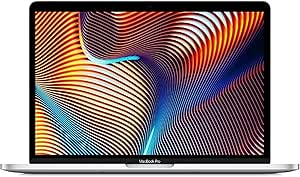
Apple MacBook Pro 13-inch (2017, Non-Touch Bar), Intel Core i5 2.3GHz, 16GB RAM, 256GB SSD, Silver (Renewed)
This renewed 2017 MacBook Pro is best treated as a basic coding machine, not a modern AI workstation. Its dual-core Intel Core i5 and integrated Iris Plus graphics are suited to lightweight scripts, older development tools, and remote access to cloud compute; they lack the CPU and GPU resources of even the 14.2-inch M5 model. The 16GB of RAM can help with ordinary multitasking, but it does not make the older processor a good fit for demanding analysis, and the 256GB SSD leaves little room for datasets. Its 3-pound body is lighter than the newer 14.2-inch options, while its two Thunderbolt 3 ports are much less flexible than their newer models’ port selections. I’d consider it only for legacy software or a secondary machine, and would skip it for current local AI development.
Pros:- 16GB RAM supports ordinary multitasking and lightweight development
- 13.3-inch Retina display provides up to 2560 × 1600 resolution
- Three-pound weight makes it lighter than the listed 14.2-inch MacBook Pro models
- SSD storage offers faster access than a traditional hard drive
Cons:- Dual-core Intel processor and integrated graphics are poorly suited to demanding modern data science and AI workloads
- 256GB SSD is limiting for datasets, environments, and project archives
- Only two Thunderbolt 3 ports are listed, with no HDMI or SDXC slot
Best for: A buyer needing a lightweight secondary Mac for basic scripting, legacy applications, or remote development through cloud services.
Not ideal for: Students or professionals buying a primary machine for current data science, local machine learning, large datasets, or GPU-accelerated work.
- Model:MPXQ2LL/A
- Release year:2017
- Processor:Dual-core Intel Core i5, 2.3GHz
- Memory:16GB DDR3 SDRAM, 2133MHz
- Storage:256GB SSD
- Graphics:Integrated Intel Iris Plus Graphics 640
- Display:13.3-inch Retina, up to 2560 × 1600
- Operating system:macOS 10.14 Mojave
- Ports and weight:Two Thunderbolt 3 ports; 3 pounds
Our verdict“Buy this only for basic or legacy coding and cloud-based compute; for a primary data science laptop, the M5 MacBook Pro is a much stronger fit.”

How We Picked
I ranked these configurations around the demands of data science and AI: memory capacity, CPU and GPU capability, usable storage, screen size, and portability. Memory matters because notebooks, data frames, model weights, and development tools compete for space at once. GPU capability can help with supported local workloads, while CPU performance remains relevant for data preparation, general coding, and tasks that do not use an accelerated framework. I also considered whether each configuration leaves room for growing datasets and multiple project environments.
The ranking favors machines that offer a practical blend of performance and day-to-day usability, rather than treating the highest specification as the automatic winner. That puts the 16-inch M5 Pro with 24GB near the top for balanced use, while the 14-inch M5 Pro with 48GB earns a distinct place for memory-heavy work. M5 Max models rank highest for buyers who prioritize local compute and large memory capacity, with screen size and SSD options separating them. The base M5 models suit lighter workloads, and the 2017 Intel model sits last because its older platform is a poor fit for modern AI development.
| macbook pro for data science and ai | Chip | Ports |
|---|---|---|
| Apple MacBook Pro 16.2-inch wi | Apple M5 Max | Three Thunderbolt 5, MagSafe 3, SDXC, HDMI, headphone jack |
| Apple MacBook Pro 16.2-inch wi | Apple M5 Max | Three Thunderbolt 5, MagSafe 3, SDXC, HDMI, headphone jack |
| Apple MacBook Pro 14.2-inch wi | Apple M5 Max | — |
| Apple MacBook Pro 14.2-inch wi | — | Three Thunderbolt 5, MagSafe 3, SDXC, HDMI, headphone jack |
| Apple 14.2-inch MacBook Pro wi | Apple M5 | Three Thunderbolt 4, MagSafe 3, SDXC, HDMI, headphone jack |
| Apple 14.2-inch MacBook Pro wi | Apple M5 | Three Thunderbolt 4, MagSafe 3, SDXC card slot, HDMI, headphone jack |
| Apple 16.2-inch MacBook Pro wi | — | Three Thunderbolt 5, MagSafe 3, SDXC card slot, HDMI, headphone jack |
| Apple 2026 MacBook Pro Laptop | — | — |
| Apple MacBook Pro 13-inch | — | — |
Factors to Consider When Choosing Macbook Pro For Data Science And Ai
Choosing a MacBook Pro for data science and AI is less about selecting the most powerful chip name and more about matching the machine to where your work runs. I’d first separate local experimentation from cloud or remote compute, then balance memory, screen, and storage around your actual projects.
Decide Which Workloads Must Run Locally
Start by listing the tasks you expect to run on the laptop itself: data cleaning, notebook work, inference, model fine-tuning, or training. A cloud-first workflow can rely on a less powerful Mac for coding, visualization, and remote sessions, while local model work puts more pressure on memory and GPU resources. Check that your key libraries support Apple silicon acceleration before choosing a configuration around GPU performance. Some research stacks and deployment pipelines depend on NVIDIA CUDA, which these MacBook Pro models do not provide. A common mistake is buying a high-spec Mac for training workloads that will still run on a remote GPU. Match the machine to the bottleneck you actually face, not to an assumption that every AI task needs the largest chip.
Set Memory Based on Concurrent Work
Memory is shared by the operating system, browser tabs, IDE, notebook kernel, datasets, and models, so the amount available affects how smoothly projects coexist. Think about your largest typical dataset and model, then add room for the tools you keep open while working. If your work often involves large in-memory data frames or local model experiments, the 48GB and 128GB options offer a different ceiling from the 16GB and 24GB configurations. On Apple silicon, memory is integrated into the system rather than upgraded later, so selecting too little can be difficult to remedy. More memory does not automatically make every script faster; it mainly reduces pressure when active workloads exceed a smaller configuration’s capacity. Avoid choosing only by CPU or GPU core count while ignoring the memory ceiling.
Choose GPU Power With Framework Support in Mind
A larger GPU can help with supported local inference and development tasks, but its value depends on the software stack and the workload’s ability to use it. Before paying for an M5 Max, confirm that your frameworks, libraries, and model formats can make productive use of Apple GPU acceleration. CPU-heavy data preparation may benefit more from a balanced system than from the largest GPU configuration. If you train models on a remote server, a Pro-tier machine can be a more sensible development companion than a Max model. Buyers often overestimate how much a laptop GPU will change a cloud-based workflow. Prioritize GPU capacity when you have specific local tasks that use it regularly.
Treat SSD Capacity as Project Workspace
Storage needs grow through more than final datasets: package environments, cached files, checkpoints, source data, and exported results all take space. A 512GB drive can feel restrictive if you keep several projects and environments locally, even when the compute hardware is sufficient. The 1TB, 2TB, and 4TB options provide progressively more room, but external SSDs and remote storage can reduce the need to buy a larger internal drive. External storage is less convenient for files needed during travel or frequent context switching, and it does not increase memory for active analysis. Keep a realistic estimate of what must live on the laptop rather than treating every dataset as permanent local storage. For a mobile workflow, internal capacity can be worth more than it appears on a specification sheet.
Balance Screen Size Against Your Work Setup
A 16-inch display gives notebooks, code, and data visualizations more room, which can reduce window juggling during long analysis sessions. A 14-inch model is easier to carry and may suit a desk setup with an external monitor, though it gives less built-in workspace when used alone. Consider where you do most of your work: commuting and meetings favor a smaller laptop, while extended solo sessions can benefit from the larger screen. An external display can address workspace limits at a desk, but it cannot help when you are away from one. Buyers sometimes pay for a bigger chassis even though they primarily dock the laptop, or choose a compact model despite working on it all day without a monitor. Match the screen to your usual environment, not just to occasional travel.
Account for Software Compatibility and Device Age
Data science projects can depend on specific Python packages, compiled libraries, container images, and command-line tools, so check compatibility with Apple silicon before committing. Some x86 software can run through translation, but that may add friction or affect performance, particularly in older or less-maintained environments. The 2017 Intel model can still serve basic coding or learning tasks, yet its age and limited capacity make it a poor choice for current local AI workloads. A newer chip alone does not guarantee that every research tool will behave exactly like it does on a Linux workstation. Verify your team’s setup instructions, package support, and remote development options. That check can prevent a capable laptop from becoming an inconvenient match for the software you need.
Frequently Asked Questions
Is 16GB of memory enough for data science and AI on a MacBook Pro?
It can be enough for coursework, coding, smaller datasets, and cloud-based model work, especially if you keep the number of active applications under control. It leaves less room for large data frames, local model weights, and multiple notebook sessions to run together. The two 14-inch base M5 configurations in this roundup both have 16GB, so their SSD difference affects file capacity rather than memory headroom. If you expect your projects to grow or want to experiment with larger local models, the 48GB M5 Pro offers a more useful buffer. Choose 16GB when your workload is clearly light or remote-first, not simply because the machine has a current-generation chip.
Should I choose M5 Pro or M5 Max for machine learning?
I’d choose M5 Pro when most model training runs remotely and the laptop handles coding, data preparation, and smaller experiments. M5 Max makes more sense when you have a recurring local workload that can use its larger GPU configuration and you also benefit from the listed 128GB memory. Software support matters: a Mac GPU is not a substitute for CUDA in frameworks or workflows that require NVIDIA hardware. If you are unsure whether your projects will use local acceleration, test the exact framework and model path before selecting the higher tier. The Max configurations are best justified by a known workload, not by the label alone.
Is the 14-inch M5 Pro with 48GB memory a better choice than the 16-inch M5 Pro with 24GB?
It depends on whether memory headroom or workspace matters more in your daily routine. The 14-inch configuration has twice the listed memory, which can help when datasets, notebooks, and local models occupy more space at once. The 16-inch option provides a larger built-in display and a listed 18-core CPU and 20-core GPU, making it a compelling fit for buyers who value screen area and that configuration’s processing profile. Neither choice is universally better, and external monitors can reduce the screen-size gap at a desk. Choose the 14-inch model for memory-intensive mobile work, or the 16-inch model if you want a larger integrated workspace.
Can I use an older Intel MacBook Pro for learning AI?
The 2017 Intel MacBook Pro can support basic programming practice, introductory notebooks, and remote connections to a more powerful machine. Its 16GB memory and 256GB SSD place limits on local datasets, modern development environments, and model workloads, while its older platform may bring software compatibility friction. It is not a sensible choice for buyers who expect to run current AI models locally. If you already own one, remote compute can extend its usefulness for learning; if you are buying specifically for data science, the newer M5 options are a much stronger fit. Treat it as a legacy coding device, not as a compact AI workstation.
How much SSD storage should I choose for data science projects?
Choose capacity based on the data and environments you need available offline, not on the total size of every project you have ever touched. A 512GB drive can work for code, smaller datasets, and cloud-heavy workflows, but several environments, cached data, and checkpoints can consume space quickly. Moving to 1TB or more gives greater flexibility for keeping active projects on the laptop; the M5 Max choices also extend to 2TB and 4TB. External SSDs can hold archives and large datasets, though they add another item to carry and manage. If you travel often or switch among projects without reliable network access, more internal storage can reduce friction.
Conclusion
Best overall: I’d pick the 16-inch M5 Pro with 18-core CPU, 20-core GPU, and 24GB memory for a balanced mix of screen space and capability. Best for memory-heavy work: the 14-inch M5 Pro with 48GB memory suits buyers who want more room for concurrent notebooks and local analysis in a smaller laptop. Best premium: choose an M5 Max with 128GB memory for supported local workloads, then select 14 or 16 inches and 2TB or 4TB storage based on your workspace and files. Best value and best for beginners: the 14-inch base M5 with 1TB SSD is the more flexible starting point of the two base configurations, while the 512GB version fits lighter, cloud-first work. Best for a legacy or remote-only setup: the 2017 Intel model can handle basic coding and remote access, but I would skip it for modern local AI. Match the final choice to your software stack and actual workload: extra memory or GPU power only pays off when your projects can use it.