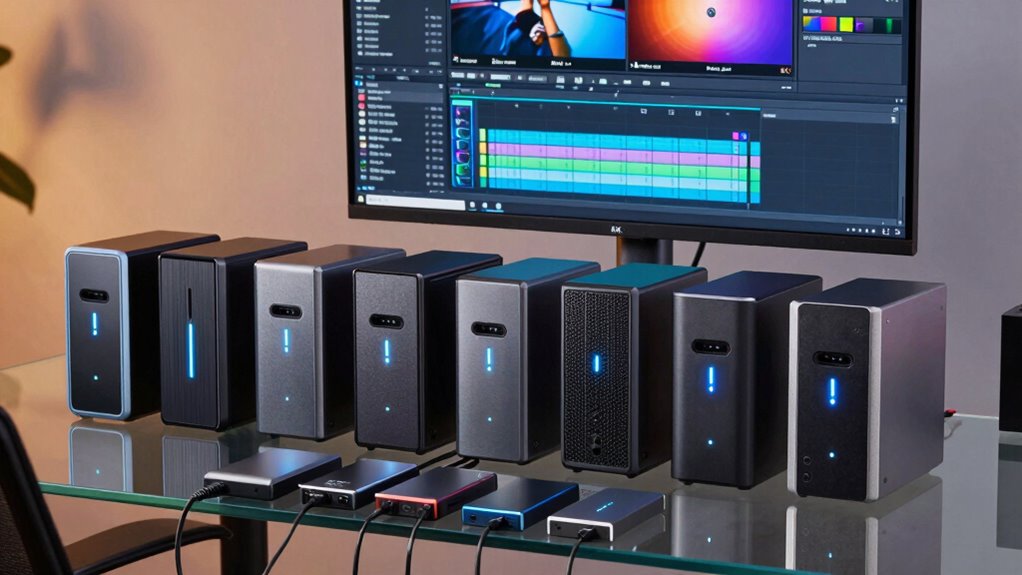

If you’re working with 4K video editing, having a reliable NAS can make or break your workflow. The Synology DiskStation DS925+ stands out as the best overall for its balanced performance and expandability. For creators and power users, the UGREEN NAS DXP4800 GT offers excellent hardware features tailored to demanding tasks. Meanwhile, the TERRAMASTER F4-425 provides a budget-friendly option without sacrificing essential capabilities. With so many options, choosing the right NAS involves weighing performance, capacity, ease of use, and cost. Keep reading for a detailed breakdown of the top picks and how they compare.

Get the latest gadgets delivered free with Prime
- Fast, free delivery on millions of items
- Prime Video, Amazon Music and more included
- Member-only deals all year
Complete the kit



Key Takeaways
- Performance and scalability are the main differentiators among the top NAS for 4K editing.
- Most high-end options offer hardware transcoding, but this often increases cost and complexity.
- Storage capacity and expandability are critical for handling large 4K files over the long term.
- Ease of setup and user interface can significantly impact workflow efficiency, especially for less technical users.
- Budget constraints often force tradeoffs between raw speed, capacity, and advanced features.
| UGREEN NAS DXP4800 Pro 4-Bay for IT Professionals, Developers & Power Users |  | Best Overall for Demanding Workflows | Processor: Intel Core i3-1315U (6 Cores, 8 Threads, up to 4.5GHz) | RAM: 8GB DDR5, expandable to 96GB | Storage Capacity: 144TB (4x HDD + 2x M.2 SSD) | VIEW ON AMAZON | See Our Full Breakdown |
| Asustor Lockerstor 4 Gen2+ AS6704T v2 4-Bay NAS |  | Best for Media and Flexible Storage | Processor: Intel Celeron N5105 quad-core | Memory: 4GB DDR4, expandable up to 16GB | Drive Bays: 4 | VIEW ON AMAZON | See Our Full Breakdown |
| Synology 4-Bay DiskStation DS925+ (Diskless) |  | Best for Reliable Data Management & Virtualization | Drive Bays: 4 | Network Ports: 2 x 2.5GbE | Warranty: 3 years | VIEW ON AMAZON | See Our Full Breakdown |
| Synology DS225+ Private Cloud Media Server – 2-Bay NAS with Intel CPU for Hardware Transcoding |  | Best for Compact Media and Home Use | Number of Bays: 2 | Processor: Intel CPU | Transfer Speed: 282 MB/s | VIEW ON AMAZON | See Our Full Breakdown |
| UGREEN NAS DXP4800 GT 4-Bay for Creators, Tech Enthusiasts, and Office Teams |  | Best for Creators and Small Business Security | Processor: AMD Ryzen Embedded R2514, 4 cores, up to 3.70GHz | RAM: 8GB DDR4, expandable to 64GB | Storage Capacity: Up to 144TB (4 bays, SATA, U.2 NVMe, M.2 SSDs) | VIEW ON AMAZON | See Our Full Breakdown |
| Synology DS1525+ Video Editing & Production Server – 5-Bay NAS, 300TB Expansion, 10GbE Ready |  | Best Overall for Professional Video Workflows | Number of Bays: 5 | Maximum Storage Capacity: 300TB | Network: 10GbE, 2.5GbE | VIEW ON AMAZON | See Our Full Breakdown |
| TERRAMASTER F4-425 4-Bay NAS Intel x86 Quad-Core CPU 4GB RAM Diskless |  | Best for Home Users and Small Studios on a Budget | Processor: Intel x86 quad-core | RAM: 4GB | Number of Bays: 4 | VIEW ON AMAZON | See Our Full Breakdown |
| Synology DS1825+ Enterprise Video Storage NAS |  | Best for Large-Scale, Enterprise Video Storage | Maximum Storage Capacity: 360TB | Number of Bays: 8 | Network Speed: 25GbE | VIEW ON AMAZON | See Our Full Breakdown |
| nas for 4k video editing | Processor | Warranty | Number of Bays |
|---|---|---|---|
| UGREEN NAS DXP4800 Pro 4-Bay f | Intel Core i3-1315U (6 Cores, 8 Threads, up to 4.5GHz) | — | — |
| Asustor Lockerstor 4 Gen2+ AS6 | Intel Celeron N5105 quad-core | — | — |
| Synology 4-Bay DiskStation DS9 | — | 3 years | — |
| Synology DS225+ Private Cloud | Intel CPU | 3 years | 2 |
| UGREEN NAS DXP4800 GT 4-Bay fo | AMD Ryzen Embedded R2514, 4 cores, up to 3.70GHz | — | — |
| Synology DS1525+ Video Editing | — | 3 years | 5 |
| TERRAMASTER F4-425 4-Bay NAS I | Intel x86 quad-core | — | 4 |
| Synology DS1825+ Enterprise Vi | — | 3 years | 8 |
More Details on Our Top Picks
UGREEN NAS DXP4800 Pro 4-Bay for IT Professionals, Developers & Power Users
The UGREEN NAS DXP4800 Pro stands out as the most capable choice for users with intensive, multi-faceted workflows, thanks to its robust Intel Core i3 processor, extensive 144TB storage capacity, and support for virtualization and AI tasks. Compared with the Synology DS925+, it offers superior hardware and more advanced security features, but at a higher cost and increased complexity, which may deter less technical users. Its enterprise-grade security and support for Docker and virtual machines make it ideal for developers and power users who need maximum flexibility, though setup can be daunting and its size may not suit small spaces. Pros include high-performance hardware, vast storage potential, and enterprise security; Cons involve complexity and price. Verdict: Best for professionals who require top-tier performance and are comfortable with detailed setup and higher investment.
Pros:- High-performance hardware with Intel Core i3 for demanding workflows
- Extensive storage capacity supporting up to 144TB
- Supports Docker, virtual machines, and AI applications
Cons:- High cost may be prohibitive for budget-conscious users
- Complex setup requiring technical expertise
- Large physical size limits placement options
Best for: IT professionals, developers, and power users needing a versatile, high-performance NAS for demanding tasks
Not ideal for: Home users or small businesses seeking straightforward setup and lower-cost solutions
- Processor:Intel Core i3-1315U (6 Cores, 8 Threads, up to 4.5GHz)
- RAM:8GB DDR5, expandable to 96GB
- Storage Capacity:144TB (4x HDD + 2x M.2 SSD)
- Network Ports:10GbE + 2.5GbE
- RAID Support:0, 1, 5, 10
- Operating System:UGOS Pro
Our verdict“This NAS is best suited for tech-savvy professionals who need maximum power and flexibility regardless of complexity or cost.”
Asustor Lockerstor 4 Gen2+ AS6704T v2 4-Bay NAS
The Asustor Lockerstor 4 Gen2+ offers a balanced mix of media capabilities and expandability, with a quad-core Intel Celeron N5105 processor and dual 5GbE ports that ensure fast network connectivity. It surpasses the Synology DS925+ in media output, thanks to its HDMI port and hardware 4K transcoding, making it more suitable for media streaming and content creation. Its support for both SATA and NVMe SSDs provides flexible storage options, but the setup can be intricate, especially when configuring RAID or cache. Ideal for small media-focused teams who need quick access and fast playback, it’s less suited for those requiring enterprise security or extensive virtualization. Pros include high-speed network, multimedia support, and flexible storage; Cons involve complex setup and higher pricing for features. Verdict: Best for users seeking solid media performance with flexible storage options, willing to handle setup complexity.
Pros:- Dual 5GbE ports for high-speed network access
- Supports SATA and NVMe SSDs for versatile storage
- Hardware 4K transcoding with HDMI output
Cons:- Setup complexity may challenge non-technical users
- Higher price point for the feature set
- Requires additional drives for full functionality
Best for: Small media teams or content creators needing hardware 4K transcoding and flexible storage
Not ideal for: Users seeking simple, plug-and-play NAS or enterprise-grade security
- Processor:Intel Celeron N5105 quad-core
- Memory:4GB DDR4, expandable up to 16GB
- Drive Bays:4
- Network Ports:Dual 5GbE
- SSD Slots:4 M.2 NVMe
- Media Output:HDMI
Our verdict“This NAS suits media creators who prioritize hardware transcoding and flexible storage, despite setup challenges.”
Synology 4-Bay DiskStation DS925+ (Diskless)
The Synology DS925+ emphasizes dependable data management and network performance, offering high sequential read/write speeds up to 522/565 MB/s, which benefits 4K video editing workflows that demand fast data transfer. Its dual 2.5GbE ports provide good network redundancy and speed, but the diskless design means additional drives are necessary, adding to the cost and setup time. Compared with more hardware-heavy options, this NAS prioritizes software stability and versatility, making it suitable for users who want a reliable platform for virtualization and file sharing without excessive complexity. It’s less ideal for users who need integrated media transcoding or the highest hardware performance. Pros include fast transfer speeds, dual network ports, and multi-solution support; Cons involve the need for separate drives and limited hardware details. Verdict: A solid choice for those valuing speed and stability in data management, with some setup effort required.
Pros:- High sequential read/write speeds for fast data access
- Dual 2.5GbE ports for network flexibility
- Supports virtualization and surveillance solutions
Cons:- Requires separate purchase of drives, increasing initial cost
- Limited hardware specifics provided in the description
- Less suitable for media transcoding tasks
Best for: Small enterprises or advanced home users focused on virtualization and data reliability
Not ideal for: Media-heavy workflows requiring built-in 4K transcoding or plug-and-play simplicity
- Drive Bays:4
- Network Ports:2 x 2.5GbE
- Warranty:3 years
Our verdict“Best for users prioritizing speed and stability over built-in media features or simplicity.”
Synology DS225+ Private Cloud Media Server – 2-Bay NAS with Intel CPU for Hardware Transcoding
The Synology DS225+ is tailored for home or small business environments, offering hardware transcoding that supports 4K media streaming. Its compact 2-bay design limits total storage, but the fast transfer speed of 282 MB/s provides smooth playback and quick backups. While its hardware transcoding is a plus for streaming, the limited bay count restricts expansion, making it less suitable for larger media libraries. The setup is straightforward for users familiar with Synology’s interface, but those needing extensive storage or advanced virtualization might find it lacking. Compared to larger models like the UGREEN DXP4800, it sacrifices capacity for simplicity and size. Pros include hardware transcoding, fast transfer speeds, and multi-layered data protection; Cons involve limited storage capacity and no included drives. Verdict: Perfect for smaller media collections and home streaming, with limited room for growth.
Pros:- Supports 4K media streaming and hardware transcoding
- Fast data transfer speeds of 282 MB/s
- Multi-layer data protection with RAID and snapshots
Cons:- Limited to 2 bays, restricting storage expansion
- No drives included, disks must be purchased separately
- Setup may be challenging for less experienced users
Best for: Home users or small offices needing reliable media streaming and compact design
Not ideal for: Users with large media libraries or enterprise virtualization needs
- Number of Bays:2
- Processor:Intel CPU
- Transfer Speed:282 MB/s
- Warranty:3 years
Our verdict“Ideal for small-scale media streaming and backup needs, with limited scalability.”
UGREEN NAS DXP4800 GT 4-Bay for Creators, Tech Enthusiasts, and Office Teams
The UGREEN NAS DXP4800 GT presents a powerful option tailored for creators and small teams, thanks to its AMD Ryzen Embedded R2514 processor, supporting up to 144TB of storage and fast dual 10GbE ports with link aggregation. Its extensive media processing capabilities, including virtual machines and surveillance features, make it stand out from less versatile NAS devices like the Synology DS925+. The setup may require technical skills, especially when configuring multiple storage and network features, and drives are sold separately. Its non-ECC RAM might raise concerns for data integrity in critical applications, but its security features and high multitasking performance make it appealing for demanding environments. Pros include high processing power, massive storage scalability, and network throughput; Cons involve setup complexity and additional drive costs. Verdict: Best suited for creators or offices needing high-performance multi-drive storage and advanced security, with a willingness to handle detailed setup.
Pros:- Powerful AMD Ryzen Embedded R2514 processor
- Supports up to 144TB storage with diverse drive options
- Dual 10GbE ports with link aggregation for high throughput
Cons:- Drives are not included, additional purchase needed
- Setup and configuration can be complex
- Pre-installed RAM is non-ECC, which may concern data integrity
Best for: Content creators, small business teams, or security-focused users needing extensive storage and network speed
Not ideal for: Casual users or those seeking simple, out-of-the-box solutions without extensive configuration
- Processor:AMD Ryzen Embedded R2514, 4 cores, up to 3.70GHz
- RAM:8GB DDR4, expandable to 64GB
- Storage Capacity:Up to 144TB (4 bays, SATA, U.2 NVMe, M.2 SSDs)
- Networking:Dual 10GbE ports, support for link aggregation
- Connectivity:USB 3.2, USB-C, HDMI, SD card slot
- Security:TLS/SSL, RSA, AES, SHA-512
Our verdict“This NAS is best for tech-savvy users needing maximum power and storage scalability for creative and security applications.”
Synology DS1525+ Video Editing & Production Server – 5-Bay NAS, 300TB Expansion, 10GbE Ready
The Synology DS1525+ stands out for its impressive scalability and high-speed network capabilities, making it a top choice for demanding 4K video editing environments. Compared with the Synology DS1825+, it offers slightly fewer bays but compensates with faster transfer speeds up to 1,181 MB/s, ideal for multi-user, large media libraries. Its support for expansion units up to 300TB ensures future growth, but this flexibility comes with a steeper learning curve and a higher price point, making it better suited for professionals rather than casual users. The device’s advanced media management features streamline workflows, yet setup and configuration may challenge those without technical experience. Overall, this NAS makes an excellent investment for studios handling large-scale 4K projects that need speed, capacity, and expandability.
Pros:- High transfer speeds up to 1,181 MB/s facilitate quick file access
- Supports scalability up to 300TB with expansion units
- Designed for multi-user workflows and large media libraries
- Flexible all-in-one data management and backup features
Cons:- Requires technical knowledge for setup and expansion
- Higher cost compared to simpler NAS options
- Limited included accessories and documentation
Best for: Media professionals and production studios requiring scalable, high-speed storage and multi-user support
Not ideal for: Small teams or hobbyists seeking a simple, budget-friendly solution without extensive setup
- Number of Bays:5
- Maximum Storage Capacity:300TB
- Network:10GbE, 2.5GbE
- Supported Protocols:Data sharing, synchronization, backup, surveillance
- Warranty:3 years
Our verdict“This NAS suits professional environments demanding speed, scalability, and advanced media management, despite its complexity and cost.”
TERRAMASTER F4-425 4-Bay NAS Intel x86 Quad-Core CPU 4GB RAM Diskless
The TERRAMASTER F4-425 offers a compelling mix of performance and simplicity, especially compared to the Synology DS925+. Its quad-core Intel CPU and 4GB RAM enable efficient 4K media transcoding and multi-user access, making it suitable for home editing setups and small-scale productions. The tool-free HDD trays simplify installation, but its maximum capacity of 120TB may fall short for larger media libraries or extensive projects. Setup via mobile app can be straightforward for tech-savvy users but may pose challenges for complete beginners. While it lacks the extensive ecosystem of Synology, it provides reliable performance at a lower price point, making it a practical choice for those balancing budget with capability.
Pros:- Quad-core Intel CPU delivers strong performance for 4K transcoding
- Quiet operation at 21dB, ideal for home environments
- Easy HDD installation with tool-free trays
- Supports hardware-accelerated 4K decoding
Cons:- Limited to 4 bays, restricting maximum storage expansion
- Requires additional purchase of drives
- Mobile app setup may be complex for some users
Best for: Home editors or small creative teams seeking affordable 4K transcoding and multi-user file sharing
Not ideal for: Large media operations or users needing the highest scalability and enterprise features
- Processor:Intel x86 quad-core
- RAM:4GB
- Number of Bays:4
- Max Storage Capacity:120TB
- Network Port:2.5GbE
- Noise Level:21dB
Our verdict“This NAS is a solid, affordable option for home-based creatives who need reliable 4K media handling without extensive scalability.”
Synology DS1825+ Enterprise Video Storage NAS
The Synology DS1825+ is tailored for extensive media operations, offering up to 360TB of scalable storage and 25GbE networking, making it a standout for enterprise video production. Compared to the Synology DS1525+, it provides twice the number of bays—8 versus 5—and supports more than 50 concurrent users, key for large teams or high-volume workflows. However, its higher price and complexity may deter smaller studios or individual creators. Setup can be intricate, especially with its enterprise-grade features, but its robust data protection and high-speed networking justify the investment for organizations handling mission-critical media workflows. This NAS is designed to serve the needs of large, collaborative editing environments where capacity and speed are paramount.
Pros:- Supports massive storage up to 360TB
- High-speed 25GbE network ensures rapid data transfer
- Suitable for 50+ concurrent users and large teams
- Advanced data protection features for enterprise security
Cons:- Requires expansion units for full capacity
- Setup and management can be complex for newcomers
- Higher overall price point
Best for: Large media organizations and enterprises managing extensive 4K and 8K video projects
Not ideal for: Small teams, hobbyists, or those with limited technical expertise seeking simple solutions
- Maximum Storage Capacity:360TB
- Number of Bays:8
- Network Speed:25GbE
- Supported Users:50+
- Warranty:3 years
Our verdict“This NAS excels in large-scale, collaborative environments where capacity, speed, and enterprise-grade security are priorities, despite its complexity and cost.”

How We Picked
Our evaluation focused on performance benchmarks relevant to 4K video editing, including data transfer speeds, hardware transcoding capabilities, and CPU power. We also considered build quality, expandability, and user interface ease, since these affect daily productivity. Cost was factored in relative to features offered, helping identify the best balance of value versus performance. We prioritized NAS models with proven reliability and those widely adopted by creative professionals, ensuring recommendations are practical for intensive editing workflows. The ranking reflects a combination of raw performance, future-proofing, and real-world usability.
| nas for 4k video editing | Processor |
|---|---|
| UGREEN NAS DXP4800 Pro 4-Bay f | Intel Core i3-1315U (6 Cores, 8 Threads, up to 4.5GHz) |
| Asustor Lockerstor 4 Gen2+ AS6 | Intel Celeron N5105 quad-core |
| Synology 4-Bay DiskStation DS9 | — |
| Synology DS225+ Private Cloud | Intel CPU |
| UGREEN NAS DXP4800 GT 4-Bay fo | AMD Ryzen Embedded R2514, 4 cores, up to 3.70GHz |
| Synology DS1525+ Video Editing | — |
| TERRAMASTER F4-425 4-Bay NAS I | Intel x86 quad-core |
| Synology DS1825+ Enterprise Vi | — |
Factors to Consider When Choosing Nas For 4k Video Editing
Choosing the right NAS for 4K video editing involves understanding several key factors. Beyond raw hardware specs, consider how the device integrates into your workflow, future expansion needs, and budget constraints. Making the right choice can boost productivity and protect your investment over time, so it’s worth evaluating each aspect carefully.Performance and Hardware Power
For 4K editing, a NAS with a powerful CPU and ample RAM makes a significant difference. Hardware transcoding support can streamline editing by converting files on the fly, but it often adds to cost and complexity. Consider whether your editing software can leverage hardware acceleration, and match that with a NAS that offers compatible hardware. While high-end CPUs boost speed, they also tend to increase price, so match performance to your workload needs.
Storage Capacity and Expandability
Handling 4K footage demands large storage pools, often in the hundreds of terabytes, especially for professional workflows. Look for NAS units with multiple drive bays and support for expansion units or RAID configurations. Prioritize models with flexible drive configurations and compatibility with larger drives, which help future-proof your investment. Avoid underestimating your storage needs, as resizing or migrating data later can be disruptive and costly.
Connectivity and Network Speed
Fast network interfaces, such as 10GbE or higher, are essential for quick file transfers during editing sessions. Consider your existing network infrastructure, and whether your NAS supports upgrades to higher-speed connections. Poor network performance becomes a bottleneck, negating the benefits of high-performance hardware. For collaborative editing environments, multiple client connections and stable network protocols matter just as much as raw hardware specs.
Ease of Use and Management
An intuitive user interface and straightforward setup process save time and reduce frustration, especially for users less familiar with network storage. Features like automated backups, remote access, and easy firmware updates contribute to a smoother experience. Remember, a complex setup might limit your ability to troubleshoot or expand later, so prioritize models with good software support and community resources.
Budget and Total Cost of Ownership
High-performance NAS devices often come with a higher price tag, but investing in quality can pay off in speed and reliability. Balance your immediate budget against long-term needs; cheaper models may lack expandability or hardware transcoding, leading to additional upgrades sooner. Consider ongoing costs like drives, expansion units, and maintenance, and avoid overextending your budget on features you won’t use. A well-chosen NAS offers a good mix of performance and value for your specific editing demands.
Frequently Asked Questions
Do I need hardware transcoding support for 4K editing?
Hardware transcoding can significantly speed up 4K editing workflows by converting large files into more manageable formats in real-time. If your editing software supports hardware acceleration, having a NAS with transcoding capabilities reduces lag and improves responsiveness. However, this feature often comes at a higher cost and increased power consumption, so assess whether your typical projects will benefit enough to justify the investment.
How much storage should I plan for my 4K editing NAS?
The amount of storage depends on your project size and workflow, but a good rule of thumb is to allocate at least 4-6 times the size of your current projects for future growth. For professional editing, 100TB or more is common, especially if working with raw footage. Always choose a NAS that supports expansion or larger drives to avoid immediate obsolescence, and consider using RAID configurations for redundancy and safety.
Is a 2-bay NAS enough for 4K video editing?
While a 2-bay NAS can handle smaller projects or serve as a secondary storage device, it often falls short for demanding 4K editing workflows. Limited capacity and no expansion options make it less suitable for large files or multiple simultaneous editors. For most serious editing tasks, a 4-bay or larger NAS provides the necessary capacity, speed, and redundancy features to keep workflows smooth and secure.
Should I prioritize speed over capacity?
Speed and capacity are both crucial, but the right balance depends on your workflow. If rapid file access and transfer rates are critical, prioritize a NAS with high-speed network interfaces and a powerful CPU. However, if you deal with huge files regularly, capacity might take precedence, demanding larger drives and more bays. Ideally, aim for a device that offers both, but understand that focusing solely on one can limit your overall efficiency.
How important is expandability for future-proofing?
Expandability is key when planning long-term use, especially with evolving storage needs. A NAS with multiple drive bays and support for expansion units allows you to grow your storage without replacing the entire system. This flexibility can save money and reduce downtime as your projects and data grow. Ignoring expandability might lead to early obsolescence or the need for costly replacements down the line.
Conclusion
For general professional use, the Synology DiskStation DS925+ offers a balanced mix of speed, capacity, and ease of use, making it the best overall choice. Creators and power users seeking top hardware features should consider the UGREEN NAS DXP4800 GT for its robust performance. Budget-conscious buyers will find the TERRAMASTER F4-425 provides essential features at a lower price point. Beginners or those with smaller workflows might prefer a simpler, 2-bay model, while enterprises needing large-scale storage should look at the Synology DS1825+. Your ideal choice depends on your current needs and future plans, so weigh performance, capacity, and budget carefully.
Halloween Picks
halloween
As an affiliate, we earn on qualifying purchases.