
If you’re looking for the best portable SSDs for Mac and PC in 2025, I recommend options like the SanDisk Extreme Portable, Samsung T7 or T9, Crucial X10, and LaCie Rugged. These drives offer fast transfer speeds, durability, and compatibility across devices. They’re perfect for creative professionals and on-the-go users. Want to find out which one suits your needs? Keep exploring to get the full details.
Key Takeaways
- Look for SSDs with wide compatibility across Mac, PC, and other devices, supporting USB-C, USB-A, or Thunderbolt.
- Prioritize high-speed drives with NVMe or PCIe technology, offering transfer rates up to 2,100MB/s for quick workflows.
- Consider durable, water, dust, and drop-resistant models suitable for on-the-go use in various environments.
- Check security features like hardware encryption and backup software for data protection and management.
- Balance capacity options (1TB to 4TB) with reliable brands offering warranties and long-term performance.

SANDISK 1TB Extreme Portable SSD - Up to 1050MB/s, USB-C, USB 3.2 Gen 2, IP65 Water and Dust Resistance, Updated Firmware - External Solid State Drive - SDSSDE61-1T00-G25
Get NVMe solid state performance with up to 1050MB/s read and 1000MB/s write speeds in a portable, high-capacity...
As an affiliate, we earn on qualifying purchases.
SanDisk 1TB Extreme Portable SSD
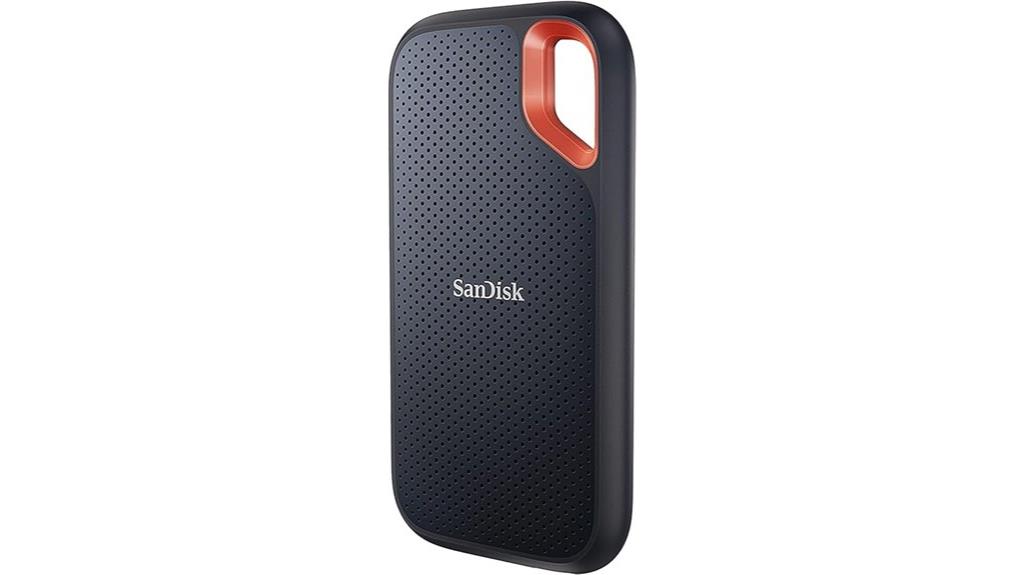
If you’re looking for a rugged, high-performance portable SSD that works seamlessly with both Mac and PC, the SanDisk 1TB Extreme Portable SSD is an excellent choice. It delivers NVMe speeds of up to 1050MB/s read and 1000MB/s write, making data transfers quick and efficient. Its compact design weighs just 1.76 ounces, and with IP65 water and dust resistance plus drop protection up to two meters, it’s built for active lifestyles. Security is solid with 256-bit AES encryption, and compatibility with USB-C and USB 3.2 Gen 2 ensures fast connectivity. Plus, it’s backed by a 5-year warranty, making it a reliable portable storage option.
Best For: users seeking a durable, high-speed portable SSD compatible with both Mac and PC for professional and active lifestyle use.
Pros:
- Fast NVMe transfer speeds of up to 1050MB/s read and 1000MB/s write, ensuring quick data transfer.
- Rugged design with IP65 water and dust resistance and drop protection up to two meters for outdoor and travel use.
- Secure with 256-bit AES hardware encryption and a 5-year warranty for peace of mind.
Cons:
- Actual speeds may vary depending on host device compatibility and conditions.
- Slightly higher price point compared to basic external drives.
- Limited to USB-C and USB 3.2 Gen 2 interfaces, which may require adapters for older devices.

Samsung T9 Portable SSD 1TB, USB 3.2 Gen 2x2 External Solid State Drive, Seq. Read Speeds Up to 2,000MB/s for Gaming, Students and Professionals, MU-PG1T0B/AM, Black
NONSTOP SPEED: Race through projects with our fastest SSD for creators; Load, edit and transfer with sustained read...
As an affiliate, we earn on qualifying purchases.
SAMSUNG T9 Portable SSD 1TB External Solid State Drive
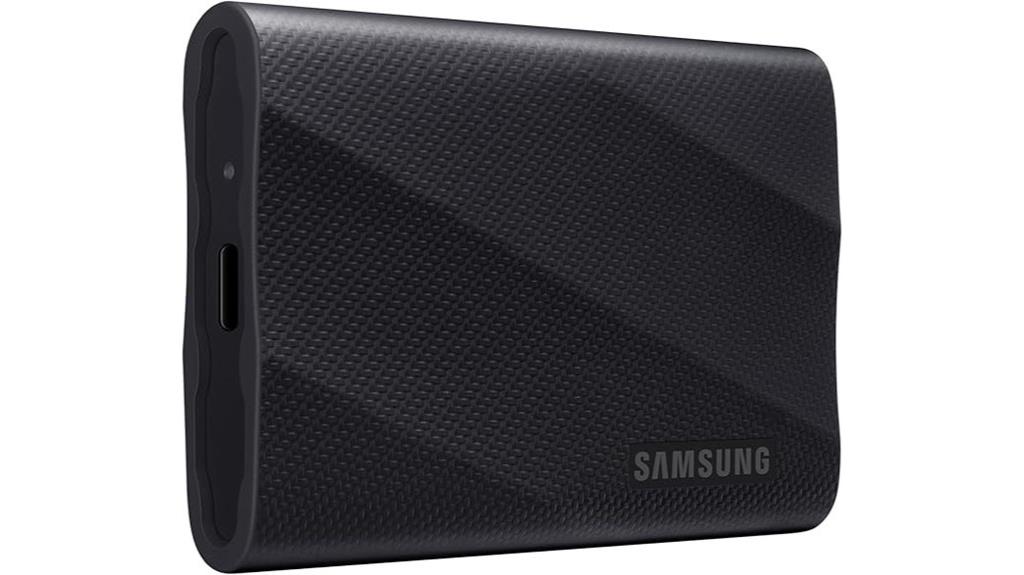
The SAMSUNG T9 Portable SSD 1TB stands out as an ideal choice for professionals and creators who need blazing-fast transfer speeds and reliable performance. It offers sustained read/write speeds up to 2,000MB/s, making file transfers, editing, and project loading quick and seamless. Designed for heavy-duty tasks, it maintains high performance during extended use, thanks to Dynamic Thermal Guard technology that keeps it cool under pressure. Compatible with desktops, cameras, gaming consoles, and even iPhone 15 Pro Res 4K video, it’s versatile for various applications. Plus, the included software guarantees ongoing security and drive health, backed by Samsung’s trusted quality.
Best For: professionals, creators, gamers, and students who require fast, reliable external storage for heavy-duty tasks and high-resolution content.
Pros:
- Extremely fast transfer speeds up to 2,000MB/s for quick file handling and editing
- Durable design with Dynamic Thermal Guard technology ensures stability during extended use
- Compatible with a wide range of devices including desktops, cameras, gaming consoles, and iPhone 15 Pro Res 4K video
Cons:
- Higher price point compared to traditional HDDs or lower-speed SSDs
- Limited storage capacity options beyond 1TB (depending on model)
- Requires compatible software for full security and maintenance features, which may need regular updates

Samsung T7 Portable SSD, 1TB External Solid State Drive, Speeds Up to 1,050MB/s, USB 3.2 Gen 2, Reliable Storage for Gaming, Students, Professionals, MU-PC1T0T/AM, Gray
MADE FOR THE MAKERS: Create; Explore; Store; The T7 Portable SSD delivers fast speeds and durable features to...
As an affiliate, we earn on qualifying purchases.
Samsung T7 Portable SSD (1TB) External Solid State Drive
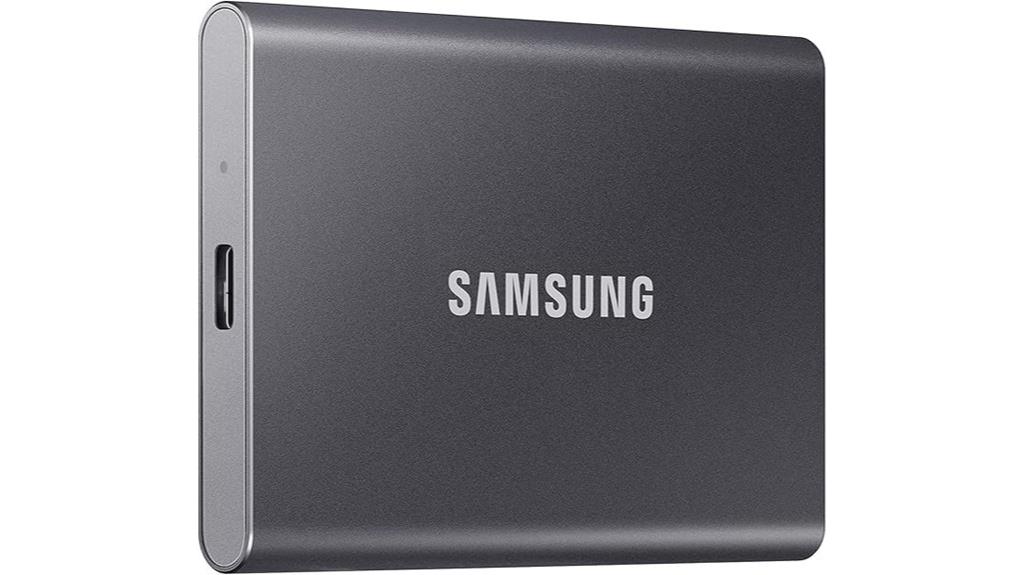
For anyone needing fast, reliable external storage that can handle large files and high-resolution video, the Samsung T7 Portable SSD (1TB) stands out as an excellent choice. It offers up to 1,050 MB/s read speeds and 1,000 MB/s write speeds, thanks to PCIe NVMe technology, making data transfers quick and efficient. Its compact, shock-resistant aluminum body guarantees durability during travel, supporting fall protection up to 6 feet. Compatible with PCs, smartphones, and devices like iPhone 15 Pro, it’s perfect for video editing, gaming, and backups. Backed by Samsung’s trusted quality, the T7 combines speed, portability, and reliability in one sleek package.
Best For: users seeking fast, portable, and reliable external storage for large files, high-resolution videos, gaming, and professional workflows.
Pros:
- Extremely fast read/write speeds up to 1,050/1,000 MB/s thanks to PCIe NVMe technology
- Durable, shock-resistant aluminum design with fall protection up to 6 feet
- Compatible with a wide range of devices including PCs, smartphones, and iPhone 15 Pro
Cons:
- Limited to 1TB standard capacity, requiring additional drives for larger storage needs
- No included hardware encryption or advanced security features
- Slightly higher price point compared to traditional external HDDs

Crucial X10 1TB Portable SSD, Up to 2,100MB/s, USB 3.2 USB-C, External Solid State Drive, Compatible with Windows, Mac & Android, Durable Storage for Games, Photos & Files, Blue - CT1000X10SSD9-02
Ultra-fast Speeds: Designed for creators, students and PC gamers, this matte blue external SSD delivers fast data access...
As an affiliate, we earn on qualifying purchases.
Crucial X10 1TB Portable SSD
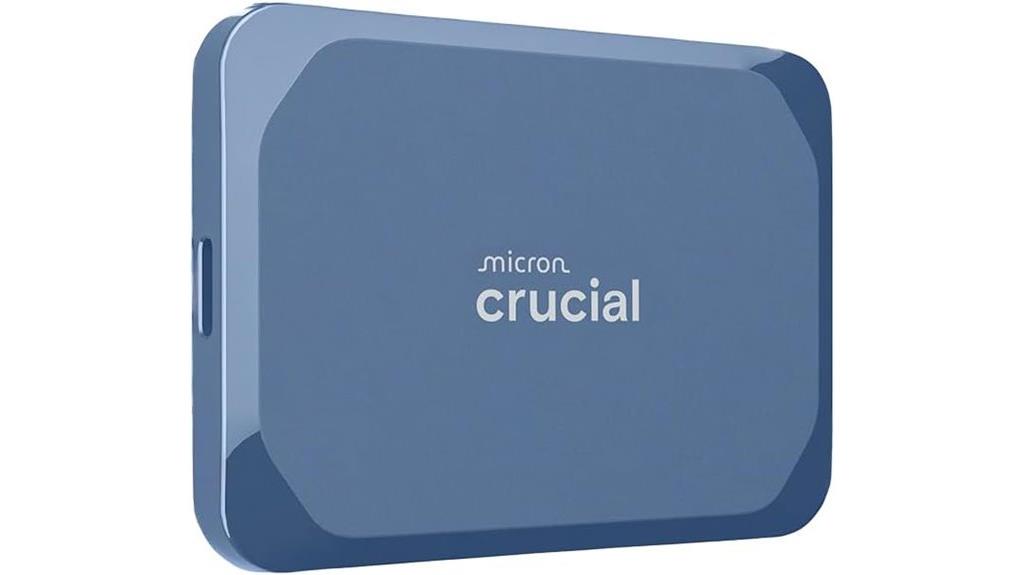
With transfer speeds reaching up to 2,100MB/s, the Crucial X10 1TB Portable SSD stands out as an essential choice for creators, gamers, and anyone needing fast, reliable storage. Its rapid data transfer makes accessing photos, videos, and files effortless, far surpassing traditional hard drives. Built for durability, it features IP65 dust and water resistance and can withstand drops from up to 9.8 feet, making it suitable for travel and tough environments. Compatible with Windows, Mac, Linux, gaming consoles, and mobile devices via USB-C and USB-A, it offers versatile, secure storage in a compact, portable design. Plus, bundled software adds extra value.
Best For: creators, gamers, and professionals seeking ultra-fast, durable, and versatile external storage solutions across multiple devices and platforms.
Pros:
- Ultra-fast transfer speeds up to 2,100MB/s for quick file access and backups
- Durable design with IP65 dust and water resistance and drop resistance up to 9.8 feet
- Broad compatibility with Windows, Mac, Linux, gaming consoles, and mobile devices via USB-C and USB-A
Cons:
- Higher price point compared to traditional hard drives or lower-speed SSDs
- Limited to 1TB capacity, which may not be sufficient for all users with large storage needs
- Requires compatible ports and software updates for optimal performance on some devices
SanDisk 4TB Extreme PRO Portable SSD
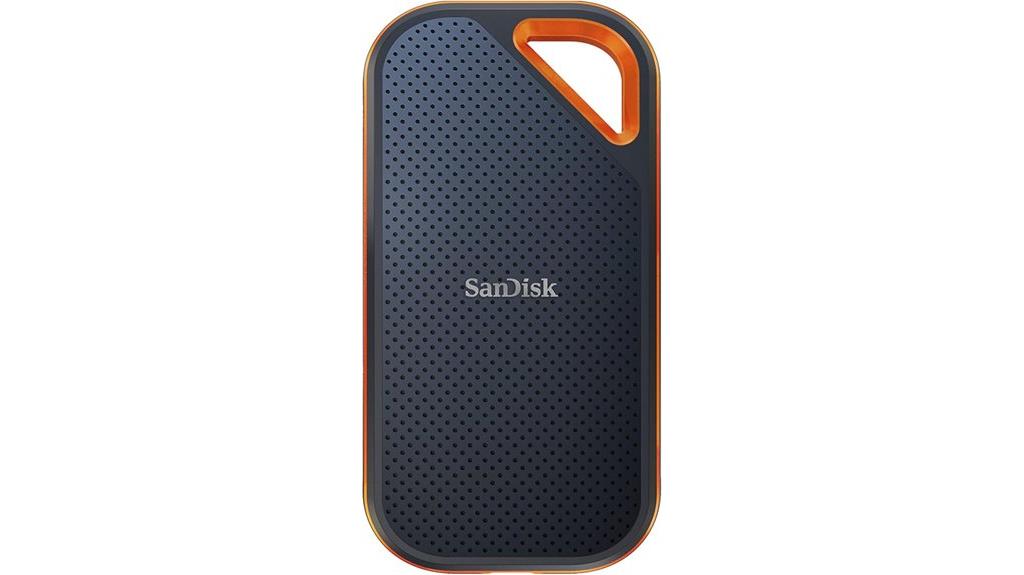
If you’re seeking a rugged portable SSD that combines lightning-fast transfer speeds with durable construction, the SanDisk 4TB Extreme PRO Portable SSD is an excellent choice. It delivers NVMe performance with read/write speeds up to 2000MB/s, making data transfer quick and efficient. Its forged aluminum chassis doubles as a heatsink, ensuring sustained performance, while a silicone shell adds extra protection. With up to 3-meter drop resistance and IP65 water and dust resistance, it’s built for tough environments. Compact and lightweight, it features a carabiner loop for easy attachment. Plus, the 5-year warranty and SanDisk Memory Zone app make it reliable and user-friendly.
Best For: professionals and outdoor enthusiasts seeking a high-speed, rugged portable SSD for demanding environments and on-the-go data transfer.
Pros:
- Ultra-fast NVMe read/write speeds up to 2000MB/s for quick file transfers
- Durable construction with forged aluminum chassis and silicone shell for drop and water resistance
- Compact, lightweight design with a carabiner loop for easy portability
Cons:
- Premium price point may be high for budget-conscious users
- Limited to 4TB capacity, which might not suffice for very large data needs
- Requires compatible devices with Thunderbolt or USB 3.2 for optimal performance
Seagate Ultra Compact 2TB Portable SSD (STMX2000400)

Looking for a portable SSD that combines speed, durability, and compactness? The Seagate Ultra Compact 2TB Portable SSD is perfect for on-the-go storage. It’s thumb-drive sized, lightweight, and easy to attach to your keyring, making it incredibly convenient. With transfer speeds up to 1,000MB/s, you can move large files quickly. It’s built tough, with 3-meter drop resistance, IP54 water and dust resistance, and a rubber grip for extra protection. Connecting via USB-C, it works seamlessly with Windows, Mac, Android, iPhone, and consoles like PS5 and Xbox. Plus, it comes with a 3-year warranty and Rescue Data Recovery Services for peace of mind.
Best For: those seeking a compact, durable, high-speed portable SSD suitable for on-the-go data transfer across multiple devices and gaming consoles.
Pros:
- Ultra-compact, lightweight design easily attaches to keyrings for portability
- Fast transfer speeds up to 1,000MB/s for quick file movement
- Rugged build with drop and water/dust resistance, plus rubber grip for extra protection
Cons:
- Limited to USB-C connectivity, may require adapters for some devices
- Higher price point compared to traditional external HDDs of similar capacity
- No included cable or accessories beyond the SSD itself
Crucial X9 2TB Portable SSD
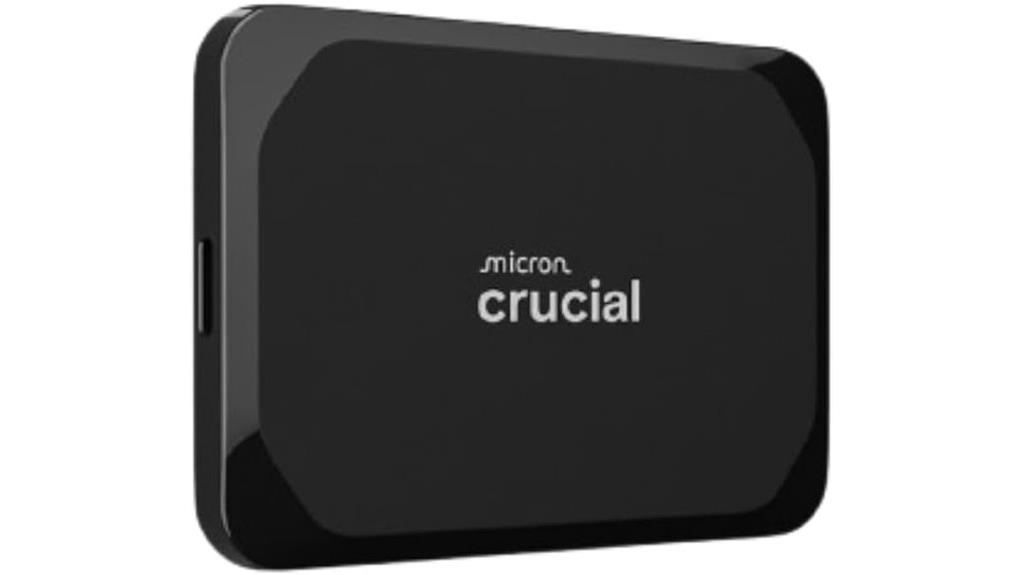
The Essential X9 2TB Portable SSD stands out for its blistering transfer speeds of up to 1050MB/s, making it perfect for anyone who needs to move large files quickly. With 2TB of storage, it’s great for media editing, backups, and keeping your files on hand. Its durable build includes IP55 water and dust resistance and drop resistance up to 7.5 feet, so it can handle travel and tough conditions. Compatibility is broad, supporting Windows, Mac, iPad Pro, Android, Linux, and gaming consoles via USB-C and USB-A. Plus, it comes with useful software like Acronis True Image for backups and Mylio Photos for media management.
Best For: users requiring high-speed, reliable portable storage for media editing, backups, gaming, and everyday file transfers across multiple devices.
Pros:
- Ultra-fast transfer speeds up to 1050MB/s for quick file movement
- Durable design with IP55 water and dust resistance and drop resistance up to 7.5 feet
- Broad compatibility with Windows, Mac, Linux, Android, gaming consoles, and more
Cons:
- 2TB capacity may be insufficient for extremely large media libraries over time
- Slightly higher price point compared to basic portable SSDs with lower speeds
- Limited software features beyond backup and media management options
Lexar 2TB ES3 External SSD (LES3XXX002T-RNSAU)
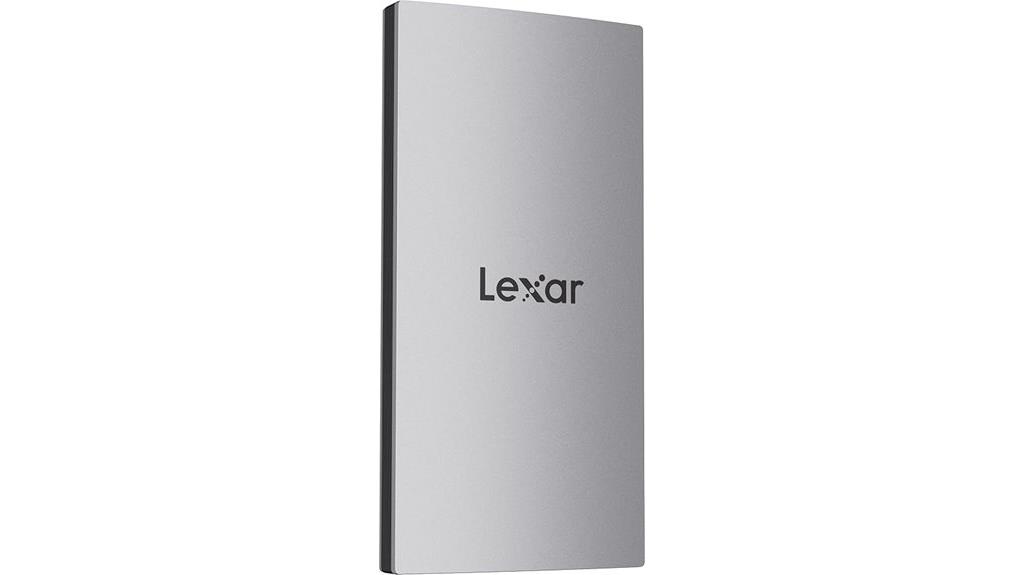
With its impressive read and write speeds of up to 1050MB/s and 1000MB/s respectively, the Lexar 2TB ES3 External SSD is an excellent choice for anyone who needs fast, reliable portable storage. Its sleek, sturdy silver exterior is drop-resistant up to 2 meters, making it durable for everyday use. Built-in heat dissipation keeps the drive cool during intense transfers. It’s compatible with USB-C and USB-A, working seamlessly with smartphones, tablets, Macs, and PCs. With 2TB of storage, plus encryption and file recovery options, it’s perfect for backing up, expanding storage, and protecting your data effortlessly.
Best For: professionals, content creators, and power users seeking fast, reliable portable storage with enhanced security and durability.
Pros:
- Very high read/write speeds of up to 1050MB/s and 1000MB/s for quick data transfers
- Durable, drop-resistant design with heat dissipation features for extended use
- Wide compatibility with USB-C and USB-A devices, including smartphones, tablets, Macs, and PCs
Cons:
- Higher cost compared to traditional hard drives or lower-speed SSDs
- Limited to 2TB capacity, which may be insufficient for users with massive storage needs
- Requires compatible USB ports for optimal performance, which may necessitate adapters for some devices
Samsung T7 Shield 1TB Portable External SSD (MUPE1T0K/AM)
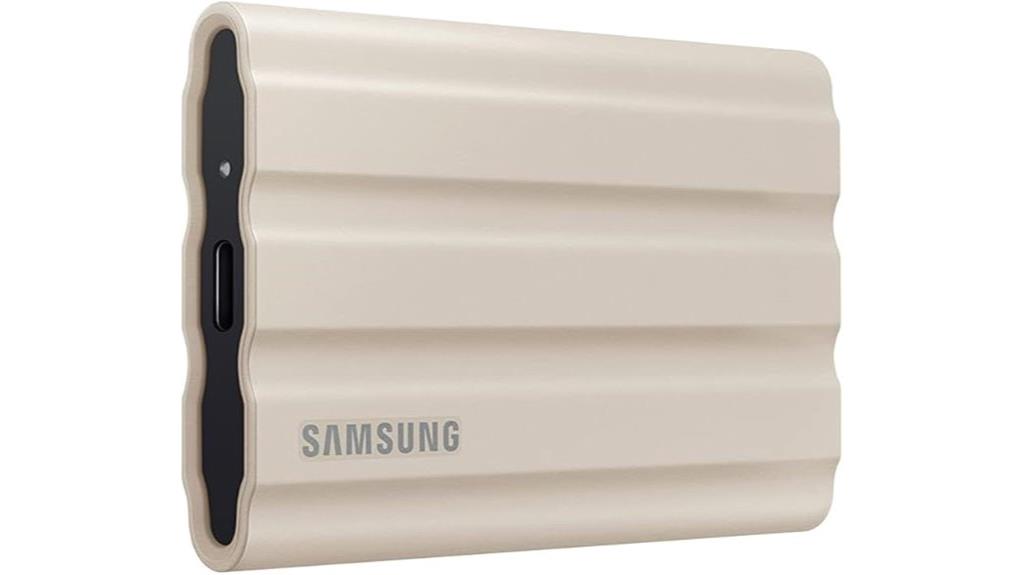
If you need a portable SSD that can handle tough environments without sacrificing speed, the Samsung T7 Shield 1TB is an excellent choice. Its rugged design features IP65 water and dust resistance and drop protection up to 9.8 feet, making it perfect for outdoor use. Powered by PCIe NVMe technology, it offers blazing-fast read/write speeds up to 1,050/1,000 MB/s, ideal for large files and high-res content. Compatibility spans PC, Mac, Android devices, and gaming consoles. Plus, Samsung Magician software helps monitor drive health and security. This durable, versatile drive combines speed and resilience, making it a top pick for professionals and adventurers alike.
Best For: users who need a durable, high-speed external SSD suitable for outdoor adventures, demanding environments, and professional data transfer needs.
Pros:
- Rugged design with IP65 water and dust resistance and drop protection up to 9.8 feet for enhanced durability
- Fast read/write speeds up to 1,050/1,000 MB/s, ideal for transferring large files and high-resolution content quickly
- Compatible with multiple devices including PC, Mac, Android, and gaming consoles, plus security features via Samsung Magician software
Cons:
- May be more expensive compared to less rugged external SSD options
- The included SSD cable is recommended for optimal connectivity, which may be an additional accessory
- Limited capacity options in the basic model (1TB) if higher storage is needed without upgrading to larger capacities
Crucial X10 Pro 4TB Portable SSD

For professionals demanding lightning-fast data transfers, the Crucial X10 Pro 4TB Portable SSD stands out with its impressive read and write speeds of up to 2,100MB/s and 2,000MB/s respectively. Its rugged design guarantees durability with IP55 water and dust resistance, drop protection up to 7.5 feet, and features like a lanyard loop, activity light, and SSD password security. With 4TB of storage, it handles high-resolution photos, 4K/8K videos, and large projects effortlessly. Compatibility spans Windows, Mac, iPad Pro, Chromebooks, Android, Linux, PS4, PS5, and Xbox via USB-C and USB-A, making it a versatile choice for creators on the go.
Best For: professional creators and on-the-go users needing ultra-fast, durable external storage for high-resolution media and large projects.
Pros:
- Extremely fast data transfer speeds of up to 2,100MB/s read and 2,000MB/s write, ideal for large files.
- Rugged design with IP55 water and dust resistance, drop protection up to 7.5 feet, and security features like password protection.
- Wide compatibility across Windows, Mac, mobile devices, gaming consoles, and support for USB-C and USB-A connections.
Cons:
- Higher price point compared to traditional external hard drives.
- Limited to 4TB capacity, which may not suffice for extremely large storage needs.
- Requires compatible ports and software for full feature utilization, which may pose challenges for some users.
LaCie Rugged USB-C 4TB External Hard Drive
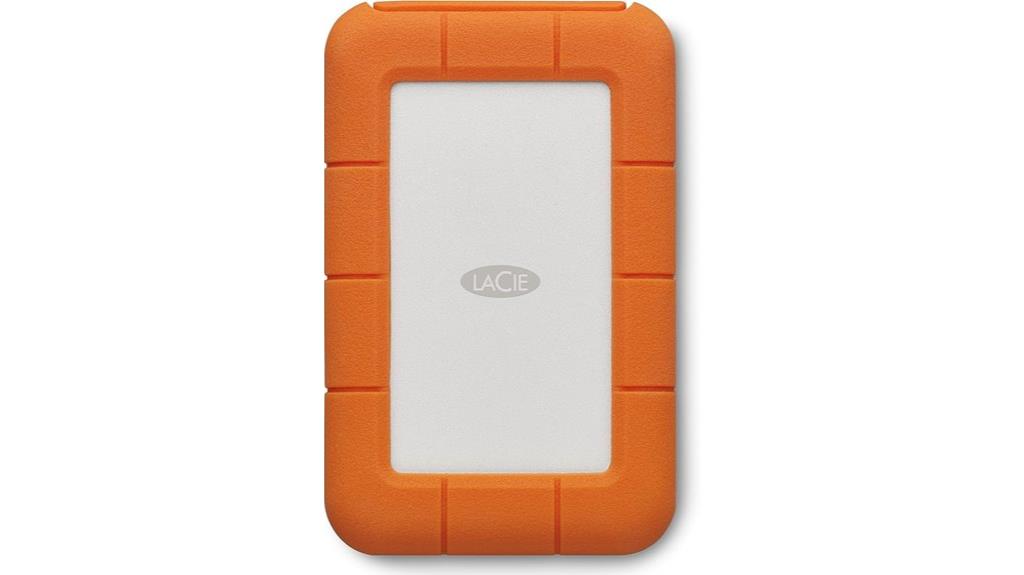
The LaCie Rugged USB-C 4TB External Hard Drive stands out for its exceptional durability, making it an ideal choice for professionals and adventurers who need reliable storage in challenging environments. It connects effortlessly to both Windows and Mac computers via a reversible USB-C cable and includes a USB 3.0 adapter for legacy devices. Built to withstand drops, crushing, rain, and dust, it’s perfect for on-the-go use. With 4TB of storage, it offers ample space for backups, files, and media. Plus, it comes with a one-month Adobe Creative Cloud membership, making it a versatile option for creative professionals needing rugged, dependable storage anywhere.
Best For: professionals and adventurers who need durable, portable storage for demanding environments and creative projects.
Pros:
- Rugged design with resistance to drops, crushes, rain, and dust, ensuring reliable performance in tough conditions.
- Fast data transfer speeds of up to 5Gb/s via USB-C, enabling quick backups and file browsing.
- Includes a USB 3.0 adapter for compatibility with legacy computers and a one-month Adobe Creative Cloud membership for creative workflows.
Cons:
- Storage capacity options may be limited beyond 4TB, which could be a concern for users with extensive storage needs.
- The rugged build, while durable, may add to the overall weight and bulk, affecting portability.
- The price point may be higher compared to standard external drives with similar capacity but less durability.
SanDisk 1TB Portable SSD
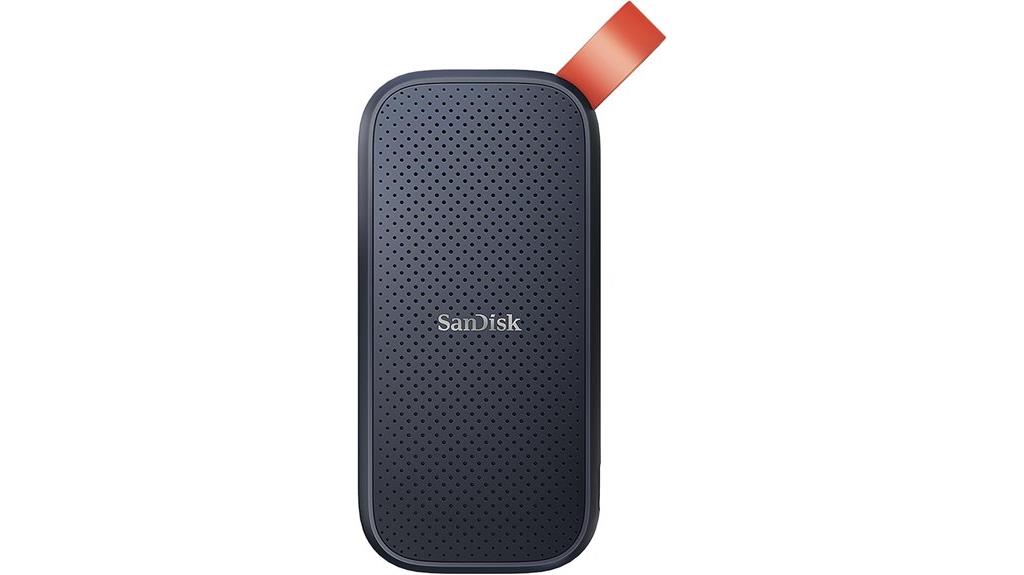
The SanDisk 1TB Portable SSD stands out for its impressive read speeds of up to 800MB/s, making it an excellent choice for anyone who needs fast data transfers on the go. Its USB-C connection with USB 3.2 Gen 2 guarantees compatibility and quick transfer speeds across devices. Designed for durability, it can withstand drops from up to two meters and features a tough rubber hook for secure attachment to belts or backpacks. Perfect for backing up content or professional photography, this compact drive offers reliable performance and is built to handle active lifestyles. SanDisk’s trusted reputation guarantees a dependable, high-performance storage solution in a sleek package.
Best For: professionals, photographers, and active users who need fast, reliable portable storage for on-the-go data management.
Pros:
- Fast transfer speeds up to 800MB/s for quick backups and file access
- Durable design with up to two-meter drop protection for rugged use
- Compact and lightweight, ideal for travel and mobile workflows
Cons:
- Actual performance may vary depending on device and usage conditions
- Higher price point compared to traditional external hard drives
- Limited to USB-C/USB 3.2 Gen 2 compatibility, may require adapters for older devices
Western Digital 2TB Elements SE Portable SSD

If you’re seeking an affordable yet reliable portable SSD that works seamlessly with both Mac and PC, the Western Digital 2TB Elements SE Portable SSD is an excellent choice. It offers fast read speeds up to 400MB/s, making large file transfers quick and efficient. Its compact, drop-resistant design ensures durability on the go, surviving drops from up to 2 meters. The plug-and-play setup means you can connect it to any laptop or desktop without hassle. Included are the SSD, a USB 3.0 cable, and a warranty guide, providing everything you need for immediate use. This drive balances performance, portability, and affordability perfectly.
Best For: users seeking an affordable, reliable portable SSD compatible with both Mac and PC for quick large file transfers and on-the-go storage.
Pros:
- Fast read speeds up to 400MB/s for efficient data transfer
- Compact, drop-resistant design up to 2 meters for durability on the move
- Plug-and-play setup for easy, immediate use with various devices
Cons:
- Performance may vary depending on device and usage conditions
- Limited to 2TB capacity, which may not suit users needing more storage
- Does not specify additional features like encryption or advanced security
Factors to Consider When Choosing Portable SSDs for Mac and PC
When choosing a portable SSD, I focus on compatibility with my devices and the transfer speeds I need for quick backups. Durability and resistance are also key since I often carry my drive around, and I want enough storage capacity for my files. Ultimately, security features are important to protect sensitive data from unauthorized access.
Compatibility With Devices
Choosing the right portable SSD for your Mac or PC hinges on guaranteeing compatibility with your device’s ports and file systems. First, check if the drive supports USB-C, USB-A, or Thunderbolt interfaces compatible with your computer. Next, verify the file system compatibility—look for exFAT or NTFS support to ensure seamless cross-platform use. Some drives offer dual-format modes or include software for easy formatting to your preferred system. It’s also important to confirm that hardware encryption and security features work with your operating system. Finally, guarantee the SSD provides drivers or software updates compatible with both Mac and Windows, so you get ideal performance without compatibility issues. This ensures your storage solution works smoothly across all your devices.
Transfer Speed Requirements
Transfer speed is a critical factor because it determines how quickly you can move large files or perform backups. Measured in MB/s, faster speeds mean less waiting and more productivity. For big files like videos or system backups, I recommend an SSD with at least 1,000MB/s transfer speed to guarantee efficiency. NVMe-based drives typically offer these higher speeds compared to older SATA or USB 3.0 models. The connection interface also impacts transfer rates—USB-C, USB 3.2 Gen 2, and Thunderbolt provide different maximum speeds. Keep in mind, actual transfer speeds depend on your device’s capabilities, file types, and operational conditions. Choosing an SSD that meets these speed requirements ensures smooth, quick data transfers and top performance for both Mac and PC.
Durability and Resistance
Durability and resistance are vital qualities to contemplate because portable SSDs often travel with us and endure rough handling. I recommend looking for drives with at least IP55 or IP65 ratings to guarantee dust and water resistance, especially for outdoor use. Shock resistance up to 2-3 meters is essential to protect against accidental drops and impacts. Rugged features like reinforced casings, rubber bumpers, or aluminum heatsinks can greatly boost durability. It’s also wise to verify if the drive has been tested for drop protection and meets military or industrial standards. Additionally, built-in heat dissipation features, such as graphite layers or heatsinks, help prevent overheating during extended use. Prioritizing these qualities ensures your data stays safe, even in challenging environments.
Storage Capacity Needs
Selecting the right storage capacity for your portable SSD depends on how much data you need to store now and in the near future. I recommend evaluating your current files, especially large ones like videos, high-resolution photos, or backups, which often require 1TB or more. Consider whether you’ll expand your library or work on bigger projects, so you don’t need frequent upgrades. It’s also essential to verify your device can handle the SSD’s capacity efficiently. Opting for a higher-capacity SSD can provide better value and flexibility, accommodating future storage needs without hassle. By carefully analyzing your current and upcoming storage demands, you’ll choose a drive that supports your workflow and gives you peace of mind.
Security Features Offered
Ensuring your data stays safe is vital when choosing a portable SSD, especially if you’ll be handling sensitive information. Many drives feature hardware encryption like 256-bit AES, which provides robust data protection without slowing down performance. Password protection options let you lock and encrypt your files easily, avoiding the need for extra software. Compatibility with security management software allows remote locking, *releasing* (or *unlocking*), and monitoring, giving you added control. Secure data erase features are also common, enabling you to permanently delete sensitive info to prevent unauthorized access. Additionally, some drives incorporate hardware-level security that stays active even if the drive is disconnected or removed. These security features give me peace of mind, knowing my data remains protected regardless of the device or environment.
Price and Budget
Price and budget are key factors when choosing a portable SSD for Mac and PC, as they can vary widely depending on features and capacity. Basic models start around $50, offering essential storage but often with slower speeds and fewer durability features. As capacity increases to 2TB or 4TB, prices can exceed $200 or $500, especially for rugged or feature-rich drives. Budget-friendly options might save money but could compromise performance and longevity. Premium models, however, justify their higher prices with faster transfer speeds, enhanced security, and greater durability. Setting a clear budget helps you narrow your options, balancing capacity and performance to meet your needs without overspending. Making informed choices ensures you get the best value for your investment.
Size and Portability
When choosing a portable SSD for Mac and PC, size and portability are essential considerations that can make a big difference in daily use. I look for a compact, lightweight design that’s easy to carry around, whether in my pocket, bag, or attached to a keychain. Smaller drives are more convenient for quick access and travel, but I also prioritize durability—materials that resist drops and water guarantee my data stays safe outdoors. Features like built-in carabiners or loops help me secure the drive to belts or backpacks, adding to its practicality. While size is important, I don’t want to sacrifice performance; I seek drives that balance a small footprint with fast transfer speeds, so I can work efficiently on the go without compromise.
Brand Reputation
A strong brand reputation is essential when selecting a portable SSD for Mac and PC because it gives me confidence in the device’s reliability, quality, and support. Reputable brands ensure consistent performance and stand behind their products with better warranties and firmware updates, which extend the lifespan of my storage device. I often gauge a brand’s reputation by reading customer reviews, checking industry awards, and considering their history in storage technology. Trusted manufacturers also adhere to strict standards for durability, security, and performance, reducing the risk of issues. Choosing a well-known brand helps me avoid counterfeit products and compatibility problems across both Mac and PC platforms. Overall, a reputable brand provides peace of mind and ensures I get a dependable, high-quality portable SSD.
Frequently Asked Questions
How Does Durability Vary Among Different Portable SSD Brands?
Durability varies quite a bit among portable SSD brands. I’ve found that brands like Samsung and SanDisk tend to be more rugged, with shock-resistant casing and better heat management. Others, like Kingston or Crucial, are reliable but may not withstand heavy drops or rough handling as well. I always recommend checking user reviews and specifications to make certain the SSD can handle your specific use, especially if you’re on the go a lot.
Are There Specific Security Features for Sensitive Data Storage?
Yes, many portable SSDs come with security features like hardware encryption, password protection, and biometric access to keep your sensitive data safe. I always look for drives that offer AES 256-bit encryption, which is highly secure. Some brands even provide backup and remote wipe options. These features give me peace of mind knowing my confidential information stays protected, whether I’m traveling or working remotely.
Which SSDS Offer the Best Compatibility With Both Mac and PC?
Ever wonder which SSDs work seamlessly with both Mac and PC? I’ve found that drives like the Samsung T7 and SanDisk Extreme Portable are top contenders. They’re plug-and-play compatible, support fast transfer speeds, and often include software for easy formatting. These drives make switching between systems effortless, saving me time and hassle. Want reliable storage that adapts to your device? These options are definitely worth considering.
How Do Transfer Speeds Impact Everyday Productivity?
Transfer speeds considerably impact my daily productivity. Faster SSDs mean I can move large files quickly, reducing downtime and keeping my workflow smooth. When speeds are high, I spend less time waiting for files to copy or backups to complete, which allows me to focus on more important tasks. Slow transfer rates can cause frustrating delays, interrupting my momentum and making my work less efficient overall.
What Are the Warranty and Customer Support Options?
Think of warranty and customer support as the safety net beneath a tightrope walker. I always look for SSDs that offer at least a three-year warranty and responsive support teams, so I know I’m covered if anything goes wrong. Brands like Samsung and Western Digital stand out for their reliable support, giving me peace of mind. Remember, good support makes all the difference when you’re counting on your storage device daily.
Conclusion
Choosing the right portable SSD can feel overwhelming, but I believe it’s more than just storage—it’s about trust and reliability. When I look at these options, I see not just brands, but a promise of seamless performance and peace of mind. It’s easy to think tech is just tools, but I’ve learned that the right SSD becomes a part of your creative journey, proving that sometimes, the best investment is in what keeps you moving forward.