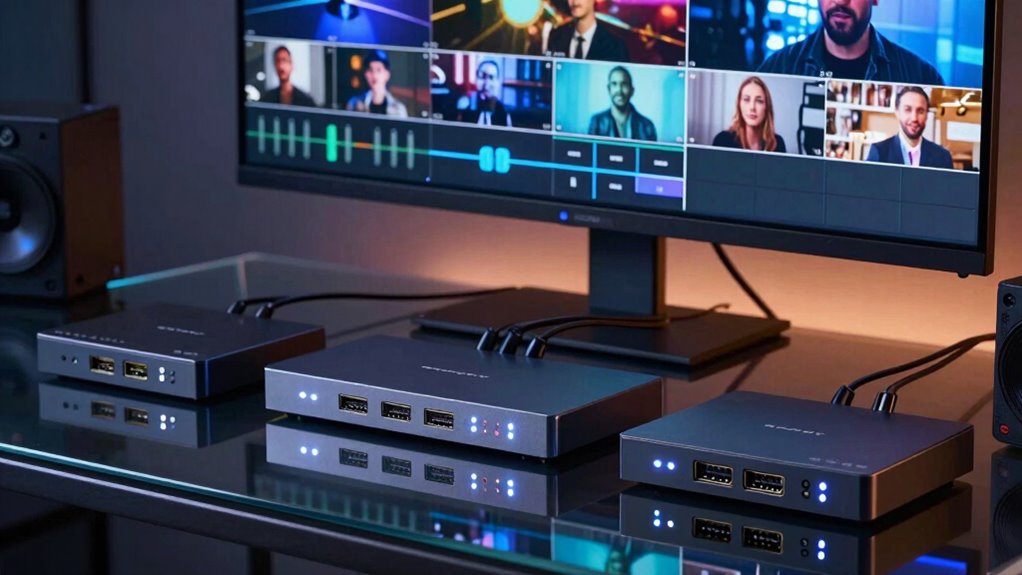
If you’re looking for the best streaming switchers HDMI multi cam in 2026, you’re likely balancing features, ease of use, and budget. The Blackmagic Design ATEM Mini Pro stands out as the overall top choice for its reliability and professional features. For those on a budget, the Mixer Plus Compact Video Switcher offers portability and simplicity, while the Touch-S 10.1” Touchscreen Video Switcher appeals to users needing advanced control. These options illustrate the tradeoffs between feature set, ease of use, and price. Continue reading for a detailed comparison that will help you find the perfect fit for your live streaming needs.
Complete the kit



Key Takeaways
- The best switchers balance multiple HDMI and SDI inputs with intuitive control interfaces.
- Higher-priced models tend to offer more professional features like NDI support, PTZ control, and wireless IP operation.
- Portability and compact design are common tradeoffs for fewer input options or reduced control features.
- Touchscreen control significantly improves usability for live switching, especially in complex multi-cam setups.
- Future-proofing features like NDI upgrades and 4K support are increasingly prevalent and worth considering.


More Details on Our Top Picks
Touch-S 10.1” Touchscreen Video Switcher, 6-Channel HDMI/SDI Live Streaming Mixer with PTZ Camera Control
The Touch-S 10.1” Touchscreen Video Switcher stands out for its combination of multiple SDI and HDMI inputs, making it ideal for professional broadcast environments. Its large touchscreen and physical shortcut keys offer quick, intuitive control, surpassing smaller or less versatile models like the Blackmagic ATEM Mini Pro, which only supports HDMI. However, the Touch-S’s complex setup and limited customer reviews could be hurdles for less experienced users. Compared to compact options, it offers broader input options and media flexibility, but its higher complexity might be overwhelming for beginners. This switcher is best suited for producers needing multi-format inputs and customizable outputs, willing to handle a steeper learning curve. It provides a versatile, high-control platform for live productions requiring multiple SDI and HDMI sources, including network streams and media files.
Pros:- Supports 4 HDMI and 4 SDI inputs for versatile source management
- Large 10.1-inch full touchscreen with physical shortcut keys for efficiency
- Flexible media inputs including network streams, NDI, and USB webcams
- Customizable outputs for complex broadcast setups
Cons:- Limited user interface guidance and complex setup could be intimidating
- Customer reviews are sparse, making long-term reliability uncertain
Best for: Broadcast professionals and live event producers needing extensive input options and advanced control.
Not ideal for: Small creators or event hosts seeking simple, plug-and-play solutions without SDI support.
- Display:10.1-inch full touchscreen
- Inputs:4 HDMI, 4 SDI
- Outputs:1 SDI, 2 HDMI AUX
- Media Inputs:Network streams, NDI, USB webcams, video files
- Power Consumption:Low power (one-third of comparable devices)
- Supported Media:Multiple media sources including network streams
Our verdict“This switcher is best for experienced broadcasters who need extensive input flexibility and detailed control over multiple sources.”
RGBlink Mini V3 Video Switcher with 4K HDMI, Touch Screen, Multi-Cam Streaming, Dual HDMI Output, Recording & PTZ Control
The RGBlink Mini V3 excels in delivering a compact yet powerful multi-camera setup with 4K HDMI support. Its 2.1-inch touchscreen provides straightforward control, making it suitable for small studios or mobile productions. Compared with larger models like the Touch-S, it sacrifices input quantity for portability and ease of setup, but still supports dual HDMI outputs and professional features like chroma key and transition effects. The reliance on internet and TAO Cloud activation for full features may introduce additional complexity and cost, which could be a drawback for users seeking a straightforward device. The Mini V3 makes the most sense for creators needing a portable, high-quality multi-cam switcher with advanced controls, but not necessarily for those wanting extensive SDI inputs or an all-in-one broadcast platform. It balances high resolution with a compact form factor suited for on-the-go streaming setups.
Pros:- Supports 4K HDMI input and dual HDMI outputs for flexible workflows
- Compact design with a 2.1-inch touch screen simplifies control
- Includes professional features like chroma key, transitions, and recording
- Supports up to 2TB recording via USB drive
Cons:- Full feature set depends on internet connection and TAO Cloud activation
- Limited input options compared to larger switchers like the Touch-S
Best for: Small studios, mobile streamers, or creators needing 4K quality in a portable package.
Not ideal for: Large production teams or users requiring multiple SDI inputs and extensive customization without internet dependency.
- Model Number:230-0010-01-0
- Item Weight:0.49 kg
- HDMI Inputs:4
- HDMI Outputs:2
- Display:2.1-inch touch screen
- Max Recording Storage:2TB USB drive
Our verdict“Ideal for small-scale, high-resolution multi-camera productions that prioritize portability and ease of use.”
CINETREAK Stream Master SDI Video Switcher, 4 SDI/HDMI Inputs, 10-inch Screen, Wireless IP Control, Dual RTMP Streaming, NDI Updatable
The CINETREAK Stream Master offers a large 10-inch color monitoring screen and supports both SDI and HDMI inputs, making it ideal for remote production environments. Its wireless IP control and dual RTMP streaming capabilities provide advanced flexibility, surpassing smaller, HDMI-only models like the Blackmagic ATEM Mini Pro. The complexity of setup and pending NDI update could be limitations, especially for users without technical expertise. It shines in scenarios demanding precise control over multiple professional video sources, remote operation, and streaming to multiple platforms. Its larger screen and PTZ control support make it more suitable for broadcasters and live production teams than casual streamers. This device is particularly well-suited for professional, multi-camera remote productions requiring robust input management and high-quality monitoring.
Pros:- Large 10-inch color monitoring screen for precise control
- Supports 4 HDMI and 4 SDI inputs for flexible source management
- Wireless IP control for remote operation
- Supports dual RTMP streaming and is NDI updatable
Cons:- Setup complexity may require technical expertise
- NDI upgrade pending could limit some advanced workflows
Best for: Professional broadcasters, remote production crews, and live event teams needing advanced multi-source control.
Not ideal for: Casual streamers or small content creators without technical staff or those preferring simpler setups.
- Screen Size:10 inches
- Inputs:4 HDMI, 4 SDI
- Outputs:PGM, AUX
- USB Ports:2 (UVC 3.0)
- Supports 4K Input:Yes
- PTZ Control:Yes, up to 4 cameras
Our verdict“Best suited for professional remote productions needing comprehensive input options and remote control capabilities.”
Blackmagic Design ATEM Mini Pro HDMI Live Stream Switcher
The Blackmagic ATEM Mini Pro offers a straightforward, all-in-one HDMI solution with four inputs, making it a top pick for users seeking quick setup and reliable streaming. Its built-in multiview and streaming features simplify live production, especially compared to more complex multi-input devices like the CINETREAK. However, its exclusive support for HDMI limits input flexibility, and it requires an external power supply, which can be inconvenient for on-the-go setups. The learning curve isn’t steep, but mastering features like upstream and downstream keys may challenge absolute beginners. This switcher is best suited for small studios, educators, or business presenters who want a compact, easy-to-use device without the need for SDI connectivity or extensive customization. It excels in delivering reliable live streams with minimal fuss.
Pros:- Four HDMI inputs with multiview for easy monitoring
- Built-in streaming and recording capabilities
- Compact and lightweight for portable setups
- Simple interface with straightforward controls
Cons:- Limited to HDMI inputs only, no SDI support
- Requires external power supply, less portable for some users
Best for: Small business owners, educators, or content creators needing an easy, all-in-one HDMI switcher.
Not ideal for: Pro broadcasters or large productions needing SDI support or extensive input options.
- Brand:Blackmagic Design
- Unit Count:1
- Item Weight:1.2 pounds
- Number of Inputs:4 HDMI
- Outputs:HDMI, multiview, USB
- Built-in Features:Streaming, recording, multiview
Our verdict“Perfect for small-scale streamers and educators seeking a simple, reliable HDMI-based live switcher.”
Tenveo 4K60FPS HDMI Video Switcher Mixer with 4 HDMI & 4 SDI Inputs, 5-Channel Live Streaming, 5.5’’ FHD Screen, USB/SD Recording, Supports PTZ & NDI|HX3
The Tenveo PC500 caters to demanding productions with its support for 4K60FPS inputs and multiple source options, including HDMI and SDI. Its 5.5-inch FHD screen provides clear monitoring, and the device’s PTZ and NDI|HX3 support make it suitable for complex multi-camera setups and remote streaming. Compared with more basic models like the Blackmagic ATEM Mini Pro, it offers higher resolution inputs and extensive camera control, but the sophisticated setup and lack of detailed dimensions could be challenging for users unfamiliar with multi-platform configurations. Price details are scarce, which might be a concern for budget-conscious buyers. This switcher is best for professional broadcasters, large event productions, or training facilities where high-resolution input and flexible camera control are essential. It balances advanced features with comprehensive multi-source management.
Pros:- Supports 4 HDMI (up to 4K60FPS) and 4 SDI inputs for high-quality sources
- 5.5-inch FHD screen for clear monitoring
- PTZ camera control with presets and AI tracking
- Supports dual streaming and multiple output formats
Cons:- Complex hardware setup may require technical expertise
- Price and dimensions are not specified, limiting quick assessment
Best for: Large-scale productions, professional broadcasters, and multi-camera live event teams needing 4K input support.
Not ideal for: Casual streamers or small content creators lacking technical resources for complex setups.
- Video Inputs:4 HDMI (4K60FPS), 4 SDI
- Video Outputs:SDI PGM, HDMI PGM, HDMI AUX
- Recording Output:USB3.0
- Supports Resolutions:Up to 4K60FPS input
- Camera Control:PTZ with presets and AI tracking
- Display:5.5 inches FHD
Our verdict“Designed for professional, high-resolution multi-camera productions that demand advanced camera and streaming controls.”
FEELWORLD L4 Multi-Camera HD Video Mixer Switcher with 10.1-Inch Touch Screen, 4 HDMI & 1 SDI Inputs, USB 3.0 Streaming
The FEELWORLD L4 stands out for its large, intuitive 10.1-inch touchscreen, which simplifies complex switching tasks compared to smaller or less responsive screens like the one on the FoMaKo KC800. Its combination of 4 HDMI and 1 SDI input makes it versatile for professional setups, especially where SDI connectivity is essential. While it offers advanced features like chroma key, PIP, and transition effects, its more complex setup might challenge beginners. Compared to the FEELWORLD L4 10.1 Inch Touch Screen Video Switcher, this model’s more comprehensive input options and SDI support make it better suited for multi-camera productions. The main tradeoff? Its weight and size limit portability, making it less ideal for mobile or quick setups.
Pros:- Large, responsive 10.1-inch touchscreen simplifies operation
- Multiple input options including HDMI and SDI for versatile professional use
- Supports live streaming via USB 3.0 with fast transfer speeds
- Rich transition effects and PIP modes for dynamic productions
Cons:- Setup complexity requires some technical knowledge
- Heavy and somewhat bulky for portable applications
Best for: Professional videographers and live event producers who need a robust, multi-input switcher with advanced features.
Not ideal for: Casual streamers or small content creators seeking a lightweight, portable device with simple controls.
- Screen Size:10.1 inches
- Touch Screen:Yes
- Inputs:4 HDMI 1.4, 1 3G-SDI
- Outputs:1 HDMI 1.3, 1 3G-SDI, USB 3.0
- Power Input:DC 12V/3A
- Unit Size:290.2 x 189.5 x 55.7 mm
Our verdict“This switcher is best suited for professional studios and event venues needing advanced control and multiple input types.”
FEELWORLD L4 10.1 Inch Touch Screen Video Switcher
Compared with other 10.1-inch touch options like the FEELWORLD L4 Multi-Camera HD Video Mixer Switcher, this model emphasizes intuitive operation with its straightforward touchscreen interface and easy setup. Supporting up to 5 inputs—4 HDMI and 1 SDI—it caters well to multi-camera live streaming, especially when resolution up to 4K is supported. While it excels in ease of use and multi-camera support, it lacks detailed specifications like dimensions or weight, which can be a drawback for those needing precise portability data. Its limited review pool suggests it’s newer or less tested than some competitors, but its user-friendly approach makes it attractive for users who prioritize simplicity over granular control.
Pros:- Intuitive 10.1-inch touchscreen interface
- Supports up to 4K resolution for high-quality streams
- Supports multi-camera live streaming with up to 5 inputs
- Includes chroma key and logo overlay features
Cons:- Lack of detailed dimensions and weight info
- Limited user reviews make long-term reliability uncertain
Best for: Content creators who want a straightforward, multi-camera switcher with high-resolution support and minimal complexity.
Not ideal for: Advanced users requiring detailed input/output management and extensive customization, as these are not clearly specified.
- Screen Size:10.1 inches
- Input Sources:5 (4 HDMI, 1 SDI)
- Supported Resolutions:Up to 4K (2160p)
- Connectivity:HDMI, SDI, USB
Our verdict“Ideal for users seeking a simple, high-resolution multi-camera switcher without complex features or extensive setup.”
FoMaKo KC800 4K 60FPS HDMI Multi-Cam Streaming Video Mixer Switcher with Built-in PTZ Controller and 5.5″ LCD
The FoMaKo KC800 offers a compelling combination of 4K 60FPS input support and integrated PTZ camera control, making it a standout for multi-camera productions that rely on remote-controlled cameras. Its 5.5-inch LCD provides real-time feedback, but it doesn’t match the touchscreen richness of the FEELWORLD options. Its extensive audio and video interfaces suit broadcast and live event environments well, albeit at a higher price point, which might deter casual users. While it excels in professional control, the setup complexity and limited storage for recordings (only up to 2TB) mean it’s better suited for those with technical expertise or dedicated production teams. Compared to less integrated models, this switcher’s PTZ support simplifies multi-camera workflows significantly.
Pros:- Supports 4K 60FPS inputs with smooth switching
- Built-in PTZ control with AI tracking and presets
- Multiple audio and video interfaces for complex setups
- Real-time recording and multi-platform streaming
Cons:- Setup complexity requires technical knowledge
- Higher cost limits accessibility for hobbyists
Best for: Broadcast professionals and live event producers needing seamless PTZ camera integration and high-resolution support.
Not ideal for: Hobbyists or casual streamers who do not require remote camera control or professional-grade interfaces.
- Maximum Supported Devices:4
- Supported Inputs:4x 4K HDMI
- Outputs:3x HDMI
- Display:5.5″ LCD
- Video Output:1080P 60FPS
- Supported Formats:MP4/TS
Our verdict“This switcher is best for professionals managing multi-camera productions with remote PTZ control needs.”
FoMaKo 4K HDMI Video Mixer Switcher, 5-Channel Live Streaming Switcher, 4K 60FPS Input, 1080p 60FPS Output, Support PTZ Controller, HDMI Video Switcher, NDI Upgradeable, M1
The FoMaKo M1 combines 4K input support with a flexible 5-channel configuration, making it suitable for a broad range of live streaming scenarios. Its support for multiple signal sources, including USB/webcam inputs, sets it apart from simpler switchers like the Osee GoStream Deck. The inclusion of remote control, effects, and multi-streaming options adds professional polish, though the setup can be daunting for less experienced users. Its NDI upgradeability hints at future-proofing, but the current storage limit of 2TB for recordings might restrict longer productions. Overall, this model balances advanced features with a somewhat steeper learning curve, making it ideal for serious content creators and broadcasters.
Pros:- Supports 4K input and multiple signal sources
- Includes remote control, effects, and transition features
- Multi-platform streaming capabilities
- Supports PTZ camera integration with presets
Cons:- Setup complexity requires technical expertise
- Limited internal storage for recordings (up to 2TB)
Best for: Professional live streamers and broadcasters needing flexible multi-source inputs and future NDI integration.
Not ideal for: Beginners or casual users seeking a plug-and-play solution without complex setup or extensive configuration.
- Video Inputs:6 (2x HDMI 4K, 2x HDMI 1080p, 2x USB/webcam)
- Video Outputs:3 (2x HDMI, 1x UVC streaming)
- Max Resolution:4K 60FPS input, 1080p 60FPS output
- Recording:USB and SD card
- PTZ Support:Up to 4 HDMI cameras
- Control:Web, QR, network
Our verdict“This switcher is best for experienced professionals who need multi-source flexibility and future-proof features.”
Osee GoStream Deck HDMI Pro Live Streaming Multi Camera Video Mixer Switcher
The Osee GoStream Deck offers a practical approach to multi-camera switching with its multiple HDMI inputs and outputs, catering well to streamers who need multi-platform support, including RTMP, Facebook, and YouTube. Its interface is less advanced than the FEELWORLD options but balances this with versatile connectivity, including Type-C ports and Ethernet for remote control options. The built-in graphics overlay and chroma key features make it suitable for more polished productions, yet the setup complexity could challenge those unfamiliar with live streaming hardware. While it’s limited to North American power standards, its multi-platform support and professional audio controls make it a good choice for online broadcasters and educators.
Pros:- Supports multi-platform streaming including RTMP and social media
- Multiple HDMI and Type-C ports for flexible connectivity
- Professional audio controls with EQ and fader
- Graphics overlay and chroma key for enhanced production quality
Cons:- Setup complexity may be high for beginners
- Limited power plug options outside North America
Best for: Streamers and online educators seeking multi-platform compatibility with integrated graphics and chroma key features.
Not ideal for: Hobbyists or casual streamers who prefer simple, all-in-one solutions without detailed connectivity options or remote control features.
- HDMI Inputs:4
- HDMI Outputs:2
- Type-C Ports:2
- Ethernet Port:Yes
- Audio Inputs:2
- SD Card Slot:Yes
Our verdict“This switcher fits online professionals who require multi-platform streaming with advanced graphics and audio controls.”
RGBlink Mini-pro V3 Video Mixer Switcher with 4 4K HDMI Inputs and Dual HDMI/USB3.0 Outputs
The RGBlink Mini-pro V3 stands out for its robust support of 4K inputs and dual outputs, making it ideal for multi-camera setups that demand high quality. Unlike the FEELWORLD LIVEPRO L1 V1, which is limited to 1080p and best suited for simpler live streams, the Mini-pro V3 offers a comprehensive control interface with a touchscreen and joystick, streamlining complex workflows. Its ability to support simultaneous streaming and recording enhances versatility, but it requires a powerful power supply and can pose setup challenges for beginners, as some users report firmware issues. Compared to the smaller Mixer Plus, the Mini-pro V3’s advanced PTZ control and higher resolution make it better suited for professional environments, though it comes at a higher price point and needs more space for setup.
Pros:- Supports 4K HDMI inputs and dual outputs for high-quality multi-camera feeds
- Intuitive touchscreen and joystick controls simplify operation
- Simultaneous streaming and external recording enhance workflow flexibility
Cons:- Requires a 35W+ USB-C power adapter for reliable performance
- Mixed customer reviews indicate potential setup and firmware issues
Best for: Professional videographers and live streamers who need high-resolution multi-camera control with recording capabilities
Not ideal for: Casual streamers or small-scale content creators who prioritize simplicity and affordability
- Brand:RGBlink
- Model Number:230-0003-03-1
- Number of Inputs:4 x 4K HDMI
- Outputs:Dual HDMI / USB3.0
- Supported Resolutions:4K
- Control Interface:2.1-inch touchscreen, joystick
- PTZ Control:Yes, VISCA protocol
- Recording Support:Yes, up to 2TB external SSD
- Power:35W+ USB-C recommended
Our verdict“This makes the most sense for experienced professionals needing robust, high-res multi-camera management and recording capabilities.”
FEELWORLD LIVEPRO L1 V1 4X HDMI 1x SDI Multi Camera Video Mixer Switcher
The FEELWORLD LIVEPRO L1 V1 excels in delivering reliable, real-time multi-camera switching in a compact form factor, making it ideal for solo operators or small productions. While it only supports 1080p resolution, this limitation can be a tradeoff for its ease of use and LAN remote control, which allows operators to manage multiple inputs remotely—a feature absent in larger, more complex switchers like the RGBlink Mini-pro V3. Its support for real-time effects enhances creative flexibility, but the lack of SDI inputs and the need for additional software to enable remote operation could be drawbacks for high-end or larger-scale setups. Compared to the Mixer Plus, the FEELWORLD’s lightweight design simplifies portability, though it sacrifices some resolution and input options.
Pros:- Supports multiple HDMI inputs with real-time switching
- Compact and lightweight, ideal for mobile setups
- Includes LAN port for remote control and management
Cons:- Limited to 1080p resolution, not suitable for 4K workflows
- Requires additional software for remote control, adding complexity
- No SDI input for higher-end professional sources
Best for: Solo content creators or small teams seeking a portable, easy-to-use multi-camera switcher with remote control capabilities
Not ideal for: Large production crews or those requiring 4K resolution and SDI inputs, as the FEELWORLD is limited to 1080p and HDMI only
- Inputs:4 HDMI
- Output:1 HDMI
- Supports:1080p
- USB Interface:USB 3.0
- Power Supply:1.5A Adapter
- Additional Ports:LAN port
Our verdict“This switcher is perfect for solo operators or small setups prioritizing portability and remote operation over 4K support.”
Mixer Plus Compact Video Switcher 4 HDMI with 4-inch Built-in Screen, Portable Live Streaming Switcher for Multi-Camera, Online Class, Event, YouTube, OBS, Zoom
The Mixer Plus combines portability with advanced features, making it a strong candidate for on-the-go broadcasters. Its built-in 4-inch screen offers a clear multi-view preview, similar to more expensive rack-mounted units, but in a pocket-sized device. While it supports 4 HDMI inputs and offers PTZ control, chroma key, and customizable transitions, its limited input count and lack of SDI support might restrict larger or more complex setups. Its user-friendly interface is appealing for beginners, yet the array of features can be overwhelming for new users without prior experience. Compared with the RGBlink Mini-pro V3, the Mixer Plus is more portable but less suitable for high-resolution or extensive multi-camera configurations.
Pros:- Portable design with a built-in 4-inch display for quick multi-view monitoring
- Supports seamless multi-camera switching with customizable effects
- Includes advanced features like PTZ control, chroma key, and PIP
Cons:- Limited to 4 HDMI inputs, not suitable for larger setups
- Features may require a learning curve for beginners
- No mention of battery operation, limiting portability in some scenarios
Best for: Mobile content creators, educators, and small event hosts needing a portable, feature-rich switcher
Not ideal for: Large-scale productions or multi-camera setups requiring more than 4 inputs or 4K resolution, as it is limited in inputs and resolution
- Number of HDMI Inputs:4
- Built-in Screen Size:4 inches
- Supports PTZ Camera Control:Yes
- Transition Effects:30 customizable
- Scene Presets:4
- Multi View Monitoring:Yes
Our verdict“Ideal for mobile broadcasters or educators seeking a compact, feature-rich switcher that fits in a bag.”
How We Picked
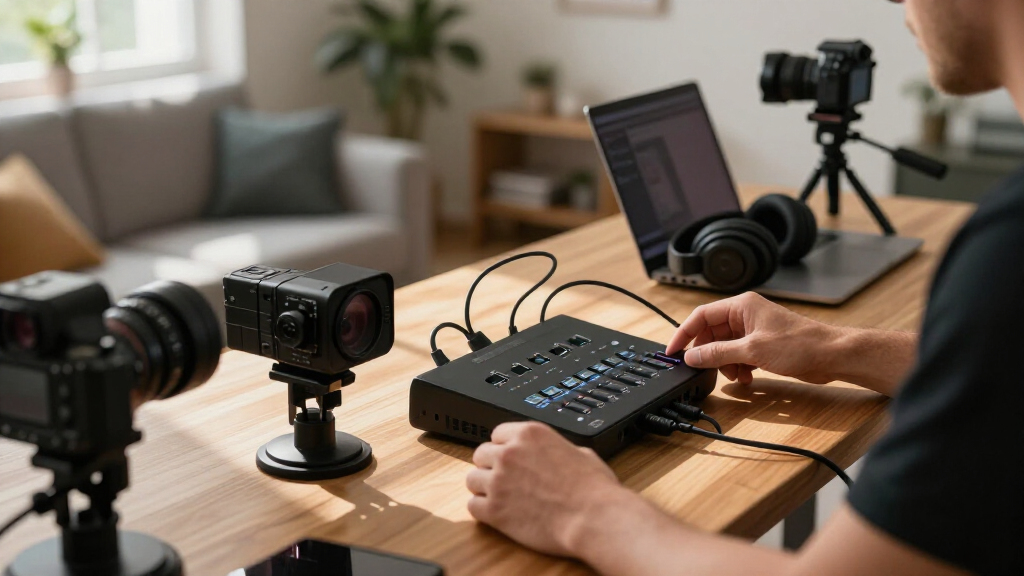
The products in this roundup were evaluated based on their performance, usability, build quality, and value. I prioritized models that provide reliable multi-camera switching with straightforward interfaces, especially for live streaming. The selection emphasizes versatility, such as support for HDMI and SDI inputs, and features like PTZ control, recording, and remote operation. Price was a factor, but I favored products that offer a good balance of features relative to their cost. The ranking reflects a mix of professional-grade tools and more accessible options suited for different user levels, with an emphasis on how well each performs as a multi-cam streaming solution.Factors to Consider When Choosing Streaming Switchers Hdmi Multi Cam
Choosing the right streaming switcher HDMI multi cam involves several considerations beyond basic features. Understanding your specific needs—whether professional broadcasting, online education, or casual streaming—can significantly influence your choice. Key factors include input versatility, control interfaces, future scalability, and ease of use. Recognizing common pitfalls, like overpaying for features you won’t use or underestimating the importance of a user-friendly interface, can help you avoid costly mistakes. Here’s what to keep in mind when selecting your ideal switcher.Input Compatibility and Versatility
Verify that the switcher supports all your cameras and other sources. HDMI is standard, but SDI inputs might be necessary for professional cameras. Some models also support NDI or IP-based inputs, which add flexibility but often come at a higher cost. Think about your current setup and potential future upgrades—buying a switcher with more inputs or higher resolution support can save money later. However, over-specifying can lead to unnecessary expense if your needs are simpler.
Control Interface and Usability
Ease of control is vital, especially during live streams. Touchscreens, physical buttons, and remote control options impact how quickly you can switch between cameras. Models with intuitive interfaces reduce the learning curve and help prevent mistakes during critical moments. Conversely, overly complex systems can slow you down or cause frustration. Consider your technical comfort level and whether you prefer a dedicated control panel or a software-based control system.
Future-Proofing and Scalability
Look for features that can grow with your setup, like 4K support, NDI upgradeability, and wireless IP control. These features add cost but can extend the lifespan of your equipment and adapt to evolving streaming standards. Skipping these might save money upfront but could require an upgrade sooner than expected. Balance your immediate needs with potential future demands to avoid premature obsolescence.
Portability and Size
If mobility is crucial, compact and portable switchers offer significant advantages. Smaller units often sacrifice input count or advanced features but are easier to carry and set up on the fly. Larger, rack-mounted models tend to offer more control and input options, suitable for fixed studio setups. Consider your location, setup complexity, and whether portability outweighs feature richness.
Price and Value
High-end models deliver professional features but come at a premium, while budget options might lack advanced controls or flexibility. Focus on what features you truly need—paying extra for unnecessary capabilities can be wasteful. Conversely, skimping on quality might lead to reliability issues during live streams. Aim for a model that balances your budget with the features critical to your streaming quality and workflow.
Frequently Asked Questions
Can I connect multiple cameras with a HDMI multi cam switcher?
Yes, most HDMI multi cam switchers support multiple camera inputs simultaneously, often ranging from 4 to 8 or more. Ensure the switcher you choose has enough inputs for your current setup and potential future expansion. Keep in mind that each input should be compatible with your cameras’ output resolution and frame rate to avoid quality issues. Properly managing multiple sources depends on the switcher’s input versatility and your control interface’s responsiveness.
What is the difference between HDMI and SDI inputs on these switchers?
HDMI inputs are common and widely used in consumer and prosumer cameras, making them ideal for most streaming setups. SDI inputs, however, are a professional standard, offering longer cable runs and more robust signals with less susceptibility to interference. If you work with high-end broadcast equipment, SDI support can be essential. Many switchers combine both, providing flexibility but often at a higher price point.
Is 4K support necessary for my streaming switcher?
4K support is increasingly valuable if you plan to produce high-resolution content or future-proof your setup. While many streams still run at 1080p, supporting 4K inputs allows for higher quality footage and more flexibility in cropping or digital zoom. However, 4K switchers tend to be more expensive and require higher bandwidth and processing power. Consider your current streaming resolution and whether 4K capabilities will benefit your workflow.
Should I prioritize touchscreen controls or physical buttons?
Touchscreen controls offer a modern, flexible interface that can simplify switching and setup, especially for complex multi-camera configurations. Physical buttons provide tactile feedback, which can be faster and more reliable during live streams, particularly in high-pressure situations. Your choice depends on personal preference and the complexity of your setup—touchscreens work well for detailed control, while buttons excel in quick, straightforward switching.
How important is future upgradeability like NDI support?
Future upgradeability features like NDI support can extend the lifespan of your equipment and enable seamless integration with new streaming technologies. NDI allows high-quality, low-latency video over IP networks, which is increasingly common in professional environments. If you anticipate expanding your setup or upgrading to higher resolutions, choosing a switcher with upgrade options can save money and effort later. However, these features often come with a higher initial price.