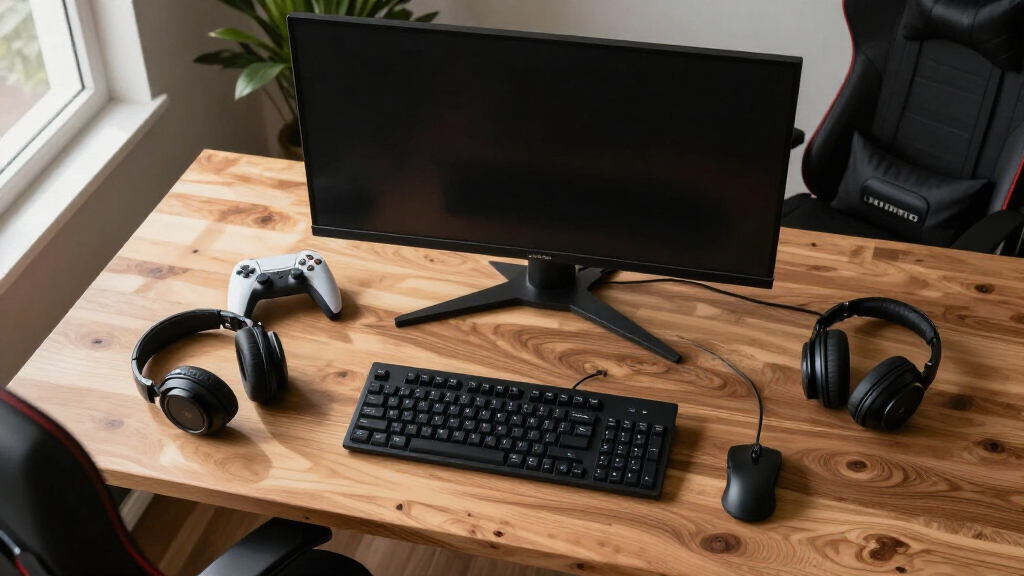
Finding the best gaming monitors in 2026 means balancing performance, visuals, and value. The Samsung Odyssey OLED G6 stands out for its stunning picture quality, ideal for immersive gaming. For high refresh rates at a more accessible price, the ASUS TUF Gaming VG27AQ3A offers excellent value. Meanwhile, the Alienware AW3425DW appeals to those who want a curved ultra-wide experience. Buyers face tradeoffs between resolution, refresh rate, and price, making it essential to prioritize what matters most for their gaming style. Continue reading for a detailed breakdown of these top picks and how they compare.
Complete the kit



Key Takeaways
- OLED monitors like the Samsung G6 deliver superior contrast and color but come at a premium price.
- High refresh rates (180Hz and above) are crucial for smooth gameplay, especially in fast-paced titles.
- Curved ultra-wide monitors enhance immersion but may not suit competitive gamers who prefer flat screens for precision.
- Price varies widely, with premium models offering better visuals and features, while budget options still deliver good performance.
- Connectivity options such as USB-C and multiple HDMI/DisplayPort ports can influence ease of use and future-proofing.


| gaming monitor | Resolution | Refresh Rate | Response Time | HDR |
|---|---|---|---|---|
| Samsung 32" Odyssey G55C Serie | QHD (2560×1440) | 165Hz | 1ms | HDR10 |
| Samsung 27” Odyssey OLED G5 | QHD | 180Hz | 0.03ms | HDR10 |
| LG 27GX704A-B 27-inch Ultragea | QHD | 240Hz | 0.03ms | VESA DisplayHDR True Black 400 |
| Alienware 34 240Hz QD-OLED Cur | 3440 x 1440 | 240Hz | 0.03ms | DisplayHDR TrueBlack 400 |
| ASUS TUF Gaming VG27AQ3A 27-In | QHD (2560×1440) | 180Hz | 1ms | HDR-10 |
| ASUS ROG XG27ACS 27-Inch 1440p | 2560 x 1440 (QHD) | 180Hz | 1ms (GTG) | — |
| LG 34G630A-B 34-Inch Ultragear | 3440 x 1440 (WQHD) | 240Hz | 1ms (GtG) | DisplayHDR 400 |
| Alienware 34 Curved Gaming Mon | WQHD | 180Hz | 1ms | — |
| Samsung 32” Odyssey G5 | 2560 x 1440 (QHD) | 180Hz | 1ms (GtG) | — |
| Samsung 27" Odyssey G5 | 2560 x 1440 (QHD) | 180Hz | 1ms | — |
| Samsung 27" Odyssey OLED G6 | QHD (1440P) | 240Hz | 0.03ms | HDR10 |
| LG 27G610A-B 27-inch Ultragear | 2560 x 1440 (QHD) | 200Hz | 1ms (GtG) | VESA DisplayHDR 400 |
More Details on Our Top Picks
Samsung 32″ Odyssey G55C Series QHD Curved Gaming Monitor
This monitor stands out for its combination of a large, 32-inch curved display and high refresh rate, making it ideal for immersive gaming. Its 1000R curvature enhances immersion, while the 165Hz refresh rate and 1ms response time deliver smooth, lag-free gameplay. Compared with the LG 27GX704A-B, it offers a larger screen but lacks the same level of color accuracy and HDR features, making it a better choice for gaming rather than content creation. The absence of built-in speakers or USB hubs means added accessories are necessary. Its HDR10 support provides vibrant visuals, though it isn’t tailored for color-critical work. This pick makes the most sense for gamers wanting an expansive, curved experience without stepping into ultra-premium territory.
Pros:- Large 32-inch curved display enhances immersion
- High 165Hz refresh rate and 1ms response time ensure smooth gameplay
- HDR10 support adds vibrant visuals and deep blacks
- 1000R curvature minimizes eye strain during extended sessions
Cons:- Limited to gaming — not suitable for professional color work
- Lacks built-in speakers and USB ports
- Higher price point may be a barrier for some users
Best for: Gamers seeking an immersive, curved display that balances performance with size
Not ideal for: Creative professionals needing precise color grading or multitasking with USB peripherals
- Size:32 inches
- Resolution:QHD (2560×1440)
- Refresh Rate:165Hz
- Response Time:1ms
- Curvature:1000R
- HDR:HDR10
Our verdict“This monitor is best for gamers who want a large, immersive curved screen with high refresh rates at a reasonable price point.”
Samsung 27” Odyssey OLED G5 (G50SF) Series QHD Gaming Monitor
The Odyssey OLED G5 excels in delivering stunning visuals thanks to its QD-OLED panel, making it ideal for players who prioritize vibrant, accurate colors. Its 180Hz refresh rate and 0.03ms response time ensure ultra-smooth gameplay, comparable to the LG 27GX704A-B but with the added benefit of OLED’s deep blacks and high contrast. The Pantone validation and HDR10 support mean colors are accurate and rich, but OLED technology carries a risk of burn-in, especially with static UI elements. Priced higher than traditional IPS options, this monitor is best suited for gamers who also enjoy high-fidelity visual detail and are comfortable with OLED’s caveats. It’s less ideal for users concerned about long-term burn-in risk or working in brightly lit spaces.
Pros:- Vivid, accurate colors with Pantone validation
- Deep blacks and high contrast enhance immersive experience
- Fast 180Hz refresh rate and 0.03ms response time for smooth gameplay
- Glare-free technology for bright room use
Cons:- Potential risk of burn-in with static images
- Higher price compared to IPS-based monitors
- Glossy finish may cause glare in well-lit rooms
Best for: Gamers who value vivid, accurate colors and deep blacks in bright environments
Not ideal for: Users worried about OLED burn-in or seeking a budget-friendly option
- Size:27 inches
- Resolution:QHD
- Panel Technology:QD-OLED
- Refresh Rate:180Hz
- Response Time:0.03ms
- HDR:HDR10
Our verdict“This monitor suits gamers who prioritize color accuracy and contrast, and are comfortable with OLED technology’s long-term considerations.”
LG 27GX704A-B 27-inch Ultragear QHD OLED Gaming Monitor
The LG 27GX704A-B combines OLED’s exceptional contrast with a high 240Hz refresh rate and 0.03ms response time, making it a prime choice for competitive gamers. Its vivid colors and deep blacks rival the Samsung OLED G5, but LG’s extensive adjustability and connectivity, including HDMI 2.1 and DisplayPort, add versatility for various setups. However, OLED’s long-term burn-in risk remains, especially for users running static images for extended periods. Its glossy finish and premium price point make it less suitable for brightly lit rooms or budget-conscious buyers. Compared to the Samsung G5, LG’s monitor offers more customization options and connectivity, but at a similar risk profile for OLED-specific issues.
Pros:- Exceptional color and contrast with OLED technology
- High 240Hz refresh rate and 0.03ms response time for competitive gaming
- Supports both G-SYNC and FreeSync Premium Pro
- Multiple connectivity options including HDMI 2.1
Cons:- Potential for OLED image retention with static elements
- High price may be prohibitive for casual gamers
- Glossy finish can cause glare in bright environments
Best for: Serious gamers seeking ultra-fast response times and vibrant visuals with flexible setup options
Not ideal for: Casual users or those concerned about OLED burn-in over long gaming sessions
- Display Size:27 inches
- Resolution:QHD
- Refresh Rate:240Hz
- Response Time:0.03ms
- HDR:VESA DisplayHDR True Black 400
- Connectivity:HDMI 2.1, DisplayPort 1.4
Our verdict“This monitor is ideal for gamers wanting top-tier OLED performance with maximum responsiveness and flexibility.”
Alienware 34 240Hz QD-OLED Curved Gaming Monitor – AW3425DW
The Alienware AW3425DW stands out for its expansive 34.2-inch ultrawide screen with a 1800R curve, delivering an immersive experience for high-end gaming. Its QD-OLED panel provides vibrant colors, DCI-P3 99.3% coverage, and stunning blacks, rivaling smaller OLED options like the LG 27GX704A-B but on a larger canvas. The 240Hz refresh rate and 0.03ms response time make it suitable for fast-paced, competitive gaming, while HDR capabilities add depth to visuals. Compared to the Samsung Odyssey OLED G5, it offers a broader, more immersive field of view but at a significantly higher cost and size. Its large footprint demands ample desk space, and it’s primarily designed for gaming and multimedia enthusiasts.
Pros:- Immersive 34.2-inch ultrawide curved display
- Vivid colors with DCI-P3 99.3% coverage
- High 240Hz refresh rate and 0.03ms response time
- Deep blacks and HDR brightness for stunning visuals
Cons:- High price limits accessibility for many users
- Large size requires significant desk space
- Limited to gaming and high-performance tasks—less suited for general productivity
Best for: Gamers who want an ultra-wide, high-performance curved display for immersive gaming and multimedia
Not ideal for: Users with limited desk space or those seeking a budget-friendly monitor
- Size:34.2 inches
- Resolution:3440 x 1440
- Curve Radius:1800R
- Refresh Rate:240Hz
- Response Time:0.03ms
- HDR:DisplayHDR TrueBlack 400
Our verdict“This monitor suits enthusiasts who want an expansive, high-end gaming experience with ultra-wide immersion.”
ASUS TUF Gaming VG27AQ3A 27-Inch QHD 1440p 180Hz G-SYNC Gaming Monitor
This monitor offers a solid balance between performance and versatility, making it a strong choice for gamers who also value color accuracy for creative tasks. Its 180Hz refresh rate and 1ms response time ensure smooth gameplay, comparable to the LG 27GX704A-B, but with the added support of G-SYNC and FreeSync Premium for tear-free visuals. The fast IPS panel ensures accurate colors with 130% sRGB coverage, making it suitable for casual content creation. While lacking the ultra-premium features of OLED models, it provides a reliable experience at a more accessible price, and the stand adjustments are adequate for ergonomic setup. This makes it a good fit for gamers who want a versatile monitor without the highest price tag.
Pros:- Fast 180Hz refresh rate and 1ms response time
- Supports both G-SYNC and FreeSync Premium
- Excellent color accuracy and wide viewing angles
- Decent adjustable stand for ergonomic comfort
Cons:- Built-in speakers are not high quality
- Limited stand adjustment features compared to premium models
- Offer includes a free Adobe Creative Cloud subscription, which may not be relevant to gamers
Best for: Budget-conscious gamers seeking a well-rounded monitor suitable for both gaming and creative work
Not ideal for: Power users requiring ultra-fast response times or professional color grading
- Size:27 inches
- Resolution:QHD (2560×1440)
- Refresh Rate:180Hz
- Response Time:1ms
- Color Gamut:130% sRGB
- HDR:HDR-10
Our verdict“This monitor delivers reliable performance for gamers who also value decent color accuracy and affordability.”
ASUS ROG XG27ACS 27-Inch 1440p 180Hz Gaming Monitor with USB-C and G-SYNC HDR
This monitor stands out for combining a high 180Hz refresh rate with a 1ms response time, making it ideal for competitive gaming. Its Fast IPS technology delivers vibrant visuals with minimal motion blur, rivaling the clarity of the LG 34G630A-B but with a narrower screen. The HDR support enhances color depth, though it doesn’t match the broader color gamut of premium options like the Alienware AW3425DWM. The inclusion of a USB-C hub adds versatility for gamers who want to connect devices without clutter, but this feature also raises the price compared to more basic models. Its primary tradeoff is the focus on performance features, which limits its appeal for casual use or multimedia consumption. Overall, this pick suits gamers who prioritize speed, responsiveness, and connectivity in a compact 27-inch size.
Pros:- High refresh rate and 1ms response time for competitive gaming
- HDR support enhances visual richness
- USB-C hub offers flexible connection options
- ELMB Sync reduces motion blur and tearing
Cons:- Limited to gaming and high-performance tasks, less suitable for multimedia
- Higher price point due to advanced features
Best for: Professional or serious gamers seeking a precise, fast display with versatile connectivity.
Not ideal for: Casual gamers or users looking for an all-purpose monitor, since it emphasizes performance over multimedia or entertainment features.
- Size:27 inches
- Resolution:2560 x 1440 (QHD)
- Refresh Rate:180Hz
- Response Time:1ms (GTG)
- Technology:Fast IPS, ELMB Sync, HDR
- Connectivity:USB Type-C, DisplayPort
Our verdict“A top choice for gamers who want speed and responsiveness in a compact, feature-rich display.”
LG 34G630A-B 34-Inch Ultragear WQHD Curved Gaming Monitor, 240Hz, 1ms, FreeSync Premium, HDR400, HDMI, DisplayPort, USB-C, Adjustable Stand
This 34-inch curved ultrawide monitor excels in delivering an immersive experience thanks to its expansive screen and high 240Hz refresh rate. Compared with the Alienware AW3425DWM, it offers a slightly higher refresh rate, which benefits fast-paced games, although it may not have the same color accuracy or premium build quality. The 95% DCI-P3 color coverage provides vibrant visuals, yet it doesn’t match the DCI-P3 100% of some higher-end models, which could matter for color-critical tasks. Its stand is adjustable for height, tilt, and swivel, making it adaptable to different setups, unlike some fixed-position monitors. The main tradeoff is its higher price and bulkiness, requiring ample desk space. This monitor is ideal for gamers who want an ultra-wide view with high-speed performance and vibrant visuals, but less so for those with limited space or seeking ultra-premium color fidelity.
Pros:- Ultra-wide 34-inch curved display enhances immersion
- High 240Hz refresh rate and 1ms response time for smooth gameplay
- Vivid HDR visuals with 95% DCI-P3 coverage
- Adjustable stand for comfortable positioning
Cons:- Premium price may be prohibitive for some
- Large footprint requires ample desk space
- Limited stand adjustment options compared to premium models
Best for: Enthusiast gamers seeking an expansive, fast, and vibrant ultrawide display for immersive gameplay.
Not ideal for: Users with small desks or those prioritizing color accuracy for professional work, due to size and price considerations.
- Screen Size:34 inches
- Resolution:3440 x 1440 (WQHD)
- Refresh Rate:240Hz
- Response Time:1ms (GtG)
- HDR:DisplayHDR 400
- Color Gamut:95% DCI-P3
- Connectivity:HDMI, DisplayPort, USB Type-C
Our verdict“Best suited for gamers craving an ultra-wide, high-speed experience with vibrant visuals and adjustable ergonomics.”
Alienware 34 Curved Gaming Monitor – AW3425DWM – 34-inch WQHD 180Hz 1ms Display, 1500R, AMD FreeSync Premium, VESA AdaptiveSync
This 34-inch curved monitor combines a 180Hz refresh rate with a 1ms response for silky-smooth gameplay, especially valuable for fast action titles. Its 1500R curvature offers a more natural viewing experience compared to less curved displays like the LG 34G630A-B, which can help reduce eye strain during long sessions. The DCI-P3 95% color coverage and VESA DisplayHDR 400 certification deliver vibrant, cinematic visuals, surpassing many standard gaming monitors. The design emphasizes immersive gaming, but the curved form and high-end features come with a premium price tag, which might be a barrier for budget-conscious gamers. The lack of detailed ergonomic adjustments could also limit comfort for some users. This monitor is best for enthusiasts who prioritize top-tier visuals and immersive experience over affordability and adjustable ergonomics.
Pros:- Ultrawide 34-inch curved display enhances immersion
- Exceptional color coverage with DCI-P3 95%
- Fast 180Hz refresh rate and 1ms response for competitive gaming
- VESA HDR 400 provides vibrant visuals
Cons:- High price limits accessibility
- Limited ergonomic adjustment options
- Curved design may not suit all desk setups
Best for: High-end gamers and content creators who want premium visuals and a deep curved display for extended gaming sessions.
Not ideal for: Casual gamers or those with tight budgets, as its premium features and price point may be excessive for general use.
- Size:34 inches
- Resolution:WQHD
- Refresh Rate:180Hz
- Response Time:1ms
- Curve Radius:1500R
- Color Coverage:DCI-P3 95%
- HDR Certification:VESA DisplayHDR 400
Our verdict“Ideal for gamers seeking a premium, immersive ultrawide experience with high visual fidelity and fast response times.”
Samsung 32” Odyssey G5 (G50F) Series QHD Gaming Monitor
This 32-inch monitor offers a solid balance of speed and customization, with a 180Hz refresh rate and a 1ms response time, comparable to the Samsung Odyssey G51F but with a slightly smaller screen. Its IPS panel provides wide viewing angles and good color accuracy, making it suitable for both gaming and multimedia tasks. The adjustable stand with height, tilt, swivel, and pivot features makes it adaptable to different setups, unlike more rigid designs. G-Sync compatibility reduces screen tearing, though it doesn’t support HDR beyond HDR10, which limits its visual punch compared to HDR400 models. Its main tradeoff lies in the absence of premium features like extensive color coverage or high-end HDR. This monitor suits gamers who want flexibility and decent visuals without the premium price of larger ultrawide options.
Pros:- High refresh rate and 1ms response time for smooth gaming
- Adjustable ergonomic stand enhances comfort
- Wide viewing angles with IPS panel
- G-Sync support reduces tearing
Cons:- Limited HDR support limits visual impact
- No high-end color coverage like DCI-P3
Best for: Gamers seeking a versatile, adjustable monitor that balances speed and color for gameplay and casual multimedia use.
Not ideal for: Professional content creators or HDR enthusiasts, due to limited HDR capabilities and color gamut coverage.
- Screen Size:32 inches
- Resolution:2560 x 1440 (QHD)
- Refresh Rate:180Hz
- Response Time:1ms (GtG)
- Panel Type:IPS
- Connectivity:HDMI, DisplayPort, USB-C
Our verdict“A flexible, fast monitor that offers good performance and ergonomic features for mainstream gamers.”
Samsung 27″ Odyssey G5 (G51F) Series QHD Gaming Monitor
This 27-inch QHD monitor offers a slightly smaller footprint while maintaining the fast 180Hz refresh rate and 1ms response time, making it ideal for users with limited space. Its IPS panel delivers consistent colors and wide viewing angles, comparable to the Samsung G50F but in a more compact size. The tilt, pivot, and height adjustments add ergonomic flexibility, unlike less adjustable models. It supports HDR10, which improves contrast and brightness in games, but it lacks the broader color coverage of higher-tier HDR displays. The main tradeoff is the reduced screen size, which may not satisfy those seeking an immersive ultrawide experience. It’s a practical choice for gamers who want high performance in a smaller, more manageable form factor with decent customization options.
Pros:- Fast 180Hz refresh rate and 1ms response time
- Adjustable stand for ergonomic comfort
- IPS panel offers good color accuracy and wide angles
- Supports HDR10 for better contrast
Cons:- Smaller screen size may limit immersion
- Limited color gamut compared to high-end HDR displays
Best for: Gamers with limited desk space who want a high-speed, adjustable QHD monitor for gaming and general use.
Not ideal for: Users seeking ultra-wide or cinematic visuals, as the smaller size limits immersion.
- Display Size:27 inches
- Resolution:2560 x 1440 (QHD)
- Refresh Rate:180Hz
- Response Time:1ms
- Panel Type:IPS
- Stand Features:Tilt, pivot, height
Our verdict“A compact, high-performance monitor ideal for gamers needing speed and adjustability in limited space.”
Samsung 27″ Odyssey OLED G6 (G61SH) QD-OLED Gaming Monitor
The Samsung Odyssey OLED G6 stands out for its stunning color accuracy and ultra-fast response times, thanks to its QD-OLED panel. Compared with the LG 27G610A-B, it offers more vibrant visuals and deeper blacks, making it ideal for gamers who prioritize picture quality alongside speed. However, this premium performance comes at a higher price and limited 27-inch size, which might not fit every desk. The OLED technology not only delivers exceptional contrast but also includes burn-in safeguards, making it a durable choice for long gaming sessions. Its high 240Hz refresh rate and 0.03ms response time translate directly into smoother gameplay, especially in fast-paced titles. The ergonomic stand allows tailored positioning, further enhancing comfort during extended play. Still, budget-conscious buyers may find the cost prohibitive, and those with larger or multi-monitor setups might prefer more size options.
Pros:- Exceptional color accuracy with Pantone validation
- Ultra-fast 0.03ms response time for minimal motion blur
- High 240Hz refresh rate for smooth gameplay
- Adjustable ergonomic stand for comfort
Cons:- High price point may be a barrier for some buyers
- Limited to a 27-inch size, restricting options for larger setups
Best for: Gamers seeking top-tier visual fidelity and response speed, especially those playing competitive titles or highly detailed games
Not ideal for: Budget-conscious players or those with limited desk space who prefer larger screens or more affordable options
- Display Size:27 inches
- Resolution:QHD (1440P)
- Panel Technology:QD-OLED
- Refresh Rate:240Hz
- Response Time:0.03ms
- HDR:HDR10
- Stand Features:Height-adjustable, pivots, tilts, swivels
Our verdict“This monitor is perfect for demanding gamers who want premium visuals and lightning-fast response, provided they are willing to invest in top-tier tech.”
LG 27G610A-B 27-inch Ultragear QHD IPS Gaming Monitor
The LG 27G610A-B offers a compelling mix of vibrant colors and fast performance at a more accessible price than OLED options like Samsung’s G6. Its IPS panel covers up to 99% sRGB, providing rich, accurate colors suitable for gaming and multimedia alike. Compared with the Samsung G6, it has a more modest 200Hz refresh rate and 1ms response time, which still delivers smooth gameplay but isn’t quite as razor-sharp in ultra-fast scenarios. Its HDR10 support with VESA DisplayHDR 400 enhances visuals without the premium cost of OLEDs. The adjustable stand and multitasking features via the Switch app make it versatile for extended gaming or productivity. However, it lacks built-in speakers and relies on a compatible graphics card for optimal FreeSync performance, which could be a drawback for some users. Its size is standard at 27 inches, fitting well in most setups.
Pros:- Vivid, accurate colors with VESA DisplayHDR 400
- Fast 200Hz refresh rate and 1ms response time for smooth gameplay
- Adjustable stand with tilt, swivel, and pivot
- Supports multitasking with Switch app
Cons:- Limited to 27 inches, not ideal for ultrawide preferences
- No built-in speakers, requiring external audio solutions
- Requires compatible graphics card for optimal FreeSync performance
Best for: Budget-conscious gamers who want a solid balance of speed, color, and affordability, especially for mid-range systems
Not ideal for: High-end competitive gamers seeking the absolute lowest latency or those requiring larger, more immersive screens
- Display Size:27 inches
- Resolution:2560 x 1440 (QHD)
- Panel Technology:IPS
- Refresh Rate:200Hz
- Response Time:1ms (GtG)
- HDR:VESA DisplayHDR 400
- Stand Adjustments:Height, tilt, swivel, pivot
Our verdict“This monitor strikes a strong balance for gamers who want vibrant visuals and fast response without the extra cost of OLED screens.”
How We Picked
The monitors in this roundup were selected based on a combination of performance, display quality, usability, build quality, and value. I prioritized models with high refresh rates, low response times, and good color accuracy, which are critical for gaming. Additionally, I considered factors like screen size options, ergonomic adjustments, and connectivity features that improve overall user experience. The ranking reflects a balance between cutting-edge technology and practical affordability, with top picks offering the best compromise for different gaming styles and budgets.| gaming monitor | HDR |
|---|---|
| Samsung 32" Odyssey G55C Serie | HDR10 |
| Samsung 27” Odyssey OLED G5 | HDR10 |
| LG 27GX704A-B 27-inch Ultragea | VESA DisplayHDR True Black 400 |
| Alienware 34 240Hz QD-OLED Cur | DisplayHDR TrueBlack 400 |
| ASUS TUF Gaming VG27AQ3A 27-In | HDR-10 |
| ASUS ROG XG27ACS 27-Inch 1440p | — |
| LG 34G630A-B 34-Inch Ultragear | DisplayHDR 400 |
| Alienware 34 Curved Gaming Mon | — |
| Samsung 32” Odyssey G5 | — |
| Samsung 27" Odyssey G5 | — |
| Samsung 27" Odyssey OLED G6 | HDR10 |
| LG 27G610A-B 27-inch Ultragear | VESA DisplayHDR 400 |
Factors to Consider When Choosing Best Gaming Monitors
Choosing the perfect gaming monitor involves several key factors that can significantly impact your gaming enjoyment and performance. It’s important to understand how resolution, refresh rate, panel type, and other features align with your specific gaming habits and setup. Making an informed decision can prevent overspending on unnecessary features or missing out on critical performance benefits.Resolution and Screen Size
Higher resolutions like 1440p or 4K deliver sharper images, but they also demand more from your graphics card. Screen size should match your space and gaming style—larger screens (27 inches and above) enhance immersion, especially on ultra-wide formats. However, bigger isn’t always better if your desk space is limited or if you prefer close viewing distances. Consider your typical gaming environment and the kind of visual fidelity you desire to make the best choice.
Refresh Rate and Response Time
For fast-paced games, a high refresh rate—such as 144Hz or higher—can make a noticeable difference in smoothness. Response time, ideally 1-2ms, reduces motion blur and ghosting, providing clearer images during rapid movements. If competitive gaming is your focus, prioritize these specs to gain a competitive edge. For more casual gaming, a standard 60-75Hz display may suffice, saving money without sacrificing too much visual fluidity.
Panel Type and Image Quality
OLED panels offer superior contrast, vibrant colors, and deeper blacks, creating a more immersive experience. IPS panels, on the other hand, tend to have better color accuracy and wider viewing angles, making them versatile for gaming and other uses. VA panels can provide high contrast but sometimes suffer from slower response times. Knowing your priority—whether visual fidelity or speed—guides your choice and avoids disappointment.
Connectivity and Ergonomics
Look for monitors with versatile connectivity options like USB-C, HDMI, and DisplayPort to future-proof your setup. Adjustable stands, height, tilt, and swivel are vital for comfort during extended gaming sessions. Some models even include VESA compatibility for custom mounts. Overlooking these features can lead to ergonomic issues or the need for additional accessories, affecting your overall experience.
Budget and Additional Features
While high-end monitors provide cutting-edge features, they come at a premium. Conversely, budget options can still offer decent performance but may lack extras like HDR or wide color gamuts. Decide what features are essential for your gaming style—such as HDR support for enhanced visuals or built-in speakers—and allocate your budget accordingly. Sometimes, paying a bit more yields a long-term upgrade that stays relevant for years.
Frequently Asked Questions
Is a 144Hz monitor enough for competitive gaming?
For most competitive gamers, a 144Hz monitor strikes a good balance between smooth gameplay and affordability. Higher refresh rates, like 165Hz or 240Hz, can provide even smoother motion, but the difference becomes less noticeable beyond 144Hz for many players. The key is also low response times and minimal input lag, which are just as critical. If you’re serious about competitive gaming, investing in a higher refresh rate and low-latency model could provide a slight edge.
Should I choose an OLED or IPS panel for gaming?
OLED panels excel in delivering superior contrast, deep blacks, and vibrant colors, creating stunning visuals especially for story-driven games. IPS panels offer more consistent color accuracy and wider viewing angles, which can be advantageous if you share your screen or move around frequently. However, OLEDs tend to be more expensive and may have issues like burn-in over time. Your choice depends on whether visual fidelity or versatility is more important for your gaming experience.
Is 4K resolution worth it on a gaming monitor?
4K resolution provides incredible detail, but it also requires a powerful GPU to maintain high frame rates, especially at larger screen sizes. If you own or plan to upgrade your graphics card, a 4K monitor can elevate your visuals significantly. However, for fast-paced competitive games, a lower resolution with higher refresh rates might be more practical. Consider your gaming preferences and hardware capabilities before choosing a 4K display.
How important are curved screens for gaming?
Curved monitors enhance immersion by wrapping the display around your field of view, which can be especially engaging on ultra-wide models. They can also reduce glare and distortions at the edges. However, for fast-paced or competitive gaming, flat screens sometimes offer more precise aiming and less distortion. The decision depends on your gaming style—curved screens excel for immersive, single-player experiences, while flat monitors suit precision tasks better.
What should I consider about monitor connectivity for gaming?
Having multiple input options like HDMI, DisplayPort, and USB-C ensures compatibility with various devices and future upgrades. USB-C can simplify your setup by providing video, data, and charging through a single cable. Also, check if the monitor supports adaptive sync technologies like G-SYNC or FreeSync, which reduce screen tearing. Proper connectivity and adaptive sync support can significantly improve your gaming experience and setup flexibility.
Conclusion
For everyday gamers seeking a balance of performance and affordability, the ASUS TUF Gaming VG27AQ3A offers excellent value with high refresh rates and good image quality. Those prioritizing ultimate visual fidelity and immersive experiences might find the Samsung Odyssey OLED G6 or LG 27G610A-B better suited. If you’re a competitive player, a high-refresh-rate, low-response-time model like the Alienware AW3425DW is ideal. For newcomers, budget-friendly options still deliver solid performance without overwhelming complexity. Ultimately, your choice hinges on your specific gaming style, space, and budget—this guide helps clarify those priorities.”