Choosing the right Thunderbolt 4 PCIe add-in card in 2026 depends heavily on your specific needs. For pure expandability, the Thunderbolt 4/3 USB4 to PCIe Expansion Enclosure shines with its versatile external design and broad OS support. If you’re focused on adding high-speed ports to a NAS setup, the QNAP QXP-40G2UC offers dual USB4 ports, although with some user satisfaction concerns. For those seeking integrated Thunderbolt 4 capabilities directly on their desktop, the ASUS ThunderboltEX 4 provides a reliable, high-performance solution with DisplayPort support and charging. Each of these picks balances speed, compatibility, and form factor differently, so your choice hinges on how you plan to use the card and what tradeoffs you’re willing to accept.

Get the latest gadgets delivered free with Prime
- Fast, free delivery on millions of items
- Prime Video, Amazon Music and more included
- Member-only deals all year
Complete the kit



Key Takeaways
- The external Thunderbolt 4/3 PCIe enclosure offers flexible compatibility and silent operation, ideal for laptops and mini PCs.
- QNAP’s dual USB4 port card is best suited for NAS devices but has mixed reviews and limited compatibility.
- ASUS ThunderboltEX 4 is a robust internal card perfect for high-performance desktops needing Thunderbolt 4 and DisplayPort support.
- All options support 40Gbps data transfer, but user satisfaction and compatibility vary significantly.
- Your choice should consider device compatibility, intended use (external vs internal), and whether additional features like charging matter.
| Thunderbolt 4/3 USB4 to PCIe Expansion Enclosure, 40Gbps External PCIe 3.0 x4 Dock for DeckLink Capture Card, Compatible with Laptop and Mini PC, Windows, macOS, Linux |  | Best External Enclosure for Versatile Expandability | Hardware Interface: Thunderbolt 3, Thunderbolt 4 | Supported Devices: Laptop | Data Transfer Rate: 40 gigabits_per_second | VIEW ON AMAZON | See Our Full Breakdown |
| QNAP QXP-40G2UC Dual-Port USB 4 Type-C Expansion Card, 40Gbps, PCIe Gen4 x4, Thunderbolt 4 Compatible |  | Best for NAS Device Expansion | Brand: QNAP | Model: QXP-40G2UC | Ports: 2 x USB4 Type-C | VIEW ON AMAZON | See Our Full Breakdown |
| ASUS ThunderboltEX 4 with Intel Thunderbolt 4 Controller, 2 USB Type-C Ports, DisplayPort 1.4 Support, Up to 100W Quick Charge |  | Best Internal Thunderbolt 4 Card for Desktops | Controller: Intel Thunderbolt 4 JHL 8540 | Ports: 2 USB Type-C | Bandwidth: 40Gb/s bi-directional | VIEW ON AMAZON | See Our Full Breakdown |
| thunderbolt 4 pcie add in card | Ports |
|---|---|
| Thunderbolt 4/3 USB4 to PCIe E | — |
| QNAP QXP-40G2UC Dual-Port USB | 2 x USB4 Type-C |
| ASUS ThunderboltEX 4 with Inte | 2 USB Type-C |
More Details on Our Top Picks
Thunderbolt 4/3 USB4 to PCIe Expansion Enclosure, 40Gbps External PCIe 3.0 x4 Dock for DeckLink Capture Card, Compatible with Laptop and Mini PC, Windows, macOS, Linux
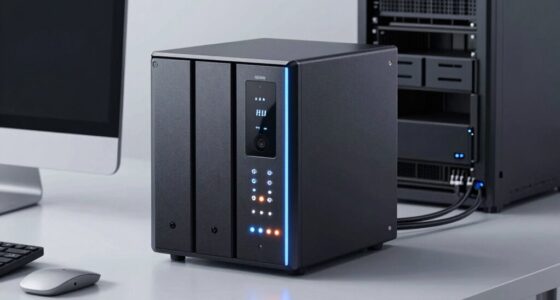
This external enclosure stands out for supporting high-speed transfers up to 40Gbps, making it perfect for demanding tasks like video capture or NVMe SSD expansion. It’s compatible with multiple OSes, including Windows, macOS, and Linux, providing broad flexibility. Its all-aluminum build ensures silent operation, which is a plus for noise-sensitive environments. Compared with internal cards, it offers unmatched portability and ease of setup, but it’s limited to PCIe cards up to 145mm long and requires a Thunderbolt 3 or 4 port, which might restrict compatibility with some devices. Notably, it does not include a PCIe card, so you’ll need to purchase one separately.
Pros:- Supports high data transfer speeds up to 40Gbps
- Compatible across Windows, macOS, and Linux
- Silent all-aluminum design prevents noise disturbance
Cons:- Limited to PCIe cards under 145mm in length
- Requires Thunderbolt 3/4 or USB4 port, which may limit device compatibility
- No included PCIe card, additional purchase needed
Best for: Laptops or mini PCs needing external PCIe expansion with broad OS support
Not ideal for: Users needing internal cards or those with devices lacking Thunderbolt 3/4 ports
- Hardware Interface:Thunderbolt 3, Thunderbolt 4
- Supported Devices:Laptop
- Data Transfer Rate:40 gigabits_per_second
- Enclosure Material:Aluminum
- Item Dimensions:4.45″L x 2.01″W x 5.91″H
- Item Weight:440 g
Our verdict“This enclosure offers flexible external PCIe expansion, perfect for users who prioritize portability and cross-platform support.”
QNAP QXP-40G2UC Dual-Port USB 4 Type-C Expansion Card, 40Gbps, PCIe Gen4 x4, Thunderbolt 4 Compatible
The QNAP QXP-40G2UC caters specifically to NAS users wanting high-speed USB4 ports, supporting up to 40Gbps transfer speeds. It’s compatible with Thunderbolt 4 and PCIe Gen4 x4, making it suitable for fast data backup and content creation workflows. It includes both low-profile and full-height brackets, adding installation flexibility. However, customer reviews reveal some dissatisfaction, possibly due to limited compatibility with certain NAS models and lower overall ratings. It’s best suited for users with compatible QNAP NAS devices who need additional USB4 ports, but those with other hardware should proceed cautiously.
Pros:- Supports 40Gbps data transfer speeds
- Includes both low-profile and full-height brackets
- Compatible with Thunderbolt 4 and PCIe Gen4 x4
Cons:- Customer satisfaction issues and limited reviews
- Limited compatibility to specific NAS models
- May not work reliably across all supported devices
Best for: NAS users needing high-speed USB4 ports on supported devices
Not ideal for: Users with non-QNAP NAS or desktop systems needing internal PCIe cards
- Brand:QNAP
- Model:QXP-40G2UC
- Ports:2 x USB4 Type-C
- Transfer Speed:40Gbps
- Interface:PCIe Gen4 x4
- Warranty:2 years
Our verdict“This card is a compelling choice for QNAP NAS users who want high-speed USB4 ports, but compatibility and satisfaction concerns warrant caution.”
ASUS ThunderboltEX 4 with Intel Thunderbolt 4 Controller, 2 USB Type-C Ports, DisplayPort 1.4 Support, Up to 100W Quick Charge
The ASUS ThunderboltEX 4 offers a robust internal expansion option, featuring dual USB Type-C ports supporting 40Gbps bandwidth and DisplayPort 1.4 for 8K resolution. It also delivers up to 100W charging, making it ideal for high-performance desktops with Thunderbolt-enabled peripherals. Compared to external enclosures, it provides a more integrated solution, but it’s limited to compatible desktops and requires a Thunderbolt-enabled motherboard. Its two-port configuration might be restrictive for users who need multiple external connections, yet it excels in delivering reliable bandwidth and power delivery for demanding setups.
Pros:- Supports up to 40Gbps transfer speeds
- Provides DisplayPort 1.4 for 8K monitor support
- Offers up to 100W power delivery for charging
Cons:- Requires compatible Thunderbolt-enabled motherboard
- Limited to two USB Type-C ports, less flexible for multiple devices
- Installation is more complex than external solutions
Best for: High-end desktop users seeking internal Thunderbolt 4 connectivity with display and charging support
Not ideal for: Laptops or mini PCs lacking PCIe slots or Thunderbolt support
- Controller:Intel Thunderbolt 4 JHL 8540
- Ports:2 USB Type-C
- Bandwidth:40Gb/s bi-directional
- Display Support:DisplayPort 1.4
- Quick Charge:Up to 100W
Our verdict“This internal card is best suited for high-end desktop setups needing integrated Thunderbolt 4 and display capabilities, with power charging built-in.”

How We Picked
To select the best Thunderbolt 4 PCIe add-in cards, I prioritized products that combine high data transfer speeds, broad compatibility, and unique features suited to different user needs. I examined specifications such as bandwidth, form factor, and supported operating systems, along with user reviews to gauge real-world performance and reliability. I aimed to include options for external enclosures, expansion cards for NAS devices, and internal desktop cards, ensuring diverse use cases are covered. Tradeoffs like compatibility limitations, ease of installation, and additional costs were also factored into the rankings to help users find the best fit for their setup.
Factors to Consider When Choosing Thunderbolt 4 Pcie Add In Cards
When selecting a Thunderbolt 4 PCIe add-in card, consider whether you need an external enclosure, a dedicated expansion card for a NAS, or an internal solution for a desktop. Think about compatibility with your existing hardware, desired features like display support or charging, and the physical form factor that matches your setup. Each type of card targets different use cases, so understanding your primary needs will help narrow your choices effectively.
External Enclosures
External Thunderbolt 4 PCIe enclosures, like the one from this roundup, excel for users who need portable, versatile expansion options. They support multiple OSes, are easy to connect and disconnect, and are ideal for laptops or mini PCs that lack internal PCIe slots. However, they are limited by PCIe card size and require Thunderbolt ports on your device. They’re best for those prioritizing flexibility and external device management.
Expansion Cards for NAS or Servers
Expansion cards like the QNAP QXP-40G2UC are designed for network-attached storage (NAS) devices or servers. They add high-speed USB4 ports, enhancing connectivity for backup, media streaming, or content creation. These cards generally require specific compatibility with NAS hardware and may have limited satisfaction levels based on user reviews. They’re perfect for expanding existing NAS capabilities but less suited for general desktop use.
Internal Desktop Cards
Internal PCIe cards like the ASUS ThunderboltEX 4 integrate directly into desktop motherboards, providing high bandwidth and additional features such as DisplayPort support and power delivery. They are ideal for high-performance users who want a seamless, integrated connection for external peripherals. Installation is more involved, and compatibility depends on your motherboard, but they deliver the most reliable and high-capacity Thunderbolt 4 experience.
Frequently Asked Questions
What is Thunderbolt 4, and why is it important for PCIe expansion?
Thunderbolt 4 is a high-speed connectivity standard that offers up to 40Gbps data transfer rates, daisy-chaining multiple devices, and supporting high-resolution displays. It’s crucial for PCIe expansion because it enables external devices to operate at near-internal speeds, expanding your system’s capabilities without internal modifications. This is especially useful for laptops and mini PCs that lack PCIe slots.
Can I use these Thunderbolt 4 cards with any computer?
Not all computers are compatible with Thunderbolt 4 PCIe cards. External enclosures require Thunderbolt 3 or 4 ports, and internal cards need Thunderbolt-enabled motherboards. It’s essential to verify that your device supports Thunderbolt 4, whether through ports or compatible hardware, before purchasing. Compatibility also depends on your operating system and physical space inside your desktop or NAS device.
What are the main tradeoffs between external enclosures and internal cards?
External enclosures offer portability and ease of use, making them ideal for laptops and mini PCs, but they are limited by size and require external ports. Internal cards provide higher stability, better integration, and often more power options, but they demand compatible hardware and involve more complex installation. Your choice depends on whether you prioritize flexibility or performance and integration.
Are these cards suitable for high-resolution video work?
Yes, especially models supporting DisplayPort 1.4 or higher, like the ASUS ThunderboltEX 4. These cards can handle 8K monitors and high-bandwidth video workflows, making them suitable for professional video editing, 3D rendering, or high-resolution gaming setups. External enclosures may be less ideal for video work if you require consistent and stable bandwidth, whereas internal cards tend to provide more reliable performance.
What should I consider when choosing between these options?
Focus on your device compatibility, whether you need an external or internal solution, and the features that matter most, such as display support, charging, or additional ports. If you use a laptop or mini PC, an external enclosure is more practical. For desktop users needing seamless integration, an internal card like ASUS ThunderboltEX 4 might be better. Always check your hardware specifications and read user reviews to ensure your choice aligns with your expectations.
Conclusion
For users seeking maximum portability and cross-platform compatibility, the external Thunderbolt 4/3 PCIe enclosure is a strong pick. NAS owners or content creators who need additional USB4 ports should consider the QNAP card, but keep in mind the mixed reviews. High-end desktop users with Thunderbolt-enabled motherboards will likely benefit most from the ASUS ThunderboltEX 4, which offers reliable, integrated performance. Your decision should align with your device type, use case, and whether you prioritize external flexibility or internal stability.
Halloween Picks
halloween
As an affiliate, we earn on qualifying purchases.