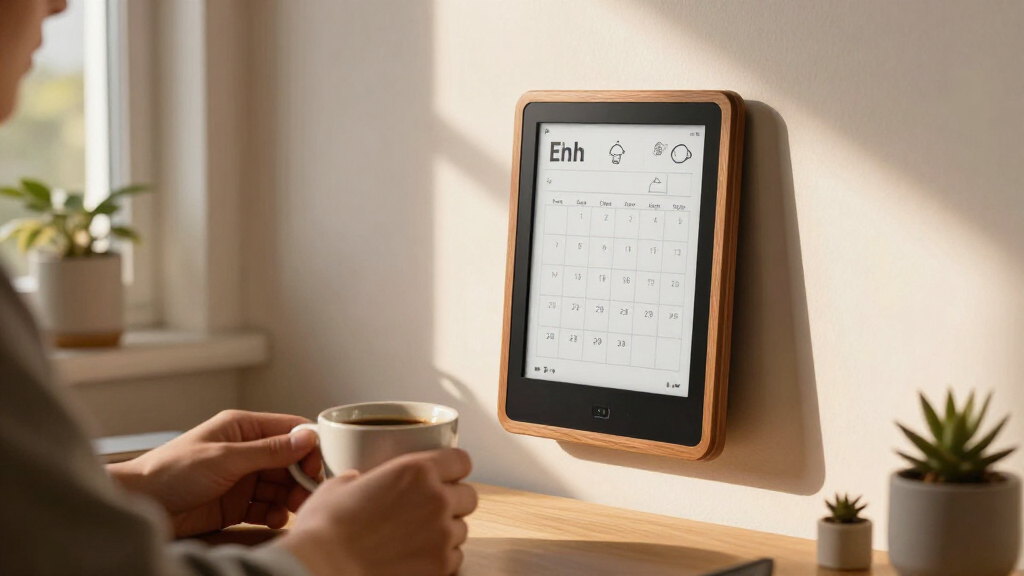
The best e-ink smart displays depend on what you want to show: the Seeed Studio reTerminal E1004 is my best overall pick for a large, full-color display, while the SwitchBot E-Ink Home Dashboard suits shared calendars and household updates. For large-scale signage, the Samsung 32-inch EMDX offers a very different fit. The main tradeoffs are screen size, color capability, setup complexity, and whether a display is ready to use or aimed at DIY builders. Read on for the full breakdown of all 12 options and how I’d match each one to a buyer.

Get the latest gadgets delivered free — and shop member deals
- Fast, free delivery on millions of items
- Access to Prime Big Deal Days deals on October 6–7
- Prime Video, Amazon Music and more included
Complete the kit



Key Takeaways
- The reTerminal E1004 is my best overall pick because its 13.3-inch full-color format has broader art and information-display potential than the smaller frames and DIY panels.
- The SwitchBot Home Dashboard is the clearest household pick in this lineup; it prioritizes calendar and weather information over displaying artwork.
- Display size changes the job. Samsung’s 32-inch signage panel serves a public or business setting, while the 2.13-inch ELECROW is better suited to compact experiments and device interfaces.
- Color does not automatically mean plug-and-play. The Waveshare HAT+ display and ESP32 panels are aimed at people prepared to handle hardware and configuration.
- Picture frames and builder panels serve different buyers. SMARTWIZ+, KoKonna, SwitchBot Art Frame, and Paper Portrait emphasize artwork, while the Seeed, IoTeikXgo, GrowCube, and ELECROW panels leave more room for custom projects.
| Seeed Studio reTerminal E1004 13.3-Inch Full-Color ePaper Display |  | Best for Makers Who Want a Big Canvas | Display technology: E Ink Spectra 6 color ePaper | Screen size: 13.3 inches | Processor: ESP32-S3 | VIEW LATEST PRICE | See Our Full Breakdown |
| SMARTWIZ+ Art 7.3-Inch Full-Color E Ink Art Frame |  | Best Gift-Ready Art Frame | Display: 7.3-inch full-color Spectra 6 E Ink | Connectivity: Wi-Fi | Control: Smartphone app | VIEW LATEST PRICE | See Our Full Breakdown |
| KoKonna AI E Ink Digital Picture Frame (7.3-inch, Aluminum) |  | Best Battery Life for Cordless Placement | Display size: 7.3 inches | Display type: 6-color E Ink | Material: Aluminum | VIEW LATEST PRICE | See Our Full Breakdown |
| SwitchBot AI Art Frame 13.3-Inch Electronic Ink Picture Frame |  | Best Big-Screen Consumer Frame | Display size: 13.3 inches | Display technology: 6-color electronic ink | Battery: 2000mAh, up to 2 years at 1 refresh/week | VIEW LATEST PRICE | See Our Full Breakdown |
| Seeed Studio reTerminal E1002 7.3-Inch Color E Ink Smart Display |  | Best for Smart Home Dashboards | Display: 7.3-inch E Ink Spectra 6 | Resolution: 800 × 480 | Battery: 2000mAh | VIEW LATEST PRICE | See Our Full Breakdown |
| SwitchBot E-Ink Home Dashboard with Wi-Fi Weather Station and Family Calendar |  | Best for Family Planning | Display: 7.5-inch E-Ink | Connectivity: 2.4 GHz Wi-Fi, Bluetooth Low Energy | Power: Battery powered; 1 C battery included | VIEW LATEST PRICE | See Our Full Breakdown |
| IoTeikXgo 5.79-Inch ESP32 E-Paper Display, 272 × 792 Resolution |  | Best for DIY Dashboard Builds | Display size: 5.79 inches | Resolution: 272 × 792 | Display type: Black-and-white e-paper | VIEW LATEST PRICE | See Our Full Breakdown |
| GrowCube CrowPanel ESP32-S3 E-Ink Display 5.79 Inch |  | Best Compact E-Paper Starter Kit | Display size: 5.79 inches | Resolution: 272 × 792 | Display type: E-Ink | VIEW LATEST PRICE | See Our Full Breakdown |
| Samsung 32″ EMDX Series Color E-Paper QHD Smart Signage |  | Best for Large-Format Signage | Screen size: 32 inches | Display and resolution: Color E-Paper, 2560 × 1440 QHD | Aspect ratio: 16:9 | VIEW LATEST PRICE | See Our Full Breakdown |
| Waveshare 13.3-Inch E Ink Spectra 6 Full-Color E-Paper Display with HAT+ Driver |  | Best for Raspberry Pi Color Projects | Screen size: 13.3 inches | Display technology: E Ink Spectra 6 (E6) | Resolution: 1600 × 1200 | VIEW LATEST PRICE | See Our Full Breakdown |
| Paper Portrait Wireless E-Ink Smart Picture Frame |  | Best for Cordless Home Displays | Display type: E-Ink | Connectivity: Wi-Fi (2.4 GHz only), NFC | Compatibility: iPhone, Android, web | VIEW LATEST PRICE | See Our Full Breakdown |
| ELECROW CrowPanel 2.13-Inch ESP32-S3 E-Paper Display, Black and White |  | Best for DIY E-Paper Projects | Screen size: 2.13 inches | Resolution: 122 × 250 | Display: Black-and-white e-paper | VIEW LATEST PRICE | See Our Full Breakdown |
| e-ink smart display | Connectivity |
|---|---|
| Seeed Studio reTerminal E1004 | 2.4GHz Wi-Fi, Bluetooth 5.0, USB |
| SMARTWIZ+ Art 7.3-Inch Full-Co | Wi-Fi |
| KoKonna AI E Ink Digital Pictu | Wi-Fi |
| SwitchBot AI Art Frame 13.3-In | Wi-Fi and Bluetooth |
| Seeed Studio reTerminal E1002 | — |
| SwitchBot E-Ink Home Dashboard | 2.4 GHz Wi-Fi, Bluetooth Low Energy |
| IoTeikXgo 5.79-Inch ESP32 E-Pa | — |
| GrowCube CrowPanel ESP32-S3 E- | — |
| Samsung 32" EMDX Series Color | Bluetooth, USB Type-C, Wi-Fi |
| Waveshare 13.3-Inch E Ink Spec | GPIO, I2C, SPI |
| Paper Portrait Wireless E-Ink | Wi-Fi (2.4 GHz only), NFC |
| ELECROW CrowPanel 2.13-Inch ES | — |
More Details on Our Top Picks
Seeed Studio reTerminal E1004 13.3-Inch Full-Color ePaper Display
Large-format color e-ink is rare and expensive, and this display pairs a 13.3-inch Spectra 6 panel with a fully programmable ESP32-S3 platform, which changes who it’s really for. Unlike the SwitchBot AI Art Frame at the same screen size — a closed, app-driven product — the E1004 exposes UART, I2C, GPIO, and ADC, so it works as a photo frame one week and a weather dashboard the next. The onboard temperature and humidity sensors and the included 16GB microSD card reinforce that maker-first identity. The tradeoff is complexity: there’s no polished consumer app experience here, and that headline six-month battery figure only holds with a six-hour refresh interval, so frequent updates drain it far faster. One quirk worth flagging is that the listed resolution differs between the product description and spec sheet, which makes exact sharpness hard to confirm before buying.
Pros:- Rare large 13.3-inch full-color Spectra 6 panel for photos and dashboards
- Open ESP32-S3 platform with extensive I/O for custom development
- Built-in temperature and humidity sensors plus included 16GB microSD
- 5000mAh battery and low-power operation allow cordless placement
Cons:- Six-month battery life requires a slow six-hour refresh interval
- Listed resolution is inconsistent between description and specifications
- Requires technical comfort to get the most out of it
Best for: Tinkerers and smart home builders who want a big programmable e-ink panel for dashboards, sensors, and custom projects
Not ideal for: Buyers who just want a plug-in art frame — the development-oriented design adds friction the SwitchBot frame avoids
- Display technology:E Ink Spectra 6 color ePaper
- Screen size:13.3 inches
- Processor:ESP32-S3
- Memory:8MB PSRAM, 32MB Flash
- Battery:5000mAh, up to 6 months low-power at 6-hour refresh
- Connectivity:2.4GHz Wi-Fi, Bluetooth 5.0, USB
- Sensors:Temperature and humidity
- Expandable storage:microSD up to 32GB; 16GB card included
- Interfaces:UART, I2C, GPIO, ADC
Our verdict“This is the pick for makers who want a big, hackable color e-ink canvas rather than a turnkey consumer gadget.”
SMARTWIZ+ Art 7.3-Inch Full-Color E Ink Art Frame
Of the consumer-facing 7.3-inch frames in this lineup, this one leans hardest on presentation: a Japan-designed enclosure, Matter certification, and a simple smartphone app for sending art and messages remotely. Compared with the KoKonna AI frame, which emphasizes AI creation tools and cloud storage, the SMARTWIZ+ feels more like a gift item — you set it up for a relative, then push new artwork to it from anywhere. Matter certification also means it plays more nicely in modern smart home setups than most dedicated art frames. The tradeoff is content flexibility: there’s no local storage or battery-life claim listed, so it’s more dependent on Wi-Fi and the app ecosystem than the KoKonna. Setup friction is real, too — some mesh Wi-Fi networks require a phone hotspot to complete initial pairing, which can frustrate less technical recipients.
Pros:- Paper-like full-color Spectra 6 display with an attractive Japan-designed housing
- Remotely send artwork and messages via the smartphone app
- Matter certification for broader smart home compatibility
- Energy-efficient screen suited to always-on display
Cons:- Initial setup can fail on some mesh Wi-Fi networks
- No listed battery or local storage specs compared with rivals
- Content flexibility depends heavily on the companion app
Best for: People gifting a stylish, remotely updatable art frame to family members who want zero maintenance
Not ideal for: Households with mesh Wi-Fi who expect plug-and-play setup — the hotspot workaround may defeat them
- Display:7.3-inch full-color Spectra 6 E Ink
- Connectivity:Wi-Fi
- Control:Smartphone app
- Design:Japan-designed
- Certification:Matter
Our verdict“A polished, gift-friendly art frame best suited to buyers who value design and remote sharing over raw specs.”
KoKonna AI E Ink Digital Picture Frame (7.3-inch, Aluminum)
Three years of battery life on a single charge is the headline here, and it’s the longest claim in this entire roundup — the SwitchBot 13.3-inch frame tops out at two years with weekly refreshes, and the SMARTWIZ+ doesn’t publish a figure at all. That endurance, combined with an aluminum build and unlimited free cloud storage with no subscription, makes the KoKonna the natural choice for a wall-mounted frame you never want to think about again. The AI artwork tools give it a creative angle beyond plain photo display, though SwitchBot locks similar AI features behind a monthly fee while KoKonna bundles them. The caveats are inherent to e-ink: refreshes are visibly slower than an LCD frame, and six-color output can’t match the saturation of backlit screens — fine for posters and illustrations, less so for vibrant photos.
Pros:- Up to 3 years of battery life at low refresh frequency
- Unlimited cloud storage with no subscription fees
- Premium aluminum construction
- Built-in AI artwork creation tools
Cons:- E-ink refresh rate is noticeably slower than LCD
- Six-color display limits color reproduction
- 3-year battery claim depends on infrequent refreshes
Best for: Buyers who want a set-and-forget wall frame with exceptional battery life and no storage subscription
Not ideal for: Anyone expecting vivid photo reproduction or fast refreshes — six-color e-ink is muted and slow compared with LCD frames
- Display size:7.3 inches
- Display type:6-color E Ink
- Material:Aluminum
- Battery:5000mAh, up to 3 years at low refresh frequency
- Connectivity:Wi-Fi
- Storage:Unlimited cloud storage
- Features:AI artwork creation, remote photo sharing, OTA updates
Our verdict“The strongest pick for cordless, subscription-free long-term display — as long as muted e-ink color fits your art style.”
SwitchBot AI Art Frame 13.3-Inch Electronic Ink Picture Frame
This is the option for buyers who want large-format e-ink art without touching a line of code. Unlike the Seeed reTerminal E1004 at the same 13.3-inch size, which assumes you’ll develop your own interface, the SwitchBot works out of the box with an app, scheduled image changes, and Alexa support. Its 2000mAh battery lasting up to two years at one refresh per week is genuinely impressive for the panel size, and because e-ink holds an image with no power, your artwork stays visible even when the battery dies — a graceful failure LCD frames can’t match. The compromises are honest ones: colors are muted with a coarse pixel structure best viewed from at least a meter away, local storage caps out at ten images, and AI art generation sits behind a monthly subscription that KoKonna includes free.
Pros:- Large 13.3-inch screen with polished app, scheduling, and Alexa support
- Up to 2 years of battery life at one refresh per week
- Images remain visible when the battery is depleted
- Non-glare screen with no blue light or illumination
Cons:- Muted colors and coarse pixel structure best viewed from a distance
- Local storage limited to about 10 images
- AI art generation requires a paid subscription
Best for: Non-technical buyers who want a large, app-controlled art frame integrated with Alexa and the SwitchBot ecosystem
Not ideal for: Close-up viewing or color-critical photo display — low resolution and muted e-ink color demand distance
- Display size:13.3 inches
- Display technology:6-color electronic ink
- Battery:2000mAh, up to 2 years at 1 refresh/week
- Local storage:Up to 10 images
- Connectivity:Wi-Fi and Bluetooth
- Compatibility:Alexa; SwitchBot app
- AI art subscription:3.99 USD/month
- Recommended viewing distance:At least 1 m (3 ft)
Our verdict“The easiest path to a big e-ink art frame, provided you’ll hang it on a wall and don’t mind a subscription for AI features.”
Seeed Studio reTerminal E1002 7.3-Inch Color E Ink Smart Display
While its 13.3-inch sibling the E1004 targets photos and large dashboards, the E1002 is built for a narrower job: a compact, always-readable smart home panel. Native support for SenseCraft HMI, Home Assistant, and ESPHome means you can build a no-code dashboard for calendars, weather, or sensors — a capability none of the art frames in this roundup offer. The 800 × 480 resolution on a 7.3-inch panel is noticeably sharper than typical 4.2-inch e-ink dashboard tiles, and the screen stays fully readable in direct sunlight where LCD panels wash out. The compromises mirror its bigger sibling: the three-month battery rating assumes deep sleep with a six-hour refresh interval, so near-real-time updates will mean frequent charging, and the 2000mAh cell is modest. A two-year warranty and included stand, cable, and screwdriver round out a genuinely complete kit for the price of admission.
Pros:- Native Home Assistant, ESPHome, and SenseCraft HMI support including no-code dashboards
- Color e-ink stays readable in bright light and sips power holding an image
- GPIO, I²C, SPI, and Grove expansion for custom hardware projects
- Two-year warranty with stand, cable, and tools included
Cons:- Three-month battery life only applies to deep sleep with six-hour refreshes
- Modest 2000mAh battery limits cordless heavy use
- 800 × 480 resolution is basic compared with the 13.3-inch E1004
Best for: Home Assistant and ESPHome users who want a small color dashboard for weather, calendars, and sensor data
Not ideal for: Buyers wanting frequent or near-real-time updates — battery life collapses outside deep-sleep, low-refresh use
- Display:7.3-inch E Ink Spectra 6
- Resolution:800 × 480
- Battery:2000mAh
- Battery life:Up to 3 months in deep-sleep at 6-hour refresh interval
- Connectivity and compatibility:Wi-Fi, Home Assistant, ESPHome
- Expansion:GPIO, I²C, SPI, Grove
- Included accessories:Screwdriver, stand, USB Type-C cable
- Warranty:2 years
Our verdict“The best small-format pick for smart home enthusiasts who want dashboards, not art, on a sunlight-friendly screen.”
SwitchBot E-Ink Home Dashboard with Wi-Fi Weather Station and Family Calendar
The SwitchBot dashboard earns its place by combining shared calendar events with weather and indoor readings on one glanceable screen. Its 7.5-inch display is more useful for household coordination than the narrow IoTeikXgo project panel, which is aimed at DIY builds rather than ready-made family information. Support for Google, iCloud, Outlook, and up to five family members gives this model a practical edge for mixed-device homes, while the front light helps in dim hallways.
The tradeoff is its SwitchBot ecosystem dependence: remote anomaly alerts and device controls need a Hub, and its Wi-Fi is limited to 2.4 GHz. It also has less room for artwork than the Samsung 32-inch signage display. I’d choose it for a compact household status board, not as a large-format visual display.
Pros:- Combines family calendar events with weather and indoor environmental readings
- Supports Google, iCloud, Outlook, and other major calendar platforms
- Front-lit E-Ink screen is glare-free and readable in dimmer rooms
- Stated battery life is up to 365 days
Cons:- Some remote alerts and smart home controls require a SwitchBot Hub
- Wi-Fi support is limited to 2.4 GHz
Best for: Households that want shared schedules, local weather, and environmental readings together in a hallway or kitchen
Not ideal for: Buyers who need smart home controls and remote alerts without adding a SwitchBot Hub, or who want a large display for artwork
- Display:7.5-inch E-Ink
- Connectivity:2.4 GHz Wi-Fi, Bluetooth Low Energy
- Power:Battery powered; 1 C battery included
- Stated battery life:Up to 365 days
- Calendar support:Google, iCloud, Outlook, and other major calendars
- Family capacity:Up to 5 members and 30 events per person per day
- Placement:Wall-mounted or tabletop
- Smart home controls:2 customizable shortcut buttons; device control requires a SwitchBot Hub
Our verdict“Choose the SwitchBot if your priority is a low-maintenance shared family dashboard with calendars and home conditions in one place.”
IoTeikXgo 5.79-Inch ESP32 E-Paper Display, 272 × 792 Resolution
The IoTeikXgo is best understood as a programmable e-paper component, not a finished smart display. Its ESP32-S3 controller, SPI connections, GPIO, UART, and Arduino IDE support give makers room to build a focused status panel, smart tag, or shelf label. The reflective screen keeps static information visible without continuous power, a useful fit for battery-conscious projects. Compared with the SwitchBot Home Dashboard, this model trades ready-made calendars and weather views for control over what the display shows.
That flexibility brings more setup work: buyers need to develop and maintain their own interface, and the black-and-white, 272 × 792 screen suits narrow layouts better than detailed, colorful content. GrowCube’s CrowPanel has a similar size and controller, so the IoTeikXgo’s appeal rests on its listed interfaces and project compatibility rather than a finished user experience.
Pros:- Built-in ESP32-S3 supports standalone project development
- Static content remains visible without continuous power
- Reflective anti-glare screen is suited to bright environments
- Provides SPI, GPIO, USB, UART0, and control buttons
Cons:- Black-and-white display limits color-rich layouts and visual content
- Requires DIY software and integration rather than offering a ready-made dashboard
Best for: Makers building a narrow, low-power information panel who can work with Arduino IDE and embedded interfaces
Not ideal for: People seeking a ready-to-use calendar, weather station, or color display without writing or adapting code
- Display size:5.79 inches
- Resolution:272 × 792
- Display type:Black-and-white e-paper
- Processor:ESP32-S3, up to 240 MHz
- Memory:8 MB RAM; 8 MB storage
- Interfaces:3-/4-wire SPI, GPIO, USB, UART0
- Battery interface:2.2–3.7 V
- Dimensions:6.6 × 2.24 × 0.2 inches
- Compatibility:Arduino IDE
Our verdict“Pick the IoTeikXgo for a custom narrow-format e-paper project if you are comfortable building the software yourself.”
GrowCube CrowPanel ESP32-S3 E-Ink Display 5.79 Inch
The GrowCube CrowPanel packages a 5.79-inch e-paper screen and ESP32-S3 controller as a compact base for battery-powered labels and small information displays. Its 272 × 792 resolution and power-off retention make it suited to content that changes occasionally, such as a room status or shelf label. Like the IoTeikXgo panel, it targets builders rather than people looking for a polished, ready-made smart display; the SwitchBot dashboard is the more direct choice for family calendars and weather without custom development.
GrowCube lists Arduino IDE integration, a GPIO header, UART0, and physical buttons, giving projects several ways to connect and interact. The monochrome screen and slow refresh behavior typical of e-paper limit animation and fast updates. Its included USB cable is useful for setup, but the product data does not describe a finished dashboard interface, so buyers should expect to handle the software side.
Pros:- Integrated ESP32-S3 controller simplifies the hardware setup
- Power-off retention supports battery-focused use
- Reflective screen remains readable in sunlight without a backlight
- Includes physical buttons, GPIO header, UART0, and USB cable
Cons:- Black-and-white display cannot show color-coded information
- E-paper refresh is slower than LCD for frequently changing content
Best for: DIY builders who want a compact ESP32-based panel for static or occasionally updated information
Not ideal for: Buyers who want a turnkey smart display, vivid color, or smooth motion and frequent screen updates
- Display size:5.79 inches
- Resolution:272 × 792
- Display type:E-Ink
- Controller:ESP32-S3-WROOM-1-N8R8, up to 240 MHz
- Interfaces:3-/4-wire SPI, UART0, GPIO header
- Power supply:2.2–3.7 V through BAT interface
- Included components:Display and USB cable
- Warranty:1 year manufacturer warranty
Our verdict“Choose the CrowPanel as a compact project platform for mostly static information when you are prepared to supply the interface and code.”
Samsung 32″ EMDX Series Color E-Paper QHD Smart Signage
Samsung’s 32-inch EMDX is the standout here for large-format, static color signage. Its QHD 16:9 panel gives notices and promotional layouts more space than the Waveshare 13.3-inch development display, while the embedded battery and 5.5-pound build make repositioning more practical than with many conventional signs. Samsung states up to 199 days of image retention in Network Standby Off Mode, which suits content that stays put for long periods.
This scale makes less sense for a personal desk dashboard: the 10 Hz refresh rate rules out video and fast motion, and Samsung VXT software is sold separately. A stand or extra mount is also not included, adding setup decisions. Compared with the SwitchBot, this is about presenting a broad, deliberate visual message rather than checking a household calendar or live environmental readings.
Pros:- Large 32-inch QHD color e-paper screen for readable signage
- Embedded battery supports flexible placement
- Thin, lightweight design aids repositioning
- Housing uses recycled plastics and packaging is paper-based
Cons:- 10 Hz refresh rate is unsuitable for video and fast-moving content
- Samsung VXT content management software must be purchased separately
- Stand and additional mounting accessories are not included
Best for: Businesses and shared spaces displaying mostly static color notices, menus, or promotional graphics
Not ideal for: People who need video, frequent animated updates, a compact personal dashboard, or included mounting hardware
- Screen size:32 inches
- Display and resolution:Color E-Paper, 2560 × 1440 QHD
- Aspect ratio:16:9
- Dimensions:0.7 × 28.5 × 16.6 inches
- Weight:5.5 lbs
- Connectivity:Bluetooth, USB Type-C, Wi-Fi
- Stated battery life:Up to 199 days in Network Standby Off Mode
- Refresh rate:10 Hz
- Model number:LH32EMDIBGBXZA
Our verdict“Pick Samsung’s EMDX when you need a large, movable sign for mostly static color content and can supply the mounting and management setup.”
Waveshare 13.3-Inch E Ink Spectra 6 Full-Color E-Paper Display with HAT+ Driver
Waveshare’s 13.3-inch panel is a color e-paper module for makers who want a larger canvas than the GrowCube or IoTeikXgo panels. Its 1600 × 1200 resolution and Spectra 6 technology suit static diagrams, artwork, or information boards where color helps organize content. The Raspberry Pi 40-pin HAT+ interface gives it a defined route into Pi projects, while SPI support also covers Arduino, ESP32, and STM32 setups.
It is a component, not a finished smart display: buyers need a compatible board and software to create and refresh content. The last image remains visible without power, but the panel still needs power to update, and refreshes are not suited to fast-changing content. Samsung’s EMDX arrives as a much larger signage display with its own battery and management options; Waveshare is better for custom builds where integration matters more than turnkey operation.
Pros:- Spectra 6 full-color e-paper expands design options beyond monochrome panels
- 1600 × 1200 resolution on a 13.3-inch screen
- Retains the displayed image without continuous power
- Supports Raspberry Pi HAT+ as well as SPI-connected controller boards
Cons:- Requires a compatible controller and software integration
- Power is required for refreshes, so it is not a self-contained battery display
- E-paper refresh behavior is unsuitable for video or fast-moving content
Best for: Raspberry Pi and microcontroller builders creating a larger static color display for art, diagrams, or custom information
Not ideal for: Buyers who want a ready-to-use smart display, video playback, or frequent smooth updates
- Screen size:13.3 inches
- Display technology:E Ink Spectra 6 (E6)
- Resolution:1600 × 1200
- Connectivity:GPIO, I2C, SPI
- Compatible boards:Arduino, ESP32, STM32, Raspberry Pi
- Raspberry Pi interface:40-pin GPIO header; HAT+ standard
- Voltage compatibility:3.3 V / 5 V MCUs
- Warranty:1 year
Our verdict“Choose Waveshare for a custom Raspberry Pi or microcontroller build that needs a large color image to stay visible between updates.”
Paper Portrait Wireless E-Ink Smart Picture Frame
The Paper Portrait suits buyers who want a changing home display without a bright, always-on screen. Its glare-free e-ink panel can show photos, art, weather, clocks, or text, while NFC setup offers a simpler start than configuring a DIY board such as the ELECROW CrowPanel. The rechargeable design and tabletop stand or magnetic strips also make placement flexible without a power cable running to the frame. That convenience comes with a network limitation: it connects only to 2.4 GHz Wi-Fi, which may require router adjustments in homes set up for 5 GHz. Unlike the CrowPanel, this is a ready-made picture frame rather than a programmable component, so it better fits everyday household use than custom electronics projects.
Pros:- Glare-free, paper-like screen suits rooms with ambient light
- NFC setup supports iPhone, Android, and web access
- Rechargeable cordless design offers flexible tabletop or magnetic placement
- Can display photos, art, weather, clocks, and text
Cons:- Does not support 5 GHz Wi-Fi
- Some routers may need their 2.4 GHz band enabled
- Rechargeable battery still needs periodic charging
Best for: Households seeking a cordless, low-glare frame for rotating photos, artwork, or simple information
Not ideal for: People with 5 GHz-only Wi-Fi or makers who want to program and integrate a display into a custom project
- Display type:E-Ink
- Connectivity:Wi-Fi (2.4 GHz only), NFC
- Compatibility:iPhone, Android, web
- Power source:Rechargeable lithium-ion battery
- Charging port:USB-C
- Included accessories:Tabletop stand, magnetic strips
Our verdict“Choose the Paper Portrait for a ready-to-use, cordless household display, provided your Wi-Fi supports 2.4 GHz.”
ELECROW CrowPanel 2.13-Inch ESP32-S3 E-Paper Display, Black and White
The ELECROW CrowPanel is a compact component for makers building a smart label, small dashboard, or other Arduino-based project. Its ESP32-S3 controller and SPI interface provide a path to custom integrations, while the reflective black-and-white panel stays readable in sunlight and retains static content without continuous power. That makes it a different kind of choice from the Paper Portrait Wireless E-Ink Smart Picture Frame: the Paper Portrait is ready for household photos and information, whereas this CrowPanel expects its owner to handle the project and programming. The tradeoff is its 2.13-inch, 122 × 250 display, which leaves little room for detailed layouts, and its monochrome screen cannot reproduce color artwork. Buyers also need to provide their own enclosure, since no acrylic case is included.
Pros:- ESP32-S3 controller and SPI interface support custom integrations
- Static content is retained without continuous power
- Reflective matte screen is readable in sunlight without a backlight
- Includes GPIO header and control buttons
Cons:- Small 2.13-inch screen limits readable detail and layout space
- Black-and-white display cannot show color artwork
- No acrylic case is included
Best for: Arduino makers who need a small, sunlight-readable monochrome panel for labels or compact custom dashboards
Not ideal for: Buyers seeking a finished photo frame, a large information display, or color visuals
- Screen size:2.13 inches
- Resolution:122 × 250
- Display:Black-and-white e-paper
- Controller:ESP32-S3, up to 240 MHz
- Interface:3- or 4-wire SPI (default 4-wire)
- Battery interface:2.2–3.7 V
- Compatibility:Arduino IDE
- Included components:1 e-paper display, 1 USB cable
- Warranty:1 year
Our verdict“Pick the CrowPanel for a small programmable e-paper project; choose the Paper Portrait if you want a finished household display.”

How We Picked
I ranked these displays by how well their format and intended use match a clear buyer need: artwork, shared household information, signage, or a custom electronics project. I weighed screen size and color against setup demands, the apparent level of integration, and how much flexibility each product offers. That keeps a ready-made frame or dashboard from being judged by the same priorities as a bare display panel.
The order reflects practical fit across the broad category. The reTerminal E1004 leads for its balance of size, color, and versatility; products with a narrower use, such as a family dashboard or large signage panel, rank lower overall but can be the better choice for that specific setting. DIY panels rank according to their potential for customization alongside the extra work they place on the buyer. I use the supplied product names and specifications to distinguish roles, and avoid treating unprovided performance claims as established facts.
Factors to Consider When Choosing Best E-ink Smart Displays
Before choosing a display, decide what it needs to do on an ordinary day and who will maintain it. The category spans finished picture frames, household information screens, commercial signage, and components for DIY builds, so a comparison based on screen size alone can lead to a poor fit.
Start With the Display’s Job
Write down the one task the screen must handle most often: showing changing household information, rotating artwork, presenting signage, or serving as part of a custom device. A picture frame may suit a fixed visual display, while a dashboard needs useful information and a way to keep it current. A signage panel has to work at a viewing distance and in a setting where a small frame would be hard to notice. DIY panels make sense when the display is one part of a larger project. A common mistake is buying a screen first and assuming suitable content software will follow. Check how your intended content reaches the display before choosing a format.
Match Screen Size to Viewing Distance
A larger display is not automatically the better choice; its value depends on where people will see it and how much information or artwork it must present. A compact screen can fit a desk project or narrow wall space, but it may be difficult to read across a room. A frame-size panel can suit a hallway or tabletop, while a large signage screen occupies a different class of space and use. Think about the distance, angle, and available mounting area before deciding. Also consider whether the display will show one prominent image or several lines of small text. Comparing diagonal measurements alone can hide differences in proportions and usable layout.
Choose Color for the Content You Have
Color matters most when it carries meaning or is central to the display’s purpose, such as artwork, maps, or visual notices. For simple status text, lists, and many device interfaces, a monochrome panel may be easier to read and adequate for the task. Full-color e-paper models in this lineup include picture frames and larger panels, while the ELECROW 2.13-inch option is black and white. Before paying for color capability, consider how often your content will use it and whether its appearance suits the room. Do not assume every image will look the same on e-paper as on a phone or conventional display. If possible, check examples of the panel’s output for the kind of content you plan to show.
Account for Setup and Ongoing Maintenance
Finished frames and dashboards are aimed at buyers who want a defined use; driver boards and ESP32 displays call for more involvement. With a DIY panel, plan for wiring, software configuration, content updates, and troubleshooting as part of the purchase decision. A household display also needs a reliable way to receive current calendar or weather information. Ask who will maintain it after installation and how difficult it would be to restore if the connection or content source changes. A project that is satisfying to configure for one person can become a chore when other household members depend on it. Favor the simplest setup that can reliably do the job you have in mind.
Check the Whole System, Not Just the Panel
A display’s usefulness depends on the complete path from content to screen. That may involve an app, a wireless connection, a driver board, a content source, or a larger signage setup. Verify compatibility with your phone, calendar service, home network, or controller before making a selection. Product names alone do not establish which integrations are supported or whether a particular feature needs extra hardware. For a DIY build, check what is included and what must be sourced separately. For a ready-made frame, confirm the upload and update process fits how you want to manage images.
Pay for Fit, Not Just a Premium Format
Paying more makes sense when a bigger viewing area, a finished product, or a specific use reduces work or solves a real space problem. A large signage panel has little value for someone who only wants a bedside reminder, and an advanced DIY display can be a poor fit for a buyer who wants a frame they can set up quickly. At the other end, a compact low-complexity panel may limit a project that needs color or a room-visible format. Compare what comes ready to use with what still needs assembly and configuration. Decide which tradeoff you would rather live with: a more defined feature set or more control over the final setup.
Frequently Asked Questions
Which type of e-ink display should I choose for a shared household calendar?
I would start with a purpose-built home dashboard, such as the SwitchBot E-Ink Home Dashboard, rather than adapting an art frame or bare display panel. The deciding factor is whether it can show the calendar and other information your household relies on, not simply whether its screen is large. Check compatibility with your calendar source, the update process, and whether everyone can read it from its planned location. If your main goal is rotating family photos, a dedicated frame may fit better. If both jobs matter, confirm the device can handle both before buying.
Is a full-color e-ink display worth choosing over a monochrome one?
Choose full color when the content depends on artwork, color-coded information, or visual distinctions that monochrome would lose. For simple labels, reminders, and many custom device interfaces, a black-and-white screen may cover the need with less emphasis on visual richness. The roundup includes full-color frames and panels alongside the monochrome ELECROW, which illustrates how differently these devices are intended to be used. Consider the specific images or information you expect to show rather than assuming color is always an upgrade. Check representative output before committing if appearance is central to the purchase.
Should I buy a finished e-ink frame or a DIY display panel?
A finished frame is the more direct path if you mainly want to display art or photos and prefer a defined product. A DIY panel, such as an ESP32 display or the Waveshare HAT+ unit, makes more sense when you want to build a custom interface and are ready to handle configuration. The tradeoff is control versus setup effort: a component can suit a tailored project, but the screen alone does not provide the whole experience. Before buying a panel, identify the controller, software, and content source your project needs. If those details are unclear, a finished frame is usually the simpler starting point.
Does the largest display make the best choice for a home?
Not by itself. The 32-inch Samsung EMDX is aimed at a signage use case, so its scale is most relevant when people need to see information across a larger area. For a home wall, hallway, or desk, a frame-size display may be easier to place and more suited to artwork or household information. Think about viewing distance, available space, what the screen will show, and whether the intended setup supports that use. A display that dominates the room can be a poor fit if its content does not need that much area. Match the size to the job before treating it as a measure of quality.
What should I verify before buying an e-ink smart display for a custom project?
Confirm the panel’s dimensions and resolution suit the layout, then check how it connects to your controller and how its content will be refreshed. For products that list ESP32 hardware or a HAT+ driver, review what is included and what the project must supply separately. Check software support and any example projects for the tasks you need, rather than relying on a product label to imply compatibility. Decide how the display will receive updated data and what happens if that source becomes unavailable. A short parts and integration checklist can prevent choosing a screen that fits physically but not technically.
Conclusion
For the broadest mix of size, color, and possible uses, I’d choose the Seeed Studio reTerminal E1004 as best overall. The roundup does not establish which option is lowest cost, so I’d treat best value as the model that avoids features and setup work you do not need: a compact panel for a DIY build or a dedicated frame for photos. For a premium, large-format signage need, the Samsung 32-inch EMDX is the specialized pick. Buyers seeking a straightforward art display should look at the SMARTWIZ+ Art, KoKonna, SwitchBot Art Frame, or Paper Portrait, checking their setup and content workflows before choosing. For custom electronics, the ELECROW 2.13-inch is the smallest, simplest-format starting point here; for household information, choose the SwitchBot Home Dashboard. The right choice is the one whose content, scale, and setup match the way you plan to use it.
Fall Picks
fall essentials
As an affiliate, we earn on qualifying purchases.