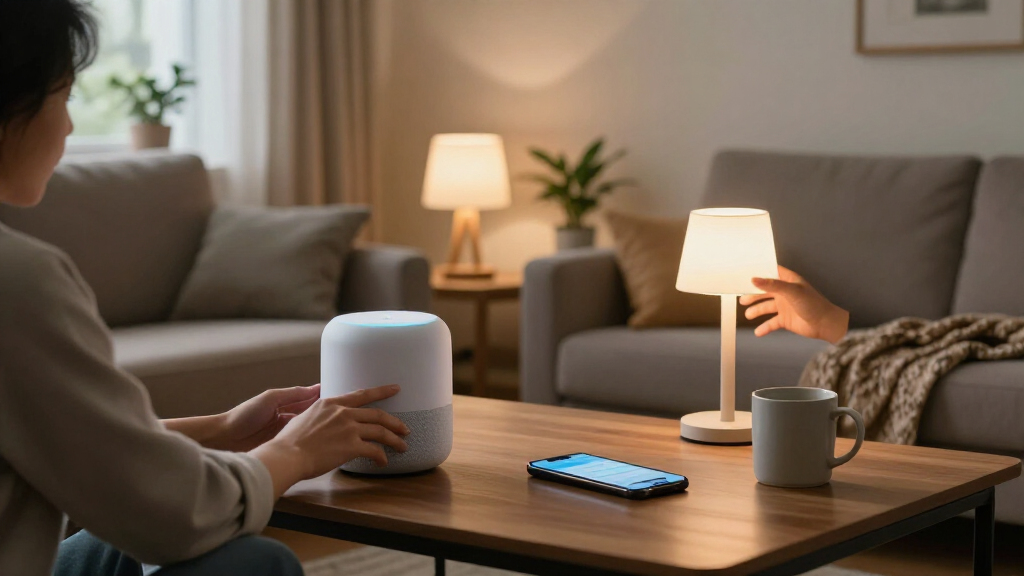

For shoppers comparing Black Friday smart home deals, my best overall pick is the ecobee Smart Thermostat Premium, which combines climate control, a room sensor, and voice-assistant features in one device. The Kasa Smart Wi-Fi Mini Plug 4-Pack is a practical starting point for automating lamps and small appliances, while Home Assistant Green suits buyers who want a more customizable smart-home hub. The main tradeoffs are compatibility, installation effort, and whether you want a simple single-purpose device or a system you can expand. I compare all 14 options by what they do best, where they fall short, and which homes they suit. Read on for the full breakdown and advice on choosing devices that work together.

Get the latest gadgets delivered free with Prime
- Fast, free delivery on millions of items
- Prime Video, Amazon Music and more included
- Member-only deals all year
Complete the kit



Key Takeaways
- The ecobee Smart Thermostat Premium stands apart as the most feature-rich climate pick, but its added sensors and voice features may be unnecessary if you only need basic scheduling.
- Kasa’s EP10P4 is the straightforward plug choice; Linkind’s Matter plugs are a better fit for households that want broader platform flexibility, while other plug packs serve narrower needs.
- Home Assistant Green is the customization pick, not the easiest first device: it makes more sense for someone building a system than for a buyer who only wants app-controlled lights.
- The lineup covers very different installation demands, from plug-in accessories to a neutral-wire light switch, wired video doorbell, and fingerprint door lock.
- Black Friday bundles can encourage overbuying: a four-pack is useful only when several devices have a clear job, and ecosystem compatibility matters more than the number of accessories.
| Google Nest Smart Thermostat, Programmable Wi-Fi, Charcoal | 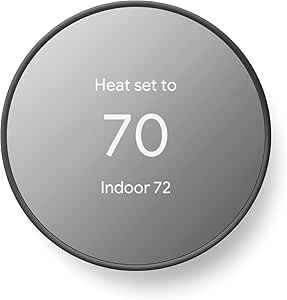 | Best for Google Home households | Color: Charcoal | Connectivity: Wi-Fi and Bluetooth | Wi-Fi bands: 2.4 GHz and 5 GHz | VIEW LATEST PRICE | See Our Full Breakdown |
| Sensi ST55 Wi-Fi Smart Thermostat |  | Best for broad smart-home compatibility | Model: ST55 | Connectivity: Wi-Fi | Compatible platforms: Alexa, Apple HomeKit, Google Assistant, SmartThings, Vera | VIEW LATEST PRICE | See Our Full Breakdown |
| ecobee Smart Thermostat Premium with Wi-Fi, Built-In Siri and Alexa, and SmartSensor |  | Best Premium thermostat | Connectivity: Wi-Fi | Voice assistants: Siri and Alexa built in | Included sensor: SmartSensor | VIEW LATEST PRICE | See Our Full Breakdown |
| Kasa Smart Wi-Fi Mini Plug EP10P4, 4-Pack | 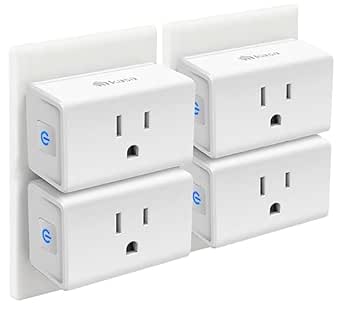 | Best value for a simple smart-plug setup | Model: EP10P4 | Pack size: 4 plugs | Operating voltage: 120 V | VIEW LATEST PRICE | See Our Full Breakdown |
| Linkind Matter Smart Plug, 4-Pack | 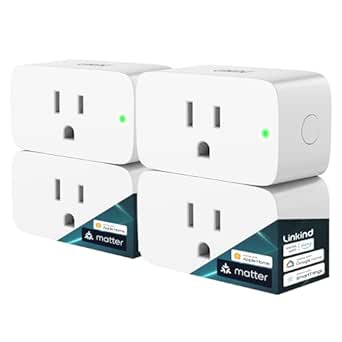 | Best for Matter-ready homes | Model: LC09003256 | Pack count: 4 | Protocol: Matter | VIEW LATEST PRICE | See Our Full Breakdown |
| Kasa Smart Outdoor Plug EP40, 2-Socket Wi-Fi Outlet, IP64 Weather Resistant, Compatible with Alexa and Google Home |  | Best for Outdoor Lighting | Model: EP40 | Connectivity: 2.4 GHz Wi-Fi | Outlets: 2 independently controlled AC outlets | VIEW LATEST PRICE | See Our Full Breakdown |
| Home Assistant Green Smart Home Hub |  | Best for Local Automation | Operating system: Home Assistant OS | Processor: Quad-core | Memory: 4 GB LPDDR4X | VIEW LATEST PRICE | See Our Full Breakdown |
| Govee Smart Plug, Wi-Fi Outlet with Bluetooth, 4-Pack |  | Best Value Multipack | Quantity: 4 smart plugs | Model: B5081 | Connectivity: Bluetooth and 2.4 GHz Wi-Fi | VIEW LATEST PRICE | See Our Full Breakdown |
| DESLOC D212 WiFi Smart Door Knob Lock with Fingerprint Entry |  | Best for Keyless Entry | Model: D212 | Entry methods: Fingerprint, passcode, app, and mechanical key | Connectivity: Built-in Wi-Fi | VIEW LATEST PRICE | See Our Full Breakdown |
| GHome Smart Plug Mini, 4-Pack, Wi-Fi Outlet with App, Voice, and Timer Control | 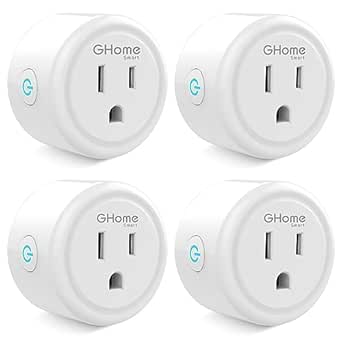 | Best for Compact Setup | Model: WP3 | Quantity: 4 plugs | Connectivity: 2.4 GHz Wi-Fi, enhanced Wi-Fi, and Bluetooth | VIEW LATEST PRICE | See Our Full Breakdown |
| EIGHTREE Wi-Fi Smart Plug, 15A, 4-Pack |  | Best Value for Higher-Wattage Plug-In Control | Model: ET01 | Pack size: 4 plugs | Operating voltage: 120 V | VIEW LATEST PRICE | See Our Full Breakdown |
| Kasa Smart Wi-Fi Light Switch, Single-Pole, Neutral Wire Required, 3-Pack | 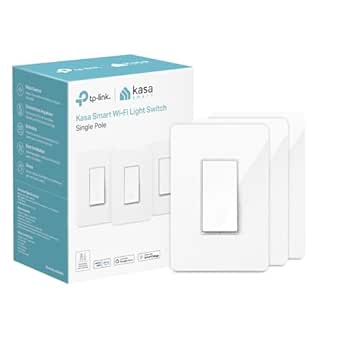 | Best for Built-In Lighting Automation | Model: HS200P3 | Pack size: 3 switches | Switch and circuit type: Rocker; 1-way, single-pole | VIEW LATEST PRICE | See Our Full Breakdown |
| GHome Wi-Fi Smart Plug with Alexa and Google Home Compatibility | 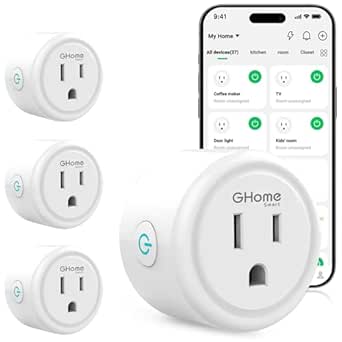 | Best for Multi-App Flexibility | Model: WP3 | Quantity: 4 plugs | Connectivity: Wi-Fi and Bluetooth connection support; 2.4 GHz Wi-Fi required | VIEW LATEST PRICE | See Our Full Breakdown |
| ecobee Smart Video Doorbell Camera, Wired 1080p HDR |  | Best Premium Wired Door Security | Video resolution: 1080p HDR | Field of view: 175° vertical, 187° diagonal | Night vision range: 30 feet | VIEW LATEST PRICE | See Our Full Breakdown |
| Black Friday smart home deal | Connectivity | Model |
|---|---|---|
| Google Nest Smart Thermostat | Wi-Fi and Bluetooth | — |
| Sensi ST55 Wi-Fi Smart Thermos | Wi-Fi | ST55 |
| ecobee Smart Thermostat Premiu | Wi-Fi | — |
| Kasa Smart Wi-Fi Mini Plug EP1 | 2.4 GHz Wi-Fi | EP10P4 |
| Linkind Matter Smart Plug | — | LC09003256 |
| Kasa Smart Outdoor Plug EP40 | 2.4 GHz Wi-Fi | EP40 |
| Home Assistant Green Smart Hom | Ethernet, USB, and Bluetooth | — |
| Govee Smart Plug | Bluetooth and 2.4 GHz Wi-Fi | B5081 |
| DESLOC D212 WiFi Smart Door Kn | Built-in Wi-Fi | D212 |
| GHome Smart Plug Mini | 2.4 GHz Wi-Fi, enhanced Wi-Fi, and Bluetooth | WP3 |
| EIGHTREE Wi-Fi Smart Plug | 2.4 GHz Wi-Fi | ET01 |
| Kasa Smart Wi-Fi Light Switch | 2.4 GHz Wi-Fi | HS200P3 |
| GHome Wi-Fi Smart Plug with Al | Wi-Fi and Bluetooth connection support; 2.4 GHz Wi-Fi required | WP3 |
| ecobee Smart Video Doorbell Ca | — | — |
More Details on Our Top Picks
Google Nest Smart Thermostat, Programmable Wi-Fi, Charcoal
For a Black Friday smart home upgrade that targets heating and cooling, the Google Nest Thermostat is a straightforward way to add schedules and remote control without choosing a more involved system. It can adjust the temperature when the home is unoccupied, while the Google Home app handles scheduling, alerts, and control away from home. Compared with the Sensi ST55, Nest centers the experience on Google Home rather than offering the same breadth of platform compatibility. It also provides HVAC alerts and maintenance reminders for eligible systems, a useful addition beyond basic temperature changes.
The tradeoff is installation compatibility: some HVAC setups, including certain heat pumps and zone-controlled systems, may need a C wire or power accessory. Remote features rely on working Wi-Fi, and voice control needs a compatible device. I’d choose it for a Google-focused home, but check wiring and equipment compatibility before buying.
Pros:- Can adjust temperature when the home is unoccupied
- Google Home app supports schedules and remote control
- Provides HVAC alerts and maintenance reminders for eligible systems
- Designed for DIY installation
Cons:- Some HVAC systems may require a C wire or compatible power accessory
- Remote features and notifications depend on working Wi-Fi
- Voice control requires a compatible device
Best for: Google Home households seeking app-based schedules, remote temperature changes, and eligible HVAC alerts
Not ideal for: Homes with complex or zone-controlled HVAC systems whose owners cannot confirm C-wire or power-accessory compatibility
- Color:Charcoal
- Connectivity:Wi-Fi and Bluetooth
- Wi-Fi bands:2.4 GHz and 5 GHz
- Temperature control:Heating and cooling
- Display:2-inch LCD
- Power:Battery powered; 24 volts
- Control:Remote and voice
- Mounting:Wall mount
Our verdict“Choose the Nest if Google Home integration and away-temperature adjustment matter more to you than the Sensi ST55’s wider platform support.”
Sensi ST55 Wi-Fi Smart Thermostat
The Sensi ST55 earns its place in a Black Friday smart home roundup by pairing everyday thermostat functions with support for Alexa, Apple HomeKit, Google Assistant, SmartThings, and Vera. That makes it a more flexible fit than the Google Nest Thermostat if a household already mixes platforms or may change assistants later. App-guided DIY installation and a built-in level also make setup more approachable, while a C wire is not required for most applications.
Usage reports, filter indicators, and maintenance alerts add practical home-management detail beyond scheduling and remote access. The tradeoff is that HVAC compatibility still depends on the equipment in your home, so the broad platform list does not mean universal system support. Its plastic construction is functional rather than premium, and buyers wanting occupancy sensing or a built-in speaker should look instead at the ecobee Smart Thermostat Premium. I’d favor Sensi for compatibility and practical controls over extra smart-home features.
Pros:- Works with Alexa, Apple HomeKit, Google Assistant, SmartThings, and Vera
- C wire is not required for most applications
- App-guided installation includes a built-in level
- Usage reports, filter indicator, and maintenance alerts support ongoing system care
Cons:- HVAC compatibility depends on the home’s specific equipment
- Plastic construction lacks a premium material feel
- Requires power and a compatible Wi-Fi setup for connected features
Best for: Households using a mix of Alexa, Apple HomeKit, Google Assistant, or SmartThings that want guided thermostat setup
Not ideal for: Buyers seeking built-in occupancy sensing, an included room sensor, or a premium speaker-equipped thermostat
- Model:ST55
- Connectivity:Wi-Fi
- Compatible platforms:Alexa, Apple HomeKit, Google Assistant, SmartThings, Vera
- Supported HVAC equipment:Air conditioner, boiler, furnace, heat pump
- Power:24 V AC; corded electric
- Display:5-inch LED
- Controls:Buttons, app, touch, and voice
- Features:Scheduling, remote access, usage reports, filter indicator, maintenance alerts
Our verdict“Pick the Sensi ST55 if platform flexibility and guided setup matter more than the Nest’s Google-centered experience or ecobee’s added sensors.”
ecobee Smart Thermostat Premium with Wi-Fi, Built-In Siri and Alexa, and SmartSensor
The ecobee Smart Thermostat Premium is the most feature-rich thermostat in this group, built for buyers who want more than schedules and remote temperature changes. Its included SmartSensor and occupancy radar can help address rooms that feel different from the thermostat’s location, while the built-in air quality monitor adds alerts and filter reminders. By comparison, the Google Nest Thermostat is a simpler choice for basic Google Home control; ecobee adds room sensing, air monitoring, and a speaker with Siri or Alexa.
That richer setup comes with dependencies: Siri requires an Apple home hub, smoke alarm alerts require an ecobee Smart Security subscription, and doorbell video features need a compatible wired ecobee camera. A Power Extender Kit helps homes without a C wire, but this is still a more involved purchase than a basic thermostat. I’d choose it for multi-room comfort and added monitoring, not for minimalism.
Pros:- Included SmartSensor and occupancy sensing can account for room activity and temperature
- Built-in air quality monitor provides alerts and filter reminders
- Built-in speaker supports Siri or Alexa and audio streaming
- Power Extender Kit and trim kit are included
Cons:- Siri requires an Apple home hub
- Smoke alarm alerts require an ecobee Smart Security subscription
- Doorbell video and two-way talk require a compatible wired ecobee camera
Best for: Homeowners who want room occupancy sensing, air-quality alerts, and built-in voice control in one thermostat
Not ideal for: Buyers who want a simple, low-dependency thermostat or do not want to rely on an Apple home hub or optional subscription features
- Connectivity:Wi-Fi
- Voice assistants:Siri and Alexa built in
- Included sensor:SmartSensor
- Occupancy sensing:Built-in radar sensor
- Air quality:Built-in monitor with alerts and filter reminders
- HVAC compatibility:Compatible with 95% of HVAC systems
- Installation:Power Extender Kit and trim kit included
- Warranty:3 years
- Energy certification:ENERGY STAR certified
Our verdict“Choose ecobee over the Nest or Sensi if room sensing and air-quality monitoring justify its extra setup and connected-service dependencies.”
Kasa Smart Wi-Fi Mini Plug EP10P4, 4-Pack
The Kasa Smart Wi-Fi Mini Plug EP10P4 is the practical pick for adding scheduled control to lamps and other household devices without buying a hub. Its four-plug pack can extend automation to several rooms, and the compact shape leaves the second wall outlet available. For a Black Friday smart home setup, that combination makes it a more approachable starting point than the Linkind Matter Smart Plug, which needs a Matter-certified hub or controller for its listed major platforms.
Kasa supports Alexa, Google Assistant, and SmartThings, alongside schedules, timers, and Away Mode. The tradeoff is reliance on 2.4 GHz Wi-Fi and the Kasa or Tapo app, plus the need for a compatible Android or iOS device. It is a better match for straightforward device control than for buyers building around Matter or seeking thermostat-level energy management like the Sensi ST55. Check appliance requirements before connecting anything, even with its 15 A rating.
Pros:- Four plugs provide control across multiple rooms
- Compact design leaves the second wall outlet available
- Works without a hub and supports Alexa, Google Assistant, and SmartThings
- App control includes schedules, timers, and Away Mode
Cons:- Requires a 2.4 GHz Wi-Fi network
- Requires the Kasa or Tapo app and a compatible Android or iOS device
- Does not offer the listed Matter platform support of the Linkind plug
Best for: Shoppers who want four hub-free smart plugs for lamps and household devices, with Alexa or Google Assistant control
Not ideal for: Matter-focused households or buyers without a 2.4 GHz Wi-Fi network and a compatible mobile device
- Model:EP10P4
- Pack size:4 plugs
- Operating voltage:120 V
- Maximum load:15 A; 1800 W
- Connectivity:2.4 GHz Wi-Fi
- Voice assistants:Amazon Alexa and Google Assistant
- Other compatibility:Samsung SmartThings
- Certifications:UL, RoHS, FCC, IC
Our verdict“Choose Kasa for simple, hub-free scheduled control across several devices; choose Linkind instead if Matter support is your priority and you have a compatible hub.”
Linkind Matter Smart Plug, 4-Pack
The Linkind Matter Smart Plug is the better fit for a Black Friday smart home upgrade when cross-platform control and local operation matter more than the simplest setup. Its four plugs work with Apple Home, Alexa, Google Home, and SmartThings through Matter, and the product supports local control over the LAN when internet access is unavailable. Compared with the Kasa EP10P4, Linkind offers the clearer path for a Matter-centered home, while Kasa works without a hub and is easier to add to a basic Wi-Fi setup.
The catch is setup: the listed platforms require a Matter-certified hub or controller, and the network must support 2.4 GHz Wi-Fi and IPv6. AiDot can be used without a hub, but buyers relying on Apple Home or the other listed platforms need the required controller. Its 15 A, 1800 W rating and overload protections cover practical household use, but this plug is a poor match for anyone unwilling to check network and hub requirements first.
Pros:- Matter support spans Apple Home, Alexa, Google Home, and SmartThings
- Local LAN control can work when internet access is unavailable
- Four plugs support schedules, timers, remote access, and voice control
- Includes short-circuit and overload protection with fire-resistant materials
Cons:- Listed smart-home platforms require a Matter-certified hub or controller
- Requires a 2.4 GHz Wi-Fi network with IPv6
- Setup requirements are less straightforward than the hub-free Kasa EP10P4
Best for: Smart-home owners with a Matter-certified hub who want four plugs that can work across major platforms and locally over the LAN
Not ideal for: First-time smart-plug buyers who want hub-free setup or cannot confirm 2.4 GHz Wi-Fi and IPv6 support
- Model:LC09003256
- Pack count:4
- Protocol:Matter
- Wi-Fi:2.4 GHz only; IPv6 network required
- Maximum load:15 A; 1800 W
- Supported platforms:Apple Home, Alexa, Google Home, SmartThings via Matter
- Plug type:Type A
- Safety features:FCC certified; fire-resistant materials; short-circuit and overload protection
Our verdict“Pick Linkind if your home already has a compatible Matter controller and local, cross-platform control matters more than plug-and-play simplicity.”
Kasa Smart Outdoor Plug EP40, 2-Socket Wi-Fi Outlet, IP64 Weather Resistant, Compatible with Alexa and Google Home
For a Black Friday smart home setup that reaches the yard, the Kasa Smart Outdoor Plug EP40 brings two independently controlled outlets into one weather-resistant unit. That means I can schedule separate lighting zones or manage holiday lights without treating both devices as a single circuit. Its IP64 protection and outlet covers suit outdoor use, while sunrise and sunset scheduling can tie lighting to daylight changes. Unlike the indoor Govee Smart Plug 4-Pack, this Kasa is built for exposure and offers a higher per-outlet load rating, but it is a single outdoor unit rather than a bundle of indoor plugs. The tradeoff is reliance on 2.4 GHz Wi-Fi and cloud-connected app services; it has no local hub control, and a compatible network is needed for smart features.
Pros:- Two outlets operate independently, so separate devices can follow separate schedules.
- IP64 weather resistance and protective covers suit outdoor placement.
- Sunrise and sunset automation can adjust lighting around changing daylight.
- Works with Alexa, Google Assistant, and the Kasa or Tapo apps.
Cons:- Requires a 2.4 GHz Wi-Fi connection.
- Smart functions rely on app and cloud connectivity rather than a local control hub.
Best for: Homeowners who want separate schedules for outdoor lights or other compatible devices from one weather-resistant outlet.
Not ideal for: Buyers who need local control during internet outages, have only 5 GHz Wi-Fi available, or want several indoor outlets in one bundle.
- Model:EP40
- Connectivity:2.4 GHz Wi-Fi
- Outlets:2 independently controlled AC outlets
- Maximum load:15 A / 1,875 W per outlet
- Weather resistance:IP64
- Voice assistants:Amazon Alexa and Google Assistant
- Certification:ETL
- Dimensions:4.9 × 2.38 × 2.29 in
Our verdict“Choose the EP40 for independently scheduled outdoor devices; choose an indoor multipack such as the Govee Smart Plug 4-Pack for more outlets inside the home.”
Home Assistant Green Smart Home Hub
The Home Assistant Green is the most flexible choice here for buyers who want a central place to build automations across a mixed smart home. It arrives with Home Assistant OS preinstalled, and its fanless, low-power design can run quietly around the clock. Unlike the Kasa Smart Outdoor Plug EP40 or either smart-plug multipack in this roundup, it is not an endpoint for switching one appliance; it is a hub for managing compatible devices and keeping home data on the local system. Two USB ports let owners add compatible Zigbee, Z-Wave, or Thread adapters, but those radios are not built in. Setup also calls for Ethernet, so this is a better fit for someone willing to configure a home network than for someone seeking a quick, standalone plug-in deal.
Pros:- Home Assistant OS is preinstalled for a ready-made automation platform.
- Local operation keeps home data on the hub.
- Fanless design runs silently and uses only a few watts of power.
- Two USB ports support compatible Z-Wave, Zigbee, and Thread adapters.
Cons:- Ethernet is required for the described initial setup.
- Z-Wave, Zigbee, and Thread devices require compatible USB adapters.
- Offers more setup flexibility than a basic smart plug, but demands more configuration.
Best for: Smart home enthusiasts who want local automations, a central Home Assistant system, and room to add supported radio adapters.
Not ideal for: Beginners seeking a single plug-and-play control or households unable to connect the hub by Ethernet during setup.
- Operating system:Home Assistant OS
- Processor:Quad-core
- Memory:4 GB LPDDR4X
- Storage:32 GB
- Connectivity:Ethernet, USB, and Bluetooth
- USB ports:2
- Design:Fanless
- Dimensions:4.41 × 4.41 × 1.26 in
Our verdict“Pick Home Assistant Green if you want a local, expandable automation hub; choose the Govee Smart Plug 4-Pack for simpler appliance scheduling.”
Govee Smart Plug, Wi-Fi Outlet with Bluetooth, 4-Pack
For a Black Friday plan focused on adding basic control around several rooms, the Govee Smart Plug 4-Pack gives buyers four outlets to schedule and group without adding a hub. Bluetooth and 2.4 GHz Wi-Fi support app control, while Alexa and Google Assistant add voice commands for compatible appliances. Compared with the GHome Smart Plug Mini 4-Pack, this option also lists Bluetooth connectivity; both are indoor, 10 A plugs with schedules and group control, so the choice is less about capacity than preferred app ecosystem and setup. Each plug’s 1,200 W limit makes it suitable for many everyday devices, not every high-draw appliance. The main compromise is network flexibility: it does not support 5 GHz Wi-Fi, and buyers needing outdoor use should look instead at the weather-resistant Kasa EP40.
Pros:- Four plugs provide a straightforward way to automate several indoor devices.
- Bluetooth and 2.4 GHz Wi-Fi are supported without a hub.
- Scheduling and group control simplify recurring routines.
- Works with Alexa and Google Assistant.
Cons:- Does not support 5 GHz Wi-Fi.
- Each plug is limited to 10 A and 1,200 W.
- Indoor plastic construction is not a substitute for an outdoor-rated outlet like the Kasa EP40.
Best for: Households adding app- or voice-controlled schedules to several compatible indoor lamps and small appliances.
Not ideal for: Buyers who need outdoor-rated outlets, support for 5 GHz Wi-Fi, or plugs rated above 10 A and 1,200 W.
- Quantity:4 smart plugs
- Model:B5081
- Connectivity:Bluetooth and 2.4 GHz Wi-Fi
- Hub required:No
- Voice assistants:Amazon Alexa and Google Assistant
- Voltage:120 V
- Maximum load:10 A / 1,200 W per plug
- Certifications:ETL and FCC
Our verdict“Choose the Govee pack for hub-free control of several compatible indoor devices, but pick the Kasa EP40 when weather resistance matters.”
DESLOC D212 WiFi Smart Door Knob Lock with Fingerprint Entry
The DESLOC D212 stands apart from the plugs and hub in this roundup by bringing smart-home convenience to the front door. Fingerprint, passcode, app, and mechanical-key entry give household members multiple ways in, while temporary passcodes and user permissions can help manage guest access. Fingerprint data is stored locally on the device, a useful distinction from app features that depend on Wi-Fi. Compared with the Home Assistant Green, this is a focused access-control device rather than a general automation platform; it offers a more direct upgrade for a household’s entry routine, but has less flexibility beyond the lock itself. Buyers should check their door dimensions before choosing it: “most standard doors” does not guarantee compatibility, and remote access management depends on Wi-Fi.
Pros:- Offers fingerprint, passcode, app, and mechanical-key entry.
- App supports remote locking, activity records, temporary passcodes, and user permissions.
- Fingerprint data is stored locally on the device.
- Adjustable auto-lock timing and IPX4 water resistance suit everyday use.
Cons:- Compatibility depends on the door fitting the lock’s requirements.
- Remote control and access management require Wi-Fi.
- The listed warranty is 12 months.
Best for: Households seeking fingerprint or passcode entry, temporary guest access, and app-managed locking on a compatible standard door.
Not ideal for: Buyers whose doors fall outside the lock’s fit range, who want a hub-based access system, or who need remote features without Wi-Fi.
- Model:D212
- Entry methods:Fingerprint, passcode, app, and mechanical key
- Connectivity:Built-in Wi-Fi
- Auto-lock timing:5–120 seconds
- Materials:Aluminum alloy body and tempered glass keypad
- Water resistance:IPX4
- Certification:BHMA Grade 3
- Fingerprint storage:Stored locally on device
Our verdict“Choose the D212 for multiple keyless entry methods and app-managed guest access, provided your door is compatible and Wi-Fi is available.”
GHome Smart Plug Mini, 4-Pack, Wi-Fi Outlet with App, Voice, and Timer Control
The GHome Smart Plug Mini 4-Pack is a practical fit when the goal is to add scheduled control without taking up much outlet space. Each plug measures 2 × 2 × 1 inches, and the pack supports individual or grouped control, schedules, and auto-off timers through the GHome app. Like the Govee Smart Plug 4-Pack, it works with Alexa and Google Home and is rated at 10 A and 1,200 W per plug; GHome’s compact form is the clearer differentiator, while Govee lists Bluetooth alongside Wi-Fi. Setup has an extra step: the plugs must first be configured in the GHome app before linking to a voice assistant. The 2.4 GHz-only network requirement and modest power rating also rule out some homes and higher-draw devices.
Pros:- Compact dimensions help preserve space around nearby outlets.
- Four plugs support individual or group control.
- Schedules and auto-on or auto-off timers support recurring routines.
- Works with Alexa and Google Home without a separate hub.
Cons:- Supports 2.4 GHz Wi-Fi only.
- Requires setup in the GHome app before linking to a voice assistant.
- Each plug is limited to 10 A and 1,200 W.
Best for: Apartment dwellers and households with crowded outlets who want compact plugs for lamps and other compatible devices.
Not ideal for: Buyers who require 5 GHz Wi-Fi, want Bluetooth connectivity, or need to control appliances above 10 A and 1,200 W.
- Model:WP3
- Quantity:4 plugs
- Connectivity:2.4 GHz Wi-Fi, enhanced Wi-Fi, and Bluetooth
- Voice assistants:Amazon Alexa and Google Home
- Hub required:No
- Timer and scheduling:Schedules, auto-on, and auto-off timers
- Maximum load:10 A / 1,200 W per plug
- Dimensions:2 × 2 × 1 in
- Certifications:ETL and FCC
Our verdict“Choose GHome for compact, timer-friendly indoor plugs; choose the Govee pack if Bluetooth connectivity is a higher priority.”
EIGHTREE Wi-Fi Smart Plug, 15A, 4-Pack
For a Black Friday smart home upgrade that automates several plug-in appliances at once, this four-pack stands out for its 15A, 1800W capacity and flexible schedules. Remote control, timers, countdowns, cycles, and randomized operating times give it more scheduling options than a basic on/off plug. It works with Alexa, Google Assistant, and SmartThings without a hub, though setup starts in the Smart Life app before voice control is available.
Compared with the GHome Wi-Fi Smart Plug in this roundup, EIGHTREE supports a higher maximum wattage, which can make it a better fit for compatible higher-load devices. The tradeoff is that it connects only to 2.4 GHz Wi-Fi and requires an extra app setup step. Its compact shape may help when outlets are tucked behind furniture, but buyers should check appliance requirements before connecting any high-load device.
Pros:- Four plugs support automating several household devices in one purchase.
- Rated for up to 1800W, higher than the GHome plug’s stated 1200W maximum.
- Scheduling, countdown, cycle, and random-time functions provide flexible automation.
- Works with Alexa, Google Assistant, and SmartThings without a hub.
Cons:- Requires setup through the Smart Life app before connecting to Alexa or Google Assistant.
- Supports 2.4 GHz Wi-Fi only.
- Its 1800W rating still requires buyers to check each appliance’s power needs.
Best for: Households automating several compatible appliances that benefit from remote control or detailed schedules, especially Alexa, Google Assistant, or SmartThings users.
Not ideal for: People who need 5 GHz-only Wi-Fi support, want to avoid Smart Life setup, or need a plug for appliances exceeding its stated 1800W limit.
- Model:ET01
- Pack size:4 plugs
- Operating voltage:120 V
- Connectivity:2.4 GHz Wi-Fi
- Compatible platforms:Alexa, Google Assistant, SmartThings
- App:Smart Life
- Dimensions:1.96 x 1.96 x 2.03 inches
- Certifications and warranty:ETL, FCC; 2-year warranty
Our verdict“Choose this four-pack for flexible scheduling and higher stated wattage across several compatible appliances, provided 2.4 GHz Wi-Fi and Smart Life setup suit your home.”
Kasa Smart Wi-Fi Light Switch, Single-Pole, Neutral Wire Required, 3-Pack
This three-pack makes sense for Black Friday shoppers who want to automate wall-controlled lights or compatible fixtures rather than add another plug to an outlet. Control through the Kasa app, Alexa, or Google Assistant, then use schedules or away mode to manage lighting when you are out. Because the switches replace existing wall controls, the result is a more integrated setup than the EIGHTREE Wi-Fi Smart Plug, which automates devices through their outlets.
The limitation is fit: this is a single-pole switch requiring a neutral wire, so it will not suit every home or multi-way circuit. Installation also involves wiring, unlike a plug-in option such as the GHome Wi-Fi Smart Plug. Buyers should confirm their wiring and circuit type before choosing it. For the right setup, three switches can bring app and voice control to multiple rooms without adding a separate hub.
Pros:- Controls compatible lights and fixtures through the Kasa app, Alexa, or Google Assistant.
- Schedules and away mode automate lighting without relying on a plug-in outlet.
- Three switches can cover multiple single-pole circuits.
- Connects over Wi-Fi without a separate hub.
Cons:- Requires a neutral wire, which may not be present at the switch location.
- Works only with 1-way, single-pole circuits.
- Wired installation is less straightforward than using a plug-in option such as the EIGHTREE smart plugs.
Best for: Homeowners with neutral wiring and single-pole light circuits who want app, voice, and away-mode control for multiple fixtures.
Not ideal for: Renters who cannot replace wall switches, homes without neutral wires, or buyers with multi-way circuits who need a compatible switch.
- Model:HS200P3
- Pack size:3 switches
- Switch and circuit type:Rocker; 1-way, single-pole
- Wiring requirement:Neutral wire required
- Connectivity:2.4 GHz Wi-Fi
- Hub required:No
- Voice assistants:Amazon Alexa, Google Assistant
- Input and wattage:100–120 VAC, 50/60 Hz; 600 W
- Safety certification:UL
Our verdict“Pick this three-pack if your circuits are single-pole with neutral wiring and you want lighting automation built into the wall rather than at an outlet.”
GHome Wi-Fi Smart Plug with Alexa and Google Home Compatibility
The GHome four-pack is a practical choice for shoppers who want basic outlet automation with a choice of app ecosystems. It supports GHome, Smart Life, and Tuya, plus Alexa and Google Home voice control, remote access, schedules, timers, and grouped control. That grouping can simplify operating several plugs together, while its touch control offers a local option. Like the EIGHTREE Wi-Fi Smart Plug, it needs no hub and uses 2.4 GHz Wi-Fi.
The key difference is capacity: GHome is rated for up to 1200W, below EIGHTREE’s 1800W rating, so it is better suited to lower-load devices within its specifications. Setup also starts in the GHome app before voice assistants are connected. Compared with the Kasa Smart Wi-Fi Mini Plug, its app compatibility is a selling point for households already using Smart Life or Tuya, but buyers should weigh that flexibility against the setup step and wattage limit.
Pros:- Supports GHome, Smart Life, and Tuya apps.
- Remote control, schedules, timers, and group control cover common automation needs.
- Compatible with Alexa and Google Home and does not require a hub.
- Includes four plugs for automating multiple devices.
Cons:- Maximum stated wattage is 1200W, lower than the EIGHTREE plug’s 1800W rating.
- Requires 2.4 GHz Wi-Fi.
- Alexa and Google Home use requires setup through the GHome app first.
Best for: Smart Life or Tuya users who want four remotely controlled plugs with schedules and group control for compatible lower-load devices.
Not ideal for: People seeking a higher-wattage plug, 5 GHz Wi-Fi support, or voice-assistant setup without first configuring the GHome app.
- Model:WP3
- Quantity:4 plugs
- Connectivity:Wi-Fi and Bluetooth connection support; 2.4 GHz Wi-Fi required
- Operating voltage and maximum wattage:120 V; 1200 W
- Compatible devices:Alexa, Google Home
- Compatible apps:GHome, Smart Life, Tuya
- Control and functions:App, remote, touch, and voice; schedules, timers, group control
- Dimensions:2.1 × 2.1 × 1.1 inches
- Certifications:ETL, FCC
Our verdict“Choose GHome if multi-app support and group control matter more than the higher wattage offered by the EIGHTREE plug.”
ecobee Smart Video Doorbell Camera, Wired 1080p HDR
For shoppers whose Black Friday smart home priority is the front door, this wired camera offers a broader view than a basic doorbell alert: 1080p HDR video, night vision, two-way audio, and a 175° vertical, 187° diagonal field of view. Motion, person, and package alerts can help distinguish activity at the entrance from a simple doorbell press. Unlike the EIGHTREE Wi-Fi Smart Plug or Kasa wall switch, this is a security device that adds video monitoring rather than automating household power.
Its broad platform support includes Alexa, Google Home, and Apple HomeKit, but installation depends on existing doorbell wiring and a 16–24 VAC transformer rated at least 10 VA. That makes it less suitable for renters or unwired entryways than a plug-in smart-home upgrade. There is also a subscription tradeoff: package detection and up to 30 days of video storage require ecobee Smart Security. Apple HomeKit Secure Video is not supported.
Pros:- Wide 175° vertical and 187° diagonal field of view helps cover the entrance and nearby packages.
- Combines 1080p HDR video, night vision, two-way audio, and motion and person alerts.
- Compatible with Alexa, Google Home, Apple HomeKit, and the ecobee app.
- IP65 protection and a stated operating range from -25 to 45°C support outdoor placement.
Cons:- Requires existing doorbell wiring and a 16–24 VAC transformer rated at least 10 VA.
- Package detection and up to 30 days of video storage require an ecobee Smart Security subscription.
- Does not support Apple HomeKit Secure Video.
Best for: Homeowners with compatible doorbell wiring who want a wide-view camera, two-way audio, and smart alerts across major smart home platforms.
Not ideal for: Renters, homes without compatible wired doorbell power, or buyers who require Apple HomeKit Secure Video or subscription-free package detection and video storage.
- Video resolution:1080p HDR
- Field of view:175° vertical, 187° diagonal
- Night vision range:30 feet
- Audio:Two-way
- Power and transformer requirement:Corded electric; 16–24 VAC, 10 VA minimum
- Compatibility:Amazon Alexa, Google Home, Apple HomeKit, ecobee app
- Video storage:Up to 30 days with ecobee Smart Security subscription
- Operating temperature:-25 to 45°C (-13 to 113°F)
- Dimensions:2.5 x 3.5 x 7.5 inches
Our verdict“Choose this doorbell if you have compatible wiring and want broad-view video with cross-platform alerts, and are comfortable with the subscription limits on package detection and storage.”
How We Picked
I ranked these 14 products by how well they solve a clear smart-home need, how approachable they are to install and manage, and how much flexibility they offer without adding needless complexity. I also weighed compatibility, whether a product requires existing wiring or a suitable hub, and the practical value of bundled devices. Since these products span thermostats, plugs, switches, a hub, a lock, and a doorbell, I compared each with the closest alternatives in the lineup rather than treating unlike categories as interchangeable.
The order gives priority to useful capability and broad appeal, while recognizing that a specialist device can be the better choice for a specific home. The ecobee thermostat ranks ahead for its combination of climate features and room sensing; simpler thermostats are better for buyers who prefer fewer extras. Plug packs are judged by setup and platform fit, while the hub, switch, lock, and doorbell are assessed with extra attention to compatibility and installation constraints. A Black Friday bundle only earns a strong recommendation when its devices match a buyer’s actual plans.
Factors to Consider When Choosing Black Friday Smart Home Deals
Choosing among Black Friday smart home deals is less about collecting gadgets and more about avoiding devices that do not fit your home or routines. I’d make these checks before choosing a bundle or committing to a more involved installation.
Start With the Problem, Not the Bundle
Decide what you want to improve before comparing the size of a multipack. A plug is useful for an appliance that safely resumes operation when power is restored, but it will not make every device smart or give you finer controls than its own switch allows. Thermostats address schedules and comfort, while a door lock or doorbell changes how you manage entry and visitors. Buying several plugs because they come together can leave you with unused units and more app clutter. List the devices or routines you want to automate, then choose only products that support them. This is particularly helpful during seasonal promotions, when bundles can make quantity feel more compelling than fit.
Check Platform Compatibility Before You Buy
“Works with a voice assistant” does not always mean every feature works identically across platforms. Check which app handles setup, whether remote control needs an account or hub, and whether your preferred routines are supported. Matter can make compatible devices easier to use across supported ecosystems, but it does not remove every requirement or guarantee that all functions appear in every app. A home with mixed phones, speakers, and existing devices may benefit more from broad compatibility than from a low-effort single-brand setup. Write down the ecosystem you already use and verify the exact product’s support before adding to your cart. A device that fits your current setup is usually more useful than one with a longer feature list.
Treat Wiring and Installation as Part of the Purchase
Smart plugs are generally the least involved option, but switches, thermostats, doorbells, and locks can bring physical requirements that change the decision. A switch marked for a neutral wire needs that wire at the installation point; do not assume your home has one without checking. A wired doorbell needs compatible existing wiring and a suitable installation location, while a smart thermostat must match the home’s heating and cooling system. Door locks require the right door preparation and may call for changes to how household members enter. Read installation requirements before buying, and factor in whether you are comfortable working with household wiring. If a device’s fit is uncertain, choosing a plug-in alternative can be a simpler path.
Think About Reliability During Internet or Power Problems
Smart devices can rely on different combinations of Wi-Fi, Bluetooth, a hub, cloud services, and local control. That distinction affects whether a schedule or control method still works during an internet outage, so check the behavior that matters for your household rather than assuming every device has the same fallback. A hub-centered setup can bring more control, but it also adds another component and configuration step. For security-related products such as locks and doorbells, consider how you will get in or check a visitor if the app or network is unavailable. Keep a physical key or another workable entry method where appropriate. Buying a device with a clear fallback plan is more reassuring than relying on a feature you have not verified.
Compare Total Setup Effort, Not Just Device Count
A multipack can reduce the number of separate purchases, yet every device may need naming, room assignment, permissions, and routines. Mixing brands can also mean managing several apps, even when voice control later brings some functions together. A starter setup with a few consistently supported products is often easier to maintain than a large assortment from different ecosystems. Before buying a pack, decide where each unit will go and whether the connected appliance is suitable for smart-plug control. If you are building a larger system, a hub may justify its added setup work; if you only want a lamp on a schedule, a basic plug is the more direct choice. The best bundle is the one you can actually configure and keep using.
Spend More Only for Features You Will Use
Premium devices can combine several jobs, such as climate control with room sensing or a camera with doorbell functions. That can reduce the need for separate hardware, but it may also mean paying for voice features, sensors, or monitoring capabilities that do not match your routine. A simpler thermostat may suit a household that only wants scheduled temperature changes, while a more capable model can make sense when room-by-room comfort matters. Apply the same test to locks and cameras: identify the function that solves a recurring problem, then check which added features are genuinely useful. Seasonal deal messaging can make a larger feature set feel like a better choice by default. I’d favor a focused device over an elaborate one if the extra capabilities would stay unused.
Frequently Asked Questions
Which smart home devices are easiest to start with during Black Friday?
For most beginners, a smart plug is a simpler first step than a wired switch, thermostat, lock, or doorbell. It lets you try app and voice control without changing household wiring, and a small number of plugs can reveal which routines are useful to you. Check that the appliance is appropriate for plug-in control and that the plug supports your existing platform. If you already know you want to automate heating, a thermostat may be a better first purchase, but confirm system compatibility before buying. I would avoid starting with a large mixed-brand bundle unless you are comfortable setting up several apps and devices.
Should I choose a Matter smart plug or one tied to a particular app?
Matter is worth prioritizing if you want the option to use compatible devices across supported smart-home platforms, especially in a household that may change speakers or phones later. A plug built around a specific brand’s app can still be a sensible choice if that app already manages your home and you value a familiar setup. Do not assume Matter automatically gives access to every feature in every ecosystem; check the product’s supported functions and any hub requirements. Also check whether you need remote access, schedules, or energy information, since those details differ by product. Choose based on your current setup and likely plans, not the label alone.
Can I install a smart light switch if I do not know whether I have a neutral wire?
Do not buy a neutral-wire-required switch until you have checked the wiring at the switch box or had a qualified electrician confirm it. Homes and wiring layouts vary, and the product description cannot tell you what is present in your specific location. If you cannot verify the wiring before the promotion ends, a smart plug may provide a lower-effort way to control a lamp instead. A plug will not replace a wall switch for built-in lighting, so the right fallback depends on what you are automating. Treat installation fit as a purchase requirement, not a detail to solve after delivery.
Is a smart thermostat worth choosing over a basic model during a sale?
It can be worthwhile if the added functions solve a real comfort or control problem, such as adjusting temperature based on rooms that differ from the thermostat’s location. If your main goal is simple scheduling, a more basic Wi-Fi thermostat may be easier to justify and manage. First confirm that the thermostat supports your heating and cooling system; compatibility is more important than extra features. Consider who will use the controls and whether the household wants voice features or additional sensors. A sale does not make unused capabilities valuable, so choose the level of control you will actually maintain.
How do I avoid buying smart home devices that will not work together?
Make a short inventory of your current voice assistant, hub, Wi-Fi setup, and smart-home apps before ordering. Check each product’s stated compatibility and whether its core functions need a separate hub, cloud account, or specific network band. A shared logo or voice assistant name does not guarantee that every automation or setting will be available in the same place. If you are starting fresh, favor a small set of products with a clearly supported common platform rather than mixing several systems at once. Add devices gradually so you can confirm that the first ones work as expected before expanding.
Conclusion
For the best overall, I’d start with the ecobee Smart Thermostat Premium if your heating and cooling system is compatible and you will use its added sensing and voice features. The best value-style starting point is the Kasa Smart Wi-Fi Mini Plug 4-Pack for straightforward lamp and appliance routines; choose the Linkind Matter pack instead if cross-platform flexibility matters more. For beginners, a small plug setup is easier to approach than a hub or wired installation. Home Assistant Green is my premium customization choice for buyers ready to build and manage a broader system, while the Kasa outdoor plug, fingerprint lock, wired video doorbell, and neutral-wire switch serve more specific needs. Match the device to your home’s wiring, platform, and everyday routines before choosing a Black Friday bundle.