
Complete the kit




Get the latest gadgets delivered free with Prime
- Fast, free delivery on millions of items
- Prime Video, Amazon Music and more included
- Member-only deals all year
Key Takeaways
- The jump from M3 to M4 chips is less noticeable for general tasks than the jump to M5, which introduces dedicated AI acceleration that may benefit future software updates.
- Renewed 15-inch models with 16GB of unified memory offer better long-term viability than new 13-inch models with only 8GB, as macOS is becoming more memory-intensive.
- The M5 chip’s built-in support for local AI processing makes it the only choice for users who plan to keep their laptop for five or more years.
- Screen size is a more significant differentiator than chip generation for many users, with 15-inch models providing better multitasking real estate than faster 13-inch chips.
- Storage upgrades on renewed models are often more cost-effective than configuring new units, making 512GB SSDs the standard recommendation for most buyers.


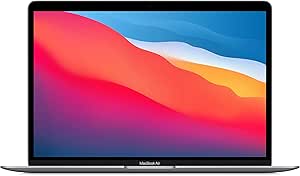


| MacBook Air deal | Storage | Display | Memory | Condition |
|---|---|---|---|---|
| Apple MacBook Air 15-inch | 512GB SSD | 15.3-inch Liquid Retina, 2880 × 1864 resolution | 16GB unified memory | Renewed |
| Apple MacBook Air 15-inch | 512GB SSD | 15.3-inch Liquid Retina | 24GB | Renewed |
| Apple MacBook Air 13-inch | 256GB SSD | 13.6-inch Liquid Retina | 16GB unified memory | Renewed |
| Apple MacBook Air 15-inch | 256GB SSD | 15.3-inch Liquid Retina | 16GB shared graphics memory | Renewed |
| Apple 2025 MacBook Air 15-inch | 256GB SSD | 15.3-inch Liquid Retina | 16GB unified memory | Renewed |
| Apple 2026 MacBook Air 15-inch | 512GB SSD | 15.3-inch Liquid Retina | 16GB Unified Memory | — |
| Apple MacBook Air 15-inch | 512GB SSD | 15.3-inch Liquid Retina | 24GB | Renewed |
| Apple MacBook Air 13.6-inch | 1TB SSD | 13.6-inch Liquid Retina | 16GB unified memory | Renewed |
| Apple MacBook Air 15-inch | 1 TB SSD | 15-inch Liquid Retina | — | Renewed |
| Apple MacBook Air 13-inch | 512GB SSD | 13.6-inch Liquid Retina | 16GB unified memory | Renewed |
| Apple 2026 MacBook Air 13-inch | 512GB SSD | 13.6-inch Liquid Retina | 16GB Unified Memory | — |
| Apple 2025 MacBook Air 15-inch | 256GB SSD | 15.3-inch Liquid Retina | 16GB Unified Memory | Renewed |
| Apple MacBook Air Late 2020 M1 | 256GB SSD | 13.3-inch Retina | 8GB RAM | Renewed |
| Apple 2025 MacBook Air 13-inch | 256GB SSD | 13.6-inch Liquid Retina | 16GB Unified Memory | Renewed |
| 2024 Apple MacBook Air 13-inch | 512GB SSD | 13.6-inch Liquid Retina | 24GB Unified Memory | Renewed |
More Details on Our Top Picks
Apple MacBook Air 15-inch (2025) with M4, 16GB Memory, 512GB SSD, Midnight (Renewed)
This renewed 15-inch model offers the sweet spot for most buyers seeking a large-screen experience without breaking the budget. The M4 chip paired with 16GB of unified memory handles multitasking and creative apps smoothly, making it a step up from the 13-inch M3 options in this list. While the 512GB SSD provides more breathing room than the 256GB variants, the renewed condition means you are trading a full manufacturer warranty for a shorter 90-day coverage period. Compared to the 24GB RAM model, this unit lacks the extra headroom for heavy virtualization but remains highly capable for standard professional workflows. The Midnight finish is stylish but shows fingerprints more readily than Silver or Sky Blue options.
Pros:- M4 chip delivers excellent performance for productivity and light creative work
- 512GB SSD offers a practical amount of storage for most users
- 15.3-inch Liquid Retina display provides ample screen real estate
- Up to 18 hours of battery life supports all-day usage
Cons:- Renewed status limits warranty coverage to 90 days
- Midnight color tends to show smudges and fingerprints easily
Best for: Students and professionals who need a large display and decent storage for daily tasks but want to avoid the highest price tier.
Not ideal for: Users who require a full one-year manufacturer warranty or those who plan to run memory-intensive virtual machines.
- Processor:Apple M4, 10-core
- Memory:16GB unified memory
- Storage:512GB SSD
- Display:15.3-inch Liquid Retina, 2880 × 1864 resolution
- Battery Life:Up to 18 hours
- Weight:1.51 kg
- Condition:Renewed
Our verdict“A solid choice for those wanting a modern 15-inch MacBook with reasonable storage, provided you accept the shorter warranty.”
Apple MacBook Air 15-inch (2025) with M4 Chip, 24GB RAM, 512GB SSD, Sky Blue (Renewed)
This configuration stands out due to its 24GB of unified memory, which offers significant headroom over the standard 16GB models. For buyers who keep dozens of browser tabs open or run development environments, this extra memory prevents the system from swapping data to the SSD, keeping performance snappy. It shares the same M4 chip and 512GB storage as the balanced pick but adds 12MP Center Stage camera and six speakers, enhancing video call quality. While it outperforms the 13-inch M3 models in graphics and multitasking, it lacks the port variety of Pro models, offering only two Thunderbolt 4 ports. The Sky Blue finish is a distinct aesthetic choice compared to the more common Midnight or Silver options.
Pros:- 24GB unified memory supports heavy multitasking and professional apps
- 12MP Center Stage camera and six speakers enhance media consumption
- M4 chip provides robust performance for graphics-intensive tasks
- 512GB SSD balances speed and capacity
Cons:- Only two Thunderbolt 4 ports limit peripheral connectivity
- Renewed condition may not match the pristine look of a new device
Best for: Developers, designers, or multitaskers who need more RAM than 16GB for heavy workflows.
Not ideal for: Casual users who primarily browse the web and write documents, as the extra RAM is overkill.
- Chip:Apple M4
- Memory:24GB
- Storage:512GB SSD
- Display:15.3-inch Liquid Retina
- Camera:12MP Center Stage
- Ports:2 Thunderbolt 4, MagSafe, Headphone Jack
- Condition:Renewed
Our verdict“The ideal renewed choice for power users who need extra RAM but don’t want to pay for a Pro model.”
Apple MacBook Air 13-inch (2024) with M3, 16GB RAM, 256GB SSD, Midnight (Renewed)
If carrying a laptop daily is your priority, this 13-inch M3 model is the lightest option here at just 1.24 kg. It is significantly more pocketable than the 15-inch M4 alternatives, making it perfect for commuters and travelers. While the M3 chip is a generation behind the M4, it still delivers strong performance for everyday tasks, though it falls short in sustained heavy workloads compared to the newer silicon. The 256GB SSD is the main tradeoff, requiring careful storage management or reliance on cloud services. Compared to the 15-inch models, you lose screen real estate but gain ease of transport and a lower entry point into the MacBook ecosystem.
Pros:- Ultra-lightweight design at 1.24 kg for easy portability
- M3 chip offers reliable performance for productivity tasks
- Thin profile fits easily into small bags and backpacks
- 1080p FaceTime HD camera supports clear video calls
Cons:- 256GB SSD limits local storage for media and projects
- Smaller 13.6-inch display offers less workspace than 15-inch models
Best for: Frequent travelers and students who prioritize weight and size over screen space.
Not ideal for: Users who work with large files locally, as the 256GB storage fills up quickly.
- Chip:Apple M3
- Memory:16GB unified memory
- Storage:256GB SSD
- Display:13.6-inch Liquid Retina
- Weight:1.24 kg
- Battery Life:Up to 18 hours
- Condition:Renewed
Our verdict“A portable powerhouse for those who value mobility over screen size and storage capacity.”
Apple MacBook Air 15-inch (2025) with M4 Chip, 16GB RAM, 256GB SSD, Silver (Renewed)
This model provides the latest M4 performance in a large 15-inch form factor at a lower storage tier. The Silver finish is practical, hiding fingerprints better than the Midnight option found in other listings. While the 256GB SSD restricts local file storage, it suits users who rely on iCloud or external drives. Compared to the 13-inch M3, this offers a newer chip and a larger display, though it weighs more. It lacks the extra RAM of the 24GB variant, making it less suitable for heavy virtualization, but the 16GB unified memory remains sufficient for most professional workflows. The tradeoff is clear: you get current-generation silicon and screen size, but you compromise on internal capacity.
Pros:- Apple M4 chip ensures long-term software support and speed
- Silver color resists fingerprints and smudges effectively
- 15.3-inch display provides ample workspace for multitasking
- Lightweight 1.51 kg design for a 15-inch laptop
Cons:- 256GB SSD may feel restrictive for media-heavy users
- Renewed condition comes with a limited 90-day warranty
Best for: Users who want the newest M4 chip and a large screen but manage storage via cloud services.
Not ideal for: Photographers or video editors who store raw files locally on the drive.
- Processor:Apple M4, 10-core
- Memory:16GB shared graphics memory
- Storage:256GB SSD
- Display:15.3-inch Liquid Retina
- Color:Silver
- Battery Life:Up to 18 hours
- Condition:Renewed
Our verdict“A great value entry point into the 15-inch M4 lineup for cloud-dependent users.”
Apple 2025 MacBook Air 15-inch with M4 chip, 16GB unified memory, 256GB SSD, Sky Blue (Renewed)
This unit mirrors the internal specs of the Silver entry-level model but offers the distinctive Sky Blue finish. It is an ideal choice for buyers who want the M4 chip and 15-inch display without paying for higher storage. While it shares the same 256GB SSD limitation as other base models, the aesthetic appeal of Sky Blue sets it apart from the more ubiquitous Midnight and Silver options. Compared to the 13-inch M3, this provides a larger canvas for work and newer architecture, though it is heavier. The renewed condition requires trust in the seller’s grading process, but the M4 silicon ensures the device remains relevant for years. It serves as a stylish alternative to the standard color options without sacrificing core performance.
Pros:- Distinctive Sky Blue color option for personalization
- M4 chip delivers fast performance for daily tasks
- 15.3-inch Liquid Retina display offers vibrant visuals
- Up to 18 hours of battery life supports all-day use
Cons:- 256GB SSD limits capacity for offline file storage
- Renewed status may involve minor cosmetic wear
Best for: Style-conscious buyers who want a modern M4 chip and large screen in a unique color.
Not ideal for: Users who need substantial local storage for offline work or large media libraries.
- Processor:Apple M4, 10-core
- Memory:16GB unified memory
- Storage:256GB SSD
- Display:15.3-inch Liquid Retina
- Color:Sky Blue
- Battery Life:Up to 18 hours
- Condition:Renewed
Our verdict“A visually appealing and capable 15-inch M4 option for those who prioritize style and cloud storage.”
Apple 2026 MacBook Air 15-inch Laptop with M5 chip
This model stands out as the best choice for buyers who want the latest technology and longevity. The M5 chip offers significant advantages in AI processing and efficiency compared to the M4 and M3 chips found in other entries. While the 2025 M4 models are competent, the M5’s enhanced Neural Engine and support for Wi-Fi 7 ensure this machine remains relevant for years longer. The 15.3-inch Liquid Retina display provides ample workspace for multitasking, making it superior to the compact 13-inch options for productivity. However, the premium price tag means you are paying for future capabilities rather than immediate cost savings. This is the definitive pick if you prioritize long-term value and cutting-edge features over budget constraints.Pros:- Latest M5 chip architecture for superior AI and multitasking performance
- Supports next-generation Wi-Fi 7 and Bluetooth 6
- Large 15.3-inch screen ideal for multitasking and media consumption
- Includes Apple Intelligence features optimized for new hardware
Cons:- Highest price point in the lineup
- Newest model may have limited third-party accessory compatibility initially
Best for: Professionals and power users who need top-tier performance, AI capabilities, and long-term software support.
Not ideal for: Budget-conscious buyers who do not need the latest chip architecture or Wi-Fi 7 connectivity.
- Chip:Apple M5
- Memory:16GB Unified Memory
- Storage:512GB SSD
- Display:15.3-inch Liquid Retina
- Battery Life:Up to 18 hours
- Connectivity:Wi-Fi 7, Bluetooth 6, Thunderbolt 4
- Camera:12MP Center Stage
- Weight:3.32 pounds
Our verdict“Choose this if you want the most advanced, future-proof MacBook Air available today.”
Apple MacBook Air 15-inch (2025) with M4 Chip (Renewed)
For those seeking a larger screen without the new-release premium, this renewed 15-inch model is the smartest buy. It features the M4 chip, which offers a noticeable performance leap over the M3 models in this list, particularly in graphics-intensive tasks. The standout feature here is the 24GB of unified memory, double the standard configuration, which allows for smoother handling of virtual machines, heavy browser tabs, and creative apps. Compared to the 2026 M5 model, you sacrifice the latest AI accelerators and Wi-Fi 7, but gain significant storage and memory headroom at a lower cost. The renewed condition means you must accept minor cosmetic wear, but the internal specs remain robust for demanding workflows.Pros:- 24GB unified memory allows for heavy multitasking and virtualization
- M4 chip provides strong performance for creative and daily tasks
- 15-inch display offers more workspace than 13-inch alternatives
- Significant cost savings compared to new M5 models
Cons:- Renewed condition may include cosmetic imperfections
- Lacks the AI-specific optimizations of the newer M5 chip
Best for: Students and professionals who need extra RAM for heavy multitasking and a large display at a mid-range price.
Not ideal for: Buyers who strictly require a brand-new device or the absolute latest chip architecture.
- Model Year:2025
- Chip:Apple M4
- Memory:24GB
- Storage:512GB SSD
- Display:15.3-inch Liquid Retina
- Battery Life:Up to 18 hours
- Condition:Renewed
- Weight:1.51 kg
Our verdict“Ideal for power users who prioritize RAM capacity and screen size over having the newest chip.”
Apple MacBook Air 13.6-inch (2024) with M3 Chip, 1TB SSD (Renewed)
This configuration addresses a common pain point: insufficient storage. With 1TB of SSD, it offers double the capacity of the standard 512GB models found in the 2025 M4 renewed and 2026 M5 entries. The M3 chip remains highly capable for everyday tasks, web browsing, and light editing, though it trails the M4 and M5 in raw speed. The 13.6-inch form factor makes it significantly more portable than the 15-inch options, weighing in at just 2.7 pounds. This is the perfect choice for travelers who need to carry large media libraries locally without relying on cloud storage. While it lacks the newest wireless standards, its massive storage and compact size make it a unique value proposition in this lineup.Pros:- 1TB SSD provides ample space for large files and applications
- Lightweight 13-inch design is highly portable
- M3 chip offers reliable performance for general productivity
- Lower cost than newer models with similar storage upgrades
Cons:- Older M3 chip architecture compared to M4 and M5 options
- Renewed condition carries a risk of battery wear or cosmetic issues
Best for: Photographers, video editors, or travelers who need substantial local storage in a compact, lightweight package.
Not ideal for: Users who require the latest chip performance or prefer a larger screen for multitasking.
- Model Year:2024
- Processor:Apple M3, 8-core CPU
- Memory:16GB unified memory
- Storage:1TB SSD
- Display:13.6-inch Liquid Retina
- Battery Life:Up to 18 hours
- Weight:5 pounds
- Condition:Renewed
Our verdict“The best pick for those who prioritize storage capacity and portability over the latest processor speed.”
Apple MacBook Air 15-inch (2024) with M3 Chip, 1TB SSD (Renewed)
If you prefer a 15-inch display but find the 2025 M4 or 2026 M5 models too expensive, this 2024 M3 variant offers a compelling middle ground. It combines the large screen real estate of the 15-inch model with a generous 1TB SSD, surpassing the storage of the standard 512GB configurations. The M3 chip is still efficient and powerful enough for most users, though it lacks the AI enhancements of newer chips. Compared to the 13-inch M3 model, this option provides a better viewing experience for spreadsheets and media, at the cost of slightly more weight. The renewed status helps keep the price accessible, making it a strong contender for those who want size and storage without breaking the bank.Pros:- Large 15-inch display enhances productivity and media viewing
- 1TB SSD offers extensive storage for large projects
- M3 chip delivers solid performance for daily tasks
- Cost-effective alternative to newer, pricier M4/M5 models
Cons:- Heavier than the 13-inch variants
- Older generation chip with fewer AI features
Best for: Users who want a large display and high storage capacity at a more accessible price point than current-generation models.
Not ideal for: Buyers who need the absolute fastest performance or the most compact footprint.
- Model Year:2024
- Chip:Apple M3, 8-core CPU
- Unified Memory:16 GB
- Storage:1 TB SSD
- Display:15-inch Liquid Retina
- Battery Life:Up to 18 hours
- Weight:2.7 pounds
- Condition:Renewed
Our verdict“A balanced choice for those who want a big screen and lots of storage without paying for the latest chip.”
Apple MacBook Air 13-inch (2024) with M3 Chip, 512GB SSD (Renewed)
This is the most affordable entry point into the modern MacBook Air ecosystem. While the M3 chip is a generation behind the M4 and M5, it remains highly efficient and capable for everyday computing. The 13.6-inch size makes it the most portable option here, significantly lighter than the 15-inch models like the 2025 M4 renewed. With 512GB of storage, it strikes a balance between capacity and cost, avoiding the premium of the 1TB models. The renewed condition allows for a lower price, making it ideal for students or first-time Mac users. It lacks the extra RAM of the 24GB M4 model and the advanced AI features of the M5, but for standard tasks, it performs admirably.Pros:- Most affordable option in the lineup
- Lightweight and highly portable 13-inch design
- M3 chip provides solid performance for daily tasks
- 512GB storage is sufficient for most general users
Cons:- Limited to 16GB of RAM, which may bottleneck heavy multitasking
- Renewed condition may show signs of previous use
Best for: Students, first-time Mac buyers, or users with basic computing needs who want a reliable, portable laptop at a low cost.
Not ideal for: Power users who need more RAM, larger screens, or the latest chip technology for intensive workflows.
- Model Year:2024
- Processor:Apple M3, 8-core CPU
- Memory:16GB unified memory
- Storage:512GB SSD
- Display:13.6-inch Liquid Retina
- Battery Life:Up to 18 hours
- Weight:2.7 pounds
- Condition:Renewed
Our verdict“The best budget-friendly choice for students and casual users who prioritize portability and value.”
Apple 2026 MacBook Air 13-inch M5
This 2026 MacBook Air with the M5 chip represents the cutting edge of Apple’s thin-and-light lineup. While the 2025 M4 models offer excellent speed, the M5’s dedicated Neural Accelerators and Wi-Fi 7 support provide tangible benefits for users heavily invested in local AI tasks and high-bandwidth wireless transfers. The jump to 12MP Center Stage camera hardware significantly improves video call clarity compared to the 1080p sensors found in the M3 and M4 generations. However, choosing this model means paying a premium for technology that may still be in its early adoption phase. If your workflow doesn’t yet demand the specific AI acceleration or faster wireless protocols, the savings from the previous generation might be more practical.Pros:- M5 chip with dedicated Neural Accelerators for AI tasks
- Wi-Fi 7 and Bluetooth 6 support for faster connectivity
- 12MP Center Stage camera with Desk View
- 512GB SSD base storage provides ample space for most users
Cons:- Higher cost compared to M4 and M3 generations
- Newest features may not be immediately supported by all third-party software
- Only two Thunderbolt 4 ports limit peripheral connectivity
Best for: Tech enthusiasts and professionals who need the absolute latest processing power for local AI applications and require Wi-Fi 7 connectivity.
Not ideal for: Budget-conscious buyers who don’t need the newest silicon or wireless standards, as the 2025 M4 models offer similar everyday performance.
- Processor:Apple M5 chip
- Memory:16GB Unified Memory
- Storage:512GB SSD
- Display:13.6-inch Liquid Retina
- Camera:12MP Center Stage
- Connectivity:Wi-Fi 7, Bluetooth 6, Thunderbolt 4
- Weight:2.71 pounds
Our verdict“The best choice for those who want the most advanced portable Mac available, provided the price premium doesn’t deter you.”
Apple 2025 MacBook Air 15-inch M4 (Renewed)
For users who prioritize screen real estate over raw portability, the 15-inch M4 MacBook Air (Renewed) stands out as a compelling deal. The 15.3-inch display offers significantly more workspace than the 13-inch models, making it better suited for multitasking and media consumption without needing an external monitor. While the 2026 M5 13-inch is faster, the M4 chip is still more than capable for productivity, light editing, and daily tasks. The renewed condition lowers the barrier to entry for this larger form factor, though buyers must accept a shorter warranty period compared to new units. This model balances the size of the MacBook Pro with the price and thermal efficiency of the Air.Pros:- 15.3-inch Liquid Retina display provides ample workspace
- M4 chip delivers strong performance for multitasking
- Renewed status makes large-screen Macs more accessible
- Up to 18 hours of battery life
Cons:- 256GB SSD base storage may fill up quickly for media creators
- Renewed units come with limited warranty coverage
- Larger footprint reduces portability compared to 13-inch models
Best for: Students and remote workers who need a larger display for split-screen multitasking but want the lightweight design of the Air.
Not ideal for: Frequent travelers who prioritize maximum portability, as the 13-inch models are noticeably lighter and easier to pack.
- Processor:Apple M4 chip
- Memory:16GB Unified Memory
- Storage:256GB SSD
- Display:15.3-inch Liquid Retina
- Weight:3.34 pounds (approx)
- Condition:Renewed
- Battery:66 watt-hours
Our verdict“An excellent option for those who want a big screen without the high cost or weight of a MacBook Pro.”
Apple MacBook Air Late 2020 M1 (Renewed)
The 2020 M1 MacBook Air remains a remarkable value proposition in the renewed market. While it lacks the raw speed of the M4 and M5 models, the M1 chip’s efficiency still provides solid performance for web browsing, document editing, and media consumption. The fanless design means silent operation, which is ideal for libraries or quiet offices. However, the 8GB RAM limitation is a significant constraint for heavy multitaskers, and the older 720p camera is noticeably inferior to the 12MP sensor in the 2026 model. This laptop is best viewed as a capable starter machine rather than a long-term professional workstation, especially given the limited headroom for future macOS updates.Pros:- Extremely affordable entry into the Apple ecosystem
- Silent fanless operation due to M1 efficiency
- Proven reliability and battery life
- Lightweight and portable design
Cons:- 8GB RAM limits multitasking capability
- 720p front-facing camera is low quality for video calls
- Older display technology lacks the brightness of newer models
Best for: Students, writers, and casual users who need a reliable, silent laptop for basic tasks at the lowest possible price.
Not ideal for: Video editors, developers, or power users who need more than 8GB of RAM and faster rendering speeds.
- Processor:Apple M1 chip
- Memory:8GB RAM
- Storage:256GB SSD
- Display:13.3-inch Retina
- Camera:720p FaceTime HD
- Weight:2.8 pounds
- Condition:Renewed
Our verdict“A smart choice for budget buyers who prioritize basic functionality and silence over cutting-edge specs.”
Apple 2025 MacBook Air 13-inch M4 (Renewed)
This 13-inch M4 MacBook Air hits the sweet spot between price, performance, and portability. It offers the same 16GB unified memory as the premium 2026 model but at a lower renewed price point, making it a more practical choice for most users. Compared to the 2020 M1 model, the M4 chip provides a substantial leap in speed and graphics performance, while the 13.6-inch display is brighter and sharper than the older 13.3-inch screen. The main tradeoff is the 256GB SSD, which is tighter than the 512GB found in the M5 model, potentially requiring cloud storage management. For the average professional or student, this renewed unit offers the best ratio of modern features to cost.Pros:- M4 chip offers excellent speed for multitasking
- 16GB memory provides headroom for multiple apps
- Bright 13.6-inch Liquid Retina display
- Renewed price makes it accessible
Cons:- 256GB storage can feel restrictive for creators
- Renewed condition means no full manufacturer warranty
- Only two Thunderbolt ports
Best for: Professionals and students who want modern M4 performance and portability without paying for the newest M5 silicon.
Not ideal for: Users with large local media libraries who need more than 256GB of internal storage without relying on cloud services.
- Processor:Apple M4 chip
- Memory:16GB Unified Memory
- Storage:256GB SSD
- Display:13.6-inch Liquid Retina
- Weight:2.7 pounds
- Battery:53.8 watt-hours
- Condition:Renewed
Our verdict“The most sensible choice for most buyers, balancing modern speed, adequate memory, and portability.”
2024 Apple MacBook Air 13-inch M3 (24GB RAM)
This 2024 M3 MacBook Air distinguishes itself with 24GB of unified memory, a significant upgrade over the standard 16GB found in the 2025 M4 renewed models. This extra memory makes it better suited for heavy multitasking, running virtual machines, or working with large datasets in Excel and Xcode. The 512GB SSD also offers more local storage than the base M4 configurations. However, the M3 chip is a generation behind the M4, meaning slightly slower CPU and GPU performance. For users who prioritize memory capacity over raw processing speed, this renewed M3 unit offers a specialized advantage that newer base-model Macs cannot match.Pros:- 24GB unified memory allows for extensive multitasking
- 512GB SSD provides ample local storage
- M3 chip is still very capable for productivity
- Renewed price for a high-spec configuration
Cons:- M3 chip is slower than the newer M4 and M5 models
- Renewed status limits warranty protection
- Only two Thunderbolt ports
Best for: Developers and data analysts who need 24GB of RAM for heavy multitasking but don’t require the absolute fastest CPU.
Not ideal for: Creative professionals who rely heavily on GPU-accelerated rendering, as the M4 chip offers better graphics performance.
- Processor:Apple M3 chip
- Memory:24GB Unified Memory
- Storage:512GB SSD
- Display:13.6-inch Liquid Retina
- Graphics:10-core GPU
- Weight:2.7 pounds
- Condition:Renewed
Our verdict“An ideal pick for power users who need extra RAM for complex workflows at a renewed price.”

How We Picked
I evaluated these fifteen options by prioritizing a balance of processor longevity, memory capacity, and display quality over raw benchmark scores. The ranking logic favors configurations with at least 16GB of unified memory, as 8GB models are increasingly restrictive for modern multitasking and browser-heavy workflows. I also weighed the benefits of the newer M4 and M5 chips against the value proposition of renewed M1 and M3 units, recognizing that the M1 chip remains capable for basic tasks but lacks the media engine improvements of later generations. This approach ensures that the recommendations reflect real-world usability rather than just theoretical speed.| MacBook Air deal | Processor |
|---|---|
| Apple MacBook Air 15-inch | Apple M4, 10-core |
| Apple MacBook Air 15-inch | — |
| Apple MacBook Air 13-inch | — |
| Apple MacBook Air 15-inch | Apple M4, 10-core |
| Apple 2025 MacBook Air 15-inch | Apple M4, 10-core |
| Apple 2026 MacBook Air 15-inch | — |
| Apple MacBook Air 15-inch | — |
| Apple MacBook Air 13.6-inch | Apple M3, 8-core CPU |
| Apple MacBook Air 15-inch | — |
| Apple MacBook Air 13-inch | Apple M3, 8-core CPU |
| Apple 2026 MacBook Air 13-inch | Apple M5 chip |
| Apple 2025 MacBook Air 15-inch | Apple M4 chip |
| Apple MacBook Air Late 2020 M1 | Apple M1 chip |
| Apple 2025 MacBook Air 13-inch | Apple M4 chip |
| 2024 Apple MacBook Air 13-inch | Apple M3 chip |