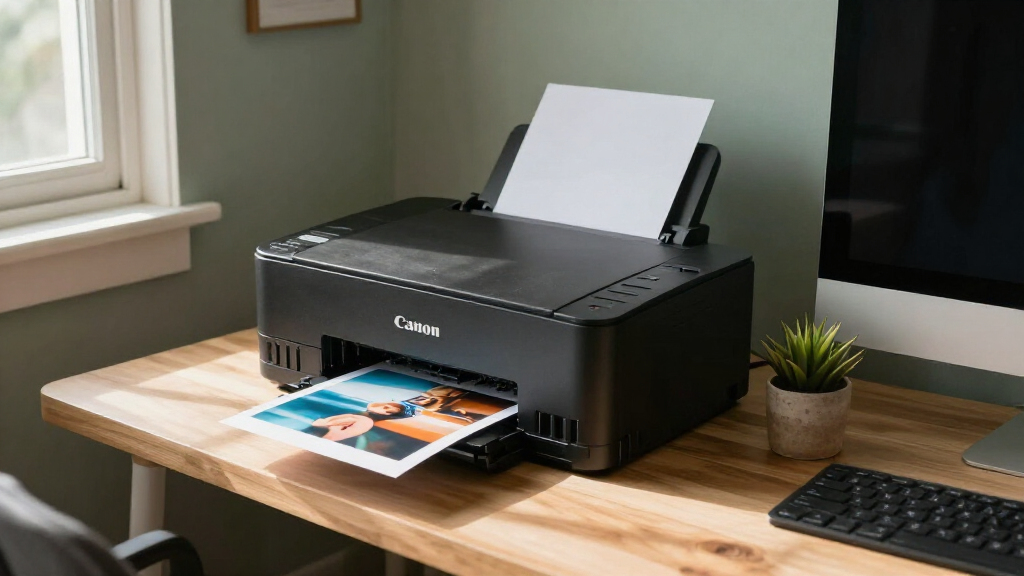

The best Canon PIXMA printer for most homes is the PIXMA TS8820, which balances everyday printing with photo-friendly features. For frequent photo printing, the PIXMA G620 MegaTank favors lower refill costs, while the PIXMA PRO-200S is the specialist choice for larger, professional-style prints. The main tradeoffs are ink expense versus tank capacity, compact size versus paper handling, and all-in-one convenience versus dedicated photo output. I compare all 15 models by what they do well and where they fall short. Read on for the full breakdown and help matching a PIXMA to your workload.

Get the latest gadgets delivered free with Prime
- Fast, free delivery on millions of items
- Prime Video, Amazon Music and more included
- Member-only deals all year
Complete the kit



Key Takeaways
- The TS8820 is the balanced pick: it suits mixed home use better than a photo-only or office-specialist model, but it still uses cartridges rather than refillable tanks.
- The G620 is aimed at photo volume, not every household: its MegaTank design can make frequent photo printing more practical, while the G3290 and G3270 emphasize everyday all-in-one use with tank ink.
- Large-format needs change the shortlist: the TS9521Ca, TS9520a, and iX6820 offer broader paper-size flexibility than compact home models.
- The PRO-200S is a specialist purchase: its 13-inch photo-printing focus makes sense for dedicated creative work, but it is less suited to buyers seeking a general-purpose all-in-one.
- Low purchase complexity is not the same as low running cost: cartridge models such as the TS4320 and TR4720 can suit lighter workloads, while tank models are more compelling when printing is frequent.
| Canon PIXMA TS9521Ca Wireless All-in-One Inkjet Printer |  | Best for Versatile Home Projects | Functions: Print, copy, scan | Print speed: Approximately 15 black or 10 color images per minute | Ink system: Five individual ink cartridges | VIEW LATEST PRICE | See Our Full Breakdown |
| Canon PIXMA G620 Wireless MegaTank Photo All-in-One Printer |  | Best for High-Volume Photo Printing | Functions: Print, copy, scan | Ink system: Six-color dye-based ink, including red and gray | Photo yield: Up to 3,800 4 × 6-inch color photos per full set of ink | VIEW LATEST PRICE | See Our Full Breakdown |
| Canon PIXMA TS8820 Wireless All-in-One Inkjet Printer |  | Best Compact All-in-One | Functions: Print, copy, scan | Print speed: 15 ppm black; 10 ppm color | Resolution: 4800 × 1200 dpi | VIEW LATEST PRICE | See Our Full Breakdown |
| Canon PIXMA iX6820 Wireless Business Inkjet Printer |  | Best for Large-Format Printing | Functions: Print only | Maximum print size: 13 × 19 inches | Maximum resolution: 9600 × 2400 dpi | VIEW LATEST PRICE | See Our Full Breakdown |
| Canon PIXMA TR4720 Wireless All-in-One Inkjet Printer with ADF, Mobile Printing, Fax, and Starter Ink |  | Best for Basic Home-Office Tasks | Functions: Print, copy, scan, fax | Connectivity: Wi-Fi | Mobile printing: Canon PRINT app; Android compatible | VIEW LATEST PRICE | See Our Full Breakdown |
| Canon PIXMA TS6520 Wireless All-in-One Color Inkjet Printer |  | Best for Compact Everyday Printing | Functions: Print, scan, copy | Ink system: Two-cartridge hybrid; PG-295 pigment black and CL-286 dye color | Connectivity: USB, dual-band Wi-Fi (2.4 GHz or 5 GHz) | VIEW LATEST PRICE | See Our Full Breakdown |
| Canon PIXMA TR4520 Wireless All-in-One Photo Printer |  | Best for Home Faxing and Multi-Page Scans | Functions: Print, scan, copy, fax | Connectivity: Wi-Fi, USB | Duplex printing: Automatic | VIEW LATEST PRICE | See Our Full Breakdown |
| Canon PIXMA TR7820 Wireless All-in-One Inkjet Printer |  | Best for Home-Office Document Handling | Functions: Print, copy, scan | Print speed: 15 ppm black; 10 ppm color | Connectivity: Wi-Fi, USB | VIEW LATEST PRICE | See Our Full Breakdown |
| Canon PIXMA G3290 MegaTank All-in-One Wireless Inkjet Printer |  | Best for High-Volume, Lower-Interruption Printing | Functions: Print, copy, scan | Ink system: GI-21 pigment black and dye-based cyan, magenta, and yellow bottles | Page yield per ink set: Up to 6,000 black-and-white or 7,700 color pages | VIEW LATEST PRICE | See Our Full Breakdown |
| Canon PIXMA TS4320 Wireless Color Inkjet All-in-One Printer |  | Best for Light Home Use | Functions: Print, copy, scan | Ink system: Two-cartridge hybrid; PG-295 and CL-286 | Wireless connectivity: Dual-band Wi-Fi (2.4 GHz or 5 GHz) | VIEW LATEST PRICE | See Our Full Breakdown |
| Canon PIXMA TS9520a Wireless All-in-One Inkjet Printer |  | Best for Wide-Format Home Printing | Functions: Print, copy, scan | Print speed: Approximately 15 black and 10 color images per minute | Print resolution: 4800 x 1200 dpi | VIEW LATEST PRICE | See Our Full Breakdown |
| Canon PIXMA TS7720 Wireless All-in-One Inkjet Printer |  | Best for Straightforward Home Use | Functions: Print, copy, scan | Print speed: Up to 15 black and 10 color images per minute | Ink system: Two-cartridge FINE hybrid system | VIEW LATEST PRICE | See Our Full Breakdown |
| Canon PIXMA TR8620a Wireless All-in-One Inkjet Printer |  | Best for Home Office Tasks | Functions: Print, copy, scan, fax | Print speed: Up to 15 ipm black and 10 ipm color | Ink system: Five individual ink tanks | VIEW LATEST PRICE | See Our Full Breakdown |
| Canon PIXMA PRO-200S Professional 13″ Wireless Inkjet Photo Printer |  | Best for Large, Vivid Photo Prints | Ink system: 8-color dye-based | Maximum print size: 13 x 19 inches (A3+) | Resolution: 4800 x 2400 dpi | VIEW LATEST PRICE | See Our Full Breakdown |
| Canon PIXMA MegaTank G3270 Wireless All-in-One Color Inkjet Printer |  | Best for High-Yield Everyday Printing | Functions: Print, copy, scan | Ink system: Refillable MegaTank | Included ink yield: Up to 6,000 black-and-white or 7,700 color pages per ink set | VIEW LATEST PRICE | See Our Full Breakdown |
| Canon Pixma printer | Functions | Connectivity | Ink system | Paper capacity |
|---|---|---|---|---|
| Canon PIXMA TS9521Ca Wireless | Print, copy, scan | Wi-Fi, USB | Five individual ink cartridges | Up to 200 sheets across bottom cassette and rear tray |
| Canon PIXMA G620 Wireless Mega | Print, copy, scan | USB, Wi-Fi | Six-color dye-based ink, including red and gray | — |
| Canon PIXMA TS8820 Wireless Al | Print, copy, scan | Wi-Fi, USB, mobile app | Six individual inks | 200 sheets (100-sheet cassette and 100-sheet rear tray) |
| Canon PIXMA iX6820 Wireless Bu | Print only | Wi-Fi, USB, AirPrint, Google Cloud Print | Five individual tanks: pigment black and four dye colors | 150 sheets |
| Canon PIXMA TR4720 Wireless Al | Print, copy, scan, fax | Wi-Fi | — | — |
| Canon PIXMA TS6520 Wireless Al | Print, scan, copy | USB, dual-band Wi-Fi (2.4 GHz or 5 GHz) | Two-cartridge hybrid; PG-295 pigment black and CL-286 dye color | — |
| Canon PIXMA TR4520 Wireless Al | Print, scan, copy, fax | Wi-Fi, USB | — | — |
| Canon PIXMA TR7820 Wireless Al | Print, copy, scan | Wi-Fi, USB | Two-cartridge hybrid with pigment black and dye color | 100 sheets in cassette plus 100 sheets in rear tray |
| Canon PIXMA G3290 MegaTank All | Print, copy, scan | Wireless, high-speed USB | GI-21 pigment black and dye-based cyan, magenta, and yellow bottles | Up to 100 plain-paper sheets or 20 4 x 6-inch photo sheets |
| Canon PIXMA TS4320 Wireless Co | Print, copy, scan | — | Two-cartridge hybrid; PG-295 and CL-286 | — |
| Canon PIXMA TS9520a Wireless A | Print, copy, scan | Ethernet, USB, Wi-Fi | — | 200 sheets across two trays |
| Canon PIXMA TS7720 Wireless Al | Print, copy, scan | Wireless, high-speed USB | Two-cartridge FINE hybrid system | 100 sheets in cassette and 100 sheets in rear tray |
| Canon PIXMA TR8620a Wireless A | Print, copy, scan, fax | Wireless, USB | Five individual ink tanks | 200 sheets total |
| Canon PIXMA PRO-200S Professio | — | Wi-Fi, Ethernet, USB | 8-color dye-based | — |
| Canon PIXMA MegaTank G3270 Wir | Print, copy, scan | Wi-Fi, USB | Refillable MegaTank | 100 sheets |
More Details on Our Top Picks
Canon PIXMA TS9521Ca Wireless All-in-One Inkjet Printer
The PIXMA TS9521Ca is the most flexible pick here for households that print more than standard documents. Its two paper trays and 200-sheet capacity reduce paper swaps, while the 20-sheet ADF and automatic duplexing help with routine multipage work. Compared with the compact PIXMA TS8820, it gives you a larger feeder and more room for paper, but takes up more space. Five individual ink cartridges let you replace a depleted color without discarding the others, and its broad media support suits photos, envelopes, and creative projects. The tradeoffs are a feeder that can run short during larger scanning or copying jobs and a bulkier footprint than a basic home printer. Choose it for mixed workloads, not for high-volume document handling.
Pros:- Prints, copies, and scans from one device.
- Two trays hold up to 200 sheets of plain paper.
- Automatic duplex printing and a 20-sheet ADF support everyday paperwork.
- Five individual ink cartridges and broad media support suit mixed document and creative use.
Cons:- The 20-sheet ADF is limited for larger multipage jobs.
- Its 18.5 × 14.5-inch footprint is larger than the PIXMA TS8820.
- The supplied media-size information is inconsistent about its maximum supported paper size.
Best for: Households and hobbyists that need one printer for everyday documents, photo projects, and varied paper sizes.
Not ideal for: People who regularly scan or copy large stacks, since the 20-sheet ADF needs refilling, or buyers with very limited desk space.
- Functions:Print, copy, scan
- Print speed:Approximately 15 black or 10 color images per minute
- Ink system:Five individual ink cartridges
- Paper capacity:Up to 200 sheets across bottom cassette and rear tray
- Automatic document feeder:20 sheets
- Duplex printing:Automatic
- Connectivity:Wi-Fi, USB
- Display:4.3-inch LCD touchscreen
- Dimensions:18.5 × 14.5 × 7.6 inches
Our verdict“Choose the TS9521Ca if you want an all-in-one for varied home projects and more paper capacity than a compact model provides.”
Canon PIXMA G620 Wireless MegaTank Photo All-in-One Printer
For people who print photos often, the PIXMA G620 stands apart from cartridge-based options such as the PIXMA TS8820. Its six-color dye ink system, including red and gray, is tailored to photo output, while a full set of ink bottles is rated for up to 3,800 4 × 6-inch color photos. That high stated yield makes frequent photo printing a better fit than choosing a standard cartridge model; it also includes copy and scan functions for household jobs. The compromise is a modest 50-sheet capacity, so paper needs more frequent attention than on the TS9521Ca, and its listed black-and-white copy speed is slow at 3.9 pages per minute. Pick it for photo volume and color flexibility, not fast office paperwork.
Pros:- Six-color dye ink system includes red and gray for photo printing.
- A full set of ink bottles is rated for up to 3,800 4 × 6-inch color photos.
- Supports USB and Wi-Fi printing from computers and mobile devices.
- Combines printing, copying, and scanning.
Cons:- The 50-sheet maximum capacity calls for frequent paper replenishment.
- Listed black-and-white copy speed is only 3.9 pages per minute.
- Its photo-focused ink system is less suited to buyers whose main priority is routine office paperwork.
Best for: Photo enthusiasts and families who print many small color photos and also want basic scanning and copying.
Not ideal for: Busy home offices that need fast copying, a large paper supply, or a printer mainly for high volumes of text documents.
- Functions:Print, copy, scan
- Ink system:Six-color dye-based ink, including red and gray
- Photo yield:Up to 3,800 4 × 6-inch color photos per full set of ink
- Print resolution:4800 × 1200 dpi
- Maximum black-and-white copy speed:3.9 pages per minute
- Connectivity:USB, Wi-Fi
- Maximum media size:8.5 × 14 inches
- Maximum sheet capacity:50 sheets
- Dimensions:17.6 × 19.1 × 10.1 inches (D × W × H)
Our verdict“Pick the G620 over a cartridge-based PIXMA such as the TS8820 when frequent photo printing and bottle-ink yield matter more than fast document handling.”
Canon PIXMA TS8820 Wireless All-in-One Inkjet Printer
The PIXMA TS8820 balances a small listed footprint with the core features many homes need: print, copy, scan, automatic duplexing, and a 4.3-inch touchscreen. Its 200-sheet capacity is split between a cassette and rear tray, matching the TS9521Ca on stated capacity while taking up less room. Compared with that larger model, the TS8820 is easier to place on a crowded desk, but its six individual inks and versatile media support still make it useful for photos and craft printing. The tradeoff is moderate inkjet speed, and its cartridges may be less suitable than the MegaTank G620 for someone printing photos in high volume. This is a practical all-rounder for everyday home use, not a speed-first office machine.
Pros:- Compact listed dimensions paired with print, copy, and scan functions.
- Six individual inks allow replacement of the color that runs out.
- 4.3-inch color touchscreen provides an accessible control panel.
- Automatic duplexing and 200-sheet capacity support regular home paperwork.
Cons:- Print speeds of 15 ppm black and 10 ppm color are moderate for busy workloads.
- Cartridge-based ink is a less natural fit for very high-volume photo printing than the MegaTank G620.
- The listed weight of 16 ounces appears unusually low for the stated all-in-one dimensions, so buyers should verify handling and placement details.
Best for: Home users with limited desk space who want a touchscreen all-in-one for documents, occasional photos, and two-sided printing.
Not ideal for: High-volume photo printers who prioritize bottle-ink yield, or offices that need faster document throughput.
- Functions:Print, copy, scan
- Print speed:15 ppm black; 10 ppm color
- Resolution:4800 × 1200 dpi
- Ink system:Six individual inks
- Paper capacity:200 sheets (100-sheet cassette and 100-sheet rear tray)
- Duplex printing:Automatic
- Connectivity:Wi-Fi, USB, mobile app
- Display:4.3-inch color touchscreen
- Dimensions:13.6 × 14.7 × 5.6 inches (D × W × H)
Our verdict“Choose the TS8820 for a space-conscious home setup that still needs duplex printing, scanning, and flexible media support.”
Canon PIXMA iX6820 Wireless Business Inkjet Printer
The PIXMA iX6820 has a distinct job in this group: printing oversized work up to 13 × 19 inches. That reach makes it more useful for large spreadsheets, posters, and creative layouts than the TS9521Ca, whose listed description centers on a multifunction home setup. The iX6820 also has five individual inks, including pigment black for text, and a stated maximum resolution of 9600 × 2400 dpi. But it is print-only: unlike the TS9521Ca or TR4720, it cannot scan, copy, or fax. There is no automatic duplex feature listed, either, and its 23-inch width calls for dedicated desk space. Choose it when oversized output is the priority and you already have another way to handle documents.
Pros:- Supports large prints up to 13 × 19 inches.
- Five individual tanks include pigment black and four dye colors.
- Maximum stated resolution is 9600 × 2400 dpi.
- Offers Wi-Fi and USB, plus listed AirPrint and Google Cloud Print support.
Cons:- Print-only design lacks scanning and copying, unlike the TS9521Ca and TR4720.
- Automatic duplex printing is not listed.
- Its 23-inch width takes more desk space than compact all-in-ones.
Best for: Designers, small businesses, and home offices that need occasional large-format prints up to 13 × 19 inches.
Not ideal for: Buyers seeking an all-in-one, automatic two-sided printing, or a printer that fits easily on a small desk.
- Functions:Print only
- Maximum print size:13 × 19 inches
- Maximum resolution:9600 × 2400 dpi
- Ink system:Five individual tanks: pigment black and four dye colors
- Print speed:14.5 ipm black; 10.4 ipm color
- Paper capacity:150 sheets
- Connectivity:Wi-Fi, USB, AirPrint, Google Cloud Print
- Dimensions:23.0 × 12.3 × 6.3 inches (W × D × H)
Our verdict“Choose the iX6820 if you need large-format printing and can give up the scanner, copier, and duplex features found in the all-in-one PIXMA models.”
Canon PIXMA TR4720 Wireless All-in-One Inkjet Printer with ADF, Mobile Printing, Fax, and Starter Ink
The PIXMA TR4720 is the practical choice for a home office that needs faxing as well as printing, scanning, and copying. Its ADF and automatic duplex printing cover useful paperwork tasks, and Wi-Fi with the Canon PRINT app supports mobile jobs. Compared with the TS8820, the TR4720 adds fax capability but offers a simpler feature set and a 100-sheet maximum capacity rather than the TS8820’s 200 sheets. Starter black and color cartridges are included, which gets a basic setup going, though they do not change its longer-term cartridge-based consumable tradeoff. Its A4/Letter limit and 110 V power specification also make it a poor match for large-format work or other voltage requirements. Pick it for routine forms and faxing, not photo volume.
Pros:- Combines printing, copying, scanning, and faxing.
- Includes an automatic document feeder for multipage originals.
- Automatic duplex printing helps reduce paper use.
- Wi-Fi mobile printing and starter black and color cartridges are included.
Cons:- Maximum sheet capacity is 100, half the stated capacity of the TS8820.
- Maximum media size is limited to A4/Letter.
- Designed for 110 V power, limiting suitability for other electrical systems.
Best for: Home-office users who handle occasional forms, need an ADF and fax, and print on standard A4 or Letter paper.
Not ideal for: Frequent photo printers, users who need more than 100 sheets ready at once, or buyers requiring power other than 110 V.
- Functions:Print, copy, scan, fax
- Connectivity:Wi-Fi
- Mobile printing:Canon PRINT app; Android compatible
- Automatic document feeder:Yes
- Duplex printing:Automatic
- Maximum color resolution:4800 × 1200 dpi
- Maximum media size:A4/Letter
- Maximum sheet capacity:100 sheets
- Power:110 V
Our verdict“Choose the TR4720 if faxing and basic multipage paperwork matter more than the larger capacity and broader media flexibility of the TS8820.”
Canon PIXMA TS6520 Wireless All-in-One Color Inkjet Printer
The PIXMA TS6520 is a sensible fit for a home desk where printing, scanning, and copying matter more than handling larger batches. Its automatic duplexing saves manual effort on two-sided documents, while dual-band Wi-Fi gives it more flexibility on modern home networks than the TR4520. The small OLED display provides basic status information without adding much bulk, but it is less useful for hands-on setup than the TR7820’s touchscreen. This model’s two-cartridge hybrid ink system balances crisp text with color output, though replacing a combined color cartridge can be less convenient for frequent color users. There is no automatic document feeder, so scanning a stack of pages means placing them one at a time. Choose it for routine letter-size work, not batch scanning or larger media.
Pros:- Prints, scans, and copies in one compact unit
- Automatic duplex and borderless printing
- Dual-band Wi-Fi and mobile printing support
- OLED status display in a space-conscious design
Cons:- No automatic document feeder for multi-page scanning
- Limited to media up to letter size
- Two-cartridge color system may require replacing the color cartridge when one color runs low
Best for: Households wanting a compact printer for occasional letters, schoolwork, scans, and everyday color printing.
Not ideal for: Home offices that regularly scan multi-page documents or need a feeder, larger-format media, or a dedicated paper workflow.
- Functions:Print, scan, copy
- Ink system:Two-cartridge hybrid; PG-295 pigment black and CL-286 dye color
- Connectivity:USB, dual-band Wi-Fi (2.4 GHz or 5 GHz)
- Display:1.42-inch monochrome OLED
- Duplex printing:Automatic
- Scanner:Flatbed
- Maximum media size:Letter, 8.5 x 11 inches
- Dimensions and weight:14.8 x 14 x 6.7 inches; 15.4 pounds
Our verdict“Choose the TS6520 for compact, straightforward letter-size home printing; pick the TR7820 instead if you need an ADF and a more capable control screen.”
Canon PIXMA TR4520 Wireless All-in-One Photo Printer
The PIXMA TR4520 earns its place by pairing basic home printing with features the TS6520 lacks: faxing and a built-in automatic document feeder. That feeder is the key distinction for anyone who scans or faxes multi-page paperwork; it reduces the need to lift and replace each sheet on the flatbed. Automatic duplex printing and wireless/mobile support add useful everyday convenience, while Alexa integration can handle compatible voice tasks. Compared with the newer TR7820, the TR4520 has a smaller feature set and a slower listed black-and-white copy speed, so it is better for occasional paperwork than a busy home office. Its reported paper capacity is very limited, and it uses specific black and color cartridges. Pick it when fax and ADF matter more than a touchscreen or larger paper reserves.
Pros:- Built-in ADF handles multi-page scanning and faxing
- Includes print, scan, copy, and fax functions
- Automatic two-sided printing
- Wi-Fi, USB, and mobile printing support
Cons:- Very limited stated paper capacity
- Listed black-and-white copy speed is modest at 8.8 pages per minute
- Uses model-specific black and color cartridges
Best for: Remote workers and households that occasionally fax forms and scan multi-page documents without needing a high-volume office machine.
Not ideal for: Frequent printers who need a larger paper supply, faster document handling, or a modern touchscreen interface.
- Functions:Print, scan, copy, fax
- Connectivity:Wi-Fi, USB
- Duplex printing:Automatic
- Scanner:Flatbed with automatic document feeder
- Maximum media size:8.5 x 14 inches
- Print resolution:4800 x 1200 dpi
- Black-and-white copy speed:8.8 pages per minute
- Dimensions and weight:11.7 x 17.2 x 7.5 inches; 13 pounds
Our verdict“Choose the TR4520 if faxing and an ADF are priorities on a compact budget-conscious setup; the TR7820 is a stronger fit for more frequent home-office tasks.”
Canon PIXMA TR7820 Wireless All-in-One Inkjet Printer
The PIXMA TR7820 is the most capable conventional-cartridge choice in this group for a home office that deals with stacks of paperwork. Its 35-sheet ADF makes multi-page scans and copies less hands-on than on the TS6520 or TS4320, and the touchscreen gives direct access to common tasks. Two paper sources, each listed at 100 sheets, offer more flexibility than the TR4520’s very limited stated capacity. The hybrid ink setup is intended to keep text sharp while producing vivid color, so it can cover both forms and occasional photos. Compared with the G3290, though, it does not have refillable tanks or the same high stated page yield per ink set; frequent color printing may make cartridge replacement more noticeable. It is a balanced home-office pick, not a low-consumable-cost workhorse.
Pros:- 35-sheet ADF streamlines multi-page scanning and copying
- Touchscreen simplifies printer controls
- Two 100-sheet paper sources add media flexibility
- Automatic duplexing and hybrid ink support text and color output
Cons:- Two-cartridge system can be less economical for frequent color printing than the G3290’s refillable tanks
- Moderate inkjet speeds may not suit a busy office
- Larger and more feature-heavy than a basic light-use model such as the TS4320
Best for: Households and home-office users who scan or copy multi-page paperwork and want a touchscreen, ADF, and separate paper sources.
Not ideal for: High-volume color printers prioritizing refillable-ink capacity, or buyers who only need a simple, low-cost-to-run printer for occasional pages.
- Functions:Print, copy, scan
- Print speed:15 ppm black; 10 ppm color
- Connectivity:Wi-Fi, USB
- Display:2.7-inch LCD touchscreen
- Ink system:Two-cartridge hybrid with pigment black and dye color
- Paper capacity:100 sheets in cassette plus 100 sheets in rear tray
- ADF capacity:35 sheets
- Duplex printing:Automatic
- Dimensions and weight:13.8 x 14.8 x 8.2 inches; 16 pounds
Our verdict“Pick the TR7820 for a home office that regularly handles multi-page documents; choose the G3290 if refillable ink and high page yield matter more.”
Canon PIXMA G3290 MegaTank All-in-One Wireless Inkjet Printer
The PIXMA G3290 MegaTank stands apart from the cartridge-based TS6520, TR7820, and TS4320 with refillable bottles and a stated yield of up to 6,000 black-and-white or 7,700 color pages per ink set. That capacity makes it the clearest choice here for households printing regularly, where replacing cartridges often would be a nuisance. Automatic duplexing, borderless printing, wireless access, and a color touchscreen keep it useful beyond plain documents. It also supports unusually long media up to 47.2 inches, giving it more flexibility than the letter-size TS models. The tradeoff is a 100-sheet plain-paper capacity and a tank setup that takes more attention during refills than swapping a cartridge. I’d choose it for ongoing volume, but not for buyers who print only a few pages now and then.
Pros:- Refillable tanks offer high stated page yields per ink set
- Print, copy, and scan functions in one device
- Automatic duplex and borderless printing
- Supports long media up to 47.2 inches
Cons:- Plain-paper capacity is limited to 100 sheets
- No automatic document feeder is listed
- Bottle refills require more hands-on ink handling than cartridge changes
Best for: Families, students, and home-based sellers who print frequently and want fewer ink replenishments between jobs.
Not ideal for: Occasional printers who want the simplest cartridge replacement routine, or users who need an automatic document feeder for multi-page scanning.
- Functions:Print, copy, scan
- Ink system:GI-21 pigment black and dye-based cyan, magenta, and yellow bottles
- Page yield per ink set:Up to 6,000 black-and-white or 7,700 color pages
- Connectivity:Wireless, high-speed USB
- Display:2.7-inch color LCD touchscreen
- Maximum color print resolution:4800 x 1200 dpi
- Maximum media size:8.5 x 47.2 inches
- Paper capacity:Up to 100 plain-paper sheets or 20 4 x 6-inch photo sheets
- Dimensions and weight:14.3 x 16.4 x 7 inches; 14.2 pounds
Our verdict“Choose the G3290 if you print often enough to benefit from refillable tanks; for lighter use and a simpler cartridge-based setup, the TS6520 is a better match.”
Canon PIXMA TS4320 Wireless Color Inkjet All-in-One Printer
The PIXMA TS4320 is the straightforward pick for light home use: it prints, scans, and copies, supports mobile printing, and adds automatic two-sided printing without the extra office features of the TR7820. Its dual-band Wi-Fi can connect on either 2.4 GHz or 5 GHz networks, while support for card stock, envelopes, labels, and glossy photo paper covers common household jobs. Compared with the closely sized TS6520, it has no display, so status checks and printer-side adjustments are less convenient; both lack an ADF and are limited to letter-size media. Its 100-sheet capacity is more clearly specified than the TS6520’s listed single-sheet capacity, but neither is built for frequent batch work. Choose this model for occasional documents and photos, not advanced workflows.
Pros:- Print, scan, and copy in one compact device
- Dual-band Wi-Fi and support for Canon PRINT, AirPrint, and Mopria
- Automatic duplex printing
- Handles common media including envelopes, labels, and glossy photo paper
Cons:- No display screen for direct status checks and controls
- No automatic document feeder for multi-page scanning
- Letter-size maximum media limits larger-format work
Best for: Apartment dwellers and students who need a compact all-in-one for occasional assignments, household documents, envelopes, and casual photos.
Not ideal for: People who frequently scan multi-page paperwork, need faxing, or want a display and more substantial office controls.
- Functions:Print, copy, scan
- Ink system:Two-cartridge hybrid; PG-295 and CL-286
- Wireless connectivity:Dual-band Wi-Fi (2.4 GHz or 5 GHz)
- Mobile printing:Canon PRINT App, Apple AirPrint, Mopria Print Service
- Scanner:Flatbed
- Maximum media size:Letter, 8.5 x 11 inches
- Maximum sheet capacity:100 sheets
- Maximum print resolution:1200 x 1200 dpi
- Dimensions and weight:14.8 x 14 x 6.7 inches; 15.5 pounds
Our verdict“Choose the TS4320 for occasional home documents and photos with minimal setup; spend the step up to the TS6520 if an OLED status display is useful.”
Canon PIXMA TS9520a Wireless All-in-One Inkjet Printer
The TS9520a is the most versatile document-and-photo pick here when you need room for larger projects: it supports media up to 11 x 17 inches, plus envelopes, banners, and borderless photos. Its two trays hold 200 sheets combined, and automatic duplexing and a 20-sheet feeder make routine office tasks less hands-on. Compared with the TR8620a, it accepts wider media and adds Ethernet; the TR8620a, in turn, includes faxing and uses five individual ink tanks. The TS9520a’s 4.3-inch touchscreen is also larger than the TS7720’s. The tradeoff is its broader, heavier footprint, while the feeder is still limited to 20 sheets. Choose it for mixed-size creative and household work, not compact desks or high-volume document feeding.
Pros:- Supports media up to 11 x 17 inches, beyond the TR8620a’s 8.5 x 14-inch limit
- Two trays provide 200-sheet combined capacity for keeping different media ready
- Automatic duplex printing and a 20-sheet document feeder simplify routine tasks
- Wi-Fi, USB, and Ethernet offer flexible connections for computers and mobile devices
Cons:- The 20-sheet automatic document feeder is modest for frequent multi-page scanning
- Its 21.3-pound, wide-format body takes more space than compact home models
Best for: Households and home offices that print occasional banners, large-format documents, photos, and everyday paperwork from one device
Not ideal for: Buyers with limited desk space or anyone who regularly scans large batches of documents through an automatic feeder
- Functions:Print, copy, scan
- Print speed:Approximately 15 black and 10 color images per minute
- Print resolution:4800 x 1200 dpi
- Paper capacity:200 sheets across two trays
- Automatic document feeder:20 sheets
- Maximum media size:11 x 17 inches
- Connectivity:Ethernet, USB, Wi-Fi
- Display:4.3-inch LCD touchscreen
Our verdict“Choose the TS9520a if wide media support and flexible paper handling matter more than a small footprint or a large-capacity document feeder.”
Canon PIXMA TS7720 Wireless All-in-One Inkjet Printer
The TS7720 keeps home printing simple without giving up the core all-in-one functions: it prints, copies, and scans, with automatic two-sided printing and wireless or USB connections. Its 100-sheet cassette and 100-sheet rear tray let you keep different paper types loaded, while the compact 13.8-pound design is easier to place than the wide-format TS9520a. Its stated print speed matches that larger model, but the TS7720 has a smaller touchscreen and a listed maximum resolution of 1200 x 1200 dpi. The two-cartridge hybrid ink system keeps the setup straightforward, though replacing color ink means replacing the color cartridge as a unit rather than an individual color tank. Pick it for everyday documents and occasional photos; skip it if you need faxing, an ADF, or wide-format output.
Pros:- Prints, copies, and scans in a compact 13.8-pound body
- Automatic duplexing reduces manual page turning for longer documents
- Two 100-sheet paper locations can hold different media types
- Offers both wireless and high-speed USB connectivity
Cons:- The two-cartridge system requires replacing the color cartridge as a unit
- Its listed maximum resolution is lower than the TS9520a’s 4800 x 1200 dpi
- No automatic document feeder or fax function is listed
Best for: Home users who want a compact wireless printer for schoolwork, household documents, and occasional borderless photos
Not ideal for: Buyers who need an automatic document feeder, faxing, wide-format media, or individually replaceable color ink tanks
- Functions:Print, copy, scan
- Print speed:Up to 15 black and 10 color images per minute
- Ink system:Two-cartridge FINE hybrid system
- Paper capacity:100 sheets in cassette and 100 sheets in rear tray
- Duplex printing:Automatic
- Maximum print resolution:Up to 1200 x 1200 dpi
- Connectivity:Wireless, high-speed USB
- Display:2.7-inch LCD touchscreen
Our verdict“Choose the TS7720 for compact, uncomplicated home printing, but pick a model such as the TR8620a if you need an ADF or fax.”
Canon PIXMA TR8620a Wireless All-in-One Inkjet Printer
For a home office that needs more than printing, the TR8620a brings together print, copy, scan, and fax functions, with a 20-sheet automatic document feeder and automatic duplex printing. Its five individual ink tanks let you replace colors separately, unlike the two-cartridge system in the TS7720. Two paper locations hold 200 sheets total, matching the TS9520a’s capacity, although the TR8620a tops out at 8.5 x 14 inches rather than the TS9520a’s 11 x 17-inch media. That makes this the more office-oriented choice, while the TS9520a is better for larger creative projects. The ADF remains small for batch paperwork, and the listed media limit rules out wide-format work. Choose it for mixed office documents and photos, especially if faxing is part of your routine.
Pros:- Combines printing, copying, scanning, and faxing
- Five individual ink tanks allow separate color replacement
- 20-sheet automatic document feeder and automatic duplexing support document work
- 200-sheet capacity across a cassette and rear feed
Cons:- The 20-sheet feeder is limited for larger document batches
- Maximum media size of 8.5 x 14 inches is much narrower than the TS9520a’s support
- Wireless and USB are listed, but Ethernet is not
Best for: Home-office users who need faxing, document feeding, two-sided printing, and separate color ink tanks in one printer
Not ideal for: Artists or households that print banners or documents larger than 8.5 x 14 inches, or offices scanning large batches
- Functions:Print, copy, scan, fax
- Print speed:Up to 15 ipm black and 10 ipm color
- Ink system:Five individual ink tanks
- Paper capacity:200 sheets total
- Automatic document feeder:20 sheets
- Maximum media size:8.5 x 14 inches
- Connectivity:Wireless, USB
- Print resolution:4800 x 1200 dpi
Our verdict“Choose the TR8620a for a fax-capable home office with flexible ink tanks, not for wide-format printing or high-volume scanning.”
Canon PIXMA PRO-200S Professional 13″ Wireless Inkjet Photo Printer
The PIXMA PRO-200S is the specialist in this group: its eight-color dye-based ink system and support for borderless prints up to 13 x 19 inches are aimed at photographers and graphic artists who want vivid, oversized output. Canon lists an A3+ print time of 90 seconds, giving photo-focused buyers a different priority from the all-in-one TS9520a, which handles wider household duties but stops at 11 x 17-inch media. This is a print-only machine, so it cannot replace a scanner-equipped model like the TR8620a or TS7720. Dye-based inks can also have lower longevity than pigment-based alternatives, and the 32-pound body needs a dedicated spot. Its two trays, 100-sheet capacity, and Wi-Fi, Ethernet, and USB connections make it better suited to a settled creative workspace than an occasional-use desk.
Pros:- Eight-color dye-based ink system targets vivid photo and graphics output
- Supports borderless printing up to 13 x 19 inches
- Listed A3+ print time is 90 seconds
- Includes Wi-Fi, Ethernet, and USB connectivity
Cons:- Print-only design lacks the copy and scan functions available on the TS9520a and TR8620a
- At 32 pounds, it is difficult to move and needs substantial workspace
- Dye-based inks may not last as long as pigment-based alternatives
Best for: Photographers and graphic artists who need vivid borderless prints up to 13 x 19 inches and already have separate scanning equipment
Not ideal for: Households seeking an all-in-one, buyers prioritizing long-term print longevity over dye-ink color, or anyone short on space
- Ink system:8-color dye-based
- Maximum print size:13 x 19 inches (A3+)
- Resolution:4800 x 2400 dpi
- A3+ print speed:90 seconds
- 8 x 10-inch print speed:53 seconds
- Sheet capacity:100 sheets
- Connectivity:Wi-Fi, Ethernet, USB
- Weight:32 pounds
Our verdict“Choose the PRO-200S for large, vivid photographic prints if you can dedicate space to a printer that does not scan or copy.”
Canon PIXMA MegaTank G3270 Wireless All-in-One Color Inkjet Printer
The PIXMA G3270 stands apart from cartridge-based options such as the TS7720 with its refillable MegaTank system and stated yield of up to 6,000 black-and-white or 7,700 color pages per ink set. That makes it a stronger fit for buyers who print often and want fewer ink replacements. It still prints, copies, and scans, and supports Wi-Fi and USB, but it is slower on the listed figures than the TS7720: 11 black-and-white and 6 color pages per minute versus 15 and 10 images per minute. There is no automatic duplexing, so two-sided documents require manual handling. Its 100-sheet capacity and small 1.35-inch display are practical compromises, and the broad listed dimensions call for checking available space. Choose it for recurring everyday volume, not speed or hands-off office workflows.
Pros:- Refillable MegaTank system has stated yields up to 6,000 black-and-white or 7,700 color pages per ink set
- Prints, copies, and scans in one device
- Supports Wi-Fi and USB connections
- Maximum listed resolution is 4800 x 1200 dpi
Cons:- Single-sided printing requires manual paper turning for duplex jobs
- Listed speeds of 11 black-and-white and 6 color pages per minute are slower than the TS7720
- 100-sheet capacity and 1.35-inch display offer less convenience for frequent interaction
Best for: Frequent home printers who want a refillable ink system and high stated page yields for routine documents and color output
Not ideal for: Users who print two-sided documents often, need faster output, or want a larger touchscreen and expanded paper capacity
- Functions:Print, copy, scan
- Ink system:Refillable MegaTank
- Included ink yield:Up to 6,000 black-and-white or 7,700 color pages per ink set
- Print speed:11 pages per minute black and white; 6 pages per minute color
- Print resolution:Up to 4800 x 1200 dpi
- Paper capacity:100 sheets
- Maximum media size:8.5 x 14 inches
- Connectivity:Wi-Fi, USB
Our verdict“Choose the G3270 if high stated ink yields matter more than automatic duplexing, speed, or a larger control screen.”
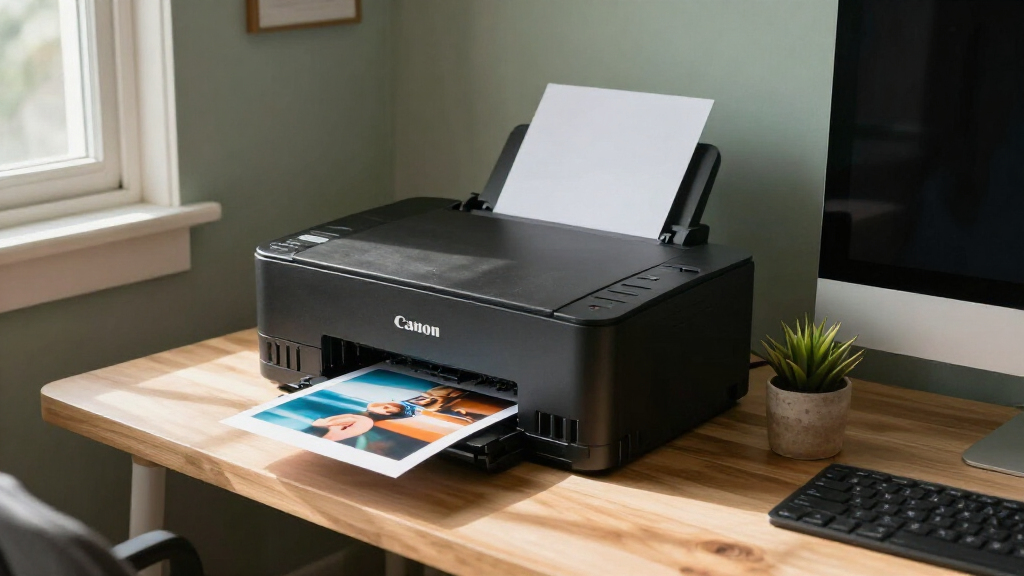
How We Picked
I ranked these PIXMA printers by how well each model fits a recognizable buyer need: everyday home printing, family photo output, high-volume ink use, office tasks, or larger creative prints. I weighed print purpose and paper flexibility alongside all-in-one functions such as scanning, copying, automatic document feeding, and faxing. I also considered the practical difference between cartridge printers and MegaTank models, since ink replenishment can matter as much as the printer’s initial feature set.
The order favors broad usefulness first, then more specialized strengths. The TS8820 leads as a balanced home choice; the G620 ranks highly for photo-focused buyers who print often; and the PRO-200S earns a specialist place rather than a general-use ranking. Models with narrower roles, older feature sets, or less flexible workflows sit lower for most buyers, though they may be the better match for a specific desk, budget, paper size, or workload.
| Canon Pixma printer | Functions |
|---|---|
| Canon PIXMA TS9521Ca Wireless | Print, copy, scan |
| Canon PIXMA G620 Wireless Mega | Print, copy, scan |
| Canon PIXMA TS8820 Wireless Al | Print, copy, scan |
| Canon PIXMA iX6820 Wireless Bu | Print only |
| Canon PIXMA TR4720 Wireless Al | Print, copy, scan, fax |
| Canon PIXMA TS6520 Wireless Al | Print, scan, copy |
| Canon PIXMA TR4520 Wireless Al | Print, scan, copy, fax |
| Canon PIXMA TR7820 Wireless Al | Print, copy, scan |
| Canon PIXMA G3290 MegaTank All | Print, copy, scan |
| Canon PIXMA TS4320 Wireless Co | Print, copy, scan |
| Canon PIXMA TS9520a Wireless A | Print, copy, scan |
| Canon PIXMA TS7720 Wireless Al | Print, copy, scan |
| Canon PIXMA TR8620a Wireless A | Print, copy, scan, fax |
| Canon PIXMA PRO-200S Professio | — |
| Canon PIXMA MegaTank G3270 Wir | Print, copy, scan |
Factors to Consider When Choosing Best Canon Pixma Printers
Before choosing among PIXMA models, I would start with your actual printing pattern rather than the longest feature list. The right fit depends on how often you print, what you print, and whether you need scanning or office functions in the same machine.
Match Ink Format to Your Printing Frequency
Cartridge and MegaTank printers suit different habits, and the wrong match can become a recurring annoyance. Cartridge models may be simpler for occasional printing, since you replace cartridges instead of managing refill bottles. Tank models such as the G620, G3290, and G3270 are built around refillable ink reservoirs and make more sense when printing is frequent enough for capacity to matter. A common mistake is to choose a tank printer solely because it promises lower ink expense, then print so rarely that the extra capacity brings little practical benefit. Think about pages and photos per month, and whether you are comfortable monitoring and refilling tanks. Also check ink availability and the printer’s recommended supplies before committing.
Separate Photo Quality From Photo Volume
A printer suited to occasional snapshots is not automatically the right choice for a steady stream of prints or larger artwork. The G620 is geared toward photo printing with a tank-based approach, while the PRO-200S targets dedicated output up to 13 inches wide. Those strengths do not make either one the most convenient option for every document-heavy household. Consider the sizes and paper types you actually use, along with whether you need scanning, copying, or faxing. Buyers often focus on the word “photo” without checking whether the model handles their preferred print dimensions. If your photo printing is occasional, a versatile all-in-one may be a better fit than a specialist printer.
Choose Paper Handling Before Chasing Extra Features
Paper size can narrow the field faster than wireless connectivity or a larger display. The TS9521Ca and TS9520a offer a different kind of flexibility from compact home models, while the iX6820 is aimed at wider-format printing without the same all-in-one role. Before buying, list the largest paper size you expect to use and whether you need multiple paper types ready at once. A larger-capability printer may take up more room, so measure the desk and leave space for trays and open covers. Do not assume that every PIXMA with “wireless” in its name handles the same media. If you print only standard documents and small photos, paying for unused paper flexibility may not be worthwhile.
Decide Whether You Need a True Office Workflow
For a home office, the value of a multifunction printer depends on the tasks you repeat, not the number of functions listed on the box. An automatic document feeder can reduce the hassle of scanning or copying several pages, and fax capability matters only for workplaces that still use it. The TR4720, TR7820, and TR8620a belong on an office-oriented shortlist, while a simpler TS-series model may be easier to live with for occasional printing. Consider how often you scan multipage documents and whether a flatbed alone would slow you down. Buyers sometimes pay for fax or feeder features they rarely use, while others overlook them and later rely on manual page-by-page work. Choose around your weekly workflow rather than a one-time task.
Plan for Space, Setup, and Shared Use
A printer that fits the available surface and household routine is more useful than one with features that are awkward to reach. Compact models such as the TS4320 can suit a light-duty desk, while larger paper handling or an added document feeder may call for more clearance. If several people will print, look for a setup and control arrangement they can manage without frequent troubleshooting. Wireless printing is convenient, but it does not remove the need to check device compatibility and network requirements. Measure the printer with trays open, not just the closed chassis dimensions. For a shared home, placement near the router and a sensible paper-storage spot can prevent more frustration than a feature upgrade.
Compare the Whole Ownership Routine
Buying a printer involves more than selecting a model with the right headline feature. Account for ink replenishment, paper storage, cleaning and upkeep, and how often you expect the printer to sit unused. A high-capacity tank can suit regular printing, but cartridges may be a simpler match for occasional jobs; neither format is universally better. Check whether the functions you need are available from your computer or mobile devices, rather than assuming every workflow is equally straightforward. Avoid choosing by model name alone, since closely named PIXMA variants can differ in features and intended use. A short checklist of your usual tasks, paper sizes, and acceptable maintenance will usually produce a better choice than comparing specifications without context.
Frequently Asked Questions
Which Canon PIXMA is the best choice if I print documents and photos at home?
I would start with the TS8820 because it is positioned as a balanced all-in-one rather than a dedicated photo or office specialist. It fits households that alternate between documents and photo output and want scanning and copying in the same device. If you print photos frequently, compare it with the G620, whose tank design better suits a higher-volume photo routine. If you mainly print documents and rarely use color, a simpler cartridge model may be enough. Base the choice on your most common jobs, not the occasional print that stretches your needs.
Should I choose a MegaTank PIXMA if I only print a few pages each month?
Not automatically. MegaTank models such as the G3270, G3290, and G620 are more compelling when regular printing makes ink capacity useful. For occasional use, a cartridge-based model may be easier to manage, especially if you do not want to handle refill bottles. Your print habits and the kinds of jobs you run matter more than the tank label alone. Compare the printer’s full feature set as well, since the tank models in this lineup vary in their intended use.
Which models should I compare for printing larger-than-standard paper?
Look closely at the TS9521Ca, TS9520a, and iX6820, then verify the specific paper dimensions each supports for your intended job. The two TS9520-series models are all-in-ones, while the iX6820 is a business-oriented printer without the same all-in-one focus. For creative photo work up to 13 inches wide, the PRO-200S is a separate specialist option. Do not assume that “wide format” means the same thing across models. Confirm both supported media sizes and the workflow you need, such as scanning or copying.
Do I need an automatic document feeder for a home office?
An automatic document feeder is useful if you regularly scan or copy several pages at a time. If most of your work is one-page forms, occasional copies, or printing only, a flatbed scanner may be sufficient and can keep your shortlist broader. Office-oriented options in this lineup include the TR4720, TR7820, and TR8620a, but their feature mix should be checked against your actual workflow. Fax is worth paying attention to only if a workplace or organization still requires it. Estimate how often you handle multipage paperwork before making the feeder a deciding factor.
Is the PIXMA PRO-200S a sensible choice as my only printer?
It can be, if your main job is dedicated photo printing and you specifically need its 13-inch output focus. It is less naturally suited to a household that also needs a general-purpose scanner, copier, or office workflow. For mixed tasks, I would compare it with the TS8820 or a multifunction model such as the TR8620a. The PRO-200S is a specialist pick, so its strengths matter most when photo output is the priority rather than an occasional extra. Check the functions you rely on every week before making it your sole printer.
Conclusion
For most households, I recommend the PIXMA TS8820 as the best overall because it balances mixed home tasks better than the lineup’s narrower specialists. The G620 is my best value fit for frequent photo printing, while the PRO-200S is the best premium-style specialist for buyers who need dedicated 13-inch photo output. Beginners with light, straightforward printing should compare the TS4320 or TS6520 before paying for features they may not use. For a home office, shortlist the TR7820 or TR8620a; for broader paper-size needs, compare the TS9521Ca, TS9520a, and iX6820. Choose by workload first: that will tell you whether you need a versatile all-in-one, a refillable tank, or a purpose-built photo printer.
Black Friday Picks

Sonos One (Gen 2) Two-Room Set Voice-Controlled Smart Speaker with Alexa (2-Pack, Black)
As an affiliate, we earn on qualifying purchases.