
The best iPhone screen repair kits pair a screen made for your exact model with tools suited to the job. My best overall pick is the iFixit iPhone 11 Screen Replacement and Repair Kit, while the iFixit iPhone 12 and 12 Pro kit stands out for those models, and the Warmstor 24-Piece Electronics Repair Tool Kit is a flexible choice if you already have a replacement screen. The main tradeoff is between a model-specific kit that bundles the display and tools and a general tool set that leaves you to source the screen separately. Screen type, part fit, and your comfort with delicate internal connectors matter as much as the number of tools in the box. Read on for the full breakdown and help matching a kit to your iPhone and repair plans.

Get the latest gadgets delivered free with Prime
- Fast, free delivery on millions of items
- Prime Video, Amazon Music and more included
- Member-only deals all year
Complete the kit



Key Takeaways
- Model-specific kits lead this roundup: the iFixit options bundle a display and repair tools for named iPhone models, reducing the guesswork of matching separate parts.
- The iPhone 11 kit is the most balanced all-in-one choice: it offers a direct model match, while the ZAVERYN iPhone 11 kit gives buyers another screen-and-tools option to compare.
- General tool kits are not screen replacement kits: DIYPHONE, Warmstor, and the 11-piece suction-cup set supply tools, but buyers still need a correctly matched display.
- Screen technology changes the tradeoff: the iPhone 13 listing specifies an HD LCD, while the iPhone 14 NB+ listing specifies Soft OLED; display type can affect how closely a replacement matches the original.
- Model coverage is narrow, not interchangeable: the list spans iPhone 8 through iPhone 14 and includes an SE kit, but a similar screen size or nearby generation does not establish compatibility.
| iFixit iPhone 8 Screen Replacement Kit, Black |  | Best Complete Replacement for iPhone 8 | Compatibility: iPhone 8; iPhone SE (2nd generation, 2020) | Color: Black | Display size: 4.7 inches | VIEW LATEST PRICE | See Our Full Breakdown |
| DIYPHONE 22-in-1 Mobile Phone Repair Tool Kit |  | Best Compact General-Purpose Tool Kit | Brand: DIYPHONE | Model: AZ001 | Tool count: 22 | VIEW LATEST PRICE | See Our Full Breakdown |
| Warmstor 24-Piece Electronics Repair Tool Kit |  | Best for Tool Variety and Repeat Repairs | Brand: Warmstor | Number of pieces: 24 | Screwdriver material: S2 steel | VIEW LATEST PRICE | See Our Full Breakdown |
| 11-Piece Suction Cup LCD Screen Repair Kit with Pry Tools |  | Best for Screen Lifting and Opening | Brand: Miytcltx | Number of items: 11 | Materials: ABS and natural rubber | VIEW LATEST PRICE | See Our Full Breakdown |
| ZAVERYN iPhone 11 LCD Screen Replacement Kit |  | Best iPhone 11 Replacement Package | Compatible models: iPhone 11 A2111, A2223, A2221 | Display size: 6.1 inches | Display type: LCD digitizer assembly | VIEW LATEST PRICE | See Our Full Breakdown |
| iFixit Screen Replacement Repair Kit for iPhone 12 and iPhone 12 Pro, Black |  | Best for iPhone 12/12 Pro Repair | Compatible models: iPhone 12 (A2172, A2402, A2403, A2404); iPhone 12 Pro (A2341, A2406, A2407, A2408) | Display: 6.1-inch In-Cell LCD multitouch | Color: Black | VIEW LATEST PRICE | See Our Full Breakdown |
| iFixit iPhone XR Screen Replacement Repair Kit, Black |  | Best for iPhone XR Owners | Compatibility: iPhone XR | Display: 6.1-inch IPS LCD | Resolution: 828 × 1792 | VIEW LATEST PRICE | See Our Full Breakdown |
| iFixit iPhone 11 Screen Replacement and Repair Kit, Black |  | Best Complete DIY Kit for iPhone 11 | Compatibility: iPhone 11 | Display: 6.1-inch Liquid Retina LCD multitouch | Resolution: 1792 × 828 | VIEW LATEST PRICE | See Our Full Breakdown |
| iPhone 13 6.1-Inch HD LCD Screen Replacement with Repair Tool Kit |  | Best for iPhone 13 Screen-and-Touch Issues | Compatibility: iPhone 13, 6.1-inch; models A2482, A2631, A2633, A2634, A2635 | Display type: LCD | Included items: Replacement screen, adhesive strips, repair tool kit, screwdrivers, and spudger | VIEW LATEST PRICE | See Our Full Breakdown |
| iFixit Screen Replacement and Repair Kit for iPhone SE (2020/2022), Black |  | Best for SE Repairs with Preinstalled Components | Compatibility: iPhone SE (2020 and 2022); excludes first-generation SE | Display: 4.7-inch LCD | Resolution: 750 × 1334 pixels | VIEW LATEST PRICE | See Our Full Breakdown |
| NB+ Soft OLED Screen Replacement for iPhone 14 with Repair Kit |  | Best for iPhone 14 OLED Replacement | Compatible device: iPhone 14 (6.1-inch) | Compatible model numbers: A2649, A2881, A2882, A288, A2884 | Display type: Soft OLED | VIEW LATEST PRICE | See Our Full Breakdown |
| iPhone screen repair kit | Item weight |
|---|---|
| iFixit iPhone 8 Screen Replace | — |
| DIYPHONE 22-in-1 Mobile Phone | — |
| Warmstor 24-Piece Electronics | — |
| 11-Piece Suction Cup LCD Scree | 126 g |
| ZAVERYN iPhone 11 LCD Screen R | 2.15 ounces |
| iFixit Screen Replacement Repa | 11.2 ounces |
| iFixit iPhone XR Screen Replac | 9 ounces |
| iFixit iPhone 11 Screen Replac | — |
| iPhone 13 6.1-Inch HD LCD Scre | 7.4 ounces |
| iFixit Screen Replacement and | 8.5 ounces |
| NB+ Soft OLED Screen Replaceme | 6 ounces |
More Details on Our Top Picks
iFixit iPhone 8 Screen Replacement Kit, Black
For an iPhone 8 or second-generation iPhone SE owner who needs more than a loose panel, this kit supplies a tested display assembly with the front camera and earpiece speaker already installed. Pre-cut adhesive and the included precision tools also make the job more straightforward than pairing a bare screen with a separate tool set, such as the DIYPHONE 22-in-1. The tradeoff is that this is a model-specific replacement, not a general-purpose kit, and the original home button must be moved over if you want to retain Touch ID. True Tone will be disabled after the swap as well. That makes it a practical, component-rich choice for the right older iPhone, but a poor fit for buyers expecting all original display features to remain intact.
Pros:- Includes LCD, digitizer, front camera assembly, earpiece speaker, and LCD shield plate
- Pre-cut display adhesive avoids measuring and trimming
- Includes repair tools and model-relevant precision bits
- Factory-tested display assembly
Cons:- Original home button transfer is required to retain Touch ID
- True Tone is disabled after replacement
- Compatibility is limited to iPhone 8 and second-generation iPhone SE
Best for: iPhone 8 and second-generation iPhone SE owners who want a replacement assembly with several front components pre-installed, plus the tools and adhesive for the repair.
Not ideal for: People repairing a different iPhone model, or owners unwilling to transfer the original home button and accept the loss of True Tone.
- Compatibility:iPhone 8; iPhone SE (2nd generation, 2020)
- Color:Black
- Display size:4.7 inches
- Display resolution:750 × 1334 pixels
- Included components:LCD, front glass digitizer, front camera assembly, earpiece speaker, LCD shield plate
- Included tools:Opening pick, spudger, opening tool, suction handle, angled tweezers, precision bit driver, Phillips #000, Pentalobe P2, and Tri-point Y000 bits
- Touch ID:Requires transfer of the original home button assembly
- True Tone:Disabled after screen replacement
Our verdict“Choose this model-specific kit for an iPhone 8 or second-generation SE when a component-rich assembly matters more than retaining True Tone.”
DIYPHONE 22-in-1 Mobile Phone Repair Tool Kit
The DIYPHONE kit is the most compact way in this group to keep basic phone-opening tools on hand: its 22-piece assortment includes magnetic screwdrivers and a flexible suction cup for screen removal. Unlike the iFixit iPhone 8 Screen Replacement Kit, it is a tool kit, not a replacement screen kit; you will still need a display assembly and any model-specific adhesive. Its broad use across phones and other electronics suits a repairer who wants one small set for varied jobs, while the listed pentalobe, Phillips, and flat heads cover several common fastener types. The small head size supports precise work but can limit usefulness outside small electronics. It also offers less explicit tool variety in the supplied specs than the Warmstor 24-Piece Electronics Repair Tool Kit.
Pros:- 22-piece set for phone opening and small electronics repair
- Non-slip magnetic screwdrivers
- Flexible suction cup helps with screen removal
- Can also be used for watches, tablets, televisions, and PCs
Cons:- Does not include a replacement screen or model-specific display adhesive
- Listed head types are limited to pentalobe, Phillips, and flat
- Small heads may not suit tasks beyond precise electronics repair
Best for: DIY repairers who already have the correct iPhone screen and adhesive and want a small, reusable set for opening phones and other small electronics.
Not ideal for: First-time screen replacers seeking a complete, model-specific screen assembly, adhesive, and repair instructions in one package.
- Brand:DIYPHONE
- Model:AZ001
- Tool count:22
- Head types:Pentalobe, Phillips, flat
- Materials:Metal and plastic
- Special feature:Adjustable
- Dimensions:1.18 × 1.18 × 0.79 inches
- Weight:0.1 kg
Our verdict“Pick this compact reusable tool set if you already have an iPhone-compatible replacement screen and want basic tools for multiple electronics.”
Warmstor 24-Piece Electronics Repair Tool Kit
Warmstor stands out for repairers who want a broader assortment of hand tools, rather than a screen assembly tied to one iPhone. Its 24-piece set combines magnetized S2 steel screwdrivers in pentalobe, Torx, Phillips, and Y-tip styles with pry tools, ESD tweezers, and a suction cup. That gives it more listed driver variety than the DIYPHONE 22-in-1, making it the stronger choice for someone who also opens tablets, computers, cameras, or game consoles. A zippered canvas bag keeps the tools together between repairs. The tradeoff for that versatility is that the kit does not include an iPhone screen or model-specific adhesive, and some pry tools are steel, so careful handling around device surfaces matters more than with a kit focused on screen-opening tools.
Pros:- Includes pentalobe, Torx, Phillips, and Y-tip screwdriver types
- S2 steel drivers have magnetized tips and slip-resistant handles
- Includes pry tools, steel spudger, ESD tweezers, suction cup, and SIM ejector pin
- Zippered canvas bag keeps the set together
Cons:- Does not include a replacement screen or iPhone-specific adhesive
- Steel pry tools require care to avoid marking device surfaces
- Broader tool range may be unnecessary for someone repairing only one phone
Best for: DIYers who repair multiple kinds of electronics and want a stored set of varied drivers, pry tools, tweezers, and a suction cup.
Not ideal for: Someone seeking a ready-to-install iPhone screen package or a first repair kit with only soft, screen-focused pry tools.
- Brand:Warmstor
- Number of pieces:24
- Screwdriver material:S2 steel
- Screwdriver types:Pentalobe, Torx, Phillips, and Y-tip
- Included tools:Pry tools, steel spudger, ESD tweezers, suction cup, SIM ejector pin, microfiber cloth
- Storage:Zippered canvas tool bag
- Recommended uses:Cellphone, tablet, and computer repair
Our verdict“Choose Warmstor over the DIYPHONE set if you want more driver types and a storage bag for recurring repairs across several electronics.”
11-Piece Suction Cup LCD Screen Repair Kit with Pry Tools
This 11-piece set puts the screen-opening task at the center: it pairs pry tools with a soft-rubber suction cup rated for up to 13 lb on a clean, dry, flat, nonporous surface. For a buyer who already has the correct replacement display, that focused combination can be more relevant than the broader driver assortment in the Warmstor 24-Piece Electronics Repair Tool Kit. The stated compatibility spans iPhone, iPad, MacBook, and other electronics, but it does not make the kit a complete replacement package: no screen or model-specific adhesive is listed. Suction also depends on surface conditions, so it may not grip a cracked, dirty, or uneven panel reliably. Its lift rating is for suitable surfaces, not heavy objects or industrial use.
Pros:- Soft rubber pad is designed to be gentle on screens
- Suction cup is rated for up to 13 lb on suitable surfaces
- Includes pry tools for screen opening
- Listed for use with a range of phones, tablets, and computers
Cons:- Suction requires a clean, dry, flat, nonporous surface
- Does not include a replacement screen or model-specific adhesive
- Not designed for heavy objects or industrial lifting
Best for: Repairers with a replacement screen ready who want a screen-opening-focused set for compatible phones, tablets, or computers.
Not ideal for: Buyers who need a full iPhone screen replacement package, or anyone expecting the suction cup to attach reliably to dirty, cracked, or uneven surfaces.
- Brand:Miytcltx
- Number of items:11
- Materials:ABS and natural rubber
- Suction capacity:6 kg (13 lb) on suitable surfaces
- Item dimensions:3.94 × 3.35 × 2.36 inches
- Item weight:126 g
- Compatible devices:iPhone, iPad, iMac, MacBook, tablets, laptops, Motorola, Samsung
- Tool heads:Flathead, pentalobe, crosshead, triwing
- Model number:A001
Our verdict“Choose this focused opening kit if your replacement display is already sourced and you can work with a clean, flat surface for suction.”
ZAVERYN iPhone 11 LCD Screen Replacement Kit
For owners of the listed iPhone 11 variants, ZAVERYN packages a 6.1-inch LCD digitizer assembly with frame adhesive, a tempered glass protector, tools, and installation guidance. That makes it a more complete model-specific purchase than the DIYPHONE 22-in-1, which supplies tools but no replacement panel. The screen is described as factory-tested for touch response, dead pixels, flicker, and aging, and the kit includes a one-year warranty. The main repair burden remains: you must transfer the proximity sensor and front camera from the original screen, so this is not a simple drop-in swap. Check the model number on the phone before buying; the stated fit is limited to A2111, A2223, and A2221.
Pros:- Includes LCD digitizer assembly, waterproof frame adhesive, tools, and installation guidance
- Includes a tempered glass screen protector
- Factory-tested for touch response, dead pixels, flicker, and aging
- One-year warranty
Cons:- Requires transferring the proximity sensor and front camera from the original screen
- Compatibility is limited to iPhone 11 models A2111, A2223, and A2221
- Installation involves phone disassembly and component transfer
Best for: iPhone 11 owners with model A2111, A2223, or A2221 who want a screen, adhesive, tools, protector, and instructions in one package.
Not ideal for: People with other iPhone models or buyers who do not want to transfer the original proximity sensor and front camera during installation.
- Compatible models:iPhone 11 A2111, A2223, A2221
- Display size:6.1 inches
- Display type:LCD digitizer assembly
- Item model number:ZAV-11-HD
- Included items:Screen assembly, repair tools, waterproof frame adhesive, tempered glass protector, instructions
- Dimensions:7.09 × 5.91 × 0.71 inches
- Item weight:2.15 ounces
- Warranty:1 year
Our verdict“Choose this package for a listed iPhone 11 model if you want the display and supporting repair items together and are prepared to transfer front components.”
iFixit Screen Replacement Repair Kit for iPhone 12 and iPhone 12 Pro, Black
This is the only option in this group built for both iPhone 12 and iPhone 12 Pro, and its included tools and adhesive make it a more complete repair package than the screen-only parts in some kits. The main compromise is the replacement display: its 6.1-inch In-Cell LCD is darker and lower-resolution than the phones’ original OLED, so buyers should expect a change in image quality. True Tone is disabled after installation, and the original sensor assembly must be moved over; mishandling it can affect Face ID. Compared with the iFixit iPhone 11 Screen Replacement and Repair Kit, this kit supports two listed models but calls for more careful sensor work. I’d choose it to restore a damaged screen affordably, not to preserve the original display experience.
Pros:- Compatible with listed iPhone 12 and iPhone 12 Pro models
- Includes adhesive and tools for installation
- Can address touch failure, dead pixels, and flickering
- Screen assembly is specified as a 6.1-inch multitouch LCD
Cons:- LCD is darker and lower-resolution than the original OLED display
- True Tone is disabled after replacement
- Original sensor assembly must be transferred, and damage can disable Face ID
Best for: iPhone 12 or 12 Pro owners who want a screen, adhesive, and installation tools in one kit and accept an LCD in place of OLED.
Not ideal for: Buyers who prioritize original OLED brightness and color, True Tone, or a repair that avoids transferring the original sensor assembly.
- Compatible models:iPhone 12 (A2172, A2402, A2403, A2404); iPhone 12 Pro (A2341, A2406, A2407, A2408)
- Display:6.1-inch In-Cell LCD multitouch
- Color:Black
- Included components:Screen assembly, adhesive, spudger, opening tool, suction handle, angled tweezers, six opening picks, precision bit driver, and four precision bits
- Not included:Combined earpiece speaker and sensor assembly
- Dimensions:4.11 x 2.14 x 0.29 inches
- Item weight:11.2 ounces
Our verdict“Choose this kit for an iPhone 12 or 12 Pro repair when included tools and broad model compatibility matter more than retaining OLED image quality.”
iFixit iPhone XR Screen Replacement Repair Kit, Black
For an iPhone XR-specific repair, this assembly replaces the display as a unit and arrives with small parts pre-installed, reducing the number of components a DIY repairer has to move over. Its 6.1-inch IPS LCD has the XR’s stated 828 × 1792 resolution, making the screen type and resolution clear before purchase. The tradeoff is narrow compatibility: unlike the iFixit Screen Replacement Repair Kit for iPhone 12 and iPhone 12 Pro, this one is for the XR alone, so model identification matters. The provided details also don’t list tools or adhesive, unlike the iFixit iPhone 11 kit, which includes both. I’d pick this when replacing an XR screen assembly is the goal, but check what installation supplies you already have before starting.
Pros:- Small parts are pre-installed in the screen assembly
- Designed for the iPhone XR display
- Specifies a 6.1-inch IPS LCD and 828 × 1792 resolution
Cons:- Compatible with iPhone XR only
- Supplied details do not list repair tools or adhesive
- Repair requires replacing the screen assembly
Best for: iPhone XR owners replacing a cracked, scratched, or malfunctioning display who value pre-installed small parts.
Not ideal for: Owners of other iPhone models, or XR repairers who need a kit with clearly listed tools and adhesive included.
- Compatibility:iPhone XR
- Display:6.1-inch IPS LCD
- Resolution:828 × 1792
- Color:Black
- Included components:Small parts pre-installed in the assembly
- Product dimensions:4.11 × 2.14 × 0.29 inches
- Item weight:9 ounces
Our verdict“This is a sensible XR-only screen assembly pick if you can confirm you have the tools and adhesive needed for installation.”
iFixit iPhone 11 Screen Replacement and Repair Kit, Black
This iPhone 11 kit combines a 6.1-inch LCD screen and digitizer with tools and adhesive, so the key installation supplies are included rather than left to source separately. The assembly is intended to restore touch function and address dead pixels or flickering, while the included front camera frame adds a component that isn’t specified in the iPhone XR kit. Its 1792 × 828 resolution is stated, giving buyers a concrete display spec to compare. The limitation is straightforward: it fits only the iPhone 11 and still calls for hands-on installation. Compared with the iFixit iPhone SE (2020/2022) kit, it doesn’t list preinstalled front camera and earpiece components, but it does include the front camera frame. This is the more complete choice for an iPhone 11 owner seeking tools and adhesive alongside the screen.
Pros:- Includes tools and adhesive for DIY installation
- Designed to restore touch and address dead pixels or flickering
- Includes a front camera frame
- States the LCD resolution as 1792 × 828
Cons:- Compatible with iPhone 11 only
- Requires DIY installation
- The included LCD is a replacement assembly rather than the phone’s original display
Best for: iPhone 11 owners who want the replacement screen, front camera frame, tools, and adhesive together for a DIY repair.
Not ideal for: Owners of other iPhone models or anyone seeking a repair that does not require taking apart the phone.
- Compatibility:iPhone 11
- Display:6.1-inch Liquid Retina LCD multitouch
- Resolution:1792 × 828
- Included components:Glass digitizer, front camera frame, tools, and adhesive
- Color:Black
- Dimensions:4.11 × 2.14 × 0.29 inches
- Weight:8.5 ounces
- Model number:IF426-000-2
Our verdict“Pick this for an iPhone 11 when having the screen, adhesive, and basic repair tools in one package is your priority.”
iPhone 13 6.1-Inch HD LCD Screen Replacement with Repair Tool Kit
This is the only kit here specified for the iPhone 13, with a digitizer designed for responsive touch and tools and adhesive included for installation. That combination suits repairs involving a damaged display or touch problems, but the LCD replacement is a different display type from the phone’s original screen, so buyers should weigh function against retaining the original display characteristics. The front sensor is not supplied and must be transferred from the original display, adding a delicate step. Compared with the iFixit Screen Replacement Repair Kit for iPhone 12 and iPhone 12 Pro, it covers a newer phone but lists fewer specific hand tools and requires sensor transfer too. Its stated six-month support is a useful point of difference, though it doesn’t remove the installation risk. Check the model number before ordering.
Pros:- Designed for listed 6.1-inch iPhone 13 models
- Includes replacement screen, adhesive, and repair tools
- Digitizer is designed for responsive touch
- Includes six-month support
Cons:- Original front sensor must be transferred
- Uses an LCD rather than the phone’s original display type
- Sensor transfer adds complexity and risk during installation
Best for: iPhone 13 owners with a cracked screen or touch issue who are comfortable transferring the original front sensor during installation.
Not ideal for: Buyers seeking an OLED replacement, an assembly with the front sensor included, or a repair that avoids delicate component transfers.
- Compatibility:iPhone 13, 6.1-inch; models A2482, A2631, A2633, A2634, A2635
- Display type:LCD
- Included items:Replacement screen, adhesive strips, repair tool kit, screwdrivers, and spudger
- Package dimensions:7.13 x 6.18 x 0.87 inches
- Item weight:7.4 ounces
- Manufacturer:Cryntis
- Model number:13
- Support:6-month support
Our verdict“Choose this for an iPhone 13 repair if you accept an LCD screen and can carefully transfer the original front sensor.”
iFixit Screen Replacement and Repair Kit for iPhone SE (2020/2022), Black
Among these options, this kit stands out for its preinstalled front components: the assembly includes the front camera, earpiece speaker, and LCD shield plate, alongside tools and adhesive. That can reduce the number of small parts to transfer compared with the iPhone 13 LCD replacement, which requires moving the original front sensor. The 4.7-inch LCD is sized for the iPhone SE (2020 and 2022), and the kit can address display and touch problems such as dead pixels or flickering. Compatibility is the main catch: it does not fit the first-generation SE. It also remains a DIY repair, so preinstalled components simplify the assembly but don’t remove the need to open the phone carefully. For a confirmed 2020 or 2022 model, this is the most component-ready SE option in this group.
Pros:- Front camera assembly, earpiece speaker, and LCD shield plate are included
- Includes repair tools and adhesive
- Can restore touch function and address dead pixels or flickering
- Fits the 2020 and 2022 iPhone SE models
Cons:- Not compatible with the first-generation iPhone SE
- Requires DIY installation
- Uses a 4.7-inch LCD replacement display
Best for: iPhone SE owners with a 2020 or 2022 model who want tools, adhesive, and several front components preinstalled.
Not ideal for: First-generation iPhone SE owners, or anyone who wants to avoid a hands-on screen replacement.
- Compatibility:iPhone SE (2020 and 2022); excludes first-generation SE
- Display:4.7-inch LCD
- Resolution:750 × 1334 pixels
- Included components:Front glass digitizer panel, front camera assembly, earpiece speaker, and LCD shield plate
- Included accessories:Repair tools and adhesive
- Color:Black
- Dimensions:4.11 × 2.14 × 0.29 inches
- Item weight:8.5 ounces
Our verdict“For a confirmed 2020 or 2022 iPhone SE, this kit is a strong choice when preinstalled front components can simplify the repair.”
NB+ Soft OLED Screen Replacement for iPhone 14 with Repair Kit
For an iPhone 14 screen replacement, this kit stands apart from the roundup’s older-model options by pairing a soft OLED panel with the repair supplies needed for installation. OLED’s deep blacks and high contrast preserve the look of the original display better than the LCD panel in the iPhone 13 6.1-Inch HD LCD Screen Replacement with Repair Tool Kit. The included adhesive, tools, and tempered glass protector also make it a more complete screen-replacement package than a standalone tool set such as the DIYPHONE 22-in-1 Mobile Phone Repair Tool Kit.
The tradeoff is a demanding repair: you must transfer the original front camera, earpiece speaker, and sensor assembly, and Face ID depends on correctly transferring and installing paired components. True Tone is not guaranteed and may require programming. I’d choose this for a capable DIYer focused on the iPhone 14, not someone seeking a simple screen swap.
Pros:- Soft OLED display offers deep blacks, vibrant color, and high contrast.
- Haptic Touch support provides responsive touch interaction.
- Includes repair tools, waterproof adhesive, and a tempered glass screen protector.
- Face ID can be retained if the original paired components are transferred and installed correctly.
Cons:- Requires transferring the original front camera, earpiece speaker, and sensor assembly.
- True Tone may require programming and is not guaranteed.
- Professional installation is recommended for people unfamiliar with phone repairs.
Best for: iPhone 14 owners with phone-repair experience who want an OLED replacement and a kit that includes adhesive, tools, and a screen protector.
Not ideal for: First-time repairers or anyone unwilling to transfer the original camera and sensor assembly, handle delicate components, or accept that True Tone may not be retained.
- Compatible device:iPhone 14 (6.1-inch)
- Compatible model numbers:A2649, A2881, A2882, A288, A2884
- Display type:Soft OLED
- Refresh rate:120 Hz
- Touch features:Haptic Touch
- Package contents:OLED screen, repair tools, waterproof adhesive, tempered glass screen protector
- Package dimensions:7.09 x 5.91 x 0.67 inches
- Item weight:6 ounces
Our verdict“Choose this kit if you’re an experienced DIYer replacing an iPhone 14 display and value OLED quality over an easier installation.”
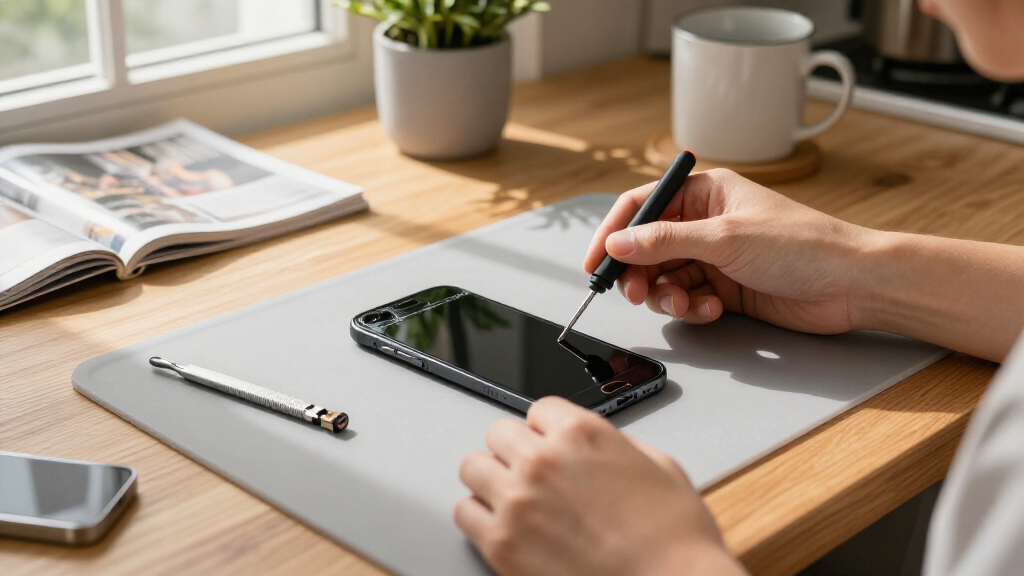
How We Picked
I ranked these options around the decision a screen-repair buyer actually faces: whether the kit includes a display for the exact iPhone model, what kind of display it supplies, and whether the included tools appear suited to opening the phone and handling small components. A model-specific screen-and-tool bundle generally ranks above a tool-only set for a buyer seeking a complete repair path. I also considered how clearly the product name identifies the model and, where stated, display type; vague fit information leaves more compatibility work to the buyer.
That ranking does not treat a larger tool count as proof of better repair performance. The iFixit model-specific kits rank strongly for their targeted, bundled approach, while the ZAVERYN and NB+ options offer alternatives where their stated model or screen type fits the buyer’s needs. General tool kits rank lower for this particular roundup because they do not include a replacement screen. The right choice still depends on the exact iPhone variant, the buyer’s tolerance for repair risk, and whether preserving the original display characteristics matters more than getting a screen-and-tool bundle.
Factors to Consider When Choosing Best IPhone Screen Repair Kits
Before choosing a kit, match the repair to the phone and the outcome you want. These decisions can prevent more trouble than picking the set with the longest tool list.
Match the Exact iPhone Model, Not Just the Screen Size
Confirm the iPhone’s full model name and generation before ordering; two phones with similar dimensions can still use different displays, connectors, or internal layouts. Check the product listing for the specific model and any stated sub-model limits rather than relying on a seller’s broad compatibility label. A kit named for iPhone 12 and 12 Pro, for example, should not be treated as proof of fit for another generation. If the phone’s identity is unclear, verify it in iOS settings or from the device’s model number before opening it. A wrong-fit part can turn a manageable repair into a return, delay, or damaged connector.
Decide Whether You Need a Screen or Only Tools
Some listings bundle a replacement screen with tools; others provide only opening and repair implements. That difference affects both your shopping list and your repair plan. A general-purpose kit may make sense if you already have a display from a trusted source or expect to service several devices, but it does not solve the screen-selection problem. Before buying, read the included-items list rather than assuming that the word “repair” means a display is in the box. Also check whether adhesives, seals, or other consumables are included, since missing materials can halt a repair even when the main tools are present.
Choose Display Type With Your Expectations in Mind
Replacement screens can differ in technology and how closely they reproduce the original display’s appearance and behavior. A listing that specifies LCD or Soft OLED gives you a useful starting point, but those labels alone do not establish brightness, color, touch response, or overall quality. Think about whether you prioritize a lower-complexity replacement, a particular display technology, or a closer match to the phone’s original screen. Avoid assuming that a screen advertised for the right model will feel identical to the factory part. When the listing leaves display specifications unclear, ask the seller or choose a more explicit listing before starting the repair.
Be Realistic About Repair Difficulty and Risk
Replacing an iPhone screen involves more than lifting glass: internal connectors and small components can be damaged by force, heat, or misplaced tools. If you have not opened a phone before, look for clear instructions and a tool set that gives you controlled leverage rather than relying on improvised metal objects. A complete kit can reduce sourcing work, but it cannot remove the need for patience and careful handling. Stop if the screen resists lifting or a connector does not release as expected; forcing either can create a more expensive problem. Buyers uncomfortable with delicate repairs may be better served by a professional repair service.
Check What Happens to Features and Sealing After Repair
A screen swap can affect more than the visible panel, including water resistance and functions tied to original components. Do not assume a replacement adhesive restores the phone’s original sealing, or that every kit includes the materials or instructions needed for reassembly. Some features may depend on transferring parts from the old display or completing model-specific setup steps. Research the repair process for your exact model before buying, especially if you rely on water resistance or particular display behavior. If the phone is still covered by a service plan or warranty, check its terms before attempting a DIY repair.
Pay for Fit and Clarity, Not a Bigger Tool Count
A long accessory list can look reassuring, but extra bits do not make a screen compatible or a repair easier. Give more weight to a clearly identified model, a stated screen type, and instructions that match the job. Tool-only kits are better value for buyers who already own a compatible display or want tools for multiple repairs; a bundled kit is more convenient when you need both parts and tools for one phone. Compare the kit’s actual contents against the steps in the repair guide so you can spot missing essentials early. This approach helps avoid paying for duplicate tools while overlooking a needed screen or consumable.
Frequently Asked Questions
Can I use an iPhone screen repair kit meant for a different model if the screen looks the same size?
No—similar screen dimensions do not establish compatibility. Different iPhone generations can have different connectors, mounting points, sensor arrangements, or screen specifications. Match the full model name in the product listing to your phone before buying, and check any stated exclusions or sub-model limits. If the listing is vague, verify fit with the seller rather than relying on appearance alone.
Do the DIYPHONE, Warmstor, and 11-piece suction-cup kits include replacement screens?
Based on their product names, these are tool-focused kits rather than bundles that identify a replacement display for a specific iPhone model. Do not assume a screen is included unless the listing’s included-items section explicitly names one. They may suit buyers who already sourced a compatible screen or need tools for more than one repair. If you need a single all-in-one purchase, compare them with the model-specific screen-and-tool kits in this roundup.
Should I choose an LCD or Soft OLED replacement screen?
Choose based on the display type listed for the exact phone and the experience you expect, not on the technology label alone. This roundup includes an iPhone 13 replacement identified as HD LCD and an iPhone 14 replacement identified as Soft OLED, so they are not direct substitutes for one another. A listing’s screen technology does not by itself confirm color accuracy, brightness, or touch performance. Check the part specifications and compatibility details, and ask the seller when those details are missing.
Is a bundled screen repair kit a good choice for a first-time DIY repair?
A bundle can simplify shopping by putting a model-specific screen and tools together, but it does not make the repair risk-free. First-time buyers should read the exact-model repair instructions before ordering and confirm the kit includes the tools and any needed consumables. Set aside enough time, work in an organized space, and avoid forcing adhesive or connectors. If the steps feel beyond your comfort level, a repair professional is a safer choice than learning on a phone you depend on.
Will replacing my iPhone screen restore water resistance and every original feature?
Do not count on a DIY screen replacement restoring the phone’s original water resistance. Opening the device can affect its seals, and the result depends on the repair process and replacement materials. Some functions may also require careful transfer of original components or model-specific steps, so a new display alone may not preserve every behavior. Review the instructions for your exact iPhone and treat water resistance as uncertain after an opening unless a qualified service provider confirms otherwise.
Conclusion
For the broadest mix of a model-specific display and tools, I recommend the iFixit iPhone 11 Screen Replacement and Repair Kit as the best overall pick. The Warmstor 24-Piece Electronics Repair Tool Kit is my best-value choice for buyers who already have a compatible screen and want a general tool set, while the iFixit iPhone 12 and 12 Pro kit is a strong fit for owners of those exact models. For beginners, I would favor a clearly matched, bundled kit and a repair process they can follow over a tool-only set with a longer accessory list. Buyers seeking a specific display type should compare the iPhone 13 HD LCD listing with the iPhone 14 Soft OLED listing only after confirming their phone model; for the iPhone SE, XR, or 8, choose the dedicated kit rather than guessing across generations. The best choice is the one that matches your exact phone, repair confidence, and screen expectations.
Black Friday Picks

Sonos One (Gen 2) Two-Room Set Voice-Controlled Smart Speaker with Alexa (2-Pack, Black)
As an affiliate, we earn on qualifying purchases.