
TL;DR

Get the latest gadgets delivered free with Prime
- Fast, free delivery on millions of items
- Prime Video, Amazon Music and more included
- Member-only deals all year
A software developer has built and shared a BASIC interpreter that can boot natively on UEFI-based PCs. This development allows users to run a vintage programming environment on modern hardware without operating system dependencies. The project is shared on Show HN, sparking interest among retro computing enthusiasts and developers.
A developer has released a BASIC interpreter that boots directly on UEFI systems, bypassing traditional operating systems. This allows users to run a vintage programming environment on modern hardware, appealing to retro computing fans and hobbyists. The project is shared on Show HN, highlighting a novel approach to programming on contemporary machines.
The developer, who goes by the pseudonym ‘Thoreau’, created the interpreter to emulate a classic BASIC environment with line numbers, immediate mode, simple graphics, strings, and arrays. The interpreter is designed to boot directly from UEFI firmware, eliminating the need for an OS or virtual machine. This is achieved by writing a minimal UEFI application that loads and executes the interpreter code during system startup.
This effort was motivated by a desire for a small, lightweight environment reminiscent of early personal computers. The interpreter is written in C and assembly, and the developer reports that it successfully boots on various UEFI-compatible hardware, including modern desktops and laptops. The project is open-source and available on GitHub, with instructions for building and deploying the UEFI application.
While the project is still in early stages, the developer has demonstrated that it can run simple BASIC programs, including graphics and string manipulation. The approach involves creating a UEFI application that loads the interpreter into memory and hands over control, effectively turning the machine into a vintage BASIC computer from the moment it powers on.
Implications for Retro Computing and Hardware Use
This development is significant because it demonstrates a way to run vintage programming environments directly on modern hardware without relying on traditional operating systems. It offers a lightweight, self-contained system suitable for hobbyists, educators, and enthusiasts interested in retro computing or minimal environments. Additionally, it showcases the flexibility of UEFI firmware, which can be used as a platform for custom, low-level applications beyond typical bootloaders or OS loaders.
For developers, this approach could inspire new methods of embedded system design, where minimal control over hardware is needed without the overhead of an OS. It also raises questions about the potential for other vintage or custom environments to run directly from firmware, simplifying deployment and reducing resource requirements.
Products Worth Considering

LG UltraGear 27-Inch QHD OLED Gaming Monitor, 240Hz, 0.03ms, G-SYNC Compatible, FreeSync Premium Pro, HDMI 2.1
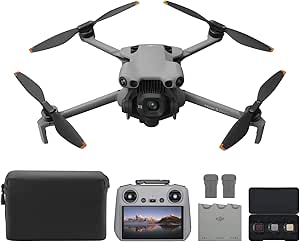
DJI Mini 5 Pro Fly More Combo Plus with DJI RC 2

Amazon Kindle Scribe Colorsoft 64GB (1st Generation)
As an affiliate, we earn on qualifying purchases.
Background of UEFI and Vintage Programming Environments
UEFI (Unified Extensible Firmware Interface) replaced the BIOS as the standard firmware interface for modern PCs, providing a flexible, modular environment for initializing hardware and booting operating systems. Unlike BIOS, UEFI supports applications that run directly during system startup, opening opportunities for custom firmware-level programs.
Historically, BASIC was a popular programming language on early personal computers, often used for education and hobbyist projects. Modern systems typically run BASIC interpreters within operating systems or emulators, but running a vintage environment directly from firmware is rare. Previous efforts have used virtual machines or emulators to recreate these environments, but few have booted natively from hardware firmware.
This project builds on the idea of leveraging UEFI as a platform for custom applications, extending its use to vintage programming environments, which traditionally required dedicated hardware or emulators.
“My goal was to create a small, simple environment that could run directly on modern hardware without an OS, just like the old days.”
— The developer, ‘Thoreau’
Technical Challenges and Compatibility Questions
While the developer reports successful booting on several UEFI-compatible devices, it is not yet clear how universally compatible the interpreter is across different hardware configurations. Compatibility with secure boot, different firmware implementations, or newer hardware with limited UEFI support remains untested. Additionally, the stability and performance of the interpreter during complex programs are still being evaluated, and the project is in early development stages.
Planned Improvements and Broader Testing
The developer plans to expand testing across various hardware platforms to identify compatibility issues and optimize performance. Future updates may include support for more complex BASIC programs, enhanced graphics, and possibly a GUI for easier program management. Community feedback and contributions are encouraged to improve the project, which is publicly available on GitHub. The next milestones include achieving broader hardware support and refining the boot process for more reliable operation.
Key Questions
How does the interpreter boot without an operating system?
The interpreter is built as a UEFI application, which loads directly during system startup, bypassing the need for an OS. It runs in the firmware environment, initializing hardware and executing BASIC code from there.
Can this run complex BASIC programs?
In its current stage, it can run simple BASIC programs with basic graphics and strings. More complex programs may require further development and optimization.
Is the project open source?
Yes, the code is available on GitHub, and the developer encourages community contributions and testing on different hardware platforms.
What hardware is needed to run this interpreter?
Any UEFI-compatible PC that supports booting from a USB or internal storage device should work, but compatibility with secure boot and specific firmware implementations may vary.
Why create a BASIC interpreter for UEFI?
The goal is to revive a simple, nostalgic programming environment and demonstrate the flexibility of UEFI firmware as a platform for custom, low-level applications.
Source: hn