
If you prioritize privacy, Firefox is a strong choice with default tracker blocking and customizable security settings. For smooth performance and seamless device sync, Chrome’s speed and extensive extension library make it appealing, but it collects more data. Edge balances decent privacy controls with solid performance, especially if you value tracking prevention and integration with Windows. To discover which browser suits your needs best, continue exploring their features and how each aligns with your priorities.
Key Takeaways
- Firefox offers the strongest privacy with default tracker blocking and extensive customization options.
- Chrome provides seamless data sync across devices but has more limited privacy controls.
- Edge combines Chromium speed with enhanced tracking prevention and clearer privacy settings.
- Firefox’s Gecko engine prioritizes security and customization over speed, unlike Chrome and Edge.
- The best browser depends on your privacy needs, device sync preferences, and customization requirements.

When choosing a web browser, you might find yourself torn between Microsoft Edge, Google Chrome, and Mozilla Firefox, each offering unique features and strengths. If privacy concerns are at the top of your mind, your choice becomes even more critical. Chrome, while incredibly popular and fast, has faced criticism over its data collection practices, raising questions about user privacy. It syncs data seamlessly across devices, but this convenience can come at the expense of your privacy. Edge, built on the same Chromium engine as Chrome, has made strides in addressing privacy issues by offering more robust tracking prevention options and clearer privacy controls. Firefox, on the other hand, is often praised for its strong stance on privacy, blocking trackers by default and offering extensive customization to enhance your online security. Your decision should consider how much you value privacy and the level of control you want over your data. Vetted privacy-focused extensions are also a key factor for many users seeking enhanced security while browsing.
privacy-focused web browser extensions
As an affiliate, we earn on qualifying purchases.
As an affiliate, we earn on qualifying purchases.
Frequently Asked Questions
Which Browser Offers the Best Privacy Features?
Firefox offers the best privacy features among browsers. You can customize privacy settings easily, enabling strong tracking protection to block trackers and cookies. It also includes built-in features like Enhanced Tracking Protection, which keeps your browsing private. While Edge and Chrome have privacy options, Firefox’s focus on privacy and open-source nature make it the top choice for users who prioritize safeguarding their online activities.
How Do Browser Choices Impact Overall PC Performance?
Did you know browsers can use up to 20% more resources than others? Your choice impacts overall PC performance by affecting resource consumption and startup speed. A browser that consumes fewer resources loads faster and runs more smoothly, freeing up your system for other tasks. Opting for a lightweight browser can boost your PC’s efficiency, making daily activities quicker and more responsive, especially on systems with limited hardware.
Are There Significant Security Differences Among These Browsers?
Yes, there are notable security differences among these browsers. You benefit from each browser’s security protocols, which help protect you from online threats. Regular vulnerability patching is essential; Chrome and Edge tend to update more frequently, reducing risks faster. Firefox also offers strong security but might lag slightly in promptness. Staying updated, enabling security features, and practicing safe browsing are critical, regardless of your choice.
Can These Browsers Be Customized Extensively?
You can customize these browsers extensively through browser personalization and interface customization options. Chrome and Edge offer a wide range of themes, extensions, and toolbar adjustments, while Firefox provides deep customization via user styles, add-ons, and layout tweaks. You’ll find that each browser enables you to tailor your browsing experience to your preferences, making it easy to change the look and functionality to suit your needs perfectly.
Which Browser Provides the Best Extension and Add-On Support?
You’ll find Chrome offers the best extension ecosystem, with the largest selection of add-ons and seamless add-on compatibility. Firefox also has a strong ecosystem, especially for open-source extensions, and supports various add-ons. Edge’s extension library is growing, but it’s still smaller. Overall, Chrome leads in extension support, making it ideal if you rely heavily on a wide range of add-ons, while Firefox is great for customization and privacy-focused users.
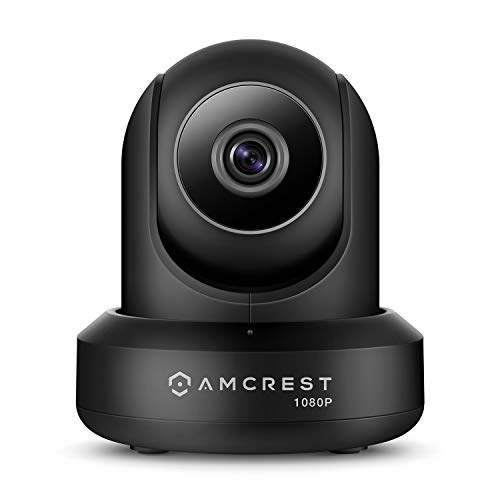
Amcrest New 1080p WiFi Camera Indoor, 2MP Pan/Tilt Home Security Camera, Auto-Tracking, Motion & Audio Detection, Privacy Mode, Enhanced Browser Compatibility, H.265, Two-Way Talk IP2M-841B-V3 (Black)
REAL-TIME, MAGNIFICENT FULL-HD DAY OR NIGHT – Experience magnificent full-HD 1080P video at 30fps with enhanced low light…
As an affiliate, we earn on qualifying purchases.
As an affiliate, we earn on qualifying purchases.
Conclusion
Choosing between Edge, Chrome, and Firefox is like picking the best crew for a voyage—you need the right tools for your journey. Each browser has its own strengths, but ultimately, your perfect match depends on what features matter most to you. Think of it as finding your compass; once you do, steering the digital seas becomes smoother and more enjoyable. Whichever you choose, make sure it’s the one that keeps your online voyage safe and swift.

HP 15.6" HD Touchscreen Laptop | Intel Core i3-1315U | 8GB RAM, 256GB PCIe SSD | Webcam | HDMI | Numeric Keypad | Wi-Fi 6 | Windows 11 Home | Bundle with Wireless Mouse
【High Speed RAM And Enormous Space】8GB high-bandwidth RAM to smoothly run multiple applications and browser tabs all at…
As an affiliate, we earn on qualifying purchases.
As an affiliate, we earn on qualifying purchases.

Cloakey Portable Private Browser – Online Personal Privacy Toolkit
Protect Your Internet Privacy and Take Your Portable Private Browser with You and Use it on Other Computers…
As an affiliate, we earn on qualifying purchases.
As an affiliate, we earn on qualifying purchases.