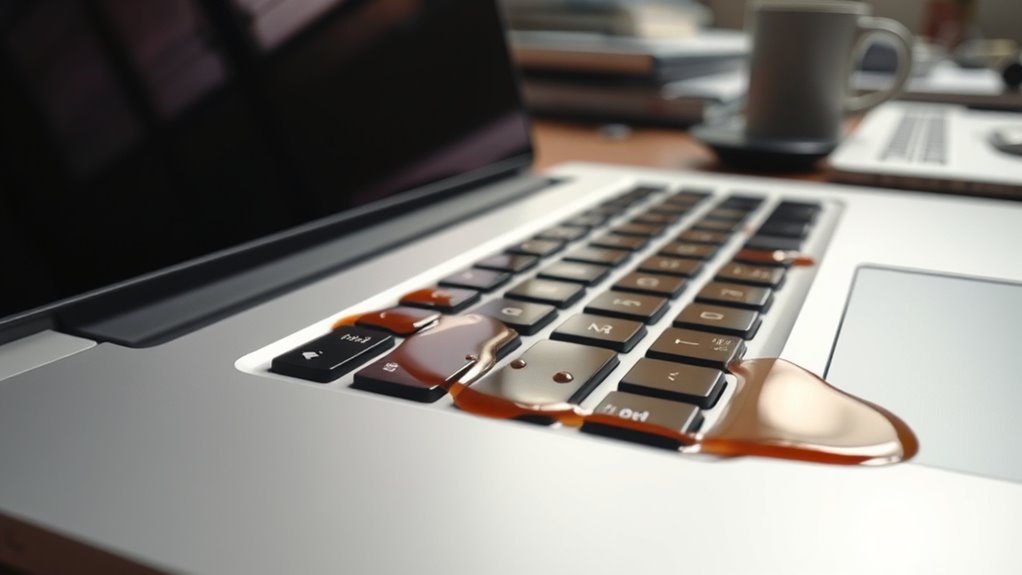
If you spill coffee on your laptop, act fast by turning it off immediately, disconnecting the charger, and flipping it upside down to slow internal liquid seepage. Blot away excess liquid gently with a lint-free cloth and avoid rubbing. Place your device in a well-ventilated area surrounded by silica gel or rice to absorb moisture, but don’t rush to power it on until you’re sure it’s thoroughly dry. For more tips on saving your machine, keep reading.
Key Takeaways
- Immediately turn off and unplug the laptop to prevent electrical damage and minimize liquid seepage.
- Blot excess coffee with a soft cloth, avoiding rubbing and preventing liquid from penetrating deeper.
- Remove the battery if possible, and dry the device in a well-ventilated area, using silica gel or rice to absorb moisture.
- Wait at least 24-48 hours before attempting to power on, ensuring internal components are thoroughly dry.
- Seek professional repair if the laptop shows signs of damage or fails to operate properly after drying.

Accidents happen, and spilling coffee on your laptop can feel like a nightmare. The immediate concern is usually how much damage has been done and what steps to take next. Coffee, being a liquid, can seep into your device and cause a range of problems, from a short circuit to more severe issues like battery damage. The key is to act quickly and methodically to minimize the harm and give your laptop the best chance of recovery.
First, turn off your laptop immediately. Do not try to save your work or shut it down normally; cutting the power prevents further electrical damage. If you can, disconnect the charger and remove any connected peripherals. Carefully flip your laptop upside down to prevent more liquid from seeping into the internal components. This initial step is vital in slowing the spread of the coffee and reducing potential damage to the battery and other sensitive parts.
Once powered down, you need to focus on keyboard cleanup. Coffee can leave sticky residues that may interfere with key functions or cause corrosion over time. Use a soft, lint-free cloth or paper towel to gently blot and absorb as much liquid as possible from the surface. Avoid rubbing, as this can spread the liquid further into the device. For stubborn residues, lightly dampen a cloth with distilled water or isopropyl alcohol and carefully wipe the keyboard area. Be cautious not to let any liquid drip inside. If liquid has seeped beneath the keys, consider removing the affected keys if you’re comfortable doing so, or seek professional help to clean and dry the keyboard thoroughly. Additionally, understanding the contrast ratio of your device can help you assess the extent of internal damage, as lower contrast ratios may make it harder to detect issues caused by the spill.
Next, you should dry your laptop as much as possible. Place it in a well-ventilated area, ideally with silica gel packets or uncooked rice around it. These substances can help absorb residual moisture. Do not use a hairdryer or heat gun, as excessive heat can damage internal components and exacerbate battery damage. Waiting at least 24-48 hours before attempting to power it back on is wise; this guarantees internal moisture has evaporated completely.
If you notice any signs of battery damage—such as swelling, overheating, or inability to hold a charge—don’t attempt to use or charge your laptop further. Battery damage can be dangerous and may require professional replacement. Once you’re confident the device is dry, test it cautiously. If it powers on, check all functions carefully. If it doesn’t, or if you notice erratic behavior, consult a professional technician. Remember, quick action combined with careful cleanup and drying can make all the difference in saving your laptop from coffee-induced disaster.
Top picks for "spill coffee laptop"
Open Amazon search results for this keyword.
As an affiliate, we earn on qualifying purchases.
Frequently Asked Questions
Can I Turn on My Laptop Immediately After Spilling Coffee?
No, you shouldn’t turn on your laptop immediately after spilling coffee. Doing so risks further damage to your device, especially if liquids seep into electronic components. Instead, follow electronic spill prevention tips like unplugging and removing the battery if possible. Focus on proper laptop spill recovery by drying it thoroughly and waiting before attempting to power it on again. Patience helps prevent costly repairs and guarantees your laptop’s best chance at recovery.
How Long Should I Wait Before Attempting to Turn It On?
You should wait at least 24 to 48 hours before turning on your laptop after a coffee spill. Proper drying methods, like air drying and using silica gel or rice, help remove moisture. Rushing this process risks damaging your device and voiding your warranty. Patience is key; verify the device is completely dry to avoid costly repairs. Taking your time maximizes your chances of saving your laptop and maintaining your warranty coverage.
Is It Safe to Use a Hairdryer to Dry the Device?
Using a hairdryer for hairdryer safety isn’t recommended because it can push moisture deeper into your device or cause heat damage. Instead, you should opt for alternative drying methods like gently blotting with a lint-free cloth and letting your laptop air dry in a warm, dry place. Avoid using heat sources and give your device plenty of time to dry completely before attempting to turn it on.
Will Professional Cleaning Fix Damage Caused by Coffee?
A professional cleaning can help, but it’s not a magic wand. Coffee spills cause electronic corrosion that can seep deep into your device, and cleaning techniques might remove surface grime but can’t always fix internal damage. Think of it like patching a leaky boat—sometimes repairs work, but severe corrosion requires more. Getting experts to assess and perform thorough cleaning gives your laptop the best shot at recovery, though some damage might be irreversible.
How Can I Prevent Future Coffee Spills on My Laptop?
To prevent future coffee spills, use a keyboard cover to protect your device and keep liquids away from critical components. Always place your drinks on stable surfaces, away from your laptop, and avoid placing cups near the edges of your workspace. Be mindful when working, and consider using a spill-proof mug. These simple steps help minimize the risk of accidental spills and keep your laptop safe.
Conclusion
Think of your laptop as a delicate garden. When coffee spills, it’s like a sudden storm threatening your plants. But with quick action—turning off the device, unplugging it, and gently drying—you’re like a caring gardener protecting your precious blooms. Remember, prompt care can save your machine from permanent damage. So stay calm, act swiftly, and treat your laptop like a fragile treasure—because with the right attention, it can bloom again.