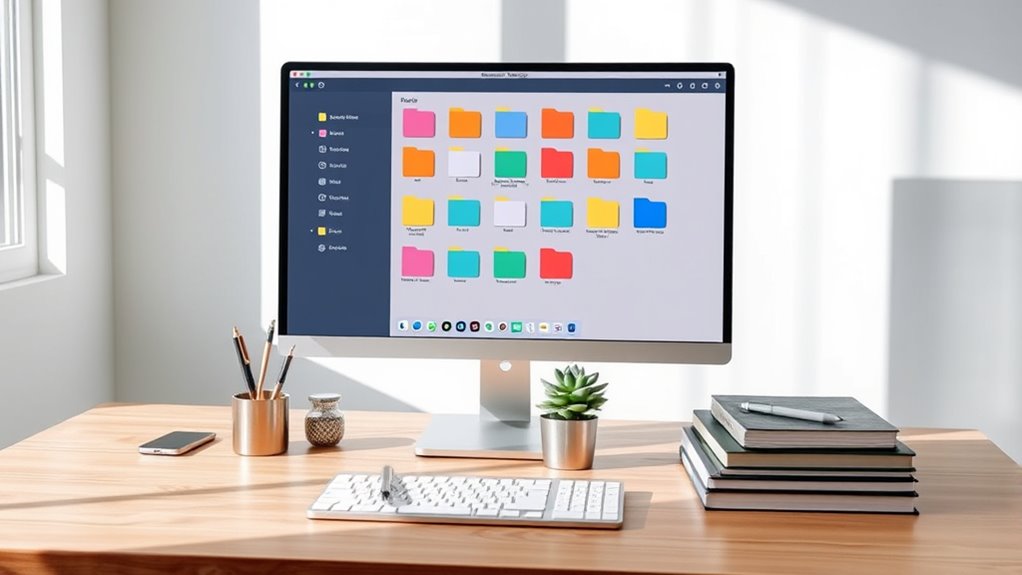

To keep your computer files organized and your sanity intact, start by establishing clear folder structures based on broad categories like work, personal, or school, and use descriptive subfolders. Adopt consistent naming conventions with dates, descriptions, and version numbers, and regularly clean out outdated or duplicate files. Dedicate a few minutes weekly to organize new files and use tags or color-coding if possible. Mastering these habits will save you time and frustration—more tips await to help you stay on top of your digital workspace.

Get the latest gadgets delivered free with Prime
- Fast, free delivery on millions of items
- Prime Video, Amazon Music and more included
- Member-only deals all year
Key Takeaways
- Implement consistent folder hierarchies starting with broad categories and narrowing down to specific topics for easy navigation.
- Use clear, descriptive file naming conventions including dates and version numbers to prevent confusion.
- Regularly review and clean your digital workspace by deleting outdated files and consolidating duplicates.
- Dedicate time weekly to organize new files immediately after saving or downloading to maintain order.
- Leverage cloud storage benefits like automatic backups and remote access to ensure data security and flexibility.

Keeping your computer files organized can substantially improve your productivity and reduce frustration. When you have a clear system, finding what you need becomes quick and effortless. One of the most effective ways to achieve this is by utilizing cloud storage. Cloud storage services like Google Drive, Dropbox, or OneDrive allow you to access your files from any device, anywhere. This flexibility means you no longer need to remember where you saved that vital document or worry about losing files if your device crashes. Plus, cloud storage often offers automatic backups, adding an extra layer of security to your important data.
In addition, consistent organization helps prevent clutter from accumulating, making your digital workspace more manageable. But simply storing files in the cloud isn’t enough; you need a consistent approach to naming and organizing those files. That’s where file naming conventions come into play. Adopting a standard naming system makes it much easier to locate files later. For example, you might start with a date in YYYY-MM-DD format, followed by a brief description, and then a version number if applicable. Something like “2024-04-27_ProjectProposal_v2” instantly tells you when the file was created or last modified, what it’s about, and its version status. This practice prevents confusion and keeps your folders clutter-free. It also helps if you’re collaborating with others, as everyone understands the naming pattern, reducing miscommunication and saving time.
Creating a well-structured folder hierarchy complements your naming conventions. Think of broad categories first, such as “Work,” “Personal,” or “School,” then narrow down into subfolders like “Reports,” “Photos,” or “Invoices.” When your files are neatly categorized, you avoid the chaos of misplaced documents. Regularly review and clean up your folders—delete outdated files and consolidate duplicates. This ongoing maintenance keeps your system efficient and prevents clutter from building up.
Another tip is to set aside a few minutes each week to organize new files. When you save or download something, immediately assign it to the appropriate folder and use your established naming conventions. This habit saves you from having to do a big cleanup later. Also, consider using tags or color-coding if your storage platform supports them; these visual cues help prioritize and identify files at a glance.
Products Worth Considering

Jackery Explorer 300 Portable Power Station, 292Wh

Samsung 27-inch Odyssey OLED G6 QD-OLED QHD Gaming Monitor

Sony WH-1000XM6 Wireless Noise-Canceling Over-Ear Headphones, Blue, Bundle
As an affiliate, we earn on qualifying purchases.
Frequently Asked Questions
How Often Should I Back up My Organized Files?
You should back up your organized files at least weekly to guarantee your data stays safe. Set a consistent backup schedule so you don’t forget, and consider using cloud storage options for automatic backups. If you handle sensitive or important files daily, back up more frequently, like daily or bi-weekly. Regular backups protect you from data loss, hardware failure, or accidental deletion, giving you peace of mind.
What’s the Best Way to Handle Duplicate Files?
To handle duplicate files, start with duplicate file detection tools like CCleaner or Duplicate Cleaner. These help you identify and remove exact or similar copies efficiently. Implement file versioning strategies by saving different versions with clear labels or timestamps, so you don’t keep unnecessary duplicates. Regularly running detection tools and maintaining organized versioning helps keep your files tidy and saves storage space effortlessly.
How Can I Recover Accidentally Deleted Files?
If you’ve accidentally deleted files, act quickly. Use reliable file recovery software to scan your drive and retrieve your data before it’s overwritten. To prevent future accidents, enable accidental deletion prevention features like Recycle Bin or Trash, and consider backing up important files regularly. These steps help safeguard your files, making recovery easier and minimizing the risk of permanent data loss.
Which File Formats Are Best for Long-Term Storage?
For long-term storage, you should choose archival file types with strong file format longevity. Use formats like PDF/A for documents, TIFF or PNG for images, and CSV or TXT for data because they’re widely supported and less likely to become obsolete. These archival file types help guarantee your files stay accessible over decades, reducing the risk of data loss due to format obsolescence.
How Do I Organize Files Across Multiple Devices?
To organize files across multiple devices, start by using cloud synchronization services like Dropbox or Google Drive to keep everything up-to-date. Adopt consistent device naming conventions so you can easily identify where files are stored. Regularly review and clean your folders on each device, ensuring files are correctly labeled and stored in relevant folders. This way, you stay organized and avoid confusion, no matter which device you’re using.
Conclusion
Now that you know the secrets to sorting, structuring, and securing your files, it’s time to take charge. Staying organized isn’t just about neatness—it’s about peace of mind and productivity. With simple systems and steady steps, you’ll stay sane and stress-free. So, start small, stay consistent, and see your digital domain transform. Remember, a tidy tech space breeds better balance, brilliance, and bliss. Get organized today and enjoy the journey to a clutter-free computer!