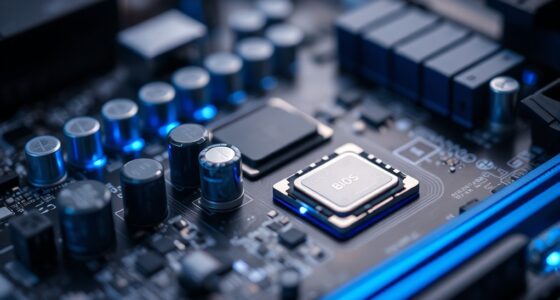

A laptop feels fast when its hardware components—like a quick processor, ample RAM, and SSD storage—work smoothly together. Good thermal management keeps it cool and prevents slowdown, while a reliable battery supports consistent performance. Software optimization, including minimizing background tasks and keeping everything updated, plays a key role too. When all these elements are in harmony, your laptop responds instantly. If you’re enthusiastic to learn more about making your laptop faster, keep exploring the details ahead.
Key Takeaways
- A fast processor and ample RAM enable quick task execution and smooth multitasking.
- SSD storage provides rapid data access and faster application launches.
- Effective thermal management prevents overheating and CPU throttling, maintaining performance.
- Software optimization and minimal background processes ensure efficient system responsiveness.
- High-quality build and reliable battery life support consistent performance over time.
Have you ever wondered why some laptops seem to respond instantly while others lag behind? The answer often comes down to a few key factors that influence how fast a laptop feels during daily use. First, consider the hardware components. A fast processor and ample RAM can make a noticeable difference, allowing your laptop to handle multiple tasks smoothly. But beyond raw specs, the way the laptop’s build quality and battery life are designed also play crucial roles in delivering that quick, seamless experience. When a laptop has a solid build quality, it’s less likely to suffer from issues like overheating or mechanical faults that can slow down performance over time. Well-constructed laptops tend to have better thermal management, which keeps the system cool and prevents throttling—where the CPU slows down to avoid overheating. This means your laptop can sustain high performance for longer periods, making it feel faster overall.
Battery life also significantly impacts perceived speed. When your laptop’s battery lasts longer, you’re less likely to be constantly tethered to charging stations or worried about sudden shutdowns, which can interrupt your workflow and make the device seem sluggish. A good battery ensures you can work or play without frequent pauses, creating a sense of responsiveness that feels natural. Conversely, laptops with poor battery life often reduce performance to conserve power, leading to lag and a slower user experience. So, having a reliable battery isn’t just about portability; it directly affects how quickly your device responds to your commands. Additionally, the storage type makes a difference. Solid-state drives (SSDs) allow for much faster data access compared to traditional hard drives, which means your files load quicker, apps launch faster, and system updates happen seamlessly. When combined with a high-quality build and longer battery life, an SSD can make a laptop feel downright snappy. The overall system performance can also be influenced by software optimization, which ensures that your device runs efficiently and minimizes unnecessary background processes. Proper thermal management also plays a role in maintaining consistent performance, preventing overheating that can cause throttling. Keeping your software up-to-date and free of bloatware can further enhance responsiveness. Moreover, system configuration and background task management contribute significantly to how responsive your laptop feels during everyday use. The operating system and software optimizations are also vital. A clean, well-maintained OS with minimal background processes keeps resources free, ensuring your laptop responds instantly when you click, scroll, or type.
In essence, while powerful hardware is important, the overall experience depends on how these elements — build quality, battery life, storage, and software — work together. When they’re aligned, your laptop feels fast not just in specs but in real-world use, making every interaction smooth and effortless.

Samsung 870 EVO SATA III SSD 1TB 2.5” Internal Solid State Drive, Upgrade PC or Laptop Memory and Storage for IT Pros, Creators, Everyday Users, MZ-77E1T0B/AM
THE SSD ALL-STAR: The latest 870 EVO has indisputable performance, reliability and compatibility built upon Samsung's pioneering technology….
As an affiliate, we earn on qualifying purchases.
As an affiliate, we earn on qualifying purchases.
Frequently Asked Questions
Does RAM Size Directly Affect Perceived Laptop Speed?
Yes, RAM capacity directly influences how fast your laptop feels. More RAM allows better memory management, enabling your laptop to handle multiple tasks smoothly without slowing down. When you have sufficient RAM, your system can easily juggle apps and processes, reducing lag and improving responsiveness. So, upgrading your RAM can substantially enhance perceived speed, especially if you often run demanding applications or multitask frequently.
How Does Background App Activity Influence Laptop Responsiveness?
Background app activity can slow down your laptop’s responsiveness because these processes consume system resources without your direct control. When multiple background processes run, they compete for CPU, RAM, and disk bandwidth, reducing the resources available for your active tasks. This resource allocation can cause your laptop to lag or feel sluggish, especially if many apps run simultaneously. Managing or closing unnecessary background processes can help improve overall responsiveness.
Can Keyboard and Touchpad Responsiveness Impact Perceived Speed?
Yes, keyboard latency and touchpad delay directly impact how fast your laptop feels. When you press keys or move the touchpad, if there’s a delay, everything seems sluggish. Quick, responsive input makes interactions smoother and enhances perceived speed. Reducing keyboard latency and touchpad delay through driver updates or settings adjustments can make your laptop feel much more responsive, giving you a seamless experience and improving overall efficiency.
Do Software Updates Improve a Laptop’s Speed Immediately?
Software updates don’t usually improve your laptop’s speed immediately, but they can enhance your user experience over time. Updates often include bug fixes, security patches, and optimized code that can improve performance indirectly. For a more instant boost, hardware upgrades like adding RAM or switching to an SSD make a noticeable difference. Keeping your software current guarantees your system runs smoothly, but hardware upgrades deliver the most immediate impact on speed.
How Much Does Storage Type Affect Startup Time?
Storage technology profoundly impacts startup time because it influences data transfer speeds. SSDs (Solid State Drives) offer faster data transfer, meaning your laptop boots up quicker, while traditional HDDs slow things down. When you choose an SSD, your system loads files and programs faster during startup, making your experience smoother. So, upgrading to a modern storage technology like an SSD can markedly reduce your laptop’s startup time and improve overall responsiveness.

A-Tech 16GB (2x8GB) DDR3/DDR3L 1600MHz PC3L-12800 (PC3-12800) CL11 SODIMM 2Rx8 1.35V 204-Pin Non-ECC SO-DIMM Laptop, Notebook RAM Memory Modules
A-Tech Memory RAM upgrade compatible for select Laptop, Notebook, and All-in-One (AIO) computers
As an affiliate, we earn on qualifying purchases.
As an affiliate, we earn on qualifying purchases.
Conclusion
A laptop feels fast when it balances a powerful processor, ample RAM, and SSD storage, reducing lag and load times. Imagine you’re editing a large video project; with a high-performance laptop, rendering happens smoothly without frustrating delays. For example, a student switching between multiple demanding apps benefits greatly from these specs, making their workflow seamless. Ultimately, choosing the right combination of components guarantees your laptop responds instantly, keeping your productivity high and frustration low.

havit HV-F2056 15.6"-17" Laptop Cooler Cooling Pad – Slim Portable USB Powered (3 Fans), Black/Blue
Ultra-Portable: Slim, portable, and light weight allowing you to protect your investment wherever you go
As an affiliate, we earn on qualifying purchases.
As an affiliate, we earn on qualifying purchases.

BLUEING 15.6" Laptop Computer, Laptop with 16GB RAM 512B SSD, Gold 6500Y (Up to 3.4GHz), 1080P FHD IPS Display, Type-C, HDMI, USB3.2, WIFI, Bluetooth, Long Battery Life, Laptops for Business & Student
SMOOTH PERFORMANCE – The Laptop Featuring Pentium Gold 6500Y Processor that can boost up to 3.4 GHz with…
As an affiliate, we earn on qualifying purchases.
As an affiliate, we earn on qualifying purchases.