TL;DR

Get the latest gadgets delivered free with Prime
- Fast, free delivery on millions of items
- Prime Video, Amazon Music and more included
- Member-only deals all year
A buying guide from Thorsten Meyer AI compares six laptops aimed at content creators, from a convertible HP to large-screen and upgradeable NIMO models. Its specifications point to tradeoffs in portability, memory, screen size and graphics; the source provides no independent benchmark results or test methodology.
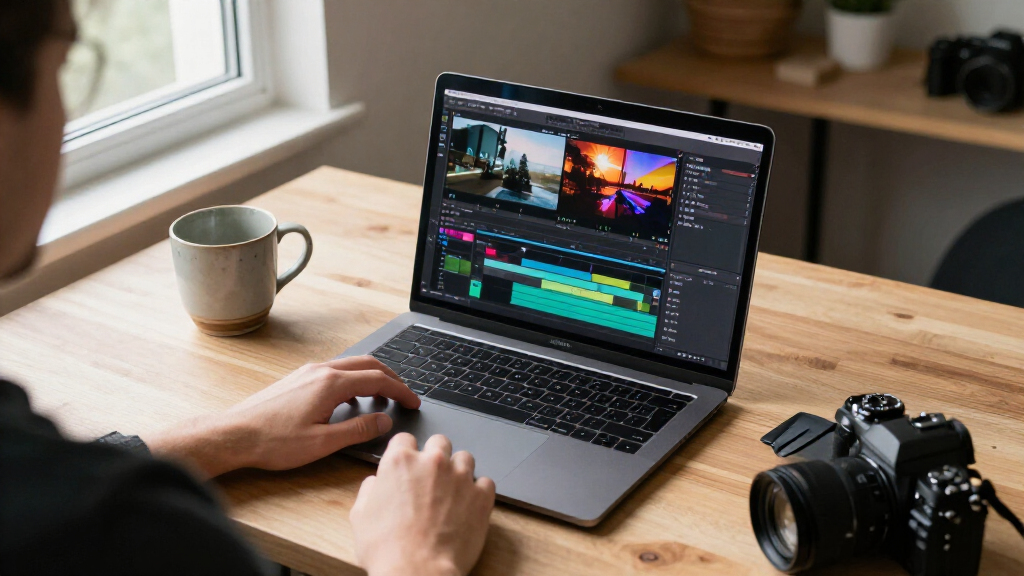
Thorsten Meyer AI’s buying guide compares six laptops for video editing and design, recommending the HP OmniBook X Flip for creators seeking a convertible touchscreen and the Acer Aspire 14 AI for users who want 32GB of memory and a 2TB SSD. The comparison highlights an important purchasing tradeoff: portability and integrated graphics versus the extra graphics capacity often needed for demanding editing work.
The six models span 14-inch to 17.3-inch displays and use Intel or AMD processors. The HP OmniBook X Flip pairs an Intel Core Ultra 7 256V with integrated Intel Arc 140V graphics, 16GB of LPDDR5X memory and a 1TB SSD. The guide describes its convertible form, touchscreen and stylus support as useful for digital art, and lists battery life of up to 23 hours. That figure is a source claim; no testing conditions are given.
The Acer Aspire 14 AI has a 14-inch, 1920-by-1200 touchscreen, Intel Core Ultra 7 258V, 32GB of memory and a 2TB SSD. The guide positions it for compact multitasking and large media libraries, while noting its 60 Hz display. Two 15.6-inch NIMO options use the AMD Ryzen 7 8745HS and Radeon 780M integrated graphics; one listing specifies 16GB of expandable memory and a 1TB SSD, while the other emphasizes two memory slots and an M.2 slot for upgrades.
The remaining options target different budgets and workspaces. The Dell 15.6-inch touchscreen uses an Intel Core i5-1334U and has a 512GB SSD; the guide flags its 720p webcam as a drawback for video calls. The 17.3-inch NIMO creator laptop has a Ryzen 5 6600H, Radeon 660M graphics and 16GB of memory that the listing says can be upgraded to 64GB. The guide favors its larger screen for a fixed desk setup but says its integrated graphics trail dedicated GPUs for 3D rendering.
Six laptops for creative work with different tradeoffs
Thorsten Meyer AI compares six laptops for video editing and design. The listed specifications help frame choices, but the guide provides no benchmark results or testing method.
Match the laptop to your work
The recommendations emphasize features and listed specifications, with each model suited to different priorities.
HP OmniBook X Flip
Touchscreen, stylus support and a 2-in-1 design suit drawing and mobile work. Its listed graphics are integrated.
Acer Aspire 14 AI
The listed configuration pairs 32GB of memory with a 2TB SSD in a 14-inch touchscreen laptop.
NIMO 15.6-inch models
Both list Ryzen 7 processors and integrated Radeon graphics; one highlights expandable memory and the other upgrade slots.
17.3-inch NIMO
A larger screen suits a fixed desk setup, while its integrated graphics may limit demanding 3D work.
Dell 15.6-inch
The touchscreen model has a 512GB SSD; the guide flags its 720p webcam as a drawback for video calls.
Portability and graphics
Screen size, mobility and graphics capability shape different parts of a creator’s workflow.
- 14-inch options are more compact for travel.
- The HP convertible adds touchscreen and stylus support.
- The 17.3-inch NIMO offers a larger screen for a desk.
- Its integrated graphics trail dedicated GPUs for 3D rendering, according to the guide.
What the guide leaves open
Use the specifications as a starting point, not proof of real-world editing performance.
Confirm memory, storage, display and upgrade support for the exact model being sold.
For 4K video or 3D work, look for independent tests using your software and confirm integrated graphics meet your needs.
The guide gives no prices, availability or testing method; check current listings before buying.
Choosing Between Mobility and Graphics
The comparison matters to creators because the label “content creator laptop” covers very different workloads. Screen size, memory and upgrade options can shape comfort when editing timelines or managing large projects, while graphics hardware affects workflows that rely heavily on GPU acceleration. A 14-inch convertible may suit travel and drawing; a 17.3-inch model offers more workspace but is less compact.
The guide itself cautions that integrated graphics can struggle with heavy GPU-accelerated work. Its six selections all list integrated graphics, and the source supplies no measured rendering times or direct comparisons with laptops that have dedicated GPUs. Readers handling intensive 4K footage or 3D work therefore cannot use this guide alone to establish which machine will meet a performance target.
Products Worth Considering

Samsung Galaxy Tab A11+ 11-Inch Tablet, 6GB RAM, 128GB Storage, Expandable, Gray

Samsung Galaxy Tab S7 11-inch Android Tablet 128GB Wi‑Fi with S Pen Mystic Black

Amazon Kindle Paperwhite (2024, 16 GB) – 7-inch Glare-Free Display, Black
As an affiliate, we earn on qualifying purchases.
Six Models, Different Creator Needs
This is a buying guide rather than a report of a newly announced product. It organizes the laptops by intended use: value multitasking, basic presentations, a premium convertible, compact power, upgradeability and a large-screen setup. Its recommendations are grounded in the specifications and feature descriptions supplied in the source.
The material also includes affiliate disclosure language stating that the publisher earns on qualifying purchases. It does not identify a testing process, review dates, product prices or independent sources for the specifications. Those omissions matter because prices and available configurations can change, and model names alone may not identify every version sold.
“The main tradeoff you will face is between integrated graphics efficiency and dedicated GPU power, especially when rendering heavy 4K footage.”
— Thorsten Meyer AI buying guide
Testing and Configurations Not Shown
The source does not say when the guide was published, how the laptops were tested, or whether the listed specifications were checked against manufacturers’ current listings. It offers no benchmark data for export times, battery life under editing workloads, display accuracy or thermals. The HP battery-life figure is not accompanied by a test method.
Some listing details are incomplete: the second NIMO 15.6-inch configuration has no memory or storage capacity in the specification table. The guide also does not give prices, availability, regional configurations or a direct recommendation for readers who require a dedicated GPU. Those details remain necessary for a like-for-like purchase decision.
Verify Specs Before Buying
Readers should check the exact configuration and current price with the seller or manufacturer before purchasing, particularly for memory, storage, display and upgrade support. Creators working with 4K video or 3D applications should also compare independent performance tests for their software and confirm whether integrated graphics meet their workload needs.
The source gives no follow-up testing or update schedule. Price changes, revised configurations or new models could alter how these six options compare, so the guide’s recommendations should be treated as a snapshot of the information it presents.
Key Questions
Which laptop does the guide recommend for most creators?
It names the HP OmniBook X Flip as its most versatile pick, citing the convertible touchscreen and stylus support. That is the guide’s recommendation, not a conclusion based on published benchmark testing.
Which model has the most memory?
The listed Acer Aspire 14 AI has 32GB of LPDDR5X memory, the largest stated capacity among the six configurations in the comparison.
Does the guide identify a laptop with dedicated graphics?
No. The listed models specify integrated graphics, including Intel Arc 140V and AMD Radeon options. The guide says integrated graphics may limit demanding GPU-accelerated work.
Are the recommendations based on hands-on tests?
The source does not describe a testing method or provide benchmark results. It presents recommendations based on listed specifications and features.
Source: Thorsten Meyer AI