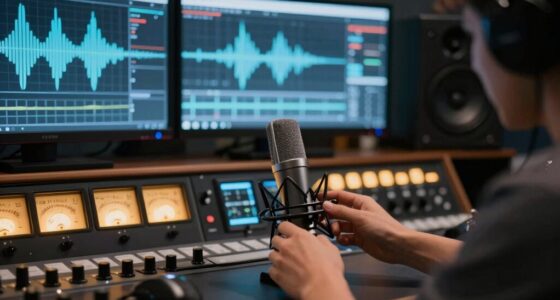
As a video creator, you need different tools because your work involves capturing motion, dynamic scenes, and longer recordings, which require specialized equipment like stabilized cameras, robotic lighting, and complex editing software. Lighting setups must be consistent and adaptable for moving subjects, and editing involves multiple layers of audio, video, and effects. If you want to understand exactly how these tools differ and improve your production, you’ll find useful details ahead.
Key Takeaways
- Video requires tools supporting continuous motion capture and stabilization, unlike still photography’s focus on single static images.
- Lighting setups for video must ensure smooth, consistent illumination across moving scenes, whereas photography often uses simpler, controlled lighting.
- Video editing involves complex layers, effects, and audio synchronization, demanding specialized software different from photo editing tools.
- Equipment durability and support for longer recording sessions are essential for video, unlike quick, high-quality snapshots in photography.
- Video gear includes advanced stabilization and robotic systems to maintain smooth footage, which are unnecessary for still image capture.
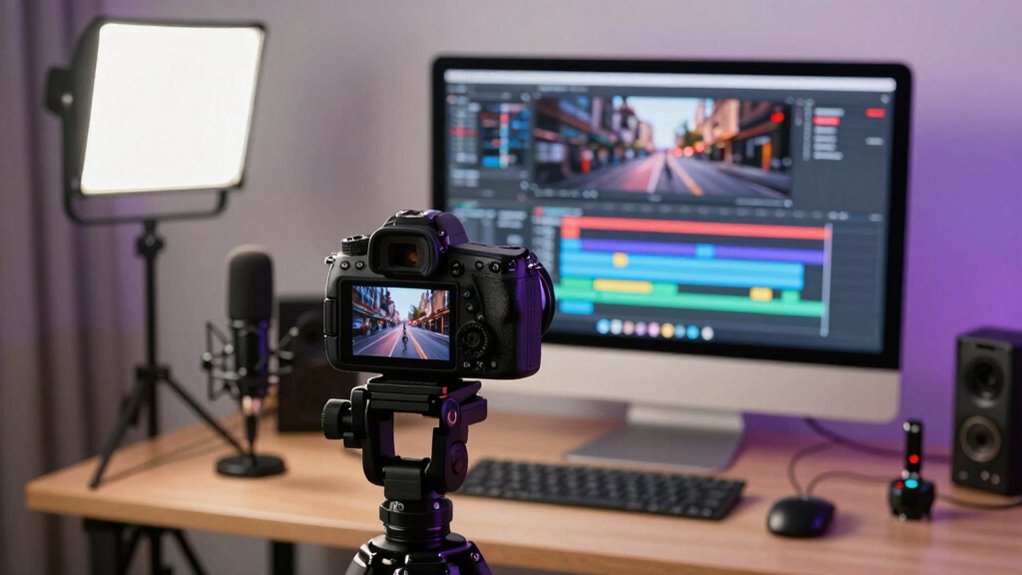
While both video creators and photographers capture visual moments, they require different tools to achieve their unique goals. As a video creator, you need equipment that not only captures motion but also supports dynamic storytelling. Your lighting setups, for example, are often more complex because they must illuminate moving subjects smoothly and consistently. You might use softboxes, LED panels, or even robotic lighting systems to create the right mood or highlight specific scenes. Photographers, on the other hand, typically focus on static images where lighting can be more controlled and refined for a single shot. They might rely on natural light or simpler studio lighting, adjusting it for a perfect still image.
Beyond lighting, your editing workflows differ markedly from those of photographers. When editing videos, you juggle multiple layers—audio, video clips, shifts, color grading, and effects—using specialized software like Adobe Premiere Pro or DaVinci Resolve. These tools cater to the complexity of motion, sound synchronization, and visual continuity. You often spend hours refining pacing, syncing audio, and adding effects to craft a seamless story. Photographers, however, primarily use photo editing software like Adobe Lightroom or Photoshop, focusing on color correction, cropping, and retouching still images. Their workflows are generally faster because they deal with one frame at a time, emphasizing detail and precision. Additionally, your equipment choices often need to support longer recording durations and stabilization, which are less critical for still photography.
video camera stabilization gimbal
As an affiliate, we earn on qualifying purchases.
As an affiliate, we earn on qualifying purchases.
Frequently Asked Questions
How Do Lighting Needs Differ Between Video and Photography?
You’ll find that lighting needs differ markedly between video and photography because video requires consistent, flicker-free lighting for smooth motion. You’ll use specific lighting techniques to control shadows and highlights, and color grading becomes vital to achieve the right mood and tone. Unlike photography, where you can adjust lighting after the shot, video demands precise setup to guarantee seamless footage, making the right tools indispensable for effective lighting and post-production.
What Are the Key Audio Considerations for Video Creators?
You need to prioritize good audio quality because poor sound can ruin your video. Use external microphones to capture clear dialogue and minimize background noise. Always monitor your audio during recording to catch issues early. After filming, invest time in sound editing to enhance clarity and balance. Remember, high-quality sound engages viewers and keeps them connected to your story, making your videos more professional and impactful.
How Does Stabilization Technology Vary for Video Versus Photos?
Stabilization technology varies for video and photos because videos need smooth motion, while photos focus on sharp, still images. You’ll find that camera ergonomics are designed to support continuous shooting, with stabilization algorithms that adapt to movement in real-time. For videos, these algorithms prioritize reducing shake during motion, whereas for photos, stabilization often enhances still clarity. Understanding this difference helps you choose tools that optimize your content’s quality.
What Editing Software Is Best for Video Creators?
You need editing software that releases your creative potential. Programs like Adobe Premiere Pro or DaVinci Resolve are perfect, offering advanced color grading to set your mood and stunning motion graphics to captivate viewers. Imagine your footage transforming seamlessly, each frame alive with emotion. These tools empower you to craft cinematic stories, blending technical mastery with artistic flair, making every project unforgettable and drawing your audience into your visual world.
How Do Storage Requirements Differ Between Video and Photo Projects?
You’ll find that video projects demand considerably more storage than photos. To manage this, you should focus on storage optimization by using efficient file compression techniques, which reduce file sizes without sacrificing quality. This helps you save space and keep your workflow smooth, especially when working with high-resolution footage. Being mindful of storage requirements guarantees you can handle large video files effectively, avoiding delays and maintaining productivity.
robotic lighting system for video
As an affiliate, we earn on qualifying purchases.
As an affiliate, we earn on qualifying purchases.
Conclusion
Understanding that video creators require different tools than photographers can boost your creativity and efficiency. Did you know that over 80% of marketers say video content has directly increased sales? This highlights how essential the right tools are for producing high-quality videos that engage audiences. Whether you’re capturing moments or telling stories, investing in specialized gear will help you stand out and achieve your goals. Don’t settle for one-size-fits-all—choose the right tools for your craft.
professional video editing software
As an affiliate, we earn on qualifying purchases.
As an affiliate, we earn on qualifying purchases.
As an affiliate, we earn on qualifying purchases.