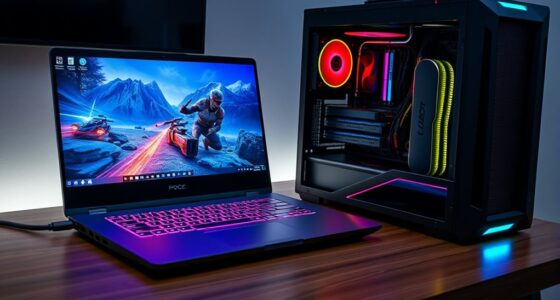
📊 Full opportunity report: Quiet GPUs for Local AI: Acoustic and Thermal Roundup on ThorstenMeyerAI.com — validation score, market gap, and execution plan.

Get the latest gadgets delivered free with Prime
- Fast, free delivery on millions of items
- Prime Video, Amazon Music and more included
- Member-only deals all year
TL;DR
This article reviews the quietest GPUs suitable for local AI workloads in 2026, emphasizing thermal and acoustic performance. It highlights the best choices across VRAM tiers, with tips on undervolting and cooling for quieter operation.
In 2026, the most notable development is the emergence of GPUs that balance high inference performance with significantly reduced noise and heat output, thanks to optimized cooling designs and undervolting techniques.
This roundup evaluates several key GPU models for local AI, focusing on their acoustic and thermal characteristics under sustained inference loads. The RTX 5090 (32GB) stands out as the top consumer choice, capable of running large models quietly when properly cooled and power-capped. The RTX 4090 (24GB) and used RTX 3090 (24GB) serve as cost-effective alternatives, with the latter offering a budget-friendly VRAM option. For efficiency and moderate model sizes, the RTX 5080 and RTX 4060 Ti (16GB) are highlighted as low-power, quiet options. The professional RTX PRO 6000 Blackwell (96GB) is noted for dense, high-VRAM needs, with a focus on thermal management.
Key to achieving quiet operation is the combination of undervolting to reduce heat and choosing partner cards with large, well-designed cooling solutions featuring zero-RPM idle modes and open-air triple-fan setups. Power capping the GPUs to 70–80% is emphasized as an effective method to drastically lower noise and temperature without sacrificing inference speed.
Quiet GPUs
for local AI.
The GPU makes ~70% of your heat and most of your noise. But here’s the secret: the chip doesn’t decide how loud your card is — the cooler design and your power settings do. Match your VRAM tier in Part 2, then make it quiet.
Capping to 70–80% sheds a huge amount of heat for almost no inference loss — because inference is memory-bound. A capped 5090 is dramatically cooler & quieter than stock. Do this first.
Within one GPU model, partner cards differ enormously. For a single card, a large triple-fan open-air with zero-RPM idle runs slow & quiet. For multi-GPU, the calculus flips →
With room to breathe, a large triple-fan open-air cooler spreads heat across a big fin stack and runs its fans slowly. The quietest choice — what most people should buy.
Why Quiet GPU Performance Matters for Local AI
For users running local AI models, noise and heat are often overlooked but critical factors affecting usability and comfort. GPUs that run quietly and coolly enable longer, more stable inference sessions, reduce energy consumption, and improve workspace environment. This is especially important for small-scale setups or workstations placed near users, where loud or hot components can be disruptive. The ability to optimize for silence without sacrificing performance makes these GPU choices highly relevant for AI practitioners and hobbyists alike.
As an affiliate, we earn on qualifying purchases.
2026 GPU Trends and Cooling Innovations in AI Hardware
As of 2026, GPU manufacturers have increasingly prioritized thermal management and acoustic performance alongside raw computational power. The shift toward undervolting and advanced cooling solutions reflects a broader industry focus on energy efficiency and user comfort. The release of high-VRAM cards like the RTX PRO 6000 Blackwell signifies a professional-grade direction, while consumer cards such as the RTX 5090 and RTX 4090 continue to dominate the market for local AI inference. Prior models like the RTX 3090 remain relevant in used markets, offering value for budget-conscious builders.
Recent testing confirms that power capping and partner cooling variants significantly influence noise levels, with well-cooled, undervolted cards capable of near-silent operation even under sustained loads. These developments mark a notable evolution from earlier, louder GPU designs, aligning hardware capabilities with practical workspace needs.
"Our latest partner cards feature advanced triple-fan open-air cooling with zero-RPM modes, optimized for silent, high-performance inference."
— GPU manufacturer spokesperson
GPU cooling solutions for silent operation
As an affiliate, we earn on qualifying purchases.
As an affiliate, we earn on qualifying purchases.
Remaining Questions About Long-Term Quiet GPU Performance
While current models show promising noise and thermal performance, long-term reliability of undervolting and cooling solutions under continuous inference loads remains to be fully validated. It is also unclear how future model updates or new GPU architectures might impact these characteristics, and whether supply constraints could affect availability of high-quality cooling variants.
As an affiliate, we earn on qualifying purchases.
Future Developments in Quiet GPU Design and AI Hardware
Expect ongoing refinement of cooling technologies and power management techniques in upcoming GPU releases, aimed at further reducing noise and heat. Manufacturers are likely to introduce more customizable cooling solutions and firmware updates to optimize performance and acoustics. Additionally, as AI models grow larger, GPU designs will need to adapt, potentially emphasizing higher VRAM and more efficient thermal architectures to maintain quiet operation at scale.
As an affiliate, we earn on qualifying purchases.
Key Questions
Which GPU offers the best balance of performance and quiet operation in 2026?
The RTX 5090 with a well-cooled, power-capped setup remains the top choice for balancing inference speed with low noise and heat output.
Can undervolting significantly reduce GPU noise?
Yes, undervolting reduces heat generation, which allows for lower fan speeds and quieter operation without sacrificing inference performance.
Are used GPUs like the RTX 3090 still viable for quiet local AI setups?
Yes, especially if paired with good cooling and power capping, the RTX 3090 offers a cost-effective VRAM option with manageable noise levels.
What cooling features should I look for in a GPU for quiet operation?
Prioritize partner cards with large, open-air triple-fan coolers, zero-RPM idle modes, and robust heatsinks designed for sustained loads.
Will future GPU models improve quietness further?
Likely, as manufacturers focus more on thermal management and acoustic optimization to meet user demands for quieter AI workstations.
Source: ThorstenMeyerAI.com
Fall Picks
fall essentials
As an affiliate, we earn on qualifying purchases.