If you’re choosing between gaming and regular monitors, you’ll notice gaming models have higher refresh rates (120Hz, 144Hz, or 240Hz) and faster response times (1ms to 4ms), which make fast movements look smoother and reduce ghosting. They also include features like G-Sync or FreeSync to prevent screen tearing. Regular monitors focus more on color accuracy and detail for everyday tasks. Want to find out which type best suits your needs? Keep exploring.

Get the latest gadgets delivered free with Prime
- Fast, free delivery on millions of items
- Prime Video, Amazon Music and more included
- Member-only deals all year
Key Takeaways
- Gaming monitors feature higher refresh rates (120Hz-240Hz) for smoother motion, unlike standard 60Hz monitors.
- Response times are lower (1ms-4ms) in gaming monitors to reduce ghosting during fast movements.
- Gaming monitors often include FreeSync or G-Sync to prevent screen tearing; regular monitors usually lack these features.
- Focused on responsiveness and fluid visuals, gaming monitors are ideal for fast-paced gaming; regular monitors prioritize color accuracy.
- Cost and features differ, with gaming monitors emphasizing performance and regular monitors favoring productivity and media tasks.
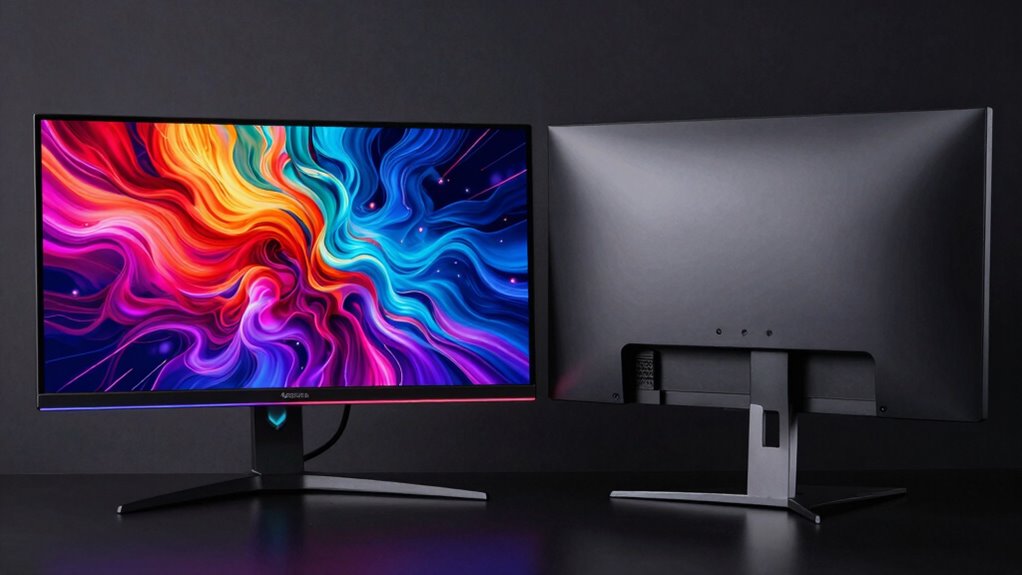
When choosing a monitor, understanding the key differences between gaming monitors and regular monitors can considerably impact your experience. One of the most significant factors to weigh is the refresh rate. Gaming monitors typically feature higher refresh rates, often 120Hz, 144Hz, or even 240Hz, compared to standard monitors which usually operate at 60Hz. This higher refresh rate allows for smoother motion and reduces motion blur, providing a more fluid visual experience during fast-paced gameplay. If you’re into competitive gaming or fast action titles, a higher refresh rate can give you a noticeable edge, making movements appear more seamless and responsive. Regular monitors, on the other hand, focus more on color accuracy and detail, which are essential for tasks like photo editing or general office work, but they don’t prioritize rapid updates as gaming monitors do.
Gaming monitors offer higher refresh rates for smoother, more responsive gameplay compared to regular monitors focused on color accuracy.
Another critical aspect is response time, which refers to how quickly a pixel can change from one color to another. Gaming monitors generally boast lower response times, often 1ms to 4ms, reducing ghosting and motion artifacts that can distract or impair gameplay. When response times are fast, the visuals stay sharp and clear during quick movements, giving you a competitive advantage and improving overall immersion. Regular monitors tend to have higher response times, which are acceptable for everyday tasks but can cause trailing or blurring during high-speed scenes in games. This difference becomes especially noticeable in fast shooters, racing games, or action-packed titles where every millisecond counts.
In addition to refresh rate and response time, gaming monitors often come with features like FreeSync or G-Sync, which synchronize the monitor’s refresh rate with your graphics card to eliminate tearing and stuttering. These features enhance the gaming experience by providing smoother visuals without artifacts. Regular monitors typically lack these gaming-specific enhancements, as their design focuses more on color accuracy and resolution for media consumption or productivity. Moreover, understanding refresh rate technology can help you select a monitor that best fits your gaming or professional needs, ensuring you get the optimal visual performance. Ultimately, your choice hinges on what you prioritize most. If gaming performance and fluid visuals matter to you, a gaming monitor with a high refresh rate and low response time is the way to go. If your main use involves work, streaming, or casual browsing, a regular monitor may be more suitable and cost-effective. Recognizing these differences helps you make an informed decision, ensuring your monitor aligns with your needs and elevates your overall viewing experience.
gaming monitor 240Hz 1ms response time
As an affiliate, we earn on qualifying purchases.
As an affiliate, we earn on qualifying purchases.
Frequently Asked Questions
Do Gaming Monitors Have Better Color Accuracy Than Regular Monitors?
Gaming monitors typically don’t have better color accuracy than regular monitors. They focus more on fast response times and high refresh rates, which can sometimes sacrifice color calibration. However, some gaming monitors offer decent viewing angles, but they often fall short of professional-grade regular monitors. If color accuracy is your priority, look for monitors with good viewing angles and precise color calibration, regardless of whether they’re marketed as gaming or regular displays.
How Do Refresh Rates Affect Gaming Performance?
Higher refresh rates, like 144Hz instead of 60Hz, boost your gaming performance by making motion smoother and reducing gaming latency. For example, in fast-paced shooters, a higher refresh rate helps you react quicker to enemies. This minimizes motion blur and lag, giving you a competitive edge. Consequently, choosing a monitor with a high refresh rate directly improves responsiveness, making your gaming experience more fluid and responsive.
Are Curved Monitors Better for Gaming or Regular Use?
Curved monitors are better for gaming because they enhance immersion and reduce eye strain, thanks to their ergonomic design. They also often feature higher display resolutions, making visuals more detailed and vibrant. For regular use, curved screens can still be comfortable, but flat monitors typically offer a more straightforward experience. Ultimately, choose a curved monitor if you want a more immersive gaming experience with ergonomic benefits and sharp display resolution.
What Is G-Sync and Freesync Technology?
Think of G-Sync and FreeSync as traffic controllers for your monitor and GPU, keeping data flowing smoothly. These adaptive sync technologies reduce screen tearing and stuttering by syncing the monitor’s refresh rate with your graphics card’s output. They also improve response time, making fast-paced games feel more responsive. G-Sync works with Nvidia cards, while FreeSync is compatible with AMD. Together, they elevate your gaming experience to a seamless ride.
Do Gaming Monitors Consume More Power Than Regular Monitors?
Gaming monitors generally consume more power than regular monitors because they often feature higher refresh rates and advanced graphics capabilities. This increased power consumption affects their energy efficiency, making them less ideal if you’re concerned about electricity use. However, newer models are becoming more energy-efficient, balancing performance with lower power consumption. So, if energy efficiency is your priority, look for gaming monitors with energy-saving features or better power management.
As an affiliate, we earn on qualifying purchases.
Conclusion
Choosing between a gaming monitor and a regular one isn’t just about specs; it’s about what you value most. Sometimes, the best choice comes unexpectedly—like discovering that smooth visuals or quick response times can turn a good game into an unforgettable experience. Ultimately, your decision reflects your passions and priorities. So, next time you pick a monitor, remember—it’s more than just technology; it’s about enhancing the moments that truly matter to you.
high refresh rate gaming monitor
As an affiliate, we earn on qualifying purchases.
As an affiliate, we earn on qualifying purchases.
As an affiliate, we earn on qualifying purchases.
Halloween Picks
halloween
As an affiliate, we earn on qualifying purchases.