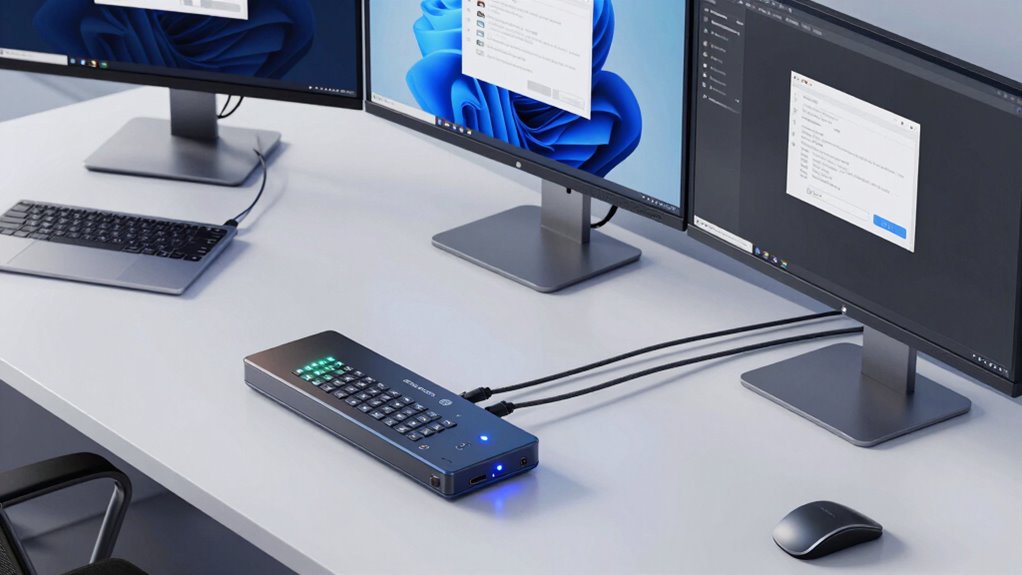

KVM switches simplify your multi-computer setup by letting you control multiple devices from one keyboard, mouse, and monitor. They reduce clutter by eliminating the need for separate peripherals for each computer, making your workspace more organized. You can switch between systems easily with buttons or hotkeys, saving time and effort. Wireless connectivity options enhance flexibility and comfort. Keep exploring to discover even more ways KVM switches can improve your setup and workflow.

Get the latest gadgets delivered free with Prime
- Fast, free delivery on millions of items
- Prime Video, Amazon Music and more included
- Member-only deals all year
Key Takeaways
- Connects multiple computers to a single set of peripherals, reducing clutter and cable mess.
- Allows quick switching between systems via buttons, hotkeys, or shortcuts for efficiency.
- Eliminates the need for multiple keyboards, mice, and monitors, streamlining workspace organization.
- Supports wireless peripherals, offering greater flexibility and easier setup.
- Enhances workflow by providing seamless control and easy access to multiple computers.
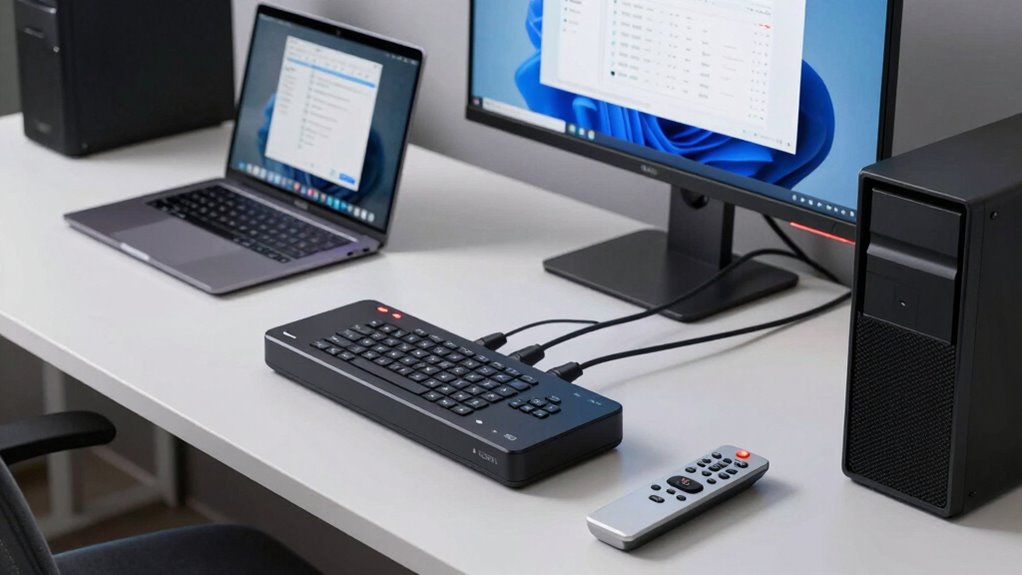
Managing multiple computers can quickly become complicated and cluttered without the right tools. If you juggle several devices daily, you know how frustrating it can be to switch between different keyboards, mice, and monitors. That’s where a KVM switch comes in. This device acts as a central hub, allowing you to control multiple computers with a single set of peripherals. Instead of cluttering your workspace with extra cables and devices, you simply connect each computer to the switch and use a button, keyboard shortcut, or even a hotkey to toggle between systems. This streamlined setup saves you time and reduces desk clutter, giving you a cleaner, more organized workspace.
One of the biggest advantages of modern KVM switches is their wireless connectivity options. Gone are the days when all connections required physical cables; now, many models support wireless keyboards and mice. This feature offers you greater flexibility and freedom of movement, especially if you work in a dynamic environment or have limited desk space. Wireless connectivity also simplifies setup, since you don’t need to worry about running cables across your desk or behind furniture. Instead, you can place your peripherals where they’re most comfortable, and the switch manages the wireless signals seamlessly. This ease of use makes switching between computers smoother and more intuitive, especially when you’re multitasking across different systems. Additionally, understanding the contrast ratio of your setup can help optimize your display for better visual clarity during multitasking. Furthermore, being aware of the wireless technology used in your peripherals can improve your overall experience and reduce latency during switching. Knowing about wireless interference can also help you troubleshoot connectivity issues more effectively. A good understanding of signal strength can ensure your peripherals maintain reliable connections during intensive work sessions.
Products Worth Considering

Logitech MX Mechanical Wireless Illuminated Keyboard, Tactile Quiet, Graphite

Bose TV Speaker (2nd Gen) Compact Soundbar with Bluetooth and HDMI Connectivity

Logitech MX Keys S Wireless Keyboard, Graphite
As an affiliate, we earn on qualifying purchases.
Frequently Asked Questions
Can KVM Switches Support Different Operating Systems Simultaneously?
Yes, KVM switches support different operating systems simultaneously. They offer cross-platform compatibility, allowing you to connect multiple computers running various OSes like Windows, Linux, or macOS. This seamless operating system integration means you can switch between computers without hassle, making your setup more efficient. Just guarantee you choose a KVM switch that supports your specific OS requirements, and you’ll enjoy smooth, unified control over all your devices.
What Is the Maximum Number of Computers a KVM Switch Can Connect?
You can connect up to 64 computers with a KVM switch, though some models support even more. As you scale up, think about video resolution and power management—higher resolutions demand better bandwidth, and managing power efficiently keeps everything running smoothly. While a larger setup offers flexibility, verify your switch’s capabilities match your needs to maintain seamless control and peak performance across all devices.
Are KVM Switches Compatible With Wireless Keyboards and Mice?
Yes, many KVM switches are compatible with wireless keyboards and mice, but it depends on the model. Wireless compatibility can sometimes introduce device latency, affecting your input responsiveness. To guarantee smooth operation, look for KVM switches specifically designed to support wireless devices or those with low latency features. Keep in mind, some setups may require additional adapters or specific protocols to maintain seamless performance.
How Do KVM Switches Handle Audio and USB Device Sharing?
Did you know over 80% of users prefer seamless device switching? KVM switches handle audio sharing by allowing you to toggle audio output along with video, so you don’t need separate speakers. They also support USB compatibility, enabling you to share keyboards, mice, and other peripherals effortlessly. Simply connect your devices, and with a press of a button, you switch between computers, streamlining your workspace and saving you time and clutter.
What Are the Security Implications of Using KVM Switches?
Using KVM switches can pose security risks if not properly managed. You might worry about unauthorized access, but encryption protocols can protect data transmitted between your devices. Ensuring physical security—like restricted access to the KVM switch itself—further minimizes risks. Regularly updating firmware and monitoring access logs also help. Ultimately, combining encryption and physical security measures allows you to safely use KVM switches in sensitive environments.
Conclusion
In short, KVM switches are like the command centers of your multi-computer setup, streamlining your workspace and saving you time. They make switching between devices as easy as flipping a switch, so you can focus on your work instead of untangling cables or juggling multiple keyboards and mice. If you want a seamless, efficient setup, investing in a KVM switch is like having a magic wand—simple, powerful, and incredibly convenient.