Using a VPN with your home internet will likely cause a small slowdown in your speeds because of encryption overhead and the distance to servers. Stronger encryption and connecting to faraway servers can make browsing, streaming, and gaming feel a bit sluggish. Luckily, choosing nearby servers and optimizing settings can minimize this impact. To find out more about balancing security and speed, keep exploring how different factors influence your VPN performance.
Key Takeaways
- VPN encryption introduces slight delays, reducing overall internet speed and affecting browsing and streaming performance.
- Connecting to distant VPN servers increases latency, leading to more noticeable speed reductions.
- Choosing nearby or less congested servers can minimize speed loss while maintaining security.
- Stronger encryption protocols require more processing power, which may slow down devices with limited resources.
- Adjusting VPN settings, such as encryption levels and server locations, helps balance security and internet speed.
In today’s digital age, using a VPN with your home internet connection can substantially enhance your online security and privacy. However, it’s important to understand that this added layer of protection comes with some trade-offs, primarily in terms of speed. When you connect to a VPN, your data must travel through an encrypted tunnel to ensure privacy and security. This process introduces what’s known as encryption overhead—a slight delay caused by the extra processing needed to encode and decode your data. The more robust the encryption protocol, the greater the overhead, which can result in noticeable decreases in browsing or streaming speeds.
Using a VPN adds security but can slow your internet due to encryption overhead.
Another critical factor influencing your VPN speed is server distance. When you choose a VPN server located far from your physical location, your data has to travel a longer route, increasing latency and reducing overall speed. For example, if you’re in New York and connect to a server in Europe, expect a bigger speed hit compared to connecting to a nearby server in the United States. The physical distance impacts how quickly data packets are transmitted back and forth, so proximity matters if you want to minimize lag and maintain smoother internet performance.
It’s tempting to select the fastest or least congested server, but if that server is located on the other side of the world, your speed might still suffer. Many VPN providers attempt to mitigate this issue by offering a wide network of servers worldwide, allowing you to choose one closer to your location. Doing so reduces latency and can help maintain a more acceptable speed for your activities. Keep in mind that even with a nearby server, encryption overhead still plays a role. The stronger the encryption, the more processing power your device needs to encrypt and decrypt data, which can slow things down further, especially on older or less powerful devices.
To get the best balance between security and speed, consider experimenting with different server locations and encryption settings. Many VPN apps allow you to toggle encryption levels or choose protocols optimized for speed, such as WireGuard, which tends to be faster than older options like OpenVPN. Additionally, understanding the net worth of your VPN provider can help you choose a reliable service that balances speed and security effectively. Ultimately, while using a VPN with your home internet does introduce some speed hit—mainly due to encryption overhead and server distance—it’s a small price to pay for the privacy and security benefits. Just be mindful of your choices, and you can find the right setup that keeps you protected without sacrificing too much performance.

TP-Link Dual-Band AX3000 Wi-Fi 6 Router Archer AX55 | Wireless Gigabit Internet Router for Home | EasyMesh Compatible | VPN Clients & Server | HomeShield, OFDMA, MU-MIMO | USB 3.0 | Secure by Design
Next-Gen Gigabit Wi-Fi 6 Speeds: 2402 Mbps on 5 GHz and 574 Mbps on 2.4 GHz bands ensure…
As an affiliate, we earn on qualifying purchases.
As an affiliate, we earn on qualifying purchases.
Frequently Asked Questions
Can VPNS Improve My Home Internet Speed?
VPNs generally won’t improve your home internet speed. In fact, they can slow it down because of encryption and routing. However, if your ISP is throttling your connection, a VPN can help by hiding your activity, potentially boosting speeds. Plus, VPN security protects your data, making your browsing safer. So, while a VPN may not always speed you up, it can enhance privacy and sometimes bypass throttling.
Do All VPN Providers Cause the Same Speed Reduction?
Think of VPN providers as different highways—some are smooth and fast, others are bumpy and slow. Not all cause the same speed reduction because VPN server locations and bandwidth throttling vary. If you choose a provider with nearby servers and minimal throttling, your speed loss will be less noticeable. Do your research and test different options; otherwise, you might end up stuck in traffic with sluggish internet.
How Does VPN Encryption Affect My Connection Latency?
VPN encryption increases your connection latency because of encryption overhead, which adds extra processing time, and server distance, as data has to travel farther. When your VPN uses strong encryption, it takes longer to encode and decode data, causing delays. Additionally, connecting to a server far away from your location results in higher latency. To minimize this, choose servers closer to you and opt for VPNs with efficient encryption protocols.
Are There VPN Protocols That Minimize Speed Loss?
Did you know that selecting the right VPN protocol can reduce speed loss by up to 50%? To minimize this, choose protocols like WireGuard or IKEv2/IPSec, which offer faster speeds. Also, prioritize connecting to servers near your location to decrease latency. Proper protocol selection and server proximity are key to maintaining better speeds while still enjoying the security benefits of a VPN.
Will Upgrading My Internet Plan Offset VPN Speed Decreases?
Upgrading your internet plan can help offset VPN speed decreases, but it depends on your VPN encryption and server locations. Faster plans often provide higher bandwidth, reducing lag caused by encryption overhead. Choosing servers closer to your location also minimizes latency. However, remember that strong VPN encryption still impacts speed, so balancing security and performance is key. Upgrading helps, but optimizing server choices is equally important for better VPN performance.

ASUS RT-AX1800S Dual Band WiFi 6 Extendable Router, Subscription-Free Network Security, Parental Control, Built-in VPN, AiMesh Compatible, Gaming & Streaming, Smart Home
New-Gen WiFi Standard – WiFi 6(802.11ax) standard supporting MU-MIMO and OFDMA technology for better efficiency and throughput.Antenna :…
As an affiliate, we earn on qualifying purchases.
As an affiliate, we earn on qualifying purchases.
Conclusion
While VPNs protect your privacy, they often slow your home internet speed. It’s a trade-off—security comes at a cost, much like choosing between comfort and convenience. You gain peace of mind, but lose a bit of that quick, seamless connection. Ultimately, it’s about balancing what matters most. Protect your digital world, but don’t forget that sometimes, a faster connection can open doors to new opportunities. Prioritize wisely.
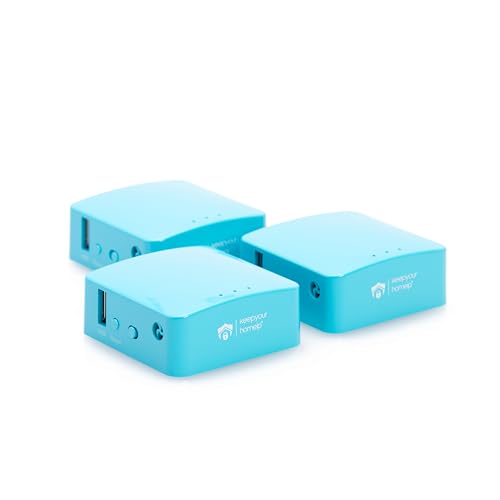
Capri CP-EL128, Server & 2 Travel Router VPN – Secure Home Network Access from Anywhere, Keep Your Home IP Wherever You are, and Enjoy Private, Full VPN Control
Secure Remote Work for Two : Includes two travel routers, so a colleague or family member can also…
As an affiliate, we earn on qualifying purchases.
As an affiliate, we earn on qualifying purchases.
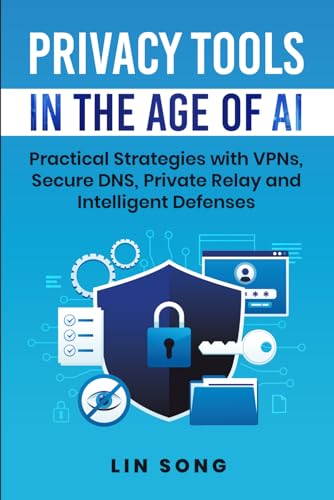
Privacy Tools in the Age of AI: Practical Strategies with VPNs, Secure DNS, Private Relay and Intelligent Defenses (Build Your Own VPN)
As an affiliate, we earn on qualifying purchases.
As an affiliate, we earn on qualifying purchases.