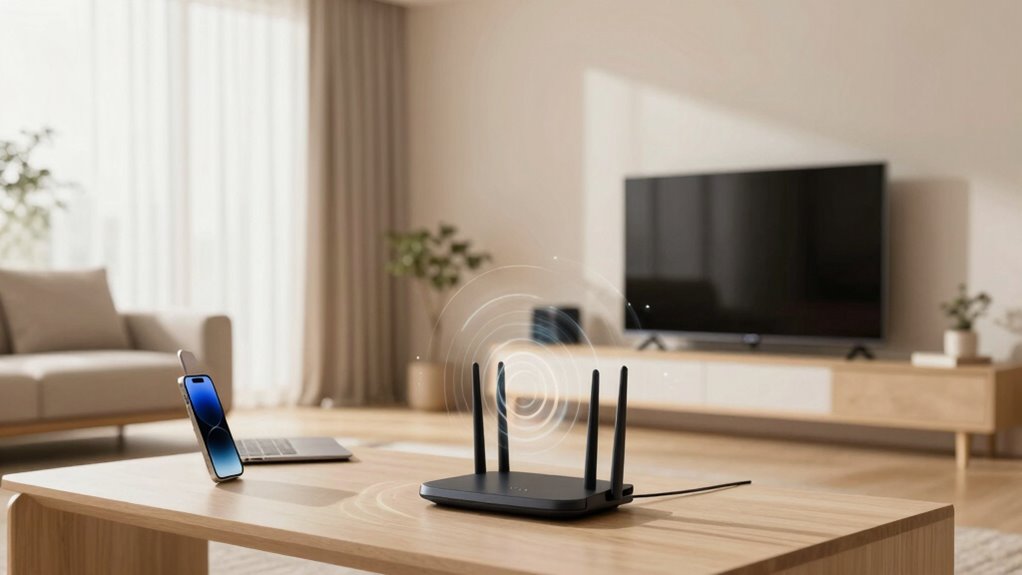
Mesh Wi-Fi changes your modern home by providing seamless coverage and reliable connections everywhere. It eliminates dead zones and guarantees your devices stay connected, even in larger or multi-story homes. With smart management features, it optimizes network traffic and boosts performance for multiple devices. Plus, it’s energy-efficient, adapting to your usage patterns to save power. Want to see how mesh Wi-Fi can truly transform your home’s connectivity? Keep exploring to find out more.
Key Takeaways
- Eliminates dead zones, providing seamless, reliable Wi-Fi coverage throughout large or multi-story homes.
- Supports multiple smart devices simultaneously, enhancing smart home integration and device management.
- Optimizes network performance, handling high traffic without speed or reliability issues.
- Reduces energy consumption through adaptive, energy-efficient operation, lowering costs and environmental impact.
- Enhances overall home connectivity, ensuring consistent internet quality and smarter resource management.

Have you ever experienced dead zones or slow internet in certain parts of your home? If so, you’re not alone. Traditional Wi-Fi setups often struggle to provide consistent coverage, especially in larger or multi-story houses. That’s where mesh Wi-Fi systems come into play, transforming how you connect to the internet and manage your smart home devices. With a mesh network, you get seamless coverage, eliminating those frustrating dead zones and ensuring every corner of your home stays connected. Instead of relying on a single router that might have trouble reaching every room, mesh Wi-Fi creates a network of nodes that work together, spreading a strong, reliable signal throughout your space.
This setup isn’t just about better internet speed; it’s about making your home smarter and more efficient. As smart home integration becomes more common, your Wi-Fi network needs to support multiple devices—everything from smart thermostats and security cameras to voice assistants and smart lighting. Mesh Wi-Fi systems handle this load effortlessly, offering stable connections for all your smart gadgets, which makes managing your home easier. You won’t have to worry about devices disconnecting when you move around the house or when multiple devices are online simultaneously. The system automatically routes your internet traffic through the best node, optimizing speed and reliability. Additionally, some mesh systems incorporate smart network management features that help prioritize bandwidth for essential devices, enhancing overall performance.
Energy efficiency is another major benefit of mesh Wi-Fi in modern homes. Unlike traditional setups that might require multiple extenders or repeaters, mesh systems are designed to be energy-efficient, consuming less power while providing broader coverage. They adapt to your usage patterns, turning off or reducing power in parts of the network that aren’t in use. This not only lowers your energy bills but also reduces your home’s overall carbon footprint. Additionally, many mesh systems come with smart features that let you monitor and control your network’s energy consumption directly from your smartphone, giving you better oversight and the ability to tweak settings for maximum efficiency. A mesh network’s adaptability ensures optimal performance while minimizing unnecessary energy use. Moreover, the ability to optimize network resources further enhances energy savings and system performance, aligning with the goals of energy-conscious modern homes.

TP-Link Deco X55 AX3000 WiFi 6 Mesh System – Covers up to 6500 Sq.Ft, Replaces Wireless Router and Extender, 3 Gigabit Ports per Unit, Supports Ethernet Backhaul, Deco X55(3-Pack)
Wi-Fi 6 Mesh Wi-Fi – Next-gen Wi-Fi 6 AX3000 whole home mesh system to eliminate weak Wi-Fi for…
As an affiliate, we earn on qualifying purchases.
As an affiliate, we earn on qualifying purchases.
Frequently Asked Questions
Can Mesh Wi-Fi Improve Security in Smart Home Devices?
Yes, mesh Wi-Fi can improve your smart home device security. It often uses robust encryption protocols, which protect your data as it travels between devices and the internet. Plus, mesh systems regularly receive firmware updates, fixing vulnerabilities and enhancing security features. By providing consistent, strong coverage, mesh Wi-Fi reduces dead zones where hackers might try to exploit weak signals, keeping your smart home safer overall.
How Does Mesh Wi-Fi Handle Multiple Device Connections Simultaneously?
Mesh Wi-Fi handles multiple device connections simultaneously by intelligently managing bandwidth and maintaining signal consistency across your home. It directs devices to the clearest, fastest nodes, reducing congestion. With dynamic bandwidth management, it prioritizes important devices or activities, ensuring smooth streaming and browsing. The result is a seamless online experience, where every device stays connected with stable signals, even when many devices are in use at once.
Is Mesh Wi-Fi Suitable for Large or Multi-Story Homes?
A chain is only as strong as its weakest link, and mesh Wi-Fi is perfect for large or multi-story homes. It manages interference and maintains signal consistency across all areas, ensuring reliable coverage. You’ll notice fewer dead zones and better performance, even on different floors. Mesh systems adapt to your home’s layout, making it an ideal choice when you need seamless connectivity throughout your entire space.
What Are the Cost Differences Between Traditional Routers and Mesh Systems?
A cost comparison shows traditional routers are usually cheaper upfront, often costing less than $100, making them a budget-friendly choice. Mesh systems, however, tend to be more expensive, ranging from $200 to $500 or more, but they offer better coverage and ease of expansion. When considering your budget, think about long-term value and whether the improved connectivity justifies the higher initial investment for your home.
How Easy Is It to Set up and Extend a Mesh Wi-Fi Network?
You’ll find setting up a mesh Wi-Fi network surprisingly simple—just follow the quick steps, and you’re done. Once set, extending it is a breeze; add a new node, and it automatically connects, boosting signal strength and reducing interference. No need for complex configurations. This seamless process guarantees your entire home stays connected with reliable coverage, making your Wi-Fi experience smooth and frustration-free.
TP-Link Deco X55 AX3000 WiFi 6 Mesh System – Covers up to 6500 Sq.Ft, Replaces Wireless Router and Extender, 3 Gigabit Ports per Unit, Supports Ethernet Backhaul, Deco X55(3-Pack)
Wi-Fi 6 Mesh Wi-Fi – Next-gen Wi-Fi 6 AX3000 whole home mesh system to eliminate weak Wi-Fi for…
As an affiliate, we earn on qualifying purchases.
As an affiliate, we earn on qualifying purchases.
Conclusion
In today’s connected world, embracing mesh Wi-Fi transforms your home into a seamless online haven. It’s not just a fancy upgrade; it’s a practical solution that guarantees every corner gets strong, reliable internet. The theory that mesh Wi-Fi can eliminate dead zones and boost overall connectivity holds true—making your digital life smoother and more enjoyable. So, give it a try and experience the difference firsthand; your home’s Wi-Fi might just become your favorite upgrade.

TP-Link AC1200 WiFi Extender, 2023 Engadget Best Budget Pick, 1.2Gbps Signal Booster for Home, Dual Band 5GHz/2.4GHz, Covers Up to 1500 Sq.ft and 30 Devices,Support Onemesh, One Ethernet Port (RE315)
𝐒𝐭𝐫𝐨𝐧𝐠𝐞𝐫 𝐖𝐢-𝐅𝐢 𝐢𝐧 𝐄𝐯𝐞𝐫𝐲 𝐂𝐨𝐫𝐧𝐞𝐫 – Enjoy extended coverage with strong performance powered by Adaptive Path Selection and…
As an affiliate, we earn on qualifying purchases.
As an affiliate, we earn on qualifying purchases.
TP-Link Deco X55 AX3000 WiFi 6 Mesh System – Covers up to 6500 Sq.Ft, Replaces Wireless Router and Extender, 3 Gigabit Ports per Unit, Supports Ethernet Backhaul, Deco X55(3-Pack)
Wi-Fi 6 Mesh Wi-Fi – Next-gen Wi-Fi 6 AX3000 whole home mesh system to eliminate weak Wi-Fi for…
As an affiliate, we earn on qualifying purchases.
As an affiliate, we earn on qualifying purchases.