
TL;DR

Get the latest gadgets delivered free with Prime
- Fast, free delivery on millions of items
- Prime Video, Amazon Music and more included
- Member-only deals all year
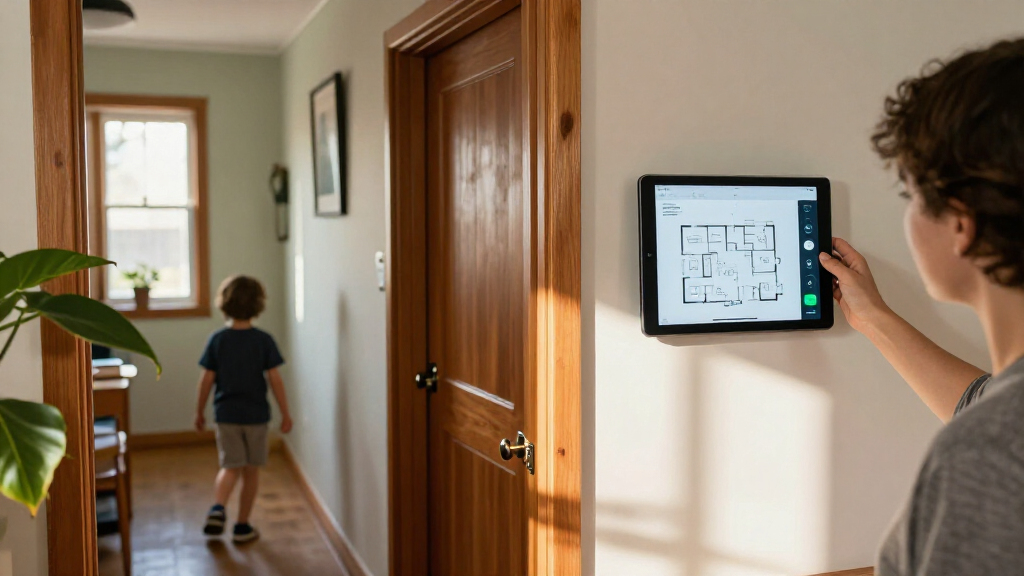
Anton Frolov commissioned an environment artist to illustrate his house and used the artwork as an interactive Home Assistant dashboard. The project combines day and night scenes, animated device states and standard picture-elements cards; Frolov says the result is a dashboard his family enjoys using.
Home Assistant user Anton Frolov commissioned an illustrator to draw his house and turned the layered artwork into a smart home dashboard, using animated scenes to show devices such as air conditioning and garden lights. Frolov says the new interface is one his family enjoys using, addressing a practical problem with his earlier dashboard: other household members did not want to use it to control devices that still required manual input.
Frolov had spent about a year automating his home with Home Assistant, including routines that switch off air conditioners when everyone leaves and adjust sprinkler runtime according to weather. But some tasks still required a person to open an app. Garden lights, for example, were controlled through an app, and a timer switched them off after a set period. As the timer neared its end, the lights blinked to prompt someone to extend it.
He considered a floor-plan interface after finding examples built with 3D models and pixel art. Instead, he hired an environment artist whose illustrated interiors suited the project. He provided an architectural plan, room photographs, style references, examples of dashboards and a technical brief describing the required image files and device states.
The brief called for transparent PNG images, separate day and night versions of each floor, and individual device artwork for off and on states. Frolov asked for all assets to use the same canvas dimensions and retain their positions, which he said avoids time-consuming alignment. He initially requested PNG sprite sheets for animation, then converted the frames to animated WebP himself.
A Dashboard Built Around the Home
The project shows one way to make a smart home interface easier for household members to understand: place controls and status information over an illustration of the rooms they relate to. In Frolov’s account, the artwork is central to the interface, while the technical build uses Home Assistant’s existing picture-elements card to position images, icons and sensor labels.
That approach may appeal to people who find conventional lists of devices difficult to navigate, but it comes with a substantial preparation effort. Frolov describes finding an artist, agreeing on the visual direction and preparing the reference material as a large share of the work. His report does not establish how broadly the design works for other households or how much it cost.
Products Worth Considering

Amazon Kindle Paperwhite (12th Generation, 2024), 16 GB, 7-inch Display, Jade

Anker SOLIX S2000 Portable Power Station, 2,010Wh, 1,500W

Logitech MX Keys S Wireless Keyboard, Graphite
As an affiliate, we earn on qualifying purchases.
Home Assistant is an open-source platform for connecting and automating smart home devices. Frolov’s existing routines handled several tasks automatically, including air conditioning when occupants left and sprinkler scheduling based on weather. The dashboard was intended for the cases where automation could not replace a person, such as turning garden lights back on or extending their timer.
Frolov found 3D floor plans that often used a static model with interactive icons layered on top. He also considered pixel art, which he says would have required drawing assets himself or positioning sprites in a graphics editor. He chose a commissioned illustration instead. For the garden, he requested three scenes: daytime, nighttime and nighttime with the lights on.
““For the first time, it’s one the whole family actually enjoys using.””
— Anton Frolov
Cost and Wider Use Remain Unknown
Frolov’s report does not state what the illustration commission cost, how long the artist took to complete it, or whether the dashboard has been tested by people outside his household. It also does not provide usage data showing whether family members now control devices more often or whether the interface has reduced reliance on manufacturer apps.
The supplied account describes the Home Assistant configuration as relying on a stock card and a few techniques, but the available source text ends while explaining how animated device images are displayed. Further implementation details and any later changes to the dashboard are not established by the material provided.
The Setup Depends on Finished Artwork
The reported next step in the build is to use the commissioned files as the dashboard’s background and place changing devices and status readouts over them. Frolov says the picture-elements card supports image, icon, state-label and conditional elements, with device images changing according to their states. He also recommends requesting animated WebP files directly if animations are needed.
No additional release, product announcement or future milestone is identified in the supplied report. The dashboard’s further development depends on the artwork and Home Assistant configuration described by Frolov.
Key Questions
What is the illustrated dashboard?
It is Anton Frolov’s Home Assistant interface, built around commissioned illustrations of his house. Device images and status information are placed over the illustrated rooms.
How does it show whether devices are on?
Frolov describes using image elements that can display different pictures for device states, including still images when devices are off and animated images when they are on.
What files did the artist need to provide?
Frolov’s brief requested transparent PNGs, day and night versions of each floor, and separate device artwork for off and on states. He also specified shared canvas dimensions so the elements would line up.
Did the project require a custom Home Assistant card?
According to Frolov, the dashboard uses Home Assistant’s stock picture-elements card, with images, icons, labels and conditional elements positioned over the artwork.
Source: hn