
Choosing between a screen protector and a naked screen depends on what matters most to you. If you value privacy, protect your screen from scratches, and reduce the risk of costly damage, a shield is a good idea. But if you prioritize maximum touch sensitivity and a sleek look, skipping the protector might suit you better. Want to weigh the benefits and drawbacks? Keep exploring to find out what fits your needs best.
Key Takeaways
- Screen protectors enhance privacy and security by limiting viewing angles and preventing unauthorized access to sensitive information.
- Going naked ensures maximum touch responsiveness and a natural display experience, ideal for gaming and quick interactions.
- Protectors safeguard screens from scratches, cracks, and physical damage, reducing repair costs and prolonging device lifespan.
- A naked screen offers a sleeker look with no glare or haze, providing clearer visuals and a more authentic device appearance.
- Your choice depends on balancing privacy/security needs with desired touch sensitivity and protection against potential physical damage.
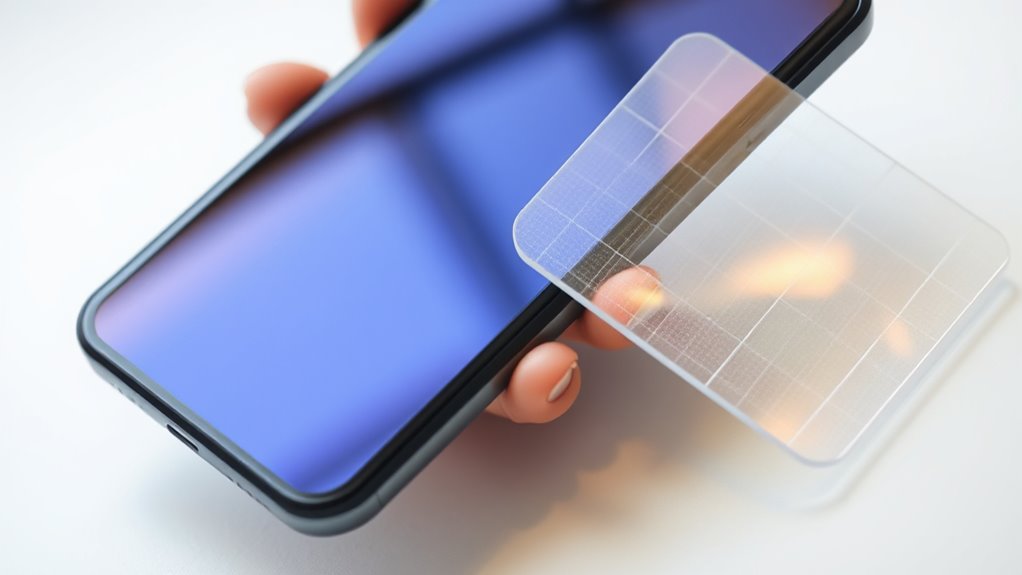
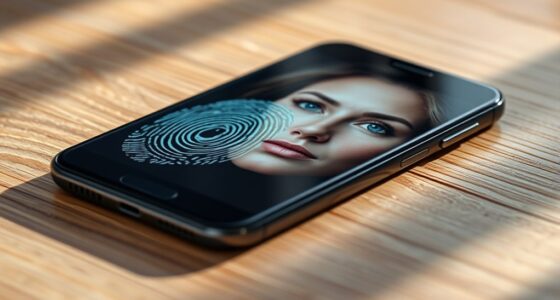
When it comes to protecting your smartphone, you have two main options: using a screen protector or going naked. Each choice has its pros and cons, depending on what matters most to you. If privacy concerns are high on your list, a screen protector can add an extra layer of security. Some screen protectors are designed with privacy filters that narrow the viewing angle, so only you can see what’s on your screen. This feature is especially useful if you often scroll through sensitive information in public spaces. Without a protector, your screen is exposed to prying eyes, making it easier for others to see your personal messages or financial data.
Aside from privacy, touch sensitivity is another key consideration. Modern screen protectors are built to be ultra-thin and highly responsive, so they shouldn’t interfere with your touch experience. Good quality protectors allow you to swipe, tap, and scroll just as smoothly as if there was no barrier. Cheaper or poorly fitted protectors, however, can cause lag or reduce touch accuracy, which can be frustrating during daily use. On the other hand, going naked means you experience the full, unaltered touch sensitivity of your device’s screen. This can be especially important if you prefer fast, precise interactions or play touchscreen-intensive games. Without a protector, your screen’s responsiveness is at its peak, giving you a seamless experience.
Going naked preserves maximum touch sensitivity for fast, precise interactions and gaming.
But there’s a trade-off. Without a protector, your screen is more vulnerable to scratches, cracks, and other damage. Accidental drops or bumps can result in costly repairs or replacements. If you’re someone who’s prone to dropping your phone or uses it in rugged environments, a screen protector can save you money and hassle in the long run. Additionally, some people find that going naked makes the phone look sleeker and more natural, without the slight haze or glare some protectors can introduce. Furthermore, protective glass options are increasingly incorporating energy-efficient features, which align with sustainable technology trends.
Ultimately, your decision hinges on your priorities. If you’re highly concerned about privacy and want to safeguard your screen from scratches, a quality screen protector with privacy filters is worth considering. If you value maximum touch sensitivity and prefer the original feel of your device, going naked might suit you better—just keep in mind the increased risk of damage. Either way, understanding how each option impacts your privacy, touch experience, and device safety helps you make an informed choice that aligns with your lifestyle.
![IMBZBK [Auto-Dust Removal] 3 Pack Privacy Screen Protector for iPhone 13 Anti Spy Private Accessories, Case Friendly Film, Military Grade Tempered Glass 3 Camera Lens Protector](https://m.media-amazon.com/images/I/51ZrDxIx-FL._SL500_.jpg)
IMBZBK [Auto-Dust Removal] 3 Pack Privacy Screen Protector for iPhone 13 Anti Spy Private Accessories, Case Friendly Film, Military Grade Tempered Glass 3 Camera Lens Protector
[Auto-Dusting Removal Installation] Includes everything you need with innovative automatic positioning, dust removal, and absorption technology, making the…
As an affiliate, we earn on qualifying purchases.
As an affiliate, we earn on qualifying purchases.
Frequently Asked Questions
How Do Screen Protectors Affect Touchscreen Responsiveness?
Screen protectors can slightly affect touchscreen responsiveness, but quality ones are designed to sustain good touch sensitivity. You might notice a minor change in finger glide or responsiveness, especially with thicker or poorly made protectors. However, with high-quality protectors, you’ll still enjoy smooth touch interactions. It’s important to choose a protector that’s compatible with your device to ensure your screen remains responsive and your finger glide feels natural.
Are There Eco-Friendly Screen Protector Options Available?
Yes, eco-friendly screen protectors do exist, offering a gentle touch on the planet. You can choose options made from biodegradable materials that break down naturally, reducing waste. These protectors act like a green shield, safeguarding your device while caring for the environment. By selecting eco-friendly options, you’re making a conscious choice to protect your screen and the Earth, blending innovation with sustainability seamlessly.
Can Screen Protectors Prevent All Types of Screen Damage?
Screen protectors can’t prevent all types of screen damage due to their limitations. They effectively guard against scratches, minor drops, and cracks, but might not fully prevent severe impacts or high-force drops. You should understand these screen protector limitations and realize they mainly enhance screen damage prevention rather than offer complete protection. For ultimate security, consider combining a protector with careful handling and a sturdy phone case.
Do Screen Protectors Interfere With Phone Waterproofing?
Did you know that over 65% of smartphone repairs are water-related? Screen protectors typically don’t interfere with your phone’s waterproofing if they’re designed to be waterproof and properly installed. They can help maintain seal effectiveness by preventing scratches that might compromise waterproof integrity. Just make certain your protector is compatible with waterproof seals, because a poorly fitted one could create gaps, risking water ingress.
How Do You Properly Install a Screen Protector Without Bubbles?
To install a screen protector without bubbles, start with clean application techniques. First, thoroughly clean your screen with a microfiber cloth and a gentle cleaning solution to remove dust and fingerprints. Carefully align the protector, then slowly peel back the adhesive backing while pressing it onto the screen. Use a credit card or squeegee to smooth out air bubbles from the center outward, ensuring a flawless and bubble-free finish.
![Ferilinso [Auto Dust Install] 3 Pack Screen Protector for Samsung Galaxy S26 Ultra, Military Grade Shatterproof, with 3Pack Tempered Glass Camera Lens Protector, Phone Case Friendly Accessories](https://m.media-amazon.com/images/I/41HMu4szacL._SL500_.jpg)
Ferilinso [Auto Dust Install] 3 Pack Screen Protector for Samsung Galaxy S26 Ultra, Military Grade Shatterproof, with 3Pack Tempered Glass Camera Lens Protector, Phone Case Friendly Accessories
Unbreakable 9H+ Glass, 2nd Screen of your : Unmatched shatterproofness and durability, it's designed specifically for the Samsung…
As an affiliate, we earn on qualifying purchases.
As an affiliate, we earn on qualifying purchases.
Conclusion
In the end, whether you choose a screen protector or go naked depends on your lifestyle and risk tolerance. Did you know that about 70% of smartphone owners have cracked screens at least once? If you’re prone to drops or work in rugged environments, a protector offers peace of mind. But if you prefer the crisp, vibrant display without any interference, going naked might suit you just fine. Think about your habits and make a choice that keeps your screen safe and your experience enjoyable.

Magicmoon 2-Pack 24 Inch Computer Privacy Screen Filter, Anti-Spy/Glare Protector Film for Widescreen Monitor with 16:9 Aspect Ratio (Width x Height: 531mm x 298mm)
Compatible Model(s): Magicmoon brand filter only for 24 inch -diagonally measured – widescreen monitor – aspect ratio 16:9…
As an affiliate, we earn on qualifying purchases.
As an affiliate, we earn on qualifying purchases.

UltraGlass Unbreak Top 9H+ Glass for iPhone 16 Pro Screen Protector 6.3" (12FT Military Grade Shatterproof) Screen Protector 16 Pro Tempered Glass (Longest Durable) Full Coverage 16Pro, 2 Pack
[Unbreakable TOP 9H+ ARMOR, the 2nd Screen for Your iPhone] The industry's first integration of sapphire ionic components….
As an affiliate, we earn on qualifying purchases.
As an affiliate, we earn on qualifying purchases.