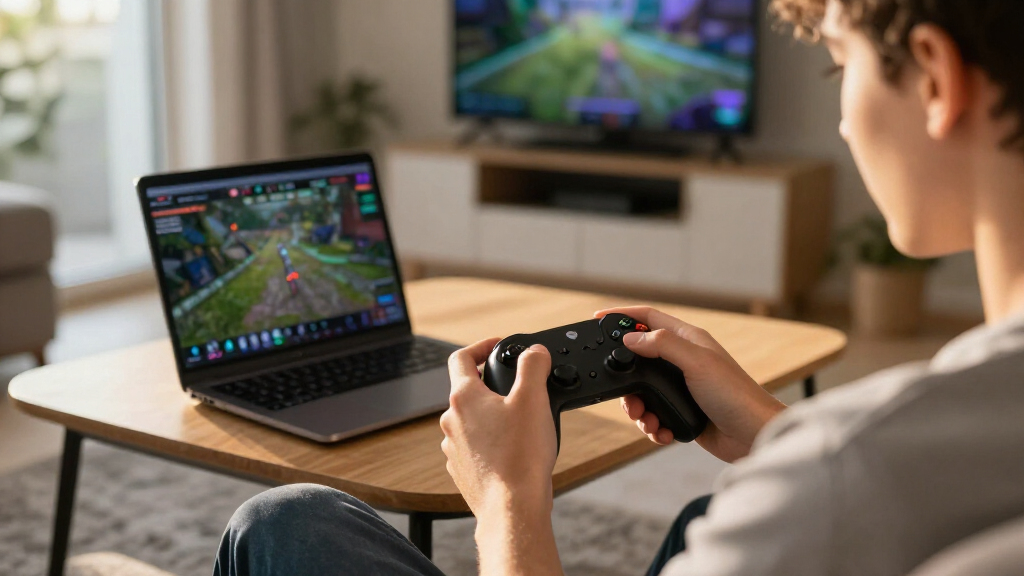

The best cloud gaming controllers pair dependable controls with the device and service you actually use. I’d put the Amazon Luna Wireless Controller first for players focused on Luna, while the 8BitDo Ultimate 2 is a more flexible choice across PC, Apple, Steam, and Android. For a phone-first setup, the GameSir X5 Lite stands out as a direct-fit mobile option. The main tradeoffs are broad compatibility versus service-specific features, and a compact phone-mounted design versus a full-size controller used at a distance. Read on for the full breakdown of which pick best matches your cloud gaming setup.

Get the latest gadgets delivered free with Prime
- Fast, free delivery on millions of items
- Prime Video, Amazon Music and more included
- Member-only deals all year
Complete the kit



Key Takeaways
- The best match depends on where you play: Luna has a clear service-specific role, while the 8BitDo Ultimate 2 lists support across several device ecosystems.
- Phone-mounted controllers solve a different problem from traditional pads: the GameSir X5 Lite and 8BitDo Ultimate Mobile are designed around mobile play, not couch gaming on a TV.
- Wired connections can make setup more predictable: the Xbox controller includes a USB-C cable, and the RiotPWR iOS models use device-specific cable connections.
- Hall-effect sticks and triggers are a differentiator, not a universal advantage: the Crotrain highlights them, but buyers still need to check platform support and layout fit.
- There is no single best fit for every service: compare device compatibility and connection method before choosing based on extra controls or wireless convenience.
| Amazon Luna Wireless Controller |  | Best for Amazon Luna | Connectivity: Dual-band Wi-Fi, Bluetooth Low Energy 5.0, USB-C | Compatible devices: Windows PC, Mac, Fire TV, Fire Tablet, iPhone, iPad, Android, Chromebook, and select Samsung Smart TVs | Inputs: 12 buttons, 4-way directional pad, 2 offset thumbsticks | VIEW LATEST PRICE | See Our Full Breakdown |
| GameSir X5 Lite Mobile Gaming Controller |  | Best Lightweight Phone Controller | Connectivity: USB-C | Compatible devices: Android and iOS phones; compatible tablets | Maximum device width: 213 mm | VIEW LATEST PRICE | See Our Full Breakdown |
| PlayStation DualSense Wireless Controller – Cosmic Red |  | Best for Haptics and Adaptive Triggers | Color: Cosmic Red | Connectivity: USB Type-C and Bluetooth | Compatible devices: PlayStation 5, Windows PC, Mac, Android, and iOS | VIEW LATEST PRICE | See Our Full Breakdown |
| SteelSeries Nimbus Cloud Dual-Mode Cloud Controller |  | Best Full-Size Cross-Device Pick | Connectivity: Bluetooth wireless | Compatible devices: Android, iPhone, iPad, Mac, MacBook, Apple TV, Chromebook, PC, and smart TVs | Sensors: Hall Effect | VIEW LATEST PRICE | See Our Full Breakdown |
| RiotPWR Cloud Gaming Controller for iOS with Lightning and USB-C Cables |  | Best Wired iPhone Option | Compatible devices: iOS devices running iOS 7 or later | Connectivity: Corded USB | Included cables: Lightning and USB-C | VIEW LATEST PRICE | See Our Full Breakdown |
| Crotrain Wireless Gaming Controller with Hall Joysticks and Triggers |  | Best Multi-Platform Value | Connectivity: Wireless Bluetooth | Compatible systems: iOS, Android, Windows, Mac, Nintendo Switch, Switch 2 | Hall effect controls: Joysticks and triggers | VIEW LATEST PRICE | See Our Full Breakdown |
| 8BitDo Ultimate 2 Wireless Controller for PC, Apple, Steam, and Android |  | Best for Low-Latency PC Cloud Gaming | Connectivity: USB and 2.4G wireless | Listed compatible devices: Android and Windows | Polling rate: 1000Hz | VIEW LATEST PRICE | See Our Full Breakdown |
| Xbox Wireless Gaming Controller with 9-ft USB-C Cable, Carbon Black |  | Best for Xbox Cloud Gaming | Connectivity: Bluetooth and USB-C | Compatible devices: Android, iOS, Windows, Xbox One, Xbox Series S, Xbox Series X | Included cable: 9-ft USB-C cable | VIEW LATEST PRICE | See Our Full Breakdown |
| RiotPWR Mobile Cloud Gaming Controller for Lightning iOS |  | Best Wired Pick for Lightning iPhone | Compatible device: iPhone running iOS 7 or later | Connectivity: Lightning | Controller type: Full-size | VIEW LATEST PRICE | See Our Full Breakdown |
| 8BitDo Ultimate Mobile Gaming Controller for iPhone and Android (Black) |  | Best Phone-Mounted Wireless Controller | Connectivity: Bluetooth | Compatible devices: Apple and Android phones | Cloud gaming support: Xbox Cloud Gaming | VIEW LATEST PRICE | See Our Full Breakdown |
| Wireless Bluetooth Gaming Controller with Back Paddles and Turbo |  | Best for Custom Controls Across Devices | Connectivity: Bluetooth | Compatible platforms: Luna, Fire TV, PC, GeForce NOW, Android, phones, and tablets | Additional controls: Two programmable back paddles and turbo function | VIEW LATEST PRICE | See Our Full Breakdown |
| cloud gaming controller | Connectivity | Weight | Compatible devices | Dimensions |
|---|---|---|---|---|
| Amazon Luna Wireless Controlle | Dual-band Wi-Fi, Bluetooth Low Energy 5.0, USB-C | 235.5 g without batteries; 281.5 g with batteries | Windows PC, Mac, Fire TV, Fire Tablet, iPhone, iPad, Android, Chromebook, and select Samsung Smart TVs | 156.4 × 107.6 × 58.5 mm |
| GameSir X5 Lite Mobile Gaming | USB-C | 135.4 g | Android and iOS phones; compatible tablets | — |
| PlayStation DualSense Wireless | USB Type-C and Bluetooth | — | PlayStation 5, Windows PC, Mac, Android, and iOS | — |
| SteelSeries Nimbus Cloud Dual- | Bluetooth wireless | 1.1 pounds | Android, iPhone, iPad, Mac, MacBook, Apple TV, Chromebook, PC, and smart TVs | 4.18 × 6.09 × 2.82 inches |
| RiotPWR Cloud Gaming Controlle | Corded USB | 0.43 kg | iOS devices running iOS 7 or later | 6 × 4.75 × 2 inches |
| Crotrain Wireless Gaming Contr | Wireless Bluetooth | — | — | — |
| 8BitDo Ultimate 2 Wireless Con | USB and 2.4G wireless | 246 g | — | — |
| Xbox Wireless Gaming Controlle | Bluetooth and USB-C | 15.2 ounces | Android, iOS, Windows, Xbox One, Xbox Series S, Xbox Series X | 6.91 × 5.61 × 2.76 inches |
| RiotPWR Mobile Cloud Gaming Co | Lightning | 0.43 kg | — | 5.91 × 4.33 × 1.97 inches |
| 8BitDo Ultimate Mobile Gaming | Bluetooth | 280 g | Apple and Android phones | 8.54 × 5 × 2.99 inches |
| Wireless Bluetooth Gaming Cont | Bluetooth | — | — | 6.2 × 2.3 × 4.2 inches |
More Details on Our Top Picks
Amazon Luna Wireless Controller
For cloud gaming centered on Amazon Luna, this controller’s Wi-Fi Cloud Direct connection gives it a clearer purpose than a general Bluetooth pad: it can connect directly to Luna and switch between supported screens during play. It also offers Bluetooth and USB-C for compatible devices, so it is not limited to one connection method. The offset sticks, vibration, and headset jack make it a familiar full-size option for longer sessions. Compared with the RiotPWR RP1950, it allows wireless play, while the RiotPWR’s wired link avoids Bluetooth latency on compatible iPhones. The Luna controller’s main drawback is ecosystem fit: it does not work with gaming consoles, and its USB-C cable is sold separately.
Pros:- Wi-Fi Cloud Direct is tailored to Amazon Luna gameplay
- Wi-Fi, Bluetooth, and USB-C provide multiple connection options
- Works with a broad range of listed computers, mobile devices, and streaming devices
- Vibration feedback and a 3.5 mm headset output support a more familiar gamepad setup
Cons:- Does not work with gaming consoles
- USB-C cable is sold separately
- Cloud Direct’s main advantage is tied to Amazon Luna
Best for: Amazon Luna players who want a full-size controller for Fire TV, computers, phones, or supported Samsung TVs and value switching between screens.
Not ideal for: Console owners or players who primarily use iPhone and want a controller that mounts directly to the phone.
- Connectivity:Dual-band Wi-Fi, Bluetooth Low Energy 5.0, USB-C
- Compatible devices:Windows PC, Mac, Fire TV, Fire Tablet, iPhone, iPad, Android, Chromebook, and select Samsung Smart TVs
- Inputs:12 buttons, 4-way directional pad, 2 offset thumbsticks
- Haptics:Vibration motors
- Audio:3.5 mm stereo headset output
- Dimensions:156.4 × 107.6 × 58.5 mm
- Weight:235.5 g without batteries; 281.5 g with batteries
- In the box:2 AA batteries and setup guide
Our verdict“Choose this for Luna across supported screens; choose the RiotPWR RP1950 instead if a wired iPhone setup matters more.”
GameSir X5 Lite Mobile Gaming Controller
The GameSir X5 Lite is the lineup’s most phone-focused option: its USB-C connection and expanding body hold a compatible phone or tablet up to 213 mm wide, putting controls on either side of the screen. At 135.4 g, it adds less weight than a full-size pad such as the SteelSeries Nimbus Cloud, though it cannot serve as a separate living-room controller. Hall Effect sticks are a useful distinction for players who want precise movement from a compact mobile setup, and pass-through charging helps keep a long session from draining the phone. Turbo and app customization add flexibility, but only for supported settings and games. Buyers should also check their device’s connector and compatibility before choosing: this is not a Bluetooth controller for general-purpose pairing.
Pros:- Lightweight 135.4 g design with textured ergonomic grips
- Hall Effect sticks support precise 360-degree control
- Pass-through charging allows play while charging
- Expands to fit compatible phones and tablets up to 213 mm wide
Cons:- USB-C connection limits use to compatible devices
- Does not offer the separate full-size wireless setup of the SteelSeries Nimbus Cloud
- Customization options depend on supported settings and functions
Best for: Phone and small-tablet cloud gamers who want a lightweight, handheld layout with pass-through charging and compatible USB-C connectivity.
Not ideal for: Players who want one controller for a TV, PC, and phone, or whose device is incompatible with its USB-C connection.
- Connectivity:USB-C
- Compatible devices:Android and iOS phones; compatible tablets
- Maximum device width:213 mm
- Weight:135.4 g
- Controls:12 buttons, Hall Effect sticks, membrane buttons and triggers
- Features:Turbo function, pass-through charging, app customization
- Color:Black
Our verdict“Pick the X5 Lite for a light, phone-mounted cloud gaming setup, but choose the Nimbus Cloud if you also need a full-size Bluetooth pad.”
PlayStation DualSense Wireless Controller – Cosmic Red
The DualSense earns its place for cloud players who want supported games to make more use of their hands than standard rumble alone. Its haptic feedback and adaptive triggers can convey different sensations through the controller, while USB-C and Bluetooth support a mix of PS5, computer, and mobile connections. That broader reach makes it a more flexible cloud option than the Luna controller for buyers who also play on PlayStation 5. It also adds a built-in microphone, mute button, and 3.5 mm headset jack. There is a tradeoff: cloud services and devices may not support every DualSense feature, so the richer feedback is not guaranteed across a mixed-device library. Unlike the GameSir X5 Lite, this is a separate gamepad rather than a phone-mounted controller.
Pros:- Haptic feedback and adaptive triggers add nuanced gameplay feedback in supported titles
- Connects through Bluetooth or USB-C
- Compatible with PS5, Windows PC, Mac, Android, and iOS
- Built-in microphone, dedicated mute button, and 3.5 mm headset jack
Cons:- Advanced features may not work across every device or cloud gaming service
- Does not attach to a phone like the GameSir X5 Lite
- The supplied product details do not specify battery life or weight
Best for: Cloud gamers who already use PS5 and want one familiar controller for compatible computers and mobile devices, with advanced feedback where supported.
Not ideal for: Players who need a compact controller that attaches to a phone or rely on every cloud service supporting adaptive triggers and haptics.
- Color:Cosmic Red
- Connectivity:USB Type-C and Bluetooth
- Compatible devices:PlayStation 5, Windows PC, Mac, Android, and iOS
- Feedback:Haptic feedback and adaptive triggers
- Microphone:Built-in, with dedicated mute button
- Headset jack:3.5 mm
Our verdict“Choose the DualSense if you want a versatile cloud companion with richer supported-game feedback and do not need a phone-mounted form.”
SteelSeries Nimbus Cloud Dual-Mode Cloud Controller
The SteelSeries Nimbus Cloud suits players who want a full-size controller for both mobile cloud play and larger screens, rather than a pad built around one phone. Its Bluetooth compatibility spans Android and Apple devices, Chromebook, PC, and smart TVs, giving it broader listed device coverage than the Luna controller outside Amazon’s own service. Hall Effect sensors are aimed at precise control and durability, while the stated battery life of up to 20 hours reduces how often a wireless session needs a recharge. The cost of that versatility is portability: at 1.1 pounds, it is much heavier than the GameSir X5 Lite and does not mount onto a phone. Its connection is Bluetooth-only, so players seeking a direct wired option should look at the Luna or RiotPWR instead.
Pros:- Listed compatibility covers Android, Apple devices, Chromebook, PC, and smart TVs
- Hall Effect sensors are designed for precision and durability
- Up to 20 hours of stated Bluetooth battery life
- Full-size format suits play on larger screens as well as mobile devices
Cons:- At 1.1 pounds, it is substantially heavier than the GameSir X5 Lite
- Bluetooth-only connectivity excludes a wired connection option
- Does not attach directly to a phone
Best for: Players who move between mobile devices, computers, and smart TVs and prefer a full-size wireless controller over a phone-mounted grip.
Not ideal for: Commuters seeking the lightest handheld setup, or players who require USB or Wi-Fi controller connectivity rather than Bluetooth.
- Connectivity:Bluetooth wireless
- Compatible devices:Android, iPhone, iPad, Mac, MacBook, Apple TV, Chromebook, PC, and smart TVs
- Sensors:Hall Effect
- Battery life:Up to 20 hours
- Weight:1.1 pounds
- Dimensions:4.18 × 6.09 × 2.82 inches
- Color:Black
- Warranty:1 year
Our verdict“Pick the Nimbus Cloud for one full-size Bluetooth controller across a wide mix of screens, not for the lightest on-the-go setup.”
RiotPWR Cloud Gaming Controller for iOS with Lightning and USB-C Cables
For iPhone cloud gaming, the RiotPWR RP1950 prioritizes a direct cable connection over wireless freedom. That wired approach avoids Bluetooth latency, and its console-style grip, headphone socket, and audio DAC make it a practical fit for longer mobile sessions. The included Lightning and USB-C cables give it more device flexibility than a controller sold with only one connector, while the share button adds a quick way to capture or share supported gameplay. Compared with the GameSir X5 Lite, the RiotPWR has a corded, gamepad-style layout rather than an expanding phone grip, so it is less compact to carry and position. Pass-through charging is also limited: the supplied details specify it for Lightning-to-Lightning use, and the cable can restrict movement.
Pros:- Direct wired connection avoids Bluetooth latency
- Includes Lightning and USB-C cables
- Audio DAC and headphone socket support wired listening
- Pass-through charging is available for Lightning-to-Lightning use
Cons:- Corded design limits movement compared with the wireless DualSense or Nimbus Cloud
- Pass-through charging is specified only for Lightning-to-Lightning
- The 0.43 kg gamepad is less compact than the phone-mounted GameSir X5 Lite
Best for: iPhone cloud gamers who prefer a wired controller, want a headphone connection, and play near a stable seating position.
Not ideal for: Players who want unrestricted movement, Bluetooth pairing, or pass-through charging across every cable and device combination.
- Compatible devices:iOS devices running iOS 7 or later
- Connectivity:Corded USB
- Included cables:Lightning and USB-C
- Controls:16 buttons
- Additional features:Pass-through charging, audio DAC, headphone socket, share button
- Weight:0.43 kg
- Dimensions:6 × 4.75 × 2 inches
- Color:Black
Our verdict“Choose the RiotPWR RP1950 for a wired iPhone setup with headphone support, but skip it if cable-free play matters more.”
Crotrain Wireless Gaming Controller with Hall Joysticks and Triggers
The Crotrain is a flexible pick for someone who wants one Bluetooth pad for cloud gaming on phones, computers, and Nintendo Switch. Its Hall effect sticks and triggers are designed to reduce wear-related drift, while adjustable vibration and RGB lighting let you tailor the feel without relying on an app. The stated 15–18 hours of play gives it a useful edge over options with no battery-life details, such as the 8BitDo Ultimate 2. Compared with the Xbox Wireless Gaming Controller, Crotrain covers Switch as well as mobile and computer platforms, but it lacks the Xbox pad’s included cable and stated battery-life figure. Its Switch 2 support also has clear limits: wake-up and the C key are unavailable. I’d choose it for broad device coverage, not for full Switch 2 integration.
Pros:- Bluetooth compatibility spans iOS, Android, Windows, Mac, and Nintendo Switch.
- Hall effect joysticks and triggers are designed to resist drift from ordinary wear.
- Stated 15–18-hour play time helps buyers plan between charges.
- Six-axis motion control and adjustable vibration add options for supported games.
Cons:- Switch 2 wake-up and C key functions are not supported.
- No wired connectivity option is listed.
- RGB lighting and multiple features may be unnecessary for buyers seeking a simple gamepad.
Best for: Players who switch among Android or iOS devices, computers, and Nintendo Switch and want one wireless controller with stated battery life.
Not ideal for: Switch 2 players who rely on controller wake-up or the C key, or buyers who want a clearly documented wired mode.
- Connectivity:Wireless Bluetooth
- Compatible systems:iOS, Android, Windows, Mac, Nintendo Switch, Switch 2
- Hall effect controls:Joysticks and triggers
- Motion control:Six-axis gyroscope
- Vibration:Dual motors; strong, medium, or off
- Battery:600 mAh; stated 15–18 hours of play
- Charging:USB-C; stated 2–3 hours
- Switch 2 limitation:Does not support wake-up function or C key
Our verdict“Choose the Crotrain if cross-device Bluetooth support and stated battery life matter more than full Switch 2 feature support.”
8BitDo Ultimate 2 Wireless Controller for PC, Apple, Steam, and Android
For cloud gaming on a Windows PC or Android device, the Ultimate 2 prioritizes responsive input over the simplicity of a basic Bluetooth pad. Its 2.4G wireless connection is listed with under 1 ms latency and a 1000Hz polling rate, and it can also connect by USB. TMR joysticks and switchable Hall effect or tactile triggers give players room to choose a control feel, while rear paddles and extra bumpers add inputs without moving thumbs off the sticks. That makes it more configurable than the Crotrain, though Crotrain lists broader device and console compatibility. The included dock and USB-C adapter simplify storage and connection, but the available compatibility information names Android and Windows, leaving support for Apple and Steam unclear. No battery-life figure is provided, either.
Pros:- Listed 2.4G wireless latency is under 1 ms, with a 1000Hz polling rate.
- TMR joysticks and switchable Hall effect or tactile triggers offer control options.
- Two rear paddles and extra R4/L4 bumpers provide additional inputs.
- A multifunction charging dock and USB-C adapter are included.
Cons:- Listed compatible devices specify Android and Windows, so support for other platforms is unclear.
- Battery-life information is not provided.
- Its extra controls and settings may be more than casual cloud players need.
Best for: Windows PC and Android cloud gamers who want low-latency 2.4G or wired play, extra controls, and trigger customization.
Not ideal for: Buyers who need confirmed support across Apple devices or consoles, or who want a known battery runtime before buying.
- Connectivity:USB and 2.4G wireless
- Listed compatible devices:Android and Windows
- Polling rate:1000Hz
- Wireless latency:Under 1 ms
- Joysticks:TMR
- Triggers:Switchable Hall effect or tactile
- Additional controls:Two back paddles and extra R4/L4 bumpers
- Included accessories:Multifunction charging dock and USB-C adapter
- Weight:246 g
Our verdict“Pick the Ultimate 2 for configurable, low-latency cloud play on PC or Android, but verify platform support if you play elsewhere.”
Xbox Wireless Gaming Controller with 9-ft USB-C Cable, Carbon Black
This Xbox controller is the straightforward choice for players who use cloud gaming across Xbox, Windows, and mobile devices and want a familiar layout. The hybrid D-pad, textured grips, and headset jack suit longer sessions, while the included 9-foot USB-C cable gives you a wired option for compatible consoles and Windows PCs. That cable is a practical distinction from the Bluetooth-only Crotrain, especially if you prefer a direct connection or need to play while charging. The Xbox pad also lists up to 40 hours of battery life with AA batteries, though those batteries are not included in the supplied details and wireless play depends on them. Compared with the phone-mounted 8BitDo Ultimate Mobile, this is a conventional standalone gamepad, so it won’t hold a phone for portable play.
Pros:- Works with supported Xbox consoles, Windows PCs, Android, and iOS devices.
- Included 9-foot USB-C cable supports wired play on compatible consoles and Windows PCs.
- Hybrid D-pad and textured grips support controlled input and a secure hold.
- A 3.5 mm headset jack and customizable controls add practical flexibility.
Cons:- Wireless operation uses AA batteries.
- The listed battery life is up to 40 hours with standard AA batteries, but no rechargeable battery is specified.
- Device and game compatibility still depends on operating system and service support.
Best for: Xbox Cloud Gaming users who play on Xbox, Windows, or a supported phone and want a familiar full-size controller with a wired option.
Not ideal for: Players seeking an all-in-one phone-mounted controller, or those who want wireless play without supplying AA batteries.
- Connectivity:Bluetooth and USB-C
- Compatible devices:Android, iOS, Windows, Xbox One, Xbox Series S, Xbox Series X
- Included cable:9-ft USB-C cable
- Battery:AA batteries; up to 40 hours stated
- Controls:19 buttons; hybrid D-pad
- Audio:3.5 mm headset jack
- Weight:15.2 ounces
- Dimensions:6.91 × 5.61 × 2.76 inches
Our verdict“Choose this Xbox pad if you want a familiar controller for Xbox cloud gaming with both wireless use and an included long cable.”
RiotPWR Mobile Cloud Gaming Controller for Lightning iOS
The RiotPWR is purpose-built for cloud and remote-play sessions on a Lightning-equipped iPhone. Its direct Lightning connection avoids Bluetooth pairing and gives this wired option a clear appeal for players who want a simple phone-to-controller setup. Pass-through charging helps keep the phone powered during longer sessions, and the headphone socket with audio DAC provides a way to connect wired audio while playing. The Xbox Wireless Gaming Controller is more flexible across consoles and computers, but it does not attach to the phone in the same way; the RiotPWR’s full-size design is focused squarely on iPhone play. That focus is also its main limitation: it requires a compatible Lightning iPhone, and the corded connection is less convenient than the Bluetooth 8BitDo Ultimate Mobile for players who want a cable-free setup.
Pros:- Direct Lightning connection avoids Bluetooth pairing.
- Pass-through charging lets the iPhone charge during play.
- Headphone socket with audio DAC supports wired listening.
- Dedicated share button is useful for capturing or sharing gameplay.
Cons:- Requires an iPhone running iOS 7 or later with a Lightning connection.
- Corded connection limits movement and adds a cable to the setup.
- Does not provide the cross-platform flexibility of Bluetooth gamepads such as the Crotrain.
Best for: iPhone owners with a Lightning port who play cloud or remote-play games and want a wired controller with pass-through charging.
Not ideal for: Users with USB-C iPhones, Android phones, or anyone who prefers wireless play and a more flexible device range.
- Compatible device:iPhone running iOS 7 or later
- Connectivity:Lightning
- Controller type:Full-size
- Buttons:18
- Audio:Headphone socket with audio DAC
- Charging feature:Pass-through charging
- Weight:0.43 kg
- Dimensions:5.91 × 4.33 × 1.97 inches
Our verdict“Pick the RiotPWR if you have a Lightning iPhone and prefer direct, wired cloud gaming with charging and audio features.”
8BitDo Ultimate Mobile Gaming Controller for iPhone and Android (Black)
The 8BitDo Ultimate Mobile is the pick for players who want a controller and phone to form one portable cloud-gaming setup. Its adjustable span fits phones 100–170 mm long, while Bluetooth keeps the connection wireless and the officially licensed Xbox design supports Xbox Cloud Gaming. Hall effect joysticks and triggers, plus two rear paddles, give it more control customization than the Lightning-only RiotPWR, which instead offers a direct wired link and pass-through charging. The 8BitDo’s phone fit is its defining advantage, but also the main buying constraint: check your handset’s length before choosing it. The listed information does not include battery life or charging details, making it harder to plan long sessions than with the Crotrain, which states a play-time range.
Pros:- Bluetooth support for compatible Apple and Android phones.
- Supports Xbox Cloud Gaming.
- Hall effect joysticks and triggers are designed to resist wear-related drift.
- Adjustable phone fit and two rear paddles suit portable play with extra inputs.
Cons:- Phone compatibility is limited to devices 100–170 mm long.
- Battery life and charging details are not provided.
- Bluetooth may not suit players who specifically want a direct wired connection like the RiotPWR.
Best for: iPhone and Android users who want a wireless, phone-mounted controller for Xbox Cloud Gaming and whose handset is within the supported length range.
Not ideal for: Players with phones shorter than 100 mm or longer than 170 mm, or buyers who need stated battery runtime and charging information.
- Connectivity:Bluetooth
- Compatible devices:Apple and Android phones
- Cloud gaming support:Xbox Cloud Gaming
- Phone length compatibility:100–170 mm
- Joysticks and triggers:Hall effect
- Controls:16 buttons; two rear paddle buttons
- Software:8BitDo Ultimate Software V2 mobile app
- Weight:280 g
- Dimensions:8.54 × 5 × 2.99 inches
Our verdict“Choose the 8BitDo Ultimate Mobile if your phone fits its size range and you want wireless Xbox cloud play with rear paddles.”
Wireless Bluetooth Gaming Controller with Back Paddles and Turbo
This controller suits cloud players who want extra input options without being tied to one device. Its two programmable back paddles can put frequently used actions within reach, while turbo and motion controls add flexibility for games that support them. Bluetooth compatibility spans Luna, Fire TV, GeForce NOW, PC, phones, and tablets, giving it broader listed reach than the RiotPWR Cloud Gaming Controller for iOS, which is designed around Apple mobile devices.
The tradeoff is a less universal console fit: the listing excludes Xbox and Switch, and PS5 support is limited to PS4 games. The built-in speaker and 1200 mAh battery add convenience, but the listing provides no battery-life estimate. I’d choose this for customizable cross-device play, not for someone seeking one controller for every console.
Pros:- Two programmable back paddles provide extra control options without relying only on face buttons.
- Bluetooth support covers several listed cloud gaming services and device types.
- Motion controls and turbo add input options for compatible games.
- USB-C charging and a built-in speaker are included.
Cons:- The listing excludes Xbox and Switch compatibility.
- PS5 support is limited to PS4 games.
- The 1200 mAh battery capacity is stated, but no runtime estimate is provided.
Best for: Cloud gamers who play across Luna, Fire TV, PC, GeForce NOW, and mobile devices and want programmable rear controls.
Not ideal for: Players who need Xbox or Switch compatibility, or full PS5 game support.
- Connectivity:Bluetooth
- Compatible platforms:Luna, Fire TV, PC, GeForce NOW, Android, phones, and tablets
- Additional controls:Two programmable back paddles and turbo function
- Motion sensing:Supported
- Analog sticks:ALPS
- Battery:1200 mAh
- Charging port:USB-C
- Dimensions:6.2 × 2.3 × 4.2 inches
Our verdict“Choose this controller for customizable Bluetooth play across supported cloud and mobile platforms, but skip it if Xbox, Switch, or full PS5 support is a requirement.”
How We Picked
I ranked these controllers around the needs of cloud gaming: compatibility with likely host devices, connection options, comfort for longer sessions, and how well each design fits its intended setup. A controller that works smoothly with a player’s phone or streaming device can be a better choice than one with more features but a less suitable connection. I also weighed practical details such as included cables, mobile mounting or direct-fit design, and controls that can matter in games where precise input is useful.
The order reflects use-case flexibility rather than a claim that one controller suits every player. The 8BitDo Ultimate 2 earns a high place for its stated breadth across PC, Apple, Steam, and Android; the Luna Controller ranks strongly for Luna-focused play. Mobile-first and iOS-specific models are placed for readers who need those formats, while general wireless controllers and feature-led alternatives suit narrower setups. I treat compatibility claims as a starting point: buyers should confirm support for their exact device, operating system, and cloud gaming app.
Factors to Consider When Choosing Best Cloud Gaming Controllers
Choosing a cloud gaming controller starts with the device and service in your setup, not with a feature checklist. These factors can help you avoid a pad that pairs successfully but does not suit the way you play.
Match the controller to your gaming device
Make a list of the screens you plan to use: phone, tablet, PC, smart TV, or a streaming device. Then check support for the exact operating system and cloud gaming app, since a product name that mentions Android or Apple does not prove compatibility with every device or service. A controller made for a phone may be awkward or unusable at a desk, while a standard wireless pad may need a separate stand or clip for mobile play. If you switch devices often, favor clear cross-platform support over a feature that only applies to one ecosystem. Check whether the controller connects directly to the device or through another system before buying.
Choose between direct-fit, wired, and wireless play
Direct-fit mobile controllers hold or connect to a phone as part of a compact handheld setup, reducing the number of separate pieces you carry. Their tradeoff is a narrower fit: phone size, case thickness, port location, and connector type can all affect usability. Wired controllers avoid pairing steps and may suit a fixed phone or tablet setup, but cable length and port access matter. Wireless pads are easier to move between screens, though you need to check pairing support and battery arrangements. A common mistake is choosing by connection label alone rather than checking how the cable or mount will work with your actual case and seating distance.
Prioritize comfort and control layout for your games
Cloud gaming can involve long sessions, so grip shape, button reach, and thumbstick placement matter as much as a feature list. Players of action games may care more about stick precision and trigger feel, while platform games can put greater emphasis on the directional pad and face buttons. Back paddles can be useful if you want extra inputs without moving your thumbs from the sticks, but they add controls that some players may never use. If possible, compare the controller layout with the games you play most rather than assuming a familiar brand layout will suit every genre. A smaller mobile controller also involves a comfort tradeoff: portability can mean less hand support than a full-size pad.
Treat advanced stick features as one factor, not the whole decision
Hall-effect sticks and triggers, turbo functions, and extra paddles can influence feel or control options, but they do not resolve platform incompatibility. Check which controls are supported in the games and operating systems you use, and whether any setup or configuration step is required. A feature may be valuable for a player who makes use of it and unnecessary for someone who wants straightforward plug-and-play control. Also look for clear information about how the controller connects and how to maintain it, rather than assuming extra features mean a better fit. Compare these additions against comfort and compatibility before letting them decide your purchase.
Decide when a service-specific controller makes sense
A controller tied closely to one cloud gaming service can be a sensible choice if that service is the center of your setup. It may offer a more direct path into that ecosystem, but the same focus can reduce its value if you later change services or play on several device types. A broadly compatible controller is often a safer choice for households with mixed devices, provided it supports each one you care about. Before choosing a service-specific model, ask whether you are likely to use it outside that service and whether another controller already covers those sessions. The right tradeoff depends on how stable your gaming setup is, not simply on how many platforms a box lists.
Check the small setup details before ordering
Connection type, included cables, charging needs, phone-case clearance, and mounting support can determine whether a controller is convenient day to day. For mobile models, confirm your phone’s connector and dimensions, and check whether your preferred case must come off. For a wired controller, measure the distance from your seat to the device and consider whether the cable reaches comfortably. For wireless use, confirm how the controller powers up and whether that routine fits your play habits. These checks often prevent more frustration than choosing a controller based on one standout specification.
Frequently Asked Questions
Can one controller work across cloud gaming on a phone, PC, and TV?
Some controllers list support across several platforms, but that does not guarantee identical compatibility with every device, operating system, or cloud gaming app. Check the manufacturer’s supported devices and the service’s controller requirements for each screen you plan to use. A standard wireless controller is usually easier to move between setups than a phone-mounted model. If you expect to use a TV or PC as well as a phone, consider whether mobile mounting is worth the narrower physical fit. Confirm the connection method for each device before choosing.
Is a phone-mounted controller better than a regular wireless controller for cloud gaming?
A phone-mounted design makes the phone and controls feel like one handheld system, which can be convenient when mobile play is your main use. A regular wireless controller is more versatile for a desk, television, or tablet setup and can be more comfortable for some players over long sessions. The mobile option may depend on phone dimensions, case clearance, and connector placement. The standard pad may require a phone stand or clip if you want to play on a handset. Pick based on where you play most, not just portability.
Should I choose a wired controller or a wireless one for cloud gaming?
A wired controller can simplify pairing and keep the connection setup straightforward, which suits a fixed device or a player who prefers fewer wireless steps. A wireless controller offers more freedom to sit farther from a screen and move between compatible devices. Neither connection type alone guarantees a better cloud gaming experience, since compatibility and network conditions also matter. Check whether a cable is included, whether it reaches your seat, and whether your device has the required port. For mobile use, cable placement can be as important as the controller itself.
Do Hall-effect sticks or back paddles matter for cloud gaming?
They matter most when their specific control benefits match the games you play. Hall-effect sticks and triggers may appeal to players prioritizing stick or trigger design, while back paddles add inputs that can help keep thumbs on the sticks. Casual players or those focused on simpler games may gain more from comfort and straightforward compatibility. Check whether the features work with your platform and whether you can configure them as needed. Extra controls should not outweigh a poor device fit or an unsupported connection.
What should I check before buying an iPhone cloud gaming controller?
Start by confirming whether the controller supports your iPhone’s connector and operating system, then check the product’s stated compatibility with your cloud gaming app. For a cable-connected model, verify cable type, length, and whether your phone case blocks the connection. For a direct-fit controller, check supported phone dimensions and how the handset is held. Also decide whether you need the controller to work with other devices, since some iPhone-focused designs have a narrower role. These checks help prevent a controller that fits the product label but not your particular setup.
Conclusion
For the best overall flexibility, I’d choose the 8BitDo Ultimate 2 Wireless Controller if its listed support matches your devices. The Amazon Luna Wireless Controller is my pick for players centered on Luna, while the GameSir X5 Lite suits a phone-first setup. For best value in practical setup, the Xbox Wireless Gaming Controller with USB-C Cable is a straightforward option for compatible devices that benefit from a wired connection. Beginners who want a familiar, general-purpose pad can start by checking the Xbox controller or PlayStation DualSense against their platform’s support list. For specific needs, consider the RiotPWR models for compatible iOS setups, the 8BitDo Ultimate Mobile for mobile play, or the Crotrain if Hall-effect controls are a priority. Choose by device fit and service compatibility first; added features come after those basics.