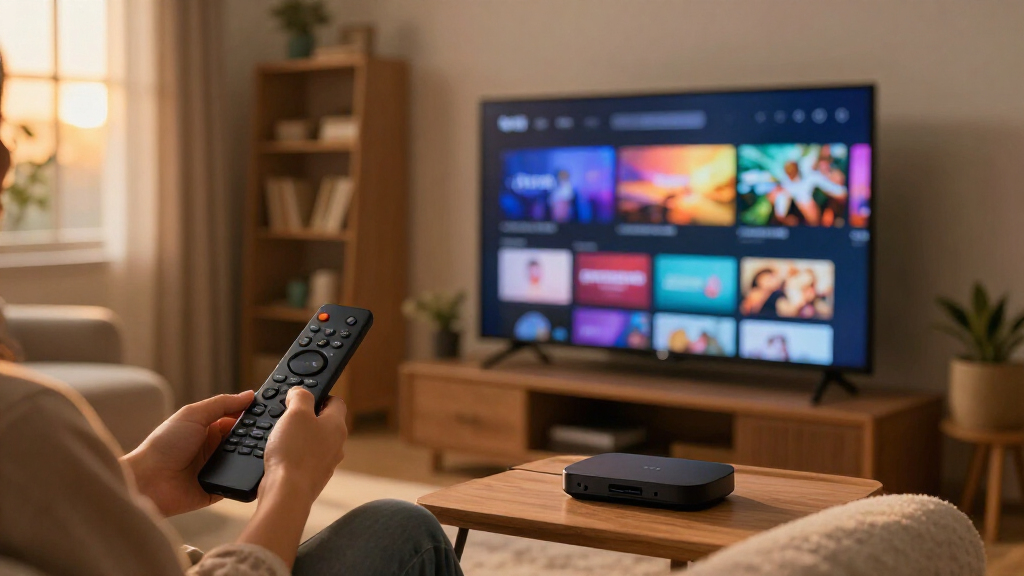
The best Fire TV streaming devices pair the features you need with the right fit for your TV, network, and viewing habits. I rank the Fire TV Stick 4K Max (2nd Gen) as the best overall choice for its Wi-Fi 6E support and strong feature set, while the Fire TV Cube (3rd Gen) is the standout for hands-free Alexa control and a box-style design. For a simpler, lower-demand setup, the Fire TV Stick HD avoids paying for 4K features you may not use. The main tradeoffs are resolution, wireless capability, hands-free controls, and whether bundles or refurbished models make sense for you. Read on for the full breakdown and a guide to choosing the right Fire TV device.

Get the latest gadgets delivered free with Prime
- Fast, free delivery on millions of items
- Prime Video, Amazon Music and more included
- Member-only deals all year
Complete the kit



Key Takeaways
- The Fire TV Stick 4K Max (2nd Gen) leads the lineup for buyers who want advanced wireless support and a capable stick, while the Cube is the better fit when hands-free Alexa matters more than a compact plug-in design.
- Two Fire TV Cube listings share the same 3rd Gen identity; compare the stated package and listing details rather than treating them as separate device generations.
- HD is a deliberate step down, not a universal bargain: the Fire TV Stick HD fits non-4K televisions, while buyers with 4K screens should compare the 4K models instead.
- Power-cable, adapter, controller, and protection-plan bundles change what is included, but they do not by themselves make the underlying streamer faster or more capable.
- Refurbished and like-new options require a condition tradeoff: they may suit flexible buyers, while shoppers who prefer a new device should focus on the standard 4K and 4K Max listings.
| Amazon Fire TV Stick 4K Plus with AI-powered Fire TV Search, Wi-Fi 6 & USB Power Cable Bundle |  | Best for a Cleaner TV Setup | Resolution: 4K Ultra HD | Wireless: Wi-Fi 6 | Video formats: Dolby Vision, HDR10+ | VIEW LATEST PRICE | See Our Full Breakdown |
| Amazon Fire TV Stick 4K Max (2nd Gen) – Refurbished |  | Best for Storage and Wireless Headroom | Condition: Refurbished (Like-New) | Maximum resolution: 4K Ultra HD (2160p) up to 60 fps | Processor: Quad-core 2.0GHz | VIEW LATEST PRICE | See Our Full Breakdown |
| Amazon Fire TV Stick 4K Plus |  | Best All-Round 4K Pick | Maximum resolution: 2160p at up to 60 fps | Processor: Quad-core 1.7GHz | Storage: 8GB | VIEW LATEST PRICE | See Our Full Breakdown |
| Fire TV Stick 4K Plus + Luna Controller Game Streaming Bundle |  | Best for Console-Free Cloud Gaming | Included items: Fire TV Stick 4K Plus and Luna Controller | Resolution: 4K | Gaming service: Amazon Luna | VIEW LATEST PRICE | See Our Full Breakdown |
| Amazon Fire TV Stick HD with Alexa Voice Remote |  | Best for Full HD TVs | Resolution: Full HD | Wireless connectivity: Wi-Fi 6 | Power: TV-powered via included USB-C cable | VIEW LATEST PRICE | See Our Full Breakdown |
| Fire TV Stick 4K Bundle with 2-Year Protection Plan |  | Best for Added Protection | Included items: Fire TV Stick 4K and 2-Year Protection Plan | Video: 4K HDR10+ | Connectivity: Wi-Fi 6 | VIEW LATEST PRICE | See Our Full Breakdown |
| Amazon Fire TV Stick 4K Max Streaming Device with AI-Powered Fire TV Search, Wi-Fi 6E, and USB Power Cable Bundle |  | Best for Storage and Cloud Gaming | Release year: 2026 | Resolution: 4K Ultra HD | Video formats: Dolby Vision and HDR10+ | VIEW LATEST PRICE | See Our Full Breakdown |
| Amazon Fire TV Cube (3rd Gen) 4K Streaming Media Player with Alexa and Wi-Fi 6E |  | Best for Hands-Free Home Theater Control | Generation: 3rd Gen | Dimensions: 3.38 × 3.38 × 2.99 in (86 × 86 × 77 mm) | Processor: Octa-core: 4 × 2.2 GHz and 4 × 2.0 GHz | VIEW LATEST PRICE | See Our Full Breakdown |
| Amazon Fire TV Stick 4K Bundle with USB-C Power Cable and 5W Adapter |  | Best for Flexible Power Setup | Model: Fire TV Stick 4K, newest model | Resolution: 4K Ultra HD | HDR support: HDR10+ | VIEW LATEST PRICE | See Our Full Breakdown |
| Amazon Fire TV Stick 4K (2nd Gen), Like-New Refurbished |  | Best Refurbished 4K Pick | Model: Fire TV Stick 4K (2nd Gen) | Condition: Like-new refurbished | Dimensions: 99 × 30 × 14 mm housing; 108 × 30 × 14 mm including connector | VIEW LATEST PRICE | See Our Full Breakdown |
| Amazon Fire TV Stick 4K with Alexa+ Voice Remote |  | Best for Alexa+ Voice Control | Video: 4K with HDR10+ | Connectivity: Wi-Fi 6 and Bluetooth | Connection: HDMI | VIEW LATEST PRICE | See Our Full Breakdown |
| Amazon Fire TV Stick 4K Select Streaming Device |  | Best for 4K Basics | Dimensions: 3.9 × 1.2 × 0.6 in (99 × 30 × 14 mm) | Weight: 1.5 oz (42 g) | Processor: Quad-core 1.7 GHz | VIEW LATEST PRICE | See Our Full Breakdown |
| Amazon Fire TV Stick 4K Max (2nd Gen) Streaming Device with Wi-Fi 6E and Alexa Voice Remote |  | Best Premium Stick | Dimensions: 99 × 30 × 14 mm housing; 108 × 30 × 14 mm including connector | Weight: 43.5 g | Processor: Quad-core 2.0 GHz | VIEW LATEST PRICE | See Our Full Breakdown |
| Amazon Fire TV Cube (3rd Gen) – AI-powered Hands-free Streaming Device with Alexa, Wi-Fi 6E, 4K Ultra HD |  | Best Hands-Free Streaming Hub | Dimensions: 3.38 × 3.38 × 2.99 in (86 × 86 × 77 mm) | Weight: 513 g (1.13 lb) | Processor: Octa-core (4 × 2.2 GHz, 4 × 2.0 GHz) | VIEW LATEST PRICE | See Our Full Breakdown |
| Fire TV streaming device | Processor |
|---|---|
| Amazon Fire TV Stick 4K Plus w | — |
| Amazon Fire TV Stick 4K Max | Quad-core 2.0GHz |
| Amazon Fire TV Stick 4K Plus | Quad-core 1.7GHz |
| Fire TV Stick 4K Plus + Luna C | — |
| Amazon Fire TV Stick HD with A | — |
| Fire TV Stick 4K Bundle with 2 | — |
| Amazon Fire TV Stick 4K Max St | — |
| Amazon Fire TV Cube | Octa-core: 4 × 2.2 GHz and 4 × 2.0 GHz |
| Amazon Fire TV Stick 4K Bundle | — |
| Amazon Fire TV Stick 4K | Quad-core, 1.7 GHz |
| Amazon Fire TV Stick 4K with A | — |
| Amazon Fire TV Stick 4K Select | Quad-core 1.7 GHz |
| Amazon Fire TV Stick 4K Max | Quad-core 2.0 GHz |
| Amazon Fire TV Cube | Octa-core (4 × 2.2 GHz, 4 × 2.0 GHz) |
More Details on Our Top Picks
Amazon Fire TV Stick 4K Plus with AI-powered Fire TV Search, Wi-Fi 6 & USB Power Cable Bundle
I’d pick this bundle for a 4K setup where finding a nearby outlet is awkward. The included USB power cable can draw power from the TV, reducing cable clutter compared with the standard Fire TV Stick 4K Plus. Its Dolby Vision, HDR10+, and Dolby Atmos support also gives compatible TVs and audio systems access to richer picture and sound formats. Wi-Fi 6 is useful on a busy home network, though the benefit depends on having a compatible router.
The tradeoff is that TV USB ports don’t all provide the same power, so this power arrangement may not suit every television. The refurbished Fire TV Stick 4K Max (2nd Gen) is a better fit if you want Wi-Fi 6E, more storage, and a faster listed processor; this bundle instead prioritizes installation convenience. Streaming subscriptions remain separate.
Pros:- Supports 4K Ultra HD, Dolby Vision, and HDR10+ on compatible equipment
- Dolby Atmos support can deliver immersive audio with compatible sound systems
- Included cable can power the stick from a TV USB port and reduce outlet clutter
- Wi-Fi 6 supports smoother streaming on compatible networks
Cons:- TV USB power output may not be sufficient for reliable operation
- Wi-Fi 6 requires a compatible router and does not include the 4K Max’s Wi-Fi 6E
- Most streaming services require separate subscriptions
Best for: 4K TV owners who want Dolby Vision and Atmos support but have limited access to a wall outlet near the screen
Not ideal for: Buyers whose TV USB port cannot supply adequate power, or those who want Wi-Fi 6E and 16GB of storage
- Resolution:4K Ultra HD
- Wireless:Wi-Fi 6
- Video formats:Dolby Vision, HDR10+
- Audio support:Dolby Atmos
- Power:TV USB port via included USB power cable
- Search:AI-powered Fire TV Search
Our verdict“Choose this bundle if a tidier, TV-powered installation matters more to you than the 4K Max’s Wi-Fi 6E and larger storage.”
Amazon Fire TV Stick 4K Max (2nd Gen) – Refurbished
Among these five options, this refurbished 4K Max is the strongest pick for people who want room for more apps and a more capable wireless connection. Its 16GB of storage exceeds the 8GB listed for the standard Fire TV Stick 4K Plus, while Wi-Fi 6E adds access to the less-congested 6GHz band on a compatible router. The quad-core 2.0GHz processor and enhanced remote with IR control round out a feature set suited to a busy entertainment setup.
It still shares the lineup’s 4K, Dolby Vision, HDR10+, and Dolby Atmos support, so the picture-format advantage over the 4K Plus is limited. The tradeoff is its refurbished condition; buyers who prefer a new device may favor another model. Cloud gaming also needs subscriptions and a separate compatible controller.
Pros:- 16GB storage provides more room for apps and games than the 8GB Fire TV Stick 4K Plus
- Wi-Fi 6E tri-band connectivity includes access to the 6GHz band on compatible networks
- Quad-core 2.0GHz processor and enhanced Alexa remote with IR control
- Supports 4K Ultra HD, Dolby Vision, HDR10+, and Dolby Atmos
Cons:- Refurbished, like-new condition may not suit buyers seeking a new device
- Wi-Fi 6E benefits require a compatible router and suitable network conditions
- Cloud gaming requires a subscription and a separate compatible controller
Best for: App-heavy households with a Wi-Fi 6E router that want extra storage for streaming apps and games
Not ideal for: Buyers who only need basic 4K streaming, prefer a new device, or lack a Wi-Fi 6E router and will not use the extra capacity
- Condition:Refurbished (Like-New)
- Maximum resolution:4K Ultra HD (2160p) up to 60 fps
- Processor:Quad-core 2.0GHz
- Storage:16GB
- Wi-Fi:Wi-Fi 6E tri-band: 2.4GHz, 5GHz, and 6GHz
- Video output:HDMI 2.1 with ARC
- Audio:Dolby Atmos, 7.1 surround sound, HDMI audio pass-through
- Remote:Alexa Voice Remote Enhanced with IR control
Our verdict“Choose this refurbished 4K Max if you value extra app storage and Wi-Fi 6E more than buying a new device.”
Amazon Fire TV Stick 4K Plus
I rank the standard Fire TV Stick 4K Plus as the most balanced option in this group: it pairs 4K playback with Dolby Vision, HDR10+, and Dolby Atmos without making storage or gaming the central reason to buy. Its included Alexa Voice Remote can search by voice and control compatible TVs, while Wi-Fi 6 supports streaming on a matching router. For everyday streaming, that combination makes more sense than paying for features you may not use.
Compared with the refurbished 4K Max, this model has a slower listed processor and 8GB rather than 16GB of storage, and it lacks Wi-Fi 6E. It also does not include the USB power cable bundle’s tidier power option. Those are real limits for app-heavy or network-congested setups, but the core picture and audio formats are strong. Cloud gaming needs a compatible controller and service subscription.
Pros:- 4K output supports Dolby Vision, HDR10+, HDR10, and HLG
- Dolby Atmos and HDMI audio pass-through support compatible audio systems
- Wi-Fi 6 and Bluetooth 5.2 with BLE
- Included Alexa Voice Remote offers voice search and IR control for compatible devices
Cons:- 8GB storage is half the capacity listed for the refurbished 4K Max
- Wi-Fi 6E is not included, unlike the 4K Max
- Cloud gaming requires a compatible controller and paid service where applicable
Best for: Households with a 4K HDR television that want a capable everyday streamer and an included voice remote
Not ideal for: App and game collectors who need 16GB of storage, or buyers who want Wi-Fi 6E or the bundled TV USB power cable
- Maximum resolution:2160p at up to 60 fps
- Processor:Quad-core 1.7GHz
- Storage:8GB
- Wi-Fi:Dual-band Wi-Fi 6, 2.4GHz and 5GHz
- Video formats:Dolby Vision, HDR10, HDR10+, HLG, H.265, H.264, VP9, AV1
- Audio:Dolby Atmos, 7.1 surround sound, HDMI audio pass-through
- Ports:HDMI 2.1 output with ARC input support; micro USB
- Remote:Alexa Voice Remote with IR control for compatible devices
Our verdict“Choose the standard 4K Plus for a straightforward 4K streaming setup, unless you need the 4K Max’s storage and Wi-Fi 6E.”
Fire TV Stick 4K Plus + Luna Controller Game Streaming Bundle
This bundle is the clearest choice here for someone who wants to try living-room cloud gaming without assembling the basic hardware separately. It pairs the Fire TV Stick 4K Plus with a Luna Controller, so the package is more game-ready than the standard 4K Plus, which requires a compatible controller for cloud play. The controller’s Cloud Direct and Bluetooth connections offer different ways to link it, and streaming games to the TV avoids the need for a traditional console.
That convenience has limits: gameplay depends on a stable internet connection, and access requires Prime or Luna Premium. The Fire TV Stick HD is a simpler streaming-first option, while the refurbished 4K Max offers more listed storage for apps and games but does not include this Luna controller bundle. I’d skip this package if gaming is only an occasional afterthought.
Pros:- Includes both the Fire TV Stick 4K Plus and Luna Controller
- Cloud gaming can bring supported games to a TV without a traditional console
- Controller supports Cloud Direct and Bluetooth connectivity
- Bundle is more immediately game-ready than buying the standard 4K Plus alone
Cons:- Requires Prime or Luna Premium for game access
- Cloud gameplay depends on a stable internet connection
- The included controller adds little value for buyers who only stream video
Best for: Viewers who want a Fire TV setup with a Luna controller included for cloud gaming on a compatible internet connection
Not ideal for: People who mainly stream films and shows, have unreliable internet, or do not want a Prime or Luna Premium subscription
- Included items:Fire TV Stick 4K Plus and Luna Controller
- Resolution:4K
- Gaming service:Amazon Luna
- Controller connectivity:Cloud Direct and Bluetooth
- Subscription:Prime or Luna Premium required
- Gaming method:Cloud game streaming
Our verdict“Pick this bundle if cloud gaming is a real part of your TV use and you want the Luna controller included from the start.”
Amazon Fire TV Stick HD with Alexa Voice Remote
If your television tops out at 1080p, I’d choose this Fire TV Stick HD over a 4K model: it provides Full HD streaming without making 4K formats the deciding feature. It also includes Wi-Fi 6, an Alexa Voice Remote with TV and soundbar controls, and Bluetooth headphone listening for private viewing. Compared with the 4K Plus, its main compromise is straightforward: it gives up 4K resolution and the listed Dolby Vision and HDR10+ support, features that matter only with compatible equipment and content.
The included USB-C cable can draw power from the TV, which may simplify installation, but this is still dependent on the TV’s power capability. The 4K Plus USB cable bundle offers 4K playback and Dolby formats for higher-resolution screens. I’d skip the HD model if you expect to upgrade to a 4K TV soon or want the sharpest supported output today.
Pros:- Full HD streaming suits 1080p televisions without relying on unused 4K capability
- Wi-Fi 6 support for compatible routers
- Alexa remote includes voice control, power and volume buttons, and app shortcuts
- Bluetooth headphone listening supports private audio
Cons:- Does not provide 4K Ultra HD output like the Fire TV Stick 4K Plus models
- Does not list Dolby Vision or HDR10+ support
- TV-powered USB-C operation depends on the TV’s USB power output
Best for: Owners of Full HD televisions who want voice search, remote TV controls, and Bluetooth headphone listening
Not ideal for: 4K TV owners or buyers planning a near-term 4K upgrade who want 4K output and HDR format support
- Resolution:Full HD
- Wireless connectivity:Wi-Fi 6
- Power:TV-powered via included USB-C cable
- Connection to TV:HDMI
- Remote:Alexa Voice Remote with voice control, power and volume buttons, and app shortcuts
- Private listening:Bluetooth headphone support
- Smart home:Compatible smart home control
Our verdict“Choose the HD Stick for a Full HD TV and skip it if you need 4K output or plan to move to a 4K screen soon.”
Fire TV Stick 4K Bundle with 2-Year Protection Plan
The streaming stick here is familiar: 4K HDR10+, Wi-Fi 6, and an Alexa remote with TV power and volume controls. What sets this bundle apart from the Fire TV Stick 4K Bundle with USB-C Power Cable and 5W Adapter is not a different viewing experience, but the included two-year protection plan. It covers accidental damage and defects for up to three claims, which may suit households where a stick is more exposed to knocks or handling. The tradeoff is that the plan applies only to a Fire TV Stick 4K purchased within the past 30 days, and a replacement takes two to three business days after an approved claim. Choose this for coverage rather than extra performance; skip it if you want a power accessory bundle or have no use for a claims-based plan.
Pros:- 4K HDR10+ support delivers detailed video and richer contrast on a compatible TV.
- Wi-Fi 6 support suits homes with busy wireless networks.
- Alexa remote has voice control plus TV power and volume buttons.
- Protection plan covers accidental damage and defects for up to three claims.
Cons:- The protection plan has a 30-day purchase eligibility window.
- Coverage is limited to three claims during the two-year term.
- A replacement takes two to three business days after a valid claim.
Best for: Households that want 4K Fire TV streaming and extra coverage for a device that may be handled or moved often.
Not ideal for: Buyers who already own their Fire TV Stick 4K, since the protection plan only applies to a qualifying purchase made within the past 30 days, or anyone seeking a faster device or extra storage.
- Included items:Fire TV Stick 4K and 2-Year Protection Plan
- Video:4K HDR10+
- Connectivity:Wi-Fi 6
- Remote:Alexa-enabled remote with TV power and volume controls
- Protection term:2 years
- Maximum claims:Up to 3 during the term
- Eligibility:Fire TV Stick 4K must have been purchased within the past 30 days
- Replacement time:2–3 business days after a valid claim
Our verdict“Choose this bundle if protection matters more than added accessories or a performance upgrade.”
Amazon Fire TV Stick 4K Max Streaming Device with AI-Powered Fire TV Search, Wi-Fi 6E, and USB Power Cable Bundle
This 2026 Fire TV Stick 4K Max is the stick pick for buyers who want more room for apps and games without moving up to a set-top box. Its 16GB storage doubles the capacity of the Fire TV Stick 4K Plus, while Wi-Fi 6E and 4K formats including Dolby Vision and HDR10+ give it a more feature-rich setup than the standard Fire TV Stick 4K Bundle with 2-Year Protection Plan. Xbox Game Pass cloud gaming adds another use, though play depends on a stable, low-latency connection. The included USB cable can draw power from the TV, avoiding a separate wall outlet, but that convenience depends on the TV’s USB port supplying enough power. Pick this Max for its storage and gaming support; skip it if your TV USB port is weak or your network is unreliable.
Pros:- 16GB storage leaves more room for apps and games than the Fire TV Stick 4K Plus.
- Dolby Vision, HDR10+, and Dolby Atmos support suit compatible 4K home theater setups.
- Wi-Fi 6E offers access to the 6 GHz band on a compatible network.
- Included USB power cable can draw power from a capable TV USB port.
Cons:- Cloud gaming quality depends on network stability and latency.
- TV USB power may be insufficient, making a separate power source necessary.
- Wi-Fi 6E benefits require compatible network equipment.
Best for: Streamers who install many apps or want Xbox Game Pass cloud gaming on a compatible TV and dependable network.
Not ideal for: Buyers with an underpowered TV USB port, an unstable connection for cloud gaming, or no need for extra storage beyond a basic streaming stick.
- Release year:2026
- Resolution:4K Ultra HD
- Video formats:Dolby Vision and HDR10+
- Audio:Dolby Atmos
- Connectivity:Wi-Fi 6E
- Storage:16GB
- Power source:TV USB port via included cable
- Gaming:Xbox Game Pass cloud gaming
Our verdict“Choose this Max if you want more app storage and cloud gaming in a stick-sized device, provided your network and TV USB port can support it.”
Amazon Fire TV Cube (3rd Gen) 4K Streaming Media Player with Alexa and Wi-Fi 6E
The Fire TV Cube is the lineup’s clearest step up from a streaming stick: it pairs an octa-core processor with hands-free Alexa, physical HDMI input and output, and connections including Ethernet and USB-A. That makes it better suited than the Amazon Fire TV Stick 4K Max Streaming Device with AI-Powered Fire TV Search, Wi-Fi 6E, and USB Power Cable Bundle for a media setup where voice control and connected equipment matter as much as streaming. It supports 4K video, Dolby Vision, HDR formats, and Dolby Atmos, while the processor is designed for fast app starts. The tradeoff is its larger, separate box and more involved setup compared with a stick behind the TV. Wi-Fi 6E also needs a compatible 6 GHz network with WPA3; buyers without one can still use other supported connections, but will not get that band’s benefit.
Pros:- Octa-core processor is built for fast app starts.
- Hands-free Alexa can control compatible TVs, audio equipment, and smart home devices.
- HDMI input and output, Ethernet, and USB-A provide more connection options than a stick.
- Supports 4K video, Dolby Vision, HDR formats, and Dolby Atmos.
Cons:- The separate Cube takes up more space than a stick-style device.
- Wi-Fi 6E’s 6 GHz band requires a compatible router, WPA3, and network configuration.
- Some streaming services and formats require separate subscriptions or may not be available in every area.
Best for: Home theater owners who want hands-free Alexa, wired connections, and a central device for compatible entertainment equipment.
Not ideal for: Buyers who want a small stick hidden behind the TV, or those expecting Wi-Fi 6E benefits without a compatible router and WPA3 network.
- Generation:3rd Gen
- Dimensions:3.38 × 3.38 × 2.99 in (86 × 86 × 77 mm)
- Processor:Octa-core: 4 × 2.2 GHz and 4 × 2.0 GHz
- Memory and storage:2GB memory; 16GB storage
- Wi-Fi:Tri-band Wi-Fi 6E; supports 802.11a/b/g/n/ac/ax
- Ports:HDMI 2.1 input and output, IR extender, USB-A 2.0, 10/100 Mbps Ethernet, and power
- Video:Up to 2160p at 60 fps; Dolby Vision, HDR10, HDR10+, and HLG
- Voice control:Hands-free Alexa; voice remote and Fire TV app support
Our verdict“Choose the Cube if hands-free control and connected home theater gear matter more than a compact, low-profile stick.”
Amazon Fire TV Stick 4K Bundle with USB-C Power Cable and 5W Adapter
This bundle’s advantage is practical rather than performance-focused: it pairs the Fire TV Stick 4K with a five-foot USB-C cable and a 5W adapter, giving buyers a choice between TV USB power and a wall outlet. Its 4K HDR10+ video and Wi-Fi 6 make it a straightforward fit for a compatible TV, while Alexa+ voice control keeps search and navigation hands-free. Compared with the Fire TV Stick 4K Bundle with 2-Year Protection Plan, this package adds a complete power kit instead of claims-based coverage. It does not offer the 16GB storage or Wi-Fi 6E listed for the 4K Max, and the included adapter may not suit every high-demand setup. Choose this when a reliable placement option is the priority, not a more powerful streaming tier.
Pros:- Includes a five-foot USB-C cable and 5W adapter for flexible placement.
- Can connect to a TV USB port or a wall outlet, depending on the setup.
- 4K HDR10+ support provides detailed video on compatible displays.
- Wi-Fi 6 and Alexa+ voice control support connected streaming and voice navigation.
Cons:- The 5W adapter may not provide enough power for every high-demand setup.
- 4K and HDR10+ benefits require a compatible TV and supported content.
- It lacks the 16GB storage and Wi-Fi 6E listed for the 4K Max bundle.
Best for: Buyers setting up a 4K TV who need a longer USB-C cable and both TV-port and wall-outlet power options.
Not ideal for: Owners looking for expanded storage, Wi-Fi 6E, hands-free Cube controls, or guaranteed compatibility with a TV USB port that may not supply enough power.
- Model:Fire TV Stick 4K, newest model
- Resolution:4K Ultra HD
- HDR support:HDR10+
- Connectivity:Wi-Fi 6
- Power interface:USB-C
- Cable length:5 ft (1.5 m)
- Adapter output:5W (1A)
- Included accessories:Fire TV Remote, USB-C power cable, and 5W power adapter
Our verdict“Choose this bundle if you want a standard 4K Fire TV Stick with more flexibility over where it gets power.”
Amazon Fire TV Stick 4K (2nd Gen), Like-New Refurbished
This refurbished second-generation stick brings 4K playback, Dolby Vision, HDR10+, Dolby Atmos, and Wi-Fi 6 into a compact package, with a one-year limited warranty listed for this model. Its feature set is closer to the new Fire TV Stick 4K Bundle with USB-C Power Cable and 5W Adapter than to the 4K Max: both are stick-style 4K options, while the Max adds 16GB storage and Wi-Fi 6E. This model has 8GB of storage and a quad-core 1.7 GHz processor, so buyers should not choose it for the Max’s extra headroom. Like-new refurbished condition is the key tradeoff, even with testing and certification noted in the product description. It suits buyers comfortable with refurbished electronics who want broad 4K format support; those who want a new-device bundle should look elsewhere.
Pros:- Supports 4K video with Dolby Vision, HDR10+, and Dolby Atmos.
- Wi-Fi 6 and Bluetooth 5.2 support modern home network and accessory connections.
- Alexa Voice Remote offers voice search and control of compatible TV equipment.
- Includes a one-year limited warranty, according to the product specifications.
Cons:- Like-new refurbished condition may not suit buyers who want a new device.
- 8GB storage is less than the 16GB listed for the Fire TV Stick 4K Max.
- Some 4K and HDR content depends on compatible TVs, services, subscriptions, and regional availability.
Best for: Refurbished-device buyers who want 4K, Dolby Vision, HDR10+, and Dolby Atmos support in a compact Fire TV Stick.
Not ideal for: Buyers who prefer a new device, need more than 8GB of storage, or want the Wi-Fi 6E and 16GB capacity listed for the 4K Max.
- Model:Fire TV Stick 4K (2nd Gen)
- Condition:Like-new refurbished
- Dimensions:99 × 30 × 14 mm housing; 108 × 30 × 14 mm including connector
- Processor:Quad-core, 1.7 GHz
- Storage:8GB
- Wireless:Dual-band Wi-Fi 6; Bluetooth 5.2 + BLE
- Maximum resolution:2160p up to 60 fps
- Video and audio:Dolby Vision, HDR10, HDR10+, HLG, Dolby Atmos, and HDMI audio pass-through
- Warranty:1-year limited warranty
Our verdict“Choose this refurbished model if its 4K format support meets your needs and you are comfortable buying a certified like-new device.”
Amazon Fire TV Stick 4K with Alexa+ Voice Remote
The Fire TV Stick 4K with Alexa+ Voice Remote is a good fit for viewers who want 4K streaming and voice-led control without stepping up to the more specialized Fire TV Stick 4K Max. Its Wi-Fi 6 support and HDR10+ playback cover the key needs of a modern 4K setup, while remote buttons for TV power and volume reduce the need to juggle remotes. Bluetooth headphone support is useful for late-night watching without sending audio through the TV speakers. Compared with the Fire TV Stick 4K Select, this model’s Alexa+ positioning and listed Wi-Fi 6 support are its clearest distinctions. The tradeoffs are that some content requires separate subscriptions, and direct TV power depends on a compatible USB connection; buyers without one may need another power arrangement.
Pros:- 4K playback with HDR10+ support
- Wi-Fi 6 connectivity
- Remote controls TV power and volume
- Bluetooth support for private headphone listening
Cons:- Direct TV power depends on a compatible USB connection
- Some shows, movies, and apps require separate subscriptions
Best for: 4K viewers who want Alexa+ voice features, TV controls on the remote, and Bluetooth headphone listening
Not ideal for: People whose TV lacks a compatible USB power connection or shoppers who want Dolby Vision, Dolby Atmos, or Wi-Fi 6E
- Video:4K with HDR10+
- Connectivity:Wi-Fi 6 and Bluetooth
- Connection:HDMI
- Power:Direct from TV; compatible TV USB power connection required
- Voice assistant:Alexa+
- Remote features:Voice control, TV power and volume, navigation ring, shortcut and Live TV buttons
Our verdict“Choose this stick for Alexa+ voice control and straightforward 4K features, but look to the 4K Max for Dolby Vision and Wi-Fi 6E.”
Amazon Fire TV Stick 4K Select Streaming Device
For buyers who want a compact route to 4K streaming without prioritizing premium wireless features, the Fire TV Stick 4K Select keeps the package focused. It supports HDR10, HDR10+, and HLG, and its included Alexa remote can search by voice and control compatible TV power and volume. Compared with the Fire TV Stick 4K Max (2nd Gen), it has less storage and older Wi-Fi standards, so it is a simpler choice rather than the better fit for crowded networks or a large app library. The device can also access cloud gaming services, but that requires subscriptions and a compatible controller, adding setup and ongoing requirements. It needs a power outlet, too, unlike the TV-powered arrangement listed for the Alexa+ 4K Stick. Pick it for everyday 4K viewing, not for the richest feature set.
Pros:- 4K output with HDR10, HDR10+, and HLG
- Alexa remote supports voice search and compatible TV controls
- Compact 1.5-ounce device
- Access to streaming apps and optional cloud gaming services
Cons:- 8 GB of storage is less than the 16 GB in the Fire TV Stick 4K Max
- Uses dual-band 802.11ac Wi-Fi rather than Wi-Fi 6 or 6E
- Requires a power outlet, and cloud gaming needs a separate subscription and controller
Best for: Viewers seeking a small 4K streamer with an included voice remote and HDR format coverage for a basic home setup
Not ideal for: Buyers with Wi-Fi 6E routers seeking the fastest listed connectivity, more storage, or Dolby Vision support
- Dimensions:3.9 × 1.2 × 0.6 in (99 × 30 × 14 mm)
- Weight:1.5 oz (42 g)
- Processor:Quad-core 1.7 GHz
- Storage:8 GB
- Wi-Fi:Dual-band, dual-antenna MIMO; 802.11a/b/g/n/ac
- Bluetooth:Bluetooth 5.0 and Bluetooth Low Energy
- Output resolution:2160p, 1080p, and 720p up to 60 fps
- Video formats:HDR10, HDR10+, HLG, H.265, H.264, VP9, AV1
- Ports:HDMI output; micro-USB for power
Our verdict“Choose the 4K Select for straightforward HDR-capable streaming, but pick the 4K Max if you need more storage or newer Wi-Fi.”
Amazon Fire TV Stick 4K Max (2nd Gen) Streaming Device with Wi-Fi 6E and Alexa Voice Remote
The Fire TV Stick 4K Max (2nd Gen) is the strongest stick option here for a well-equipped 4K setup. Its Wi-Fi 6E connection can use the 6 GHz band with a compatible router, while 16 GB of storage gives apps and games more room than the 8 GB in the Fire TV Stick 4K Select. Dolby Vision, HDR10+, and Dolby Atmos support also make it a better match for compatible displays and audio systems. Those advantages are conditional: a standard router or TV cannot make use of all the listed formats and network capability. It also costs more in complexity than a basic streaming stick, without the Cube’s hands-free Alexa or built-in speaker. For people who want the Cube’s premium picture and wireless options in a stick form, this is the more compact route.
Pros:- Supports Dolby Vision, HDR10+, and Dolby Atmos
- 16 GB of storage for apps and games
- Tri-band Wi-Fi 6E includes the 6 GHz band
- Alexa remote offers voice control and compatible device controls
Cons:- Wi-Fi 6E benefits require a compatible router
- 4K and advanced video formats require compatible equipment and content
- Does not provide the Cube’s hands-free Alexa or built-in speaker
Best for: Owners of a compatible 4K Dolby Vision TV and Wi-Fi 6E router who want more storage in a stick-sized streamer
Not ideal for: Viewers with older Wi-Fi equipment or displays that cannot use Dolby Vision, HDR10+, or 4K
- Dimensions:99 × 30 × 14 mm housing; 108 × 30 × 14 mm including connector
- Weight:43.5 g
- Processor:Quad-core 2.0 GHz
- GPU:850 MHz
- Storage:16 GB
- Wi-Fi:Wi-Fi 6E tri-band (2.4, 5, and 6 GHz); 802.11 a/b/g/n/ac/ax
- Bluetooth:Bluetooth 5.2 and Bluetooth Low Energy
- Video and audio:2160p up to 60 fps; Dolby Vision, HDR10+, HLG, Dolby Atmos, and HDMI audio pass-through
- Ports:HDMI 2.1 output with ARC input support; micro-USB
Our verdict“Pick the 4K Max for a feature-rich stick with Wi-Fi 6E and Dolby Vision, or choose the Cube if hands-free control matters more.”
Amazon Fire TV Cube (3rd Gen) – AI-powered Hands-free Streaming Device with Alexa, Wi-Fi 6E, 4K Ultra HD
The Fire TV Cube (3rd Gen) is the most capable control hub in this group, pairing 4K streaming with far-field Alexa that can operate a TV, soundbar, or receiver without picking up a remote. Its octa-core processor, 16 GB of storage, and Wi-Fi 6E make it a more substantial option than the Fire TV Stick 4K Max, and its HDMI input, Ethernet port, and IR extender give it broader connection choices. Those additions make sense for a living room with several devices, but they also mean a larger, heavier box rather than the stick’s hidden-behind-the-TV form. The listed Wi-Fi 6E and HDMI 2.1 features need compatible equipment to deliver their full benefits. This listing is refurbished, which buyers should weigh against the new-device stick alternatives.
Pros:- Far-field Alexa and built-in speakers enable hands-free control
- Octa-core processor and 16 GB of internal storage
- Wi-Fi 6E, HDMI 2.1, and Ethernet connection options
- Supports 4K, Dolby Vision, HDR10+, and Dolby Atmos
Cons:- Larger and heavier than the Fire TV Stick 4K Max
- Wi-Fi 6E and HDMI 2.1 advantages depend on compatible equipment
- This product is listed as refurbished
Best for: Living-room owners who want hands-free Alexa control across a TV and connected audio or IR devices, plus multiple connection options
Not ideal for: Minimalist setups seeking a low-profile stick, or buyers who prefer a new device over a refurbished listing
- Dimensions:3.38 × 3.38 × 2.99 in (86 × 86 × 77 mm)
- Weight:513 g (1.13 lb)
- Processor:Octa-core (4 × 2.2 GHz, 4 × 2.0 GHz)
- Storage and memory:16 GB internal storage; 2 GB RAM
- Wi-Fi:Wi-Fi 6E tri-band with WPA3
- Bluetooth:Bluetooth 5.0 and Bluetooth Low Energy
- Voice support:Far-field and near-field Alexa
- Ports:HDMI 2.1 input and output, IR extender, USB-A 2.0, Ethernet (10/100 Mbps), power
- Video and audio:2160p up to 60 fps; Dolby Vision, HDR10+, HLG, Dolby Atmos, and HDMI audio pass-through
Our verdict“Choose the refurbished Cube for hands-free control and flexible connections, but select the 4K Max if you want a compact stick instead.”
How We Picked
I ranked these devices by how well their stated features solve common Fire TV buying needs: 4K playback, wireless capability, control style, physical setup, and the usefulness of included accessories. I gave the strongest position to a broadly capable standalone streamer, then separated picks for hands-free use, simpler HD viewing, gaming bundles, and buyers willing to choose refurbished hardware. I also treated two Cube listings and several bundles as package variations rather than assuming that added accessories change the core device.
Because the supplied lineup includes products with overlapping names and limited specification detail, I avoided assigning unsupported performance claims or treating bundle contents as device upgrades. A product ranks higher when its defining features suit more TV setups without adding unnecessary complexity; niche features earn a place for the readers who will use them. Refurbished condition, resolution limits, dependence on a suitable network, and the need to check exact bundle contents all count as tradeoffs.
Factors to Consider When Choosing Best Fire TV Streaming Devices
Before choosing among these Fire TV models, match the device to the TV and the way you actually watch. A feature can be useful in one room and wasted in another, so I would start with compatibility and setup needs rather than the longest product name.
Match Resolution to the Television
Start by checking whether the TV you will use supports 4K, since a 4K streamer cannot make an HD-only screen display 4K. If you expect to keep the television for years, a 4K model can make more sense than replacing the streamer when you upgrade the screen. For an older secondary TV, an HD stick may be a better match than paying for capabilities the display cannot show. Also check that the TV has an available HDMI port and that its placement leaves room for a stick. A common mistake is choosing by the streamer’s maximum resolution without checking the display and the content source. Resolution is only one part of the viewing chain, so keep your TV’s own capabilities in mind.
Treat Wi-Fi Features as a Whole-Home Decision
Wi-Fi 6 or 6E support matters most when your router and home network can use it, and when the streaming device will sit in a location with a reliable signal. A newer wireless label does not fix weak coverage, congestion, or a router that lacks compatible support. Before paying extra for a more advanced connection, check the network gear and signal in the room where the TV is installed. If streaming is already stable there, a less advanced model may meet your needs. If buffering is the problem, improving router placement or coverage may do more than replacing the streamer. Think of wireless capability as one part of a setup, not a guarantee of better playback.
Choose the Control Style You Will Actually Use
Most buyers can operate a stick with its included voice remote, while a Fire TV Cube is aimed at people who want Alexa available hands-free. That distinction affects where the device sits and how you interact with it, not just the feature list. Consider whether you want to speak commands from across the room, or whether reaching for a remote is already easy. Voice features may also depend on settings, account setup, and a usable network connection. A mistake is paying for hands-free control when the TV is in a room where voice commands would be inconvenient or unwelcome. Prioritize the control method that fits your household, including shared spaces and quiet viewing times.
Compare Bundles by What They Solve
Bundles in this lineup add items such as a USB power cable, wall adapter, Luna controller, or protection plan. Those additions can simplify setup or support a specific use, but they do not automatically upgrade the streaming device itself. Check what is included and whether you already own a compatible cable, adapter, or controller before choosing a package. A gaming bundle is relevant if you plan to use Luna, while a power bundle is more practical when your TV’s USB port is not a suitable source. Protection coverage is a separate buying decision, so read its terms rather than treating it as a device feature. Comparing the included accessories can prevent duplicate purchases and keep the choice focused on your actual setup.
Decide Whether Refurbished Fits Your Risk Tolerance
The refurbished Fire TV Stick 4K Max and like-new 4K listing offer alternatives to standard new-device listings, but condition is part of the decision. Review the seller’s condition description, included accessories, and return or warranty terms before choosing one. If you want the clearest path to a new unit and predictable package contents, select a standard listing instead. A refurbished device may be a reasonable fit for a spare room or a buyer comfortable checking condition details. Do not assume that “like-new” means every accessory or package detail matches a new product. Make the choice based on the full listing and your comfort with that tradeoff.
Pay for a Premium Form Factor Only When It Helps
A stick keeps the device compact and connected at the TV, while the Cube uses a separate box-style design with hands-free Alexa positioning. That difference can matter if the HDMI area is cramped or if you want voice control from a more accessible location. It may matter less if the TV is easy to reach and the standard remote covers your needs. Check where each device will sit, how it will receive power, and whether cables will remain tidy. Buyers sometimes equate a larger or premium-looking device with a better choice for every room; the benefit depends on whether its form factor solves a real problem. Spend on the Cube’s style of use when you will use it, not just because it is the most feature-forward option.
Frequently Asked Questions
Should I choose the Fire TV Stick 4K Max or the Fire TV Cube?
I would choose the 4K Max if you want a compact stick with Wi-Fi 6E support and expect to use a remote for everyday control. Pick the Fire TV Cube if hands-free Alexa and its separate box-style form suit the room. The Cube is not automatically the better choice for every 4K television; its distinct advantage is the control experience and form factor. Check your network equipment before giving extra weight to Wi-Fi 6E. The best fit depends on whether you value compact installation or hands-free use more.
Is the Fire TV Stick HD enough for a 4K television?
The HD stick can connect to a 4K television, but it does not provide the same 4K playback capability as the 4K models in this lineup. If you watch on a 4K screen and want the streamer to match it, compare the standard 4K or 4K Max options. The HD model makes more sense for an HD television, a spare room, or a setup where 4K is not a priority. Also check the resolution supported by the content you watch. Choosing HD for a 4K room can leave the screen’s capabilities unused.
Do Wi-Fi 6E Fire TV devices require a Wi-Fi 6E router?
To use the router-side benefits of Wi-Fi 6E, your home network needs compatible equipment; otherwise, the device connects using the capabilities supported by the network. A Wi-Fi 6E streamer can still be worth comparing for a future network upgrade, but it will not turn an older router into a 6E system. First check the router model and signal where the television sits. If your current connection streams reliably, the wireless label alone may not justify choosing a different device. If it does not, look at coverage and placement as well as streamer compatibility.
Are the refurbished and like-new Fire TV sticks meaningfully different from new ones?
The listings identify refurbished or like-new condition, so the main difference to evaluate is the device’s condition and the package or coverage terms, not an assumed change in core features. Read the listing carefully for included accessories, return options, and warranty information. Do not assume a refurbished model includes the same components as a new bundle. These options may suit buyers comfortable checking those details, particularly for a secondary television. If you prefer a new unit with straightforward package expectations, choose a standard listing.
Which Fire TV bundle should I pick if I only need a streamer?
Start with a standalone device listing, then compare bundles only if their contents solve a specific setup need. A USB power cable or adapter can help when your TV’s USB port is unsuitable, while the Luna controller bundle is aimed at buyers who want to use game streaming. A protection plan adds coverage rather than streaming capability, so review its terms separately. Check whether you already own compatible accessories before choosing a package. The simplest listing that fits your TV and network is often the clearest choice when you only need streaming.
Conclusion
For most buyers, I recommend the Fire TV Stick 4K Max (2nd Gen) as the best overall pick, particularly when Wi-Fi 6E support and a compact design are priorities. For best premium, choose the Fire TV Cube (3rd Gen) if hands-free Alexa and its box-style setup fit your room. The Fire TV Stick HD is my pick for beginners with an HD television or a straightforward secondary setup, while the standard Fire TV Stick 4K is a sensible value-oriented route for buyers who want 4K without a bundle they do not need. For specific needs, look to the Luna controller bundle for game streaming, a power bundle when you need the included cable or adapter, and refurbished listings only if their condition and coverage terms suit you. Match the model to your screen, network, and control preferences, and the choice becomes much clearer.
Black Friday Picks

Sonos Roam Portable Bluetooth and Wi-Fi Speaker, Black
As an affiliate, we earn on qualifying purchases.