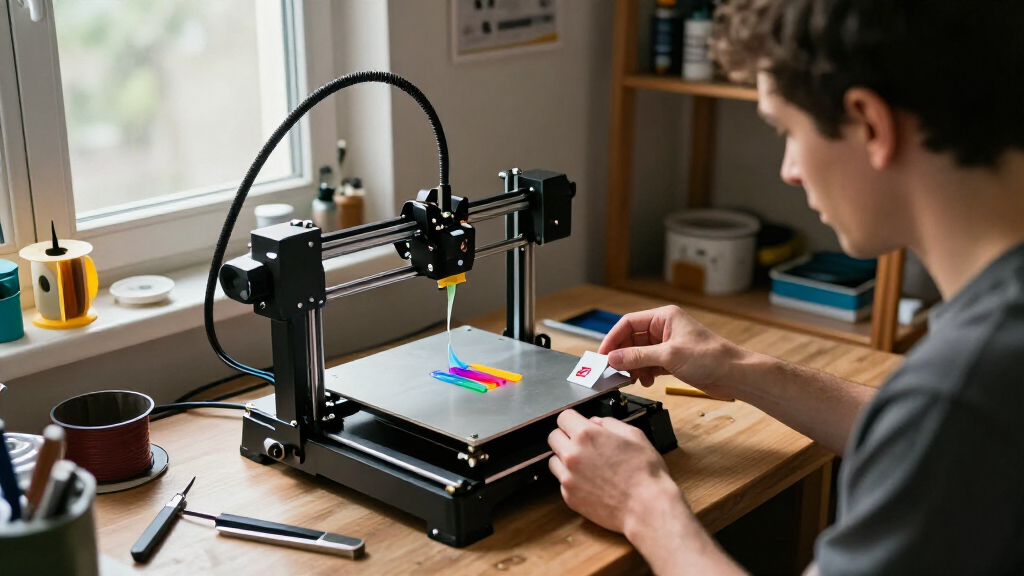

The Bambu Lab P1S Combo is my best overall pick among the best 3D printers, balancing an enclosed design with multicolor printing through its AMS. For a simpler start, the Bambu Lab A1 is built around ready-to-use FDM printing, while the Creality K2 Plus Combo stands out for buyers who want a larger build space and multicolor capability. The main tradeoffs are whether to prioritize an enclosure, multiple colors, print volume, or a straightforward setup. Not every printer needs a filament system or advanced features, and paying for them only makes sense if your projects will use them. Read on for my full breakdown of all 15 options and a guide to choosing the right fit.

Get the latest gadgets delivered free with Prime
- Fast, free delivery on millions of items
- Prime Video, Amazon Music and more included
- Member-only deals all year
Complete the kit


Key Takeaways
- The P1S Combo is the strongest all-round choice: it pairs an enclosed printer with an AMS for multicolor work, while the standalone P1S skips the bundled filament system.
- Multicolor options differ in how they handle materials: the Bambu Lab combos and Creality CFS bundles offer distinct system pairings, while Snapmaker U1 and Flashforge Creator 5 Pro use four-toolhead designs.
- Beginner-friendly does not have to mean multicolor: the Bambu Lab A1 focuses on a ready-to-use FDM experience, while A1 Combo adds AMS lite for users who want color changes.
- Fast printing and large prints are separate priorities: high-speed claims on models such as the Adventurer 5M and AD5X do not automatically make them the best choice for larger objects.
- Several listings are closely related: the roundup includes multiple Adventurer 5M and AD5X versions, so buyers should compare the exact bundle and included features rather than choosing by name alone.
| Bambu Lab A1 Combo + LED Lamp Kit, Multi-Color 3D Printing (with AMS lite) |  | Best for Decorative Multicolor Projects | Dimensions: 23.01 x 21.06 x 16.77 inches | Weight: 28.5 pounds | Multicolor system: AMS Lite | VIEW LATEST PRICE | See Our Full Breakdown |
| Anycubic Kobra X Multicolor 3D Printer |  | Best for Expandable Color Printing | Print size: 260 x 260 x 260 mm | Maximum speed: 600 mm/s | Nozzle temperature: 300°C | VIEW LATEST PRICE | See Our Full Breakdown |
| Creality K2 Plus Combo 3D Printer with CFS |  | Best for Large Multicolor Prints | Build volume: 350 x 350 x 350 mm | Maximum print speed: 600 mm/s | Acceleration: 30,000 mm/s² | VIEW LATEST PRICE | See Our Full Breakdown |
| Flashforge Adventurer 5M 3D Printer |  | Best for Fast, Straightforward Prototyping | Print size: 220 x 220 x 220 mm | Maximum speed: 600 mm/s | Extruder temperature: 280°C | VIEW LATEST PRICE | See Our Full Breakdown |
| Bambu Lab P1S Combo 3D Printer with AMS Multi-Color Printing |  | Best Enclosed Multicolor Printer | Print speed: Up to 500 mm/s | Acceleration: 20,000 mm/s² | Maximum colors: Up to 16 with AMS | VIEW LATEST PRICE | See Our Full Breakdown |
| Bambu Lab P2S Combo 3D Printer with AMS 2 Pro |  | Best Premium Multicolor Package | Print speed: Up to 600 mm/s | Setup time: About 15 minutes | Extruder: PMSM Servo Extruder | VIEW LATEST PRICE | See Our Full Breakdown |
| Bambu Lab A1 3D Printer – Ready-to-Use FDM Printer for Beginners & Kids |  | Best for Beginner-Friendly Single-Color Printing | Printing technology: FDM | Acceleration: 10,000 mm/s² | Multicolor capability: Requires AMS Lite, sold separately | VIEW LATEST PRICE | See Our Full Breakdown |
| Snapmaker U1 3D Printer – 4-Toolhead with 5 s Tool Changer, Multi-Color Printing |  | Best for Four-Toolhead Multimaterial Printing | Build volume: 270 × 270 × 270 mm | Print speed: Up to 500 mm/s | Toolheads: 4 | VIEW LATEST PRICE | See Our Full Breakdown |
| Flashforge AD5X Multi-Material 3D Printer – 4-Color Printing, 600 mm/s Speed, 1-Click Print with DIY IFS Creations, Full-Auto Calibration & Filament Backup |  | Best Compact Four-Color CoreXY | Print speed: Up to 600 mm/s | Color capability: Four colors via Intelligent Filament System | Motion system: CoreXY | VIEW LATEST PRICE | See Our Full Breakdown |
| FLASHFORGE Adventurer 5M 3D Printer, 600mm/s High-Speed, 1-Click Fully Auto Leveling, Upgraded Direct Extruder Quick Detachable 280°C Nozzle, Dual-Sided PEI Coating Plate, Print Size 220x220x220mm |  | Best for Fast, Reliable Single-Color Printing | Print volume: 220 × 220 × 220 mm | Maximum speed: 600 mm/s | Acceleration: 20,000 mm/s² | VIEW LATEST PRICE | See Our Full Breakdown |
| Flashforge AD5X Multi-Color 3D Printer |  | Best Value for Four-Color Printing | Print technology: FDM | Build volume: 220 × 220 × 220 mm | Maximum print speed: 600 mm/s | VIEW LATEST PRICE | See Our Full Breakdown |
| Flashforge Adventurer 5M Pro 3D Printer with 1-Click Auto Printing System |  | Best Enclosed High-Speed Pick | Build volume: 220 × 220 × 220 mm | Maximum print speed: 600 mm/s | Frame: All-metal CoreXY | VIEW LATEST PRICE | See Our Full Breakdown |
| FLASHFORGE Creator 5 Pro 4-Toolhead 3D Printer |  | Best for Engineering Materials and Low-Waste Multi-Color | Toolheads: Four independent toolheads | Maximum print speed: 600 mm/s | Motion system: CoreXY | VIEW LATEST PRICE | See Our Full Breakdown |
| Creality K2 Combo (A) 3D Printer |  | Best for Large Multicolor Prints | Build volume: 260 × 260 × 260 mm | Maximum print speed: 600 mm/s | Multicolor capability: Up to 16 colors with four CFS units | VIEW LATEST PRICE | See Our Full Breakdown |
| Bambu Lab P1S 3D Printer |  | Best for a Fast, Enclosed Single-Printer Setup | Model: P1S | Printer type: FDM | Frame: Enclosed CoreXY | VIEW LATEST PRICE | See Our Full Breakdown |
More Details on Our Top Picks
Bambu Lab A1 Combo + LED Lamp Kit, Multi-Color 3D Printing (with AMS lite)
The A1 Combo is a strong fit for makers who want to turn printed models into illuminated decor, with the included LED Lamp Kit giving it a more specific creative purpose than the general-purpose Flashforge Adventurer 5M. Its automatic calibration and active flow rate compensation reduce setup and tuning work, while quiet operation is helpful in shared home spaces. Multi-color printing is available through the AMS Lite, but the product details describe that system as optional, so buyers should check what is included before expecting multicolor prints out of the box. Compared with the enclosed Bambu Lab P1S Combo, the A1 is the more decor-focused choice, not the better match for users prioritizing an enclosed printer for a wider range of materials. Its large, heavy footprint also calls for a dedicated spot.
Pros:- LED Lamp Kit supports illuminated DIY models and decorative gifts.
- Automatic calibration reduces manual setup and first-layer adjustments.
- AMS Lite enables multicolor printing when included or added.
- Quiet operation with active motor noise canceling suits shared rooms.
Cons:- Multicolor printing depends on the AMS Lite, which may need to be purchased separately.
- The 23-inch-plus dimensions and 28.5-pound weight make placement less flexible.
Best for: Home makers and gift creators who want automated printing, multicolor options, and illuminated decorative projects.
Not ideal for: Buyers with limited desk space or anyone seeking an enclosed printer for advanced materials.
- Dimensions:23.01 x 21.06 x 16.77 inches
- Weight:28.5 pounds
- Multicolor system:AMS Lite
- Calibration:Full automatic calibration
- Flow control:Active flow rate compensation
- Noise features:Quiet operation with active motor noise canceling
- Included accessory:LED Lamp Kit
Our verdict“Choose the A1 Combo if illuminated, colorful home projects matter more than an enclosed design or a compact footprint.”
Anycubic Kobra X Multicolor 3D Printer
The Kobra X stands out for buyers who want four-color printing built in and a path to expand up to 19 colors with ACE 2 Pro units. That gives it a more color-forward starting point than the Bambu Lab A1 Combo, whose multicolor capability depends on AMS Lite. Its 600 mm/s maximum speed, automatic LeviQ 3.0 bed leveling, and remote monitoring add useful convenience for repeat jobs, while support for materials including TPU and ASA gives it broader stated material options than a basic PLA-focused setup. The tradeoff is a larger desktop footprint, and the expansion system has a compatibility wrinkle: ACE 2 Pro and ACE Pro units cannot be mixed. Spools are not included, so new owners need to source filament before printing.
Pros:- Native four-color printing avoids making the initial color setup depend on an add-on system.
- Expansion with ACE 2 Pro units supports up to 19 colors.
- LeviQ 3.0 automatic bed leveling helps simplify first-layer setup.
- Supports PLA, PETG, TPU, PVA, and ASA, with Wi-Fi and LAN connectivity.
Cons:- ACE 2 Pro and ACE Pro units are incompatible with each other.
- Filament spools are not included.
- The 23 x 13 x 22-inch dimensions require substantial placement space.
Best for: Makers who want native four-color printing, room to expand their palette, and support for several common FDM materials.
Not ideal for: Buyers with a small work area or those who want an expansion system without unit-compatibility limits.
- Print size:260 x 260 x 260 mm
- Maximum speed:600 mm/s
- Nozzle temperature:300°C
- Supported materials:PLA, PETG, TPU, PVA, ASA
- Connectivity:Dual-band Wi-Fi (2.4G/5G), LAN
- Noise level:45 dB
- Dimensions:23 x 13 x 22 inches
- Weight:20.9 pounds
Our verdict“Pick the Kobra X if built-in multicolor printing and future palette expansion matter more than a compact setup.”
Creality K2 Plus Combo 3D Printer with CFS
The K2 Plus Combo earns its place for projects that need both a large 350 mm cubic build volume and multicolor capability. It can handle pieces or batches that exceed the 220 mm cube of the Flashforge Adventurer 5M, making it a better match for oversized parts and production runs. The CFS system supports up to 16 colors with four units, but reaching that maximum adds system complexity and requires more than the base configuration. Its 600 mm/s speed, 350°C nozzle, and heated chamber rated to 60°C give it a more ambitious material and workload profile than the Adventurer 5M. Dual AI cameras and 18 smart sensors add monitoring features, though the range of systems may be more than a casual hobbyist needs.
Pros:- 350 x 350 x 350 mm build volume accommodates large models and batch jobs.
- CFS supports up to 16 colors when paired with four CFS units.
- Nozzle temperatures up to 350°C and chamber temperatures up to 60°C broaden the stated operating range.
- Dual AI cameras and 18 smart sensors support print monitoring.
Cons:- Full 16-color capability requires four CFS units.
- The extensive feature set and multiple-system configuration add operational complexity.
Best for: Experienced makers, small workshops, and batch-print users who need large parts, multicolor output, and higher-temperature material capability.
Not ideal for: Beginners seeking a simple compact printer, or buyers who will not use the large build volume or expanded CFS setup.
- Build volume:350 x 350 x 350 mm
- Maximum print speed:600 mm/s
- Acceleration:30,000 mm/s²
- Maximum nozzle temperature:350°C
- Maximum chamber temperature:60°C
- Color capability:Up to 16 colors with four CFS units
- Frame material:Aerospace-grade aluminum alloy
- Monitoring:18 smart sensors and 2 AI cameras
Our verdict“Choose the K2 Plus Combo when large-format capacity and expandable multicolor printing justify a more involved setup.”
Flashforge Adventurer 5M 3D Printer
The Adventurer 5M is the most straightforward speed-focused pick here: its CoreXY all-metal structure, automatic bed leveling, and 600 mm/s stated maximum speed make it suited to quick prototypes without the multicolor system complexity of the Anycubic Kobra X or Creality K2 Plus Combo. A three-second nozzle change and 35-second warm-up to 200°C help reduce downtime between jobs, while the dual-sided PEI platform offers a practical print surface. The tradeoff is a more modest 220 mm cubic build volume and no multicolor capability listed in the supplied product details. At 22 pounds, it is also not an especially light machine to move around, despite its smaller working volume than the K2 Plus.
Pros:- 600 mm/s maximum speed supports rapid prototyping workflows.
- Automatic bed leveling reduces manual setup for first layers.
- Three-second nozzle changes make switching nozzles less disruptive.
- Remote monitoring and control are available through the Flash Studio mobile app.
Cons:- The 220 x 220 x 220 mm print area is smaller than the Creality K2 Plus Combo’s build volume.
- No multicolor system is listed in the supplied product details.
- Its 22-pound weight makes frequent relocation inconvenient.
Best for: Designers, students, and hobbyists who mainly print single-color prototypes and value quick job changes over large capacity or color systems.
Not ideal for: Makers who need multicolor printing, a large build area, or a lightweight printer they can move frequently.
- Print size:220 x 220 x 220 mm
- Maximum speed:600 mm/s
- Extruder temperature:280°C
- Structure:CoreXY all-metal
- Nozzle change time:3 seconds
- Warm-up time:35 seconds to 200°C
- Platform:Dual-sided PEI
- Dimensions and weight:15.83 x 14.29 x 17.64 inches; 22 pounds
Our verdict“Choose the Adventurer 5M for fast, mostly single-color prototyping with useful setup conveniences and a compact build area.”
Bambu Lab P1S Combo 3D Printer with AMS Multi-Color Printing
The P1S Combo is the most balanced choice here for buyers who want an enclosed printer alongside multicolor capability. Its enclosure sets it apart from the open-frame Bambu Lab A1 Combo, while automatic bed leveling and a stated 15-minute setup keep the initial process accessible. Paired with the optional AMS, it can print up to 16 colors, giving it more palette capacity than the Kobra X’s native four-color setup without requiring the K2 Plus Combo’s larger format and four CFS units for its maximum color count. The 500 mm/s maximum speed remains high, but is below the 600 mm/s claims of the Anycubic Kobra X and Flashforge Adventurer 5M. It also is not recommended for carbon- or glass-fiber-reinforced filaments.
Pros:- Enclosed design suits buyers seeking a contained printer and support for the listed advanced filament types.
- Optional AMS enables up to 16-color printing.
- Automatic bed leveling and a stated 15-minute setup lower the barrier to getting started.
- Supports PLA, PETG, TPU, PVA, PET, ABS, ASA, PA, and PC according to the product data.
Cons:- Multicolor printing requires the optional AMS.
- Its 500 mm/s maximum speed is lower than the 600 mm/s claims for the Kobra X and Adventurer 5M.
- Carbon- and glass-fiber-reinforced polymers are not recommended.
Best for: New and experienced makers who want an enclosed printer, automatic setup features, and optional multicolor printing for everyday projects.
Not ideal for: Users who need carbon- or glass-fiber-reinforced filament support, or buyers who want multicolor printing without an optional AMS add-on.
- Print speed:Up to 500 mm/s
- Acceleration:20,000 mm/s²
- Maximum colors:Up to 16 with AMS
- Enclosure:Yes
- Bed leveling:Automatic
- Setup time:15 minutes
- Ideal supported filaments:PLA, PETG, TPU, PVA, PET, ABS, ASA
- Capable filaments:PA, PC
- Not recommended:Carbon- or glass-fiber-reinforced polymer
Our verdict“Choose the P1S Combo if an enclosed design and expandable multicolor printing matter more than maximum speed or reinforced-filament support.”
Bambu Lab P2S Combo 3D Printer with AMS 2 Pro
The Bambu Lab P2S Combo suits buyers who want speed, material handling, and multicolor printing in one package. Its included AMS 2 Pro supports multiple colors and materials while drying filament up to 65°C, so it offers a more complete multicolor setup than the Bambu Lab A1, which needs a separately purchased AMS Lite. Printing speeds reach 600 mm/s, with a servo extruder and flow-rate compensation aimed at preserving detail at pace. Automatic calibration, failure detection, and a roughly 15-minute setup reduce the amount of manual tuning. The tradeoff is that multicolor capability depends on buying this combo: the base printer alone does not provide it. Buyers who only need single-color prints may find the included material system more than they need.
Pros:- Print speeds up to 600 mm/s with active flow-rate compensation
- Included AMS 2 Pro enables multicolor and multimaterial printing
- AMS 2 Pro dries filament at temperatures up to 65°C
- Automatic calibration and AI failure detection simplify setup and monitoring
Cons:- Multicolor printing requires the combo; the base P2S alone cannot do it
- The added AMS system may be unnecessary for buyers printing only one material or color
Best for: Makers who want a fast printer with multicolor and multimaterial printing plus filament drying in the same package
Not ideal for: Single-color hobbyists who want a simpler setup and will not use the AMS 2 Pro
- Print speed:Up to 600 mm/s
- Setup time:About 15 minutes
- Extruder:PMSM Servo Extruder
- Filament drying:Up to 65°C via AMS 2 Pro
- Airflow:Adaptive airflow with carbon filter
- Multicolor capability:Supported via included AMS 2 Pro
- Software:Bambu Studio, Bambu Handy, MakerWorld
Our verdict“Choose the P2S Combo if you want a fast, feature-rich multicolor setup with filament drying included, rather than a simpler single-color printer like the Bambu Lab A1.”
Bambu Lab A1 3D Printer – Ready-to-Use FDM Printer for Beginners & Kids
The Bambu Lab A1 is the straightforward pick for beginners who want automated setup without committing to a multicolor system. Full-auto calibration handles bed leveling and Z-offset, while the touchscreen and quick-swap nozzle make routine operation more approachable. Its 10,000 mm/s² acceleration supports rapid printing, and motor noise canceling makes it a more home-friendly choice than a high-speed machine whose operation may be more intrusive. Multicolor printing is possible with the optional AMS Lite, but that extra purchase makes the A1 less complete out of the box than the P2S Combo, which includes its AMS 2 Pro. The A1’s appeal is simplicity, not a bundled material-management system. Buyers who know they want multicolor printing from day one should compare the full cost and setup against the P2S Combo.
Pros:- Full-auto calibration handles Z-offset and bed leveling
- Motor noise canceling supports quieter use at home or in a classroom
- Active flow-rate compensation supports consistent detail at speed
- Touchscreen and 1-Clip quick-swap nozzle simplify everyday operation
Cons:- AMS Lite is required for multicolor printing and is sold separately
- The listed features do not include filament drying like the P2S Combo’s AMS 2 Pro
Best for: New makers, families, and classroom users who want automatic calibration and a manageable first FDM printer
Not ideal for: Buyers who need multicolor printing immediately without adding a separate AMS Lite
- Printing technology:FDM
- Acceleration:10,000 mm/s²
- Multicolor capability:Requires AMS Lite, sold separately
- Calibration:Full-auto Z-offset and bed leveling
- Flow-rate compensation:Active algorithm
- Noise control:Motor noise canceling
- Nozzle system:1-Clip quick swap
- Interface:Touchscreen
Our verdict“Pick the A1 for approachable, automated single-color printing, but choose the P2S Combo if multicolor capability and filament drying matter from the start.”
Snapmaker U1 3D Printer – 4-Toolhead with 5 s Tool Changer, Multi-Color Printing
The Snapmaker U1 is the most compelling choice here for buyers who want to switch between several materials or colors without relying on a single shared nozzle. Its four independent toolheads and five-second tool changer are built for that workflow, while the 270 mm cubic build volume gives it more room than the FLASHFORGE Adventurer 5M, whose listed print volume is 220 mm cubed. A CoreXY system and speeds up to 500 mm/s add capacity for larger, faster projects. It also supports a broad material range, from PLA and TPU to ABS, ASA, and PC. The tradeoff is complexity: four toolheads and broader material options may demand more learning than the more straightforward A1. Choose it for flexible production, not the simplest first-printer experience.
Pros:- Four independent toolheads support multicolor and multimaterial printing
- Five-second automatic tool changes reduce pauses between materials
- 270 × 270 × 270 mm build volume accommodates larger parts than the Adventurer 5M
- Supports a wide range of materials, including TPU, ABS, ASA, PA, and PC
Cons:- Four-toolhead operation creates a steeper learning curve than the Bambu Lab A1
- The listed print speed tops out at 500 mm/s, below the 600 mm/s figures for the P2S Combo and AD5X
Best for: Experienced hobbyists, educators, and prototyping teams that need frequent color or material changes and a larger build area
Not ideal for: Absolute beginners seeking the simplest setup, or buyers who only need occasional single-color prints
- Build volume:270 × 270 × 270 mm
- Print speed:Up to 500 mm/s
- Toolheads:4
- Tool-change time:5 seconds
- Motion system:CoreXY
- Material compatibility:PLA, PVA, TPU, PETG, PCTG, ABS, ASA, PA, PC
- Touchscreen:3.5 inches
- Warranty:1 year
Our verdict“Choose the U1 when independent toolheads and a larger build volume matter more than beginner-level simplicity or the highest stated speed.”
Flashforge AD5X Multi-Material 3D Printer – 4-Color Printing, 600 mm/s Speed, 1-Click Print with DIY IFS Creations, Full-Auto Calibration & Filament Backup
The Flashforge AD5X combines four-color printing with a compact, side-by-side spool arrangement, making it a practical fit for makers who want multicolor output without stepping up to the Snapmaker U1 and its four independent toolheads. Its Intelligent Filament System supports four colors, while the CoreXY frame, vibration compensation, and speeds up to 600 mm/s target quick, controlled printing. Full auto-leveling also reduces first-layer setup work. The product data does not provide a build volume, so I would not choose it over the U1 when a clearly specified larger work area is a priority. It weighs 22 pounds, which makes it less convenient to move, and fast operation can be noisy. This is a focused multicolor option; the listing provides fewer material and build-volume details than the U1.
Pros:- Intelligent Filament System supports four-color printing
- CoreXY motion and vibration compensation support high-speed printing up to 600 mm/s
- Full auto-leveling helps reduce first-layer setup
- Four spools sit side by side in a compact modular design
Cons:- At 22 pounds, it is less convenient to move than a lighter desktop setup
- High-speed operation can generate noticeable noise
- The supplied product data does not state a build volume or specific material compatibility
Best for: Makers who want a space-conscious CoreXY printer for four-color projects and automated bed leveling
Not ideal for: Buyers who need a stated build volume, frequent printer relocation, or quieter operation
- Print speed:Up to 600 mm/s
- Color capability:Four colors via Intelligent Filament System
- Motion system:CoreXY
- Bed leveling:Full auto-leveling
- Dimensions:14.8 × 16.26 × 14.29 inches
- Weight:22 pounds
- Model number:6937120321521
Our verdict“Choose the AD5X for compact four-color printing at high stated speeds, but favor the Snapmaker U1 if you need a specified larger build area and broader documented material support.”
FLASHFORGE Adventurer 5M 3D Printer, 600mm/s High-Speed, 1-Click Fully Auto Leveling, Upgraded Direct Extruder Quick Detachable 280°C Nozzle, Dual-Sided PEI Coating Plate, Print Size 220x220x220mm
The FLASHFORGE Adventurer 5M is a strong fit for buyers who care more about quick single-color prints and dependable setup than built-in multicolor capability. It reaches 600 mm/s, pairs that speed with 20,000 mm/s² acceleration, and uses one-click auto-leveling to reduce first-layer guesswork. The detachable direct extruder and 280°C nozzle broaden its material options, while filament run-out detection and power-loss recovery help protect longer jobs. Unlike the Flashforge AD5X, it does not list a four-color system, so it is the simpler choice for straightforward printing rather than color changes. Its 220 mm cubic build volume is also smaller than the Snapmaker U1’s. The open frame keeps access easy, but offers less protection from dust and temperature changes, and its footprint may challenge a crowded workbench.
Pros:- Print speeds up to 600 mm/s and acceleration up to 20,000 mm/s²
- One-click auto-leveling simplifies first-layer setup
- Detachable direct extruder with a 280°C nozzle supports varied materials
- Filament run-out detection and power-loss recovery help manage interrupted jobs
Cons:- Open frame provides less protection from dust and temperature fluctuations
- 220 × 220 × 220 mm build volume is smaller than the Snapmaker U1’s
- No multicolor system is listed, unlike the Flashforge AD5X
Best for: Makers who want fast, automated single-color printing with a direct extruder and recovery features
Not ideal for: Buyers who need multicolor printing, a protected enclosure, or more build space than 220 mm cubed
- Print volume:220 × 220 × 220 mm
- Maximum speed:600 mm/s
- Acceleration:20,000 mm/s²
- Maximum nozzle temperature:280°C
- Heating power:50 W
- Build plate:Dual-sided PEI steel plate
- Dimensions:14.29 × 15.83 × 17.64 inches
- Weight:23.8 pounds
Our verdict“Pick the Adventurer 5M for fast, automated single-color printing and recovery features; choose the AD5X instead if four-color output is a priority.”
Flashforge AD5X Multi-Color 3D Printer
The AD5X makes multicolor printing more accessible without giving up the speed of a CoreXY system. Its support for up to four colors suits models, signs, and prototypes that benefit from distinct color regions, while one-click auto leveling reduces the setup work before a print. The 300°C direct-drive extruder also offers more temperature headroom than the Adventurer 5M Pro’s 280°C maximum. Both Flashforge printers list speeds up to 600mm/s and share a 220mm cube build area, but the AD5X’s central draw is color capability rather than the Pro’s enclosed, filtered design. The tradeoff is that this is still a compact-volume machine, and its 24.2-pound weight makes moving it less convenient. Buyers should also expect multicolor jobs to involve more setup than single-color printing.
Pros:- Supports up to four colors in a single print
- CoreXY motion and listed speeds up to 600mm/s suit rapid prototyping
- One-click auto leveling simplifies first-layer setup
- Nozzle choices from 0.25mm to 0.8mm support detail or faster, broader extrusion
Cons:- 220mm cube build volume limits larger one-piece projects
- At 24.2 pounds, it is not especially convenient to move
- The listed feature set does not include an enclosure or filtration
Best for: Makers who want four-color prints and fast prototyping in a standard 220mm build area.
Not ideal for: People prioritizing enclosed, filtered printing or a larger build area; the Adventurer 5M Pro offers an enclosure, while the Creality K2 Combo has a larger 260mm cube.
- Print technology:FDM
- Build volume:220 × 220 × 220 mm
- Maximum print speed:600 mm/s
- Maximum acceleration:20,000 mm/s²
- Extruder:Direct drive
- Maximum nozzle temperature:300°C
- Multicolor support:Up to four colors
- Nozzle sizes:0.25, 0.4, 0.6, and 0.8 mm
Our verdict“Choose the AD5X if four-color printing and fast iteration matter more than an enclosed workspace or a larger build volume.”
Flashforge Adventurer 5M Pro 3D Printer with 1-Click Auto Printing System
The Adventurer 5M Pro pairs 600mm/s listed speeds with an enclosed design, dual filtration, and a built-in camera, making it a stronger fit for buyers who want a more contained workspace than the open AD5X. Its tool-free nozzle swap is useful for changing print priorities without a lengthy hardware change, while one-click auto leveling cuts down on setup. The 280°C nozzle ceiling is lower than the AD5X’s 300°C, and this model’s listed features do not include multicolor printing. That makes the choice straightforward: pick the AD5X for up to four colors and a higher nozzle temperature; choose the 5M Pro for an enclosure and remote monitoring. Its 220mm cube build area is ample for many parts, but cannot match the Creality K2 Combo’s larger 260mm cube.
Pros:- Enclosed design with dual filtration
- Listed print speeds up to 600mm/s
- Tool-free quick-swap nozzle makes maintenance and nozzle changes simpler
- Built-in camera supports remote print monitoring
Cons:- 220mm cube build volume is smaller than the Creality K2 Combo’s
- Maximum nozzle temperature of 280°C is below the AD5X’s 300°C
- Multicolor printing is not listed as a feature
Best for: Home makers who want a fast enclosed printer with filtration, camera monitoring, and easy nozzle changes.
Not ideal for: Buyers whose main goal is multicolor printing or who need room for larger objects; the AD5X adds four-color support, while the Creality K2 Combo offers a larger build volume.
- Build volume:220 × 220 × 220 mm
- Maximum print speed:600 mm/s
- Frame:All-metal CoreXY
- Maximum nozzle temperature:280°C
- Maximum heated-bed temperature:110°C
- Nozzle system:Tool-free quick-swap
- Monitoring:Built-in camera with Flash Studio remote monitoring
- Weight:22 lb
Our verdict“Choose the Adventurer 5M Pro for fast printing in an enclosed, filtered setup, not for multicolor work or oversized parts.”
FLASHFORGE Creator 5 Pro 4-Toolhead 3D Printer
The Creator 5 Pro is the specialist option here: its four independent toolheads and fast tool changer are designed to reduce the purge waste associated with many multicolor workflows. Its 65°C actively heated chamber also sets it apart from the AD5X and Adventurer 5M Pro, whose supplied specs do not list an actively heated chamber. That controlled heat can help with materials prone to warping, including the ABS, PC, and PA named in the product description. The price of that capability is complexity: four toolheads and a heated chamber call for more space and a more involved setup than the simpler Flashforge models. At 39 pounds, it is also the least convenient Flashforge option in this batch to relocate. It makes the most sense for material-focused production, not casual, low-effort printing.
Pros:- Four independent toolheads are designed to reduce purge waste in multicolor printing
- Active 65°C chamber supports materials such as ABS, PC, and PA
- CoreXY system lists speeds up to 600mm/s
- Dual HEPA 13 and activated-carbon filtration are included
Cons:- Four-toolhead operation adds complexity compared with the AD5X
- At 39 pounds, it is difficult to move frequently
- The supplied specs do not state a build volume
Best for: Experienced makers, labs, and small production teams printing multicolor parts or warping-prone engineering materials.
Not ideal for: First-time users or anyone seeking a lightweight, straightforward home printer; the Adventurer 5M Pro has a simpler listed setup with auto leveling and a quick-swap nozzle.
- Toolheads:Four independent toolheads
- Maximum print speed:600 mm/s
- Motion system:CoreXY
- Active chamber temperature:65°C
- Filtration:Dual HEPA 13 and activated carbon
- Tool changer:7-second FlashSwap changer
- Dimensions:16 × 14 × 18 in
- Weight:39 lb
Our verdict“Choose the Creator 5 Pro if reduced multicolor purge waste and an actively heated chamber justify a more complex, heavy machine.”
Creality K2 Combo (A) 3D Printer
The K2 Combo stands out for combining a 260mm cubic build area with support for up to 16 colors when equipped with four CFS units. That extra room matters for larger models and multi-part prototypes, while the AD5X’s 220mm cube and four-color support suit more modest projects. Its 95% pre-assembled setup, smart auto leveling, and AI camera are aimed at getting users from setup to monitored printing with less manual work. The listed 600mm/s speed matches the Flashforge high-speed models, but speed is only one part of the decision: this Creality is substantially heavier at 65.9 pounds and occupies a larger footprint. Its full color capacity also depends on the four CFS units, so buyers should be comfortable managing a more involved multicolor setup.
Pros:- 260mm cube build volume accommodates larger parts than the Flashforge AD5X
- Supports up to 16 colors with four CFS units
- 95% pre-assembled design reduces initial assembly work
- AI camera monitoring and smart auto leveling add print oversight
Cons:- At 65.9 pounds, it is difficult to reposition
- The larger body needs more placement space than the 220mm-cube Flashforge printers
- Full 16-color capability requires four CFS units and a more involved setup
Best for: Makers who need a larger build area and want the option to print complex projects in as many as 16 colors.
Not ideal for: People with limited desk space, frequent moves, or little interest in multicolor setup; the smaller AD5X is lighter and supports a simpler four-color workflow.
- Build volume:260 × 260 × 260 mm
- Maximum print speed:600 mm/s
- Multicolor capability:Up to 16 colors with four CFS units
- Pre-assembly:95%
- Extruder:Direct drive
- Auto leveling:Smart auto leveling with AI camera
- Dimensions:16.93 × 16.54 × 21.06 in
- Weight:65.9 lb
Our verdict“Choose the K2 Combo if a larger build area and extensive color options matter more than a light, simple-to-place printer.”
Bambu Lab P1S 3D Printer
The P1S is a good fit for buyers who want a ready-to-use enclosed CoreXY printer and may add multicolor capability later. Its listed speed reaches 500mm/s, below the 600mm/s claims for the AD5X, Adventurer 5M Pro, and Creality K2 Combo, but the enclosed design and automatic bed leveling make it a flexible option for general printing and advanced filaments. For color work, it supports up to 16 colors when paired with the optional AMS; unlike the K2 Combo, that capability is not described as part of the printer’s standard setup here. The 15-minute setup claim is appealing, though the listed specs do not provide a build volume or nozzle temperature, limiting direct comparison on those points. Its 38.9-pound weight and stated restriction against carbon- or glass-fiber-reinforced polymers narrow its appeal.
Pros:- Enclosed CoreXY design supports printing with advanced filaments
- Automatic bed leveling reduces manual setup
- Listed print speed reaches 500mm/s
- Optional AMS enables up to 16 colors and multi-material printing
Cons:- Full multicolor capability requires the optional AMS
- Not suitable for carbon- or glass-fiber-reinforced polymers
- At 38.9 pounds, it is not easy to move
- The supplied specs do not list build volume or nozzle temperature
Best for: Makers who want an enclosed, quick-to-set-up printer for varied materials and may add an AMS for multicolor printing.
Not ideal for: Buyers seeking multicolor printing without an optional accessory, reinforced composite compatibility, or a clearly specified larger build volume; the Creality K2 Combo lists 16-color capability and a 260mm cube area.
- Model:P1S
- Printer type:FDM
- Frame:Enclosed CoreXY
- Maximum print speed:500 mm/s
- Multicolor support:Up to 16 colors with optional AMS
- Bed leveling:Automatic
- Dimensions:15.31 × 18.03 × 15.31 in
- Weight:38.9 lb
Our verdict“Choose the P1S for an enclosed, quick-start printer with an optional path to multicolor, but not if you need composites or color printing out of the box.”
How We Picked
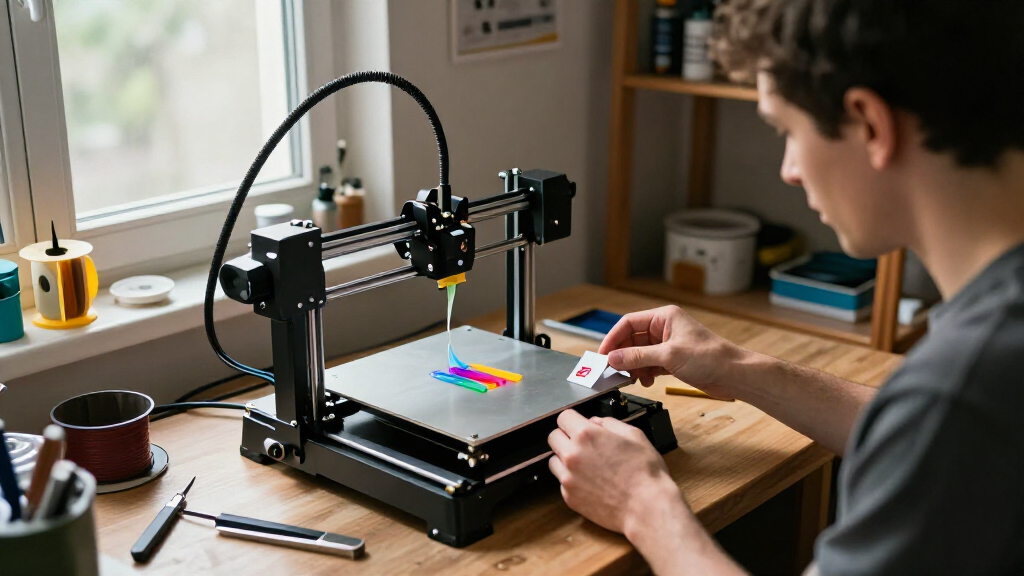
I compared these printers on the factors that change the ownership experience: print-system design, stated build volume, material and color flexibility, setup demands, maintenance considerations, and how clearly each model suits a particular buyer. I gave weight to practical fit over headline speed alone; a fast printer is less useful if its build area or material handling does not match the intended projects. I also separated machines sold with a multicolor system from base printers, since the bundle changes what a buyer can do out of the box.
The ranking favors well-rounded options first, then models with a clear advantage for a specific need. The P1S Combo leads for balancing enclosure and bundled multicolor capability; the A1 ranks as a simpler entry point, and the K2 Plus Combo serves buyers who value a larger-format machine. Other picks move up or down based on specialization, such as toolhead design, speed-focused positioning, or a more limited role. Where products appear in similar or duplicate configurations, I treat the exact bundle and feature set as the deciding difference rather than assuming the names indicate identical contents.
Factors to Consider When Choosing Best 3D Printers
Before choosing a printer, I would start with the objects you expect to make and the amount of hands-on setup you are comfortable with. A larger feature list is not automatically a better fit: it can add moving parts, material management, and decisions that matter only for certain projects. These factors help separate genuinely useful capabilities from features that may sit idle.
Match Build Volume to Your Typical Projects
Think about the largest object you will print regularly, not the occasional oversized idea. A bigger build area can reduce the need to split models, but it also takes more bench space and can make small jobs feel like a poor use of the machine. Measure the printer’s full footprint as well as its stated print volume; spools, doors, and access for maintenance can add room needs. If most projects are small figures, brackets, or household parts, a compact build area may be more convenient. For helmets, enclosures, or larger prototypes, a larger-format model such as the K2 Plus Combo may justify the extra space. Check the dimensions of your actual model before paying for capacity you may rarely use.
Choose Multicolor Only If It Serves Your Projects
Multicolor printing is useful for signs, visual models, and parts where different colors communicate function. It also adds filament handling and can create purge waste when the printer switches colors, so more colors do not automatically mean more efficient prints. Consider whether you need color changes within a layer or simply separate parts that can be assembled afterward. A bundled AMS or CFS makes sense when you expect to use the system often, while a single-color printer may be the cleaner choice for functional parts. Multi-toolhead designs approach the problem differently from systems that feed several filaments through one print path. Compare what the system changes in your workflow, not just the number of colors advertised.
Decide Whether an Enclosure Matters
An enclosure can help manage drafts and keep the printing area more contained, which may be helpful for some materials and shared workspaces. It can also make a printer larger, limit access, and add heat that is not suitable for every filament or setup. Buyers mainly printing common materials may prefer an open machine that is easier to reach and inspect. If you plan to use materials that benefit from steadier temperatures, check the printer’s stated material compatibility rather than assuming any enclosure makes it suitable. Ventilation and placement matter too, particularly when a machine will run in a living or work area. Choose an enclosed model for a clear material or workspace reason, not just because it looks more advanced.
Treat Speed Claims as One Part of Print Time
Advertised maximum speed is not the same as the time required for a finished, clean part. Model geometry, layer height, material, cooling, and acceleration all affect the result, and a small detailed model may not reach a printer’s headline speed. Faster printing can be valuable for repeated prototypes, but only if the machine maintains the quality your project needs. For a first printer, a dependable workflow and easy recovery from a failed job may save more time than a higher speed figure. Compare the printer’s speed claims with the type of objects you expect to make and the quality settings you will actually use. Avoid choosing solely from a maximum speed number.
Factor in Setup, Maintenance, and Support
A printer that is ready to use with minimal assembly may suit a beginner better than a machine that requires more tuning, even when both can produce similar parts. Auto calibration can reduce some setup steps, but it does not remove routine tasks such as cleaning the build plate, checking the nozzle, or managing filament. Before buying, look for clear instructions, replacement parts, and a service path you can access where you live. Also check how easy it is to reach the hotend and print surface; maintenance that feels simple on paper can become frustrating if key parts are awkward to reach. Multi-material systems bring extra components to maintain, so weigh their creative value against that added care. A modest printer with a clear support path can be a better long-term fit than a more complex machine with features you will rarely use.
Compare Bundles and Base Models Carefully
Product names can hide meaningful differences in what comes in the box. A printer bundled with a multicolor system is not the same purchase as its base-machine version, even if the core printer is similar. Check whether the listing includes the filament system, accessories, or upgraded components you expect, and confirm that those items are compatible with the printer. This matters especially in this roundup, which includes standalone and combo versions as well as repeated product families. Do not assume that a “Pro,” “Combo,” or “Plus” label has the same meaning across brands. Compare the included hardware and the capabilities it enables before making a final choice.
Frequently Asked Questions
Should I buy a multicolor printer or start with a single-color model?
Choose multicolor if color is part of the design rather than an occasional decoration. The bundled systems in this roundup add flexibility, but they also involve extra filament handling and may produce purge waste during color changes. A single-color machine is often a better starting point for functional parts, simple prototypes, and learning basic slicing settings. You can also print separate colored pieces and assemble them when the design allows it. If you expect frequent color changes in one model, a combo such as the A1 Combo or P1S Combo makes a stronger case.
Is an enclosed 3D printer necessary for a first-time buyer?
No, an enclosure is not a requirement for learning FDM printing or making many common projects. It becomes more relevant when your intended materials or workspace benefit from a more contained printing area. Open designs can be easier to access and may take up less room, which can simplify routine use. An enclosure also does not replace checking material compatibility, ventilation needs, or the printer’s operating guidance. Choose based on the materials and location you expect to use, rather than treating an enclosure as a universal upgrade.
How much build volume do I need for home projects?
Start by measuring a few objects you genuinely expect to print, including their orientation on the build plate. Most small household parts and decorative pieces do not need a large-format printer, while oversized models may require splitting if the build area is limited. Splitting and joining parts can work, but it adds design and finishing steps. A larger printer can also need more dedicated bench space and may be less convenient for small jobs. Pick the smallest build area that handles your common projects comfortably, with some room for occasional larger work if that matters to you.
Are the Flashforge Adventurer 5M and AD5X listings interchangeable?
No; similar names do not guarantee the same printer or bundle. This roundup includes Adventurer 5M entries with different listing details, an Adventurer 5M Pro, and multiple AD5X listings. Check the exact model name, included accessories, and stated capabilities on the specific listing you plan to buy. In particular, confirm whether a multicolor system is included rather than assuming it comes with every version in the product family. If two listings appear to describe the same core machine, compare the bundle contents and support details before choosing.
When is it worth choosing a multi-toolhead printer over a filament-switching system?
A multi-toolhead design can suit projects that need several materials or colors available through separate toolheads, but the benefits depend on how the machine manages switching and calibration. A filament-switching system may be a more straightforward fit if your main goal is multicolor printing from a bundled setup. Neither design is automatically better for every project: toolheads can add mechanical complexity, while filament switching can involve purging material during changes. Consider how often you will use multiple materials, whether your models need frequent swaps, and what maintenance the system requires. For occasional color accents, a simpler single-color workflow may still be easier.
Conclusion
For most buyers seeking one machine that covers varied projects, I recommend the Bambu Lab P1S Combo as the best overall pick because its enclosed design and bundled AMS make it a flexible starting point for multicolor work. The Flashforge Adventurer 5M is a sensible value-oriented choice for buyers focused on speed-led FDM printing without making multicolor the main requirement, though I would verify the exact listing bundle. For a premium, larger-format direction, look at the Creality K2 Plus Combo; its size and CFS pairing make the most sense when projects need more room. Beginners who want a ready-to-use, straightforward printer should start with the Bambu Lab A1, while color-focused buyers can move to the A1 Combo. For specific multicolor workflows, compare the Snapmaker U1 and Flashforge Creator 5 Pro toolhead designs against AMS- or CFS-style systems, then choose based on the materials and switching pattern you expect to use.