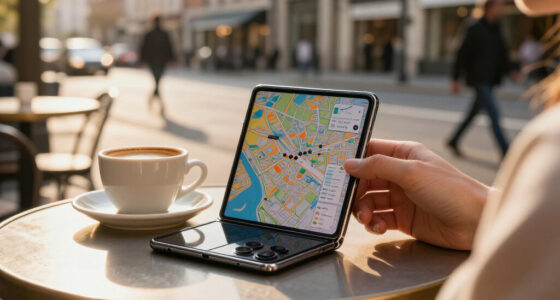

Among these best touchscreen laptops, I’d put the Lenovo Yoga 7i 2-in-1 first for buyers who want a screen that can fold into tablet mode, while the Dell 16-inch with Core 7 and 32GB RAM stands out for multitasking and the Lenovo IdeaPad Slim 3 15.3-inch for a sharper 2K display. The choices range from basic systems with 8GB memory and limited storage to larger, better-equipped laptops with 16GB or 32GB RAM. Bigger displays can make work and streaming more comfortable, but they also make a laptop less convenient to carry. Convertible hinges and higher-resolution screens add useful flexibility, though not every touchscreen model offers them. Read on for the full breakdown and a clear guide to matching a laptop to your needs.

Get the latest gadgets delivered free with Prime
- Fast, free delivery on millions of items
- Prime Video, Amazon Music and more included
- Member-only deals all year
Complete the kit



Key Takeaways
- The Yoga 7i is the clearest choice for touch-first flexibility: its 2-in-1 design offers a tablet mode that standard touchscreen laptops do not.
- Memory and storage separate stronger daily drivers from entry-level options: the Dell 16-inch configuration has 32GB RAM and a 1TB SSD, while several HP models have 8GB RAM and smaller drives.
- The IdeaPad Slim 3 stands apart on display detail: its 2K screen is a better fit for buyers who value sharper text and images than the HD+ 17.3-inch options.
- Large screens come with a portability tradeoff: the 17.3-inch HP models suit desk-based use better than the 15.3- and 15.6-inch laptops.
- Product names alone do not tell the whole story: configurations vary widely, so I’d check the listed RAM, storage, operating system, and display resolution before choosing.
| HP OmniBook 3 16-inch Touchscreen Laptop, Ryzen 3 7320U, 8GB RAM, 512GB SSD, Windows 11 Home |  | Best for a Big Touchscreen on a Basic Workload | Display: 16-inch IPS touchscreen, 1920 × 1200, 300 nits | Processor: AMD Ryzen 3 7320U, 4 cores, up to 4.1 GHz | Memory: 8GB LPDDR5-5500, onboard | VIEW LATEST PRICE | See Our Full Breakdown |
| Dell 16-Inch Touchscreen Laptop, Intel Core 7 150U, 32GB DDR5 RAM, 1TB SSD |  | Best for Touchscreen Multitasking | Display: 16-inch FHD+ touchscreen, 1920 × 1200, 16:10, 300 nits | Processor: Intel Core 7 150U, 10 cores, up to 5.4 GHz | Memory: 32GB DDR5 | VIEW LATEST PRICE | See Our Full Breakdown |
| HP 17.3-Inch Touchscreen Laptop, Intel Core Ultra 7 255U, 16GB RAM, 512GB SSD with 512GB External Docking Set, Windows 11 Pro |  | Best for a Desktop-Like Touchscreen Workspace | Display: 17.3-inch LED touchscreen, 1600 × 900, 60 Hz | Processor: Intel Core Ultra 7 255U, 12 cores, 14 threads, up to 5.2 GHz | Memory: 16GB RAM | VIEW LATEST PRICE | See Our Full Breakdown |
| HP OmniBook 3 16-inch Touchscreen Laptop, AMD Ryzen 5 7520U, 8 GB RAM, 512 GB SSD, Radeon 610M, Windows 11 Home |  | Best for Faster Everyday Performance | Display: 16-inch IPS touchscreen, 1920 × 1200, 300 nits | Processor: AMD Ryzen 5 7520U, 4 cores, 8 threads, up to 4.3 GHz | Memory: 8GB LPDDR5-5500, onboard | VIEW LATEST PRICE | See Our Full Breakdown |
| HP 15.6-Inch Touchscreen Laptop, AMD Ryzen 3 7320U, 8GB RAM, 128GB SSD, Windows 11 Home in S Mode, Natural Silver |  | Best Compact Everyday Touchscreen | Display: 15.6-inch anti-glare touchscreen, 1366 × 768, 250 nits | Processor: AMD Ryzen 3 7320U, 4 cores, 8 threads, up to 4.1 GHz | Memory: 8GB LPDDR5-5500 | VIEW LATEST PRICE | See Our Full Breakdown |
| Dell 15.6-Inch Touchscreen Laptop with Intel Core Ultra 7 255U |  | Best for Windows Pro Productivity | Display: 15.6-inch Full HD touchscreen, 1920 × 1080, anti-glare, 60 Hz | Processor: Intel Core Ultra 7 255U, 12 cores, up to 5.2 GHz | Memory: 16GB DDR5-5600 | VIEW LATEST PRICE | See Our Full Breakdown |
| HP 17.3-Inch Touchscreen Laptop with Microsoft 365, 8GB RAM, and 128GB UFS |  | Best for a Large, Simple Home Setup | Display: 17.3-inch HD+ touchscreen, 1600 × 900, 60 Hz | Processor: Intel N100 quad-core | Memory: 8GB DDR4-3200, expandable to 16GB | VIEW LATEST PRICE | See Our Full Breakdown |
| HP OmniBook 3 17.3-Inch Touchscreen Laptop |  | Best for Big-Screen Multitasking | Display: 17.3-inch FHD IPS touchscreen, listed as 1920 × 1080, 60 Hz | Processor: Intel Core 7 350, up to 4.8 GHz | Memory: 32GB DDR4, 4800 MHz (listed; product details contain inconsistencies) | VIEW LATEST PRICE | See Our Full Breakdown |
| Dell Inspiron 15 3530 15.6-Inch FHD Touchscreen Laptop, Intel Core i5-1334U, 20GB RAM, 512GB SSD, Windows 11 Pro |  | Best Refurbished Workhorse | Display: 15.6-inch FHD IPS touchscreen, 1920 × 1080, anti-glare, 220 nits | Processor: Intel Core i5-1334U, 10 cores, up to 4.6 GHz | Memory: 20GB DDR4 | VIEW LATEST PRICE | See Our Full Breakdown |
| Lenovo Yoga 7i 2-in-1 16-inch Touchscreen Laptop, Core Ultra 7 155U |  | Best Convertible 2-in-1 | Display: 16-inch LCD touchscreen, 1920 × 1200, 300 nits | Processor: Intel Core Ultra 7 155U, 12 cores | Memory: 16GB DDR5 | VIEW LATEST PRICE | See Our Full Breakdown |
| HP 15.6-Inch FHD Touchscreen Laptop, AMD Ryzen 7 7730U, 32GB RAM, 1TB SSD |  | Best for Heavy Multitasking | Processor: AMD Ryzen 7 7730U, 8 cores, 16 threads, up to 4.5GHz | Memory: 32GB DDR4 3200MHz | Storage: 1TB PCIe NVMe SSD | VIEW LATEST PRICE | See Our Full Breakdown |
| HP 17.3 inch Laptop, Touchscreen HD+ Display, Intel 12-Core Ultra 7 255U, 16 GB RAM, 1TB SSD, Intel Graphics, Windows 11 Pro, Backlit Keyboard, Natural Silver |  | Best Large-Screen Touchscreen | Processor: Intel Core Ultra 7 255U, 12 cores, 14 threads, up to 5.2GHz | Memory: 16GB DDR5 | Storage: 1TB PCIe NVMe SSD | VIEW LATEST PRICE | See Our Full Breakdown |
| Lenovo IdeaPad Slim 3 15.3-Inch 2K Touchscreen Laptop, Ryzen 7 170, 16GB DDR5, 512GB SSD, Luna Grey |  | Best for a Taller, Sharper Screen | Processor: AMD Ryzen 7 170 | Memory: 16GB DDR5 | Storage: 512GB PCIe SSD | VIEW LATEST PRICE | See Our Full Breakdown |
| Dell 15.6-Inch FHD Touchscreen Laptop with Intel Core Ultra 7 255U, 16GB RAM, and 1TB SSD |  | Best Balanced Windows 11 Pro Pick | Processor: Intel Core Ultra 7 255U, 12 cores, 14 threads, up to 5.2GHz | Memory: 16GB DDR5 | Storage: 1TB PCIe SSD | VIEW LATEST PRICE | See Our Full Breakdown |
| Dell 15.6-Inch FHD Touchscreen Laptop, Intel Core i5-1334U, 8GB RAM, 512GB SSD, Windows 11 |  | Best for Smooth Scrolling | Processor: 13th Gen Intel Core i5-1334U, 10 cores, up to 4.60GHz | Memory: 8GB DDR4 | Storage: 512GB SSD | VIEW LATEST PRICE | See Our Full Breakdown |
| touchscreen laptop | Display | Processor | Memory | Storage |
|---|---|---|---|---|
| HP OmniBook 3 16-inch Touchscr | 16-inch IPS touchscreen, 1920 × 1200, 300 nits | AMD Ryzen 3 7320U, 4 cores, up to 4.1 GHz | 8GB LPDDR5-5500, onboard | 512GB PCIe NVMe M.2 SSD |
| Dell 16-Inch Touchscreen Lapto | 16-inch FHD+ touchscreen, 1920 × 1200, 16:10, 300 nits | Intel Core 7 150U, 10 cores, up to 5.4 GHz | 32GB DDR5 | 1TB PCIe NVMe SSD |
| HP 17.3-Inch Touchscreen Lapto | 17.3-inch LED touchscreen, 1600 × 900, 60 Hz | Intel Core Ultra 7 255U, 12 cores, 14 threads, up to 5.2 GHz | 16GB RAM | 512GB SSD plus 512GB external docking set |
| HP OmniBook 3 16-inch Touchscr | 16-inch IPS touchscreen, 1920 × 1200, 300 nits | AMD Ryzen 5 7520U, 4 cores, 8 threads, up to 4.3 GHz | 8GB LPDDR5-5500, onboard | 512GB PCIe NVMe M.2 SSD |
| HP 15.6-Inch Touchscreen Lapto | 15.6-inch anti-glare touchscreen, 1366 × 768, 250 nits | AMD Ryzen 3 7320U, 4 cores, 8 threads, up to 4.1 GHz | 8GB LPDDR5-5500 | 128GB PCIe NVMe M.2 SSD |
| Dell 15.6-Inch Touchscreen Lap | 15.6-inch Full HD touchscreen, 1920 × 1080, anti-glare, 60 Hz | Intel Core Ultra 7 255U, 12 cores, up to 5.2 GHz | 16GB DDR5-5600 | 1TB PCIe NVMe M.2 SSD |
| HP 17.3-Inch Touchscreen Lapto | 17.3-inch HD+ touchscreen, 1600 × 900, 60 Hz | Intel N100 quad-core | 8GB DDR4-3200, expandable to 16GB | 128GB UFS |
| HP OmniBook 3 17.3-Inch Touchs | 17.3-inch FHD IPS touchscreen, listed as 1920 × 1080, 60 Hz | Intel Core 7 350, up to 4.8 GHz | 32GB DDR4, 4800 MHz (listed; product details contain inconsistencies) | 1TB NVMe SSD |
| Dell Inspiron 15 3530 15.6-Inc | 15.6-inch FHD IPS touchscreen, 1920 × 1080, anti-glare, 220 nits | Intel Core i5-1334U, 10 cores, up to 4.6 GHz | 20GB DDR4 | 512GB SSD |
| Lenovo Yoga 7i 2-in-1 16-inch | 16-inch LCD touchscreen, 1920 × 1200, 300 nits | Intel Core Ultra 7 155U, 12 cores | 16GB DDR5 | 1TB PCIe 4.0 SSD |
| HP 15.6-Inch FHD Touchscreen L | 15.6-inch FHD IPS touchscreen, 1920 x 1080, 300 nits, anti-glare | AMD Ryzen 7 7730U, 8 cores, 16 threads, up to 4.5GHz | 32GB DDR4 3200MHz | 1TB PCIe NVMe SSD |
| HP 17.3 inch Laptop | 17.3-inch HD+ touchscreen, 1600 x 900, anti-glare, 250 nits | Intel Core Ultra 7 255U, 12 cores, 14 threads, up to 5.2GHz | 16GB DDR5 | 1TB PCIe NVMe SSD |
| Lenovo IdeaPad Slim 3 15.3-Inc | 15.3-inch WUXGA touchscreen, 1920 x 1200, 60Hz | AMD Ryzen 7 170 | 16GB DDR5 | 512GB PCIe SSD |
| Dell 15.6-Inch FHD Touchscreen | 15.6-inch FHD touchscreen, 1920 x 1080, anti-glare | Intel Core Ultra 7 255U, 12 cores, 14 threads, up to 5.2GHz | 16GB DDR5 | 1TB PCIe SSD |
| Dell 15.6-Inch FHD Touchscreen | 15.6-inch FHD IPS touchscreen, 1920 x 1080, 120Hz, anti-glare, 250 nits | 13th Gen Intel Core i5-1334U, 10 cores, up to 4.60GHz | 8GB DDR4 | 512GB SSD |
More Details on Our Top Picks
HP OmniBook 3 16-inch Touchscreen Laptop, Ryzen 3 7320U, 8GB RAM, 512GB SSD, Windows 11 Home
The 16-inch, 1920 × 1200 touchscreen gives this OmniBook more room for documents and side-by-side windows than the smaller-screen HP 15.6-Inch Touchscreen Laptop. Its 16:10-style resolution adds useful vertical space, while the 1080p camera is a stronger fit for video calls than the 720p camera on that HP. The Ryzen 3 7320U and 8GB of onboard memory suit browsing, email, streaming, and light office work, but leave less headroom for heavier multitasking than the Dell 16-Inch Touchscreen Laptop with 32GB of RAM. The 512GB SSD is practical for everyday files, and HP states up to 14 hours and 15 minutes of battery life. The tradeoff is fixed, limited memory and integrated entry-level graphics, so I would not pick it for demanding creative work or a workload that keeps many apps open.
Pros:- Large 16-inch, 1920 × 1200 IPS touchscreen gives documents and webpages more vertical room.
- 1080p camera with HDR auto-switch is well suited to regular video calls.
- 512GB NVMe SSD offers more file space than the 128GB drive in the HP 15.6-Inch Touchscreen Laptop.
- HP states battery life of up to 14 hours and 15 minutes.
Cons:- 8GB of onboard memory limits heavier multitasking and cannot be upgraded.
- Ryzen 3 processor and Radeon 610M graphics are a poor fit for demanding creative workloads or modern games.
Best for: Students and home users who want a roomy touchscreen for documents, video calls, and everyday tasks without needing high-performance graphics.
Not ideal for: Multitaskers who keep many demanding apps open, or buyers who want upgradeable memory or a laptop for graphics-heavy work.
- Display:16-inch IPS touchscreen, 1920 × 1200, 300 nits
- Processor:AMD Ryzen 3 7320U, 4 cores, up to 4.1 GHz
- Memory:8GB LPDDR5-5500, onboard
- Storage:512GB PCIe NVMe M.2 SSD
- Graphics:AMD Radeon 610M integrated graphics
- Operating system:Windows 11 Home
- Camera:1080p FHD with HDR auto-switch
- Ports:2 USB-A, 2 USB-C, HDMI 2.1, headphone/microphone combo
- Weight:3.6 lb
Our verdict“Choose this OmniBook for a large, sharp touchscreen and routine daily work, but skip it if you need more than 8GB of memory or stronger graphics.”
Dell 16-Inch Touchscreen Laptop, Intel Core 7 150U, 32GB DDR5 RAM, 1TB SSD
For buyers who want a touchscreen without sacrificing working memory, this Dell is the strongest productivity pick in this group. Its 32GB of DDR5 RAM and 1TB SSD give it substantially more room for simultaneous apps and files than either HP OmniBook 3, both of which have 8GB of onboard memory. The 16-inch, 1920 × 1200 display also provides a generous workspace, while Windows 11 Pro, a backlit keyboard, and numeric keypad suit office use. Compared with the HP 17.3-Inch Touchscreen Laptop, the Dell has a smaller screen but a sharper 1920 × 1200 resolution than that model’s 1600 × 900 panel, and it weighs less. The compromises are a 4.4-pound carry weight and an HD-RGB camera; battery life is not specified, so I would not choose it based on unplugged endurance.
Pros:- 32GB DDR5 memory supports heavier multitasking than the 8GB HP OmniBook 3 models.
- 1TB PCIe NVMe SSD provides substantial room for work files and applications.
- 16-inch, 1920 × 1200 touchscreen offers a spacious 16:10 workspace.
- Windows 11 Pro, backlit keyboard, numeric keypad, and USB-C with DisplayPort and Power Delivery suit office setups.
Cons:- At 4.4 pounds, it is heavier than the 3.6-pound HP OmniBook 3 models.
- Battery life is not specified in the supplied product details.
- HD-RGB camera offers less stated resolution than the 1080p cameras on the HP OmniBook 3 laptops.
Best for: Office users and frequent multitaskers who want a large touchscreen, generous memory, Windows Pro, and a built-in numeric keypad.
Not ideal for: Frequent commuters prioritizing a light laptop, or buyers who need confirmed battery-life figures or a higher-resolution camera.
- Display:16-inch FHD+ touchscreen, 1920 × 1200, 16:10, 300 nits
- Processor:Intel Core 7 150U, 10 cores, up to 5.4 GHz
- Memory:32GB DDR5
- Storage:1TB PCIe NVMe SSD
- Operating system:Windows 11 Pro
- Wireless:Wi-Fi 6, Bluetooth 5.2
- Keyboard:Backlit keyboard with numeric keypad
- Ports:2 USB-A 3.2 Gen 1, 1 USB-C 3.2 Gen 2 with DisplayPort 1.4 and Power Delivery, 1 HDMI 1.4
- Weight:4.4 lb
Our verdict“Pick the Dell when memory, storage, and office-focused features matter more than low carry weight or a specified battery runtime.”
HP 17.3-Inch Touchscreen Laptop, Intel Core Ultra 7 255U, 16GB RAM, 512GB SSD with 512GB External Docking Set, Windows 11 Pro
The main reason to choose this HP is its 17.3-inch touchscreen: it gives spreadsheets, documents, and onscreen controls more physical room than the 16-inch Dell 16-Inch Touchscreen Laptop. The Core Ultra 7 255U, 16GB RAM, and Windows 11 Pro make it a more capable work setup than the Ryzen 3 HP OmniBook 3, though the provided display resolution is only 1600 × 900. That lower pixel density is a real compromise on a screen this large, especially for small text and detailed images. It also weighs 6 pounds, making it less appealing to carry than either OmniBook. Buyers should note that the listing says the factory seal is opened for upgrades and that the one-year warranty comes from Smartisan Tech. I’d shortlist it for a mostly stationary workstation, not for frequent travel or buyers who prioritize a crisp display.
Pros:- 17.3-inch touchscreen offers the largest viewing area among these five models.
- Core Ultra 7 255U and 16GB RAM provide more headroom than the Ryzen 3 HP OmniBook 3.
- Windows 11 Pro, fingerprint reader, backlit keyboard, and numeric keypad support office work.
- Includes a 512GB SSD and a listed 512GB external docking set.
Cons:- 1600 × 900 resolution is relatively low for a 17.3-inch screen.
- At 6 pounds, it is substantially less convenient to carry than the 16-inch HP OmniBook 3.
- Factory seal is opened for upgrades, and the listed one-year warranty is from the seller.
Best for: Home-office users who want a very large touchscreen for spreadsheets and documents and expect to keep the laptop mostly at a desk.
Not ideal for: Frequent travelers, buyers who want a high-resolution large display, or shoppers who prefer an unopened factory-sealed laptop.
- Display:17.3-inch LED touchscreen, 1600 × 900, 60 Hz
- Processor:Intel Core Ultra 7 255U, 12 cores, 14 threads, up to 5.2 GHz
- Memory:16GB RAM
- Storage:512GB SSD plus 512GB external docking set
- Operating system:Windows 11 Pro
- Battery:42Wh lithium-ion
- Features:Fingerprint reader, backlit keyboard, numeric keypad, camera privacy shutter
- Ports:1 USB-C, 2 USB-A, 1 HDMI, 1 headphone/microphone combo jack
- Weight:6 lb
Our verdict“Choose this HP for a large, mostly desk-based touchscreen workspace, but look elsewhere if screen sharpness, portability, or factory-sealed packaging matters more.”
HP OmniBook 3 16-inch Touchscreen Laptop, AMD Ryzen 5 7520U, 8 GB RAM, 512 GB SSD, Radeon 610M, Windows 11 Home
This OmniBook keeps the same useful 16-inch, 1920 × 1200 IPS touchscreen and 512GB SSD as the Ryzen 3 OmniBook, but steps up to a Ryzen 5 7520U. That makes it the more suitable of the two for routine multitasking and heavier everyday use, though both still have only 8GB of onboard memory and Radeon 610M graphics. The Dell 16-Inch Touchscreen Laptop is a better match for sustained multitasking because it has 32GB RAM, while this HP is lighter at 3.6 pounds and has a 1080p camera. HP states up to 14 hours and 15 minutes of battery life and says it can reach 50% charge in about 45 minutes. Those claims add convenience, but the fixed memory remains the key limitation; I’d avoid this configuration if you expect to keep many demanding applications running at once.
Pros:- Ryzen 5 7520U offers a step up from the Ryzen 3 7320U in the other HP OmniBook 3.
- 16-inch, 1920 × 1200 IPS touchscreen provides a spacious workspace.
- 1080p camera and stated battery life of up to 14 hours and 15 minutes suit mobile work and calls.
- HP states the included 45W USB-C adapter can charge the battery to 50% in approximately 45 minutes.
Cons:- 8GB of onboard memory is limited for demanding multitasking and is not described as upgradeable.
- Radeon 610M integrated graphics are not suited to graphics-intensive work.
- The Dell 16-Inch Touchscreen Laptop offers much more memory and storage for heavier workloads.
Best for: Students and home-office users who want a roomy touchscreen, a stronger everyday processor than the Ryzen 3 OmniBook, and quick charging.
Not ideal for: Heavy multitaskers, buyers who need upgradeable memory, or anyone seeking a laptop for demanding graphics work.
- Display:16-inch IPS touchscreen, 1920 × 1200, 300 nits
- Processor:AMD Ryzen 5 7520U, 4 cores, 8 threads, up to 4.3 GHz
- Memory:8GB LPDDR5-5500, onboard
- Storage:512GB PCIe NVMe M.2 SSD
- Graphics:Integrated AMD Radeon 610M
- Operating system:Windows 11 Home
- Battery and charging:HP states up to 14 hours 15 minutes; 45W USB-C adapter, 0–50% in approximately 45 minutes
- Camera:1080p FHD with HDR auto-switch
- Weight:3.6 lb
Our verdict“Choose this Ryzen 5 OmniBook over the Ryzen 3 version for everyday performance and fast charging, but choose the Dell if your workload needs substantially more memory.”
HP 15.6-Inch Touchscreen Laptop, AMD Ryzen 3 7320U, 8GB RAM, 128GB SSD, Windows 11 Home in S Mode, Natural Silver
This HP is the lightest option here at 3.5 pounds, and its 15.6-inch anti-glare touchscreen is a manageable size for schoolwork and basic home use. The tradeoff is that its 1366 × 768 resolution is much less detailed than the 1920 × 1200 panels on both HP OmniBook 3 models, so text and multitasking have less room. Its 128GB SSD is also far smaller than their 512GB drives, limiting space for applications and offline files. For video calls, the 720p camera trails the OmniBooks’ 1080p cameras, though a physical shutter and microphone mute button add useful privacy controls. Windows 11 Home in S Mode is another constraint to check before buying. I’d choose this over a larger model only when lower weight and basic touchscreen tasks matter more than display clarity or storage capacity.
Pros:- At 3.5 pounds, it is lighter than the 16-inch HP OmniBook 3 models.
- Anti-glare touchscreen helps reduce reflections in bright rooms.
- Physical camera shutter and dedicated microphone mute button offer convenient privacy controls.
- Wi-Fi 6 and HP Fast Charge support current wireless use and faster top-ups.
Cons:- 1366 × 768 resolution is less sharp and offers less workspace than the 1920 × 1200 OmniBook displays.
- 128GB SSD leaves limited room for applications and files compared with the 512GB drives in the other HP models.
- USB-C does not support charging or external monitors, and Windows 11 Home in S Mode may restrict software choices.
Best for: Students or home users who want a relatively light touchscreen for web browsing, documents, and online classes, with built-in camera privacy controls.
Not ideal for: People who store large photo or video libraries, install many applications, need a high-resolution display, or want USB-C charging or monitor support.
- Display:15.6-inch anti-glare touchscreen, 1366 × 768, 250 nits
- Processor:AMD Ryzen 3 7320U, 4 cores, 8 threads, up to 4.1 GHz
- Memory:8GB LPDDR5-5500
- Storage:128GB PCIe NVMe M.2 SSD
- Graphics:Integrated AMD Radeon Graphics
- Operating system:Windows 11 Home in S Mode
- Camera:720p HD with temporal noise reduction and physical shutter
- Ports:1 USB-C, 2 USB-A, HDMI 1.4b, AC smart pin, headphone/microphone combo
- Weight:3.5 lb
Our verdict“Pick this HP for basic touchscreen tasks and a lighter carry, but choose an OmniBook if you want a sharper screen and substantially more storage.”
Dell 15.6-Inch Touchscreen Laptop with Intel Core Ultra 7 255U
The Dell 15.6-Inch Touchscreen Laptop pairs a Full HD anti-glare panel with Windows 11 Pro, 16GB of DDR5 memory, and a roomy 1TB SSD. That combination suits office work, video calls, and everyday multitasking without relying on a convertible hinge. Compared with the Lenovo Yoga 7i 2-in-1, it gives up tablet and tent modes but has a numeric keypad and a dedicated Copilot key for a more conventional desk setup. The touch display is useful for quick navigation, though its listed 220-nit brightness can make bright rooms difficult. A 720p webcam is another compromise for frequent meetings, and integrated graphics are not intended for demanding games or creative workloads. I’d pick it for practical Windows Pro work, not for flexible tablet use.
Pros:- Full HD anti-glare touchscreen offers clear workspace for documents and everyday tasks.
- 16GB DDR5 memory and a 1TB SSD support multitasking and substantial local storage.
- Windows 11 Pro and a dedicated Copilot key suit a work-focused setup.
- Backlit keyboard includes a numeric keypad.
Cons:- The 220-nit display may look dim in bright environments.
- The 720p webcam is basic for frequent video meetings.
- Integrated graphics are a limitation for demanding visual workloads.
Best for: Office workers who want a 15.6-inch touch display, Windows 11 Pro, a numeric keypad, and ample built-in storage.
Not ideal for: People who often work in bright rooms, need a sharper video-call camera, or want a laptop that folds into tablet mode.
- Display:15.6-inch Full HD touchscreen, 1920 × 1080, anti-glare, 60 Hz
- Processor:Intel Core Ultra 7 255U, 12 cores, up to 5.2 GHz
- Memory:16GB DDR5-5600
- Storage:1TB PCIe NVMe M.2 SSD
- Operating system:Windows 11 Pro
- Graphics:Integrated Intel Graphics
- Wireless:Wi-Fi 6 and Bluetooth
- Weight:4.28 lbs
Our verdict“Choose this Dell for a well-equipped Windows Pro work laptop with touch input, but choose the Yoga 7i if convertible flexibility matters more.”
HP 17.3-Inch Touchscreen Laptop with Microsoft 365, 8GB RAM, and 128GB UFS
The HP 17.3-Inch Touchscreen Laptop makes the screen its main appeal: its large anti-glare panel gives web pages and documents generous space, while the backlit keyboard adds a numeric keypad. A fingerprint reader and closable camera provide useful everyday privacy and sign-in features. Compared with the HP OmniBook 3 17.3-Inch Touchscreen Laptop, this model is far less equipped for heavy multitasking: the Intel N100, 8GB of memory, and 128GB UFS storage are better suited to browsing, email, and light office tasks than demanding workloads or large local libraries. Its 1600 × 900 resolution is also less detailed than the OmniBook’s listed Full HD screen. The USB-C port handles data only, and Microsoft 365 requires subscription activation. At seven pounds, it is best treated as a mostly stationary computer.
Pros:- Large 17.3-inch anti-glare touchscreen provides plenty of room for everyday tasks.
- Backlit keyboard includes a numeric keypad.
- Fingerprint reader and closable camera add convenient privacy features.
- Wi-Fi 6 and Bluetooth 5.4 support current wireless connections.
Cons:- 1600 × 900 resolution is less detailed than the Full HD panel on the HP OmniBook 3 17.3-inch.
- 128GB UFS storage and 8GB RAM constrain larger files and multitasking.
- USB-C is limited to data transfer, and the laptop weighs seven pounds.
Best for: Home users who prioritize a large touch display for browsing, email, and basic documents, along with a numeric keypad and fingerprint sign-in.
Not ideal for: People who need portable daily computing, sharp Full HD detail, generous storage, or USB-C display and charging support.
- Display:17.3-inch HD+ touchscreen, 1600 × 900, 60 Hz
- Processor:Intel N100 quad-core
- Memory:8GB DDR4-3200, expandable to 16GB
- Storage:128GB UFS
- Operating system:Windows 11 Home
- Wireless:Wi-Fi 6 and Bluetooth 5.4
- Battery:41 watt-hours; fast charges to 50% in 45 minutes
- Weight:7 pounds
Our verdict“Pick this HP for basic home computing on a large touchscreen, but step up to the OmniBook 3 for stronger multitasking, Full HD detail, and more storage.”
HP OmniBook 3 17.3-Inch Touchscreen Laptop
The HP OmniBook 3 17.3-Inch combines a spacious Full HD IPS touchscreen with 32GB of memory and a 1TB NVMe SSD, making it the stronger large-screen choice for keeping many apps and files close at hand. Against the smaller Dell 15.6-Inch Touchscreen Laptop with Intel Core Ultra 7 255U, it offers more screen area and double the listed memory, while the Dell is the more compact, work-focused option with Windows 11 Pro. HP’s 1080p webcam with HDR and a privacy shutter is also a better fit for video calls than the Dell’s 720p camera. The tradeoff is a large chassis, and the supplied specifications contain conflicting display-resolution details as well as inconsistent memory information. I’d confirm those details with the seller before choosing it for work that depends on a specific configuration.
Pros:- 17.3-inch listed Full HD IPS touchscreen provides a roomy workspace.
- Listed 32GB of memory and 1TB NVMe SSD suit substantial multitasking and file storage.
- 1080p webcam includes HDR and a privacy shutter.
- Two USB-C ports, two USB-A ports, and HDMI offer useful connectivity.
Cons:- Product information gives conflicting display-resolution details.
- Memory type and upgrade capacity details are inconsistent.
- Its 17.3-inch format is less convenient to carry than the 15.6-inch Dell Inspiron 15 3530.
Best for: Home-office users who want a large touch workspace, substantial listed memory, and a higher-resolution webcam for calls.
Not ideal for: Frequent travelers or buyers who need fully consistent, clearly verified display and memory specifications before purchasing.
- Display:17.3-inch FHD IPS touchscreen, listed as 1920 × 1080, 60 Hz
- Processor:Intel Core 7 350, up to 4.8 GHz
- Memory:32GB DDR4, 4800 MHz (listed; product details contain inconsistencies)
- Storage:1TB NVMe SSD
- Operating system:Windows 11 Home
- Webcam:1080p FHD with HDR and privacy shutter
- Wireless:Wi-Fi 6 and Bluetooth 5.4
- Ports:Two USB-C, two USB-A, HDMI, and audio jack
Our verdict“Consider this HP for a large, memory-rich touch workspace, but verify its configuration details before buying and choose a smaller laptop for regular travel.”
Dell Inspiron 15 3530 15.6-Inch FHD Touchscreen Laptop, Intel Core i5-1334U, 20GB RAM, 512GB SSD, Windows 11 Pro
The refurbished Dell Inspiron 15 3530 stands out for putting a Full HD IPS touchscreen, 20GB of memory, and a 512GB SSD into a comparatively manageable 3.66-pound design. Its port selection includes USB-C, HDMI, and an SD card reader, making it more adaptable for peripherals and removable media than the Dell 15.6-Inch Touchscreen Laptop with Intel Core Ultra 7 255U. That newer Dell offers a 1TB SSD and Core Ultra 7 processor, while the Inspiron’s 13th-generation Core i5 and refurbished condition make this a different kind of pick: practical capacity at the cost of buying a restored machine. Both displays are listed at just 220 nits, so neither is a strong choice for bright rooms. The 720p webcam and integrated graphics also keep this focused on everyday productivity rather than demanding creative work.
Pros:- 15.6-inch Full HD IPS touchscreen has an anti-glare finish.
- 20GB of memory supports multitasking across everyday applications.
- USB-C, HDMI, and an SD card reader accommodate a broad range of accessories.
- At 3.66 pounds, it is lighter than the 4.28-pound Dell Core Ultra 7 model.
Cons:- Refurbished condition may not suit buyers who want a new laptop.
- The listed 220-nit screen can be dim in bright settings.
- 720p webcam and integrated UHD graphics limit video-call and graphics capabilities.
Best for: Buyers comfortable with a professionally restored laptop who want a portable 15.6-inch touchscreen, Windows 11 Pro, and flexible ports.
Not ideal for: Anyone who requires a new device, a bright display for sunlit rooms, or graphics performance for demanding games and creative applications.
- Display:15.6-inch FHD IPS touchscreen, 1920 × 1080, anti-glare, 220 nits
- Processor:Intel Core i5-1334U, 10 cores, up to 4.6 GHz
- Memory:20GB DDR4
- Storage:512GB SSD
- Operating system:Windows 11 Pro
- Wireless:Wi-Fi 6 and Bluetooth
- Ports:USB-C 3.2, USB-A 3.2, USB 2.0, HDMI 1.4, audio jack, and SD card reader
- Weight:3.66 lbs
- Condition:Professionally inspected and restored
Our verdict“Choose the refurbished Inspiron for a lighter, well-connected touch laptop with ample memory, but favor the newer Dell Core Ultra 7 model if you want a 1TB SSD and a new-device configuration.”
Lenovo Yoga 7i 2-in-1 16-inch Touchscreen Laptop, Core Ultra 7 155U
The Lenovo Yoga 7i 2-in-1 is the clearest choice here for anyone who wants touch to change how they use a laptop: its 360-degree hinge lets the 16-inch screen fold into laptop, tablet, tent, or stand modes. The 1920 × 1200 display adds vertical workspace over the 15.6-inch Full HD panels on both Dell picks, which helps when reading long pages or working through documents. It also pairs 16GB of DDR5 memory with a 1TB SSD, Wi-Fi 6E, and a fingerprint reader. In contrast, the Dell 15.6-Inch Touchscreen Laptop with Intel Core Ultra 7 255U has Windows 11 Pro and a numeric keypad but lacks the Yoga’s convertible design. The Lenovo’s 300-nit brightness is moderate, and integrated graphics are not built for demanding visual workloads. At 4.6 pounds, tablet mode is flexible but not especially light to hold.
Pros:- 360-degree hinge supports laptop, tablet, tent, and stand configurations.
- 16-inch 1920 × 1200 touchscreen provides extra vertical workspace.
- Wi-Fi 6E, fingerprint reader, and a mix of USB-C, USB-A, HDMI, and Micro SD connections.
- 16GB DDR5 memory and a 1TB PCIe 4.0 SSD provide a capable everyday setup.
Cons:- At 4.6 pounds, it is relatively heavy to hold for extended tablet use.
- Listed 300-nit brightness may be limiting in bright surroundings.
- Integrated graphics are not suited to demanding graphics workloads.
Best for: Students and mobile professionals who want to switch between laptop, tablet, tent, and stand modes on one touchscreen device.
Not ideal for: Buyers who prioritize a numeric keypad, a lighter tablet experience, or strong performance in graphics-intensive work.
- Display:16-inch LCD touchscreen, 1920 × 1200, 300 nits
- Processor:Intel Core Ultra 7 155U, 12 cores
- Memory:16GB DDR5
- Storage:1TB PCIe 4.0 SSD
- Operating system:Windows 11 Pro
- Wireless:Wi-Fi 6E and Bluetooth 5.2
- Form factor:Convertible 2-in-1 with 360-degree hinge
- Weight:4.6 lbs
Our verdict“Choose the Yoga 7i if you’ll use its four convertible modes, while the Dell Core Ultra 7 is a better fit for a conventional Windows Pro laptop with a numeric keypad.”
HP 15.6-Inch FHD Touchscreen Laptop, AMD Ryzen 7 7730U, 32GB RAM, 1TB SSD
The HP 15.6-inch is the strongest fit here for buyers who keep many applications and browser tabs open: its 32GB of RAM gives it more multitasking headroom than the 16GB Dell 15.6-inch with Core Ultra 7. Storage is generous too, with a 1TB NVMe SSD for larger work files and a 15.6-inch FHD touchscreen that pairs touch input with an anti-glare surface. Windows 11 Pro, a numeric keypad, and a camera privacy shutter also suit a work-from-home or study setup. The tradeoff is that its integrated Radeon graphics are not a good match for demanding 3D or graphics workloads. Its listed battery life is up to 10.75 hours, but actual runtime varies; buyers prioritizing a higher refresh rate may prefer the Dell i5 model’s 120Hz screen.
Pros:- 32GB RAM supports heavier multitasking than the 16GB alternatives in this group.
- 1TB NVMe SSD provides ample space for documents and applications.
- Anti-glare FHD touchscreen, numeric keypad, and useful port selection suit everyday work.
- Windows 11 Pro and a camera privacy shutter add business-friendly features.
Cons:- Integrated Radeon graphics are limited for demanding visual workloads.
- Listed battery life is an estimate and can fall with heavier use.
Best for: Office workers, students, and home users who regularly multitask and want a roomy touchscreen with Windows 11 Pro.
Not ideal for: People doing demanding gaming, 3D work, or graphics-heavy editing who need discrete graphics.
- Processor:AMD Ryzen 7 7730U, 8 cores, 16 threads, up to 4.5GHz
- Memory:32GB DDR4 3200MHz
- Storage:1TB PCIe NVMe SSD
- Display:15.6-inch FHD IPS touchscreen, 1920 x 1080, 300 nits, anti-glare
- Graphics:Integrated AMD Radeon Graphics
- Operating system:Windows 11 Pro
- Wireless:Wi-Fi 6 and Bluetooth
- Weight:3.52 lbs
- Battery life:Up to 10.75 hours
Our verdict“Choose this HP if multitasking memory and built-in storage matter more than gaming graphics or a high-refresh display.”
HP 17.3 inch Laptop, Touchscreen HD+ Display, Intel 12-Core Ultra 7 255U, 16 GB RAM, 1TB SSD, Intel Graphics, Windows 11 Pro, Backlit Keyboard, Natural Silver
This HP is the pick for buyers who want a 17.3-inch touchscreen for spreadsheets, documents, or side-by-side windows without adding an external monitor. Its Core Ultra 7 255U, 16GB DDR5 memory, and 1TB SSD make it a capable general-purpose work machine, while the backlit keyboard and numeric keypad help with evening work and data entry. Compared with the more compact HP 15.6-inch Ryzen 7, this model offers more screen area but weighs 4.86 pounds and is less convenient to carry. The key compromise is resolution: 1600 x 900 HD+ is less sharp than the FHD screens on the HP 15.6-inch and Dell 15.6-inch models. Integrated graphics also limit its appeal for intensive visual workloads, so the big display is best used for productivity rather than demanding creative work.
Pros:- Large 17.3-inch touchscreen gives documents and multitasking more room.
- Core Ultra 7 processor, 16GB DDR5 memory, and 1TB SSD suit everyday productivity.
- Backlit keyboard and numeric keypad support work in varied lighting.
- Windows 11 Pro and a webcam privacy shutter add useful work-oriented features.
Cons:- 1600 x 900 resolution is less detailed than the FHD displays on smaller options.
- At 4.86 lbs, it is heavier than the 15.6-inch HP and Dell models.
- Integrated Intel graphics are not intended for demanding graphics workloads.
Best for: Home-office workers and students who value a spacious touch display and numeric keypad more than a compact carry weight.
Not ideal for: Frequent travelers or buyers who want a sharper FHD screen for detailed images and text.
- Processor:Intel Core Ultra 7 255U, 12 cores, 14 threads, up to 5.2GHz
- Memory:16GB DDR5
- Storage:1TB PCIe NVMe SSD
- Display:17.3-inch HD+ touchscreen, 1600 x 900, anti-glare, 250 nits
- Graphics:Integrated Intel Graphics
- Operating system:Windows 11 Pro
- Wireless:Wi-Fi 6 and Bluetooth 5.4
- Weight:4.86 lbs
- Battery life:Up to 10 hours
Our verdict“Pick this HP if a large touchscreen is your priority and you can accept lower resolution and a heavier laptop.”
Lenovo IdeaPad Slim 3 15.3-Inch 2K Touchscreen Laptop, Ryzen 7 170, 16GB DDR5, 512GB SSD, Luna Grey
The IdeaPad Slim 3 stands out for its 1920 x 1200 touchscreen, which adds vertical workspace compared with the 1920 x 1080 panels on the HP and Dell 15.6-inch models. That extra height can mean less scrolling through documents and webpages, while 16GB DDR5 memory and a Ryzen 7 170 make it a sensible everyday multitasking option. Its Radeon 680M integrated graphics are a more capable feature on paper than basic integrated graphics, though this remains a laptop for general computing rather than demanding graphics work. The 512GB SSD is half the capacity of the 1TB drives in several alternatives, so large local libraries may need external storage. I’d also weigh the listed 90-day warranty and 45% color-gamut display specification before choosing it for color-sensitive creative work.
Pros:- 1920 x 1200 touchscreen provides more vertical workspace than standard FHD.
- 16GB DDR5 memory supports responsive everyday multitasking.
- Radeon 680M integrated graphics offer a capable foundation for ordinary visual tasks.
- Wi-Fi 6 and Bluetooth 5.1 provide modern wireless connectivity.
Cons:- 512GB SSD offers less built-in space than the 1TB HP and Dell alternatives.
- Listed 45% color gamut is a limitation for color-sensitive editing.
- The listed warranty is 90 days.
Best for: Students and document-focused users who want a taller-than-FHD touchscreen for browsing, reading, and everyday tasks.
Not ideal for: Color-sensitive creators or buyers who need a longer stated warranty and more than 512GB of built-in storage.
- Processor:AMD Ryzen 7 170
- Memory:16GB DDR5
- Storage:512GB PCIe SSD
- Display:15.3-inch WUXGA touchscreen, 1920 x 1200, 60Hz
- Graphics:Integrated AMD Radeon 680M
- Operating system:Windows 11 Home
- Wireless:Wi-Fi 6 and Bluetooth 5.1
- Weight:1.5 kg
- Warranty:90 days
Our verdict“Choose the IdeaPad Slim 3 for its taller touchscreen and everyday performance, but look elsewhere for color-critical work or more storage.”
Dell 15.6-Inch FHD Touchscreen Laptop with Intel Core Ultra 7 255U, 16GB RAM, and 1TB SSD
This Dell is a balanced work-focused touchscreen laptop: the Core Ultra 7 255U, 16GB DDR5 memory, and 1TB SSD cover everyday office tasks without the extra memory emphasis of the HP Ryzen 7 model. Its 15.6-inch anti-glare FHD touchscreen is a practical size for desk use, and Windows 11 Pro, a backlit keyboard, and USB-C add useful workplace flexibility. Compared with the HP 15.6-inch, the Dell has half the RAM but the same listed 1TB storage capacity; compared with the 17.3-inch HP, it is more compact and offers FHD resolution. The tradeoffs are a basic 720p webcam and listed battery life of up to nine hours. Integrated graphics also make it a poor fit for buyers who need substantial GPU power.
Pros:- Core Ultra 7 processor and 16GB DDR5 memory suit everyday productivity.
- 1TB PCIe SSD provides ample local storage.
- Anti-glare FHD touchscreen offers a practical balance of detail and screen size.
- Windows 11 Pro, backlit keyboard, USB-C, and HDMI support work setups.
Cons:- 16GB RAM is less generous than the 32GB in the HP Ryzen 7 model.
- 720p webcam is basic for frequent video meetings.
- Listed battery life is up to nine hours, and integrated graphics limit intensive visual work.
Best for: Business users and students who want Windows 11 Pro, a backlit keyboard, and 1TB storage in a conventional 15.6-inch touchscreen laptop.
Not ideal for: Heavy multitaskers who would benefit from 32GB RAM, or frequent video callers who prioritize a higher-resolution webcam.
- Processor:Intel Core Ultra 7 255U, 12 cores, 14 threads, up to 5.2GHz
- Memory:16GB DDR5
- Storage:1TB PCIe SSD
- Display:15.6-inch FHD touchscreen, 1920 x 1080, anti-glare
- Graphics:Integrated Intel Graphics
- Operating system:Windows 11 Pro
- Wireless:Wi-Fi 6 and Bluetooth 5.0
- Weight:3.67 lbs
- Battery:3-cell, 41 Wh; listed up to 9 hours
Our verdict“Choose this Dell for a well-equipped Windows 11 Pro work laptop, unless you need 32GB RAM or a better webcam.”
Dell 15.6-Inch FHD Touchscreen Laptop, Intel Core i5-1334U, 8GB RAM, 512GB SSD, Windows 11
The standout here is its 120Hz FHD touchscreen, a faster refresh rate than the 60Hz Lenovo IdeaPad Slim 3 and the other listed displays, which can make scrolling and on-screen motion look smoother. The 1080p webcam, Dolby Audio stereo speakers, and SD card reader also make this Dell a more complete choice for video calls and basic media use than the 720p-webcam Dell Core Ultra 7. Its 13th Gen Core i5 and 512GB SSD are suited to everyday computing, but the 8GB of RAM is the clearest compromise: demanding multitasking has less room than on the 16GB Lenovo or 32GB HP. The keyboard is also non-backlit, and the display’s listed 250-nit brightness may be limiting in bright environments. I’d choose it for the screen refresh and webcam, not for heavy workloads.
Pros:- 120Hz FHD touchscreen offers a higher refresh rate than the other listed displays.
- 1080p webcam is a step up from the 720p cameras on the HP and Dell work-focused models.
- Dolby Audio speakers and an SD card reader add practical media features.
- 512GB SSD provides useful space for everyday applications and files.
Cons:- 8GB RAM is less suited to demanding multitasking than the 16GB and 32GB alternatives.
- Non-backlit keyboard is less convenient in dim settings.
- Listed 250-nit display brightness can be limiting in bright environments.
Best for: Everyday users who value smoother touch interactions, a 1080p webcam, and an SD card reader for routine photo and video tasks.
Not ideal for: Heavy multitaskers, users working in bright rooms, or anyone who needs a backlit keyboard.
- Processor:13th Gen Intel Core i5-1334U, 10 cores, up to 4.60GHz
- Memory:8GB DDR4
- Storage:512GB SSD
- Display:15.6-inch FHD IPS touchscreen, 1920 x 1080, 120Hz, anti-glare, 250 nits
- Graphics:Intel Iris Xe Graphics
- Operating system:Windows 11 Home
- Wireless:Wi-Fi 6 and Bluetooth
- Webcam:Integrated 1080p FHD
- Weight:4.19 lbs
Our verdict“Pick this Dell for its 120Hz touchscreen and stronger webcam, but choose a higher-memory model for heavier work.”

How We Picked
I compared the listed configurations on the factors that affect everyday touchscreen use: processor tier, memory, storage capacity, screen size and resolution, convertible design, and included software or accessories. I gave more weight to balanced configurations that can support several years of common work, browsing, video calls, and multitasking than to a single appealing spec. Touch functionality also needs to work alongside a useful display and a practical form factor; a large panel is less compelling if portability matters, and a touchscreen alone does not make a laptop a 2-in-1.
The ranking favors options with clear advantages for a defined buyer, rather than treating every model as interchangeable. The Yoga 7i leads for its convertible format, while the Dell 16-inch with 32GB RAM and the IdeaPad Slim 3 with a 2K screen earn attention for different strengths. Models with 8GB RAM, small drives, lower-resolution screens, or incomplete specifications rank lower because buyers may face tighter limits or have less information to judge the fit. Where product details are sparse, I avoid assuming features that are not listed.
| touchscreen laptop | Graphics | Operating system | Wireless |
|---|---|---|---|
| HP OmniBook 3 16-inch Touchscr | AMD Radeon 610M integrated graphics | Windows 11 Home | — |
| Dell 16-Inch Touchscreen Lapto | — | Windows 11 Pro | Wi-Fi 6, Bluetooth 5.2 |
| HP 17.3-Inch Touchscreen Lapto | — | Windows 11 Pro | — |
| HP OmniBook 3 16-inch Touchscr | Integrated AMD Radeon 610M | Windows 11 Home | — |
| HP 15.6-Inch Touchscreen Lapto | Integrated AMD Radeon Graphics | Windows 11 Home in S Mode | — |
| Dell 15.6-Inch Touchscreen Lap | Integrated Intel Graphics | Windows 11 Pro | Wi-Fi 6 and Bluetooth |
| HP 17.3-Inch Touchscreen Lapto | — | Windows 11 Home | Wi-Fi 6 and Bluetooth 5.4 |
| HP OmniBook 3 17.3-Inch Touchs | — | Windows 11 Home | Wi-Fi 6 and Bluetooth 5.4 |
| Dell Inspiron 15 3530 15.6-Inc | — | Windows 11 Pro | Wi-Fi 6 and Bluetooth |
| Lenovo Yoga 7i 2-in-1 16-inch | — | Windows 11 Pro | Wi-Fi 6E and Bluetooth 5.2 |
| HP 15.6-Inch FHD Touchscreen L | Integrated AMD Radeon Graphics | Windows 11 Pro | Wi-Fi 6 and Bluetooth |
| HP 17.3 inch Laptop | Integrated Intel Graphics | Windows 11 Pro | Wi-Fi 6 and Bluetooth 5.4 |
| Lenovo IdeaPad Slim 3 15.3-Inc | Integrated AMD Radeon 680M | Windows 11 Home | Wi-Fi 6 and Bluetooth 5.1 |
| Dell 15.6-Inch FHD Touchscreen | Integrated Intel Graphics | Windows 11 Pro | Wi-Fi 6 and Bluetooth 5.0 |
| Dell 15.6-Inch FHD Touchscreen | Intel Iris Xe Graphics | Windows 11 Home | Wi-Fi 6 and Bluetooth |
Factors to Consider When Choosing Best Touchscreen Laptops
Touchscreen laptops differ in more than screen size. Before choosing, I’d decide how often I’ll use touch, where I’ll work, and whether I need a convertible design, extra memory, or room for files. These choices help prevent paying for a feature that won’t matter—or overlooking a limitation that will.
Decide Whether You Need a 2-in-1 or Just a Touch Display
A touchscreen can make scrolling, marking up documents, and tapping through presentations easier, but it does not automatically fold back into a tablet. A 2-in-1 hinge is useful if you regularly read, sketch, or present with the laptop held differently from a standard typing position. If the laptop will mostly stay on a desk, a conventional touchscreen design may be simpler and can leave more of your budget for memory or storage. Before buying a convertible, check how you expect to hold it and whether you need a stylus; touch support does not guarantee that a pen is included. A keyboard that folds behind the display can also feel awkward if you mainly type on your lap. Match the hinge to a real routine, not just the appeal of extra modes.
Choose Screen Size for Where You Work
A 17.3-inch screen gives documents and video more room, but the larger chassis is harder to carry and use on a crowded table. A 15- or 15.6-inch model is a more balanced choice for people who move between rooms or take a laptop to class. Smaller screens are easier to transport, though they can make split-screen work feel cramped. Consider the display resolution as well as its diagonal measurement: a larger screen with a lower resolution may show less detail than a smaller, sharper panel. If you keep a laptop at one workstation, a large display may be worth the bulk. For frequent travel, portability can matter more than the extra visible area.
Buy Enough Memory for Your Real Workload
Memory affects how comfortably a laptop handles many open browser tabs, video calls, and office apps at once. Eight gigabytes can suit light browsing and basic schoolwork, but buyers who multitask heavily may benefit from 16GB or more. Do not mistake an impressive processor name for a guarantee of smooth multitasking; memory is a separate limit. Check whether the listed configuration gives you the capacity you want, and whether the memory can be upgraded later rather than assuming it can. More RAM can be a better long-term choice than a faster-sounding processor if your work involves several active apps. Match capacity to your habits instead of buying the largest number by default.
Check Storage Capacity and Type
A 128GB drive can fill quickly after installing apps, saving photos, and keeping files available offline. A 512GB SSD gives many everyday users more breathing room, while 1TB is helpful for large media libraries or work files. Pay attention to whether a listing specifies an SSD or another storage type; the capacity alone does not explain responsiveness or file access. Bundled external storage can add space, but it is not as convenient as having room inside the laptop and may be easy to leave behind. If you rely on cloud storage, remember that offline access and downloads still use local capacity. Choose enough space for the files you actually keep on the device.
Read the Exact Display Specification
“Touchscreen” describes how you interact with the display, not how sharp, bright, or color-accurate it is. Look for the stated resolution and panel details rather than inferring quality from screen size or a product name. A 2K panel can make small text and fine details look clearer, which helps with reading and detailed work. HD+ may be adequate for basic tasks, but it offers less detail than higher-resolution options. If you spend long stretches reading, also check whether the screen has features that matter to you, such as an anti-glare surface. Confirm the precise configuration, since similar model names can refer to different displays.
Compare the Complete Configuration, Not the Processor Label
Retail listings can combine similar laptop names with different RAM, storage, operating systems, and accessories. Check the full specification for the exact item you plan to order, especially when a product title mentions a docking set, Microsoft 365, or Windows edition. Bundled software or accessories can be useful, but they should not distract from a screen or memory configuration that misses your needs. Windows 11 Home and Pro have different feature sets, so choose based on the tools or management features you require rather than assuming one is automatically better. If a listing leaves out key details, compare the manufacturer’s configuration information before committing. A careful specification check is more reliable than judging by the model family alone.
Frequently Asked Questions
Is a 2-in-1 touchscreen worth choosing over a regular touchscreen laptop?
I’d choose a 2-in-1 when I expect to use tablet mode for reading, drawing, or presenting, not simply because it sounds more versatile. A convertible hinge adds flexibility but may add weight or cost compared with a standard laptop. If I mainly type and use touch for occasional scrolling, a conventional touchscreen can be a better fit. I’d also verify whether a compatible stylus is included if handwriting is part of the plan. The Yoga 7i is the clearest convertible option in this lineup, while most listed models are presented as standard touchscreen laptops.
Is 8GB of RAM enough for a touchscreen laptop?
Eight gigabytes can be sufficient for basic browsing, documents, email, and video streaming, especially when only a few apps are open. It leaves less room for heavy multitasking, large spreadsheets, or many browser tabs alongside a video call. Buyers who expect to keep a laptop for several years may prefer a 16GB or 32GB configuration when their workload supports it. This roundup includes several 8GB HP options, but also higher-memory Dell and HP configurations. I’d prioritize RAM based on how many demanding tasks I run at the same time, not on touch capability.
Should I choose a 17.3-inch touchscreen laptop or a 15.6-inch model?
A 17.3-inch screen can make reading and working across windows more comfortable, particularly when the laptop stays at home or in an office. A 15.6-inch model is easier to carry and fits better on small desks, classroom tables, and shared workspaces. Screen size does not tell me the full story: resolution matters too, and the 17.3-inch HP options in this group include an HD+ configuration. If I travel often, I’d favor portability; if I mostly work in one place, the larger panel may be more useful. I’d also check the laptop’s full dimensions and weight before buying.
Do I need a 2K touchscreen, or is Full HD enough?
Full HD is a practical fit for everyday browsing, documents, and streaming on many laptop screens. A 2K display can show finer detail, which is useful for dense text, detailed images, and buyers who notice screen sharpness. Higher resolution does not automatically mean better brightness, color, or viewing comfort, so those details still deserve a check. The IdeaPad Slim 3 is the standout 2K option in this roundup, while several Dell models list Full HD panels. I’d pay for extra resolution when screen detail is a regular priority rather than a spec I rarely notice.
How much storage should I get if a laptop includes external storage?
I’d treat an external drive or bundled storage as extra capacity, not as a substitute for a comfortable internal drive. External storage can be handy for backups and files I do not need every day, but it must be connected when those files are needed. A smaller internal drive can become inconvenient when apps, downloads, and offline documents accumulate. For a laptop used across several places, a larger internal SSD is usually easier to live with than relying on an accessory. Before choosing, check the internal drive type and capacity separately from any included external device.
Conclusion
For the best overall flexibility, I’d choose the Lenovo Yoga 7i 2-in-1 if tablet-style use is part of the plan. The Dell 16-inch with Core 7, 32GB RAM, and 1TB SSD is my pick for buyers who prioritize multitasking and generous built-in storage, while the Lenovo IdeaPad Slim 3 suits those who want a sharper 2K display. For a best value choice, compare the Dell Inspiron 15 3530 and the 8GB HP configurations against your workload and storage needs rather than assuming the lowest-spec option will be enough. Beginners with basic browsing and school tasks can start with a straightforward 15- or 15.6-inch model, provided its 8GB RAM and drive capacity fit their plans. If the laptop will stay mostly on a desk, consider a 17.3-inch HP; if you carry it often, favor a smaller model. My final advice is to confirm the exact configuration—especially screen resolution, RAM, and storage—before choosing among similarly named listings.